I was having a chitchat with some of my dev friends today and showed them my Claude desktop app in dark mode. They were surprised because they didn’t know that you can now change the theme of the app.
They were even more confused when I told them that I cut my token consumption by about half with the new Advisor Mode. They didn’t know about that either.
And so I thought, “What else have you missed, guys?”
So here I am, writing a quick rundown of the recent updates to Claude and Claude Code that many of you might have missed.
Here’s a quick summary:
- Claude Artifacts as desktop apps
- Claude can review your pull requests and fix them
- Customize the look and feel of Claude Code
- Claude turns into Advisor Mode to ask for help from bigger AI models
- Claude can now run parallel threads
Let’s go through them one by one.
1. Claude Artifacts as desktop apps
Did Anthropic just end desktop apps?
I’ve read several claims on X about the possibility of desktop apps being killed by this new feature.
Embedded X posts load a script from platform.twitter.com and are paused until you allow embedded media.
In case you didn’t know, Claude Artifacts aren’t new. They were released in June 2024, alongside Claude 3.5 Sonnet.
Artifacts operate in a dedicated, side-by-side sandbox window within the Claude interface. Under the hood, they render live web technologies (such as HTML, interactive React components, SVG graphics, and Markdown documents) in real time.
Anthropic launched an “Install as app” beta feature for the Claude Desktop app (Mac and Windows). It works by leveraging the Claude Desktop application framework to package the artifact into a standalone window directly from the share menu.
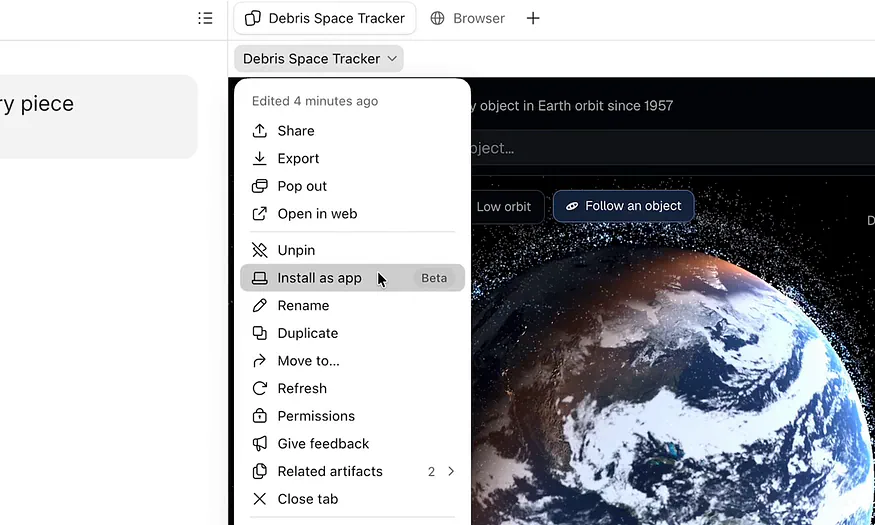
This requires no Xcode, developer accounts, or manual code-signing. Anthropic says you don’t have to package or sign anything, and the app uses your Claude account, so there’s no API key or separate login to set up.
Installed apps can also send notifications, add items to your menu bar or system tray, and use Claude and your connectors, as long as you give them permission.
Anthropic says you need to be online and signed in to Claude just to open one of these apps, and every request the app makes to Claude counts toward your plan’s usage limits. An app that stops working when your Wi-Fi drops is not going to replace Photoshop.
I think this fits small personal tools, like a tracker or a dashboard you open every morning. Just be careful with apps made by other people, because Anthropic says it doesn’t review them.
2. Claude can review your pull requests and fix them
As a solo developer, the only person who reviews my code before merging to production is myself.
Having an agent automatically review the code changes makes a lot of difference. It removes a lot of the back-and-forth in my development workflow.
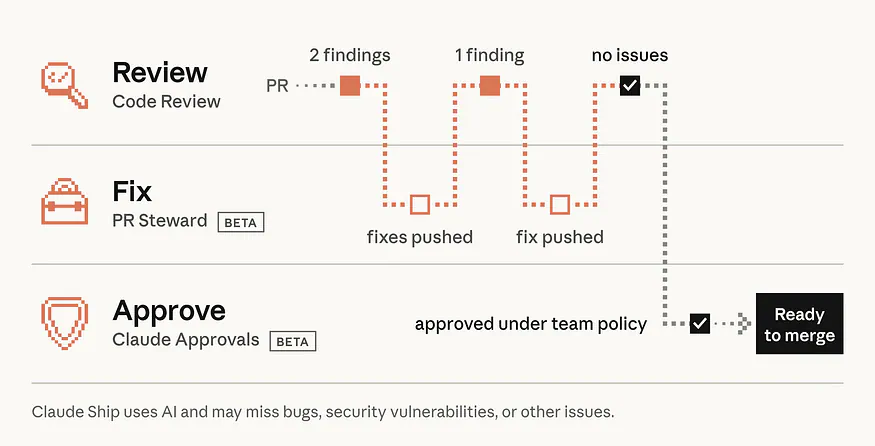
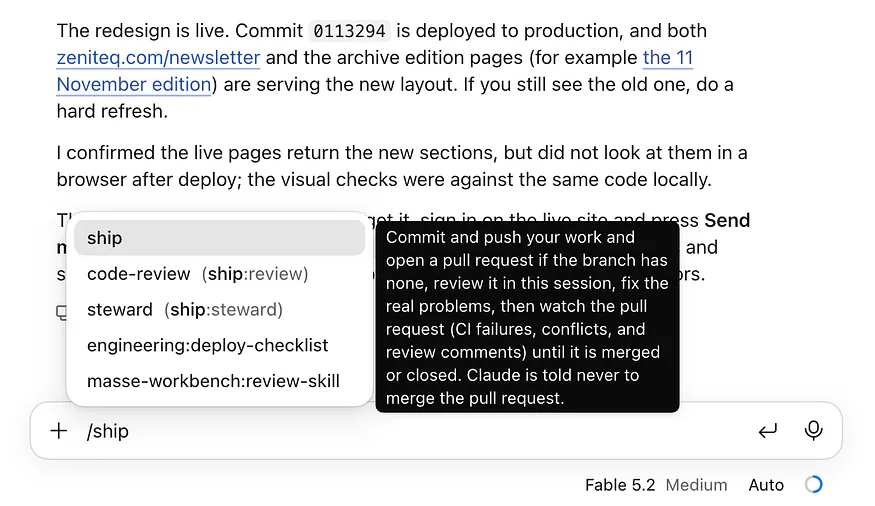
To get started, update Claude Code and run /ship. It's rolling out in the CLI and desktop app now.
Claude opens the PR, reviews your changes, and works on feedback and failing checks. Your permissions and branch rules still decide what can merge.
Embedded X posts load a script from platform.twitter.com and are paused until you allow embedded media.
This is also incredibly helpful if there are multiple devs in an organization. You know, sometimes it’s difficult to track a bunch of code changes getting merged into production. So the AI agent helps a lot.
To be clear, though, this feature is not something new.
I have seen this kind of feature get released by other platforms like Warp. If I recall correctly, Linear also released a similar feature months ago. Perhaps the big advantage with Claude Code is its deep integration with the desktop app and CLI.
Claude Ship is available on Team and Enterprise plans for repositories on GitHub, and that usage is billed based on tokens.
3. Customize the look and feel of Claude Code
This one’s not really too exciting, but it’s a welcome change, especially to devs who like to customize the look and feel of their IDE.
Embedded X posts load a script from platform.twitter.com and are paused until you allow embedded media.
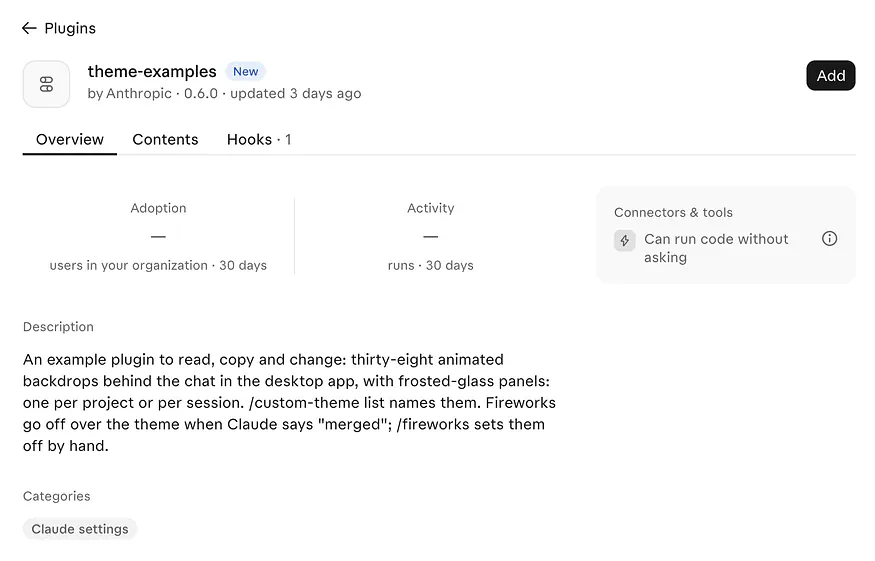
To customize your Claude desktop design, update to the latest version and install this theme examples plugin.
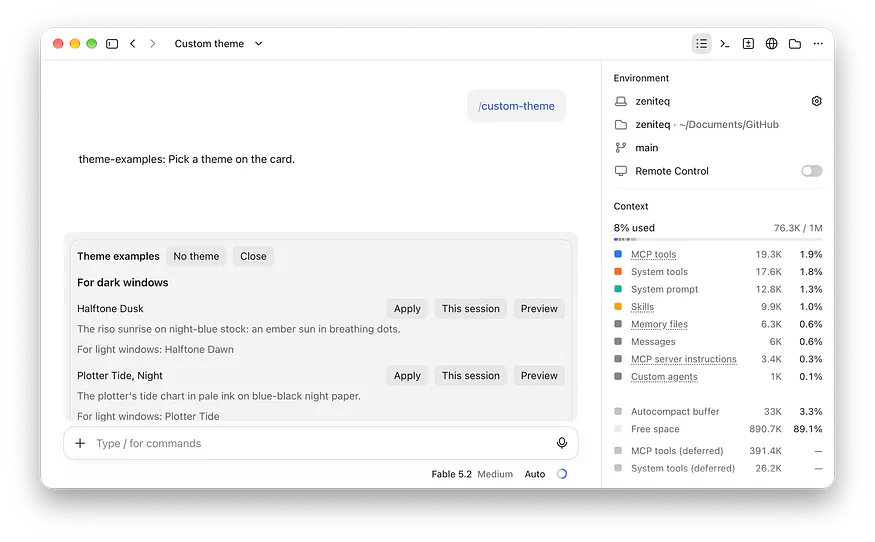
Then open a new chat window in Claude Code desktop and run /custom-theme. This will show you a set of available themes. Choose one you like.
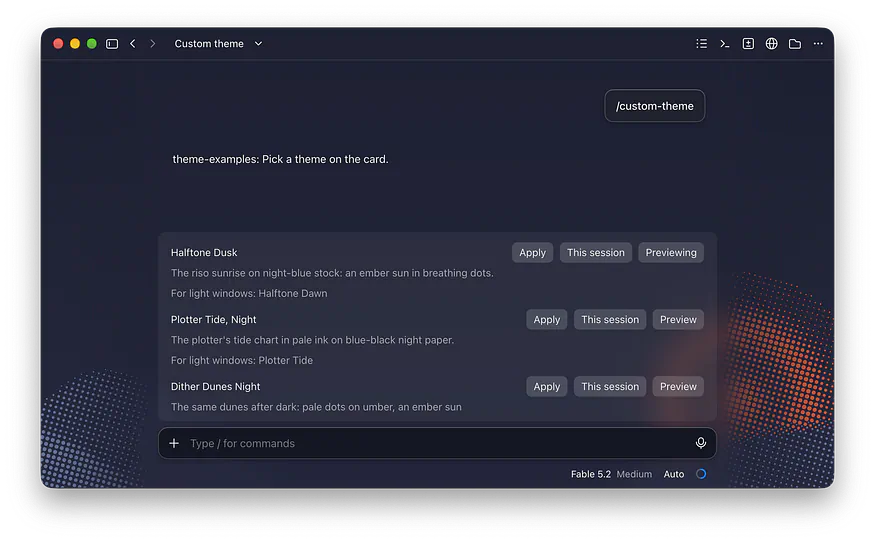
Here’s a preview of a theme called “Halftone Dusk.” Pretty cool, right?
Themes are built on top of mods, which are small programs that Claude Code loads when a session starts. You can even skip the plugin and just ask Claude to make a theme for you.
Mods run with your permissions and aren’t sandboxed, though. A theme from a random GitHub repo can do a lot more than change colors, so I’d stick to the official plugin.
I remember back in my college days when I would do all sorts of UI customizations to my Visual Studio Code so it would make me feel like I’m some sort of a pro dev.
Younger devs would probably appreciate this, but for someone like me, I usually just stick to the default dark theme.
4. Claude turns into Advisor Mode to ask for help from bigger AI models
If you’re a user who has so much money to spend on tokens, ignore this item because this is exclusively for the cheapskates out there like me.
As you know, Fable is a great model, but it’s very expensive. So with Advisor Mode, you let a cheaper model do most of the work, and it only asks the bigger model for help on the difficult decisions.
Embedded X posts load a script from platform.twitter.com and are paused until you allow embedded media.
The advisor tool lets Claude consult a second, typically stronger model at key moments during a task, such as before committing to an approach, when stuck on a recurring error, or before declaring a task complete.
It’s actually more advisable to use this feature if you’re working in the CLI.
To enable it, open the Claude CLI and bring up the Advisor setting by running /advisor. By default, no advisor is set. You can choose between Fable 5.1, Opus 5, and Sonnet 5.
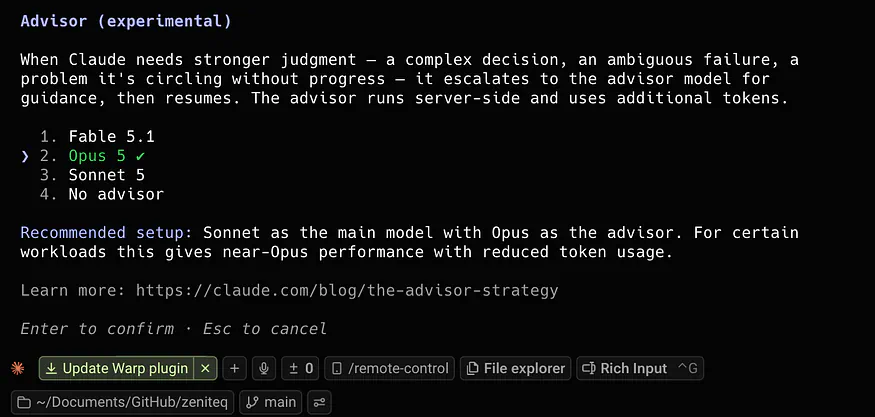
You choose which model acts as the advisor, and Claude decides when to call it. In my case, I set Opus 5 as my advisor and Sonnet 5 as my main model. In my experience, this kind of setup gets close to Opus-level results with reduced token usage.