You open ChatGPT, hit a limit, see an ad on the cheaper plan, or just want answers you can check. That's usually when people start looking at ChatGPT alternatives, and in late 2026 there are more good ones than ever, many with free plans that cover a normal day of questions.
We compared each assistant's official pricing page, product page, and recent announcements as of November 24, 2026. Nobody at Zeniteq ran test prompts for this piece, so every price and limit below comes from the vendor's own page.
This list is for ChatGPT users who want a second assistant or a full replacement. Each pick is matched to one job it does better: long writing, Google apps, Office work, cited research, live news, open models, European hosting, or privacy. The order isn't a ranking. By the end, you'll know which free plan to try first and what the first paid tier costs.
1. Claude
Best for: Long writing, careful analysis, and coding help from the same chat.
Claude is Anthropic's assistant, and it's the closest like-for-like swap for ChatGPT. The free plan covers chat on web, desktop, and mobile, plus web search, file creation, code execution, memory across conversations, and app connectors. You can also build Artifacts, small apps and documents that open beside the chat.
What you give up on the free tier is volume. Anthropic caps free use every 5 hours and every week, and how fast you hit the cap depends on the model, the chat length, and your file sizes. If you write long reports or paste in big documents, you'll feel that limit sooner than someone asking quick questions.
Claude's paid tiers at a glance:
- Claude Pro: $20 a month billed monthly, or $17 a month on an annual plan ($200 up front)
- Max: $100 a month for 5x Pro usage and priority access at busy times
- Ultra: $200 a month, with no 5-hour limit for verified accounts and 10x Pro usage each week
- Free: Up to five Projects, and no Claude Code or Research mode
Pro is where Claude starts to pull ahead for knowledge work. It adds Claude Code, Research, and Claude in Chrome, along with the larger Opus models. Anthropic lists context windows of up to 1M tokens, varying by model, so you can hand it long contracts or a whole codebase in one go. If you're a developer who used ChatGPT for coding questions, Claude Code moves that work into your terminal and editor.
The trade-offs are real, though. Claude's pricing page doesn't list built-in video generation, and the free plan's rolling caps can interrupt a long working session at a bad moment. Anthropic also lists model training as opt-out on every individual plan, so switch it off in settings if you don't want your chats used.
Before you pay, spend a normal workday on the free plan and note how often you hit the 5-hour cap. That tells you whether Pro is worth it.
2. Google Gemini
Best for: People who live in Gmail, Docs, and Google Drive.
Gemini is Google's assistant, and its biggest selling point is where it sits. The free tier needs only a Google Account and includes Deep Research, Gemini Live voice chat, Canvas, and image generation and editing, plus the standard 15 GB of Google storage.

Google's paid plans also bundle storage, which makes the math different from ChatGPT's:
| Plan | Price (US) | What you get |
|---|---|---|
| Free | free | Deep Research, Gemini Live, Canvas, image tools, 15 GB storage |
| Google AI Plus | $4.99 a month | Double the free usage, video generation, 400 GB storage |
| Google AI Pro | $19.99 a month | 4x free usage, Gemini in Gmail and Docs, 5 TB storage |
| Google AI Ultra | $99.99 or $199.99 a month | 5x or 20x the Pro plan's usage, at least 20 TB storage |
The cheap Plus tier is the interesting one if you're leaving ChatGPT to save money. At $4.99 a month it doubles your usage and adds video generation, and you'd likely pay for the extra Google storage anyway.
Gemini is strongest when your files already sit in Google's apps. The Pro plan puts Gemini inside Gmail and Docs, so you can draft a reply or summarize a shared document without copying text into a separate chat window. Pro also includes a YouTube Premium Lite plan and 1,000 credits for Google Flow, Google's video studio, which is a pretty generous bundle if you'd use them.
The catch is that the useful workplace features sit behind Pro, and the cheaper Plus plan lists in-app access only for Gmail, Vids, and a few others. If you mostly use Microsoft Office or Apple's apps, much of the bundle goes to waste. Google also sets availability by country, with AI Plus in more than 160 countries and AI Pro in more than 150.
Check whether your country gets the plan you want before you cancel anything else. Prices and features on the page change by region.
3. Microsoft Copilot
Best for: Work in Word, Excel, Outlook, and Teams.
Copilot is Microsoft's assistant, and Microsoft now pitches it as AI that connects with your work content and the apps you already use. Its new Home view brings Chat and Cowork (Copilot's mode for multi-step tasks) into one place, though Microsoft says the Home view is available in Microsoft Frontier for now.
Pricing comes as a bundle with Microsoft's apps and cloud storage:
- Individuals: Copilot, productivity apps, and storage from $6.99 a month, a sale price down from $9.99
- Business: From $23.50 per user per month, paid yearly, with identity management and security
- Enterprise: From $30 per user per month, paid yearly, adding Copilot Studio
Copilot makes the most sense when your day already runs through Microsoft 365. For individuals, Microsoft says it helps with everything from creating documents to managing your email and calendar. The Agent Builder lets you describe an agent in plain language and get a work-grounded agent in minutes, which is handy if you repeat the same report every week.
It also runs on desktop, mobile, and web, and takes voice, keyboard, or pen input. Microsoft keeps work and personal accounts separate, which matters if your employer manages one of them.
The downside is focus. Copilot's page is built around work, and its free offer is hard to pin down from the pricing carousel, which leads with paid bundles. If you don't use Office, you're paying for apps you'll ignore, and a standalone assistant like Claude or Gemini will feel simpler.
Before switching, open the Copilot app with the account you already have and see how much it does unpaid. Then decide whether the $6.99 individual bundle replaces a Microsoft 365 plan you're already buying.
4. Perplexity
Best for: Research where you need to check every source.
Perplexity is an answer engine first and a chatbot second. Every answer includes inline citations from its sources, so you can click through and confirm a claim before you repeat it. If ChatGPT's confident tone has ever burned you, this is the most direct fix on the list.
There's a free plan, and the paid tiers are priced on annual billing:
- Perplexity Pro: $17 a month, billed annually, with deep research, a model picker, 4,000 bonus credits, and more memory
- Max: $167 a month, billed annually, with 10,000 monthly credits and the highest usage limits
- Use: Both paid plans are for personal use only
One perk is model choice. Perplexity Pro lets you pick between top AI models, and the current list includes GPT-6.2 Sol, Gemini 4 Neon, Claude Sonnet 5.5, Grok 4.7, Kimi K3, and GLM 5.3. So you can keep using an OpenAI model inside Perplexity while getting the citation layer on top.
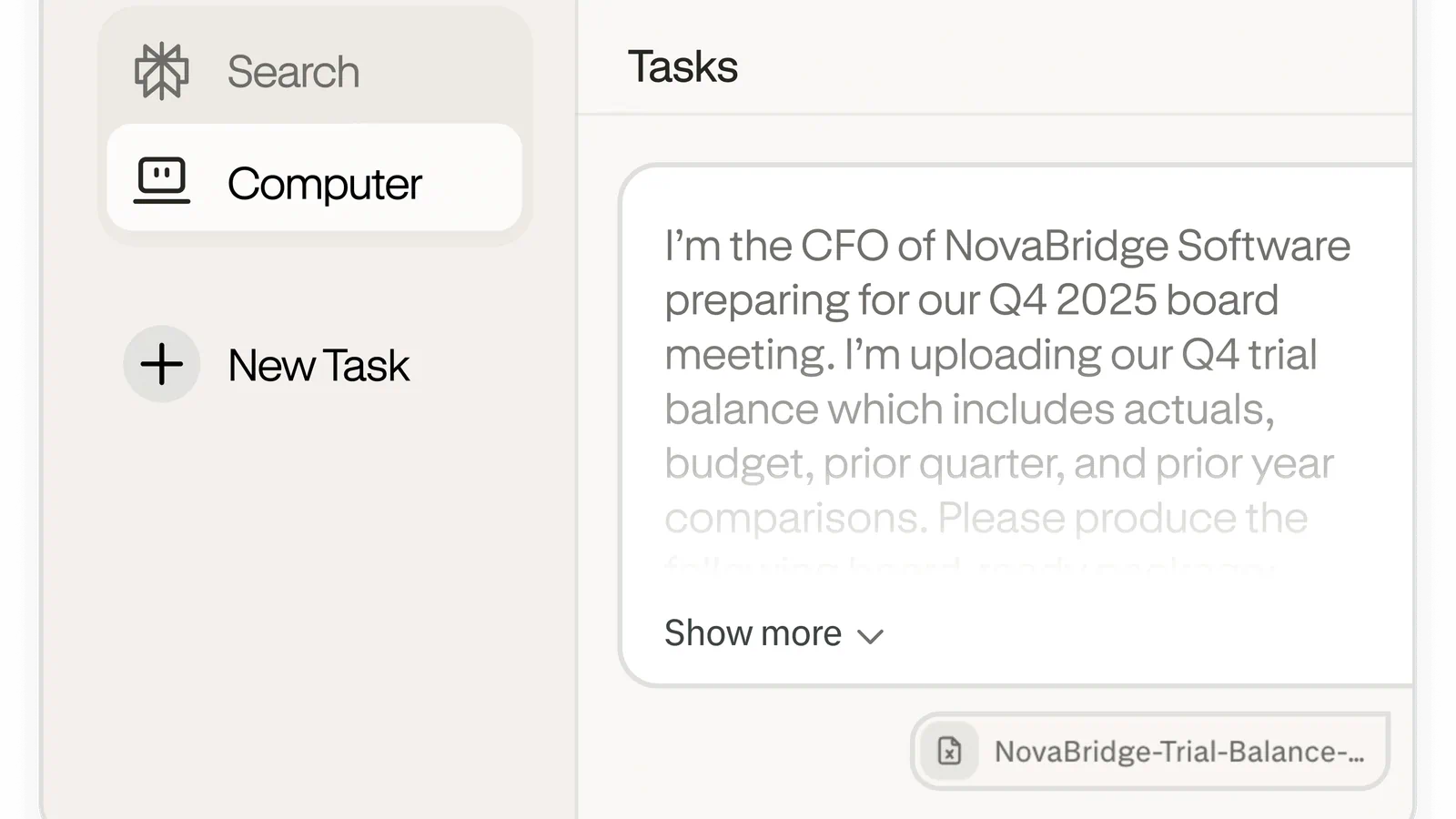
Perplexity has also grown past search. Its Computer feature builds documents, apps, and tools from a request, and Pro adds expanded Computer access plus a limited-time $40 in free Computer credits. That's useful for a one-off research brief, like pulling competitor data into a short report.
Where does it fall short? The Pro page shows only annual-equivalent prices, so check what monthly billing costs at checkout. Credits also add a second meter on top of your plan, which makes heavy months harder to predict. And for casual chat or creative writing, the citation-first format can feel stiff.
Run a question you'd normally verify by hand and see how good the cited sources are. If they hold up, Perplexity earns its spot.
5. Grok
Best for: Breaking news and what people are saying on X right now.
Grok is the assistant from SpaceX Super Intelligence, the company behind x.ai, and its edge is live data. Grok searches the web and X live, so answers can reflect posts and trends from the last few minutes. It also generates images and videos of up to 15 seconds in the same thread, and supports more than 30 languages.
Since October, Grok is sold as part of The X Subscription, which bundles Grok, Grok Bot, Cursor's coding agents, and X Premium:
| Plan | Price | Usage |
|---|---|---|
| Free | free | Daily Grok access and standard X |
| Plus | $8 a month | Base usage, plus an X checkmark and fewer ads |
| Premium | $30 a month | 4x Plus, with SuperGrok, Cursor Pro, and X Premium+ benefits |
| Super | $100 a month | 15x Plus |
| Ultra | $200 a month | 50x Plus |
Premium is the value pick here. The company says it bundles benefits that previously cost $90 a month combined, and the usage pool is shared across Grok and Cursor. If you code and also post on X, that's three subscriptions folded into one.
Grok also offers a multi-agent mode, where several agents work on parts of a hard question at once and show their reasoning. The company lists it as a reason to upgrade, along with higher limits.
The bundle cuts both ways. If you don't use X or Cursor, most of the Premium price pays for perks you'll never touch, and the $8 Plus tier is the more sensible starting point. Grok's tight link to X also means its live answers lean on what's trending there, which isn't the same as a balanced news source. Existing SuperGrok subscribers can keep their old plan or switch, so compare the two before you move.
Try the free tier on a news question from this morning, then check how its answer holds up against a few reputable outlets.
6. DeepSeek
Best for: Free, no-frills chat and cheap API access for builders.
DeepSeek builds its own models and gives most people one way in: its site lists a web chat and mobile app with DeepThink reasoning and search, and the paid products it lists are the API platform and a developer tool called Harness. In other words, there's no consumer subscription to compare against ChatGPT Plus.
Recent changes worth knowing:
- V4.1 Flash: Updated to version V4.1-Flash-1017 with better project development at lower cost
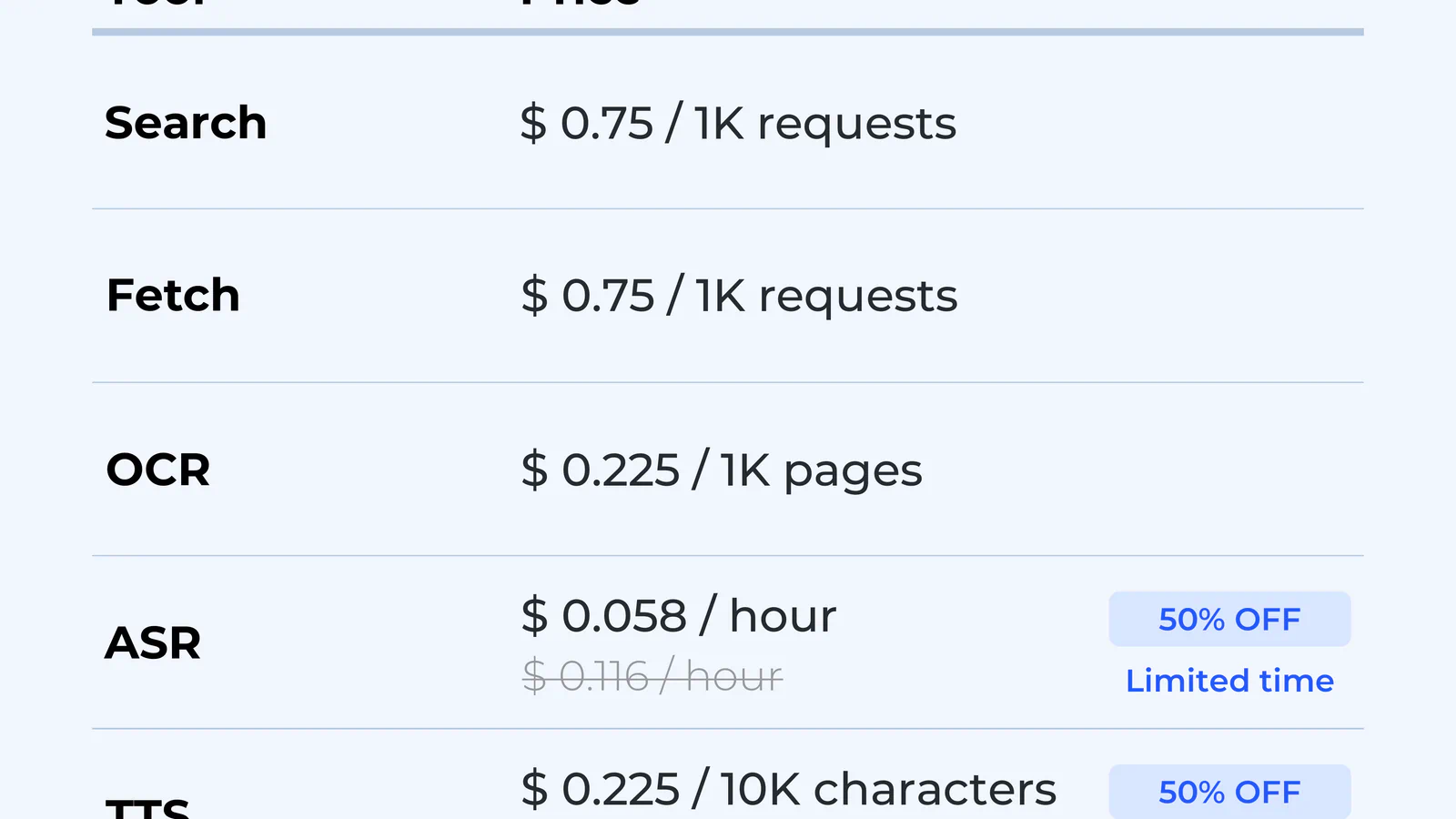
- API web access: The API now supports web search and page fetching
- App features in the API: Search, file input, link reading, safety checks, and voice
- Open-source demo: A chat front end that imports DeepSeek conversation history
That last pair matters most for developers. In November, DeepSeek made the full DeepSeek App experience available via API, so you can rebuild its chat in your own product and pay for tokens plus tool fees. If you were paying for ChatGPT mainly to prototype ideas, that pay-per-use model is worth pricing out.
For everyday users, the draw is simple: a capable chat with reasoning and search that doesn't push you toward a paid plan. It's a reasonable second assistant to keep open when another one hits its cap.
Frequently Asked Questions
5 questions
1Is there a free ChatGPT alternative?
Yes, almost every assistant here has a free plan. Claude, Gemini, Perplexity, Grok, Mistral Vibe, and Duck.ai all offer one, and DeepSeek's web chat and app don't list a paid tier. The limits differ, so test each with your usual workload.