Hey guys, it has been a week since I launched BloggFast.
For those who are new here, BloggFast is a Next.js blog boilerplate that gives you a fully wired, production-ready AI-powered blog site out of the box. Instead of spending weeks integrating authentication, database, CMS, email, hosting, and AI services, you get all of that configured and connected on day one.
So, if you are still paying for platforms like Webflow, Framer, or WordPress, you can finally ditch them and use BloggFast instead.
You do not need to keep paying a monthly subscription just because you reached a certain limit on content, pages, storage, or traffic. You have full control over your content. You own the source code. You can modify it, extend it, self-host it, or turn it into something completely different.
It is also very easy to set up.
In this post, I want to share five of the latest features and improvements I shipped this week. Here is a quick summary:
- New article scheduler
- OpenClaw integration
- New comment section on articles
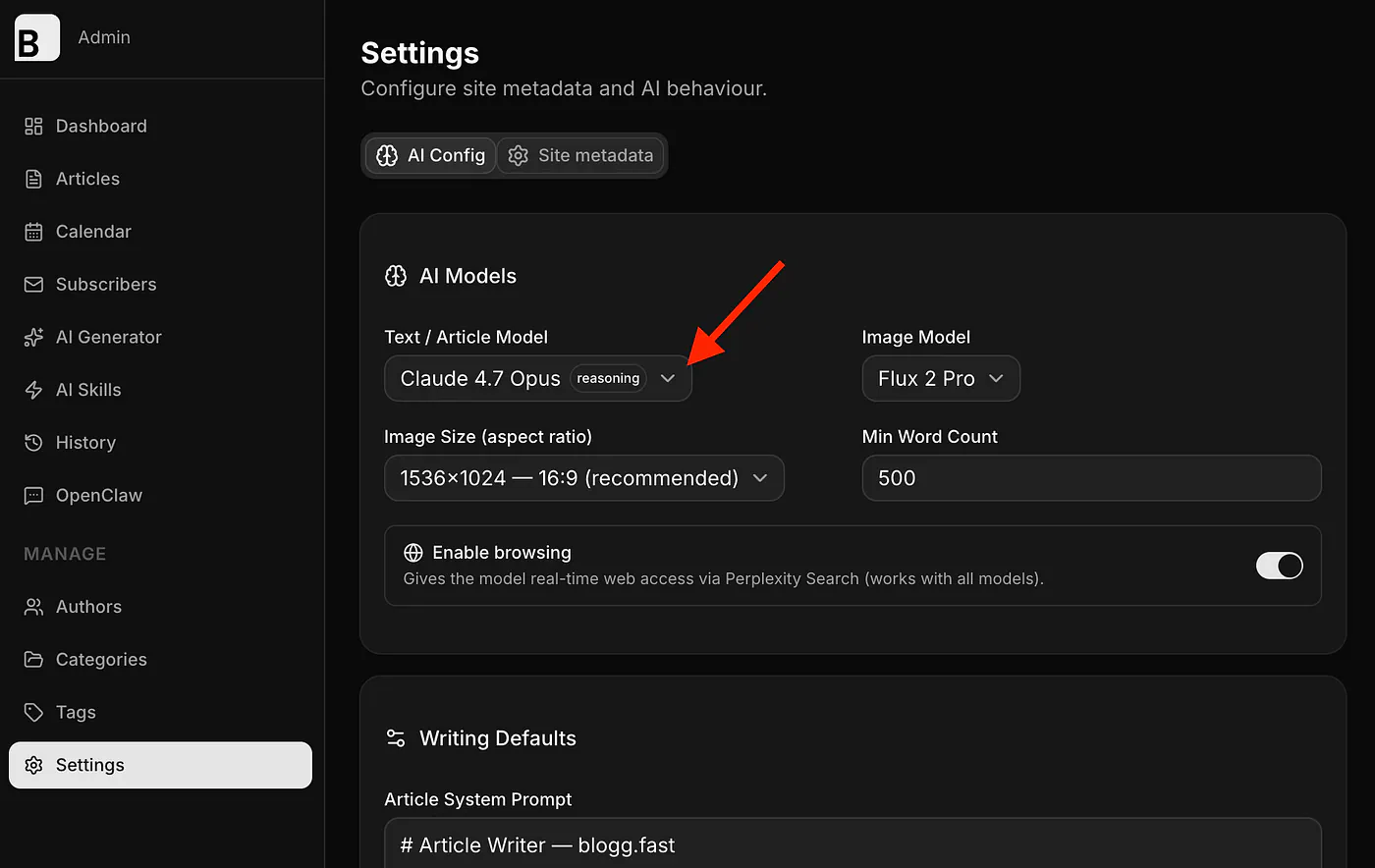
- New model support with Opus 4.7
- Reduced pricing
Let me get into the details.
1. New article scheduler
BloggFast now has a new Calendar tab on the left menu.
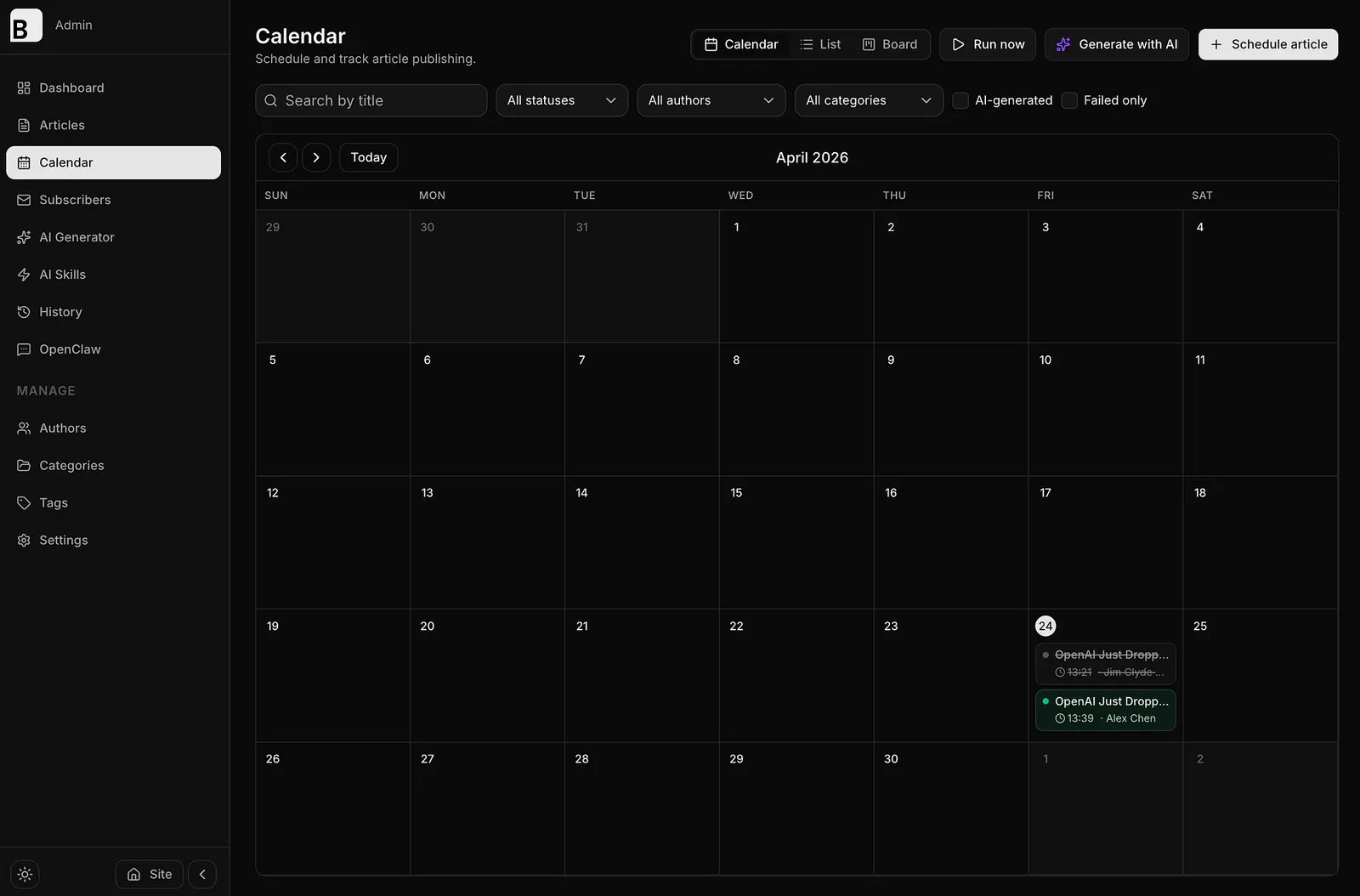
BloggFast new Calendar tab. Image by Jim Clyde Monge
From here, users can schedule posts by hovering over a calendar date and clicking the + button. This makes it much easier to plan content ahead of time instead of manually publishing every article the moment it is ready.
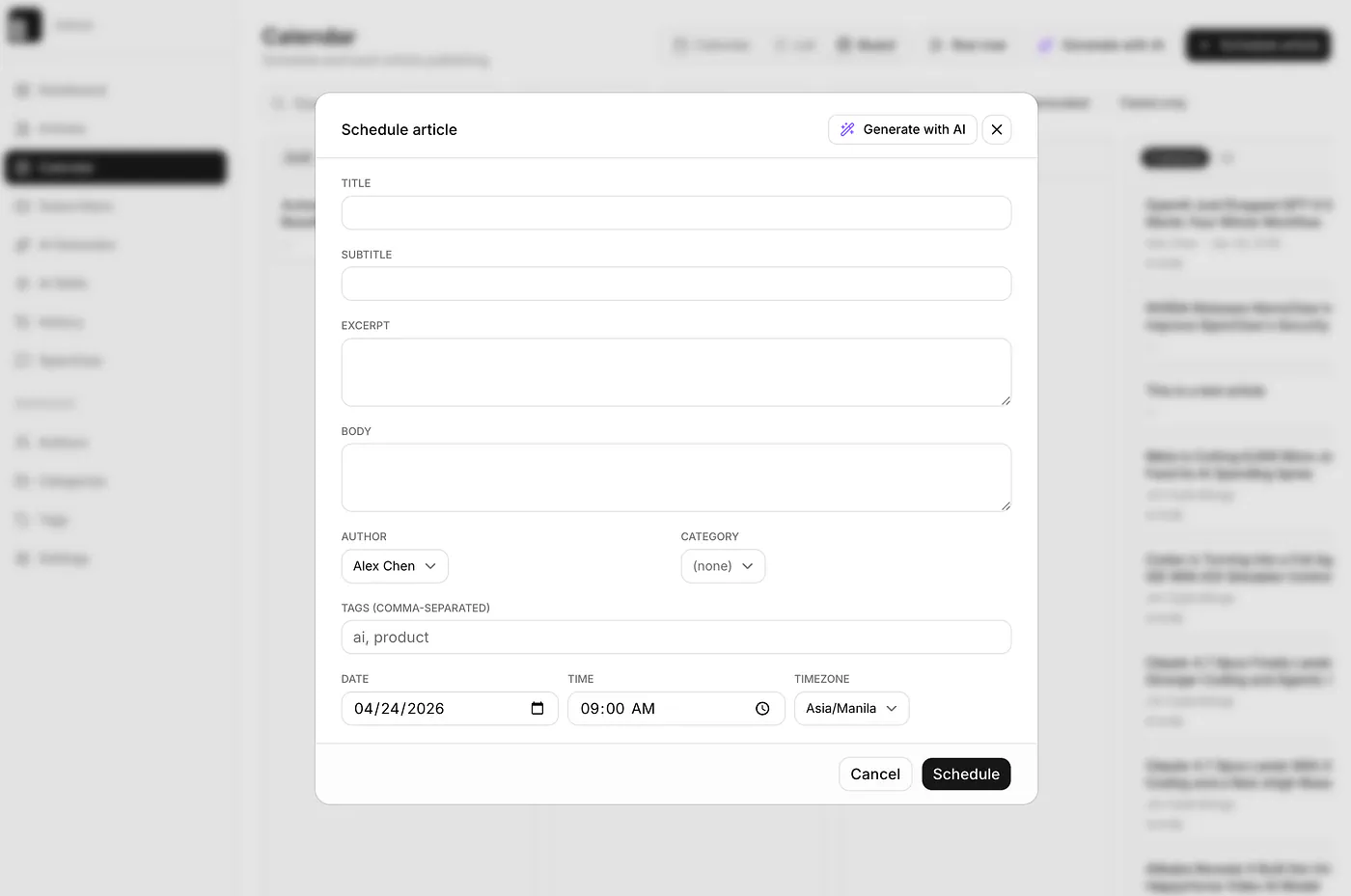
BloggFast new article scheduler modal. Image by Jim Clyde Monge
Users can also click Generate with AI, which redirects them to the AI article generator page. On that page, there is now a new Schedule button beside the publish button. This allows you to generate an article with AI and schedule it for a later date.
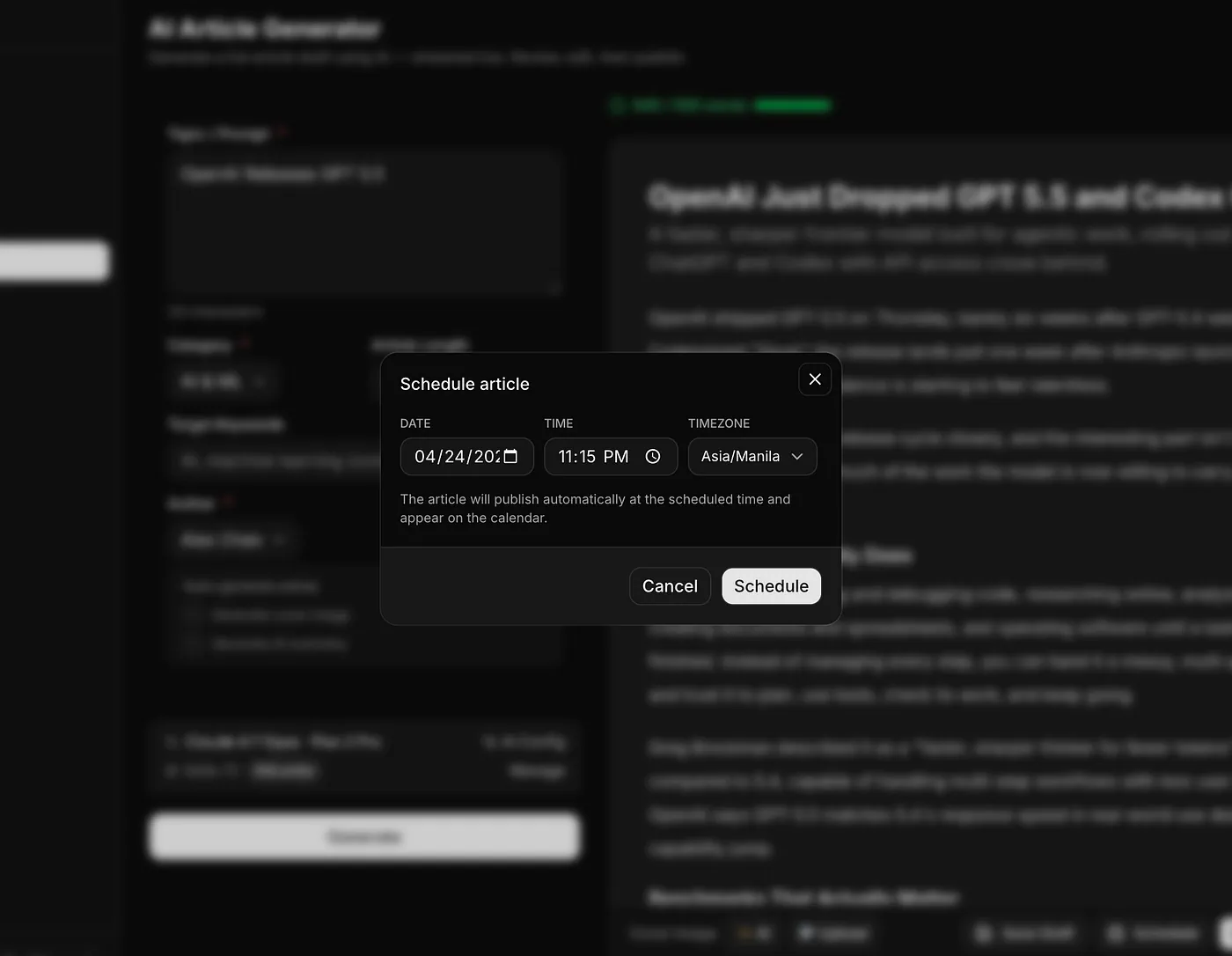
BloggFast new article scheduler. Image by Jim Clyde Monge
Going back to the calendar page, you can switch between three views.
- The first one is the Calendar view, which gives you a clean monthly view of your scheduled articles.
- The second one is the List view, which shows a full list of articles with their status and publishing date.
- The third one is the Board view, which works like a Trello board. It organizes articles based on their status, so you can quickly see what is still in draft, what is scheduled, and what has already been published.
Here’s what the list view and the board view looks like:
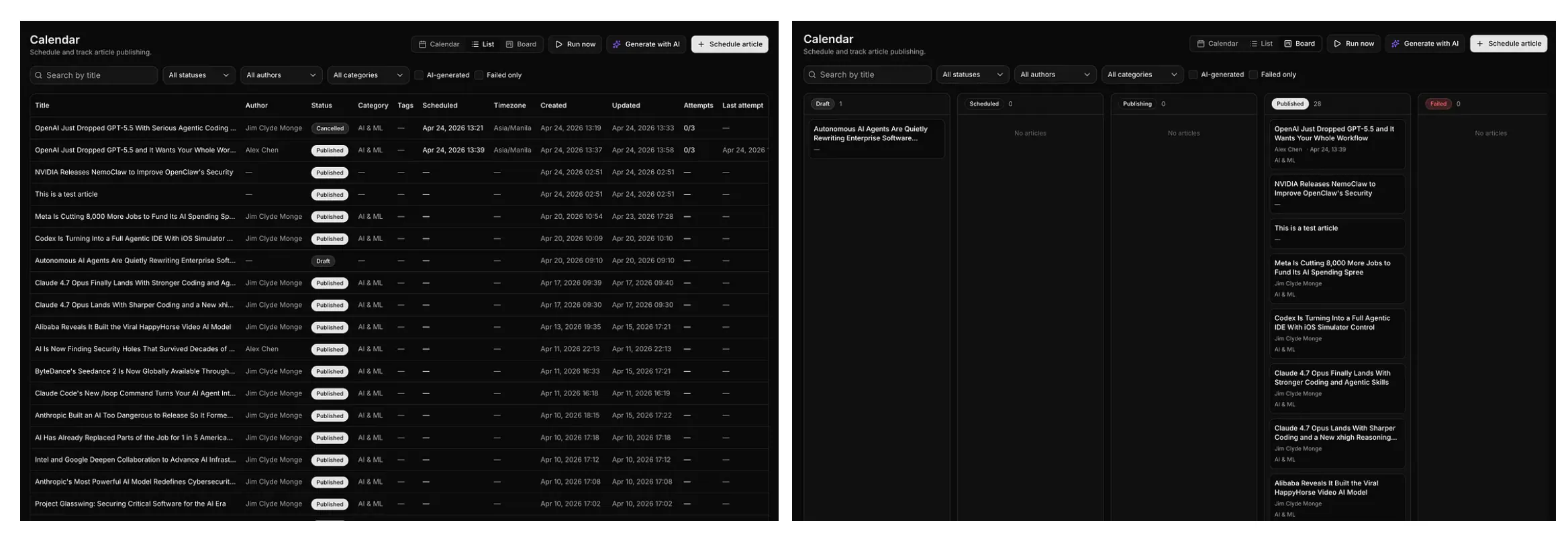
BloggFast new article scheduler. Image by Jim Clyde Monge
Why add this?
I wanted to give writers the ability to prepare content ahead of time and put everything in a proper publishing queue. There are many cases where this becomes useful. For example, a new LLM might be teased for release, and you already want to prepare an article before the official launch. You can write it ahead of time, schedule it, and let BloggFast handle the publishing for you.
This is especially useful if you run a news-style blog or publish multiple articles per week. Instead of rushing every time you want to post something, you can plan your content calendar properly and keep your site active even when you are busy.
2. OpenClaw integration
This is the update I am most excited to share, but it is also the most technical one.
If you have not heard about OpenClaw yet, it is an open-source tool that lets you connect AI agents to real workflows. You can think of it as a bridge between your messaging apps, automation tools, and your own apps. Instead of opening your dashboard every time you want to perform an action, you can send a command through a bot and let the system do the work for you.
When I first released BloggFast, I wanted to give writers the ability to write and publish content to their own blog or news website through the built-in AI article generator.
However, there was still one blocker in the workflow.
To publish content, you still had to open your laptop, go to the BloggFast dashboard, write the content, review it, and publish it. It usually takes around 5 to 10 minutes for a 1,000-word article to go live.
That is already fast compared to the usual blogging workflow, but I wanted to improve it even more.
What if you could simply send a topic to a bot from WhatsApp, and then the bot asks BloggFast to write and publish the content for you?
That is the idea behind the OpenClaw integration.
Instead of manually opening the admin dashboard, you can send a topic from your phone. OpenClaw receives the request, sends it to BloggFast, and BloggFast generates the article for you. The article can then be prepared, saved, or published depending on your setup.
The turnaround time can go from around 10 minutes to about 1 minute.
Here is a simple visualization of the process:
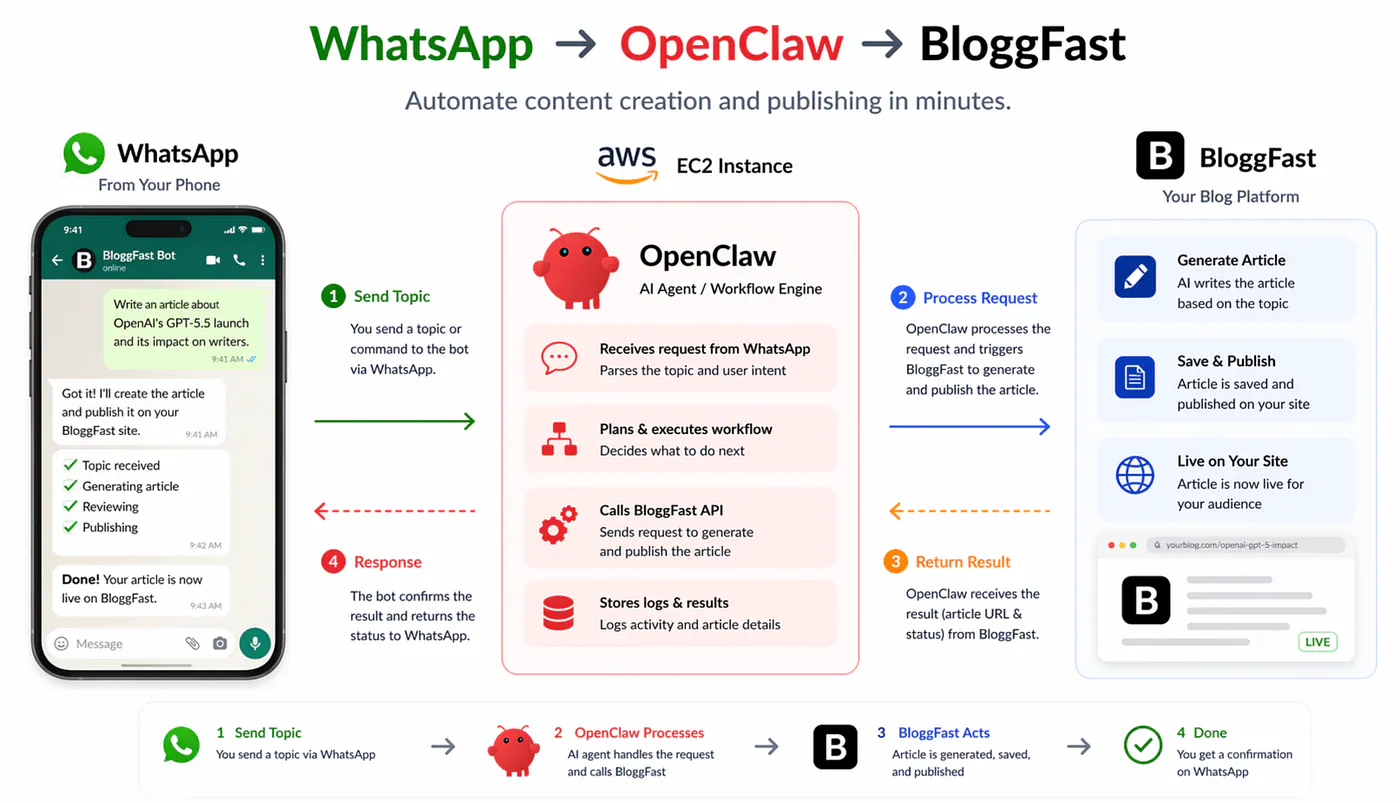
BloggFast’s OpenClaw architecture. Image by Jim Clyde Monge
On the left side menu of the admin panel, I also created a new menu called OpenClaw. This acts as the dashboard for all the requests sent by the bot and the articles created through OpenClaw.
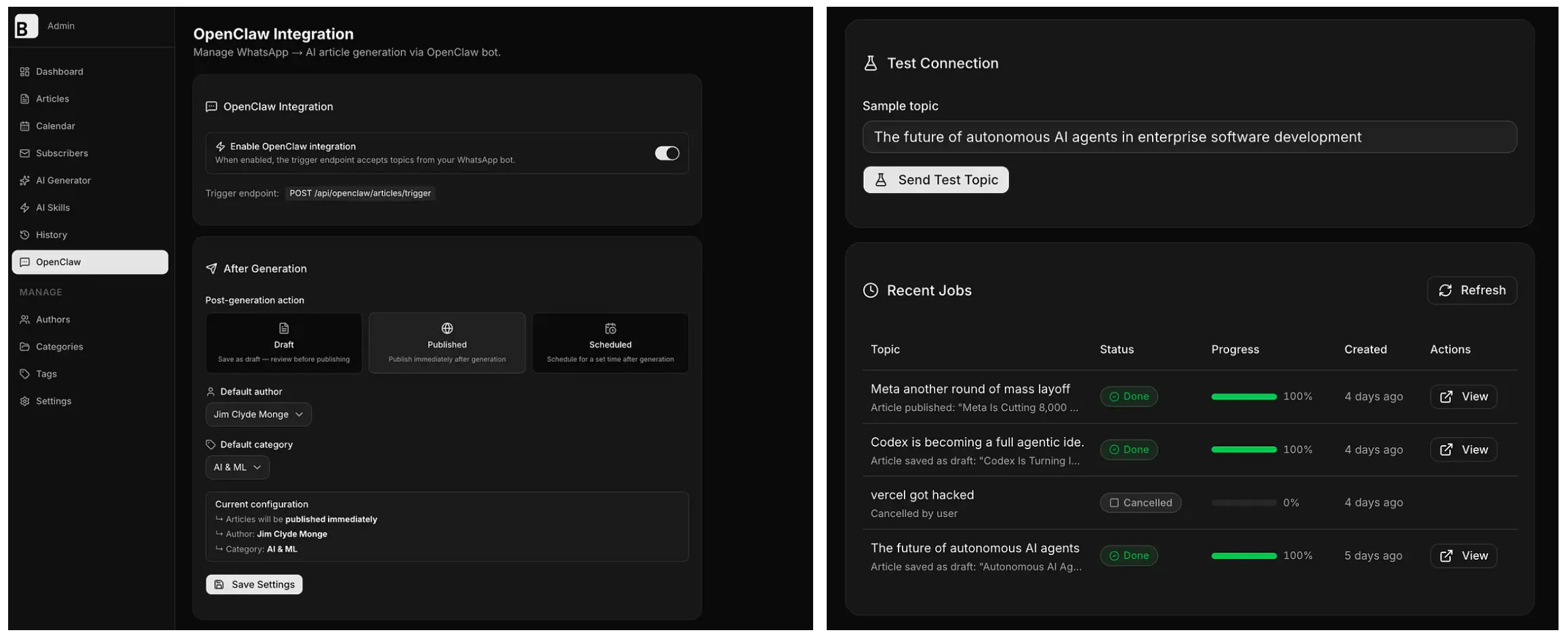
BloggFast’s OpenClaw screen. Image by Jim Clyde Monge
Here’s a sample curl reference:
# Trigger generation
curl -X POST https://<your-domain>/api/openclaw/articles/trigger \
  -H "Content-Type: application/json" \
  -H "x-api-key: $BLOGG_FAST_OPENCLAW_API_KEY" \
  -d '{"topic":"Your topic here","source":"whatsapp","chatId":"optional"}'

# Poll status
curl https://<your-domain>/api/openclaw/articles/status/<jobId> \
  -H "x-api-key: $BLOGG_FAST_OPENCLAW_API_KEY"

# Cancel a job
curl -X POST https://<your-domain>/api/openclaw/articles/cancel/<jobId> \
  -H "x-api-key: $BLOGG_FAST_OPENCLAW_API_KEY"
For now, I will not go into the full setup process because it is a bit complicated. I will prepare a separate post that explains the step-by-step guide on how to set up your own OpenClaw workflow for free and connect it to BloggFast.
But honestly, this is one of the most exciting parts of the project for me.
It makes BloggFast feel less like a normal blog template and more like a real publishing system that can work with agents, bots, and automated workflows.
3. New comment section on articles
When you open an article, you will now see a new comment section at the end.
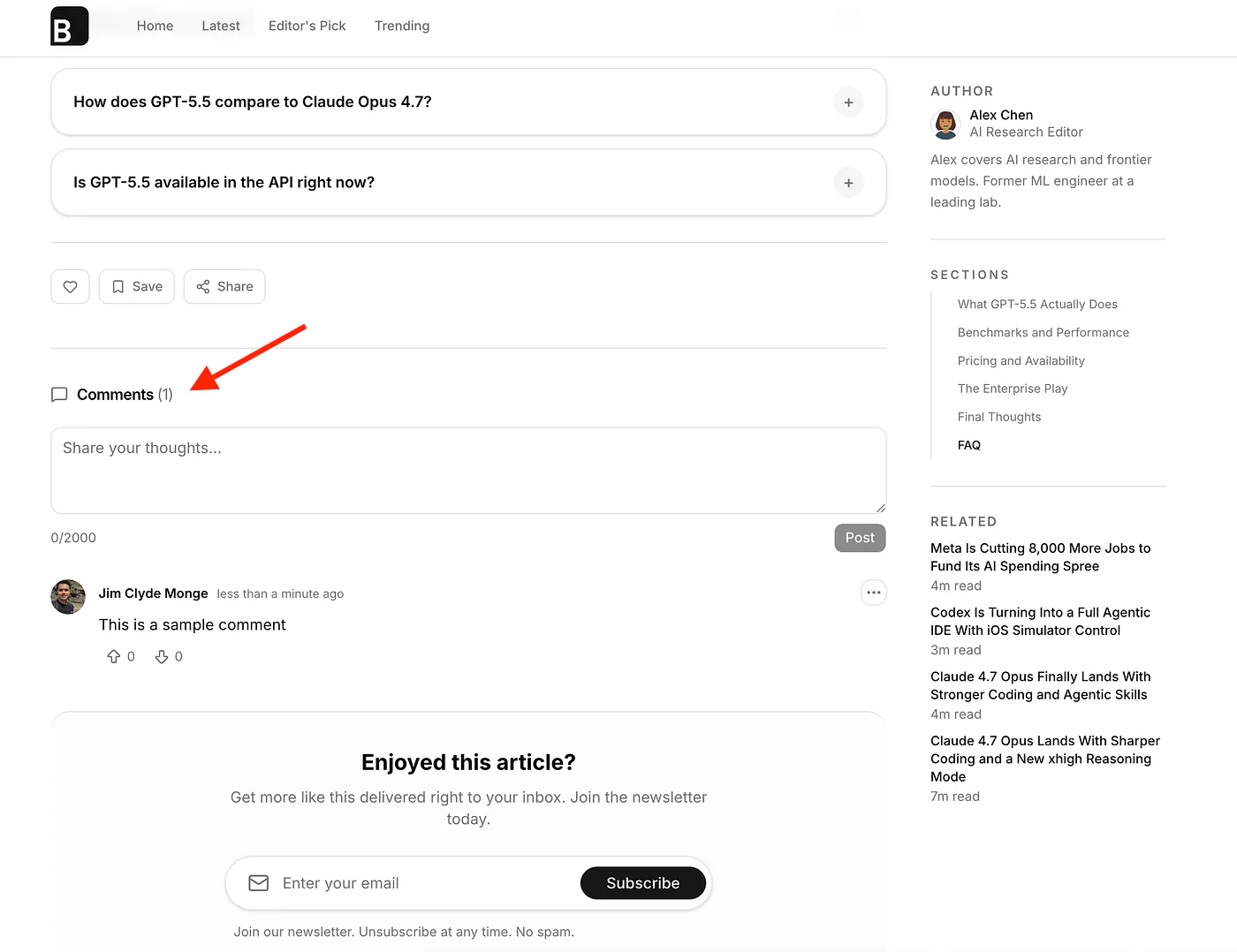
BloggFast’s new comment feature. Image by Jim Clyde Monge
Guest visitors are allowed to view comments, but only logged-in users can leave a comment. The owner of the comment can also delete their own comments. Users can also upvote or downvote comments.
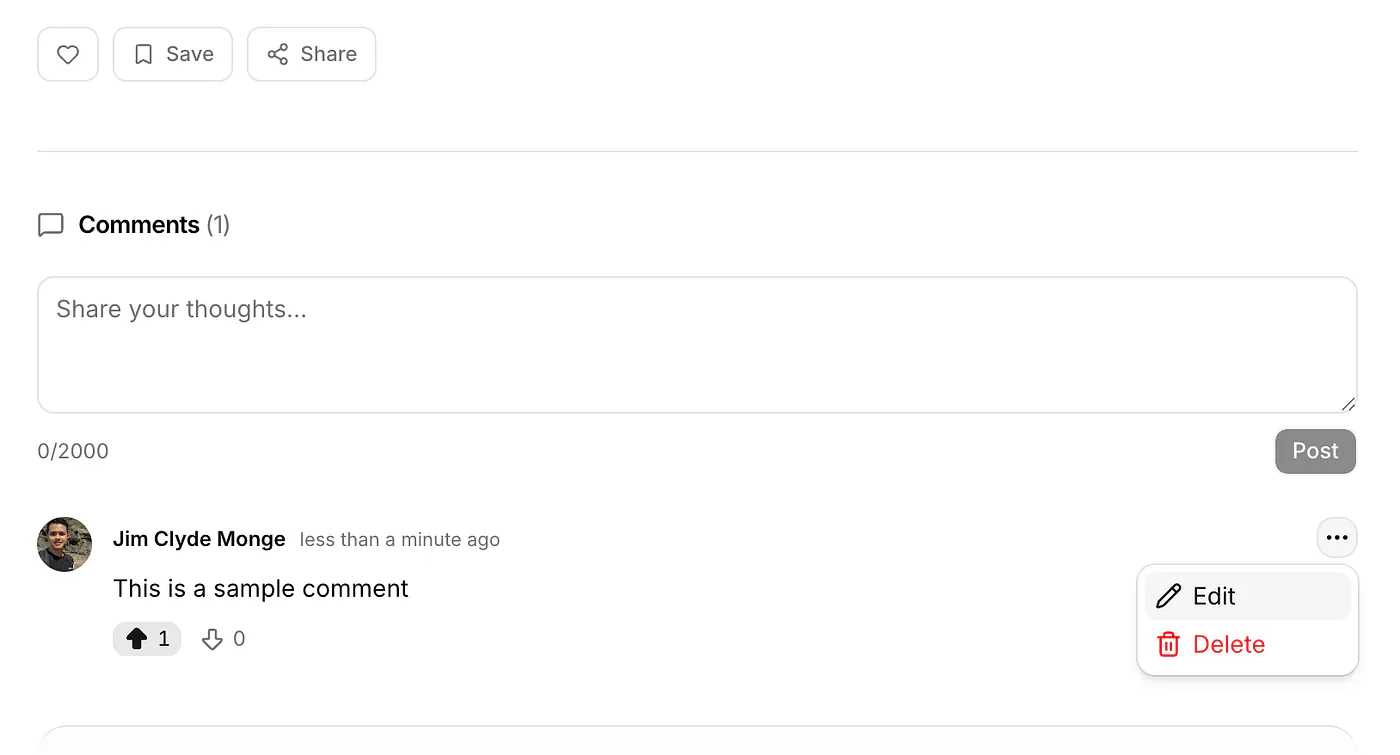
BloggFast’s new comment feature. Image by Jim Clyde Monge
This makes the article page feel more alive. Instead of just publishing content and letting readers leave quietly, you can now start conversations around your posts.
I am also planning to allow anonymous comments in the future. Another feature I am considering is giving the author the option to turn off comments for specific posts.