When generating AI anime images, CivitAI is one of the go to platforms for creators. It’s been around for years, and I have personally used it to create images with open models and node-based image generation.
However, using it isn’t always simple. Most of the good stuff on Civitai, the checkpoints and LoRAs, are meant to be downloaded and run on your own computer.
That means installing something like ComfyUI, having a GPU strong enough to handle it, and figuring out which LoRA works with which base model. If you’ve ever spent an hour fixing a node setup before generating a single image, you know what I mean.
There’s an online generator on Civitai too, but it uses Buzz credits, and not every model on the site can be used there. Some models also get taken down over time, so the LoRA you saved last month might be gone when you come back.
I still like Civitai. But there are days when I just want to type a prompt, get a good anime image, and fix a small detail without setting anything up. That’s why I started looking at other platforms.
From my tests, Tensor.Art is the closest match if you want to keep using the exact same checkpoints and LoRAs. SeaArt is similar, but I couldn’t always find the same model version. PixAI is the easiest for generating and editing anime images in the browser, but you’ll probably end up using PixAI’s own models instead of your Civitai files.
If you want a broader overview of Civitai itself, PixAI has one on its blog. This article is more about what happens when you actually try to move.
Civitai Alternatives at a Glance
Here’s a quick summary of how each platform did. “Tested successfully” means it worked in my test, “available with conditions” means it worked with a catch, and “not verified” means I couldn’t confirm it.
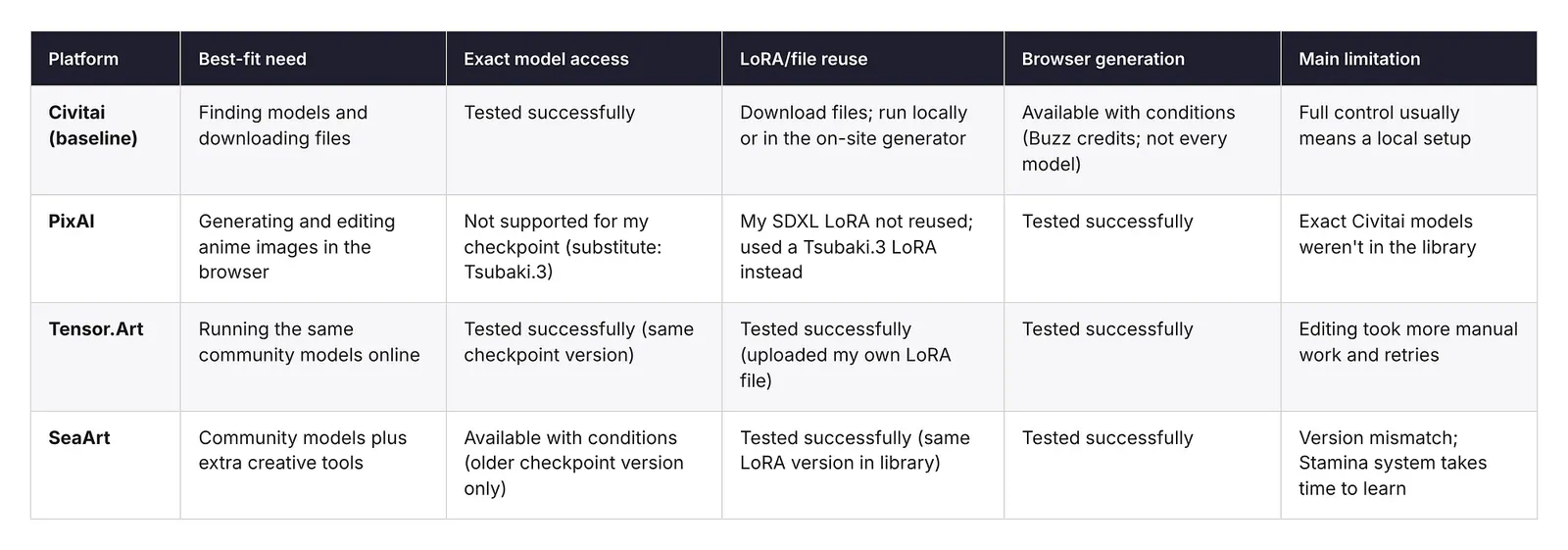
None of these platforms replaces everything Civitai does. Tensor.Art kept the most of my original files. PixAI made generating and editing the easiest. SeaArt sat somewhere in between.
What Each Alternative Actually Replaces
To keep things fair, I brought the same set of files and settings to every platform. I’ll call it my migration pack. It had four things:
- An anime SDXL checkpoint from Civitai with a LoRA called Anima.
- A prompt with a negative prompt and settings, shown below.
- An image I made on Civitai with that setup, which I wanted to keep editing.
Here’s the prompt:
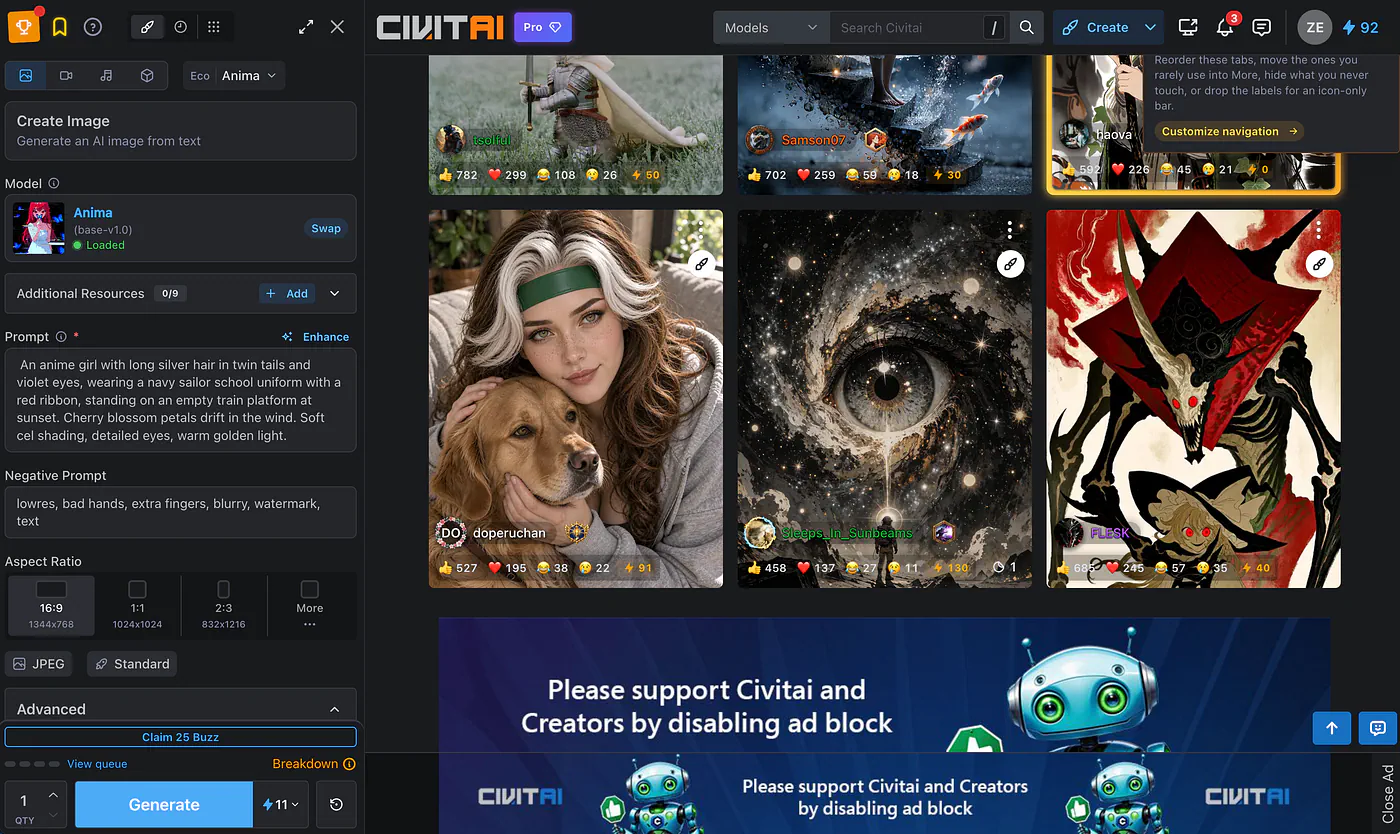
Prompt: An anime girl with long silver hair in twin tails and violet eyes, wearing a navy sailor school uniform with a red ribbon, standing on an empty train platform at sunset. Cherry blossom petals drift in the wind. Soft cel shading, detailed eyes, warm golden light.
Negative prompt: lowres, bad hands, extra fingers, blurry, watermark, text.
Settings: Euler a, 28 steps, CFG 5, 16:9.
This is what the image generator dashboard looks like:
Here’s the output image:
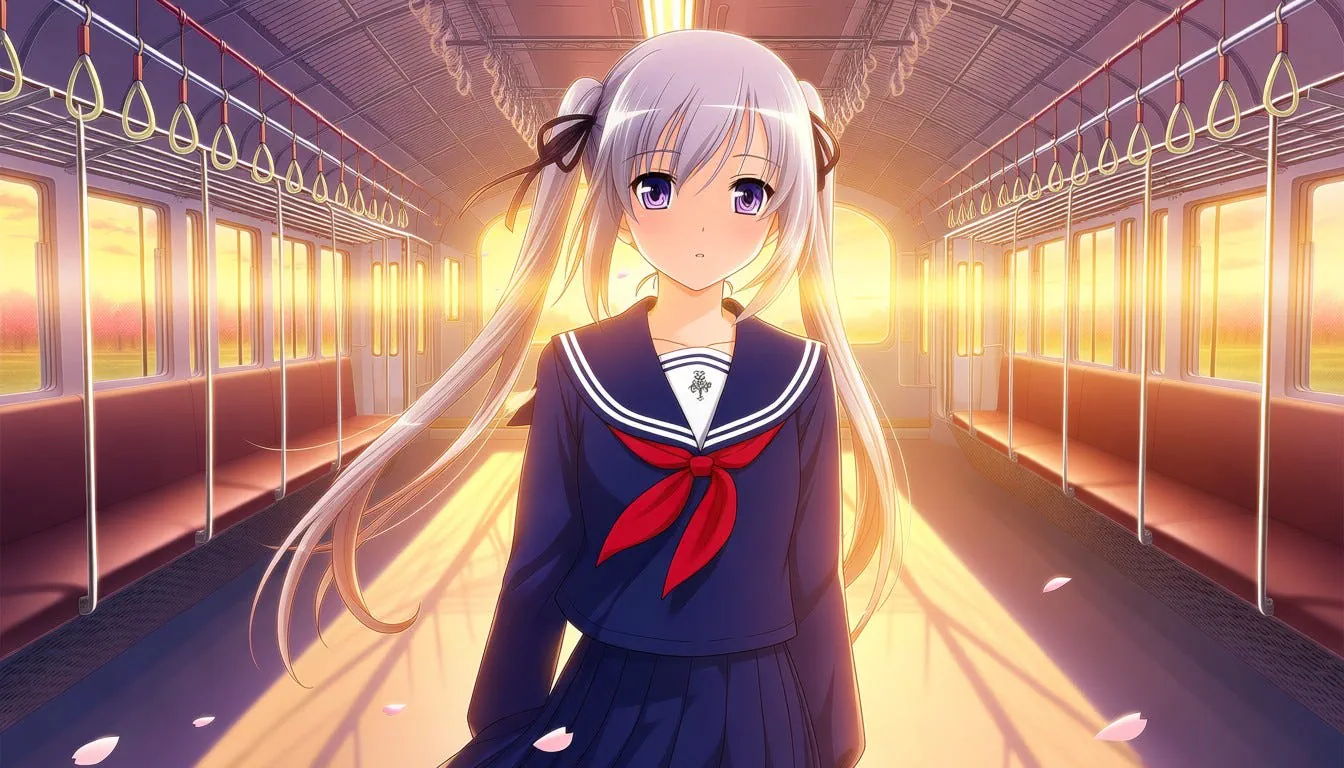
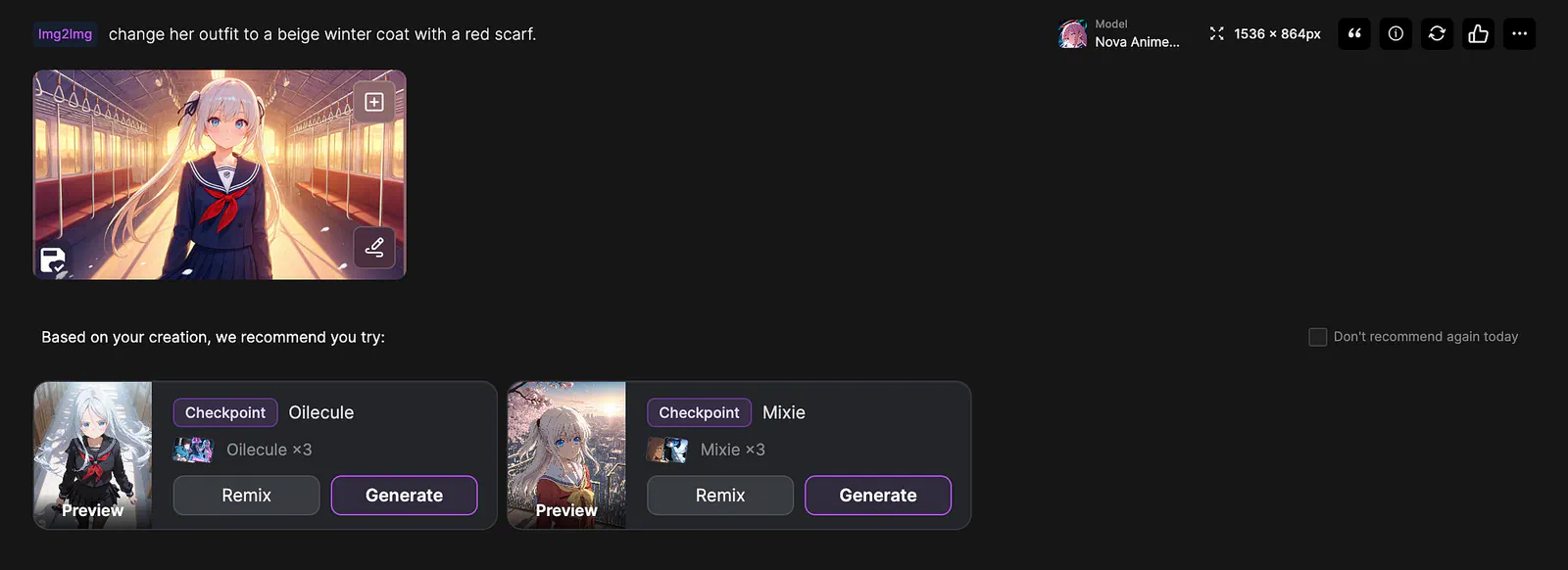
For the editing test, I wanted to change her sailor uniform into a beige winter coat with a red scarf, while keeping her face, hair, and the background the same.
I gave myself up to three attempts for each generation and edit. If a platform needed more than that, I counted it as a fail.
PixAI
PixAI is an AI art platform built for anime and illustration.
It has a big library of community models and LoRAs, and if you click on any image in the feed, you can see the prompt and settings used to make it. What it replaces best is the generating and editing part of your workflow, not the file collection part.
The first thing I did was search for my checkpoint and LoRA. Neither one was in PixAI’s library. I found a few styles that looked similar, but nothing with the same name and version.
So, instead, I picked Tsubaki.3, PixAI’s newest anime model, and looked for a LoRA close to mine. This is where I hit my first real failure. The similar LoRA I found was made for SDXL, and Tsubaki.3 is built on PixAI’s own architecture, so the two didn’t work together.
If you’re not sure why that happens, PixAI has a good explainer on the difference between a base model and a LoRA.
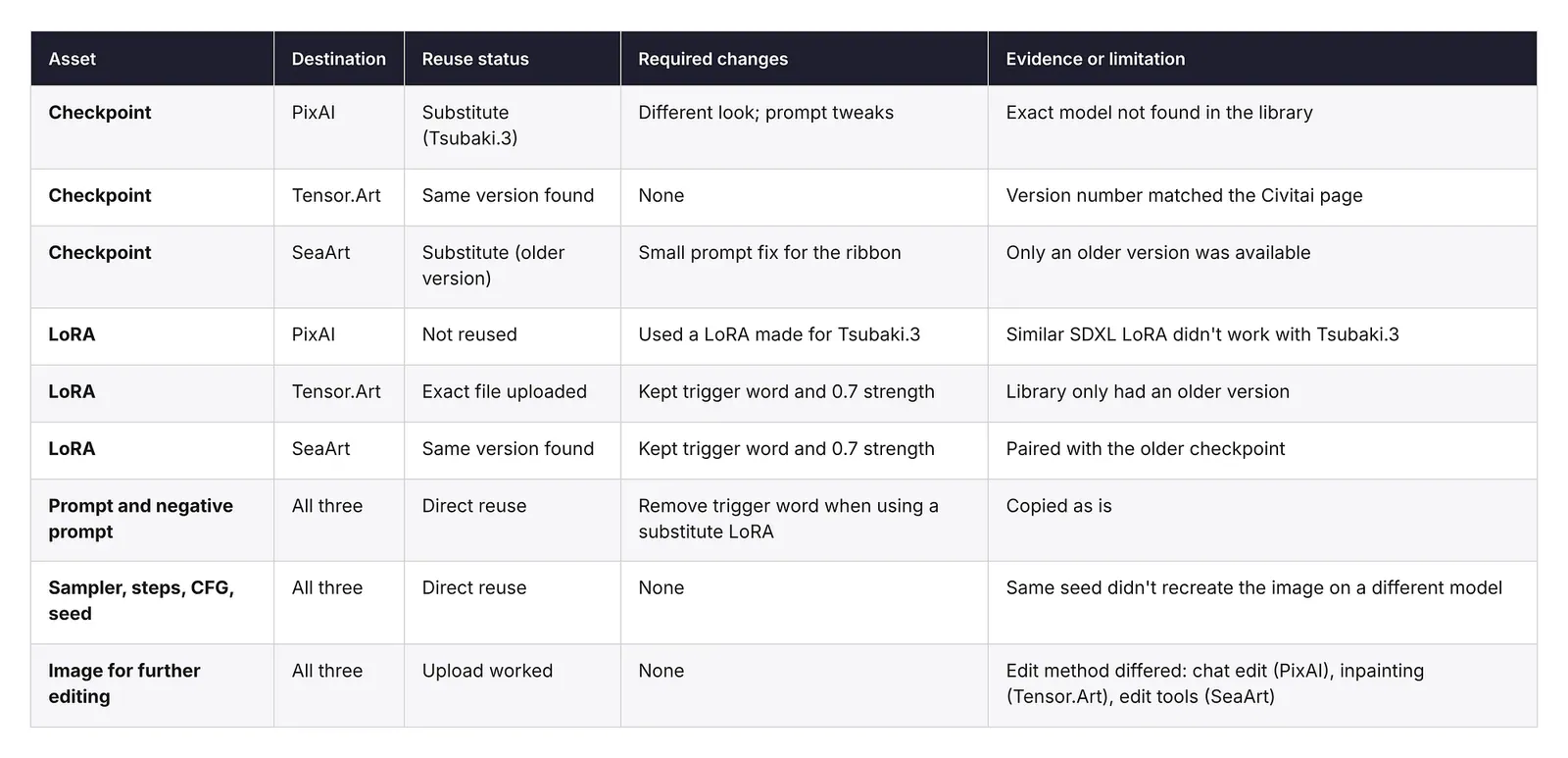
In the end, I ran the prompt with Tsubaki.3 and the Haruka v2 LoRA made for it, clearly a substitute for my original setup.
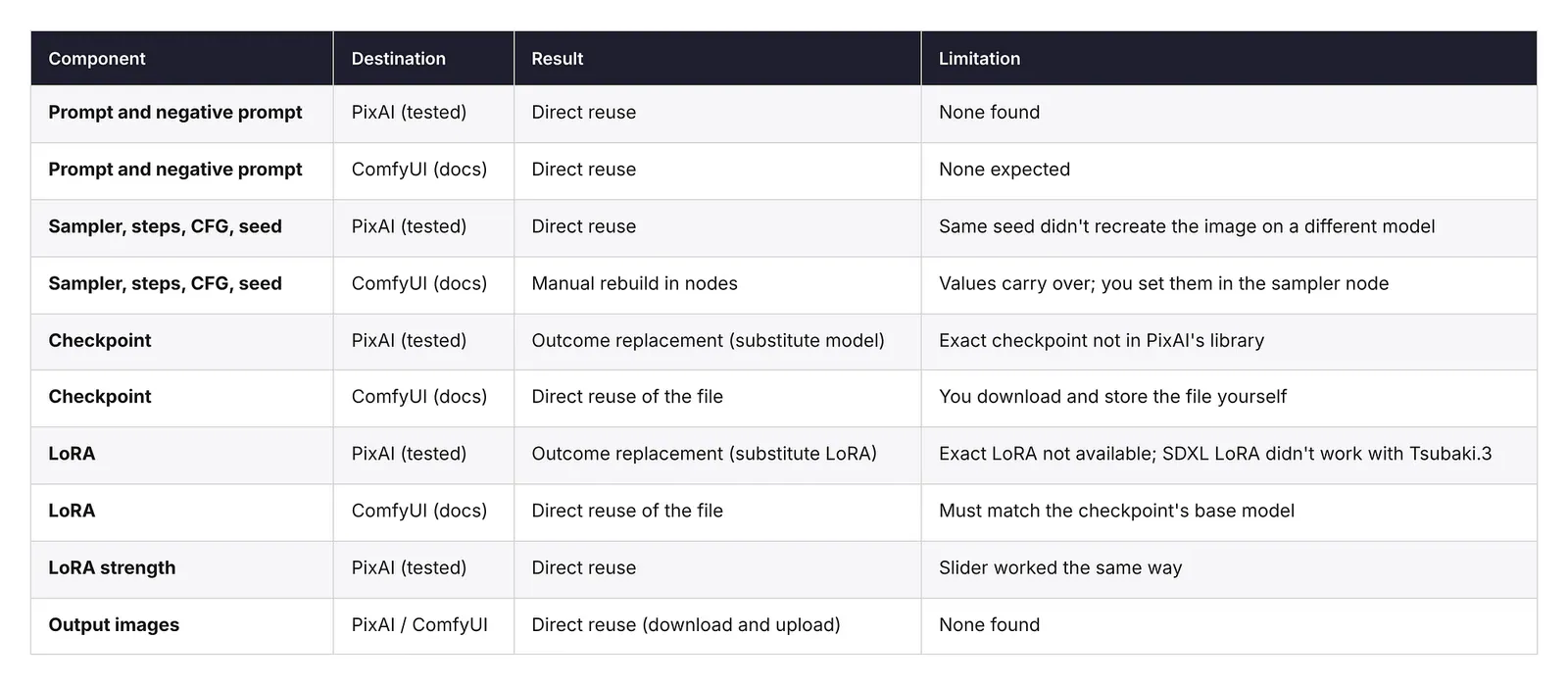
The prompt, negative prompt, sampler, steps, CFG, and seed all carried over because PixAI shows them in its advanced settings. But the image looked different from my Civitai version, which makes sense because the model was different.
The same seed doesn’t mean the same image when the model changes.
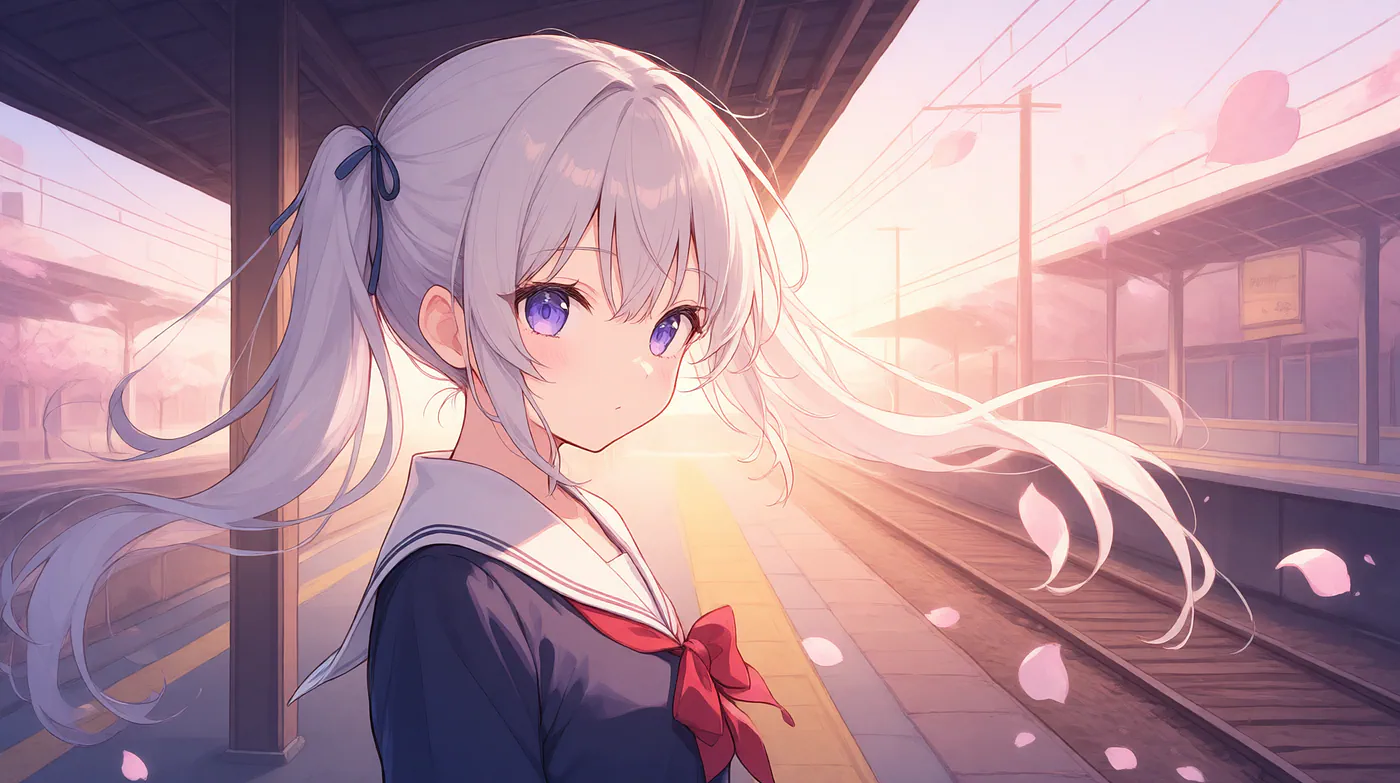
This looks really good. Way better than the one I got from CivitAI. But the editing test is where PixAI did best.
I uploaded my original Civitai image and asked Tsubaki.3 to “change her outfit to a beige winter coat with a red scarf.” It kept her face, hair, pose, and the train platform, and only changed the clothes. It worked on the first attempt.
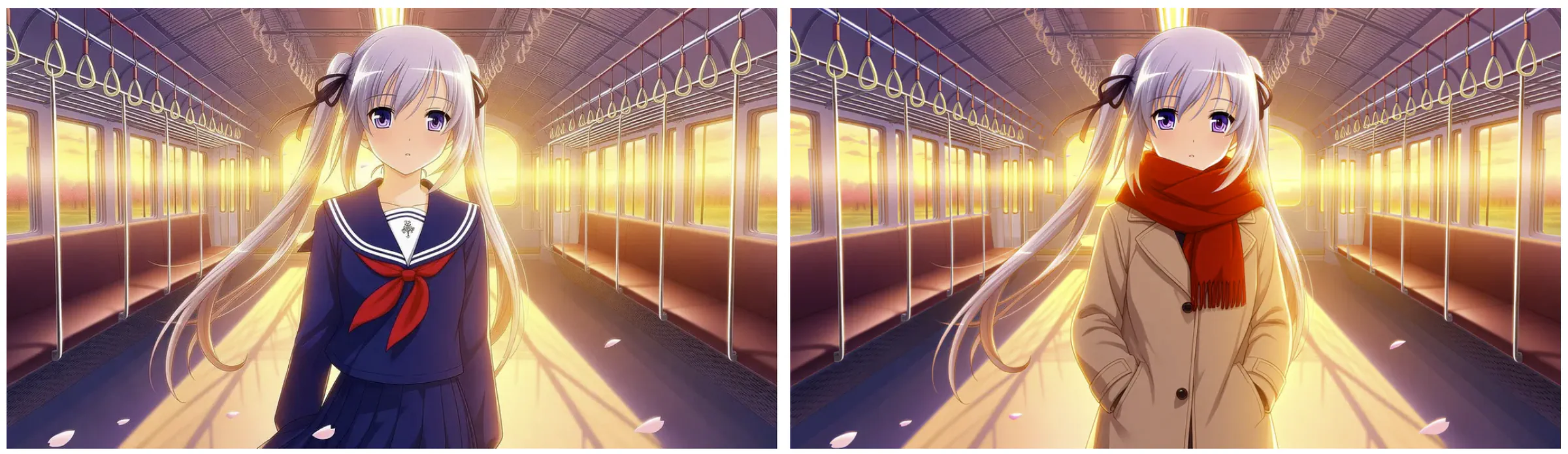
I really like how PixAI handles the image-to-image workflow. It understands the boundaries and only changes the parts needed and keeps everything else intact.
Also, the free plan gives you 10,000 credits a day, which covered all my tests. The generation used 1,000 credits and took about 5 seconds. Pretty fast!
PixAI’s biggest limitation is that your exact Civitai models probably won’t be there. If you can live with that, it’s the best option here for making and fixing anime images in the browser.
Tensor.Art
Tensor.Art felt the most like Civitai. It has a huge library of community checkpoints and LoRAs, and a lot of creators post their models on both sites. It can replace the model library and the online generator at the same time.
My checkpoint was there, and the version number on the model page matched the one I used on Civitai. That’s important. A model with the same name isn’t always the same file, so always check the version.
The LoRA was a different story. Tensor.Art had an older version of it. Since the LoRA allowed reuse, I uploaded my own copy instead. Uploading took a few minutes, and after that it ran with the checkpoint without any issues.
I pasted my prompt, negative prompt, and settings, and used the same seed. The result was very close to my Civitai image. Same style, same colors, same character. There were small differences in the petals and the background, which can happen when the platform runs things a bit differently.
This is the result:
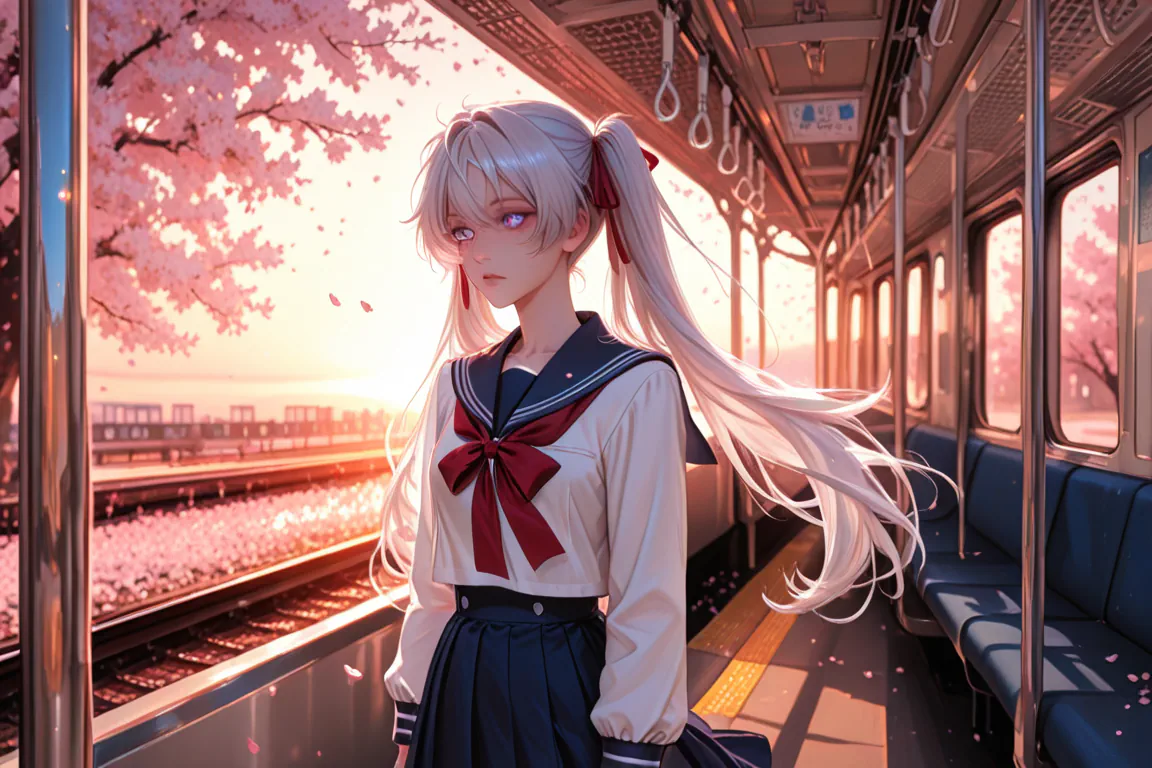
It looks good, and the LoRA greatly affects the result of the image. Nonetheless, it’s still a good-looking image.
Remove upgrade prompts from your unlocked stories in your settings.
To edit the original image we created with CivitAI, I simply switched to the img2img tab and uploaded the reference photo and described he change I wanted.
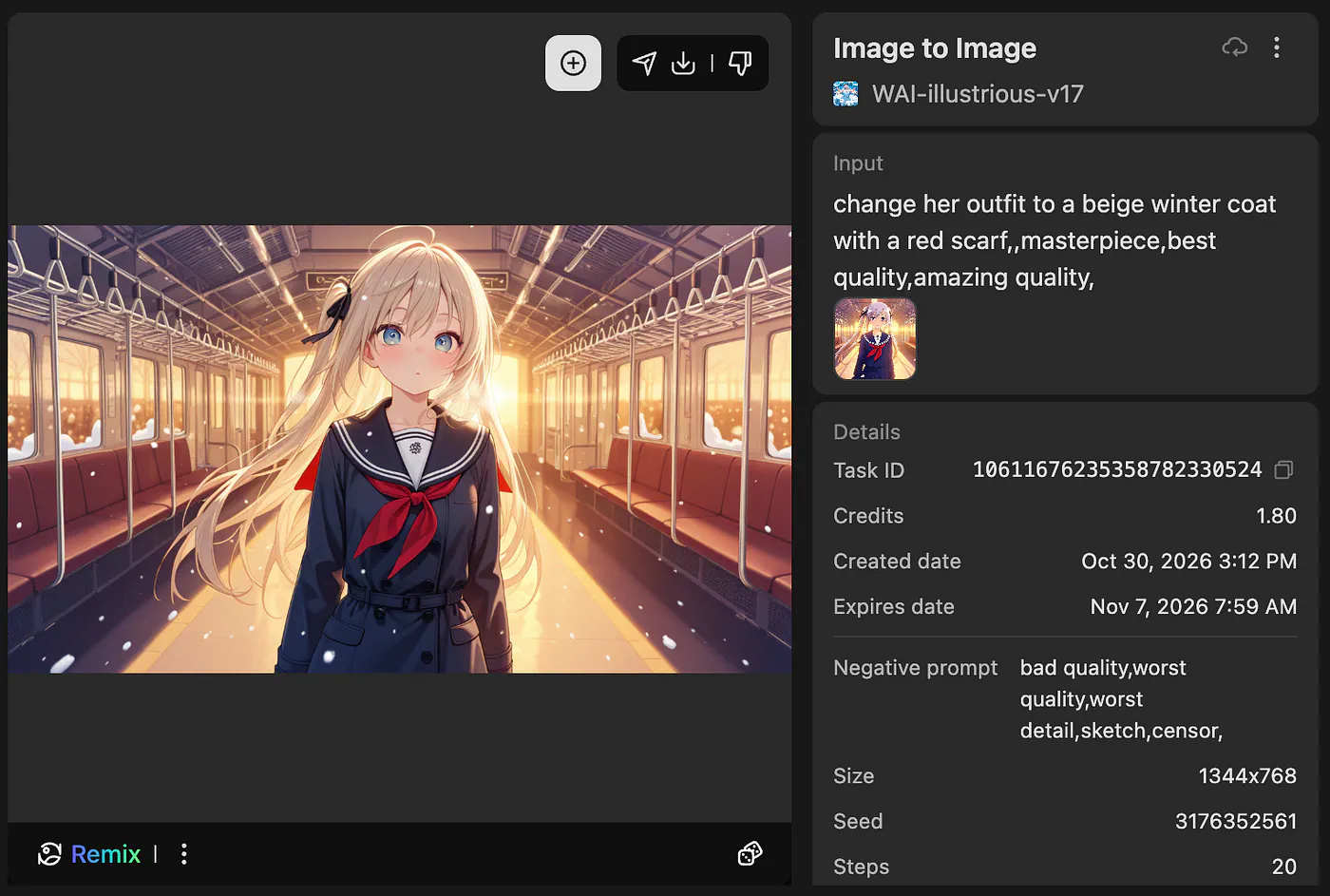
Yeah, the output does not conform to the requested changes. The subject didn’t change despite me trying it multiple times. Perhaps the solution here is to perform inpainting and manually masking the areas to be changed.
The main limitation is that editing is more hands-on. Tensor.Art is a good choice if you want to keep using the exact same models and LoRAs without running them on your own computer.
SeaArt
SeaArt is another community platform with a big library of checkpoints and LoRAs.
It also has extras on top of image generation, like AI characters you can chat with, video tools, and small apps for specific effects. It can replace the model library and generator too, plus a few things Civitai doesn’t really focus on.
My checkpoint was on SeaArt, but only an older version. I’m pointing that out before anything else because it affects everything after it. I used that older version and labeled it as a substitute. The LoRA was there with the same version and trigger word.
With the same prompt and settings, the result was close but not the same as my Civitai image. The subject was much closer to the camera, the colors were brighter, and the sunset was stronger. I’m guessing most of that came from the older checkpoint version.
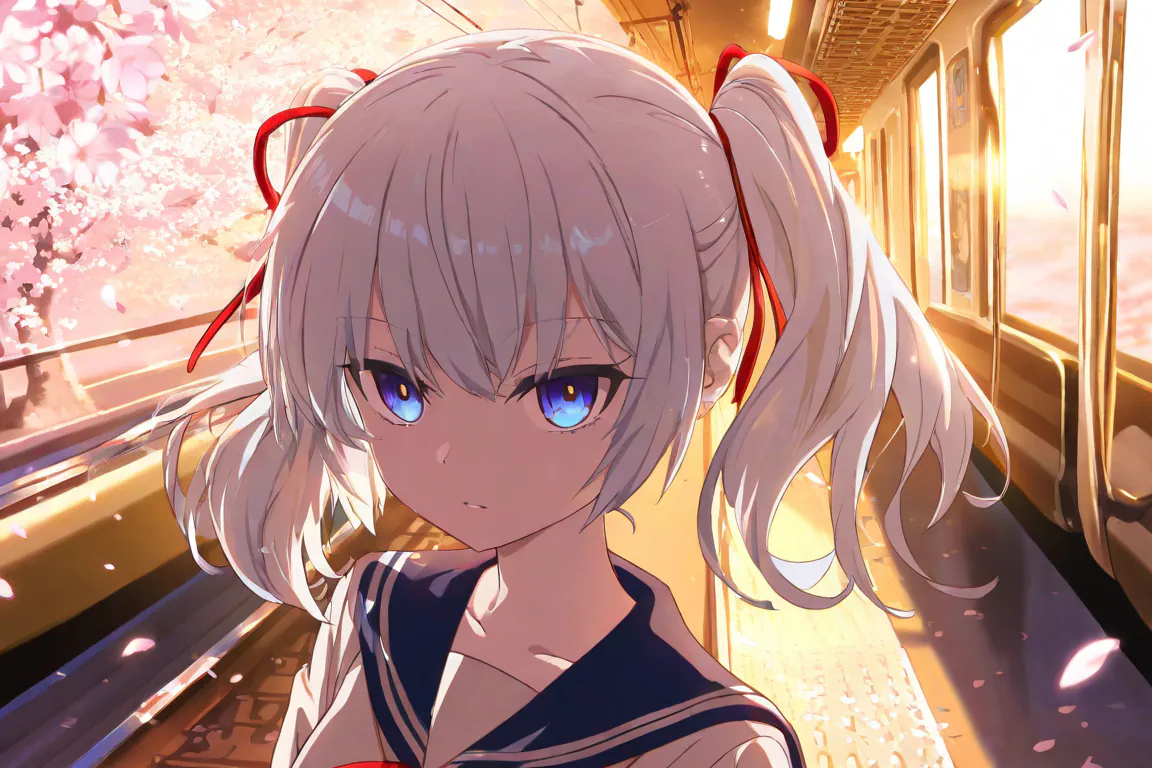
Hmm… not quite sure what to feel about this image, but this doesn’t scream high-quality to me. Yes, it’s decent. But the ones from PixAI and CivitAI are much better.
For the outfit edit, the same thing with CivitAI happened here. The model cannot perform any image editing, even after multiple attempts. I have not done the inpainting process here, but I would suppose people won’t bother doing it anyway since prompt editing is already available on other platforms.