

I talked about AI presentation generators back in 2025, and now it feels like the right time to do another round for 2026.
A lot has changed in just one year. AI models are no longer just good at writing slide outlines or giving you a few bullet points. Many of them can now turn a simple text prompt, a long document, a webpage, a PDF, or even scattered notes into a full presentation with structure, design, and speaker-friendly flow.
Of course, I notice these changes because I actually use these tools in my own dev and business workflows. I use them when I need to explain product ideas, organize research, prepare client-facing materials, or quickly turn messy thoughts into something presentable.
Some tools are better for clean business slides. Some are better for deep research. Others are useful when you want an AI workspace that can think through the content before building the deck.
In this post, I will share my personal picks for the top AI-powered presentation generators you should know and try in 2026.
Here is the quick list:
- Plus AI
- Manus
- Genspark
- Kimi
- Gemini
Let’s get into the details of each tool.
1. Plus AI
Plus AI is still the easiest tool to recommend if you want to create presentations faster without changing your existing workflow. It works directly inside PowerPoint and Google Slides, so you do not have to create your deck on a separate website, export it, upload it again, and fix the formatting after.
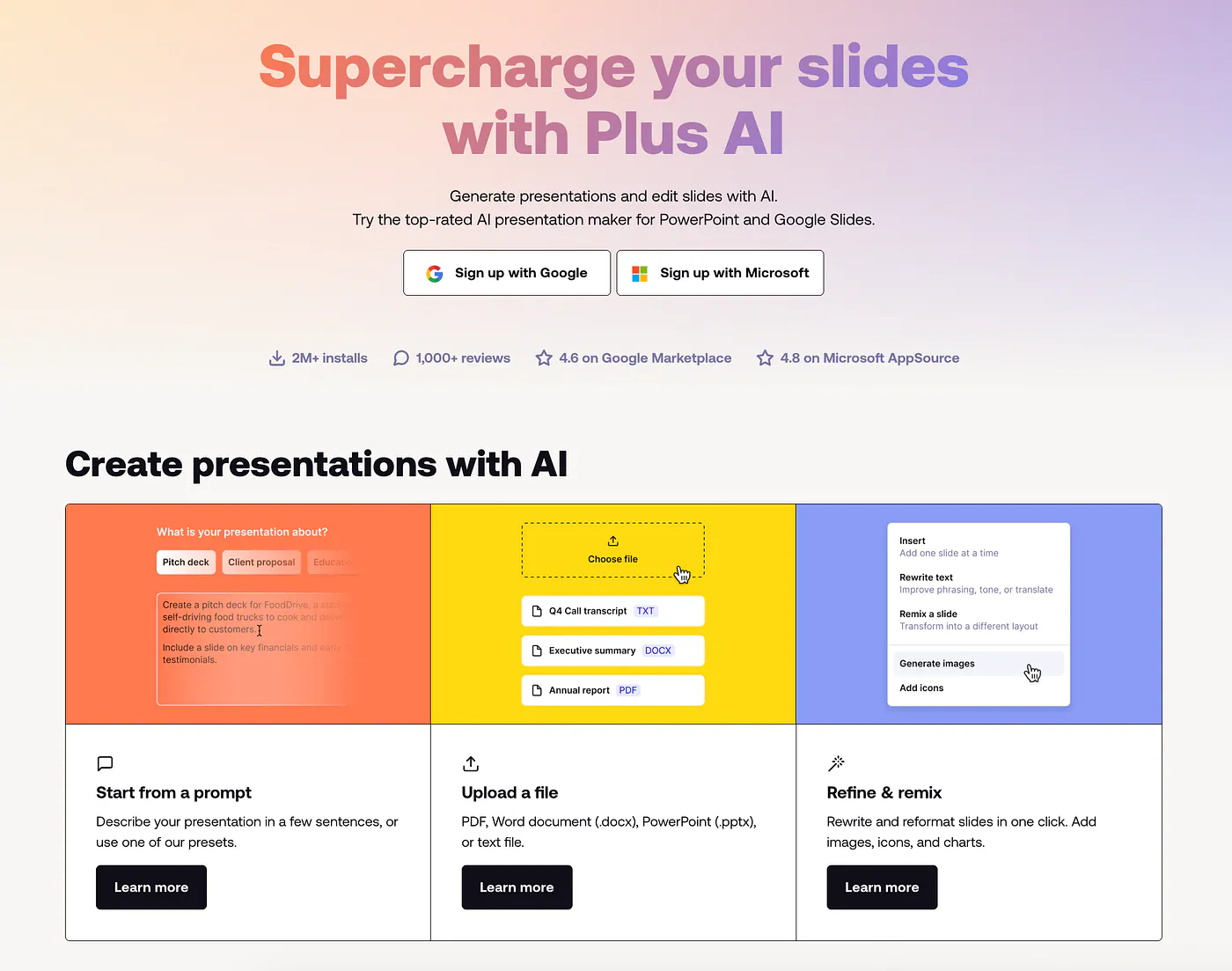
Plus AI presentation generator. Image by Jim Clyde Monge
You can install it by going to Google Workspace Marketplace and search for the Plus AI for Google Slides add-in. It currently has over 1M downloads so it’s pretty much a good indicator on how popular and reliable this tool is.
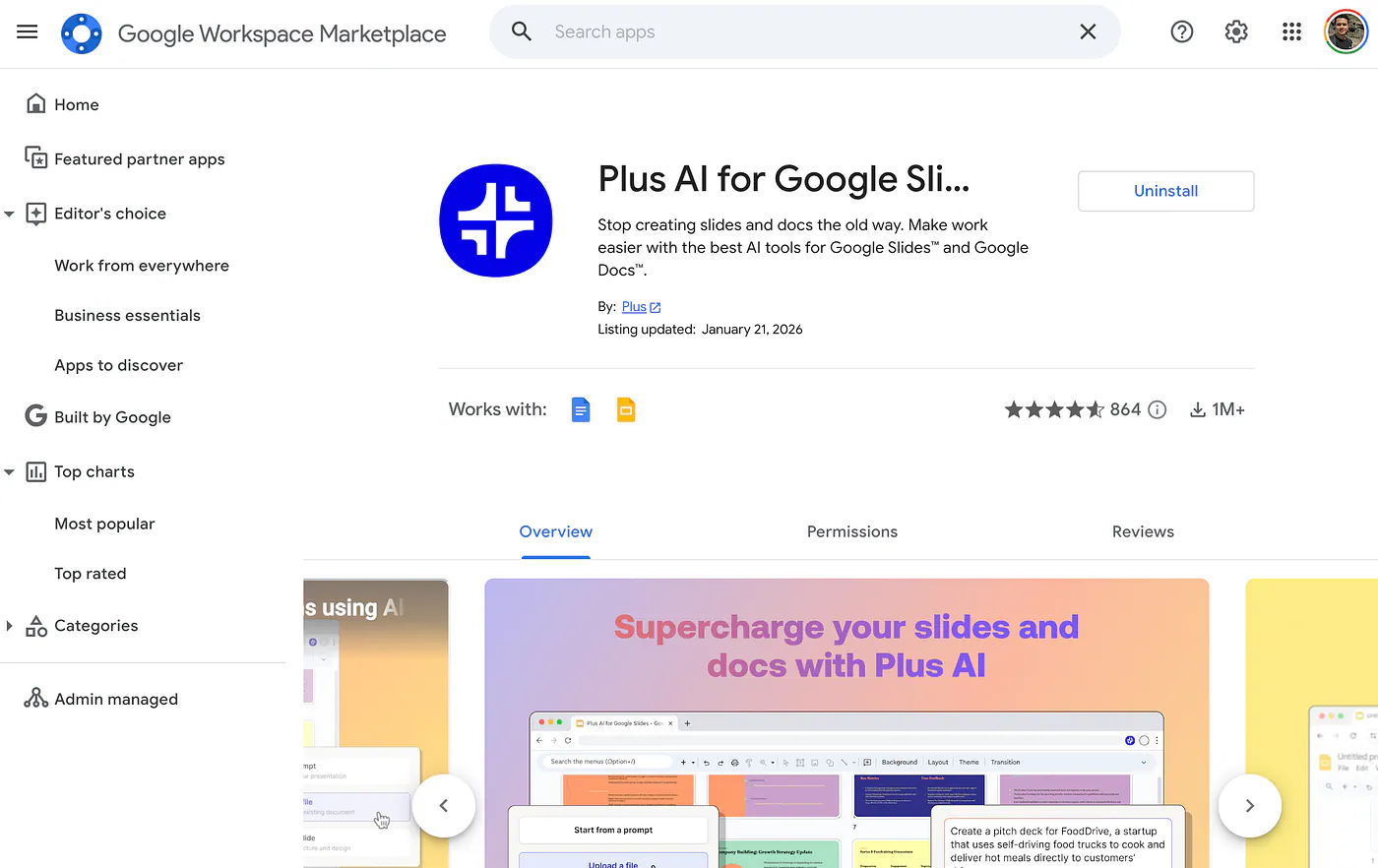
Plus AI presentation generator in Google Workspace Marketplace. Image by Jim Clyde Monge
Once the add-in is installed, Plus AI shows up as a side panel inside your presentation app. From there, you can start a deck from a prompt, upload a document, or improve an existing presentation.
I like this because not every presentation starts the same way. The tool gives you so much flexibility over your content, you can generate with AI and tweak them yourself so it perfectly aligns with what you have in mind.
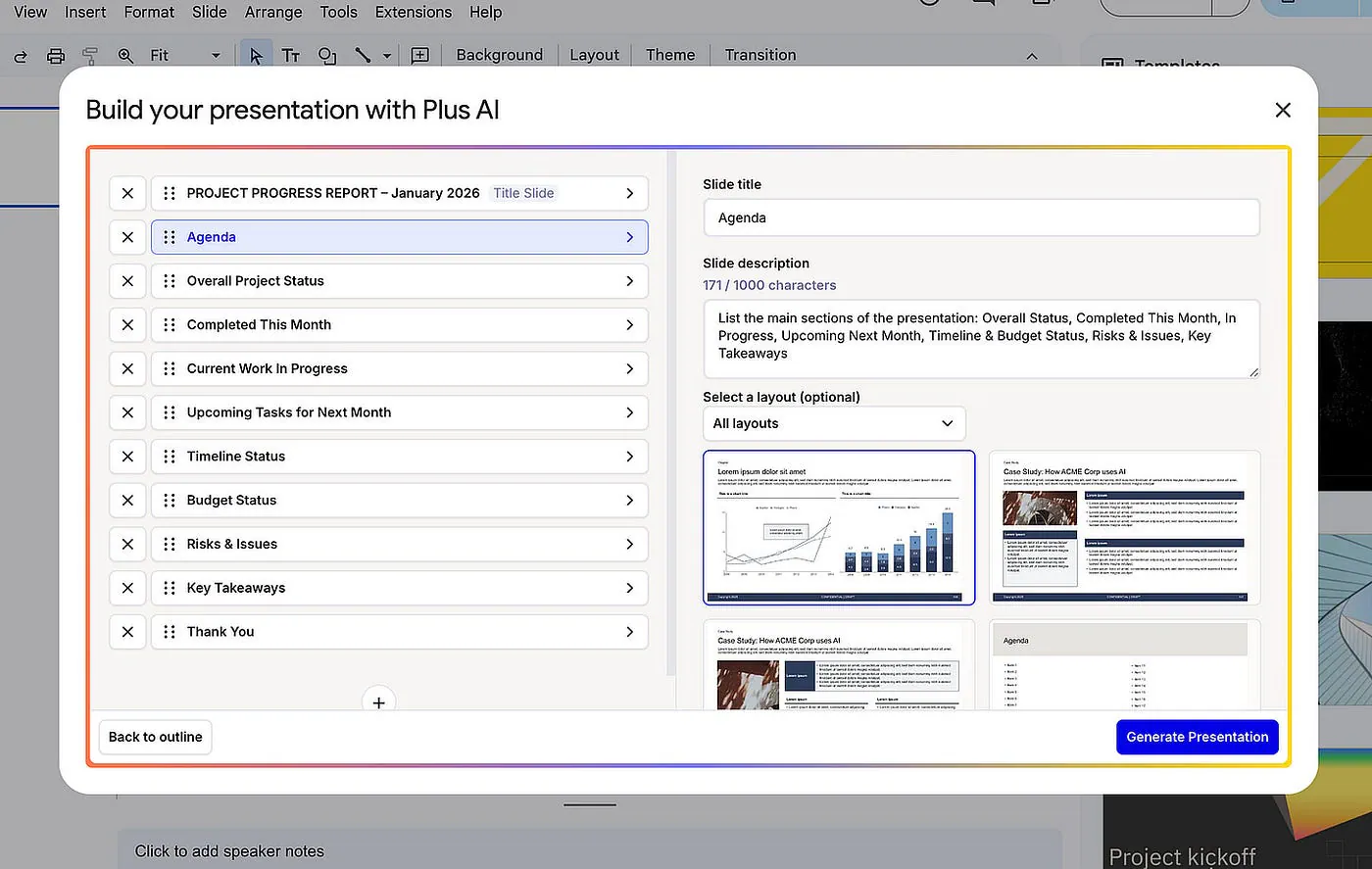
Plus AI presentation generator sample generation. Image by Jim Clyde Monge
What I like about Plus AI is that it does not try to replace PowerPoint or Google Slides. It simply adds AI to the tools people already use. You still get the normal editing tools, collaboration features, templates, fonts, layouts, and file formats. Plus AI just helps with the writing, structure, translation, and slide creation.
A complete slide deck can easily be modified by using the toolset on the dedicated right panel for Plus AI.
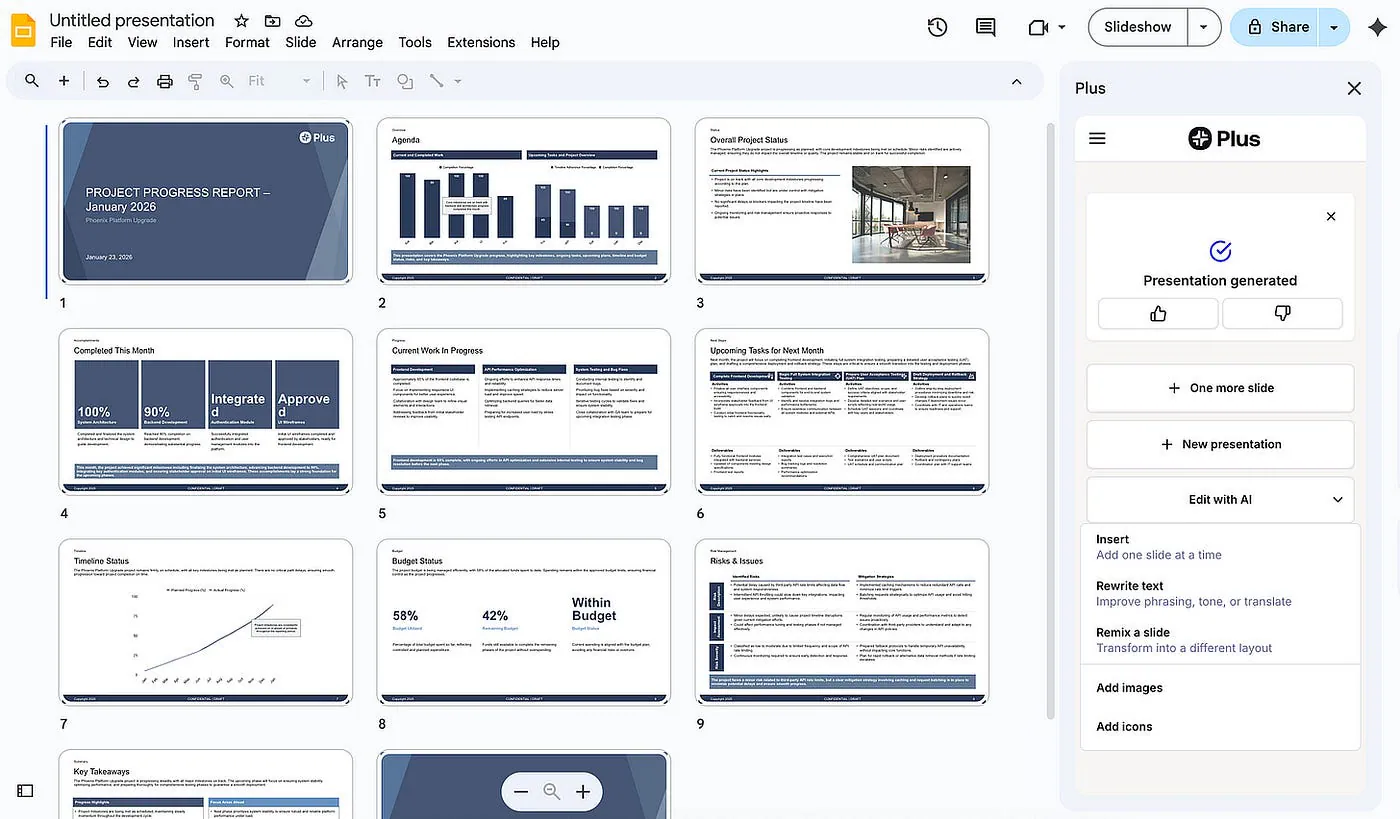
Plus AI presentation generator sample generation. Image by Jim Clyde Monge
It also comes with a Remix feature that is incredibly useful for day-to-day editing. If a slide looks cluttered, you can ask the AI to reorganize it. It can turn a wall of text into a neat three-column layout without you having to drag a single pixel.
It also supports custom branding, which is useful if you are making pitch decks, client decks, internal reports, or marketing presentations. Instead of getting random-looking slides every time, you can keep the output closer to your preferred style.
Plus AI also offers a 7-day free trial, so you can test it inside PowerPoint or Google Slides before paying. I like that because presentation tools are very workflow-dependent. Some people care more about design. Some care more about speed. Some just want help turning messy notes into a clean deck.
2. Manus
Unlike Plus AI, Manus is a general purpose chatbot similar to ChatGPT or Gemini. A couple of months ago, they released a feature called Manus Slides which lets you create presentation files directly inside the chat interface. Simply describe the topic and the AI handles the research, structure, writing, and slide generation for you.
Here’s an example:
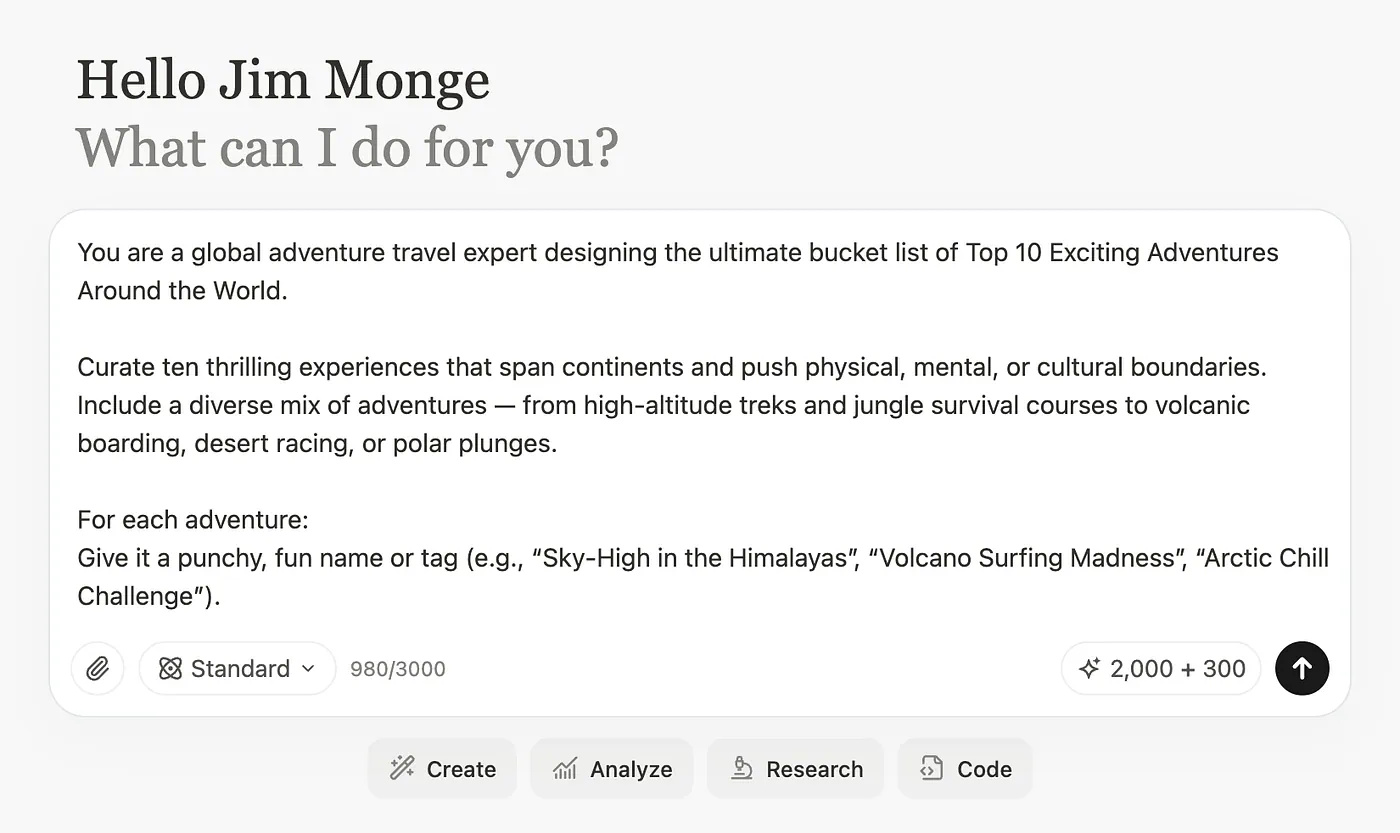
Manus AI slide deck generation example. Image by Jim Clyde Monge
You can leave the other settings at their default values. The AI is smart enough to understand that you are looking to create a slide deck.
Click the submit button and let the AI generate your slide deck. The result is displayed on the right side of the screen. In this case, it created a 12-slide deck.
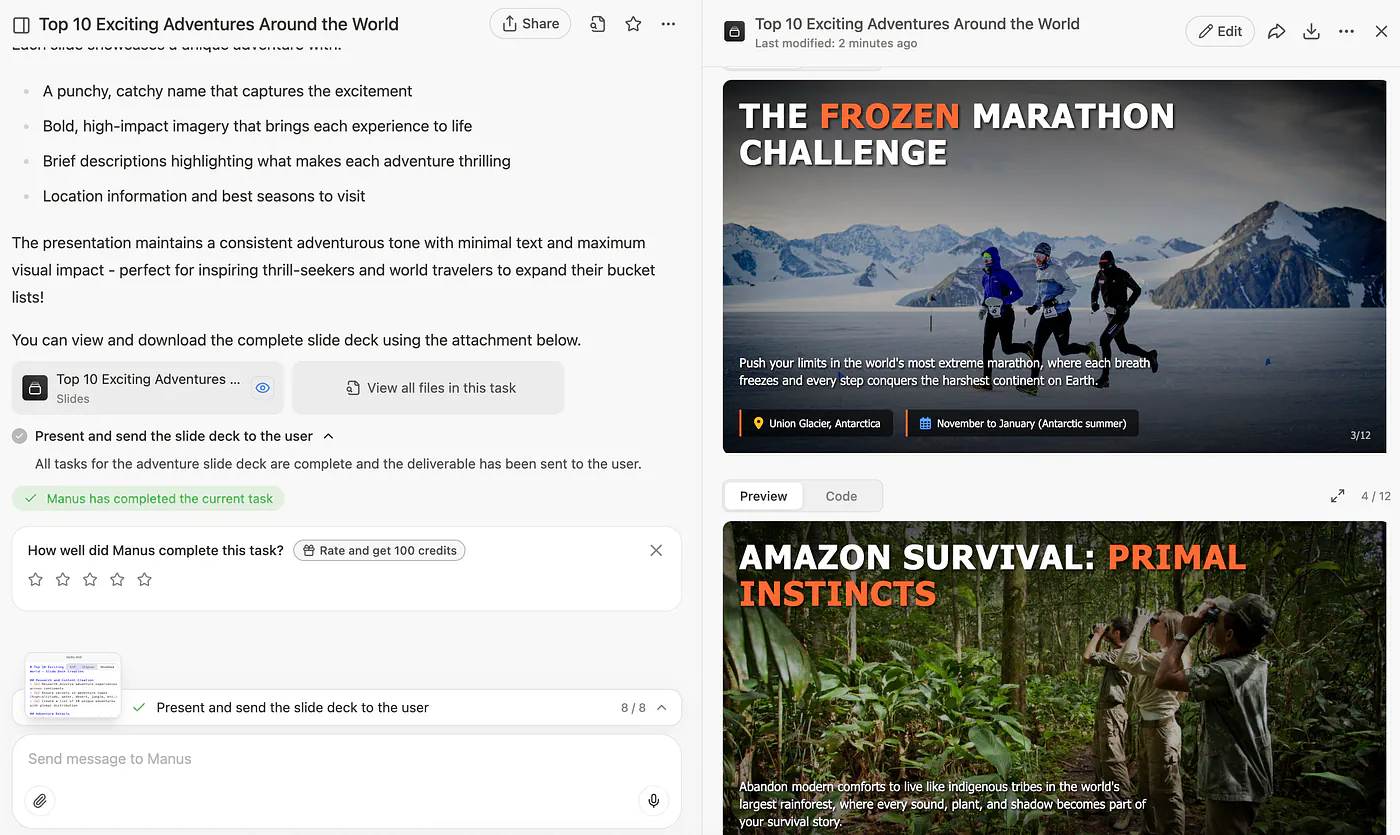
Manus AI slide deck generation example. Image by Jim Clyde Monge
The overall look of the slides is very well made. The images match the topic, and the content is actually well-researched and engaging.
Each slide is actually built using HTML and CSS. If you switch to the “Code” tab, you can even see the underlying code that makes up the slide deck.
Doing it all inside a chatbot web app and not having the usual controls and UI of either Microsoft PowerPoint or Google Slides is a bit overwhelming, especially to those users who aren’t tech-savvy and aren’t well-versed in prompt engineering.
Also, the output file is in HTML format so you can’t easily port them to Google Slides or PowerPoint for further editing.
I would use Manus for research-heavy decks, early drafts, and presentations that need more context. For quick business slides inside my existing workflow, Plus AI still feels easier.
3. Genspark
Similar to Manus, Genspark is also a chatbot agent. It is built primarily as a research engine that just happens to have a very powerful slide generator attached to it. It is designed to automate the heavy lifting of gathering information and then visualizing it.
For AI Slides, you can give Genspark a topic and ask it to create a full deck with examples, charts, images, and structured insights. To get started, go to Genspark AI and select the AI slides in the main dashboard. Describe the topic and click on the submit button.
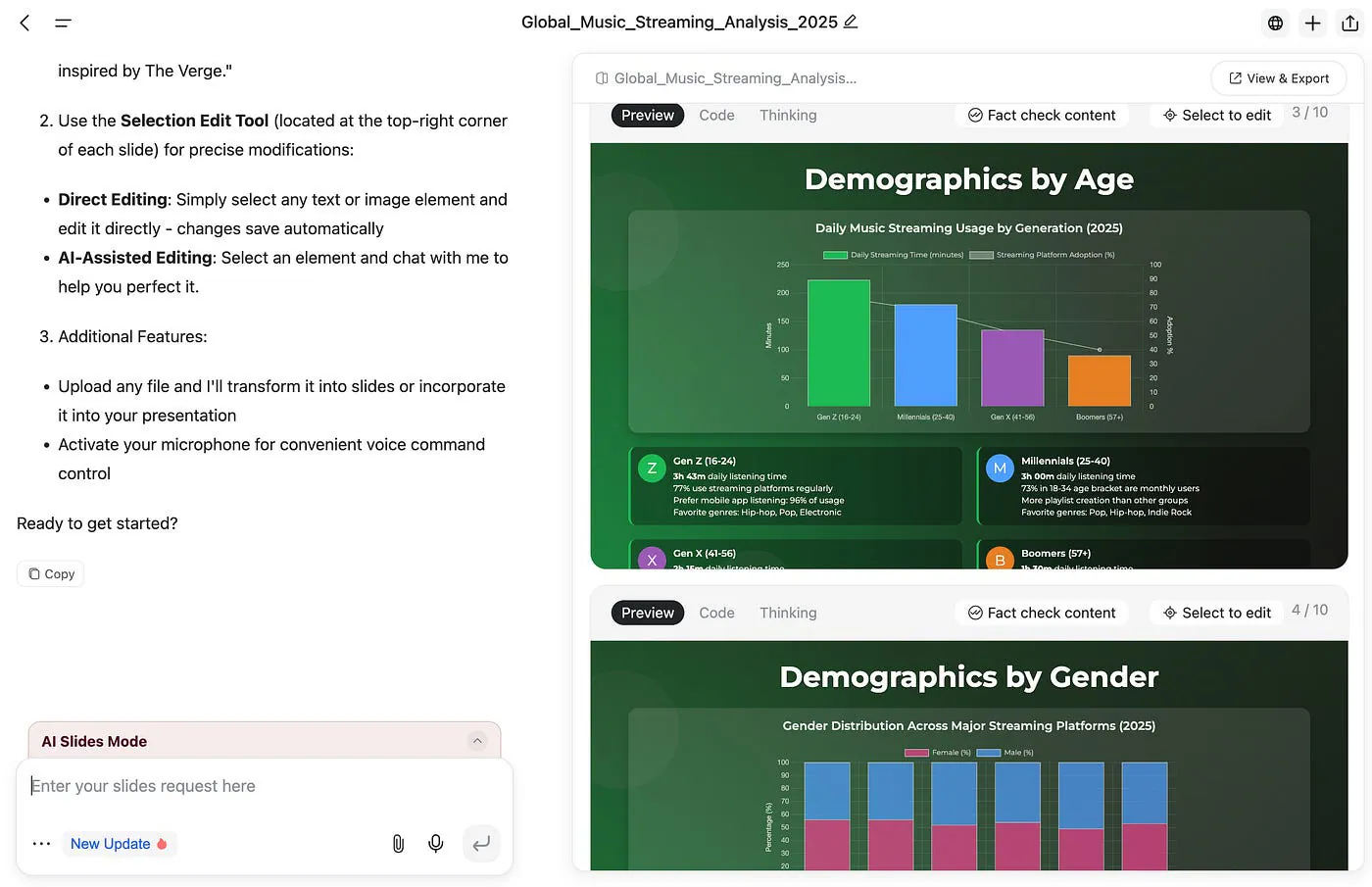
GenSpark slide deck generation example. Image by Jim Clyde Monge
Genspark generates slides using HTML and CSS. This means every slide is essentially a small webpage.
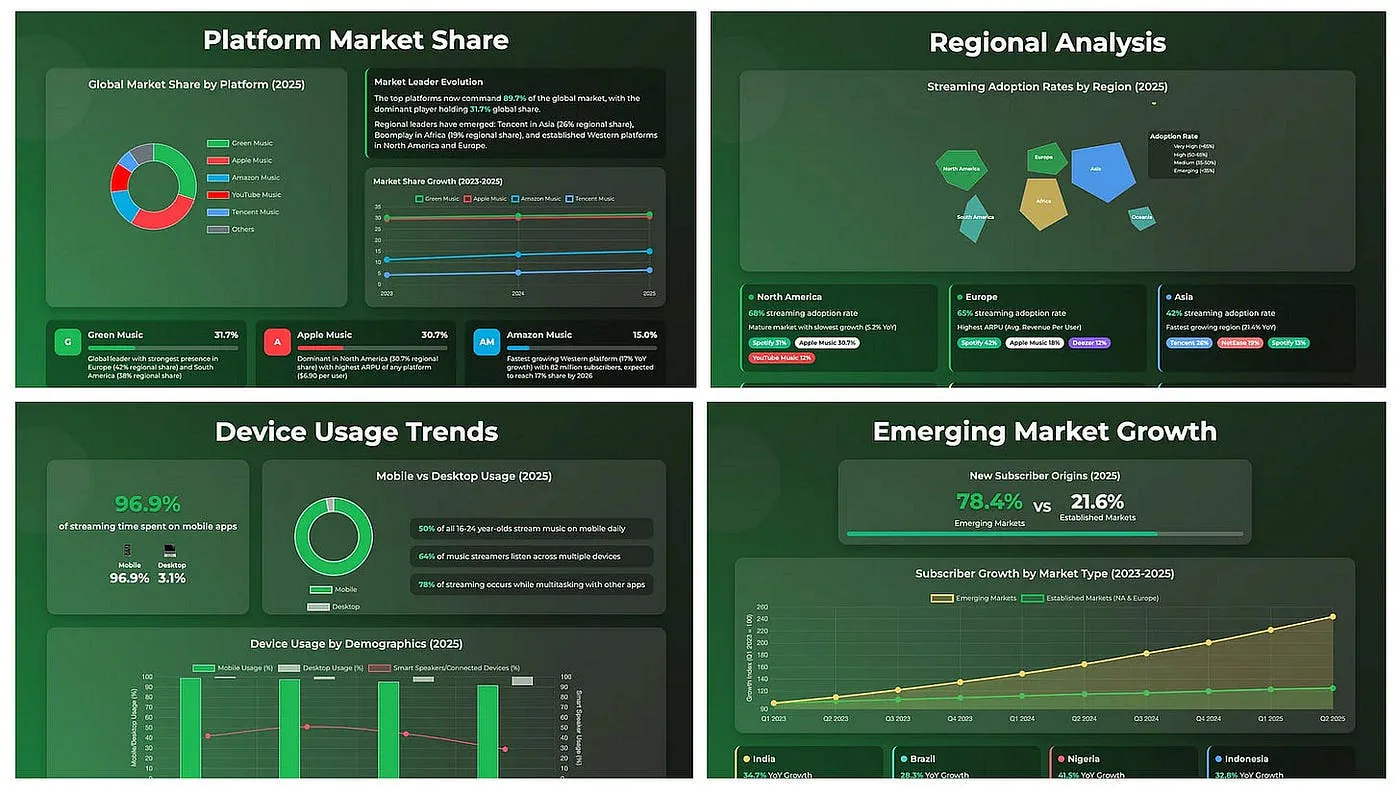
GenSpark slide deck generation example. Image by Jim Clyde Monge
If you are technical, you can even switch to the Code tab and edit the raw HTML and Tailwind CSS to customize the slide exactly how you want it. You can inspect and adjust the HTML and CSS behind the output. Regular users may not care about this, but for developers, designers, and technical marketers, it is a useful feature.
The slides usually look more visual than the usual AI-generated decks. Some layouts feel closer to a modern web page or interactive report, which makes the output feel more interesting right away.
Genspark also lets you export the presentation to PDF or PPTX. That makes it easier to move the deck into PowerPoint if you want to continue editing there. Still, like most AI-generated decks, I would not expect the export to be perfect every time. You should still review the formatting before using it for client work or serious presentations.
I see Genspark as a good pick if you want attractive, research-driven slides and do not mind working in a separate AI platform before exporting the final deck.
4. Kimi
Kimi Slides got a lot of attention when Moonshot AI added slide generation inside the Kimi chat app. You open the chatbot, describe the presentation you want, and Kimi creates the deck from your prompt or document.
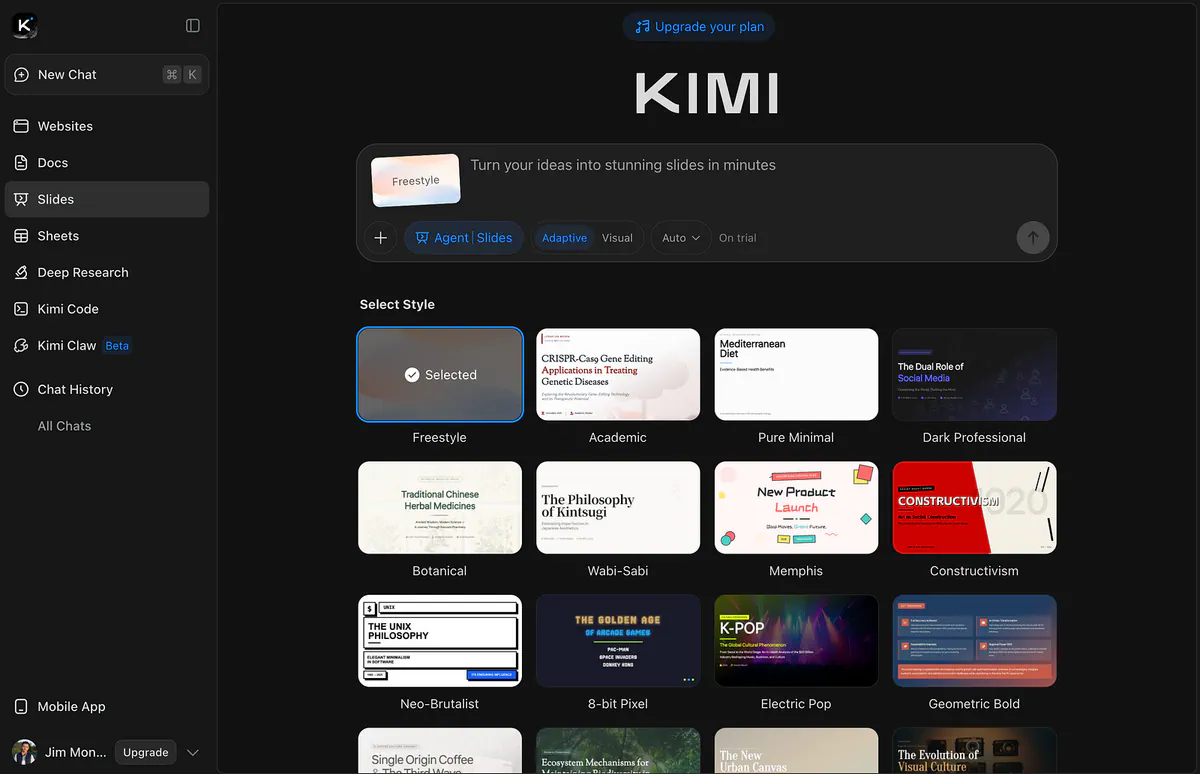
Kimi AI slide deck generation example. Image by Jim Clyde Monge
It can understand long prompts, process documents, search the web when needed, and turn a topic into a cleaner presentation outline. This makes it useful for reports, explainers, research summaries, and topic overviews.
Here’s an example output:
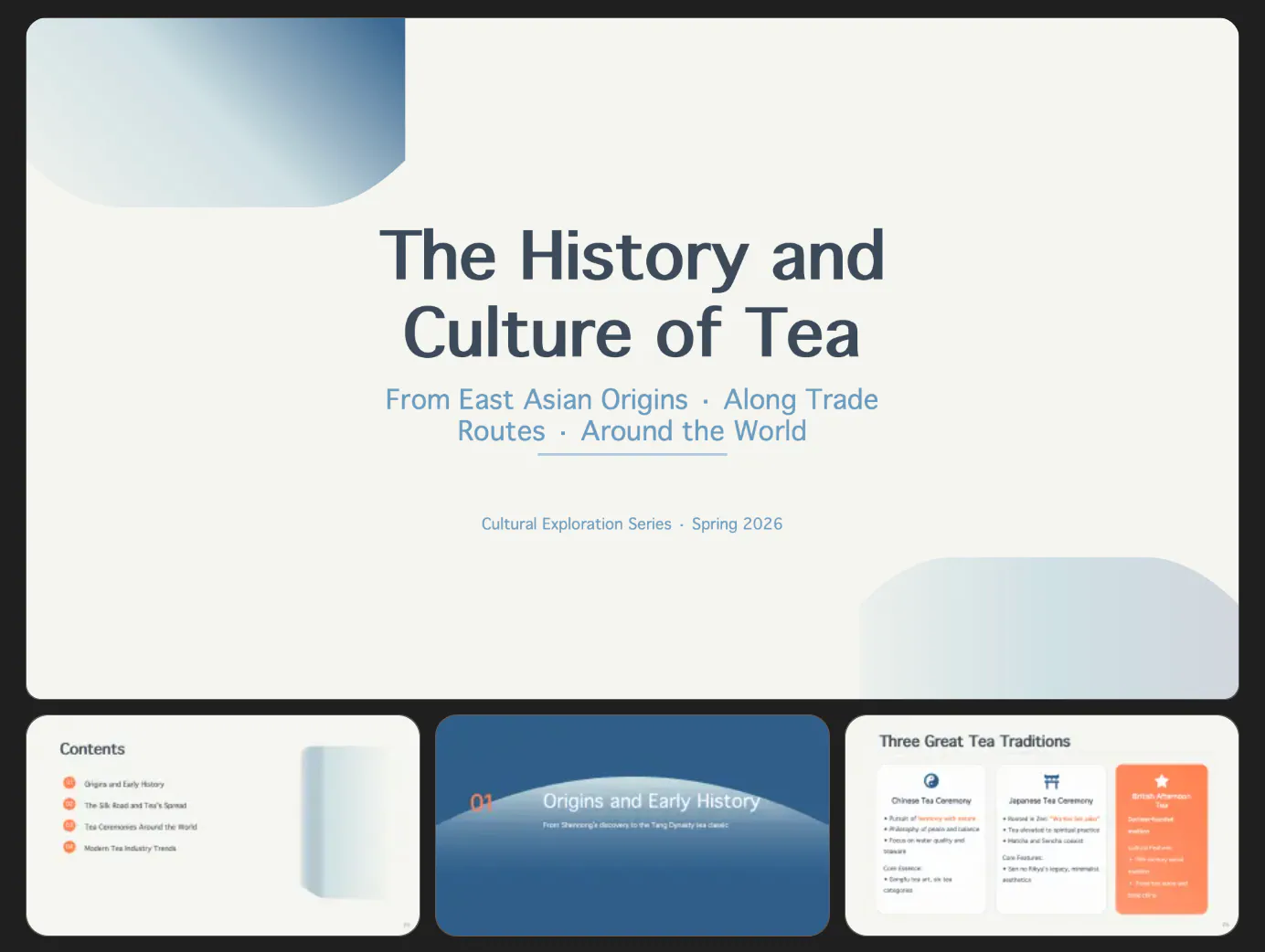
Kimi AI slide deck generation example. Image by Jim Clyde Monge
The strongest part of Kimi is context. Since it’s a chatbot with long context window, it is good at reading a lot of information and turning it into something easier to understand.
The problem is control. Since Kimi Slides is built around a chat interface, you do not get the same editing freedom you get in PowerPoint or Google Slides. You can ask the AI to revise the slides, but it is still not the same as manually adjusting fonts, spacing, shapes, animations, or layouts.
There is also the export step. If your final workflow is PowerPoint, you still need to export the deck from Kimi and continue editing it somewhere else. That sounds small, but it slows things down when you are rushing or making several changes.
I would use it for early presentation ideas, long-document summaries, and research-heavy topics. If you are already a Kimi user and have an existing subscription, it only make sense to use it for presentation generation.
5. Gemini
Gemini belongs on this list because it is already connected to Google’s ecosystem. If you use Google Docs, Drive, Gmail, and Google Slides every day, Gemini is hard to ignore.
In fact, if you go to slides.google.com and create a new presentation, you’ll see this modal screen now.
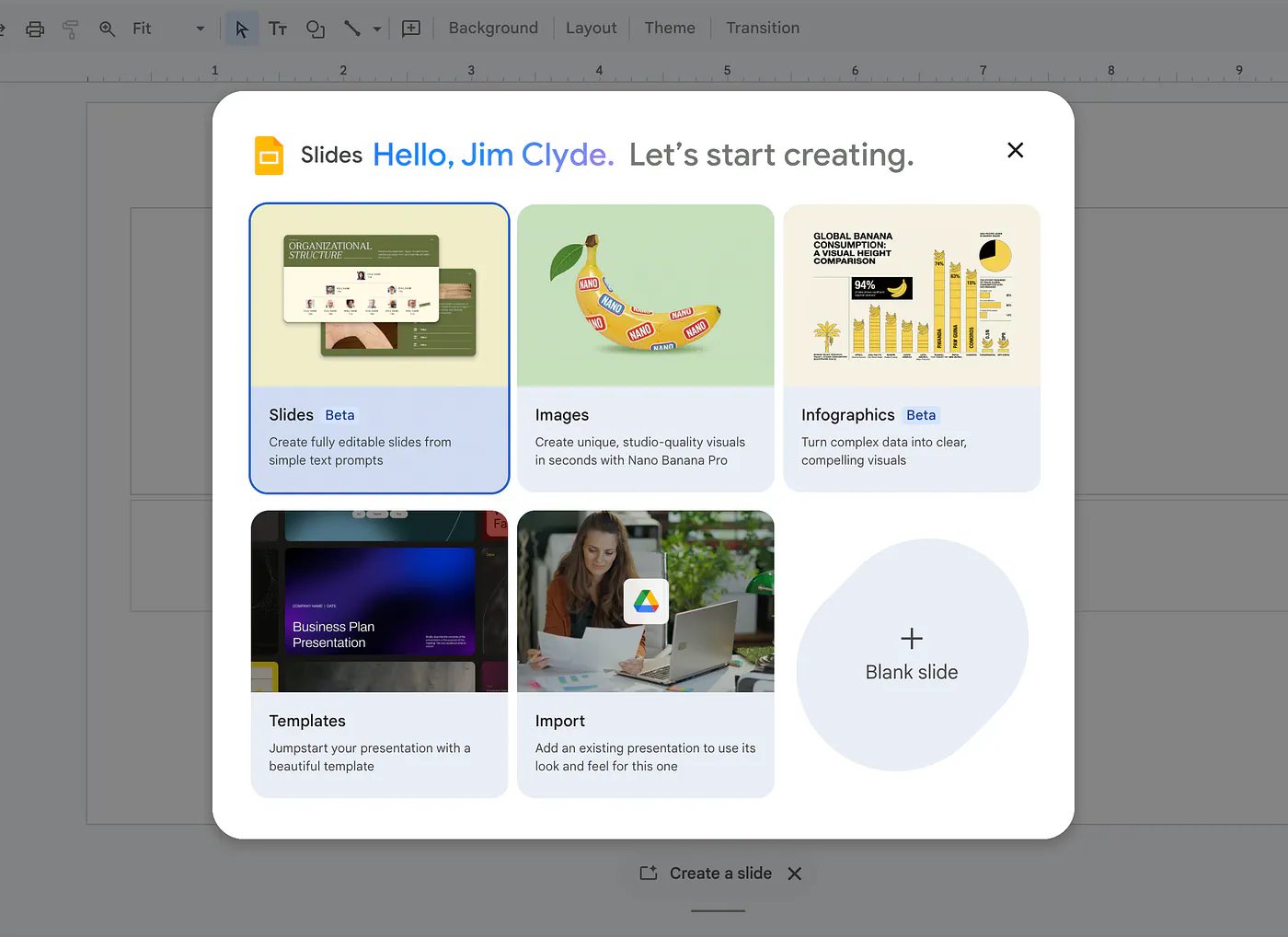
Gemini slide deck generation example. Image by Jim Clyde Monge
You can ask it to create an outline, generate images with Nano Banana Pro, summarize a document, suggest slide titles, rewrite talking points, or generate speaker notes. If your files are already inside Google Drive, that workflow feels really convenient.
Here’s an example prompt:
Prompt: operational roadmap slide. Type: Process. Style: Airy, high-end editorial. Layout: Wide dark slate header reads “Operational Roadmap”; four vertical columns below with precise margins and increasing height. Content: Wide serif title; serif subtitle. Headings read: “Define goal”, “Identify focus areas”, “Describe outcome”, “Evaluate”. No body text. Serif numbers (01–04) anchored in bottom-right corners. Colors: Tonal blues and charcoal. Typography: Premium serif; spaced sans-serif data.
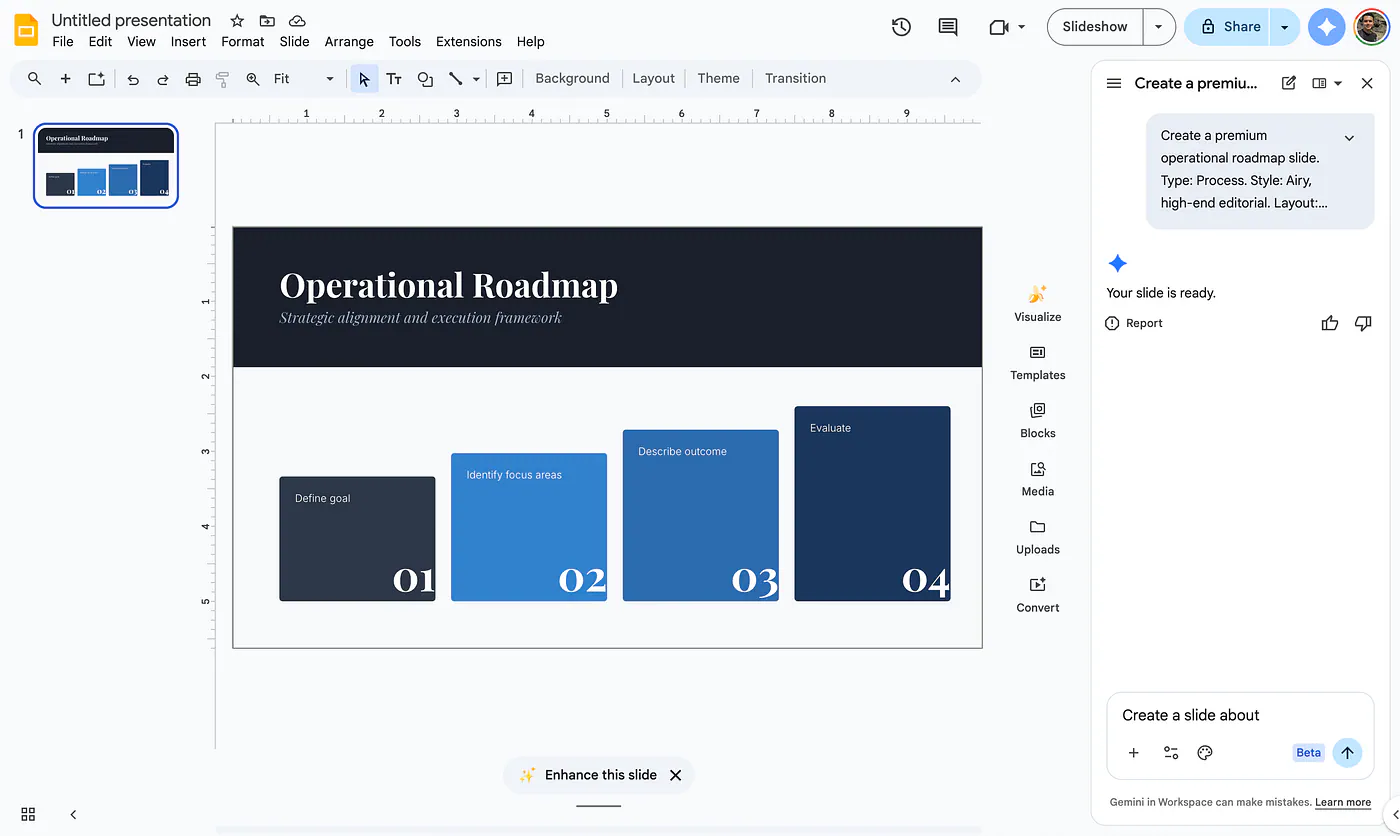
Gemini slide deck generation example. Image by Jim Clyde Monge
As you can see, Gemini can only generate one slide at a time. This is by far the biggest downside of using Google’s own LLM. I wonder why they don’t allow full slide deck generation in a single prompt?
For now, I see Gemini as useful for single slide generation, slide planning, rewriting, and improving an existing deck. It is a good option if you already work inside Google Workspace, but it still needs a better full presentation generation flow to compete with tools like Plus AI.
Alright, that’s my current list of AI presentation generators you should know about in 2026.
Here’s a quick recap:
- Plus AI is great if you want something that works directly inside PowerPoint and Google Slides. It is the easiest one to fit into an existing workflow because you can generate, edit, remix, and refine slides without leaving the tools you already use.
- Manus is interesting because it feels more like an AI agent that can research, plan, and generate a deck inside a chat interface. It is useful for research-heavy decks, early drafts, and presentations that need more context before turning into slides.
- Genspark is great if you want a more research-driven workflow with AI-generated pages and slides. The output often looks more visual and web-like, and the HTML and CSS editing option gives technical users more control.
- Kimi is a good option if you work with long documents and want help turning dense information into something easier to present. It is good for summaries, reports, and early presentation ideas, but the chat-based workflow still limits manual control.
- Gemini also deserves a spot because it keeps getting better inside Google’s ecosystem. It is helpful for single-slide generation, slide planning, rewriting, and improving existing decks, especially if you already use Docs, Slides, Drive, and Workspace.
Personally, I still prefer Plus AI for most presentation work. Other tools may offer a more feature-packed experience, but Plus AI’s biggest advantage is that it is already integrated into PowerPoint and Google Slides.
That means you do not have to relearn a new editor or keep switching between tabs just to build a deck. You can work inside the tools you already use, which makes the whole process feel more natural.
I also like that Plus AI offers a 7-day free trial with no upfront cost, so you can explore the tool, test it with your own workflow, and decide if it fits before committing to a subscription.
I hope this list helped you find a few AI presentation tools to try this year. If you know another AI presentation generator that deserves to be on the list, let me know in the comments.
Sources
- Plus AIplusai.com
- Jim Clyde Mongemedium.com
- Google Workspace Marketplaceworkspace.google.com
- Genspark AIgenspark.ai
- slides.google.comslides.google.com


