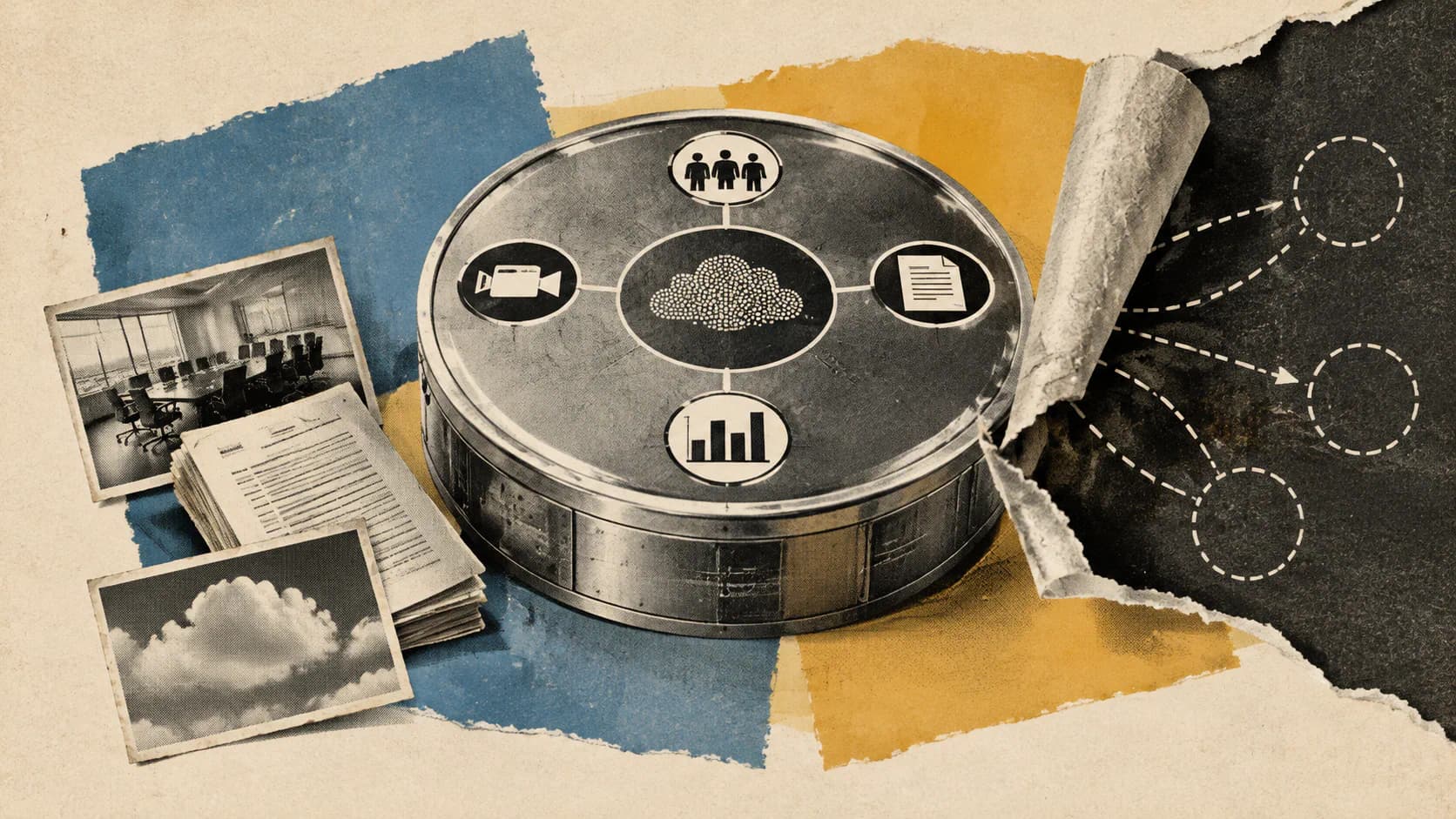
Zoom announced its Unified Context Layer on October 20, 2026, connecting conversation history, documents and activity across Zoom and third-party applications. The aim is to give Zoom’s own agents and external AI tools enough context to move from understanding a discussion to completing related work.
The launch has several timelines. Zoom labels ZoomMate Agent Teams, MCP servers, and Search and Ask APIs as available now. Other experiences carry expected release dates, while its announcements use different language about assistant integration support. Customers should treat this as a staged product update, with specific capabilities to evaluate today. Zoom’s main announcement and developer announcement provide the clearest starting points.
What the Unified Context Layer Connects
Zoom describes two information sources behind the new layer:
- Conversation context: Decisions and details from meetings, phone calls, chats and contact center interactions.
- Documented knowledge: Company documents and information in connected third-party systems.
The proposed benefit comes from combining them. A customer record might describe an existing agreement, while a recent meeting contains a change that has not reached that record yet. An agent needs both to understand the current situation.
Zoom says the layer brings conversation history together with near-real-time application activity. That is a design claim, not a published latency guarantee: the announcements provide no numerical freshness target. Zoom’s AI announcement
My view is that the consequential change is access outside the Zoom interface. Meeting summaries already preserve information; making that information available to another application gives builders a foundation for tasks that span systems. The value will depend on which sources are connected and what each agent can access.
The Available Building Blocks Have Different Jobs
Zoom’s available-now capabilities address teamwork, agent connectivity and information retrieval. They should not be treated as interchangeable.
| Capability | What Zoom says it provides | Practical starting point |
|---|---|---|
| ZoomMate Agent Teams | Specialized AI agents working together as an AI team | Evaluate Zoom’s own coordinated-agent experience |
| MCP servers | Access to supported Zoom context and actions outside the Zoom interface | Connect an MCP-compatible agent to supported capabilities |
| Search and Ask APIs | Queries across indexed sources in the Unified Context Layer | Retrieve business context inside a custom application or agent |
Zoom explicitly marks Agent Teams and MCP servers as available now in its main announcement. Its developer post gives that status to Search and Ask APIs.
MCP means Model Context Protocol. Here, it provides a connection through which compatible AI tools can use supported Zoom capabilities. MCP support does not mean every Zoom product or action is exposed. Zoom describes expanded coverage including Zoom Rooms and Workspace Reservation, while additional servers for Zoom Phone, Scheduler, Mail, Calendar and Marketplace Build remain planned.
Search and Ask APIs serve a different purpose: retrieving relevant context across indexed sources. A question such as “What did the customer approve?” is a retrieval task. Updating the customer’s CRM record adds a downstream action, with separate integration and permission requirements.
The distinction also matters for Agentic Search. Zoom’s developer announcement explicitly confirms Search and Ask APIs, but it does not provide equivalent availability or scope details for a separately named Agentic Search experience. These sources therefore support a confirmed API entry point, without enough detail to place that named experience on the same checklist.
These are vendor availability statements, not independently verified deployments. The announcements leave pricing, account eligibility, authorization mechanics, indexed-source coverage and retrieval quality unresolved.
Assistant Support Is Not a Workflow Release Date
Zoom’s announcements use different language about external assistants.
The developer post describes existing support for Anthropic’s Claude, OpenAI’s Codex and Meta’s Muse, and says Microsoft 365 Copilot is now supported. The AI post separately says users will be able to launch Zoom workflows directly from Claude and Codex starting in November 2026.
| Assistant | Developer announcement wording | Workflow timing established by the AI post |
|---|---|---|
| Claude | Existing support | Direct Zoom workflow launches starting in November |
| Codex | Existing support | Direct Zoom workflow launches starting in November |
| Microsoft 365 Copilot | Now supported | No specific workflow release date supplied |
| Meta Muse | Existing support | No specific workflow release date supplied |
Sources: Zoom’s developer announcement and AI announcement.
The November description includes automating meeting, chat and phone tasks, and updating CRM records. Those are execution capabilities, beyond retrieving a meeting detail.
The two posts may be describing different integration depths, but Zoom does not fully explain the boundary. It would be inaccurate to call every assistant integration wholly deferred. It would also be inaccurate to present every described workflow as shipped on announcement day.
I’d require an action-level check before committing a team to one assistant. “Claude is supported” is less useful for deployment than confirmation that a particular account can retrieve a meeting decision, invoke a specific Zoom action and update the intended destination. The published support label alone cannot answer all three.
Workflow and Capture Features Arrive in Stages
Zoom’s roadmap also expands the information entering the context layer and the actions users can take from it.
| Expected timing | Capability | Intended change |
|---|---|---|
| October 2026 | My Notes Workflows | Turn summaries into follow-up work in tools such as Zoom Chat and Salesforce |
| November 2026 | Enriched notes | Link screens, slides, charts and meeting chat to transcript moments |
| November 2026 | DTEN My Notes integration | Capture in-person conversations through a dedicated device |
| December 2026 | Follow Meeting | Deliver personalized transcripts and summaries for missed meeting time |
| December 2026 | Refreshed Zoom Chat | Bring agents into discussions under administrator-defined controls |
| December 2026 | Standalone My Notes mobile app | Record and transcribe in-person meetings without Zoom Workplace |
| December 2026 | Screen Capture in Transcript | Attach captured screenshots to the relevant transcript moment |
| Q1 2027 | Bota hardware integrations | Extend My Notes capture through phone-based and wearable devices |
These are expected release windows, drawn from Zoom’s main announcement and AI announcement. An October target, for example, is not confirmation that My Notes Workflows was accessible on October 20.
The visual features deserve separate entries. Zoom dates “enriched notes” to November in its main announcement and “Screen Capture in Transcript” to December in its AI post. Their descriptions overlap, but the evidence does not justify merging them into one release.
Administrator controls also need careful treatment. The refreshed Chat experience is explicitly tied to administrator-defined controls and expected in December. The announcements describe configurable access settings more generally, but do not establish a complete administrative integration rollout.
What Customers and AI Builders Can Do Next
A useful pilot can separate three questions: Can the system find the information? Can the agent access it? Can it perform the intended action?
For builders, I’d start with a bounded retrieval task using the available Search and Ask APIs or a supported MCP connection. For example, an internal application could retrieve context about a known customer decision. That evaluates the information foundation before adding a workflow that changes another system.
A practical evaluation sequence is:
- Choose a narrow source set. Confirm which meetings, documents and connected applications are actually indexed.
- Check access boundaries. Establish which users and agents should see the selected material, then verify the applicable controls.
- Evaluate retrieval separately. Compare returned context with known decisions, especially where a recent conversation changes an older document.
- Verify the exact action. Confirm the supported tool, destination and release status before enabling changes in another application.
- Keep roadmap dependencies explicit. A November assistant workflow or December Chat experience belongs in a later milestone unless its availability is confirmed.
For Zoom customers using Agent Teams, the same discipline applies: select a defined task and verify the available capabilities before expanding its scope.
The immediate opportunity is to evaluate the documented retrieval and agent interfaces. Workflows, capture features and broader integration coverage can then be added as their release conditions are met. That approach follows the actual rollout and makes it easier to identify whether a problem lies in missing context, restricted access or an unavailable action.
Frequently Asked Questions
3 questions
1Is Zoom’s Unified Context Layer available now?
Zoom announced the layer on October 20, 2026, with available building blocks including Agent Teams, MCP servers, and Search and Ask APIs. Several related experiences have later expected release windows.
2Can Claude and Codex run all the announced workflows?
Zoom’s developer post describes assistant support, but its AI post schedules direct Claude and Codex workflow launches for November 2026. The posts do not establish that every workflow shipped at announcement.
3Do Search and Ask APIs update connected applications?
The developer announcement describes retrieving context across indexed sources. Updating another application is a separate action whose integration, permissions and availability need confirmation.