In one recent AI research paper, GIANTS-4B, researchers introduced the idea that a 4 billion model can anticipate scientific insights before they formally appear in future papers.
I know, that sounds hard to believe. However accurate the benchmark is, it still leaves a lot of room for skepticism, reliability issues, and the usual question of whether the model is actually discovering something new or just remixing patterns from existing research.
But I think this is where the more practical conversation starts.
Scientific research does not have to be fully delegated to AI. In most cases, the better approach is to use AI as a research assistant that can search through reliable sources, summarize papers, and help researchers move faster without removing human judgment from the process.
Tools like AnswerThis already do this.
It is an AI research assistant built for scientific and academic workflows. Unlike generic AI chatbots, it is designed around research tasks like finding papers, drafting citation-backed literature reviews, chatting with PDFs, and adding citations while writing.
In this guide, we’ll look at what AnswerThis is, how it works, its key features, and how you can use it for your own research workflow.
How AnswerThis differs from a generic chatbot
Unlike general-use chatbots like ChatGPT or Gemini, AnswerThis is built specifically for research work. The tool is connected to a large research database, so the workflow starts with actual papers, citations, PDFs, and evidence.
The platform says it can search across more than 300 million research papers and help users work from question to draft in one place
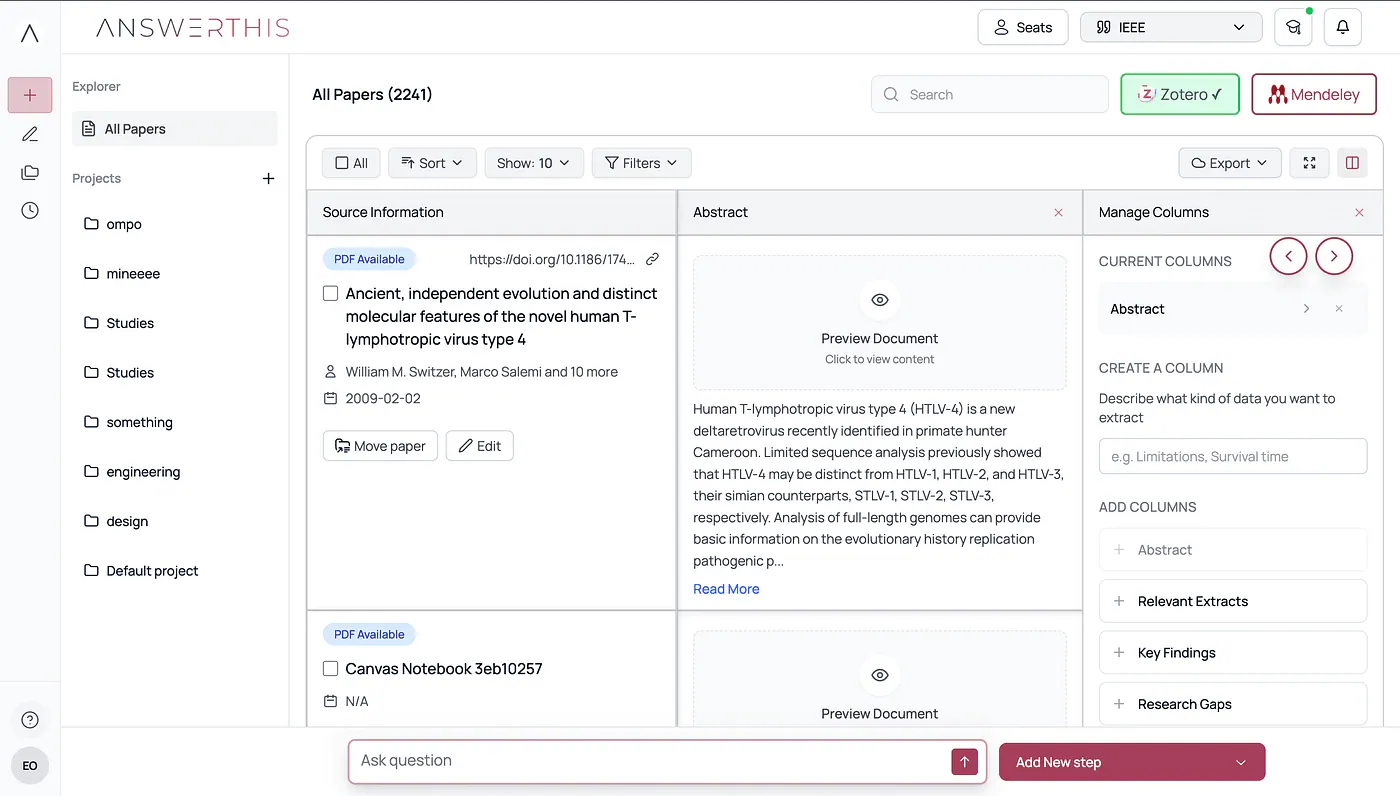
Sample research output from AnswerThis
This is useful for a multi-chapter thesis or a project that depends on several papers. Instead of saving PDFs in random folders, you can keep the research inside one workspace.
Another thing is that it supports over 2,000 citation styles, including APA, MLA, and Chicago. References are formatted automatically and ready to use in your paper.
So yeah, AnswerThis is more than just a chatbot because it helps you manage papers, organize sources, and prepare citations for actual academic writing.
How I use AnswerThis
Whenever I research a certain topic, I usually start with arXiv to look for relevant research papers. It is a nice place to discover papers, especially when I am trying to understand a new model, method, or technical concept.
But after trying AnswerThis, I found it to be a more feature-packed tool for this kind of workflow.
For example, I can simply go to the Find Papers tab and describe the topic I want to research. In my case, I searched for “Diffusion Transformer” and enabled the Papers toggle so AnswerThis would focus on finding relevant papers.
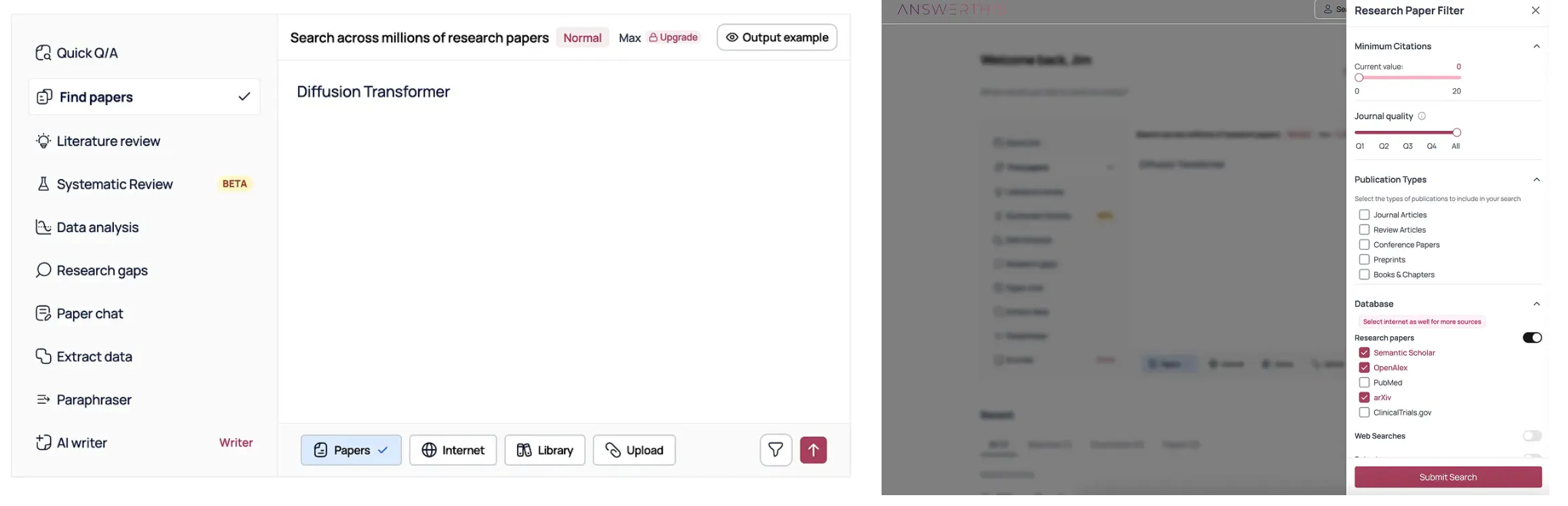
Finding relevant papers with custom filters. Image by Jim Clyde Monge
You can also adjust the search parameters by clicking the Filter button. This opens a sidebar menu where you can tweak the results based on what you need. For example, you can show details like the title, authors, publication year, summary, key findings, methodology, or other useful fields, depending on what you are reviewing.
After a few seconds, AnswerThis shows details about your search keyword along with relevant papers connected to the topic.
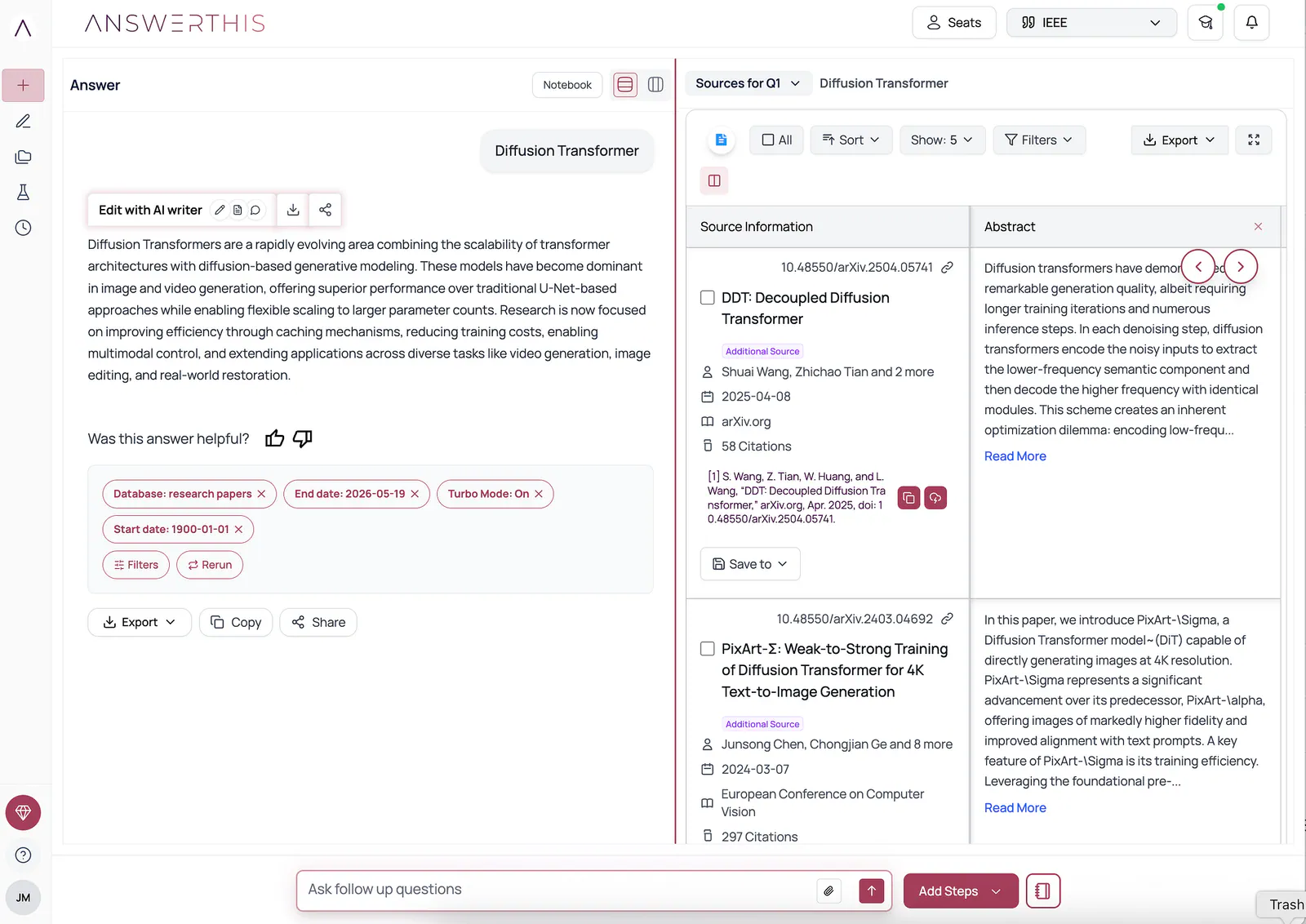
Finding relevant papers with custom filters results. Image by Jim Clyde Monge
From here, you can filter the papers further or ask follow-up questions to explore the topic in more detail. You can also manage the columns to skim through each paper faster.
I also like that you can export the list if you want to review the papers later. There are a lot of things you can do inside AnswerThis that are not really available in generic chatbots.
The next feature I want to highlight is the Chat with Paper tool.
You upload the PDF file of the academic paper you want to study, then ask questions about it. For example, you can ask something like:
“Give me the technical summary of this paper.”
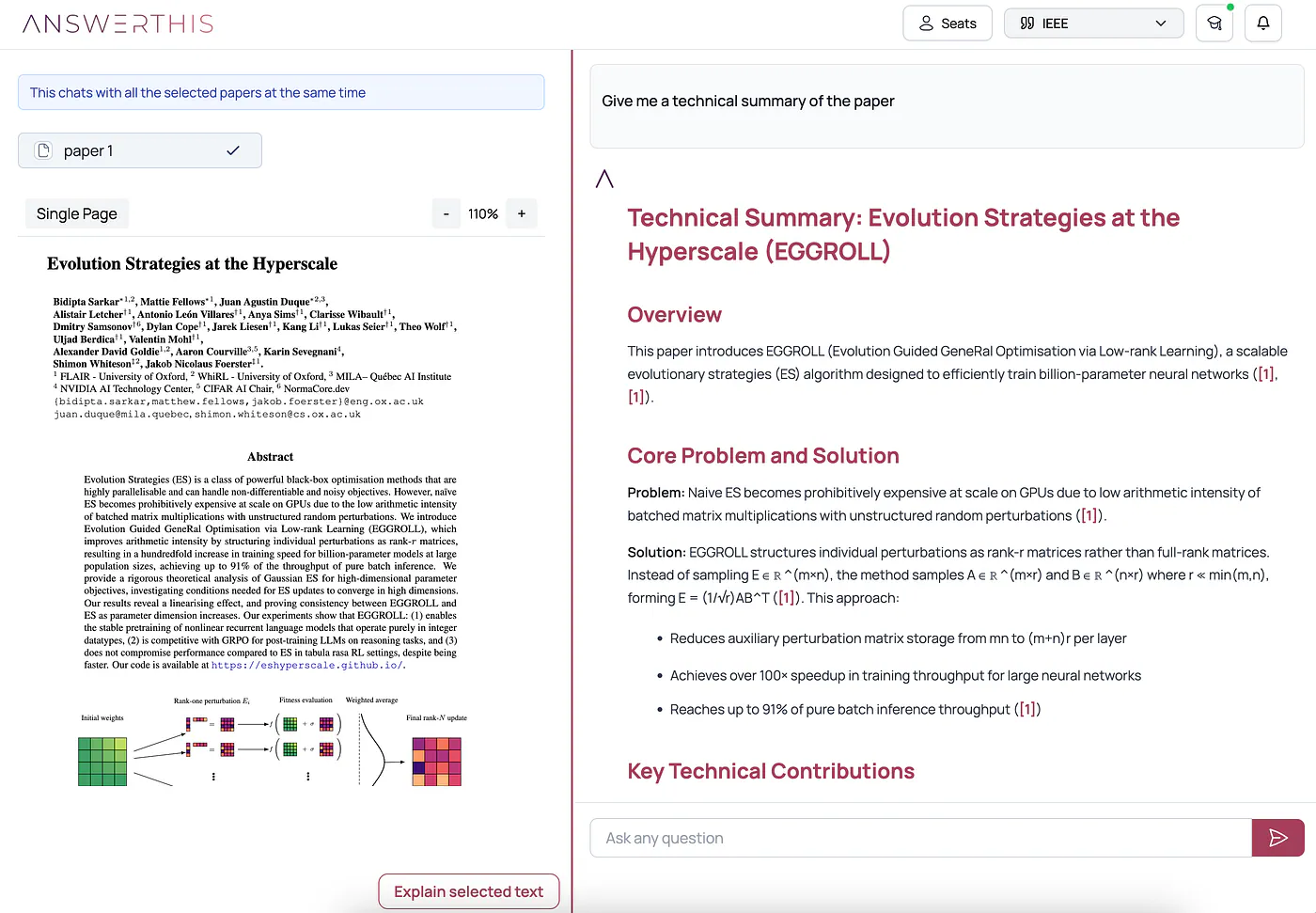
Chatting with an academic paper example. Image by Jim Clyde Monge
Of course, most AI chatbots can already summarize PDFs now. Not surprising. But what makes AnswerThis more useful for academic work is how the tool is built around the research process itself.
One small but useful detail is the citation formatting. When AnswerThis pulls information from the paper, you can easily copy the citation in different formats and paste it into your work.
There’s also a built-in “Explain selected text” tool. Instead of copying a dense block of text into another chatbot, you can simply select the text and ask AnswerThis to explain it.
One final tool I want to share is the Literature review feature.
This is probably one of the more useful parts of AnswerThis if you are working on a thesis, dissertation, academic paper, or any research-heavy project. You just describe the topic you want to study, hit the submit button, and let the AI agent do the research for you.
For example, I tried this prompt:
Prompt: Machine Learning Applications in Drug Discovery
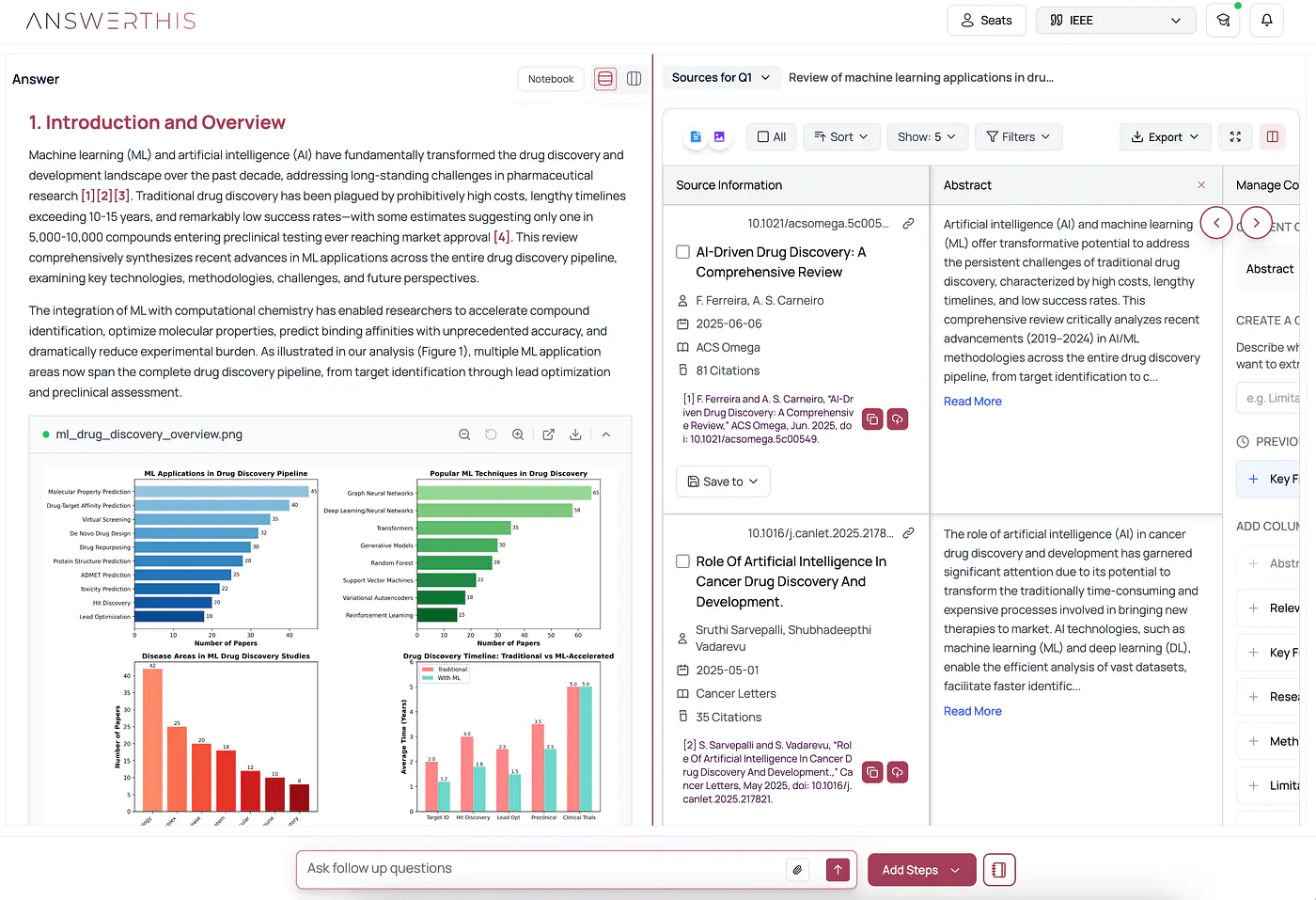
Literature review sample result with citations. Image by Jim Clyde Monge
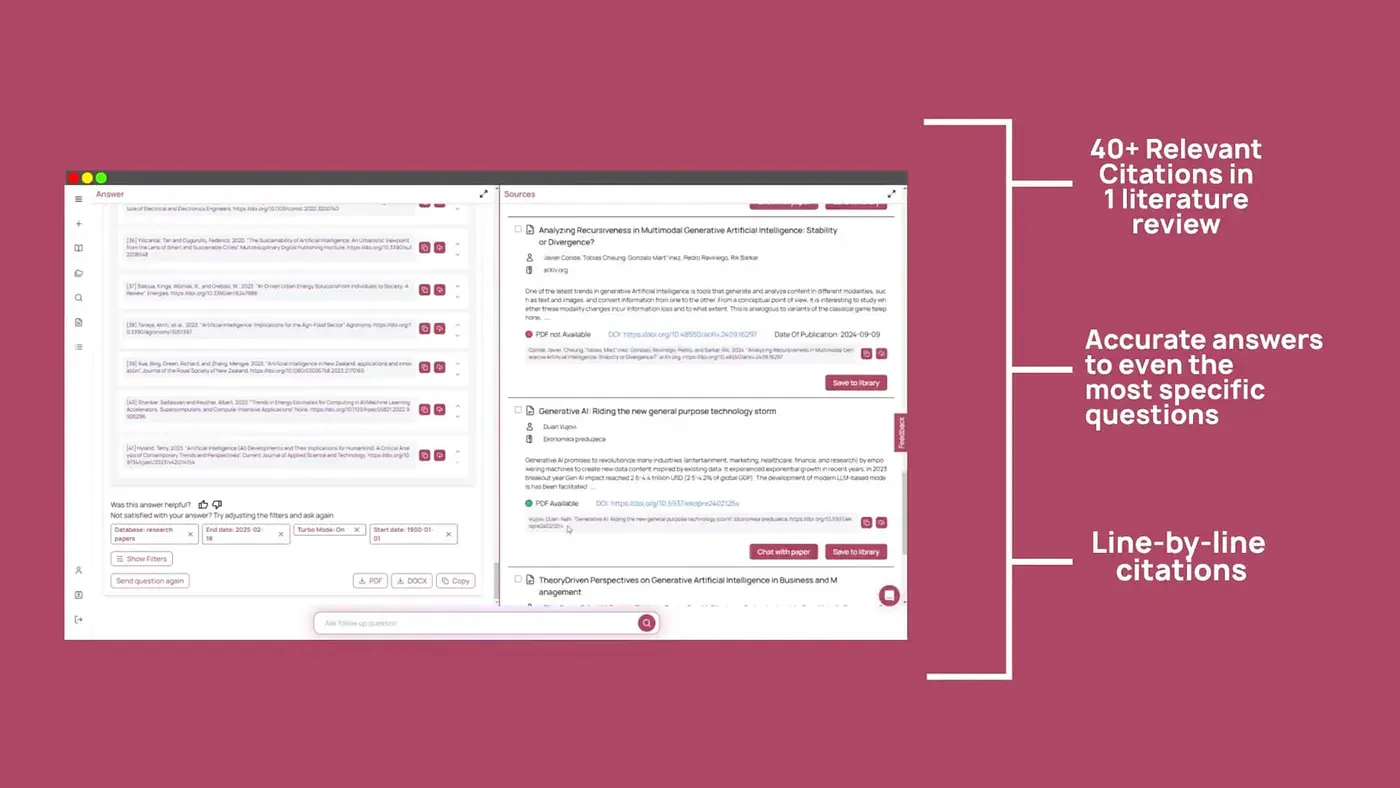
AnswerThis generates a well-written literature review based on relevant papers from its database of over 300 million research papers. The result comes with citations linked to the sources, which makes it much easier to verify the claims and check where each point came from.
Love the formatting too. The document does not look like a rough dump of AI text. It is structured properly, the sections are easy to follow, and the graphs and illustrations make the review feel more complete.