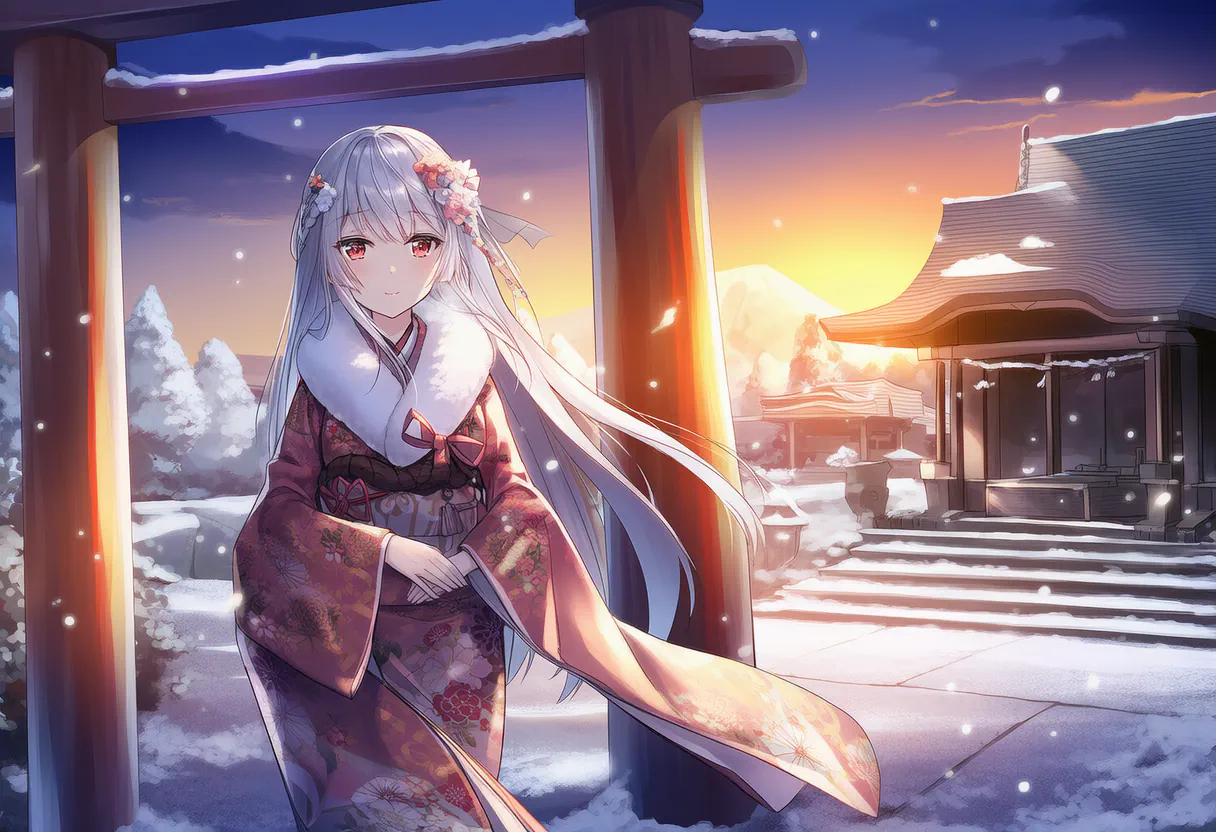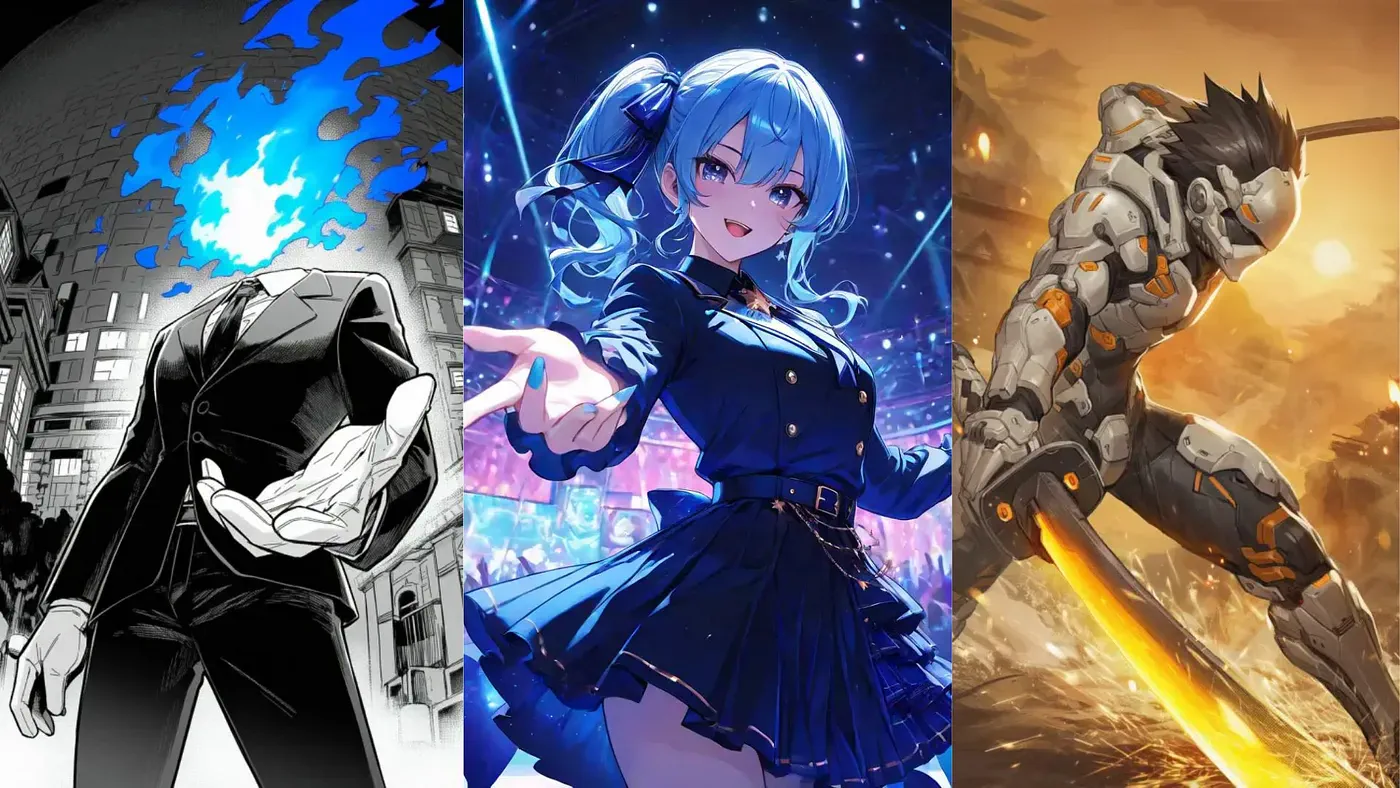
A few years ago, AI anime art meant melted faces, seven-fingered hands, and eyes that wandered off in two directions. That era is mostly over.
The diffusion models trained specifically on anime now produce character work that holds up next to studio illustration. You can tell the difference is closing with each release. NovelAI dropped Stable Diffusion entirely for its own architecture last year. PixAI’s video models went from rough motion to voice and camera control in about twelve months.
Two of the best anime generators right now are PixAI and NovelAI. I’ve spent time in both, and they pull in opposite directions. This post breaks down where each one wins.
PixAI vs NovelAI at a Glance
Here’s the quick map before the detail.
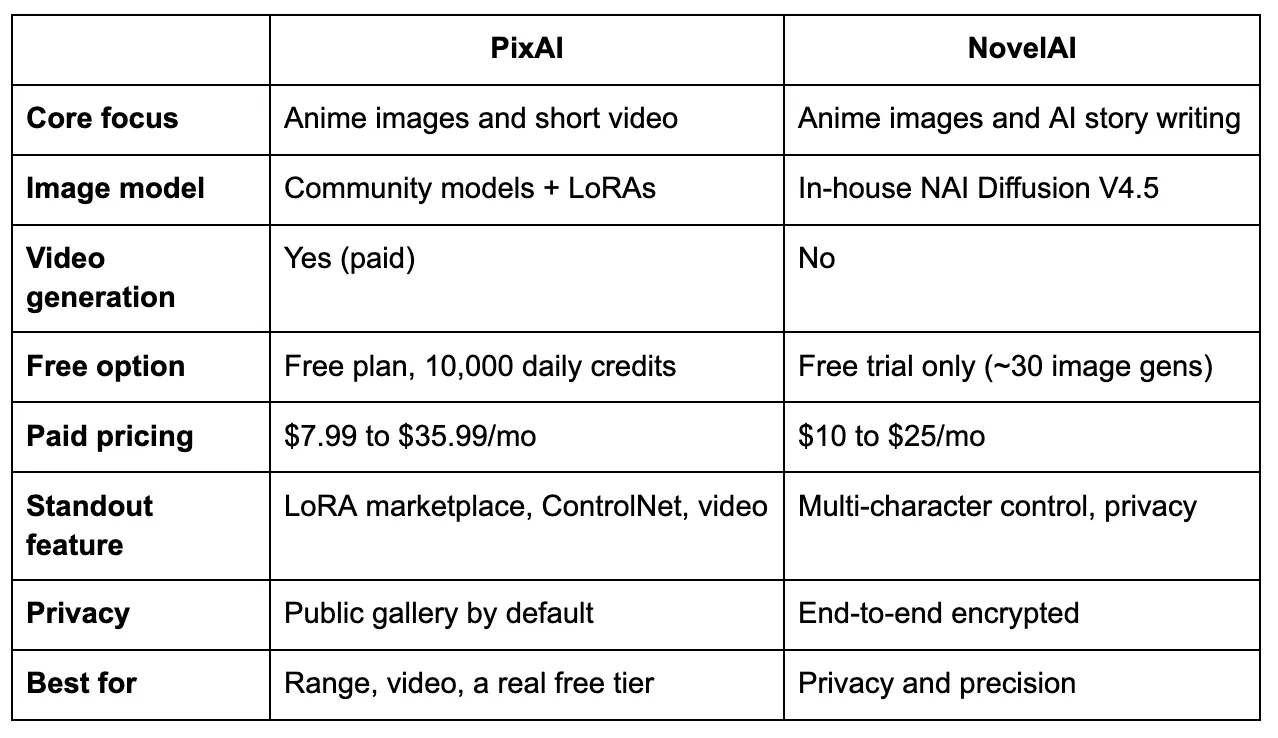
PixAI and NovelAI comparison
Both tools are excellent at anime images. A casual user could be happy on either.
What separates them is everything around the image: PixAI is built for browsing and remixing what other people make, out in the open. NovelAI is built for working alone in a private tab. Your gut reaction to that one sentence probably tells you which tool you want.
What PixAI Brings to the Table
PixAI launched in late 2022 and has grown into something closer to a social platform for AI artists. At its center is a community model marketplace holding thousands of LoRAs you can apply without downloading anything.
If you are looking for a specific art style, say a Studio Ghibli effect or a 90s retro look, you just search for that model and apply it with a single click.
That marketplace is the real edge over generic tools. You aren’t stuck with one model trying to cover every style. You get thousands, each tuned for a narrow look.
Key features worth knowing:
- LoRA marketplace: Thousands of community models, one-click apply, no downloads.
- ControlNet support: Feed it a pose reference (OpenPose, Canny, Depth) and your character lands in that exact stance.
- Video suite: Image-to-video and text-to-video, clips up to 10 seconds, with the v4.0 preview adding voice and camera control.
- One-click upscaling: Sharpens output without the artifacts a generic upscaler leaves on anime line art.
- Free LoRA training: Even free users can train their own.
Now let me show you how the platform works.
Head over to PixAI’s website and create an account for free. In the home dashboard, you will see a prompt field where you describe the image you want to create. This is only for quick image generation.
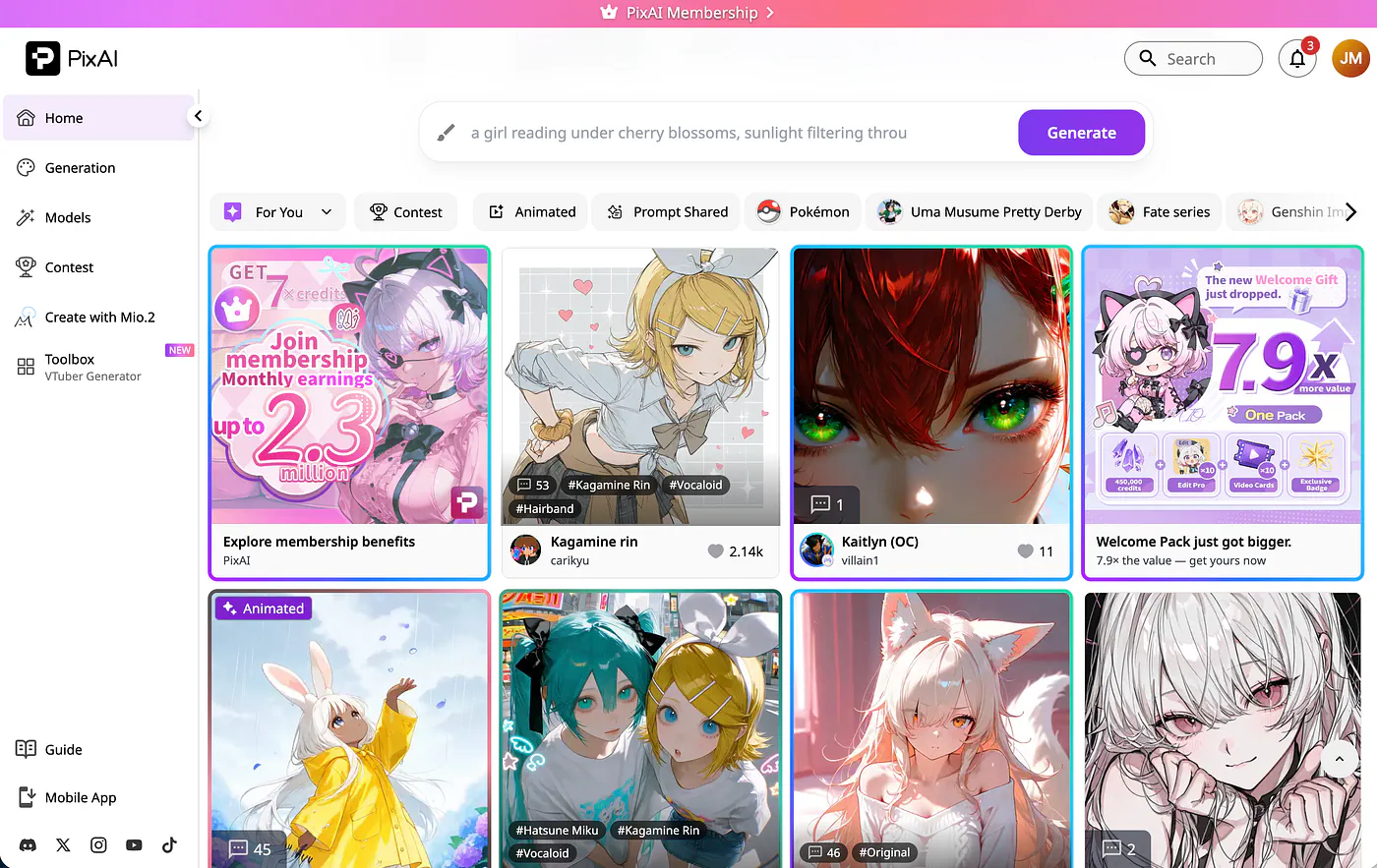
PixAI landing page
For further customization and better image controls, open the Generation tab and paste the image description in the prompt field. On the right side of the screen, you can adjust several parameters like the image style, model, aspect ratio, image quality, and the number of outputs.
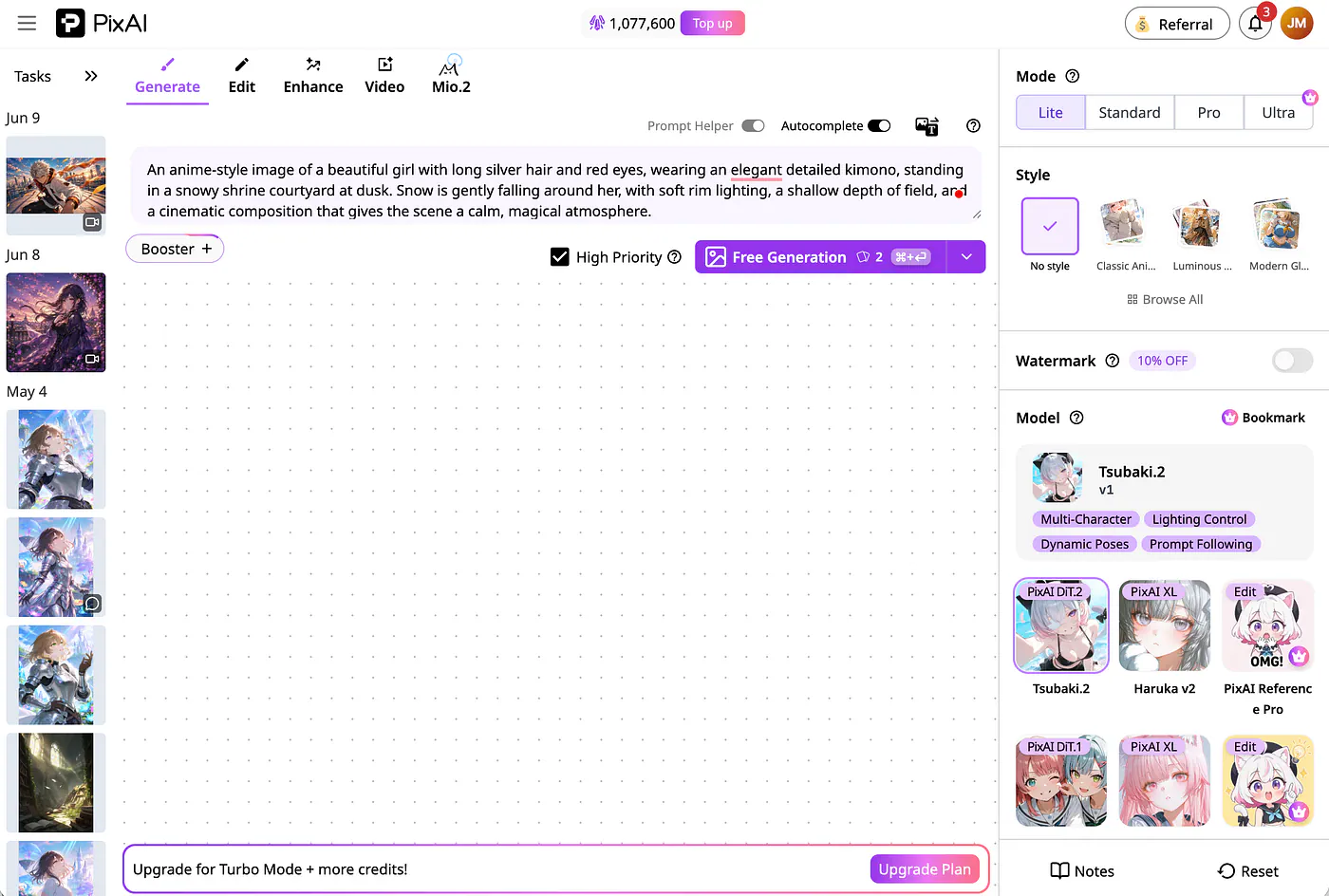
PixAI image generation dashboard
Here’s a sample image prompt I’d reach for:
Prompt: An anime-style image of a beautiful girl with long silver hair and red eyes, wearing an elegant detailed kimono, standing in a snowy shrine courtyard at dusk. Snow is gently falling around her, with soft rim lighting, a shallow depth of field, and a cinematic composition that gives the scene a calm, magical atmosphere.
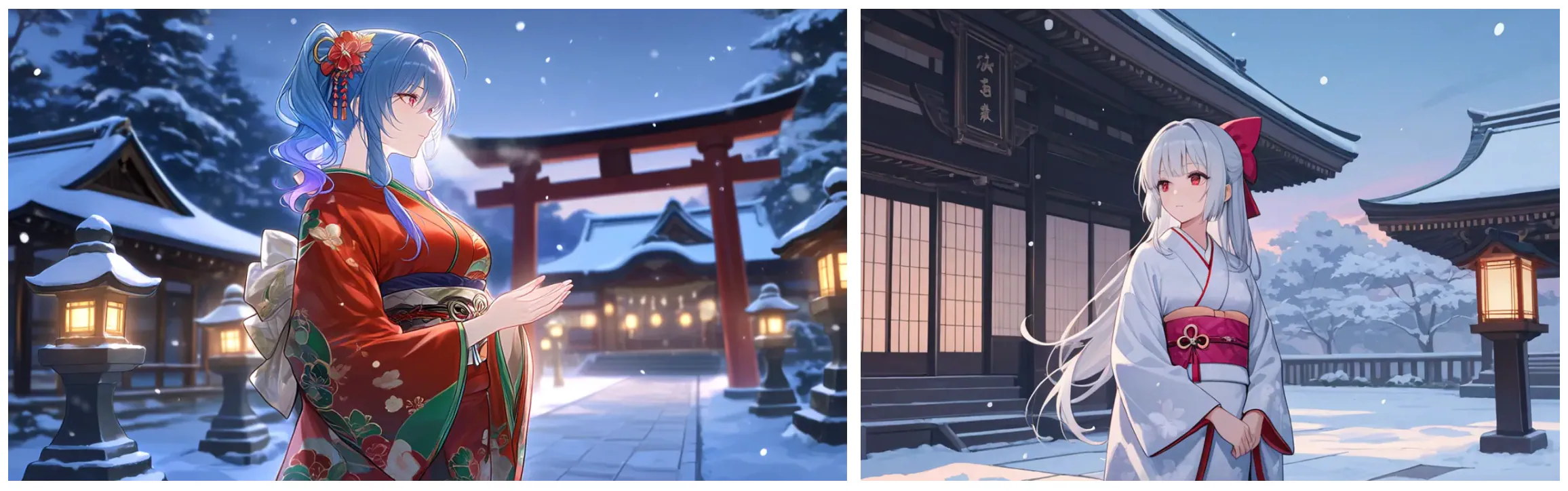
PixAI image generation sample results
The image on the left used the Tsubaki 2 image model while the image on the right used the Hoshino v2 model.
The results look good on the first pass. The line work is clean, the lighting has a clear direction, and the snow adds to the scene without making the image look messy.
It still has the usual weak spots. Hands may need a bit of cleanup, and busier backgrounds can lose detail if you push the prompt too far. But the image is usable without much fixing, which is usually what I care about in this kind of test.
The more interesting part is what happens after the image. PixAI also lets you turn the same idea into a short video, which is something NovelAI does not really offer in the same way.
Go to the Video tab, upload a reference photo, and describe what the video should look like in the prompt field.
Prompt: Animate a slow cinematic push-in toward her face with subtle parallax in the flowers, terrace, and sunset background. Let her hair, translucent fabric, and flower petals move gently in the wind. Add a soft blink and a slight calm expression change while keeping her face, outfit, pose, and anime style consistent.
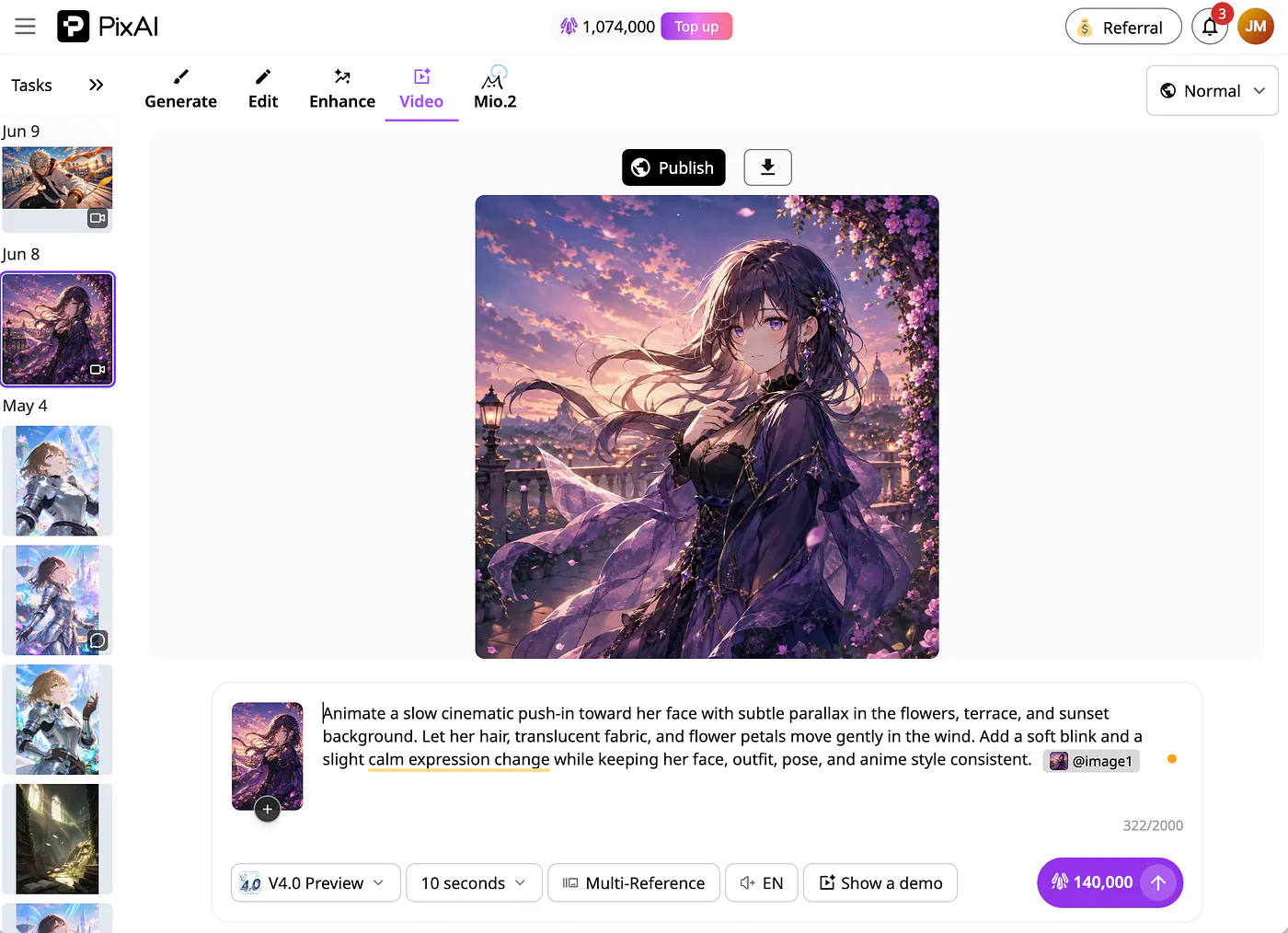
PixAI sample video generation screen
This is what the video looks like:
Loading this video connects to Vimeo, which receives device and connection data and may use cookies or similar storage.
I got the best results when I started with an image I already liked, then used the video tool to add small movements. Instead of asking for a full action scene right away, I had better luck keeping the motion focused: wind moving through the hair, a slow camera push, subtle clothing movement, or a bit of background motion.
That is where PixAI’s video tool works nicely. It can take a strong anime image and make it feel more alive without needing a complicated prompt.
What I like:
- The free plan is a really good way to experience the app without paying upfront.
- The model range is hard to beat thanks to community LoRAs.
- It does both images and video in one place.
What I don’t:
- Video is locked behind paid tiers.
- The sheer number of models can be overwhelming at first.
On pricing, PixAI is generous. The free plan hands you 10,000 credits a day plus ControlNet, negative prompts, and LoRA training. Paid membership runs $7.99/month for Starter (annual), $22.99 for Plus, and $35.99 for Premium, each adding credits, unlimited Turbo Mode, and the video suite.
One underrated detail: because generations are public, you can open anyone’s work and see the exact prompt and settings behind it. When run out of idea for image prompts, copying from the users in the community is really helpful.
What NovelAI Does Differently
NovelAI, built by Anlatan and launched in 2021, runs the other way. It’s a subscription platform that pairs anime image generation with an AI storytelling engine, and the whole thing sits behind end-to-end encryption.
NovelAI landing page
One thing I noticed is the lack of public gallery. This is a deal breaker for me because I usually look for sample images before using them.
There’s also no sharing layer. The company says it doesn’t train on your content. For anyone who wants their work private, that’s a genuine reason to pick it, and PixAI has no answer for it.
The image side runs on NAI Diffusion V4.5, released in 2025. From the V4 line on, it’s a fully original architecture, not a Stable Diffusion fork.
What stands out about V4.5:
- Multi-character scenes: Up to six characters in one image, each placeable in the frame.
- In-image text: Renders English text well enough for speech bubbles.
- Focused Inpainting: Repairs a selected area at high resolution, adding fine detail like eye catchlights.
- Tag-based prompting: Precise control through tags and weighting, once you learn the syntax.
To get started, head over to novelai.net and create an account. From the homepage, click on the Image Generator button, and you should be redirected to the image generation dashboard.
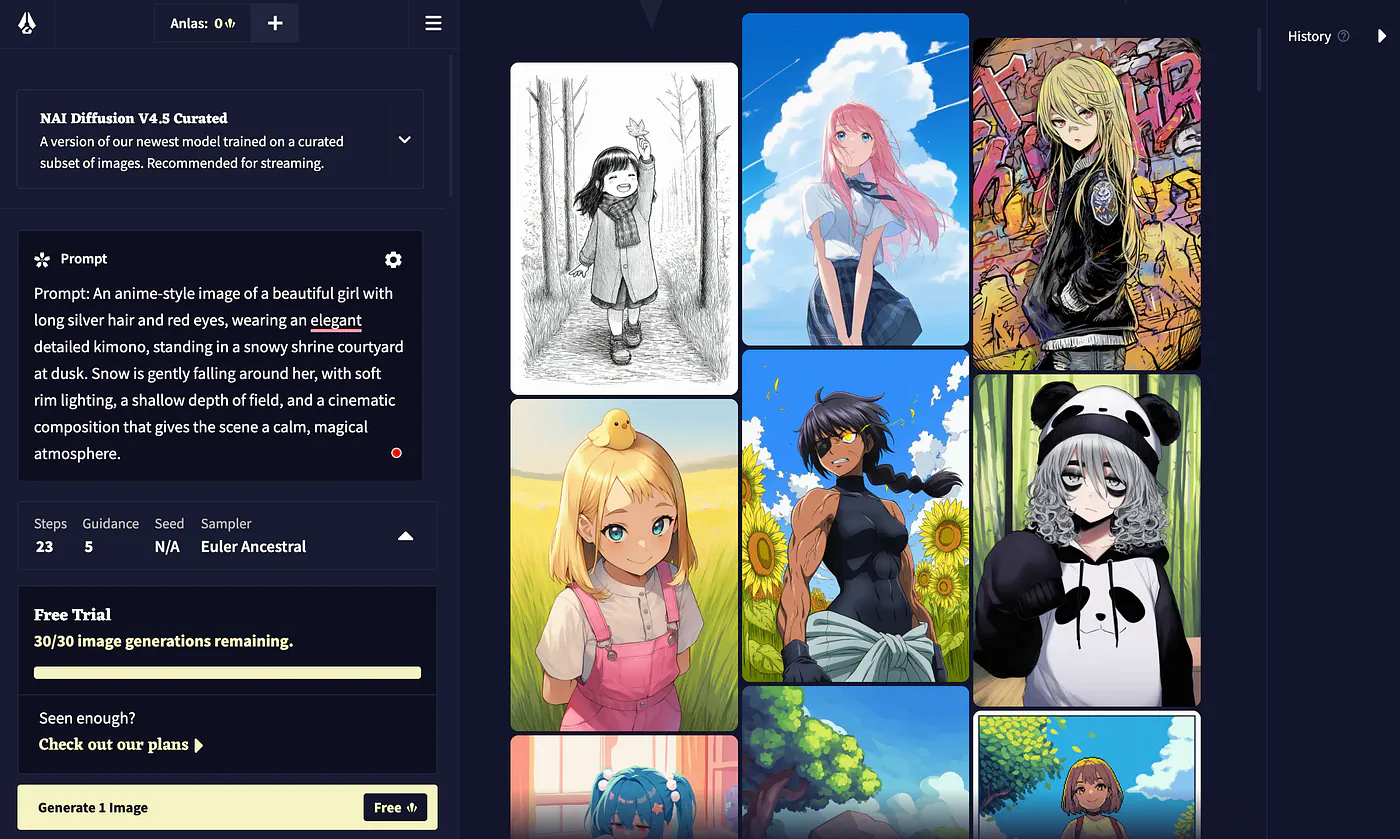
NovelAI image generation dashboard
Let’s use the same image prompt we used for PixAI for this example. You can also adjust the image resolution, aspect ratio, and model to use. For the model, Novel AI only supports five stylized models.
Prompt: An anime-style image of a beautiful girl with long silver hair and red eyes, wearing an elegant detailed kimono, standing in a snowy shrine courtyard at dusk. Snow is gently falling around her, with soft rim lighting, a shallow depth of field, and a cinematic composition that gives the scene a calm, magical atmosphere.