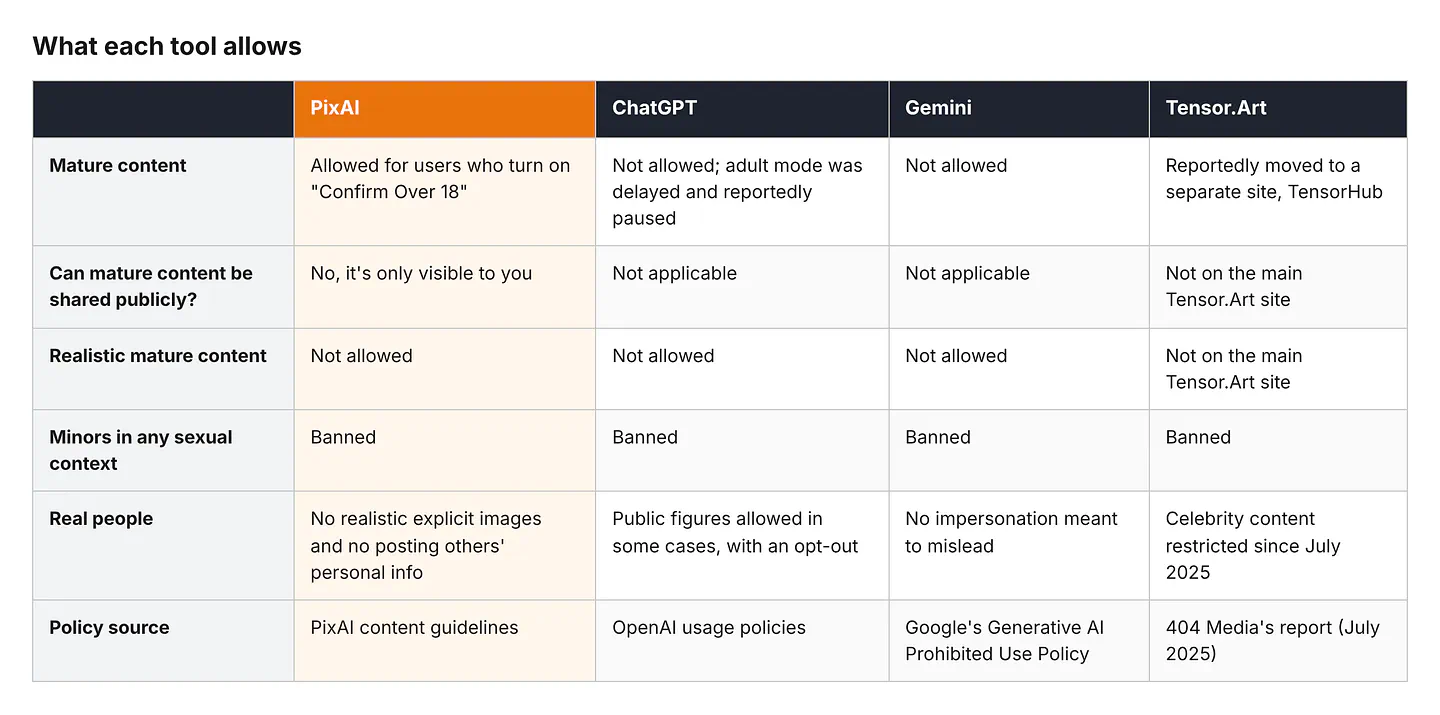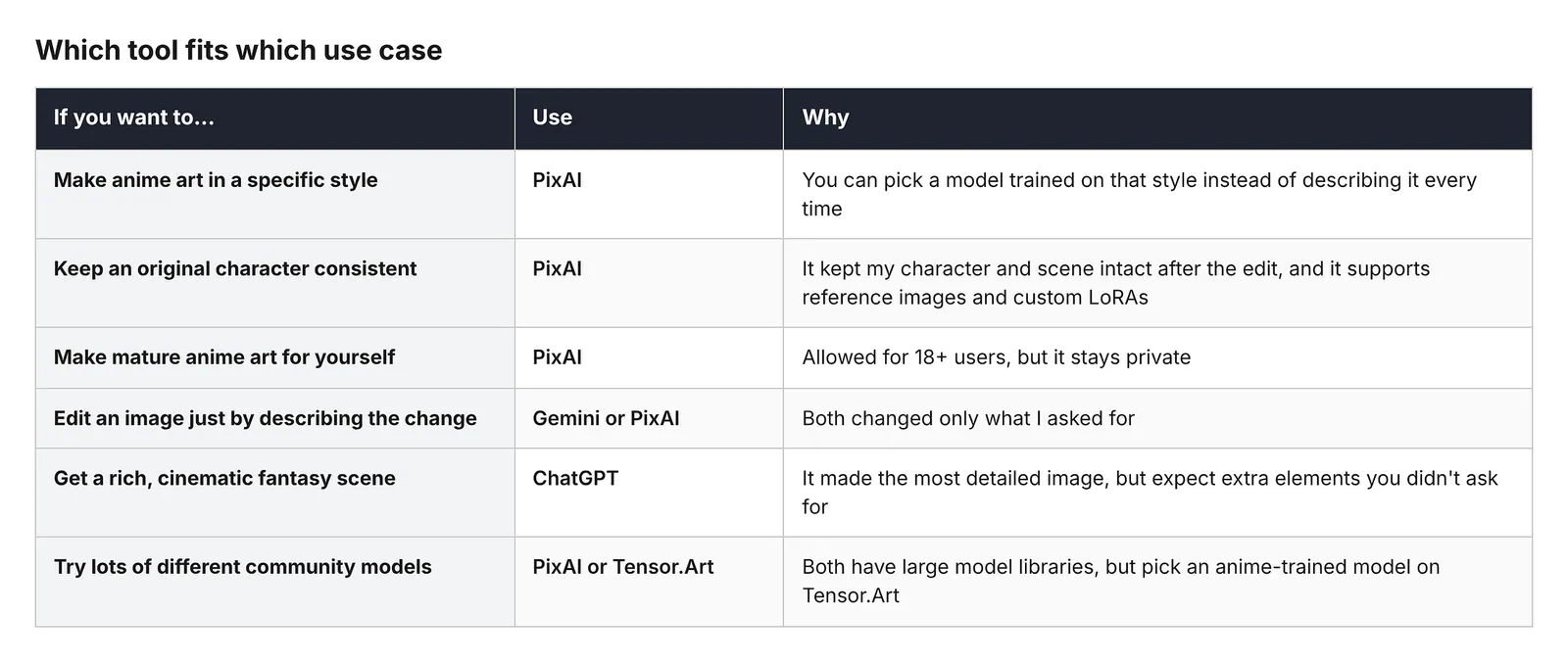
If you search for an “uncensored” AI image generator, you’ll find plenty of tools that say they have no restrictions. But every AI image generator has rules, even the ones that call themselves uncensored. Some are just looser than others, and some are stricter about where your images can be shared.
A lot of people start looking for these tools after a chatbot refuses a prompt (Yes, I am looking at you, Gemini), or after getting tired of an image model that keeps drawing everything in the same style. Those are two very different problems, and the word “uncensored” gets used for both.
I tested four popular tools to see what they actually let you do: PixAI, ChatGPT, Gemini, and Tensor.Art.
I gave all four the same safe-for-work prompt, asked each one for the same revision, and then read through each tool’s official policy pages to see what they allow and what they don’t.
Here’s a quick summary before we get into the details:
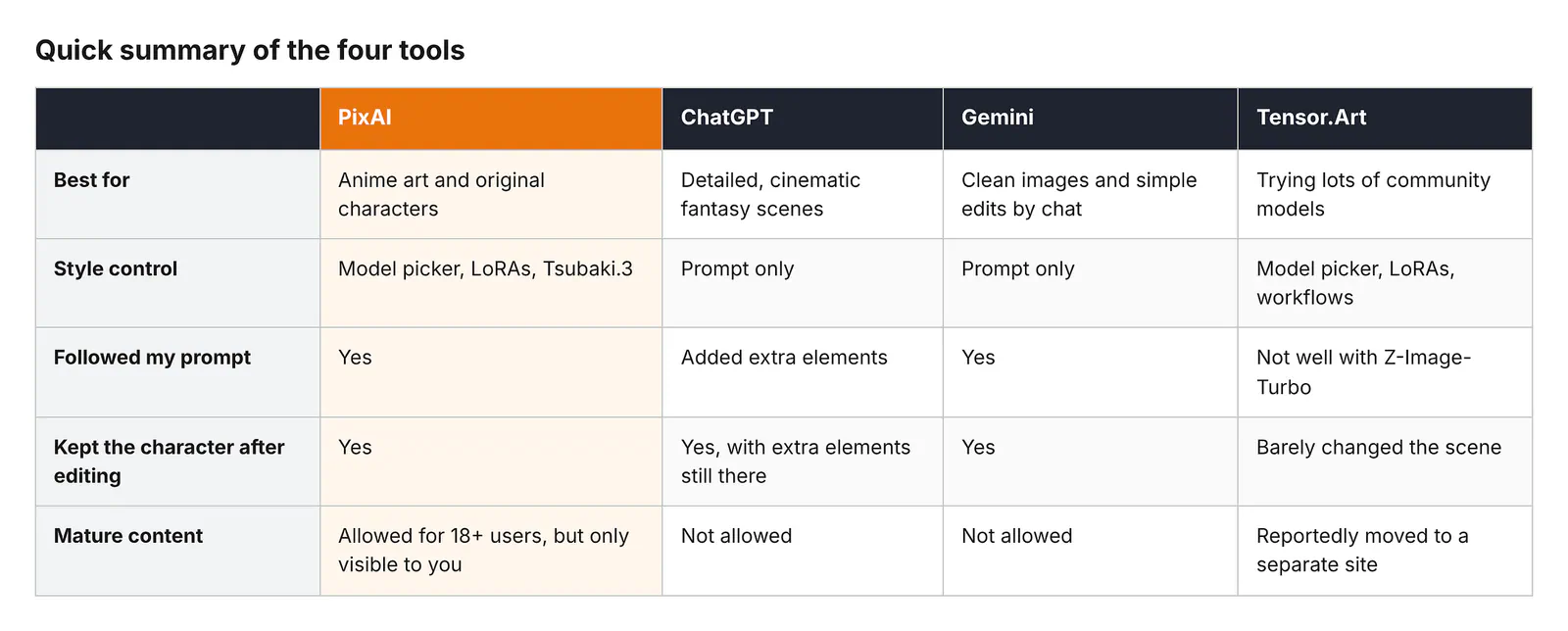
Summary of the 4 image generator tools
What “No Restrictions” Actually Means When You Search for an AI Image Generator
“Uncensored” isn’t a real product feature. No tool has an “uncensored” switch that removes every rule. When people search for an AI image generator with no restrictions, they usually mean one of four different things.
- Content policy. These are the rules about what you’re allowed to generate, like nudity, violence, or real people. This is what most people think of when they say “censored.” ChatGPT and Gemini, for example, don’t allow sexually explicit images at all, while PixAI allows mature content for adults under certain conditions.
- Creative control. Some tools only let you type a prompt and accept whatever comes out. Others let you choose the model, add LoRAs, use reference images, and edit specific parts of an image. A tool can have strict content rules and still give you a lot of creative freedom, or the other way around. Gemini is strict on content but very good at editing, while Tensor.Art gives you tons of model options but no guarantee that the one you pick will work well.
- Access and limits. Free credits, daily caps, paid plans, and account requirements. A tool that’s free to start is not the same as a tool with unlimited free use. PixAI gives you free credits every day, ChatGPT gives free users a limited number of images, and Gemini’s free plan comes with standard usage limits. None of them are unlimited for free.
- Publishing rules. Some platforms let you generate certain content but won’t let you post it publicly. PixAI is a good example of this. You can make mature content as an adult, but nobody else can see it.
So when a tool calls itself “uncensored,” it’s worth asking which of these four things it actually means. A tool can be very open in one area and very strict in another.
How I Tested the Four Tools
I chose these four tools because they cover the main types of AI image generators people compare. PixAI and Tensor.Art are platforms where you choose from community-made models and LoRAs. ChatGPT and Gemini are general-purpose chatbots that generate images with their own built-in model.
On PixAI and Tensor.Art, the result depends heavily on which model you pick. On ChatGPT and Gemini, you get whatever the company’s model gives you, and your only control is the prompt.
For the test, I made up an original adult character and placed her in a detailed scene. No real people, no copyrighted characters, nothing explicit.
I also made the prompt long and specific on purpose, so it would be easy to tell which tools actually followed it and which ones filled in the gaps on their own. Here’s the prompt I used on all four tools:
Prompt: An adult woman in her early thirties who works as an airship mechanic, with a short auburn undercut, freckles, and green eyes. She wears oil-stained gray coveralls tied at the waist over a black tank top, with brass goggles pushed up on her forehead. She’s kneeling on the wooden deck of an airship above a sea of clouds at sunrise, fixing a brass engine with a wrench, with tools scattered around her and patched canvas sails and rope rigging behind her. Warm golden light, detailed anime illustration style, cel shading, clean line art, wide shot.
Then I asked each tool for the same revision:
Follow up prompt: Keep the same character, outfit, and art style, but change the scene to night. The sky is dark blue and full of stars, a lantern hanging from the mast lights up her face, and she’s now standing at the railing looking out over the clouds instead of fixing the engine.
I wanted to see two things.
- First, how close each tool gets to the prompt on the first try. Second, whether it can keep the same character when the scene changes, which is where a lot of AI image tools fall apart.
- Changing the time of day, the lighting, and the pose all at once is a lot to ask, so this revision is a good way to see which tools actually understand what should stay the same.
On PixAI, I used Tsubaki.3. On Tensor.Art, I used the Z-Image-Turbo model. ChatGPT and Gemini don’t let you pick a model, so I used whatever they generated by default.
The settings aren’t identical across the four, since PixAI and Tensor.Art have a lot more options than the two chatbots.
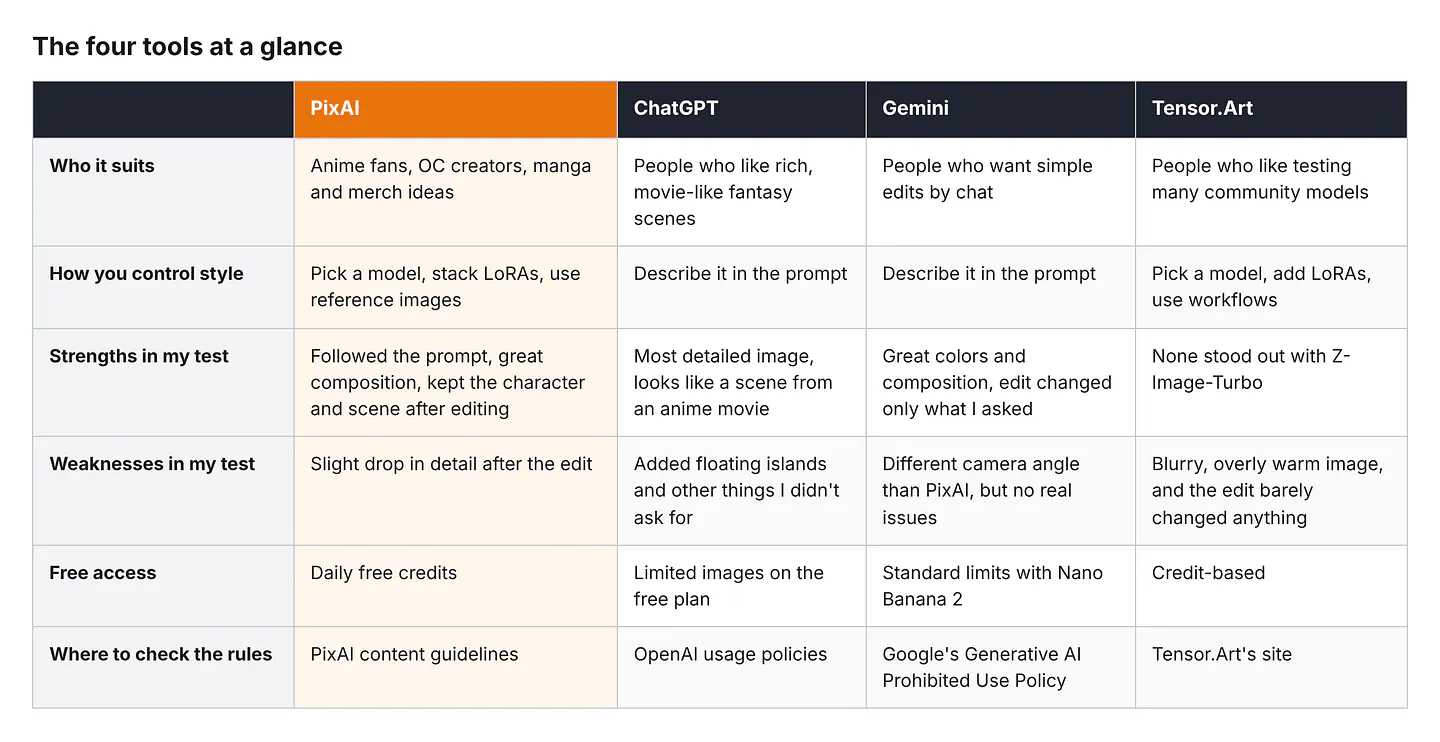
In the next sections, I will show you the results of the images per platform and give my comments on each result.
PixAI
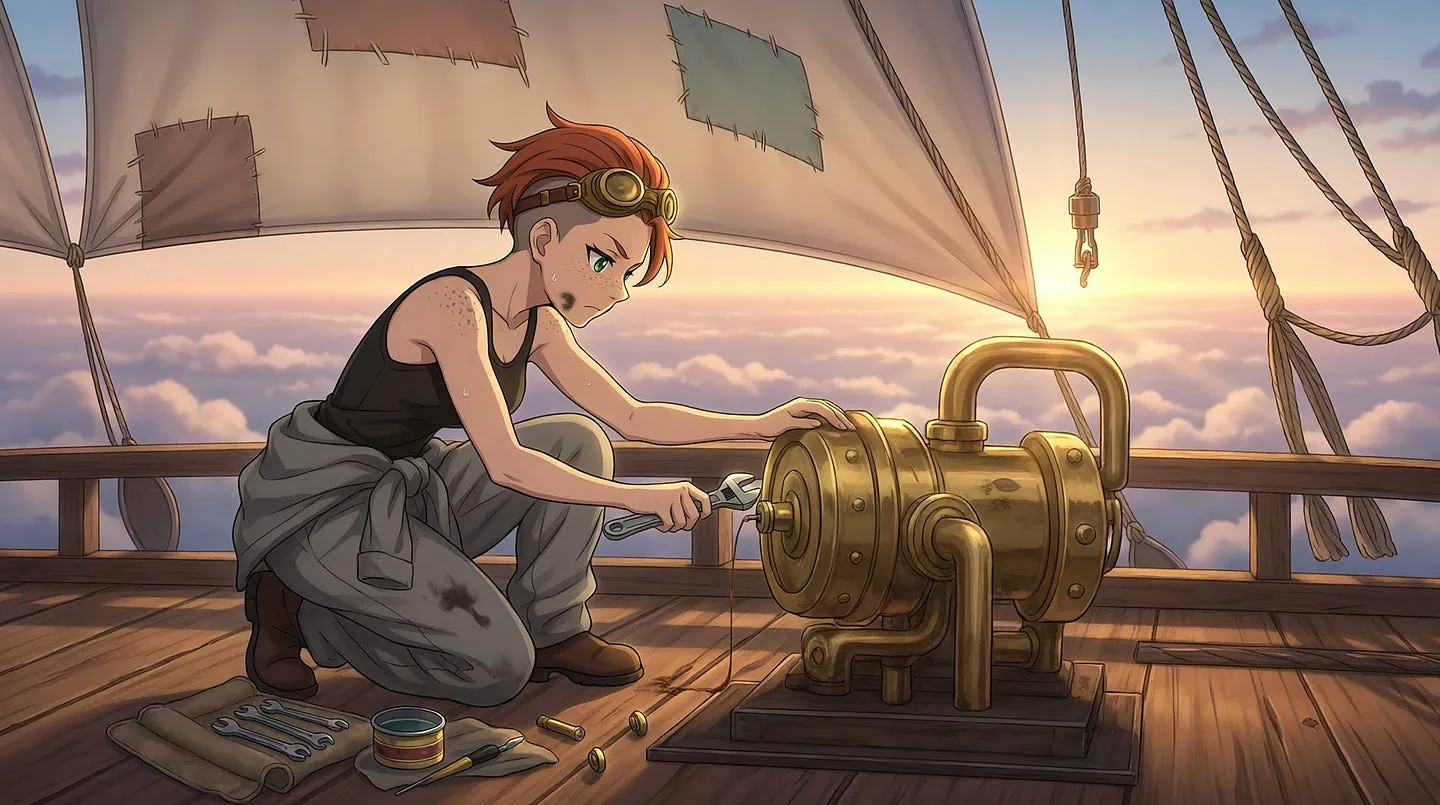
Image result from PixAI for the first prompt
I love this scene. PixAI followed the prompt and added all the details I asked for. The overall composition is great. The subject isn’t cropped, and the camera angle is centered on the scene.
I also love the small details, like the texture of the airship and the warm light coming from the sun.
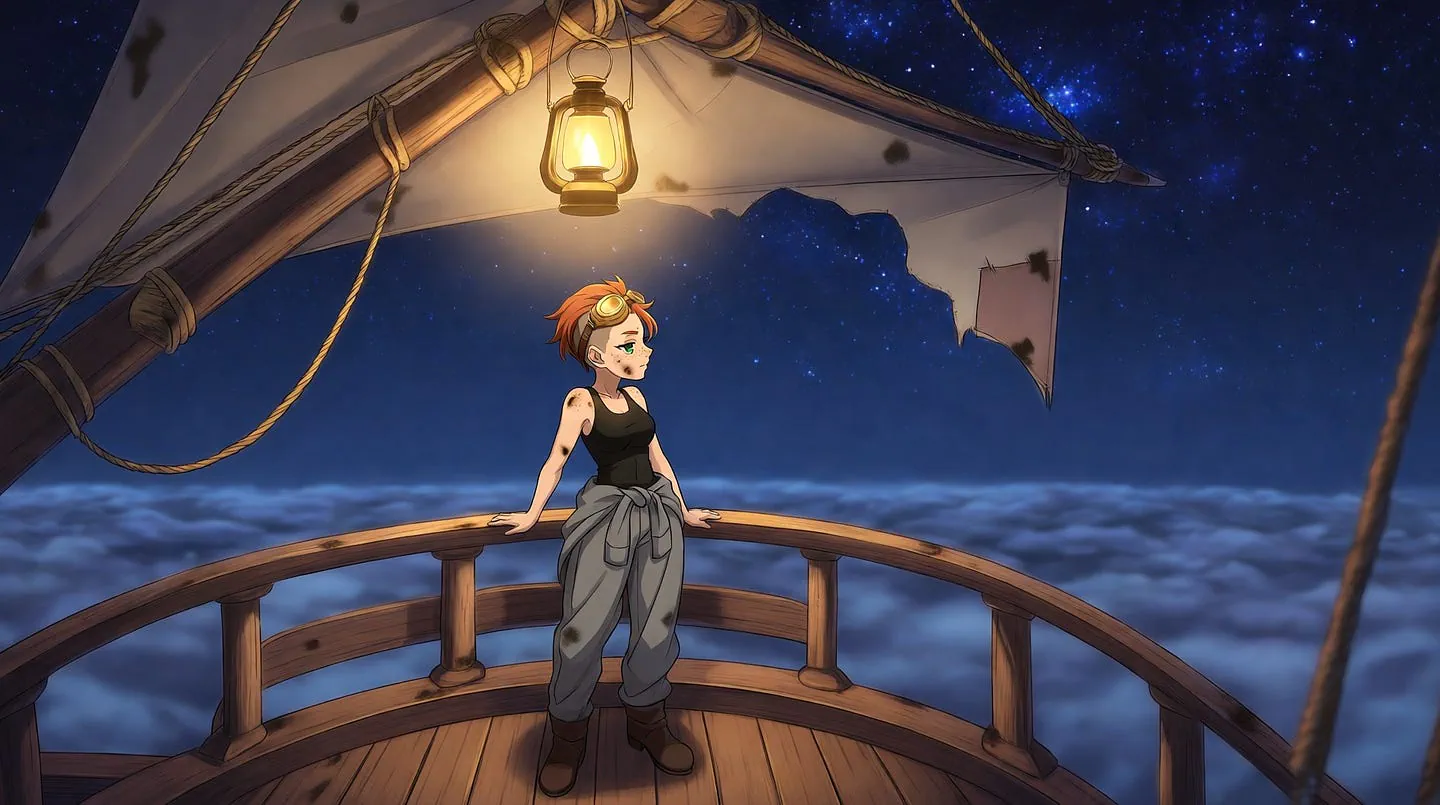
Image result from PixAI for the second prompt
After the edit, the model still followed the prompt. It’s great how it kept the same character and environment and only changed what I asked for, which were the sky and her position on the deck.
One minor thing I noticed is a slight drop in detail after the edit. I wish the character had been a bit more detailed in the second image.
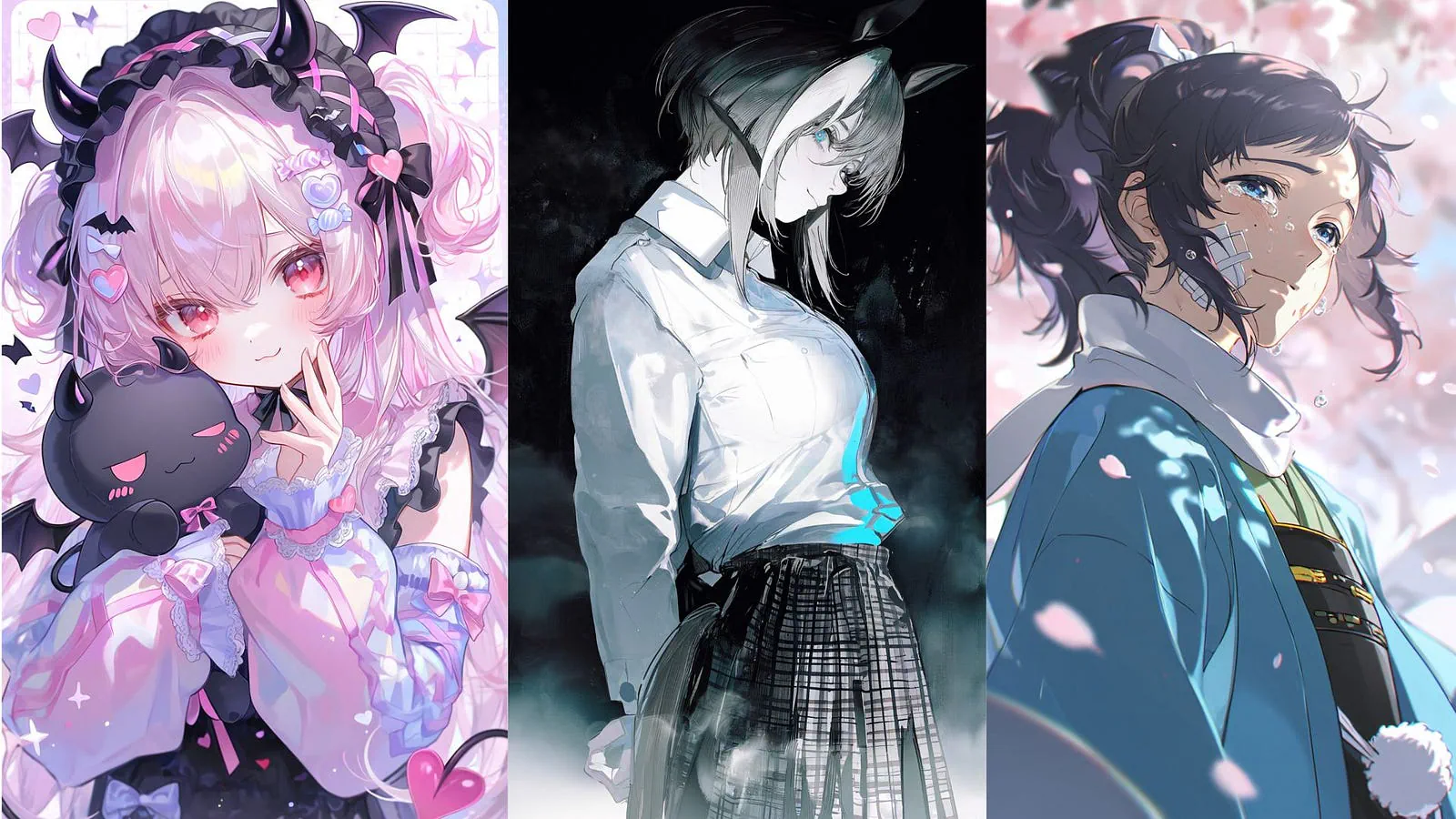
PixAI’s biggest advantage here is that Tsubaki.3 lets you edit an image by describing the change while keeping everything else the same. You also don’t have to rely only on the prompt for style, since you can choose from models already trained on the look you want.
If you plan to use the same character in a lot of images, PixAI has a few more tools for that. Tsubaki.3 can take up to three reference images to keep a character consistent across new poses and outfits, and you can train your own LoRA on your character if you want even more control.
ChatGPT
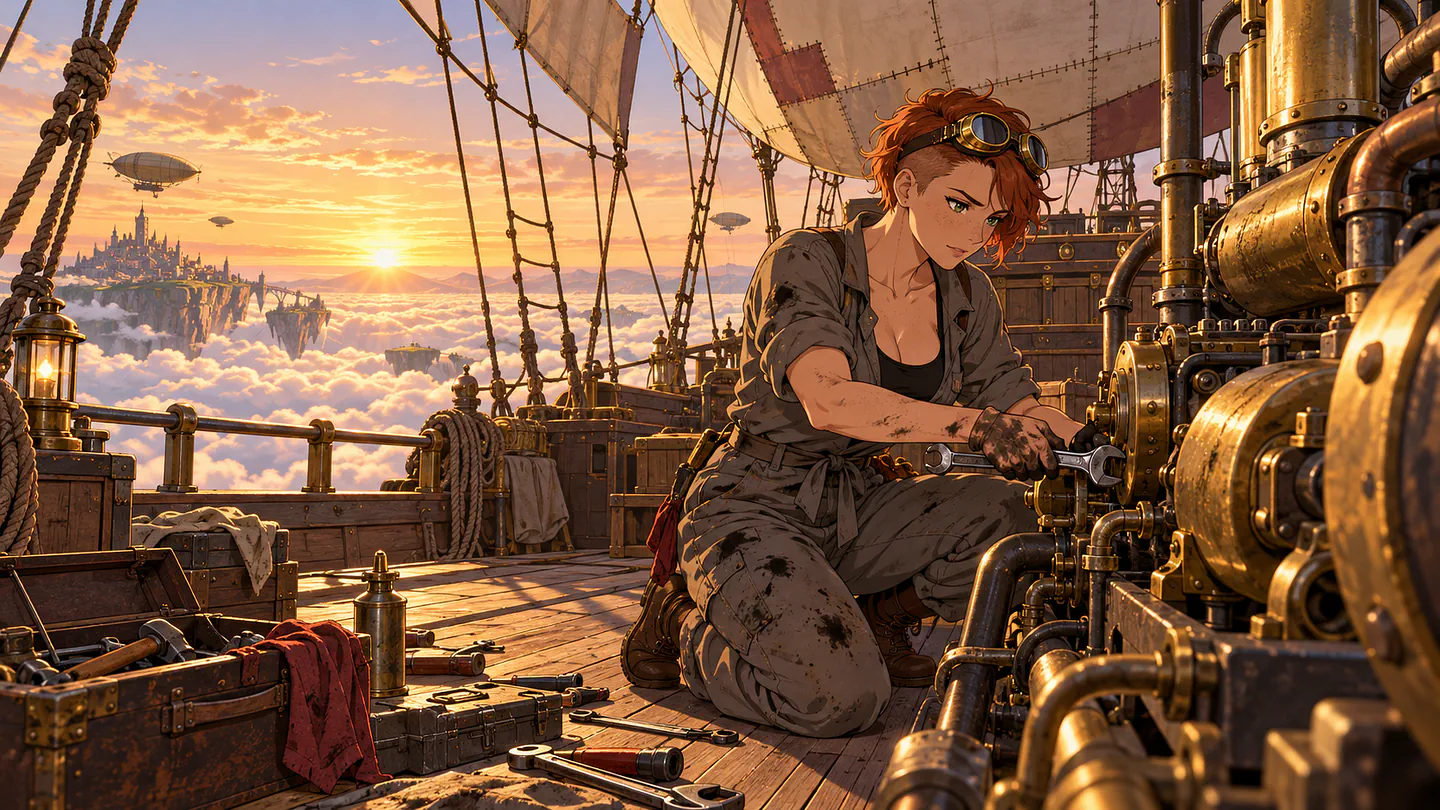
Image result from ChatGPT for the first prompt
ChatGPT created the most detailed image of the four.
There’s a lot of fantasy in it, with floating islands in the background. Some people might even like this, but I don’t like how it adds things that weren’t in my prompt.
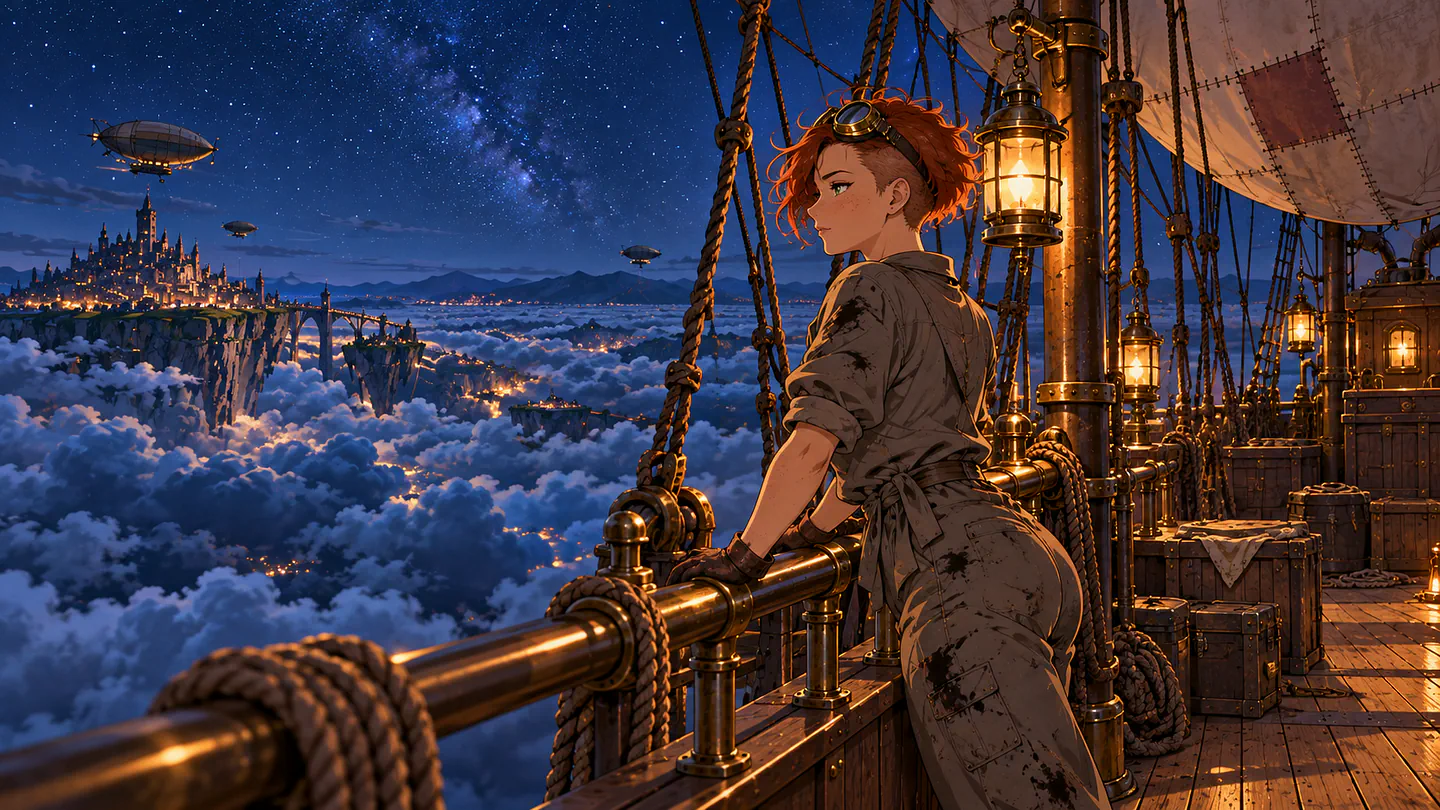
Image result from ChatGPT for the second prompt
It’s the same story after the edit. Some of the elements I never asked for are still there. Still, the overall design and composition look really good. It looks like it came straight out of an anime movie.
If you want a rich, cinematic scene and don’t mind ChatGPT taking some creative liberties, it does a great job. If you need the image to match your prompt exactly, expect to do a few more rounds of edits.
Gemini
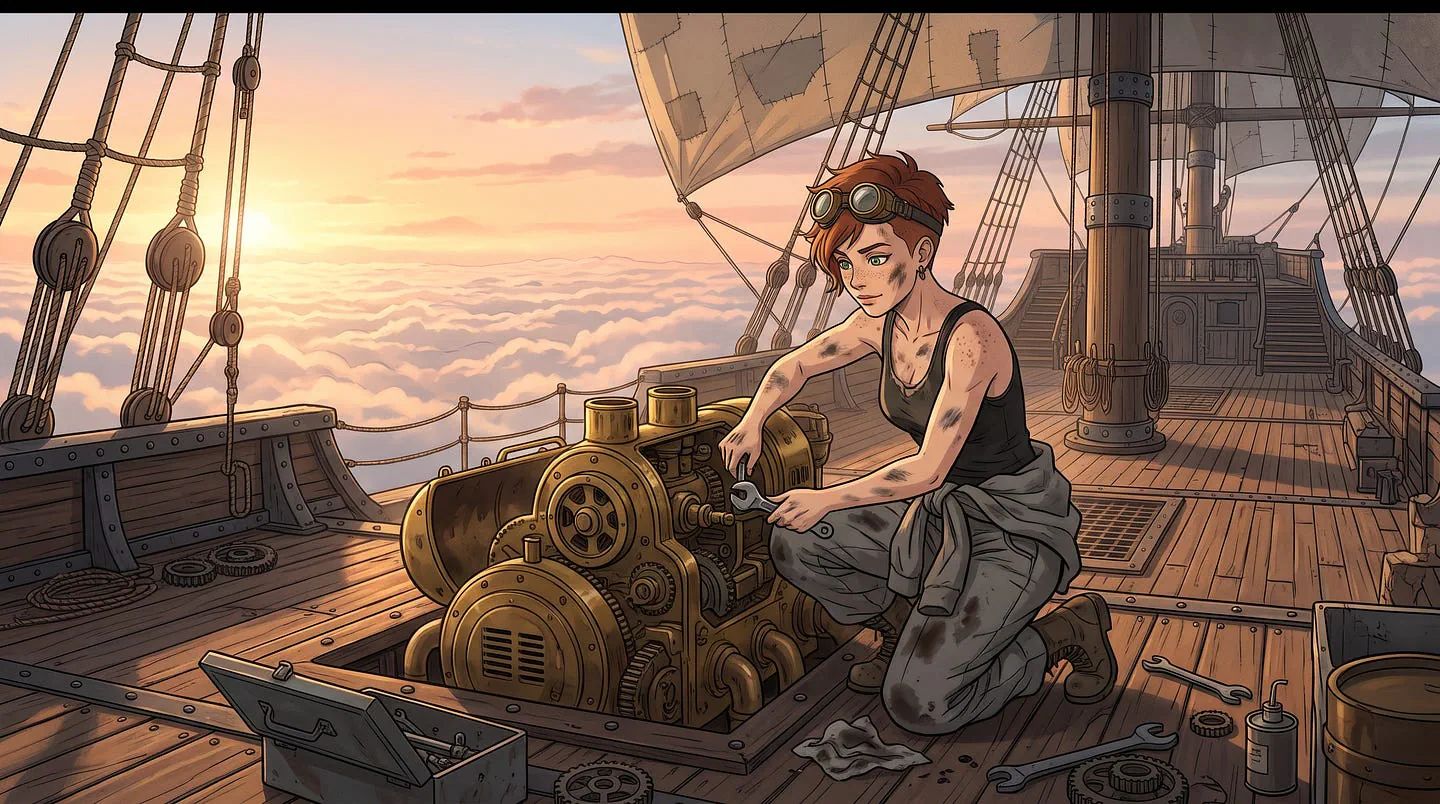
Image result from Gemini for the first prompt
I love the colors and the composition of this image. It’s similar to the PixAI result, but with a different camera angle. Nano Banana has improved a lot, and it can now handle this kind of anime style at a level that’s on par with Tsubaki.3.
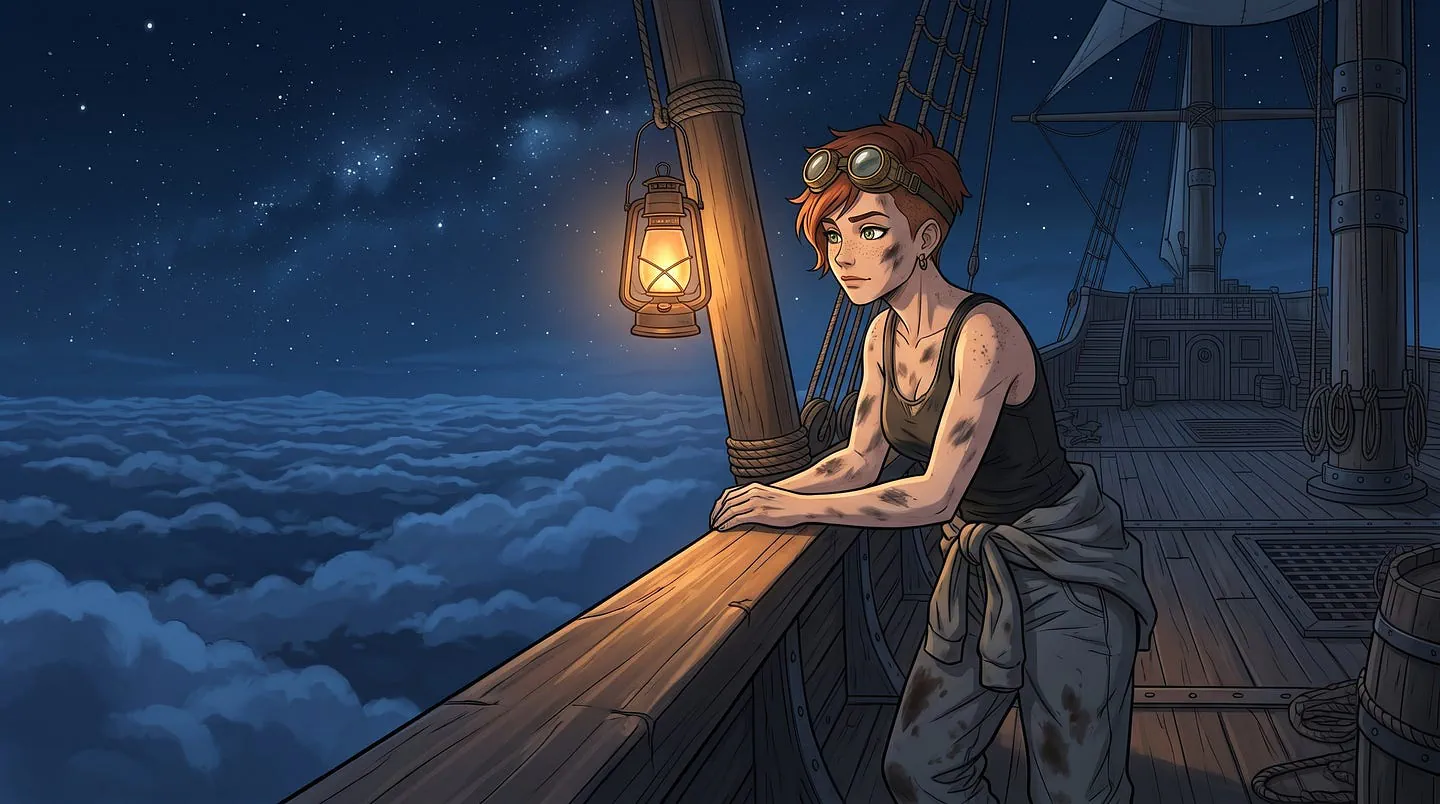
Image result from ChatGPT for the second prompt
The result still looks good after the edit. Everything I wanted to keep stayed the same, and only the background, the time of day, and her posture changed.
Gemini’s edit was just as accurate as PixAI’s. The difference is that Gemini only gives you one model, so you can’t switch to a different anime style the way you can on PixAI.
It’s also worth knowing what you get on each plan. According to Google’s Gemini limits page, free users get image generation with Nano Banana 2, while redoing images with Nano Banana Pro is for paid plans.
Tensor.Art
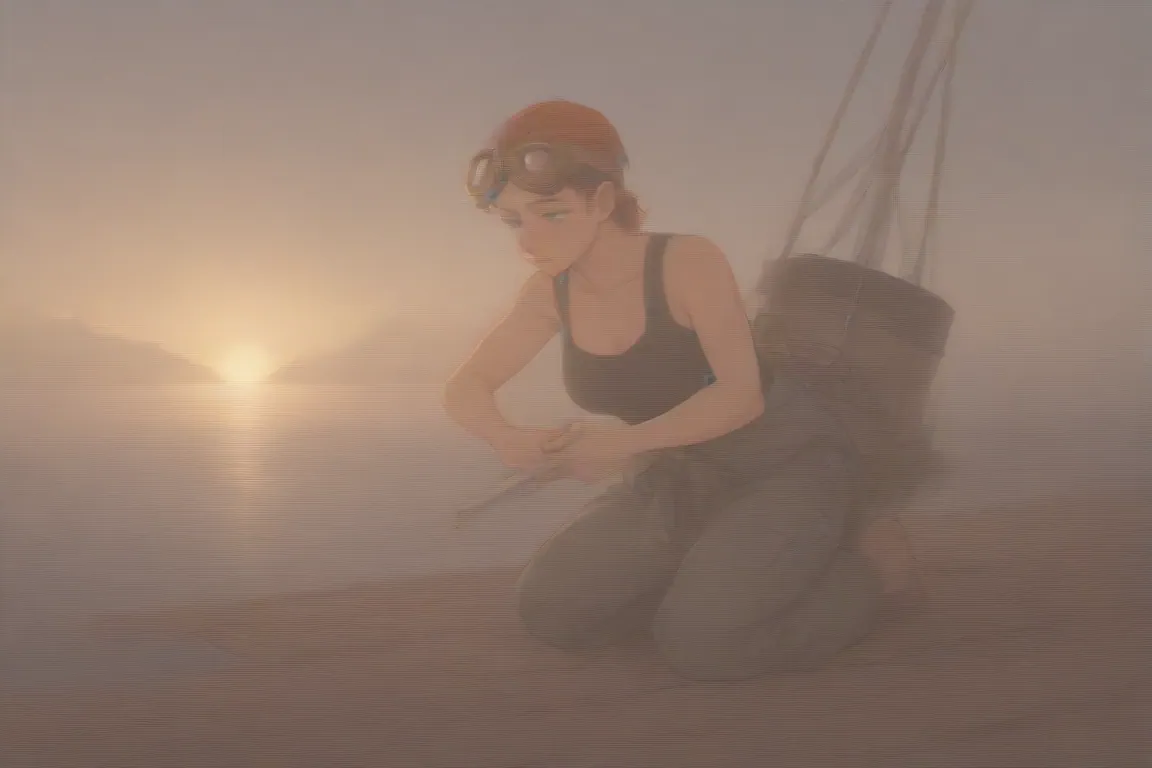
Image result from Tensor.Art for the first prompt
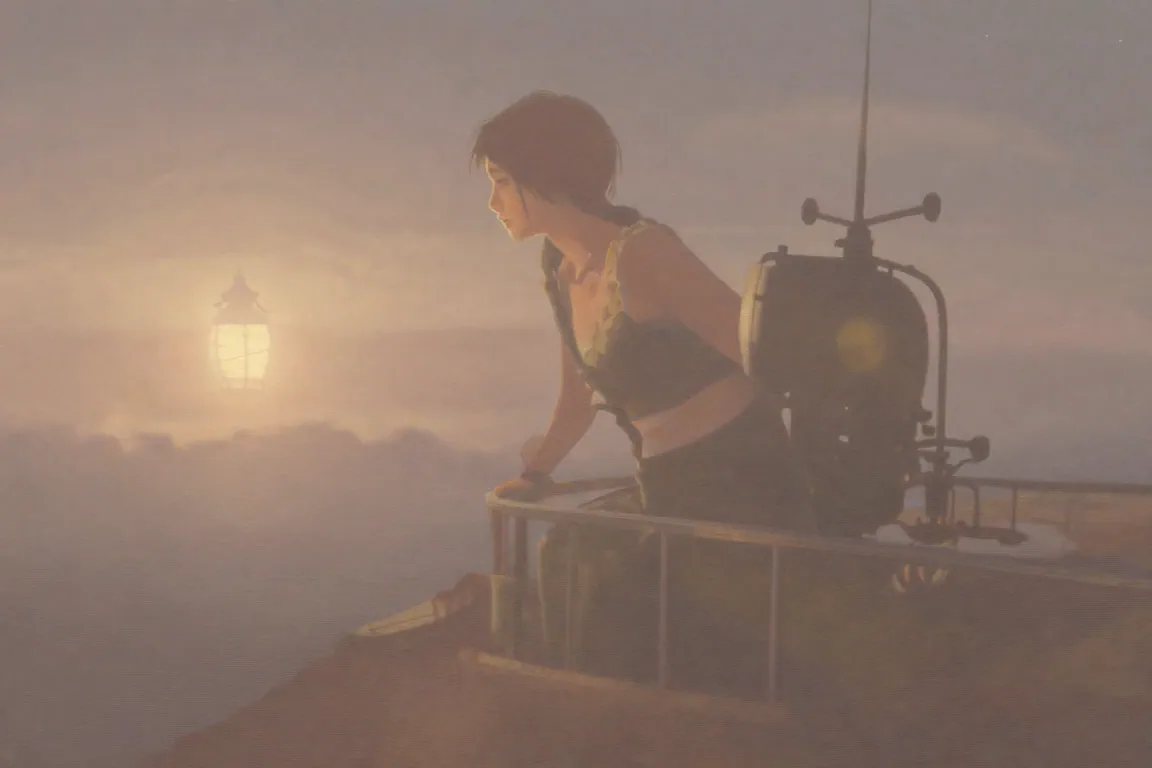
The output came out blurry and overly warm. I’m not sure what went wrong, but I regenerated the image twice and still got strange results. The character also doesn’t look like she’s on an airship.