I remember when Kling 3 came out a few months ago. It felt like the video model that creators and independent producers had been waiting for. Aside from the jaw-dropping realism, it finally had native audio support and a lot more controls for video generation.
On the same day it was released, Kling dethroned Veo 3.1 and the now dead Sora 2 on the Artificial Analysis leaderboard.
The ranking stayed the same for a few months until a new video model from ByteDance came out. It is called Seedance 2.0. The simulation accuracy and the likeness of the people or characters it generates made the model controversial. Because of that, the official public release was delayed for months.
I already talked about Seedance 2.0 in one of my previous articles. You can check out the technical details here:
I Tested Seedance 2 0 Like A Filmmaker Not A Prompt EngineerIn this post, I want to focus on why Seedance 2.0 feels technically and practically more capable than Kling 3.
Seedance 2.0 vs Kling 3.0
Kling 3.0 and Seedance 2.0 are two of the biggest AI video models right now. Both can generate cinematic scenes, realistic humans, smooth camera movement, and product-style videos. But they do not feel the same once you start using them.
Kling 3.0 usually gives you a more dramatic look. The lighting is heavier, the colors are more intense, and the output can look like a finished movie shot right away. Seedance 2.0 feels a bit more natural in motion. The characters move with better weight, the faces look less artificial, and the whole scene feels more grounded.
For this article, I tested both models using the same prompts. I generated three different types of videos through Topview, which made the comparison easier since I did not have to jump between different platforms.
Here are the three tests:
- A realistic human close-up: This checks facial realism, skin texture, blinking, and subtle expressions.
- A fast action scene: This checks motion, physics, body movement, and camera stability.
- A cinematic product ad: This checks lighting, reflections, composition, and how useful the output is for real product ads.
I’ll also share the prompts, so you can try them yourself.
Test #1: Realistic human close-up
For this example, we’ll be using a common base image.
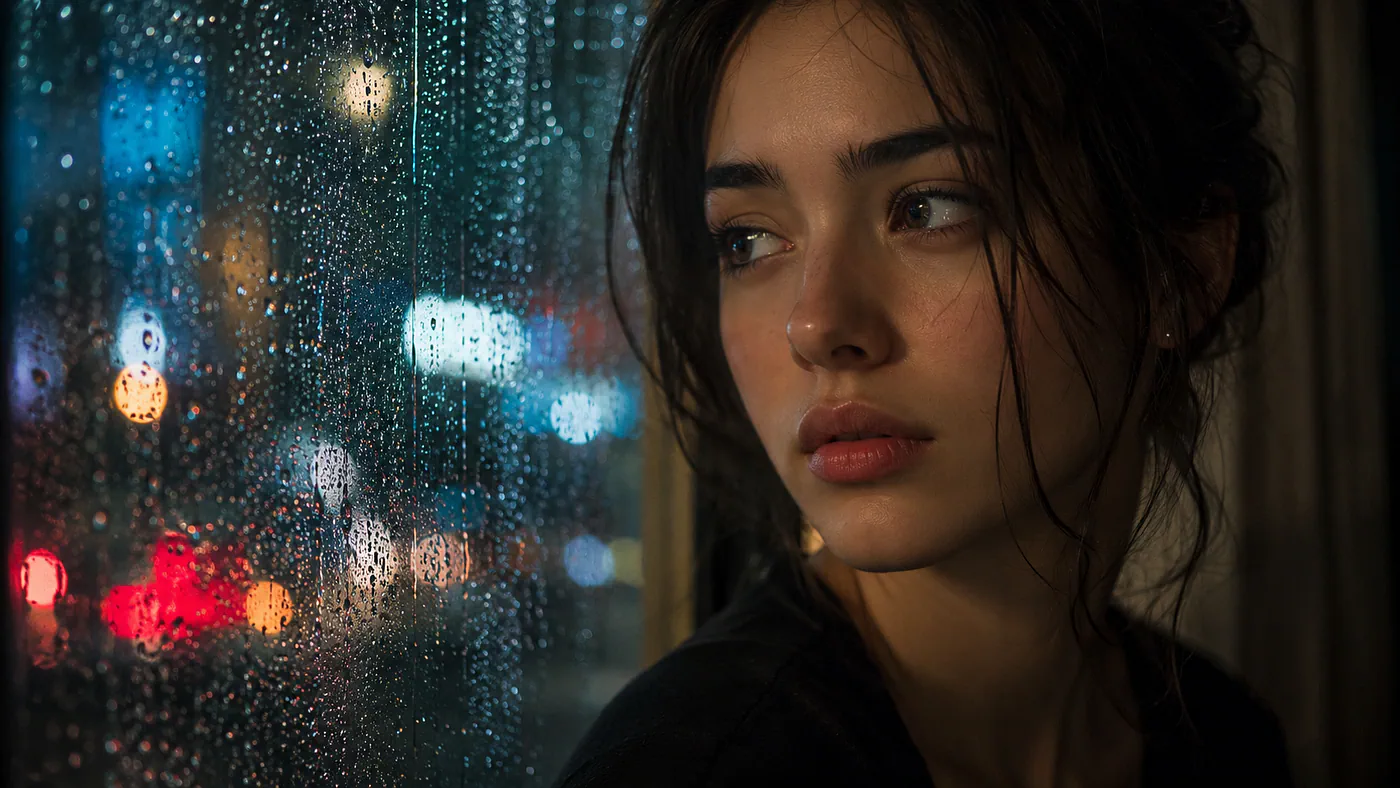
A close up shot of a woman beside a window. Image generated with GPT Image 2 by Jim Clyde Monge
To create a video with Seedance or Kling, go to Topview and open the Video generator tool. In the Omni reference tab, select the correct video model and upload the reference image. Describe the desired video in the prompt field and adjust the parameters like the aspect ratio, duration, and resolution.
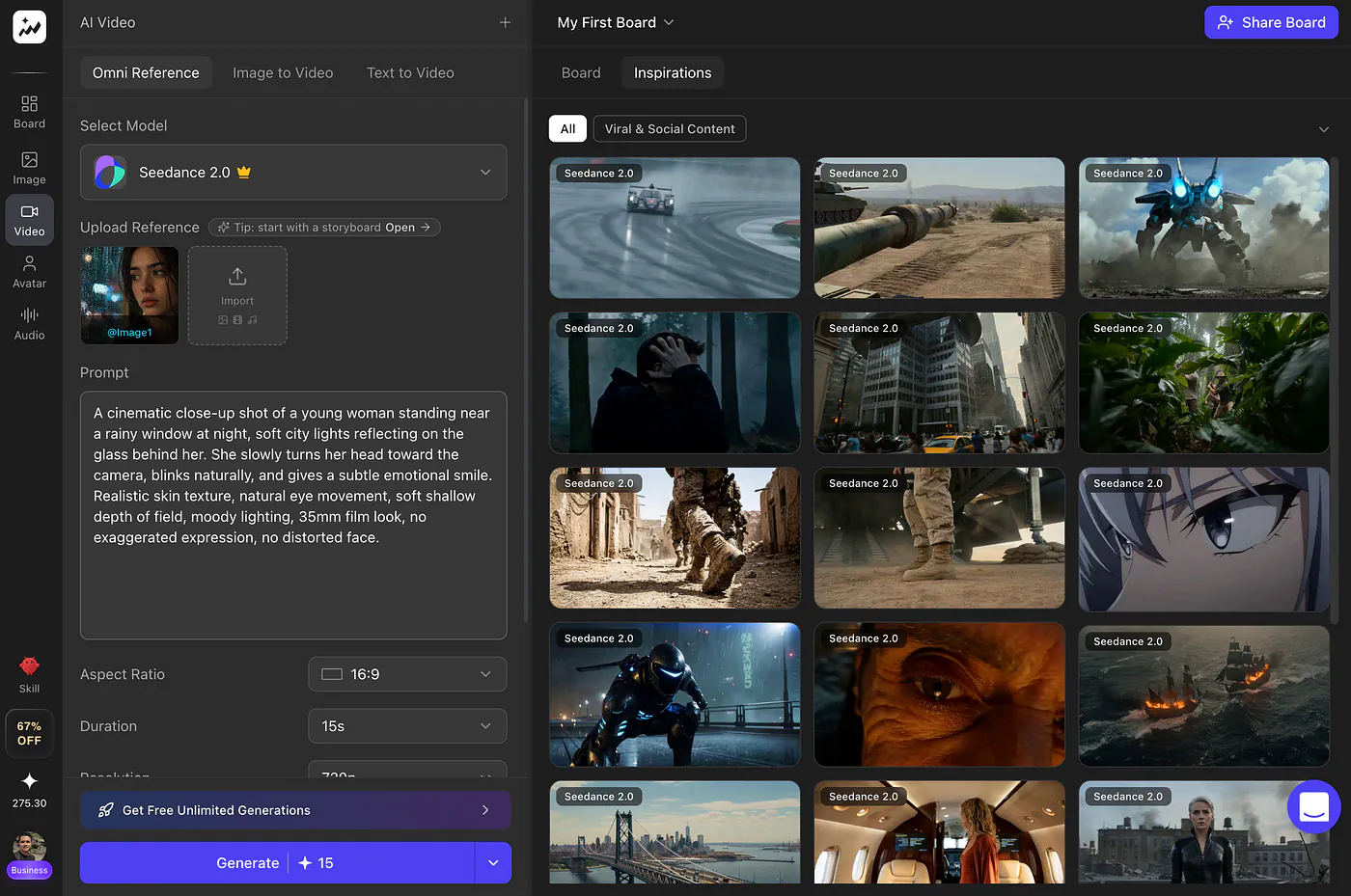
Topview AI video generator dashboard. Image by Jim Clyde Monge
Prompt: A cinematic close-up shot of a young woman standing near a rainy window at night, soft city lights reflecting on the glass behind her. She slowly turns her head toward the camera, blinks naturally, and gives a subtle emotional smile. Realistic skin texture, natural eye movement, soft shallow depth of field, moody lighting, 35mm film look, no exaggerated expression, no distorted face.
Seedance 2.0 result
A woman beside a window. Video generated with Seedance 2 by Jim Clyde Monge
Seedance 2.0 gave me a more natural-looking result here. The face did not feel too perfect or overly processed. The blink, small head turn, and subtle smile looked believable enough, which is not easy for AI video models.
What I liked most was that it did not try too hard. The lighting stayed soft, the expression stayed calm, and the whole shot felt closer to something filmed with a real camera.
Kling 3.0 result
A woman beside a window. Video generated with Kling O3 by Jim Clyde Monge
Kling 3.0 also produced a beautiful shot, but it looked more stylized. The lighting had more punch, the face looked sharper, and the overall frame felt more dramatic.
That can look great, but for this specific test, I preferred Seedance 2.0. Kling’s output looked a little too clean and cinematic, while Seedance felt more human and less forced.
Test #2: Fast action scene
For this example, I used the text-to-video feature for both models to see which one could better interpret the same action prompt.
Prompt: A cinematic tracking shot of a man sprinting through a narrow wet alley at night while holding a small metal briefcase. Neon signs reflect on the puddles. The camera follows behind him, then moves beside him as he jumps over a fallen bicycle and turns sharply around a corner. Realistic body movement, natural running physics, dynamic handheld camera, rain particles, intense thriller atmosphere, no broken limbs, no warped face, no floating objects.
Seedance 2.0 result
A man sprinting through a narrow alley. Video generated with Seedance 2 by Jim Clyde Monge
First of all, I really like how cinematic the Seedance 2.0 video turned out. The color grading, rain effect, neon lights, and dark, narrow street all helped sell the scene. It had that cool thriller look without feeling too messy.
The action also looked good. The man actually jumped over the bike, and the movement looked believable enough. He also made a few turns while being chased, which made the whole clip feel more dynamic. For a 15-second video, Seedance 2.0 managed to pack in a lot of movement without losing the scene.
Kling 3.0 result
A man sprinting through a narrow alley. Video generated with Kling O3 by Jim Clyde Monge
For Kling 3.0, I like how natural and soft the color grade looked. It had a cleaner and less intense look compared to Seedance, which still worked for the scene. The rain, alley, and lighting also looked good.
But the action itself was weaker. The jump over the bike did not look right because the actor did not really jump over it. He also made just one turn, which felt like a missed opportunity since the prompt asked for a more dynamic chase. It was still a good-looking video, but for this test, I still prefer the video created by Seedance 2.0.
Test #3: Cinematic product ad
In this test, the goal is to see which model can handle multi-image input.
Here are the input images along with the text prompt.
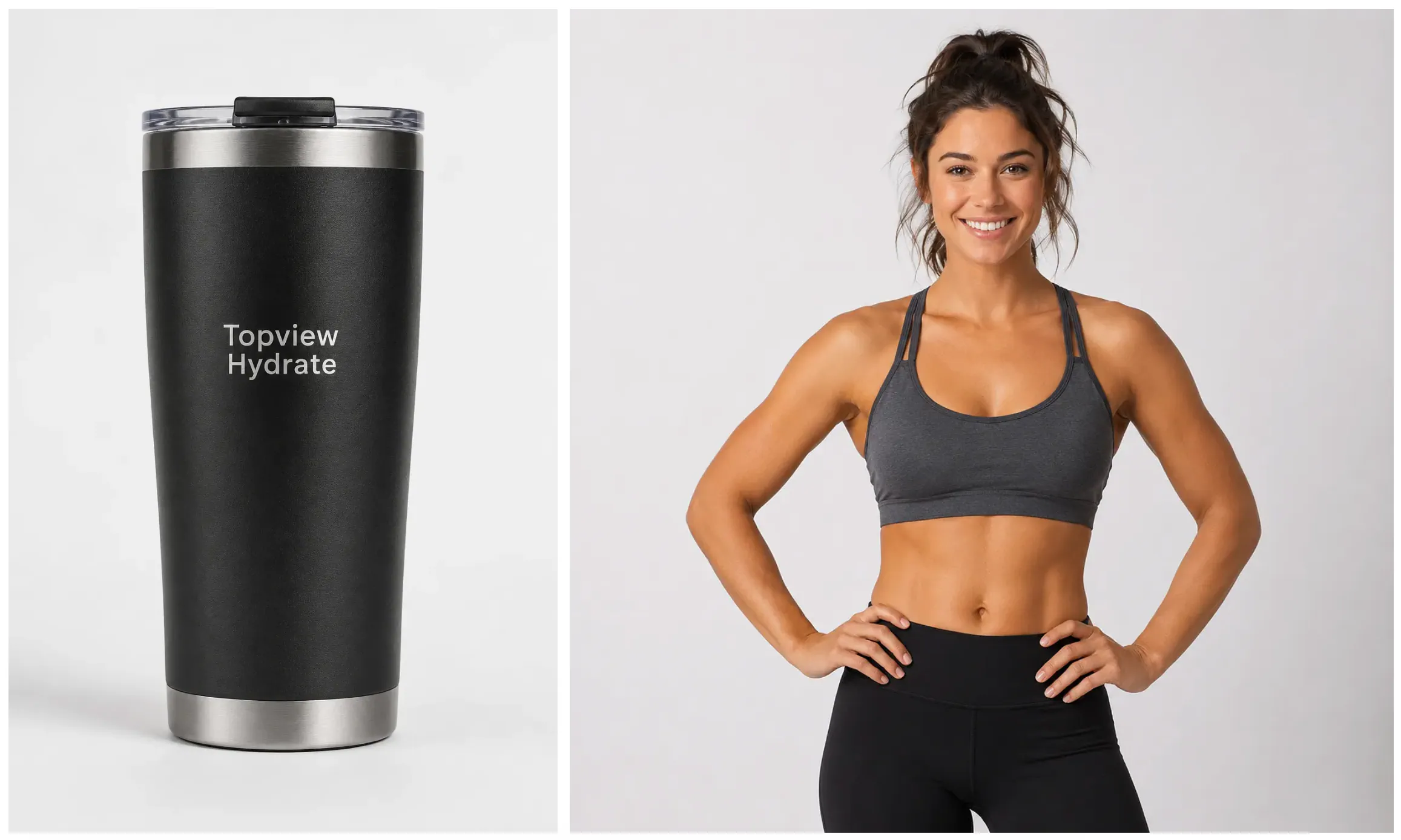
A tumbler and a female model. Images generated with GPT Image 2 by Jim Clyde Monge
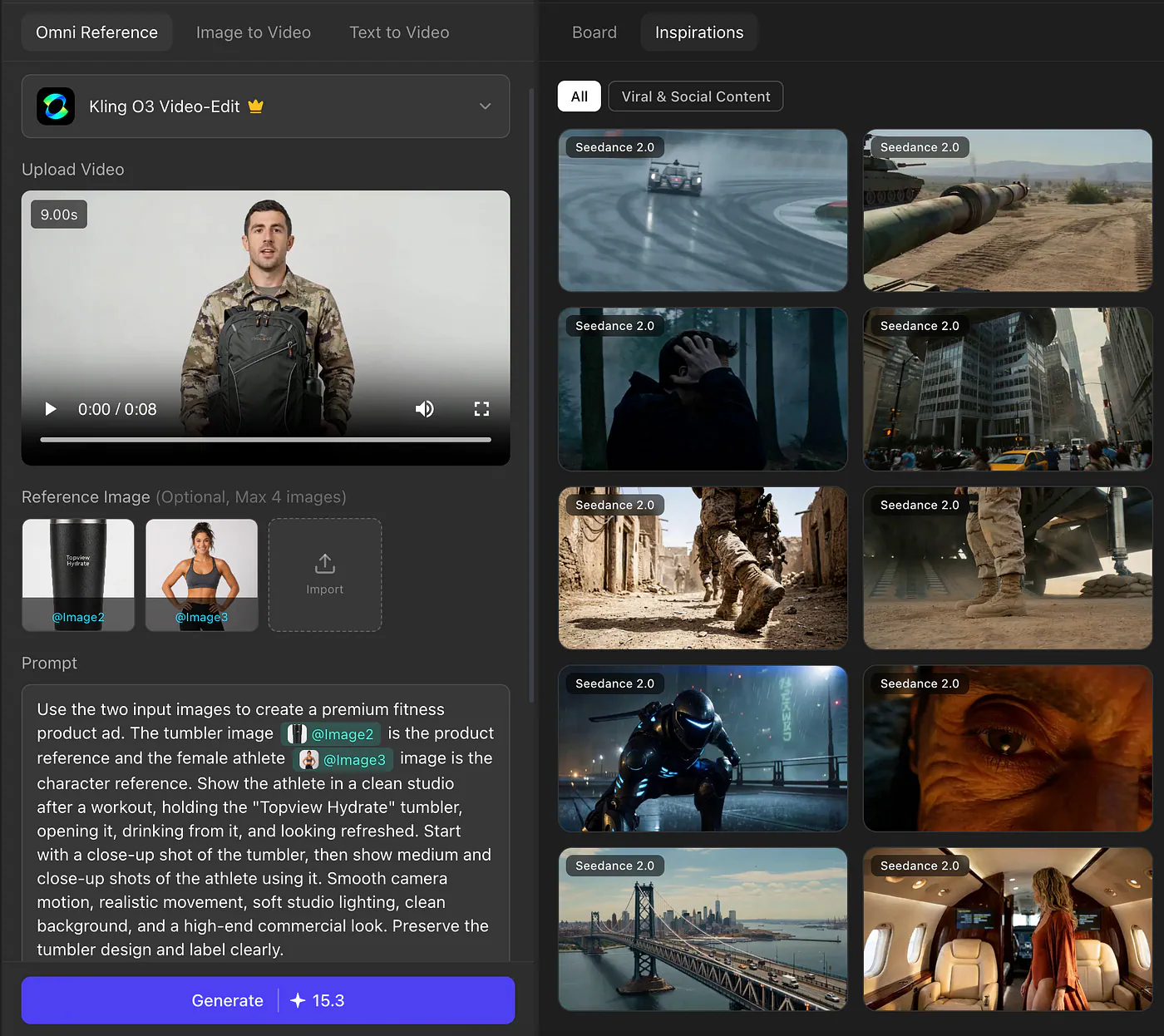
Prompt: Use the two input images to create a premium fitness product ad. The tumbler image is the product reference and the female athlete image is the character reference. Show the athlete in a clean studio after a workout, holding the “Topview Hydrate” tumbler, opening it, drinking from it, and looking refreshed. Start with a close-up shot of the tumbler, then show medium and close-up shots of the athlete using it. Smooth camera motion, realistic movement, soft studio lighting, clean background, and a high-end commercial look. Preserve the tumbler design and label clearly.
Remember that you need to be in the Omni Reference tab, and the correct image reference is tagged in the prompt section.
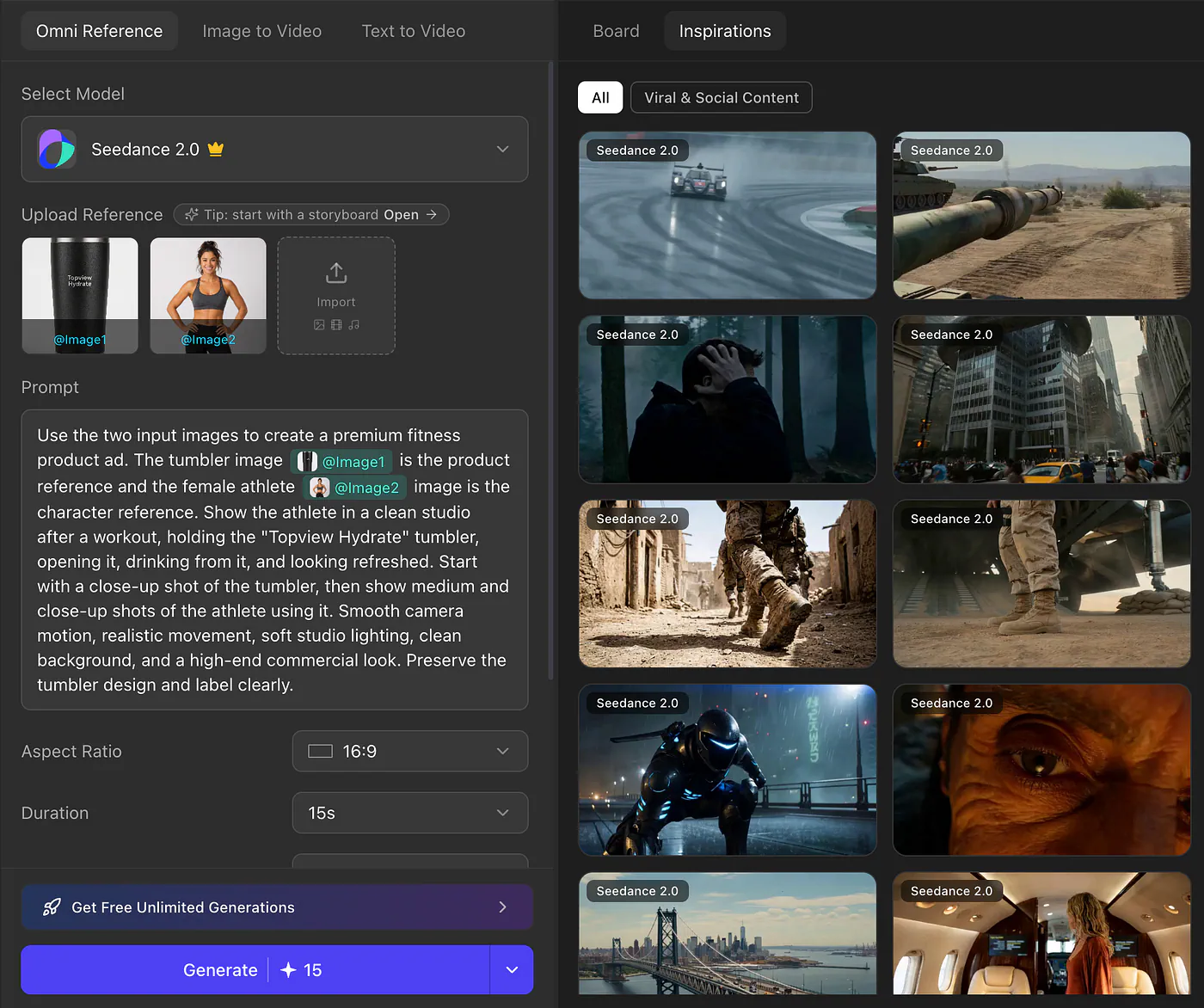
Video generator dashboard on Topview. Image by Jim Clyde Monge
Seedance 2.0 result
Sources
- Kling 3 cametopview.ai
- Artificial Analysis leaderboardartificialanalysis.ai
- Seedance 2.0topview.ai
- https://generativeai.pub/i-tested-seedance-2-0-like-a-filmmaker-not-a-prompt-engineer-46151a17f295generativeai.pub
- Topviewtopview.ai
- Jim Clyde Mongemedium.com
- https://vimeo.com/1192841647?fl=pl&fe=vlvimeo.com