Read the subtitle again. That was my initial reaction when I read in the model’s system card that Nano Banana 2.1 is based on Gemini 3.6 Flash instead of the latest model, Gemini 4 Argon.
Anyway, Nano Banana 2.1 is a minor upgrade to the previous model but has improved across the board. Here are some of the most notable changes:
- Improved visual quality and realism
- Mask-based editing
- Better character consistency for up to 4 characters and object fidelity for up to 10 objects
- Enhanced text rendering and infographic layout accuracy
These are just my top picks. You can check the full list of updates in the official blog post from Google.
As for availability, Nano Banana 2.1 has started rolling out globally across Google’s products, including Gemini, Google AI Studio, and Vertex AI. Developers can also look for API access through providers like Fal and OpenRouter.
Now, let’s see how well these upgrades perform in actual image generation.
Improved visual quality and realism
The prompt below isn’t just a test of realism and visual quality. I also wanted to see how well the model understands anatomy, handles multiple subjects, and interprets an unusual physical action.
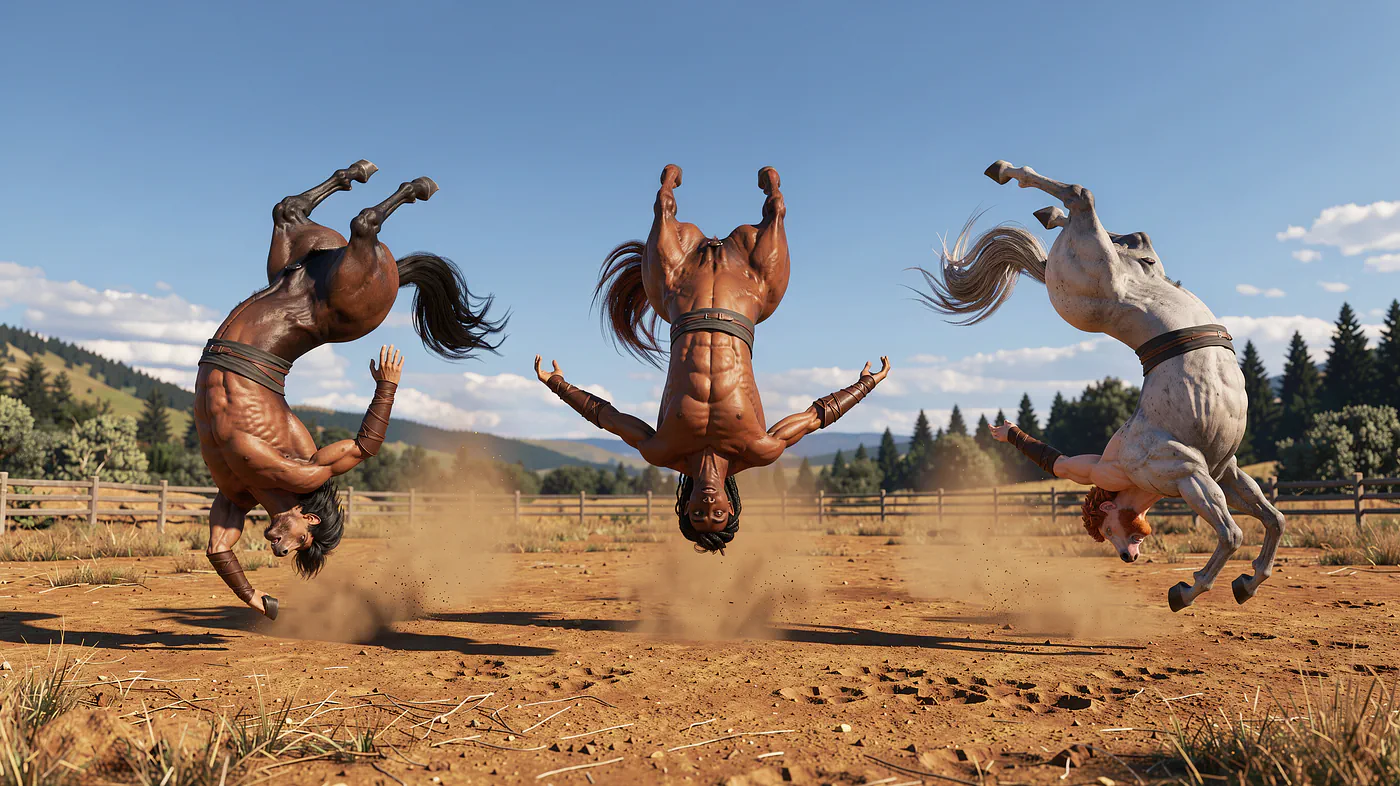
Prompt: 3 centaurs doing backflips
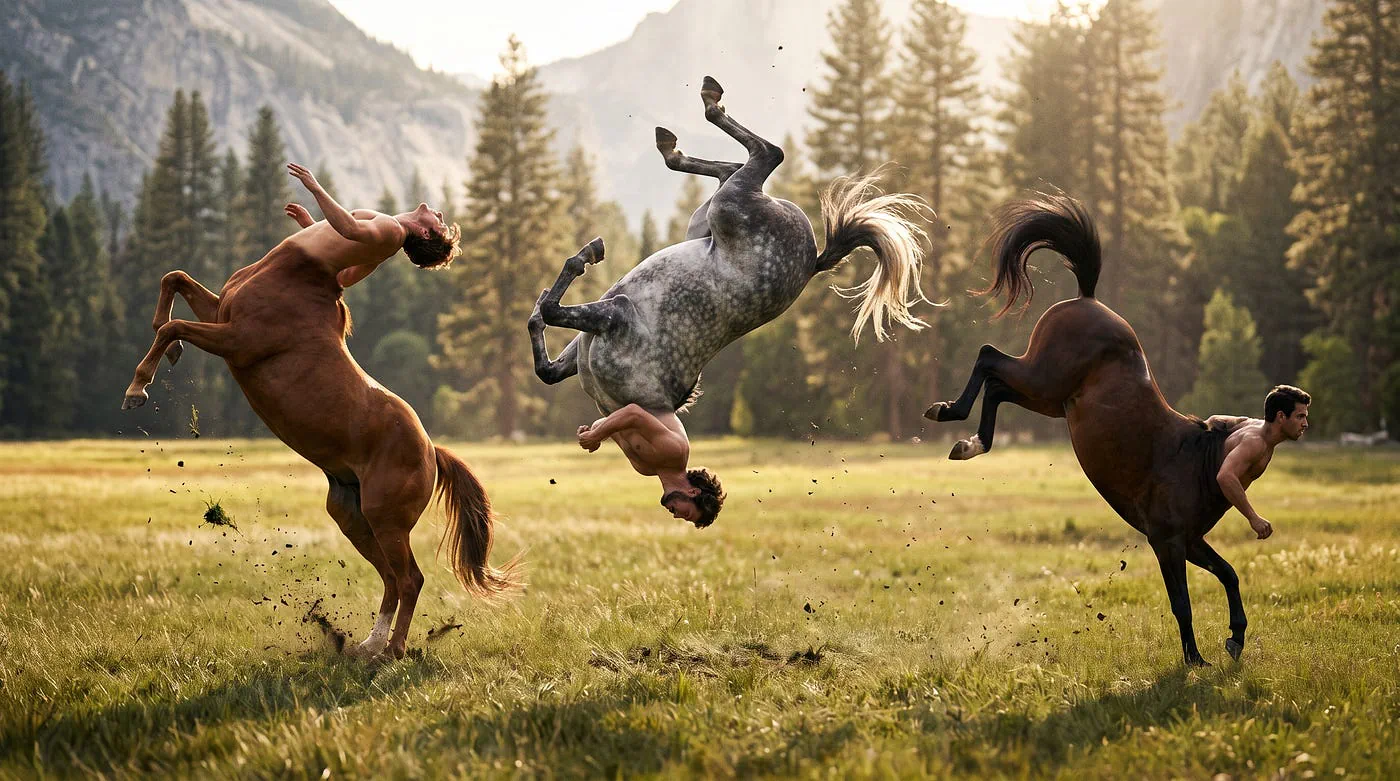
3 centaurs doing backflips. Image generated with Nano Banana 2.1
A centaur has the upper body of a human and the lower body of a horse. That means four horse legs, a human torso, and a very unusual center of mass.
What I like about Nano Banana 2.1’s result is that all three centaurs retain the correct basic anatomy. The model manages to represent the human and horse bodies together without dropping limbs or completely distorting their proportions.
I got curious about how other models would interpret the same prompt, so I tried it with OpenAI’s GPT Image 2.5.
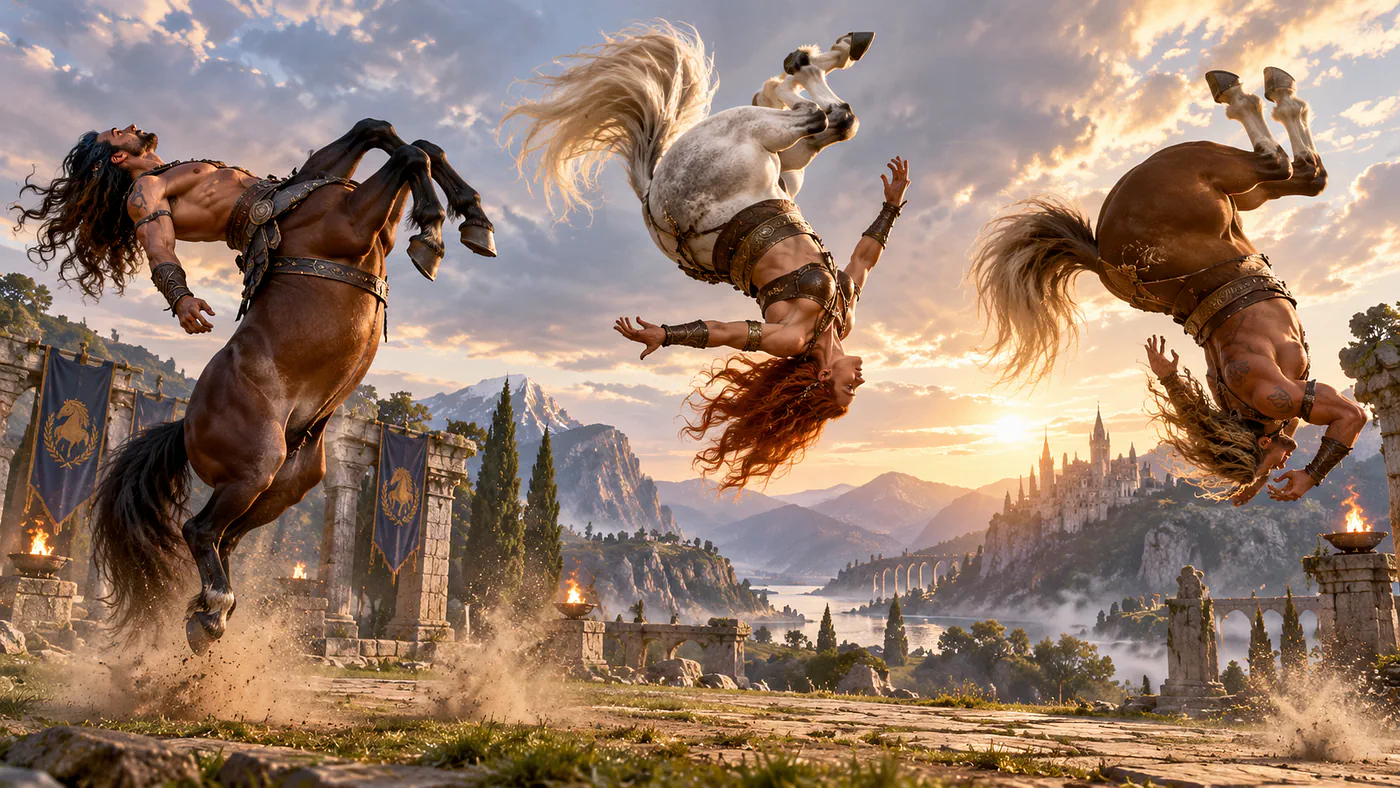
3 centaurs doing backflips. Image generated with GPT Image 2.5
Visually, I actually prefer GPT Image 2.5’s output. The details, lighting, and overall composition are more impressive. It looks more cinematic, and the subjects have better visual definition.
Two of the three centaurs have only two horse legs instead of four. That’s a pretty obvious mistake considering how central the anatomy is to the prompt.
Here’s another result from Black Forest Labs’ Flux 3.
3 centaurs doing backflips. Image generated with Flux 3
Flux 3 did a terrible job here. Among the three, Nano Banana 2.1 did the best job of preserving the centaurs’ basic anatomy. GPT Image 2.5 wins for me in terms of visual quality, but it failed a fairly important part of the prompt.
Of course, none of these results proves that one model is universally better at spatial reasoning. This is just one prompt and one generation from each model. But it’s a fun example of how models can interpret the exact same instruction very differently.
Mask-based editing
One of Google’s biggest highlights in this release is mask-based editing, along with improvements to subject consistency.
The idea is to let the model modify a particular region of an image without unnecessarily changing everything around it.
For example, imagine you have a product photo or a fashion image and want to change the color of someone’s jacket. Ideally, the AI should preserve the person’s face, pose, background, lighting, and the material texture of the clothing.
Here’s an example where I asked the model to change the color of the subject’s coat.
Prompt: Change the color of the man’s coat to yellow
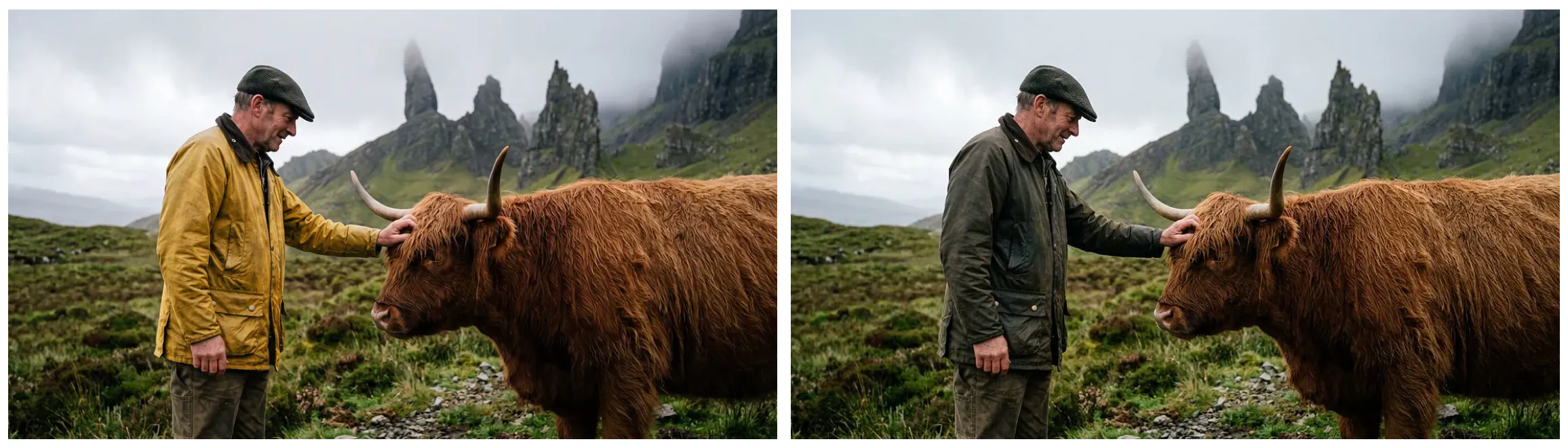
Character consistency and targeted editing example with Nano Banana 2.1
Notice how much of the original image remains intact. The coat changes color while the surrounding details stay largely consistent.
I really like this.
For anyone producing marketing materials, product photos, or promotional graphics, this is incredibly useful. You can create multiple variations of the same asset without having to regenerate the entire composition.
There’s also a technical difference between changing only the requested region and generating a new image that merely resembles the original. A convincing local edit needs to maintain texture, shadows, and boundaries around the changed area. Otherwise, you might get a yellow coat, but the person’s facial features, clothing folds, or background will look slightly different.
Google also shared another example on X showing how the model handles targeted changes.

Character consistency and targeted editing example with Nano Banana 2.1
I’ve noticed that similar edits with GPT Image 2.5 or Flux 3 can sometimes introduce small differences in areas I never asked to change. Nano Banana 2.1 seems quite good at keeping the original composition intact in these examples.
That doesn’t mean it’s doing pixel-perfect editing every time. But having more control over which parts of an image should change is a welcome improvement.
Changing the camera angle while keeping the scene consistent
Here’s another capability I find particularly useful. You can ask Nano Banana 2.1 to reinterpret a scene from a different camera angle while preserving the subject’s appearance and the overall environment.
Check out this prompt:
Prompt: Show me this exact scene, but taken from behind the back of the subject’s head. We should see the living room. The window should be on the right-hand side, and the orientation of the sofa and room should also be considered
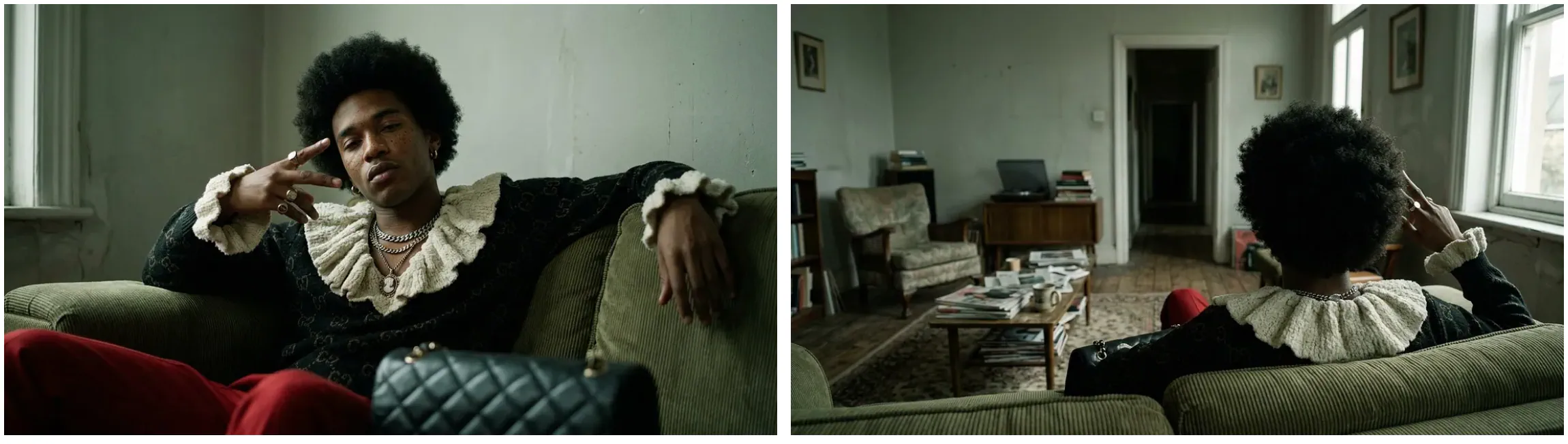
Character consistency and targeted editing example with Nano Banana 2.1
This is pretty impressive because the model has to do more than change the subject’s pose. It needs to infer what the room might look like from another viewpoint.
Think of it as a basic 3D reasoning problem. When the camera moves behind a character, objects that were previously visible may become hidden, while other parts of the room come into view. The sofa, window, and walls also need to make sense relative to the new camera position.
Of course, the AI isn’t recovering an exact 3D reconstruction of the room. It’s generating a plausible alternative view based on the information available in the reference image and prompt. That’s why some objects may still end up in the wrong position.
But imagine how useful this could be for AI filmmaking.
You could generate a scene showing two characters talking, then ask the model to create an over-the-shoulder shot or a reverse camera angle. Instead of building each frame completely from scratch, you can use the existing image as the reference for the next shot.
For storyboarding, microdramas, and short action sequences, I can see myself using this quite often.
It’s also where the improved consistency across multiple characters and objects becomes useful. Keeping one person recognizable is already challenging. Keeping several characters, their outfits, and the environment consistent while changing the camera angle is considerably harder.
Enhanced text rendering and infographic layout accuracy
Text rendering has improved a lot in AI image models, but I still find it unreliable when working with typography-heavy designs.
Nano Banana 2.1 is supposed to be better at rendering text and arranging elements in infographics. I wanted to see how well it could handle text that forms part of the image itself rather than appearing as a normal caption.
Here’s a relatively simple example.
Prompt: A photo of a monstera leaf against a simple backdrop, cleverly and organically appearing within the natural gaps of the leaf are the words Nano Banana
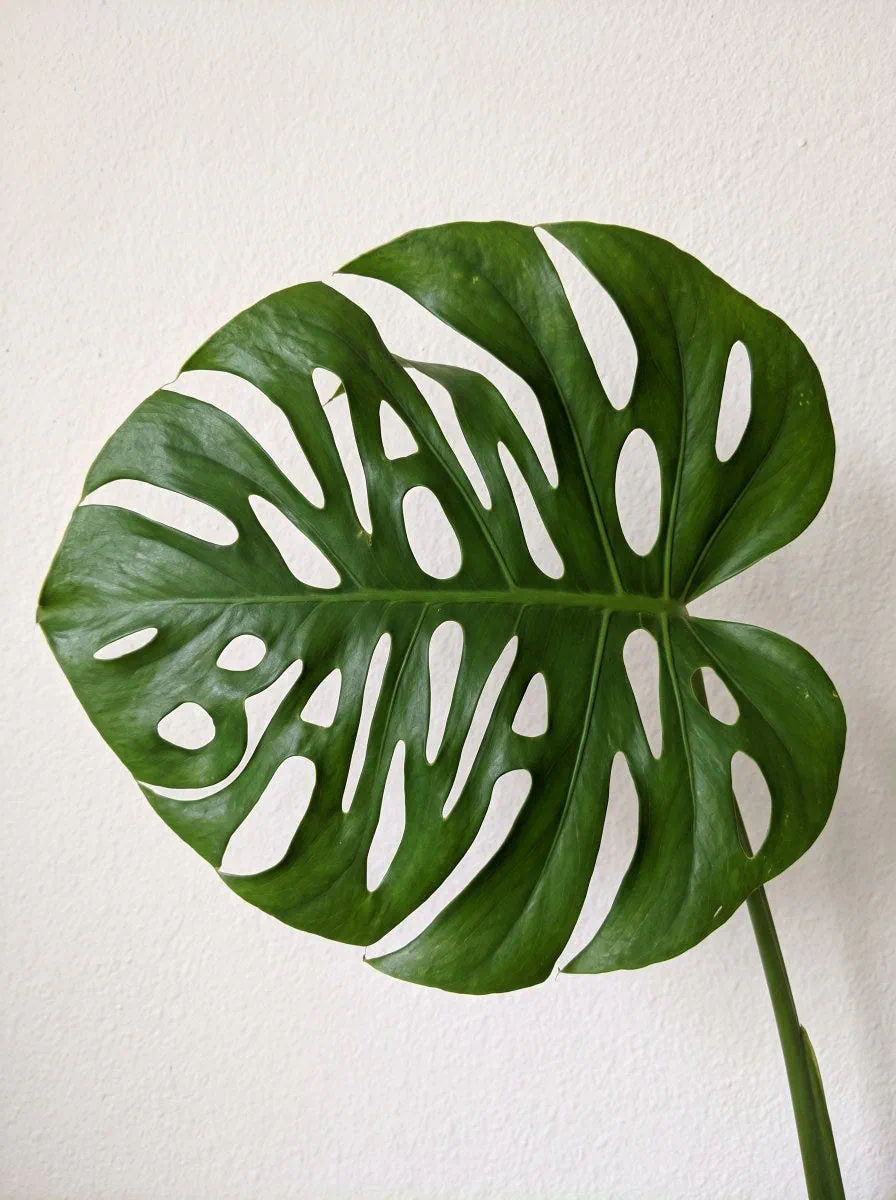
Enhanced text rendering and infographic layout accuracy with Nano Banana 2.1
I like this kind of prompt because it asks the model to consider the actual shape of an object when placing text. The words need to fit into the negative space between the leaves instead of just floating somewhere in the image.
Sources
- model’s system carddeepmind.google
- Nano Banana 2.1ai.google.dev
- Gemini 4 Argongenerativeai.pub
- https://x.com/mightyking/status/2107527141336526908x.com