In the world of open-source AI image generators, CivitAI is probably one of the most popular. I remember building custom node-based image generators in ComfyUI back in 2023, and most of the checkpoints and LoRAs I plugged into them came from CivitAI.
But when it comes to certain image styles like anime, the best custom models available are on a platform called PixAI.
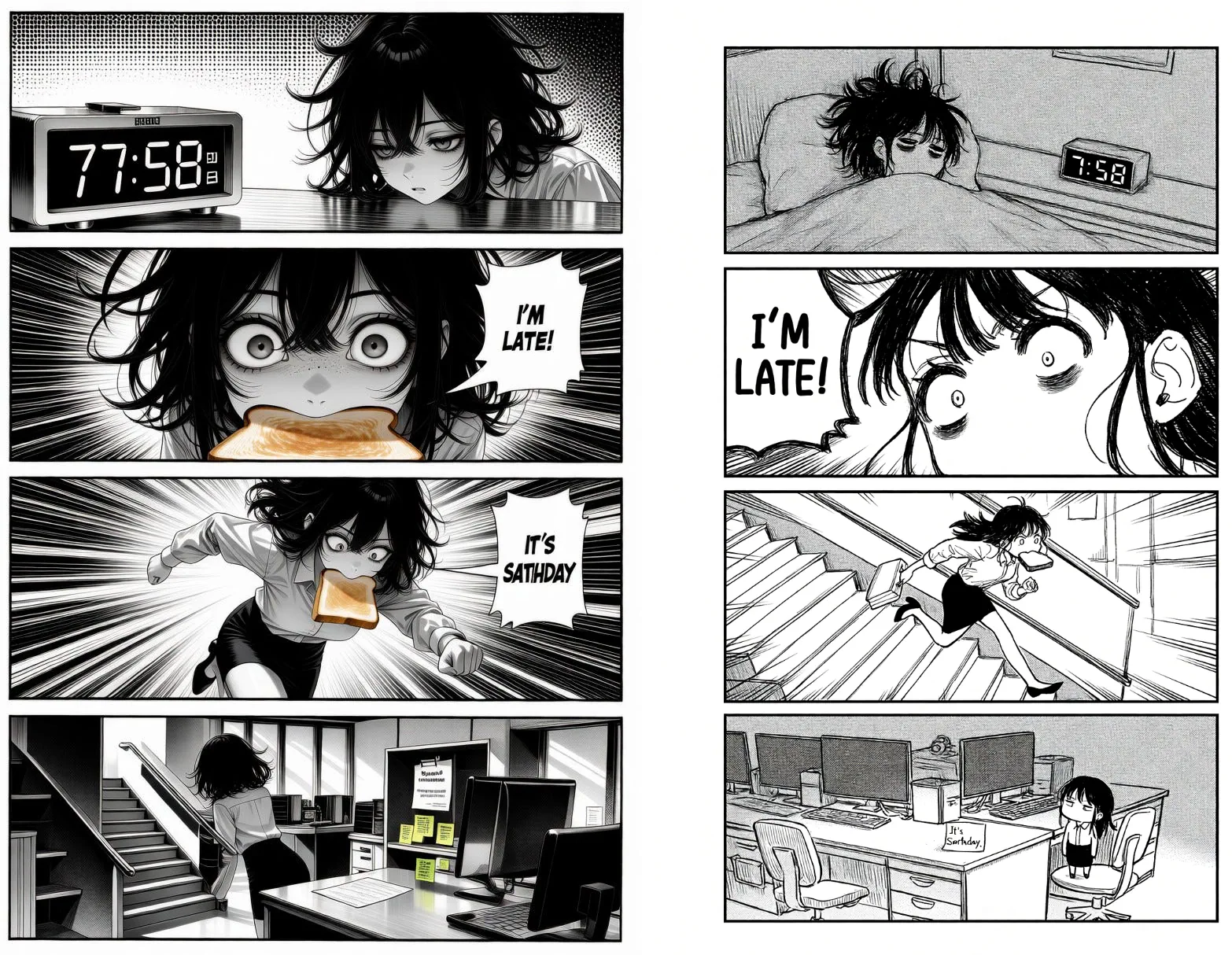
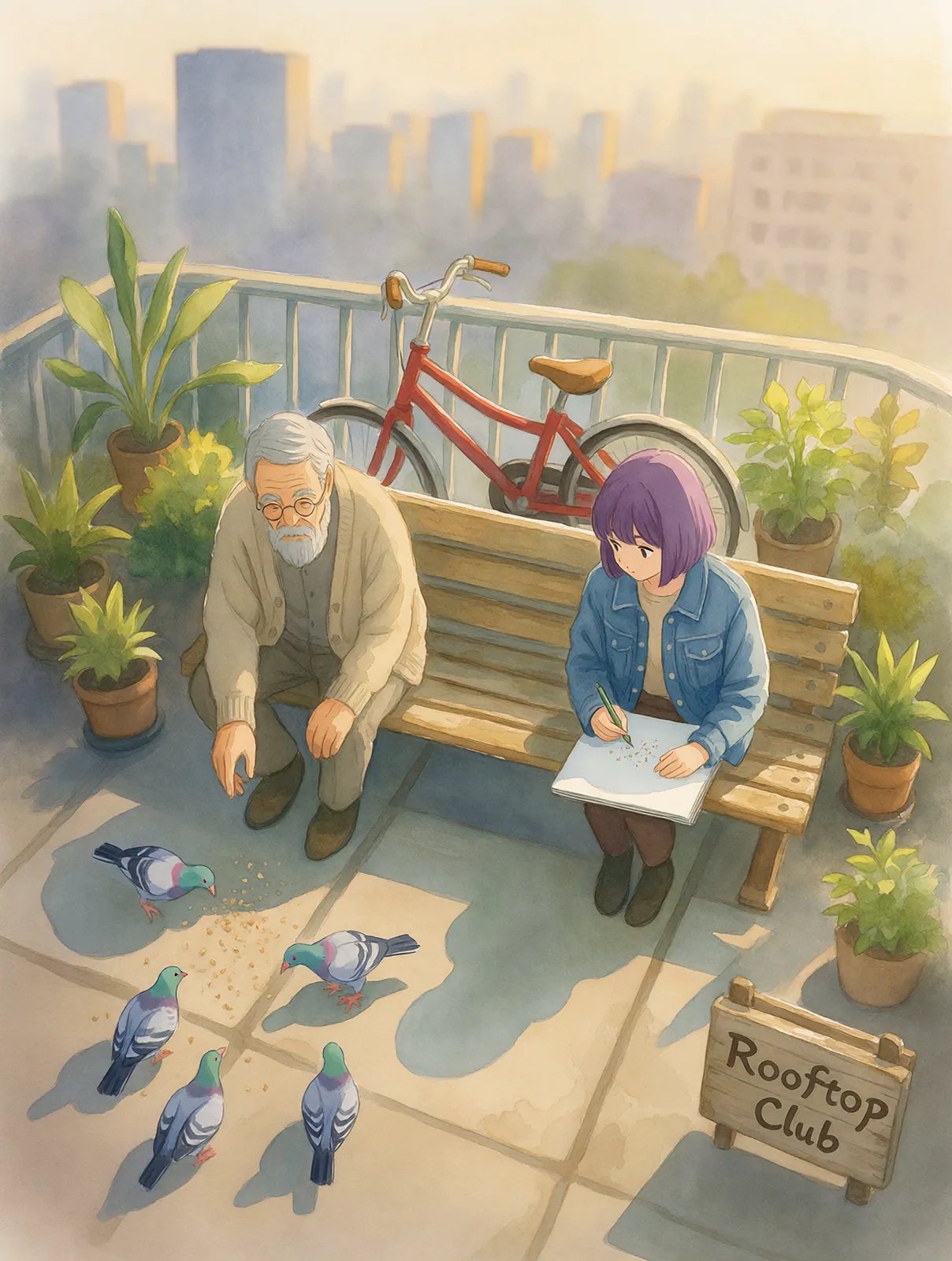
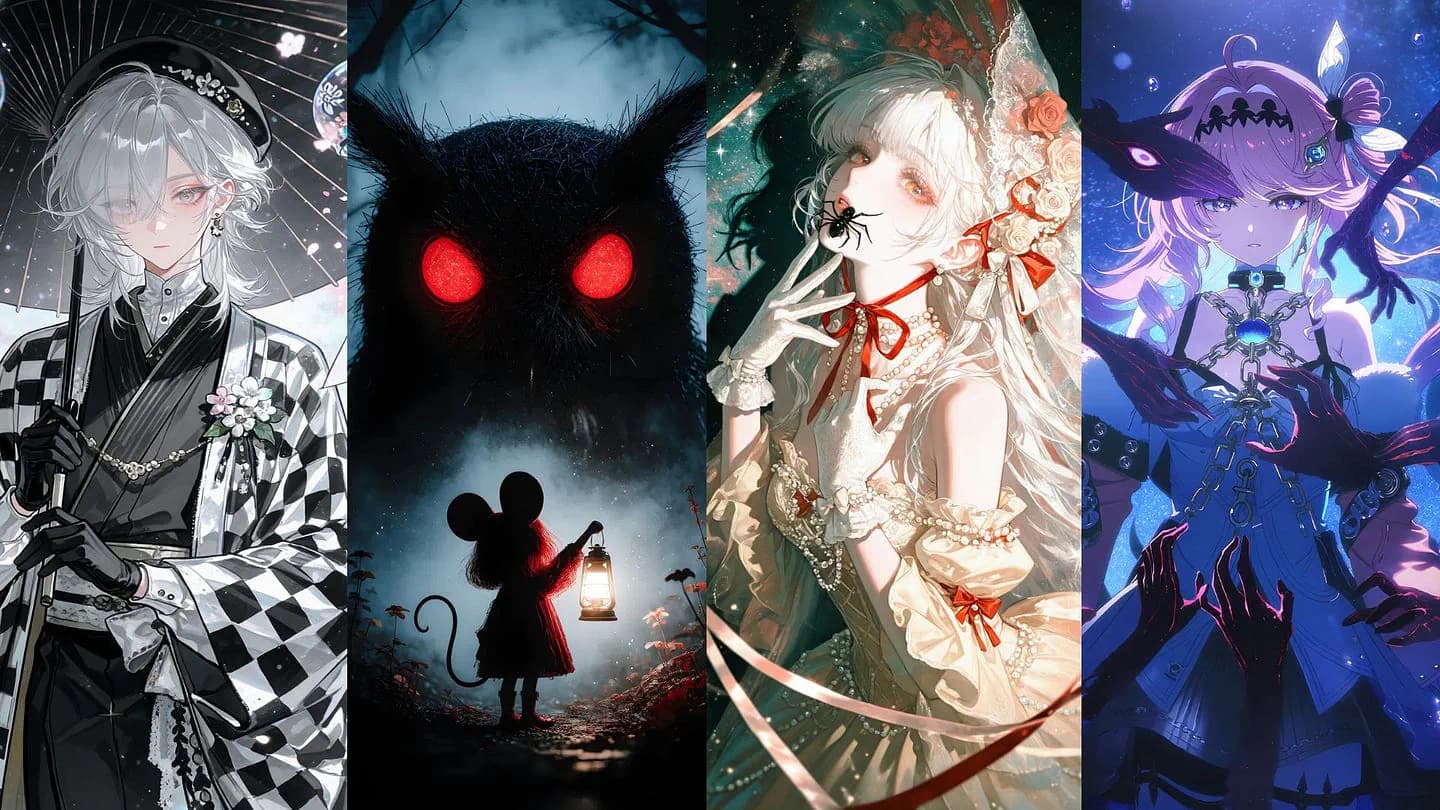
PixAI recently released Tsubaki.3, its own anime model, and I’ve been using it for a couple of weeks now. So far, the experience and the results are incredible. The platform built the model to be dynamic and flexible enough to be useful for specific use cases like manga design, text generation, reference styling, etc.
In this article, I’ll walk you through what each platform does well, where Tsubaki.3 gets things right, and where it still makes mistakes. That way, you can decide which one fits the way you create.
Let’s get started.
Why Open-Weights Image Models Give You So Many Choices
Before comparing the two platforms, it helps to understand why there are so many anime models to choose from in the first place.
The answer is open weights.
When a company releases a model’s weights (the trained numbers that make the model work), anyone can download it, run it on their own computer, and train new versions on top of it.
Stability AI did this with Stable Diffusion in 2022. Since then, SDXL, Flux, and community-built models like Illustrious and NoobAI have followed the same path.
Closed models like Google’s Nano Banana or OpenAI’s GPT image models work very differently. You type into a text box, and you get whatever art style the company trained into the model.
The problem is control.
You can’t train them on your own images. If the company updates its policy or retrains the model, a style you depended on can disappear overnight.
What LoRAs Add
The biggest advantage of open weights is LoRAs.
A LoRA (short for low-rank adaptation) is a small add-on file trained on a narrow set of images. It could be one character, one art style, one lighting mood, or even one specific outfit.
You load a LoRA on top of a base model, and the output starts leaning toward that look. Say you want your images to look like a cute anime style with clean lineart, cel shading, and glossy highlights. There’s a LoRA for that in PixAI called “Kawaii Style.”
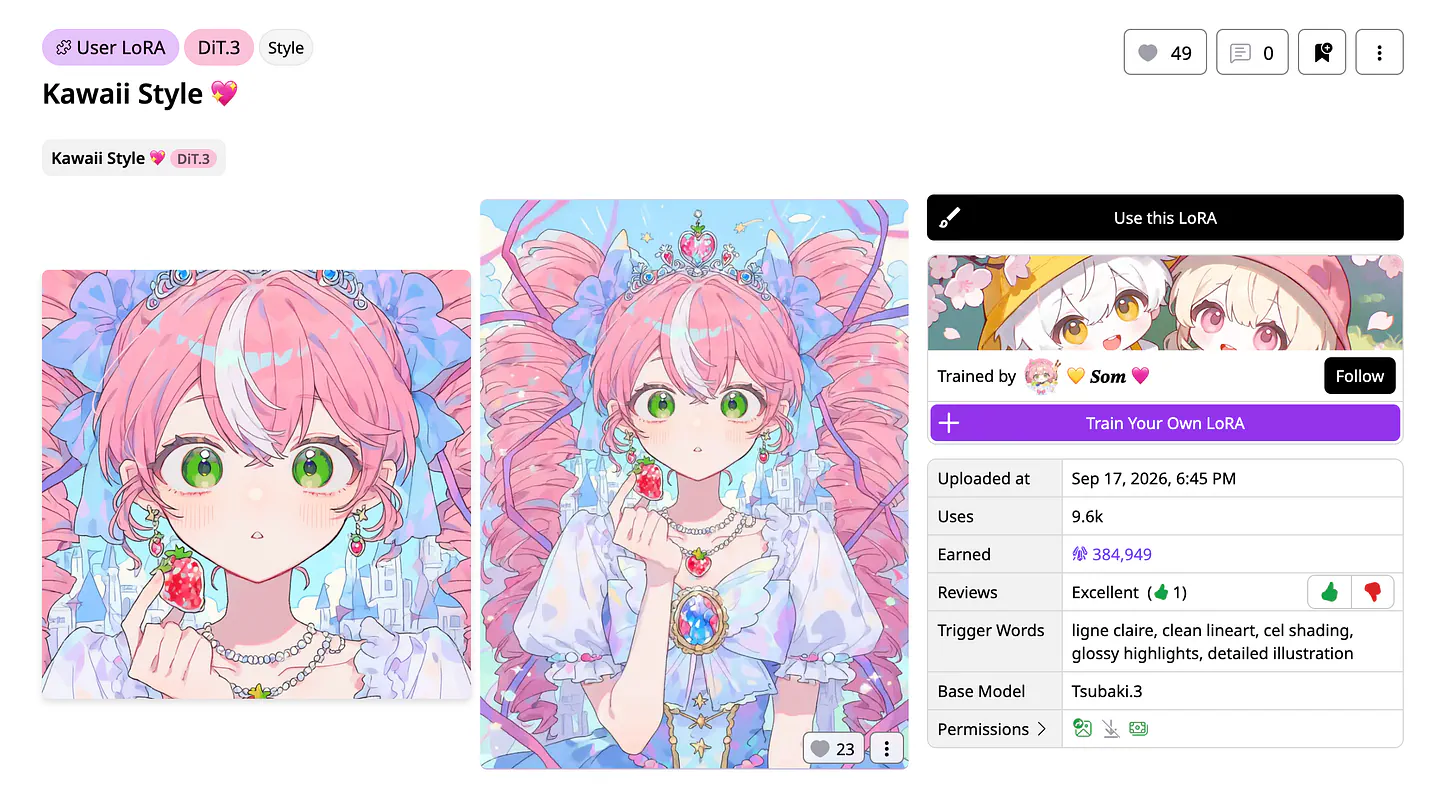
Kawaii style model from PixAI. Image by Jim Clyde Monge
The same goes for a soft watercolor finish or a specific type of armor. There are literally thousands of them to choose from on PixAI’s models page.
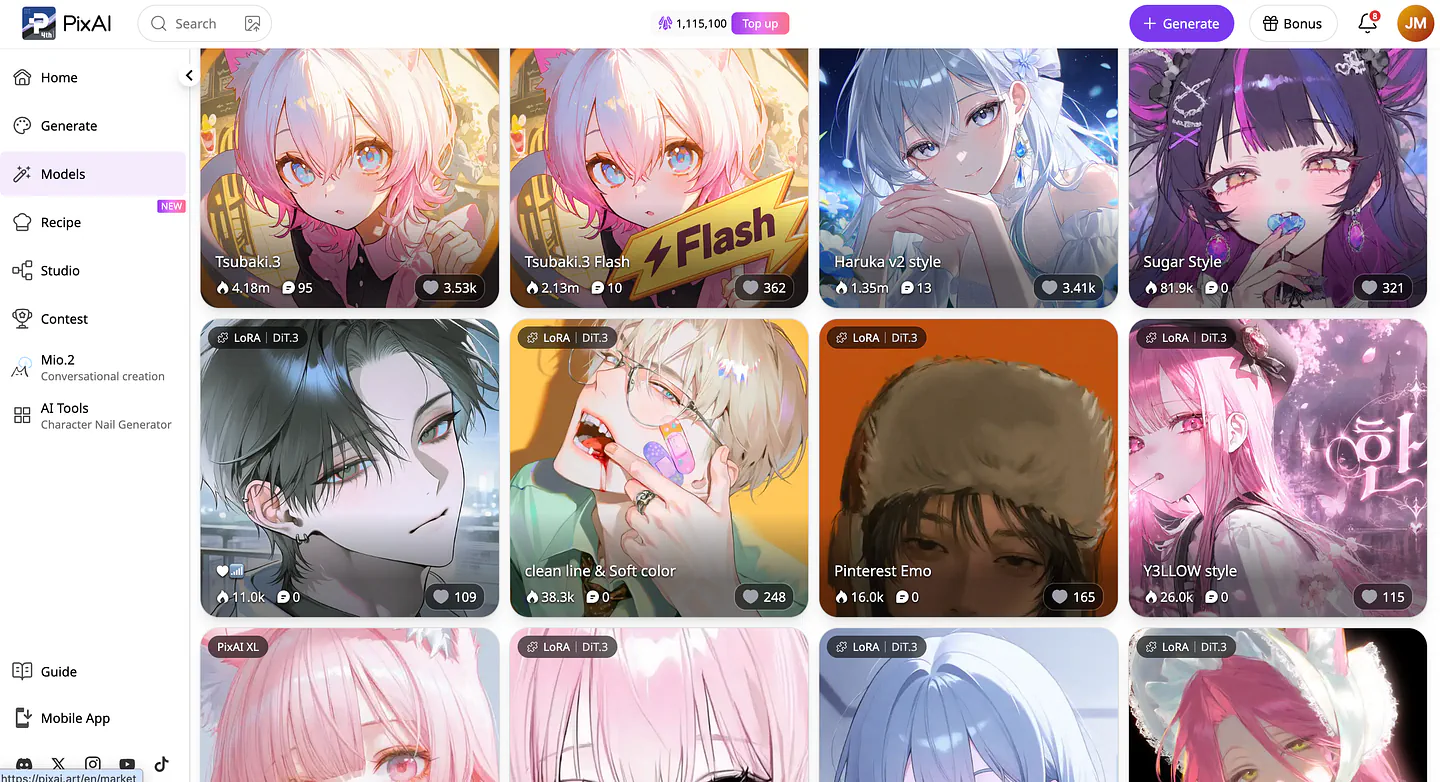
Models page on PixAI. Image by Jim Clyde Monge
You can also train a LoRA on your own original character. With about 20 to 30 images of the character, you can place them in almost any scene and keep their face, hair, and outfit recognizable.
This is why both platforms list so many models. PixAI says it hosts more than 1.8 million community models and LoRAs. CivitAI’s library is huge as well, and it covers far more than anime.
PixAI vs CivitAI: How the Two Platforms Differ
CivitAI started as a place to share models, and that’s still what it does best. The on-site generator came later. PixAI took the opposite route: it was built around generating images first, and the model library grew around it.
On CivitAI, most people browse models, download the ones they like, and run them locally in tools like ComfyUI or Forge. If you don’t have a strong GPU, you can use the on-site generator instead and pay with Buzz, CivitAI’s credit currency.
PixAI focuses only on anime, and everything happens in the browser or the mobile app. You don’t need to install anything or own a GPU.
In practice, that means a few useful things.
- Images come out at native 2K resolution. You can upload a character and refer to it as
@image1in your prompt to place that character in a new scene. - You can edit a result by typing something like "change her jacket to navy blue," and the model changes only that part.
According to PixAI’s technical report, the team started with roughly 500 million anime image-text pairs and filtered them down to about 50 million. Each image was captioned twice, once with booru-style tags and once with plain English descriptions.
Here’s how the two compare side by side:
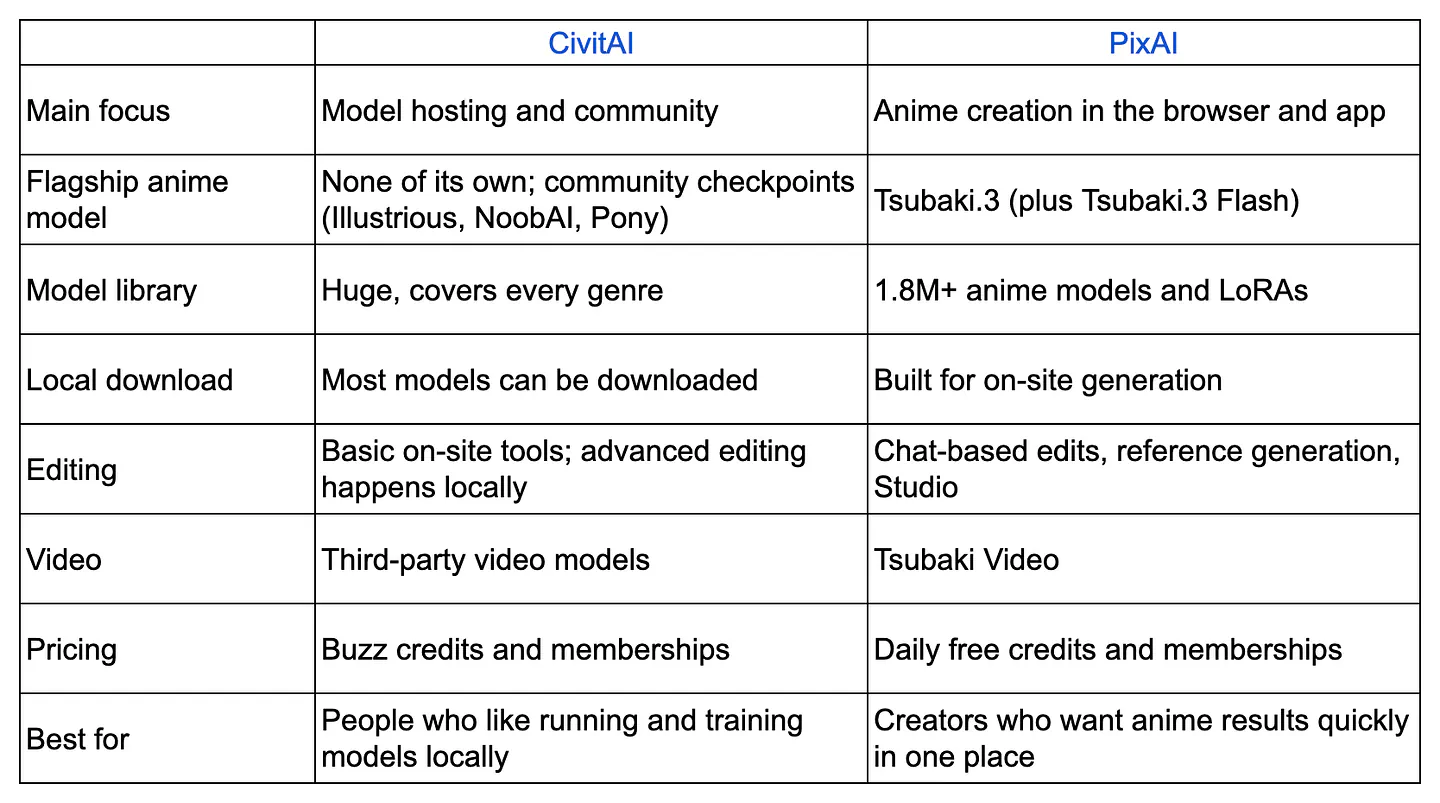
CivitAI vs PixAI comparison table. Image by Jim Clyde Monge
I’ll be upfront about my bias here. I enjoy using PixAI more.
The dashboard is easy to understand, and the design feels modern. The model picker, prompt box, and editing controls are all on one screen, so I’m rarely hunting through menus. When I want to fix a detail, I just type what I want changed, and I get a new version in seconds.
The editing tools are also fun to play with. I’ve found myself experimenting with outfit swaps and pose changes just to see what happens, which I rarely did on CivitAI.
CivitAI definitely has the bigger community, and its model library is unmatched. But these days, I hand more of my actual projects over to PixAI.
CivitAI vs PixAI on the Same Prompts
For CivitAI, I used Vetehine, a popular anime checkpoint. I ran it in the on-site generator with no LoRAs and default settings.
For PixAI, I used Tsubaki.3 with default settings. I pasted the same prompt into both platforms, generated four images on each, and judged the whole batch instead of cherry-picking the single best image.
Test 1: Original Character Design
For the first test, I wanted a character with lots of small, specific details. That makes it easy to see which model actually reads the whole prompt.
Prompt: Full-body anime illustration of an original character: a young woman courier with short, messy teal hair, an asymmetrical bang covering her left eye, and a small scar across her right eyebrow. She wears an oversized mustard-yellow rain jacket over a black turtleneck, cargo shorts, knee-high striped socks, and chunky red sneakers. A brass pocket watch hangs from her belt, and she carries a battered leather satchel covered in stickers. She’s standing on a wet city sidewalk at dusk, one hand in her pocket, with a lopsided grin. Soft orange streetlight from the left, cool blue sky behind her, clean cel shading.
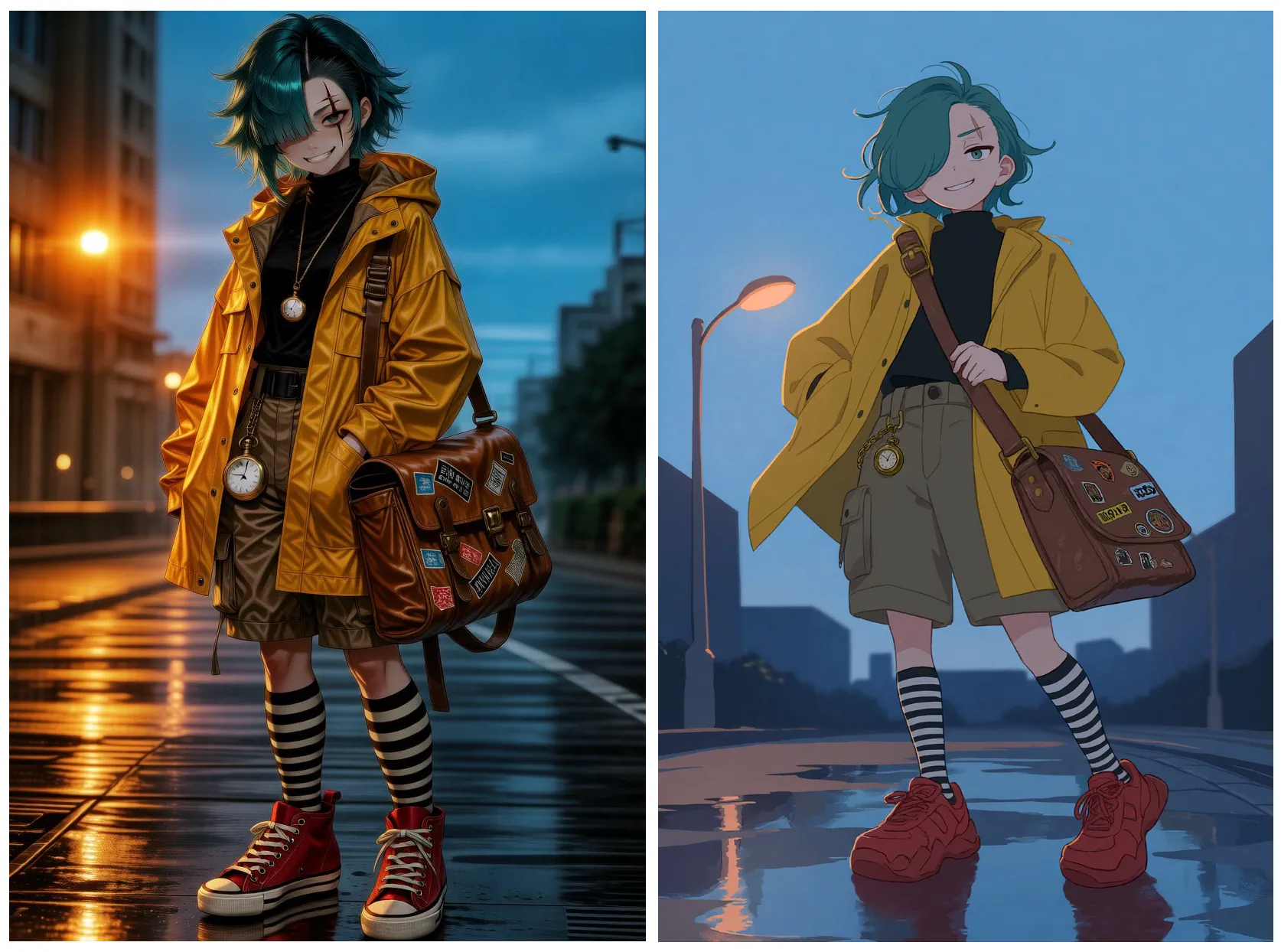
CivitAI (left) and PixAI (Right)
Both platforms got the overall look right. The CivitAI images had that more saturated color Illustrious style that a lot of people love, with sharp outlines, shiny eyes, and strong contrast.
Tsubaki.3 also did a great job in following the prompt. The scar and the bangs were in the right place in almost every image, and the pocket watch showed up each time. The stickers looked like actual stickers, with little stars and logos on them. The streetlight also came from the left, just like I asked.
In this comparison, both images look great depending on your preferred style. If you like a cleaner type of anime illustration, I’d go for PixAI’s result. If you want a bolder, more saturated, and sort of 3D style illustration, then I’d go for the CivitAI result.
Test 2: Crowded Action Scene
The second test was about composition. I wanted three characters doing different things in specific spots, plus a moving camera angle.
Prompt: Dynamic low-angle anime action scene inside a crowded night market. A tall swordswoman with a long white braid and a red haori leaps across the frame from right to left, katana mid-swing, while a small boy in a green hoodie ducks under a food stall in the lower-left foreground, clutching a paper lantern. In the background, a masked thief in black knocks over a crate of oranges that roll across the stone path. Steam rises from the stalls, strings of paper lanterns glow overhead, and the camera is tilted slightly for motion. Strong rim lighting from the lanterns, motion lines on the sword.
In this example, forget about CivitAI because it rejected the prompt.
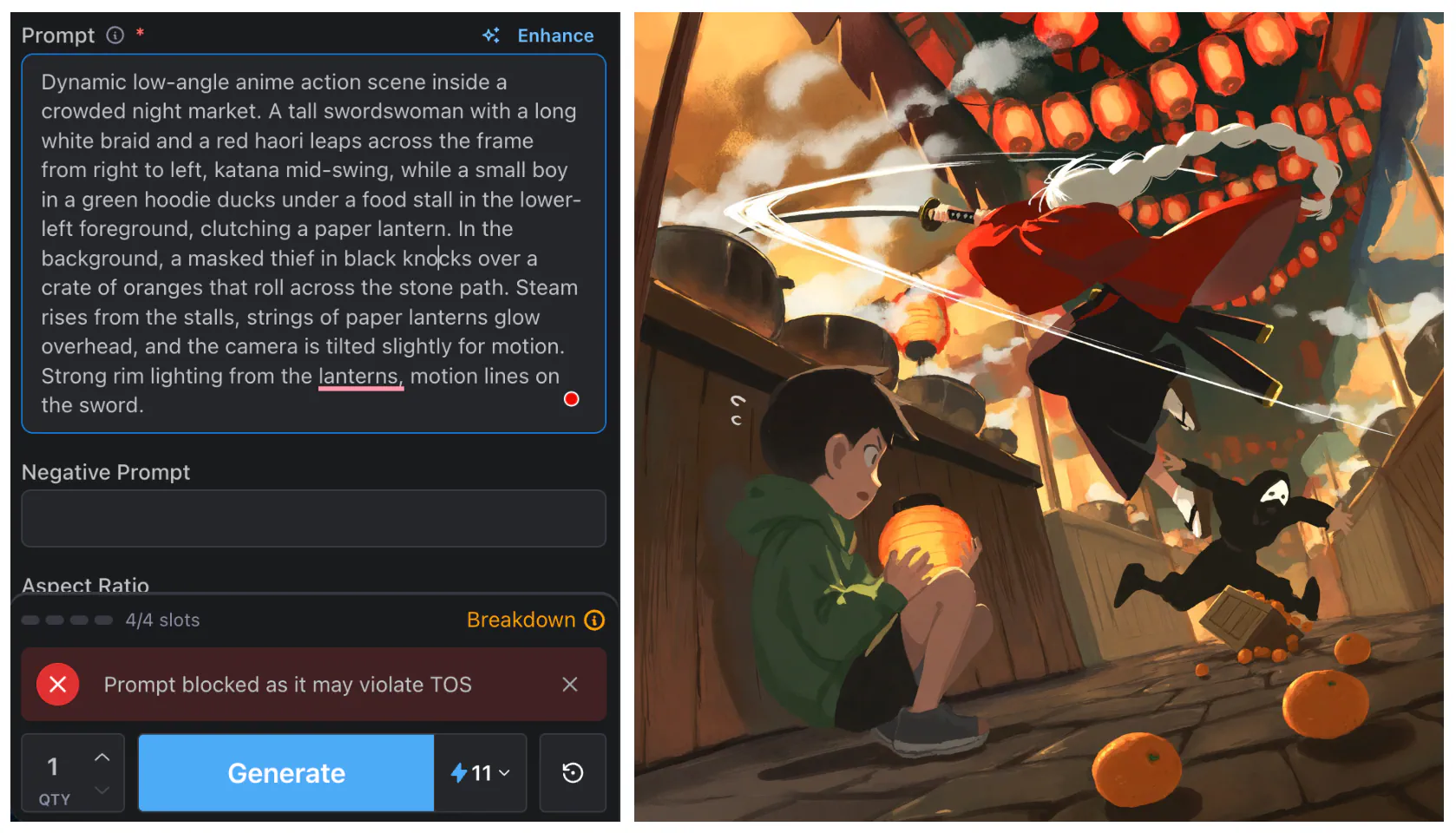
CivitAI (left) and PixAI (Right)
Let’s focus on the output generated by PixAI instead.
Tsubaki.3 put all three characters in three of the four images. The boy was crouched roughly where I asked, and the oranges were actually rolling across the ground.
Sources
- PixAIeap.pixai.art
- Tsubaki.3pixai.art
- Kawaii Stylepixai.art
- Jim Clyde Mongemedium.com
- 1.8 million community models and LoRAsblog.pixai.art
- PixAI’s technical reportpixai.art
- Tsubaki.3 prompt guideblog.pixai.art
- character consistency guide