
Picking the best AI chatbot used to mean choosing between two or three apps. Now there are at least eight serious options, and almost all of them have a free plan that's good enough to make you wonder why anyone pays.
We compared each chatbot's official plan page, help center articles, and product pages as they stood in late November 2026. Every price and limit below comes from the vendor's own site. Where a company makes a claim about quality, we say it's their claim.
This list is for everyday people choosing a chatbot for writing, research, schoolwork, or office tasks. For each one you'll see what it's strongest at, what the free plan actually lets you do, and what the first paid plan costs. The order isn't a ranking. By the end, you should know which free plan to try first and whether an upgrade is worth it for you.
1. ChatGPT
Best for: People who want one chatbot that does a bit of everything.
ChatGPT is OpenAI's assistant and still the default most people start with. Its free plan includes unlimited text chats with GPT-6, subject to abuse guardrails, which is the most generous everyday allowance on this list. You also get limited image creation, voice chats, file uploads, and deep research on the free tier.
What you get on each plan:
- Free: Unlimited text chats, plus limited uploads, images, voice, deep research, and memory
- Go: More messages with tools, more uploads, and longer memory, though OpenAI says the Go plan may include ads
- Plus: $20 a month, adding advanced reasoning with GPT-6.2, projects, scheduled tasks, and custom GPTs
- Pro tiers: Three options at $100, $200, and $500 a month for heavy research and coding
The real strength is range. In one app you can draft an email, talk through a problem out loud, make an image, and run a deep research report on a topic. If you're not sure what you'll use AI for yet, that breadth means you're unlikely to hit a wall on day one.
The free plan has a smaller memory for each conversation, though. OpenAI's comparison table lists a 27K context window for GPT Instant on Free and 54K on Plus, which works out to roughly 12 pages of pasted text versus about 40. Paste in a long contract or a full thesis chapter and the free plan may lose track of the start.
Plus is where the reasoning models, projects, and custom GPTs live, so it's the upgrade for people doing serious work every day. If you mostly ask quick questions, the free plan may be all you ever need. Before paying, check whether the jobs you care about (long files, deep research) actually run out on Free.
2. Google Gemini
Best for: People who live in Gmail, Google Docs, and Google Drive.
Gemini is Google's assistant, and its free plan is surprisingly full. A free Google Account gets Deep Research, Gemini Live, Canvas, and image generation and editing, along with 15 GB of storage across Gmail, Drive, and Photos. That makes it the strongest free option here for research reports.
The paid plans double as Google storage plans, which changes the math:
- Google AI Plus: $4.99 a month, with 2x the usage of Free, video generation, Gemini in Gmail and Vids, and 400 GB of storage
- Google AI Pro: $19.99 a month, with Gemini 4 Neon, four times the Free limits, Gemini in Gmail and Docs, 5 TB of storage, and YouTube Premium Lite
- Google AI Ultra: From $99.99 a month for the highest limits
Where Gemini pulls ahead is inside Google's own apps. Ask it to summarize a long email thread in Gmail or draft a reply, and it already has the context. Google also advertises uploads of up to 1,500 pages for analyzing documents, which suits students with a stack of readings.
AI Plus is the cheapest paid plan on this list. If you were already paying Google for extra storage, it can feel almost free, since you'd get 400 GB plus more Gemini for about the price of a coffee.
The catch is that Gemini's best tricks lean on Google's apps. If your email is in Outlook and your files are in Dropbox, much of the paid value is out of reach. Google also notes age, language, and country limits on paid plans, so confirm yours is among the 150-plus places it lists.
3. Claude
Best for: Long documents, careful writing, and coding.
Claude is made by Anthropic. The free plan lets you search the web, create files, and run code, keep memory across chats, connect apps, and build Artifacts (small interactive documents or tools Claude makes inside the chat). Free users get the Sonnet and Haiku models and up to five projects.
Plans at a glance:
- Free: Limited usage every 5 hours and every week
- Claude Pro: $20 a month, or $17 a month billed annually ($200 up front), adding Opus, Claude Code, Research, and Claude in Chrome and Microsoft 365
- Max: $100 a month for five times Pro's usage
- Ultra: $200 a month, with no 5-hour limit for verified accounts
Claude's biggest draw for many people is how it handles long material. Anthropic lists context windows of up to 1M tokens, varying by model, on every plan, including Free. That's enough to drop in a long report or a big chunk of code and ask questions across all of it.
It's also a strong pick if you write for a living or code on the side. Pro unlocks Claude Code and the Opus model, and the free plan already includes Claude Design, Slides, and Docs for making finished files.
The limit you'll feel is the usage cap. Free resets every 5 hours and weekly, and Anthropic says how fast you hit it depends on the model, chat length, and file size. A long session with big files can run out mid-afternoon. One more note: model training is listed as opt-out on every plan, so switch it off in settings if you'd rather your chats stay out of training.
4. Microsoft Copilot
Best for: People who work in Word, Excel, PowerPoint, and Outlook.
Copilot is Microsoft's assistant, built into Word, Excel, PowerPoint, Outlook, and Teams. Microsoft says it brings several leading AI models together and uses an Auto setting that weighs accuracy, speed, and cost to pick a model for each request.
Pricing from Microsoft's Copilot page:
- Individuals: From $6.99 a month, marked down from $9.99, bundled with Microsoft's productivity apps and cloud storage
- Business: $23.50 per user a month, paid yearly
- Enterprise: $30 per user a month, paid yearly
Copilot earns its spot when your work already sits in Office files. Asking it to turn notes into a slide deck in PowerPoint, or to explain a messy spreadsheet in Excel, saves the copy-and-paste routine you'd need with a standalone chatbot. Microsoft also lets you build simple agents in plain language with Agent Builder.
The individual price is the interesting one. At the sale price you get Copilot plus the Office apps and storage, so if you'd buy Microsoft 365 anyway, the AI is close to a bonus.
Two things to keep in mind. Microsoft's plan page doesn't spell out a free Copilot tier, so check what you can do without paying before you subscribe. And several of the newest features on the page, such as Copilot Code and the Home view, are listed as available only in Microsoft Frontier, its early-access program. The $6.99 individual price is also a discount off $9.99, so look at the renewal price before you sign up.
5. Perplexity
Best for: Research where you need to check the sources.
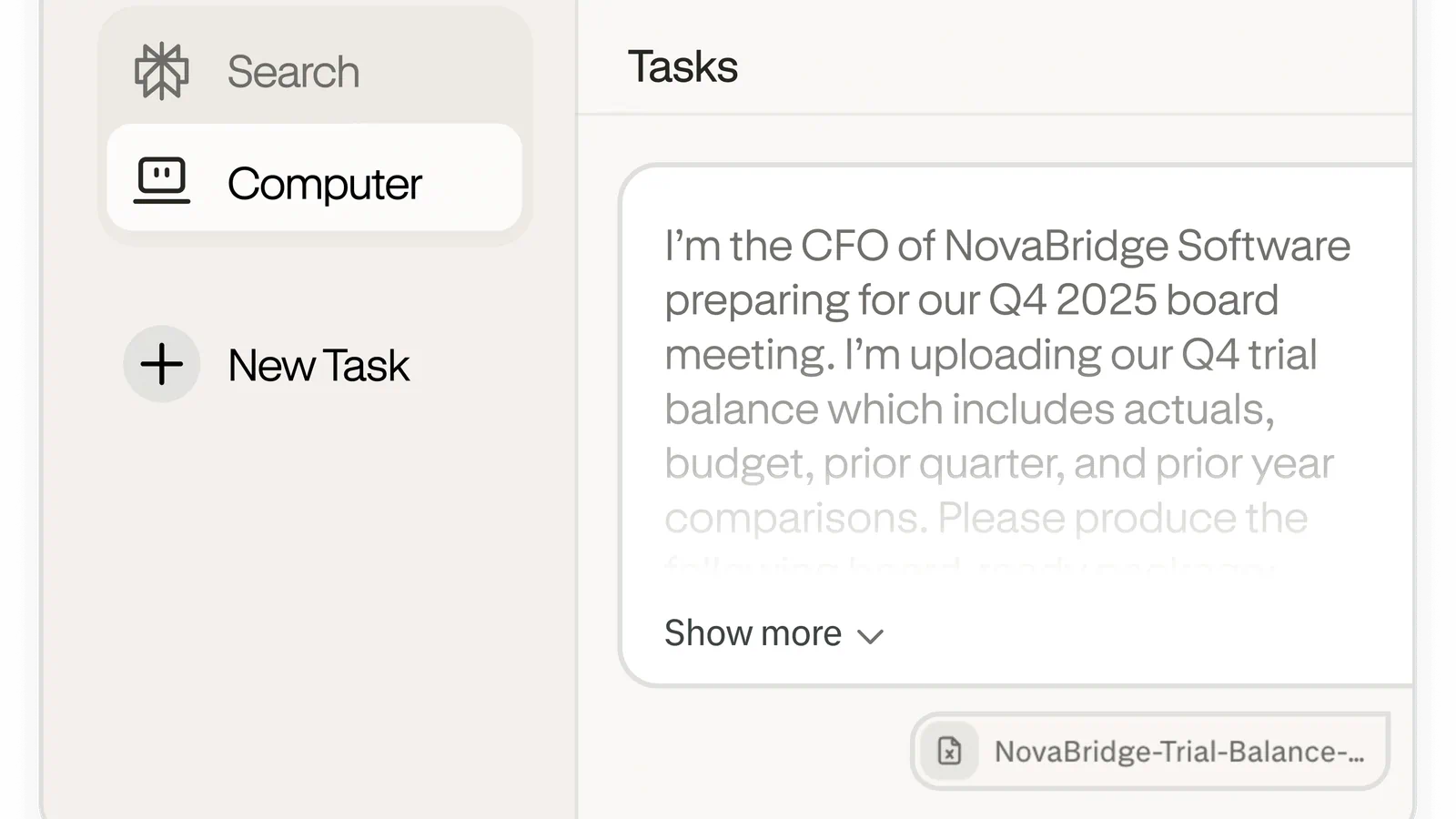
Perplexity works like a search engine that answers in full sentences. Every answer includes inline citations, according to Perplexity's Pro page, so you can click through and verify a claim instead of trusting the summary. You can sign up and use it for free.
It's also the easiest way here to try several companies' models in one place. Pro subscribers can switch between models, and the current list includes:
- OpenAI: GPT-6.2 Sol
- Google: Gemini 4 Neon
- Anthropic: Claude Sonnet 5.5
- xAI: Grok 4.7
- Others: Kimi K3 and GLM 5.3, which Perplexity says are hosted in the US
Pricing is quoted on annual billing. Pro is $17 a month or equivalent, billed annually, and adds deep research, model choice, more Computer access, and higher limits. Max is $167 a month billed annually, with 10,000 monthly credits. Both currently come with limited-time bonus credits for Perplexity Computer, its agent that builds documents and apps from a request.
If you're a student, a journalist, or anyone who has to show where a fact came from, the citation habit alone makes Perplexity worth a spot on your home screen. It's also a cheap way to compare GPT, Gemini, and Claude answers side by side without three subscriptions.
The weaker spot is everyday creative work. Perplexity is built around search and research, so for brainstorming a story or chatting through a personal decision, a general assistant may feel more natural. The $17 Pro price also assumes you pay for a year up front, so compare the monthly price before you commit.
6. Grok
Best for: Following breaking news and what people are saying on X.
Grok is xAI's chatbot, and it's free to try on the web and in the iOS and Android apps. Its standout feature is that it searches the web and X live, so answers can reflect posts and news from the last few minutes. If you follow fast-moving stories, that's something the others on this list don't advertise.
Paid access now comes through The X Subscription, which bundles Grok with the Cursor coding app and X Premium:
- Free: Daily access to Grok, a starter allowance for Cursor, and standard X
- Plus: $8 a month, with more AI usage plus a checkmark, creator tools, and fewer ads on X
- Premium: $30 a month, covering SuperGrok, Cursor Pro, and X Premium+ (previously $90 a month combined, xAI says)
- Super and Ultra: $100 and $200 a month for 15 and 50 times Plus usage
Grok also makes images and short videos in the same chat. xAI lists text-to-video of up to 15 seconds at 720p, plus voice conversations and support for more than 30 languages. Upgrading to SuperGrok unlocks multi-agent mode, where several agents work on a hard question in parallel and show their reasoning.
The bundle is a good deal only if you use X. Plus at $8 is cheap, but part of what you're paying for is a checkmark and fewer ads on a social network. If you never open X, the value shrinks to the extra Grok usage.
Live X data cuts both ways, too. Posts can be wrong or unverified, so double-check anything Grok pulls from a trending thread before you repeat it.
7. Mistral Vibe (formerly Le Chat)
Best for: Students and anyone who wants a European alternative.
Mistral Vibe is the new name for Le Chat. According to Mistral's product page, Vibe now combines a chat assistant (Vibe for work) and a coding agent (Vibe for code) in one product, and your old Le Chat conversations and settings carry over.
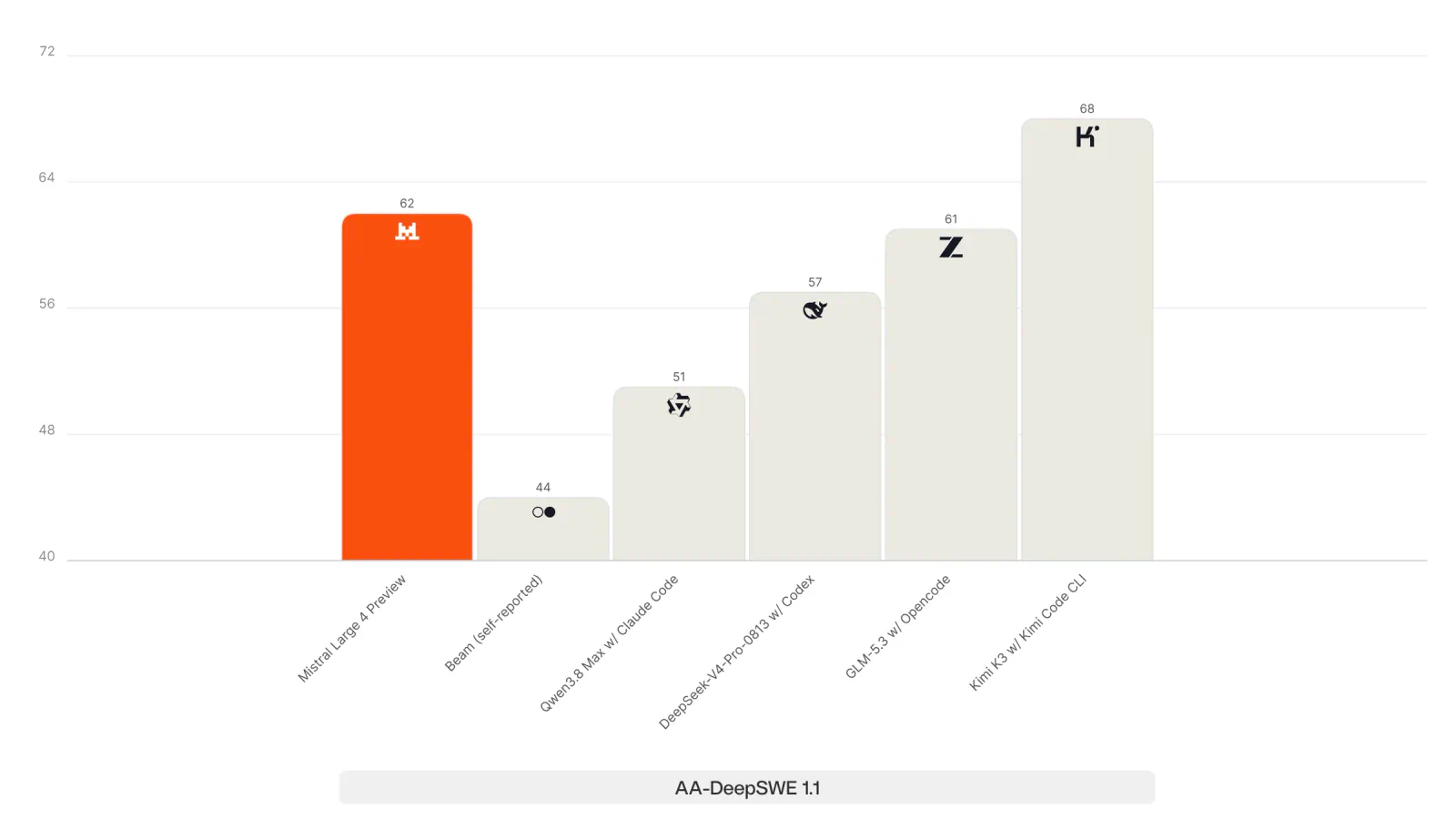
The free plan covers the basics. Mistral says you can get quick answers, search the web, and handle simple tasks, with limited messages and searches, basic image generation and editing, and access to 100-plus connectors. Voice input is built in, powered by Mistral's Voxtral model.
Plans:
- Free: Limited messages, searches, and coding sessions
- Vibe Pro: $14.99 a month, with more messages, faster responses, all-day coding, and spreadsheet and slide generation
- Students: $5.99 a month for verified students, for up to 12 months
- Team: $24.99 per user a month
The student price is the cheapest full plan on this list after Gemini's AI Plus. If you're in college and want an assistant for both essays and code, about $6 a month is hard to argue with. Mistral's pricing page also lists prices for every EU country, and the company pitches "sovereign AI" with data residency for larger customers.
Vibe is newer to most people, and its free plan is fairly tight compared with ChatGPT or Gemini. Mistral points free users at simple tasks and saves agents and long-running work for Pro. It's also a newly renamed product, so expect menus and features to keep shifting for a while.
8. Duck.ai
Best for: Private chats you'd rather keep anonymous.
Duck.ai is DuckDuckGo's chat tool. It gives you private conversations with third-party AI models, anonymized by DuckDuckGo, so the model companies don't see who's asking. The models listed below are free to use.
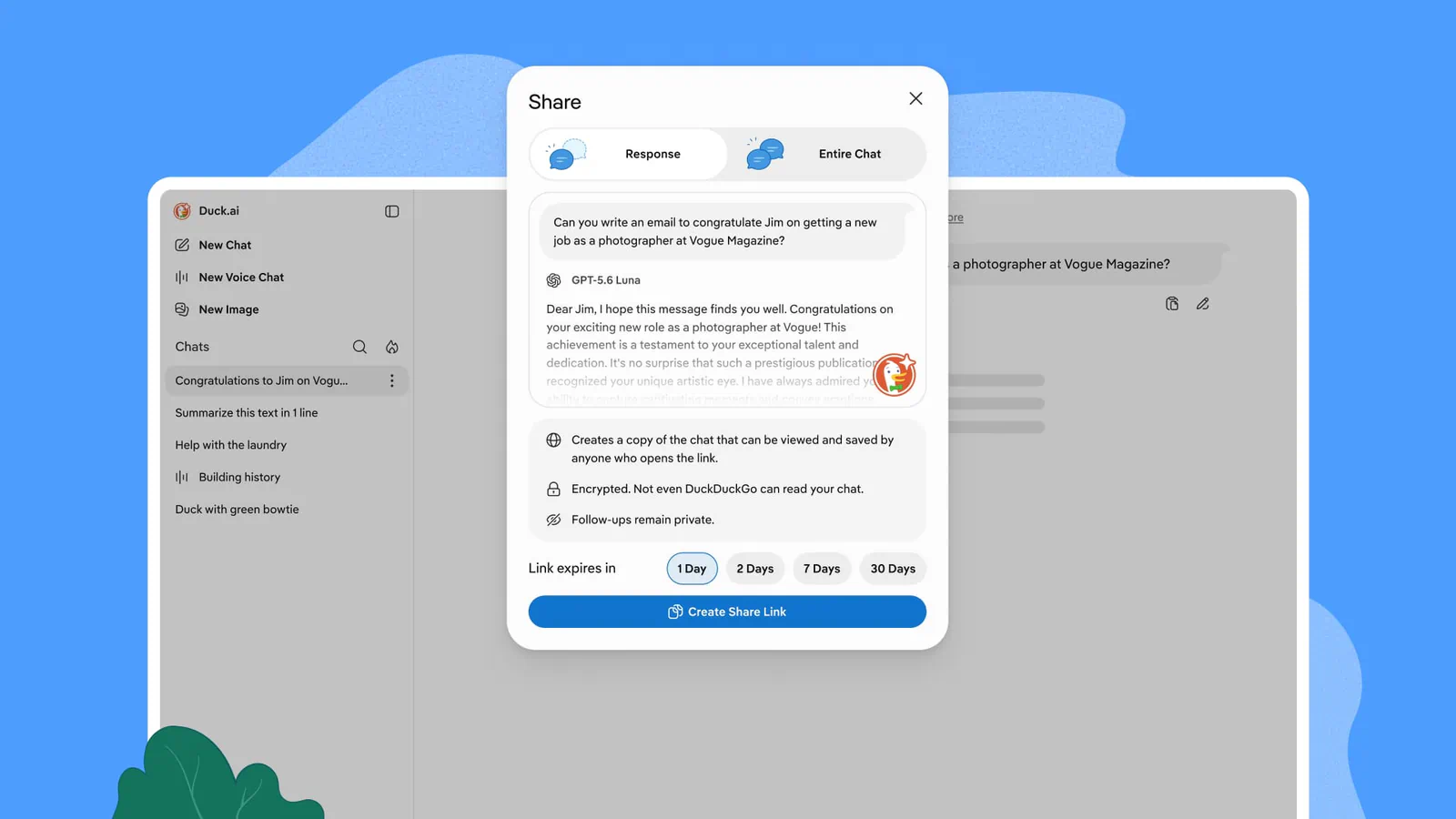
Free models listed by DuckDuckGo:
- Anthropic: Claude Haiku 5.5
- OpenAI: GPT-6 Luna and GPT-5.4 mini
- Mistral: Mistral Small 4
- Open models: gpt-oss-120b and Gemma 4 31B, hosted by Tinfoil.sh
DuckDuckGo says it doesn't store your prompts or train on your data, and your recent chats are saved locally on your device instead of on its servers. You can wipe them with the Fire Button or pin up to five you want to keep.
That makes Duck.ai a handy second chatbot even if you pay for another. Use it for questions you'd rather not tie to an account, such as a health worry or a money question, and keep your main assistant for everything else.
The trade-off is depth. The free models are the smaller, faster ones from each company, and there's no deep research or big project workspace. DuckDuckGo subscribers get stronger models (Claude Sonnet 5.5 and GPT-5.6 Terra on Plus, with Claude Opus 5.5 and GPT-5.6 Sol on Pro), but the help page doesn't list the subscription price, so check DuckDuckGo's subscription page before you count on them.
How to choose the right AI chatbot?
The best AI chatbot for you is the one whose free plan already covers your most common job, so start there and upgrade only when you keep hitting the same limit. Every option here lets you try it free, so a week of real use will tell you more than any spec sheet.
What to look for in an AI chatbot
- Your main job: Writing, research, office work, news, coding, or privacy. Pick on brand alone and you may pay for features you never touch.
- Free-plan limits: ChatGPT offers unlimited text chats, while Claude resets usage every 5 hours and weekly. Ignore this and a "free" chatbot can stop working halfway through a project.
- How much it can read: Context windows range from about 12 pages on ChatGPT Free to up to 1M tokens on Claude. Skip this and long documents get cut off.
- What the price bundles: Gemini adds storage, Copilot adds Office apps, and Grok adds X and Cursor. A bundle you won't use makes a cheap plan expensive.
- Data handling: Training opt-outs and where chats are stored differ a lot. Miss this and you might break a school or employer policy.
Comparing AI chatbots at a glance
| Chatbot | Strongest at | Free plan | First paid plan |
|---|---|---|---|
| ChatGPT | All-round use | Unlimited text chats, limited tools | Plus, $20/mo |
| Google Gemini | Google apps, research | Deep Research, Canvas, 15 GB | AI Plus, $4.99/mo |
| Claude | Long documents, writing, code | Capped every 5 hours and weekly | Pro, $20/mo ($17 annual) |
| Microsoft Copilot | Word, Excel, Outlook | Not listed on plan page | From $6.99/mo (sale) |
| Perplexity | Cited research | Yes | Pro, $17/mo billed annually |
| Grok | Live news and X | Daily access | Plus, $8/mo |
| Mistral Vibe | Students, EU users | Limited messages | Pro, $14.99/mo |
| Duck.ai | Privacy | Six free models | DuckDuckGo subscription |
Key differences
- Citations: Perplexity cites every answer; the rest cite mainly when they search the web.
- Live data: Grok reads X in real time, which none of the others list.
- Model choice: Perplexity and Duck.ai let you switch between models from several companies, while ChatGPT, Gemini, and Claude run their own.
- App integration: Gemini works inside Gmail and Docs, and Copilot works inside Word, Excel, and Outlook.
- Privacy defaults: Duck.ai keeps chats on your device and anonymizes requests; Claude lists training as opt-out.
What it costs in practice
Say you want one paid chatbot for a full year. Claude Pro on annual billing is $200 up front, and ChatGPT Plus at $20 a month comes to $240. Perplexity Pro at $17 a month billed annually is about $204. At the other end, Gemini's AI Plus at $4.99 a month is roughly $60 for the year, and a student on Mistral's $5.99 plan pays about $72. Grok Plus at $8 a month lands near $96.
Which AI chatbot should you choose?
- If you want one app for everything, pick ChatGPT.
- If your life runs on Gmail and Google Docs, pick Gemini.
- If you work with long documents or write code, pick Claude.
- If you spend your day in Word, Excel, and Outlook, pick Copilot.
- If you need sources you can check, pick Perplexity.
- If you follow breaking news on X, pick Grok.
- If you're a student on a tight budget, pick Mistral Vibe.
- If privacy comes first, pick Duck.ai.
You can skip paying entirely if you ask a few questions a day. ChatGPT's unlimited free chats and Gemini's free Deep Research cover most casual use.
Final thoughts
The best AI chatbot for most people is whichever free plan already fits their main job, because the free tiers in November 2026 are good enough that paying is optional for light use. ChatGPT and Gemini give the most away for free, while Claude, Copilot, and Grok make the strongest case for paying when their specific strengths match your work.
My pick for a general reader is Gemini's free plan to start, because Deep Research, Canvas, and image tools cost nothing, and AI Plus at $4.99 is the cheapest upgrade if you outgrow it. If I wrote long documents every day, I'd pay for Claude Pro instead, because its large context window and Opus model fit that work best.
What do you think of this list? Is there a chatbot you use daily that deserves a spot here, such as Meta AI or DeepSeek? Tell us which one and why.
Share your thoughts in the comments below.
Frequently Asked Questions
5 questions
1What is the best free AI chatbot?
The best free AI chatbot depends on the job, but ChatGPT and Gemini have the most generous free plans. ChatGPT offers unlimited text chats, and Gemini's free plan includes Deep Research and Canvas. For private, anonymized chats, Duck.ai is free too.
2Is ChatGPT Plus worth $20 a month?
ChatGPT Plus is worth it if you hit the free plan's limits often. It adds advanced reasoning models, projects, scheduled tasks, and expanded deep research. If you mostly ask short questions, the free plan's unlimited text chats may be enough.
3Which AI chatbot is best for students?
For students, Mistral Vibe and Gemini stand out on price. Mistral offers Pro for $5.99 a month to verified students, and Gemini's free plan handles large reading lists and study guides. Perplexity helps when you need citations for an essay.
4Can I use more than one AI chatbot?
Yes, and many people do. A common setup is one paid assistant for daily work plus a free one, such as Duck.ai for private questions or Perplexity for sourced research. Since every chatbot here has a free option, mixing them costs nothing extra.
5Do AI chatbots train on my conversations?
It depends on the chatbot. Claude lists model training as opt-out on every plan, so you can turn it off in settings. DuckDuckGo says Duck.ai doesn't store prompts or train on your data. Check each app's privacy settings before you share anything sensitive.
Sources (12)
- 01chatgpt.comunlimited text chats with GPT-6 (opens in a new tab)
- 02help.openai.com$20 a month (opens in a new tab)
- 03help.openai.com$100, $200, and $500 a month (opens in a new tab)
- 04gemini.googleDeep Research, Gemini Live, Canvas, and image generation and editing (opens in a new tab)
- 05claude.comsearch the web, create files, and run code (opens in a new tab)
- 06microsoft.comWord, Excel, PowerPoint, Outlook, and Teams (opens in a new tab)
- 07perplexity.aiPerplexity's Pro page (opens in a new tab)
- 08x.aisearches the web and X live (opens in a new tab)
- 09x.ainews / x subscription (opens in a new tab)
- 10mistral.aiMistral's product page (opens in a new tab)
- 11mistral.aipricing (opens in a new tab)
- 12duckduckgo.comprivate conversations with third-party AI models (opens in a new tab)


