
You've got a job you want an AI to handle on its own: triage the support inbox, research every new lead, prep a dossier before each sales call. An AI agent builder is the tool that turns that job into a working agent, and the choice you make decides whether you'll be writing prompts, dragging boxes on a canvas, or writing Python.
The timing is awkward if you started with OpenAI. Its drag-and-drop Agent Builder is scheduled to shut down on November 30, 2026, so a lot of founders and ops teams are shopping for a new home this week.
We compared six builders using their official product pages, pricing pages, documentation, and repositories as of November 2026. Every claim below links to the vendor's own page, so you can check it yourself.
The list runs from the least code to the most, so the order isn't a ranking. For each one you'll see how much code it needs, which models and integrations it supports, what the paid plan costs month to month, and who should skip it. By the end you should know which two are worth a trial for your team.
1. Zapier Agents
Best for: Operators who already run their business on Zapier and want an agent without touching code.
Zapier Agents lets you create specialized agents with help from Zapier Copilot and point them at the same app connections your Zaps use. You describe the job in plain language, attach your data, and the agent works across 9,000+ apps. Zapier offers ready-made starting points too, such as a meeting prep agent that builds a dossier on attendees and a Zendesk agent that answers common tickets and escalates the hard ones.
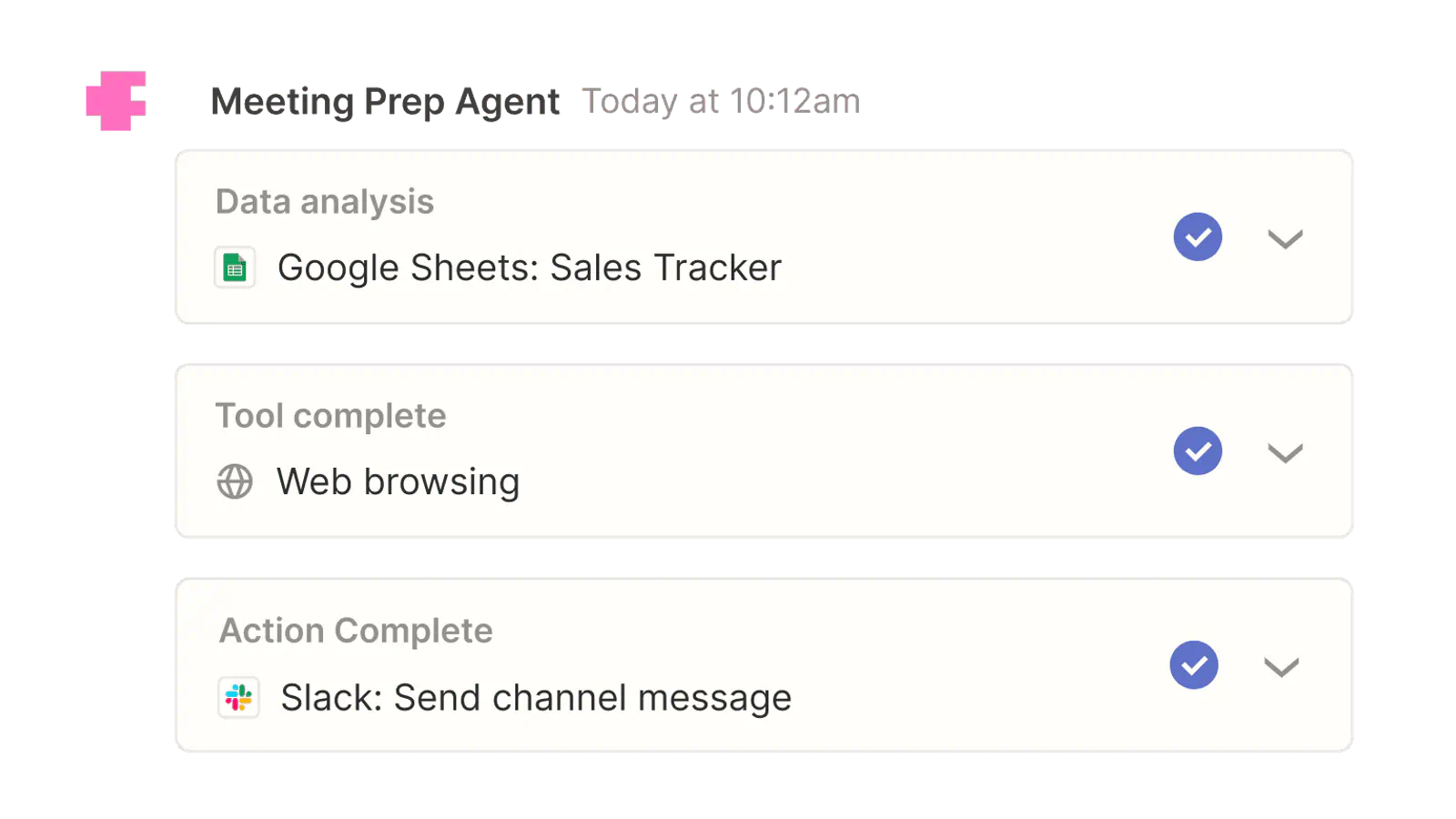
Key features for a no-code team:
- Copilot setup: Describe the agent and Zapier Copilot helps you build it
- App reach: Act in any of the 9,000+ connected apps you already authorize in Zapier
- Live data and browsing: Pull fresh data and browse the web while a task runs
- Chrome extension: Chat with your agents from the browser
- Templates: Start from meeting prep, lead qualification, or ticket agents
Its biggest advantage is that the integrations are already done. If your CRM, inbox, and spreadsheets are connected to Zapier, an agent can use them on day one, and you'll spend your time on instructions instead of API keys. For a founder who wants a lead-research agent running by Friday, that's hard to beat.
Zapier counts actions in behaviors or chat, web browsing, and knowledge lookups as activities, and its plans are priced by how many you get:
- Free: 400 activities per month, with live data and web browsing
- Agents Pro: $50 per month billed monthly, or $33.33 per month billed annually ($400 a year), for 1,500 activities
- Enterprise: Custom pricing, adding agent sharing and audit logs
The trade-off is control. Zapier's Agents pages talk about apps and activities, not about which model runs your agent, so look elsewhere if you need to pick or swap models. Activities can also go faster than you'd expect, since one browsing session or knowledge lookup each counts. There's an enterprise catch as well: Zapier says Agents doesn't currently support the app and action restrictions set on an Enterprise account. If your IT team relies on those, check with them before rolling it out.
2. LangSmith Fleet
Best for: Teams that want no-code agents now and an exit to code later.
LangSmith Fleet is LangChain's no-code agent builder. You start from a chat or a prebuilt template, and Fleet walks you through adding tools, channels, and skills. Its prebuilt agents include an executive assistant wired to Gmail, Google Calendar, and Tavily, plus a software engineer that ships code from Slack, Linear, and GitHub.
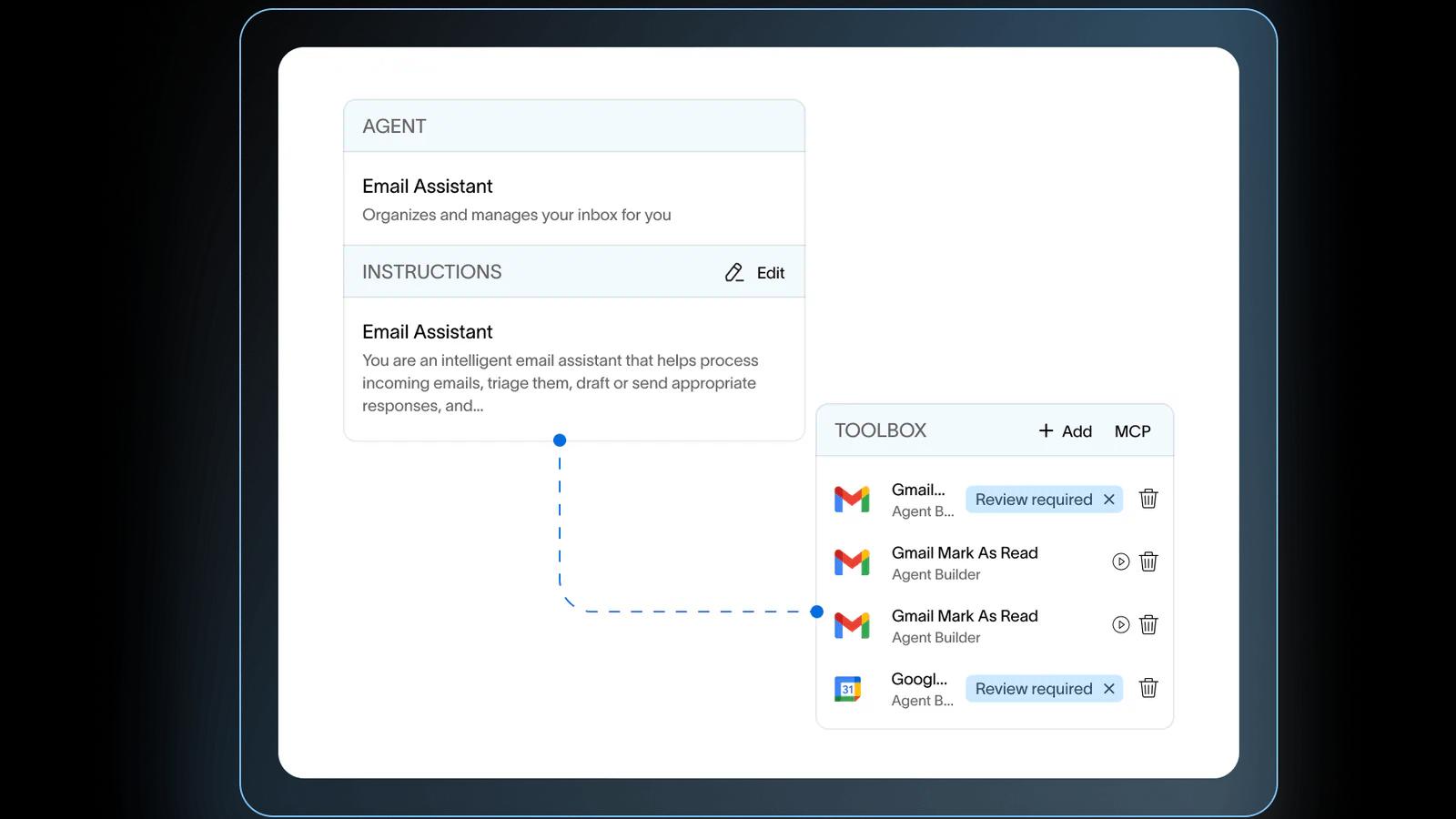
Key features that set it apart:
- Model choice: Fleet supports OpenAI, Anthropic, Gemini, or a model of your choice
- Where it runs: Agents work inside Slack, Teams, and Gmail
- Approvals: Set tool-level approval rules and review actions in one agent inbox
- Tools: First-party integrations with OAuth, plus any remote MCP server (a standard way to plug external tools into an agent)
- Code exit: Engineers can call any agent through the API or export its files
The export is the real draw. Most no-code builders lock your agent inside their app, while Fleet lets engineering pick up an agent file and keep building in code. Every run is also traced in LangSmith, LangChain's monitoring product, so you can see why an agent did what it did. That's useful when an agent quietly gets worse and nobody notices for a week.
Fleet is billed through LangSmith plans and metered in LangChain Standard Units, where 1 LSU costs $1 on every plan:
- Developer: Free for one seat, with 7 LSU of Fleet usage included
- Plus: $39 per seat per month, with 37 LSU of Fleet usage included
- Enterprise: Custom, with a self-hosted option
LangChain says Fleet pricing now includes model costs, with models in three tiers called Fast, Pro, and Max. That makes the bill simpler, though usage-based pricing is harder to forecast than a flat seat fee.
Fleet runs also count toward your LangSmith usage, and third-party tools bill you on their own. Self-hosting is an Enterprise feature, so a small team that needs data on its own servers should look at n8n or Dify instead. Before you commit, run a week of real tasks on the free plan and see how fast those 7 LSU go.
3. Microsoft Copilot Studio
Best for: Companies on Microsoft 365 that need governance, audit logs, and agents in Teams.
Copilot Studio is Microsoft's platform for creating agents, workflows, and apps with no code. Microsoft says 90% of the Fortune 500 has used it. You can build chat or voice agents, autonomous agents that plan and escalate work, and multi-agent systems that hand tasks to specialists.
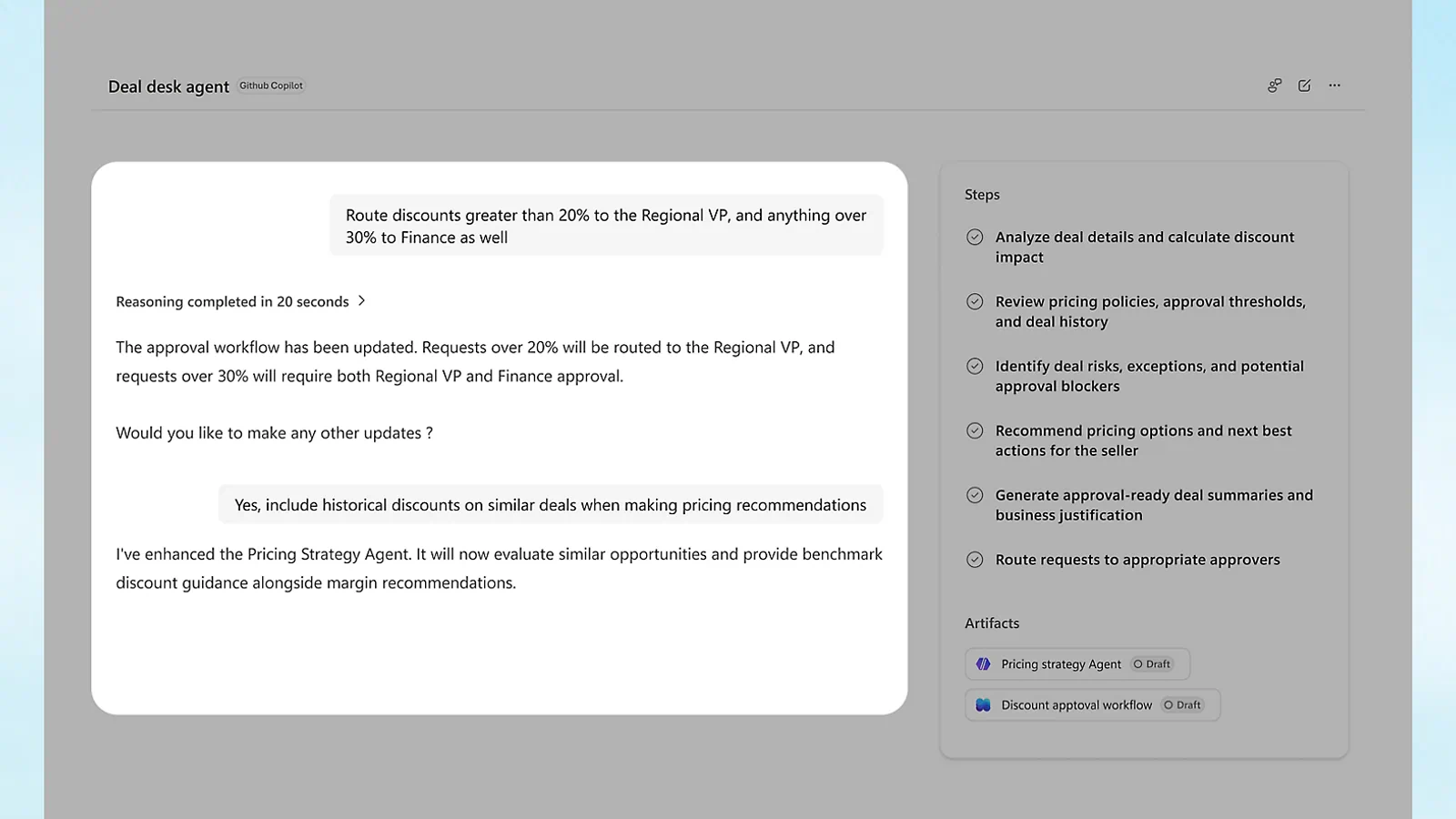
Key features for a Microsoft shop:
- Models: Choose from default and custom models or the 11K+ models in Azure AI Foundry
- Connectors: Work IQ, 1,500+ prebuilt data connectors, and MCP servers
- Mixed automation: Combine fixed workflow steps with agent reasoning in one system
- Evaluations: Run automated tests and track quality over time
- Governance: Version control, approval gates, Entra ID access rules, and audit logs in Purview
Its strength is everything around the agent. Release pipelines, environment controls, spending budgets per user group, and compliance logs are built in. An IT team that must show who approved an agent, and which data it can reach, gets those answers from the admin tools instead of a spreadsheet.
Microsoft's Copilot Studio plans have a few moving parts:
- Capacity pack: $200 per pack per month for 25,000 Copilot Credits, licensed tenant-wide
- Pay-as-you-go: Pay for the credits you use at the end of the month, with an Azure subscription
- Pre-purchase: Save up to 20% by buying Copilot Credit Commit Units up front
- Included use: Microsoft 365 Copilot users can build internal agents at no extra cost
That last point hides the catch. The included version keeps agents inside Microsoft 365. To publish an agent to a website, app, or social channel, or to let unlicensed people use it, you need the standalone license. Credits vary by action, so a busy customer-facing agent can burn through 25,000 faster than you'd guess. And if your team lives in Google Workspace, most of the advantage disappears. Ask your Microsoft rep for a credit estimate on one real workflow before you sign anything.
4. n8n
Best for: Technical founders and ops teams who want a visual canvas, optional code, and the option to self-host.
n8n started as a workflow automation tool and now lets you build agents in the same canvas. You can describe an agent to the AI Assistant, prompt it through the MCP server, or build it by hand, then test and publish. Agents and fixed workflows call each other, so you only pay for model calls where a step actually needs judgment.
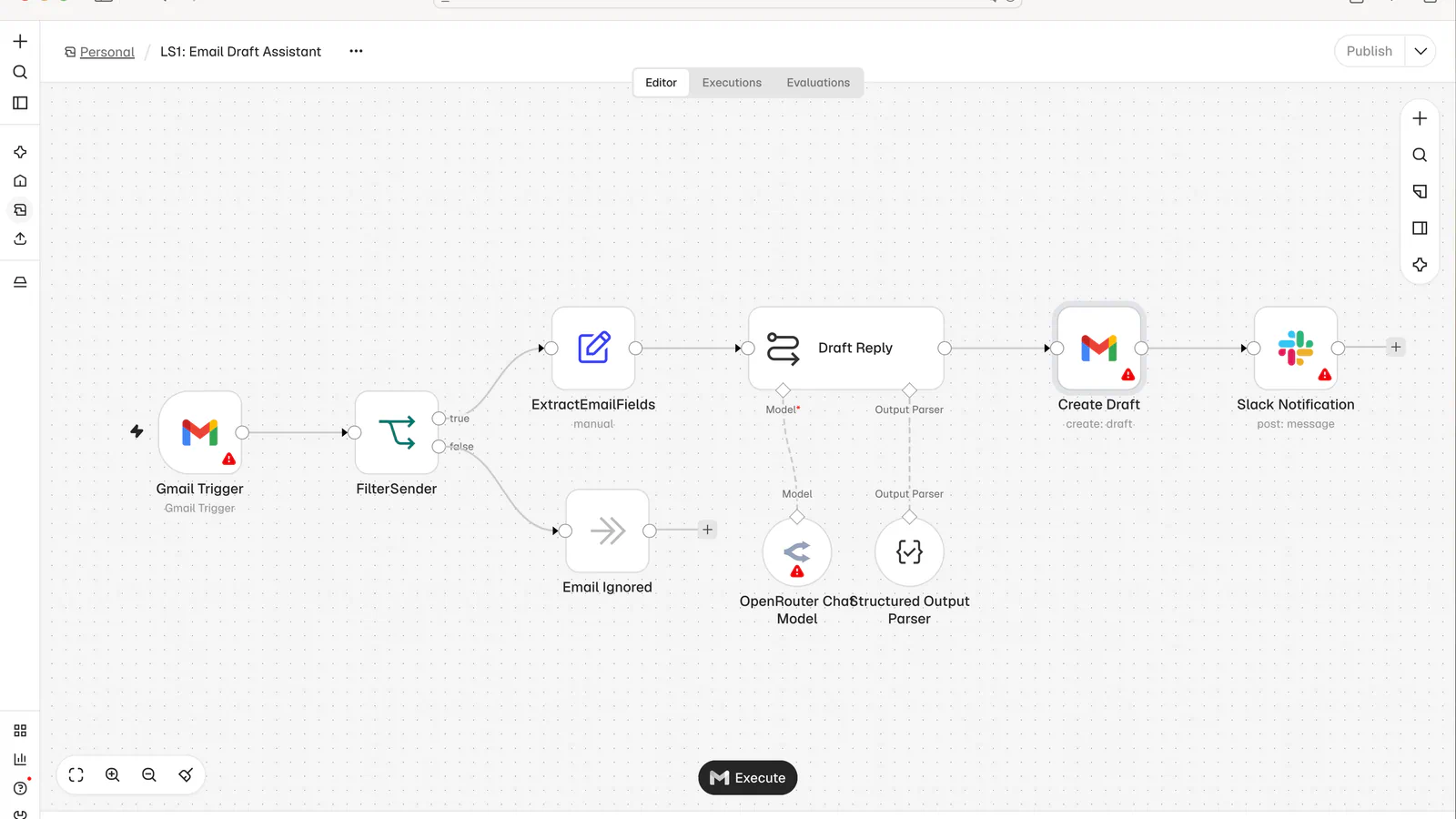
Key features for builders who like control:
- Integrations as tools: Give agents 600+ native integrations and your own workflows as tools
- Code when you want it: Add JavaScript or Python code steps and custom HTTP requests
- Human checks: Require approval before an agent runs a sensitive tool
- Debugging: Open any step, see inputs and outputs, and replay a run to find where it broke
- Self-hosting: Keep data in-house with the free Community Edition
The pricing model is unusual and pretty friendly. n8n charges per workflow execution, regardless of how many steps it has, and every plan includes unlimited users, unlimited workflows, and every integration at these prices:
- Starter: $24 per month billed monthly, or $20 per month billed annually, for 2,500 executions
- Pro plan: $60 per month billed monthly, or $50 billed annually, for 10,000 executions
- Business: $960 per month billed monthly, or $800 billed annually, for 40,000 executions, self-hosted
A long agent run with 30 steps counts as one execution, so complex agents don't cost more per run. Teams under 20 employees can also check whether they qualify for a startup plan at 50% off Business.
There's no free cloud plan, only a trial with no card required, so the free path is self-hosting. That means a server, updates, and backups on your side. The cloud Starter plan caps a run at 5 minutes and five concurrent executions, which can bite if your agent does long research tasks. Multiple environments and Git version control sit on the Business and Enterprise tiers. Check your longest expected run time against the plan limits before you pick a tier.
5. Dify
Best for: Developers building agents that lean on documents and knowledge bases, with self-hosting as an option.
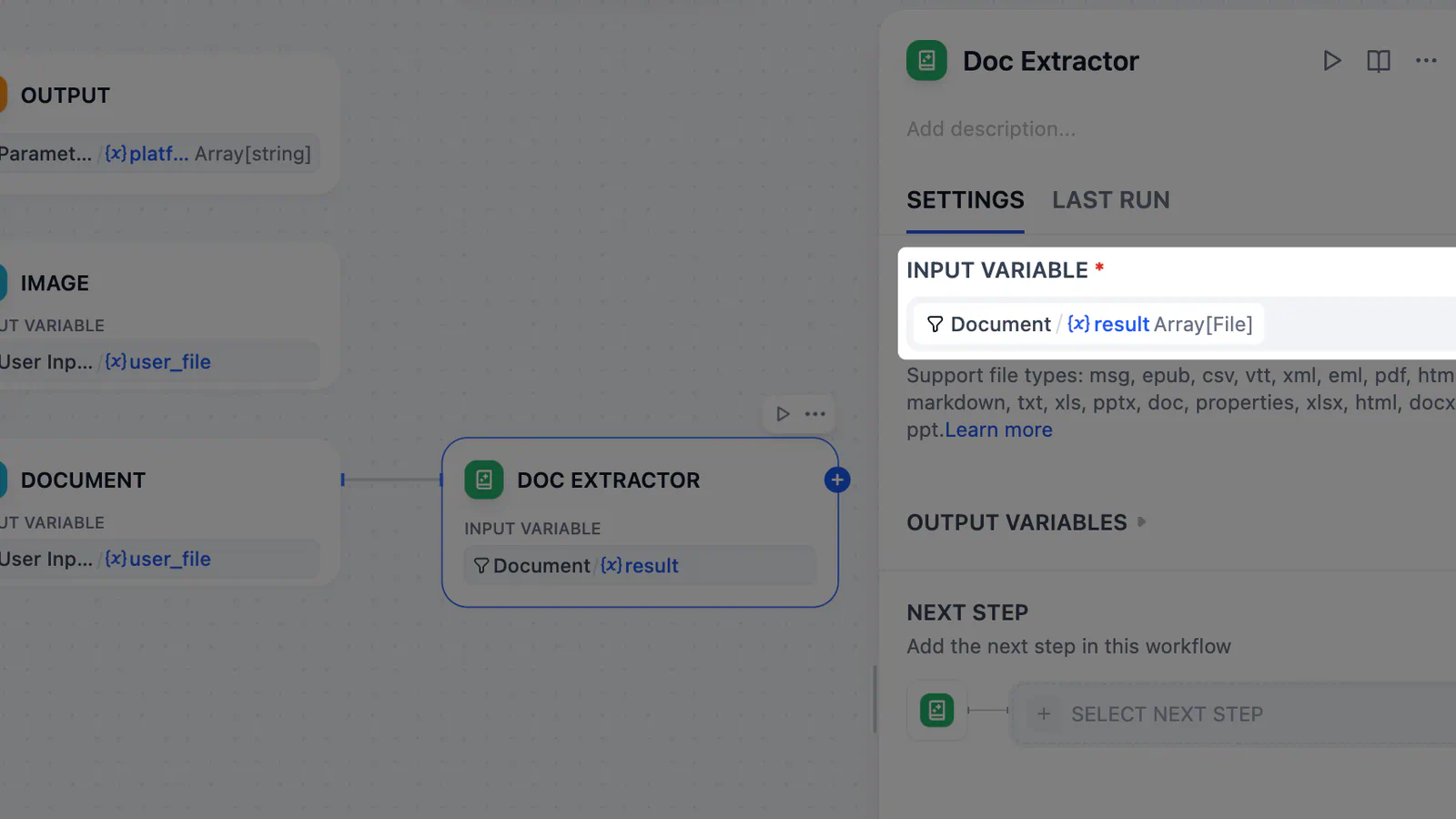
Dify describes itself as an open-source LLM app development platform that combines visual workflows, a RAG pipeline (retrieval-augmented generation, which lets an agent answer from your own documents), agents, model management, and monitoring. Its agents get a sandbox of their own where they can run commands, install software, and handle files, and you can describe the agent you want and let Dify build it.
Key features for a knowledge-heavy agent:
- Model support: Connect hundreds of proprietary and open-source models from dozens of providers, including any OpenAI-compatible API
- RAG pipeline: Ingest PDFs, slide decks, and other common files into a searchable knowledge base
- Tools: Add tools from the Dify Marketplace, MCP servers, or your own APIs
- Backend as a service: Every app comes with an API you can call from your product
- Self-hosting: Run it with Docker Compose on a machine with 2 CPU cores and 4 GiB of RAM
Dify shines when your agent's value lives in your documents. A support agent that answers from 500 help articles, or an internal assistant trained on policies and contracts, fits its RAG tools well. Developers also get APIs out of the box, so the agent can sit behind your own app's interface.
Cloud pricing is set per workspace, and the Dify Cloud plans include message credits for models from OpenAI, Anthropic, Gemini, xAI, and Tongyi:
- Sandbox: Free, with 200 message credits, one member, and five apps
- Professional: $59 per month, or $590 a year, with 5,000 message credits, three members, and 50 apps
- Team: $159 per month, or $1,590 a year, with 10,000 message credits, 50 members, and 200 apps
Once credits run out, you switch to your own API key and pay the model provider directly. The licensing deserves a careful read if you're a startup. Dify pitches its free Community Edition at individual developers and non-commercial projects, under the Dify Open Source License, while commercial license authorization sits in the Enterprise tier. Read that license against your business model before you build a paid product on a self-hosted copy.
6. Google Agent Development Kit (ADK)
Best for: Engineering teams that want agents as code, with full control over models, testing, and deployment.
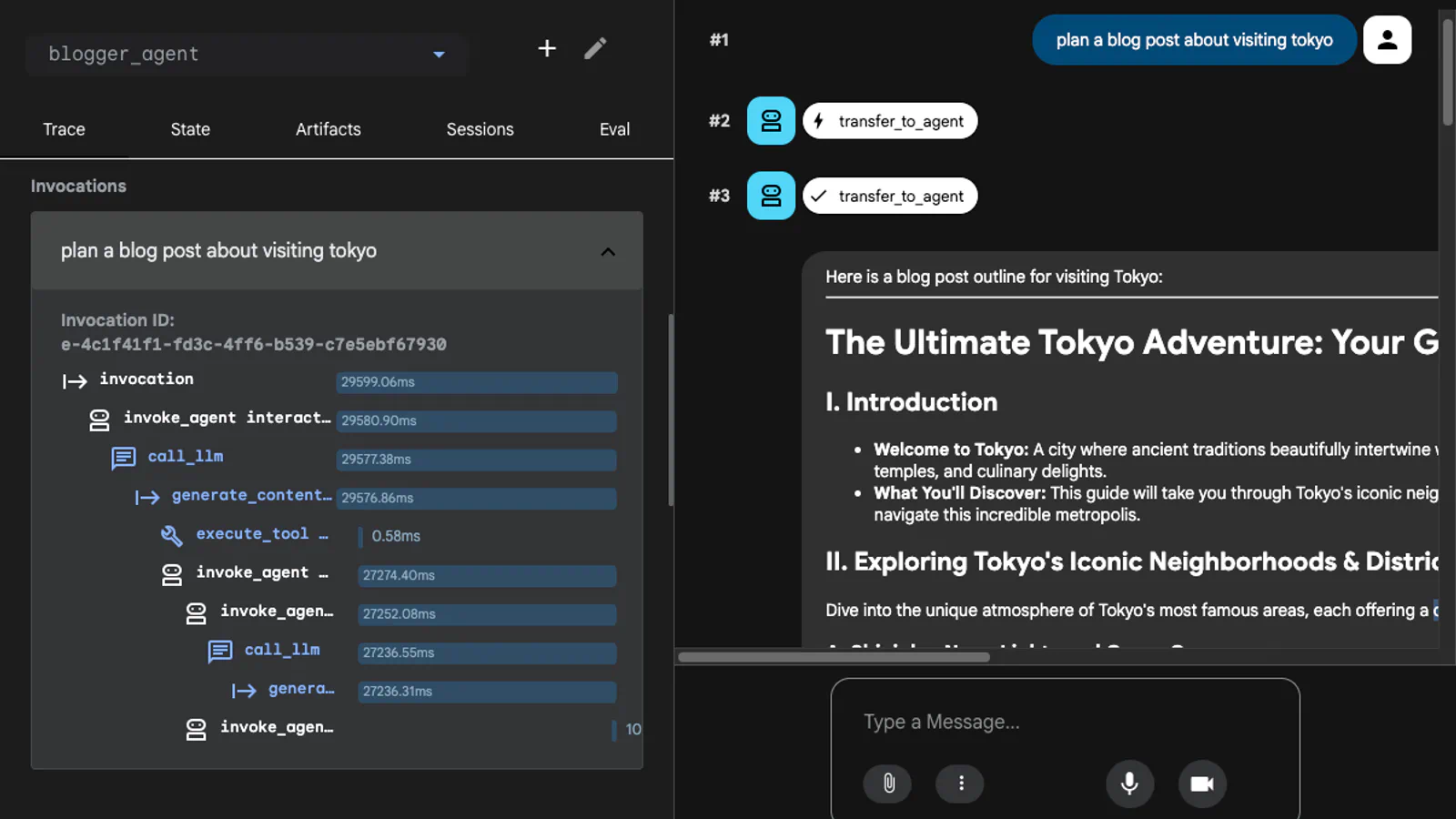
ADK is Google's open-source agent development framework, available in Python, TypeScript, Go, Java, and Kotlin. Its TypeScript 2.0 release is now generally available with graph workflows, which let you mix fixed code paths with model reasoning in one structured flow. You define an agent in a few lines: a name, a model, an instruction, and a list of tools.
Key features for a code-first team:
- Models: The docs cover Gemini, Gemma, Claude, OpenAI, Ollama, vLLM, and LiteLLM
- Agents CLI: Scaffold, build, test, evaluate, and deploy from your AI-enabled editor
- Multi-agent patterns: Sequential, loop, and parallel workflows, plus agent routing
- Protocols: MCP tools and the A2A protocol, so ADK agents can talk to agents built elsewhere
- Deployment: Agent Runtime, Cloud Run, or GKE
ADK gives you what a no-code builder can't: version control, unit tests, code review, and the freedom to run anywhere. The docs include a web interface and a visual builder for debugging, so you can watch an agent's trace of model and tool calls while you develop. If your agent is part of your product, that discipline pays off fast.
On price, ADK itself costs nothing to install. Your bill comes from model calls and from wherever you host it, which can be cheap or expensive depending on traffic.
The cost is people. Someone has to write and maintain Python or TypeScript, set up hosting, and handle auth, logging, and retries. The docs lean toward Gemini and Google Cloud in their examples, though other models are covered. For a non-technical founder, ADK is the wrong starting point. Before you start, name the engineer who'll own the agent for the year after launch.
How to choose the right AI agent builder?
The right AI agent builder is the one that matches who will maintain the agent: pick a no-code tool if an operator owns it, and a code framework if an engineer does. Price and model choice come second, because a cheap tool nobody can maintain costs more in the end.
What to look for in an AI agent builder
- Code required: If nobody on the team writes code, a code-first framework will stall after the demo.
- Integrations: Count the apps your agent must touch. Missing one means building a custom connector or doing that step by hand.
- Model choice: Some builders let you pick and swap models; others decide for you. If a provider changes prices or retires a model, a locked builder leaves you stuck.
- Approvals and audit: An agent that sends emails or updates records needs human checks. Skip this and one bad prompt can email your whole customer list.
- Hosting and data: Regulated data may need to stay on your servers, which narrows the field to n8n, Dify, ADK, or enterprise tiers.
- Pricing unit: Activities, credits, executions, and seats behave very differently at scale. Ignore this and a popular agent can triple your bill.
Comparing AI agent builders at a glance
| Builder | Code needed | Models | Integrations | Paid plan, billed monthly |
|---|---|---|---|---|
| Zapier Agents | None | Not user-selectable on the Agents page | 9,000+ apps | $50/mo Pro |
| LangSmith Fleet | None, with code export | OpenAI, Anthropic, Gemini, custom | OAuth integrations, remote MCP | $39/seat/mo Plus |
| Copilot Studio | None to low | Default, custom, 11K+ in Azure AI Foundry | 1,500+ connectors, MCP | $200/mo per 25,000 credits |
| n8n | Low, optional JS/Python | Many, plus AI models without API keys | 600+ native | $24/mo Starter |
| Dify | Low | Hundreds, any OpenAI-compatible | Marketplace, MCP, APIs | $59/mo Professional |
| Google ADK | High | Gemini, Claude, OpenAI, Ollama, and more | MCP, A2A, custom tools | Free framework |
Key differences
- Who builds: Zapier, Fleet, and Copilot Studio are built for business users; n8n and Dify suit technical builders; ADK is for engineers.
- Self-hosting: n8n, Dify, and ADK run on your own servers at any size, while LangSmith saves self-hosted Fleet for its Enterprise plan.
- Model control: ADK, Dify, and Fleet let you choose models; Zapier's Agents page doesn't offer that choice.
- Billing unit: Zapier counts activities, Fleet and Copilot Studio meter usage, n8n counts executions, and Dify counts message credits per workspace.
What it costs in practice
Picture a lead-research agent that runs 300 times a month, with about five actions per run.
- Zapier: About 1,500 activities fits the Pro plan at $50 per month, or $33.33 billed annually.
- n8n: 300 executions fits Starter at $24 per month, or $20 billed annually, however many steps each run takes.
- Dify: One workspace on Professional costs $59 per month, and heavy model use may need your own API key once the 5,000 credits run out.
- Copilot Studio: The smallest prepaid option is one $200 monthly pack of 25,000 credits, so ask Microsoft how many credits your actions use.
Which AI agent builder should you choose?
- If your apps already live in Zapier, start with Zapier Agents.
- If you want no-code now and code later, try LangSmith Fleet.
- If your company runs on Microsoft 365 and IT needs audit trails, pick Copilot Studio.
- If you want a visual canvas, optional code, and predictable per-run pricing, choose n8n.
- If your agent answers from documents, go with Dify.
- If engineers will own the agent as part of your product, build it with ADK.
- If the task happens twice a week and takes 10 minutes, skip agents for now and write a checklist.
Final thoughts
The best AI agent builder for you depends less on features than on who maintains the agent after launch. No-code tools get an agent live in an afternoon, visual canvases like n8n and Dify give you more control for a modest price, and ADK suits teams that treat agents as software.
My pick for most founders and ops teams is n8n, because per-execution pricing stays predictable as agents get more complex, the canvas lets non-engineers follow along, and self-hosting is there if data rules tighten. If nobody on your team wants to touch a canvas, I'd start with Zapier Agents instead.
Which builder would you add to this list? If you've already moved off OpenAI's Agent Builder, I'd like to hear where you landed and why.
What do you think of this list? Share your thoughts in the comments.
Frequently Asked Questions
5 questions
1Is OpenAI Agent Builder shutting down?
Yes, OpenAI is deprecating Agent Builder and says it's scheduled to shut down on November 30, 2026. Existing users can keep using it during the transition window, so plan your move to another builder before that date.
2What is the easiest AI agent builder for beginners?
Zapier Agents is the gentlest start if you already use Zapier, since Copilot helps you write the agent and your app connections carry over. LangSmith Fleet is a close second, with chat-based setup and templates.
3Can I build an AI agent for free?
Yes, several builders have free options. Zapier Agents includes 400 activities a month, Dify's Sandbox plan gives 200 message credits, LangSmith's Developer plan includes some Fleet usage, and n8n, Dify, and ADK can be self-hosted at no license cost if you run the server.
4Do I need to know how to code to build an AI agent?
No, Zapier Agents, LangSmith Fleet, and Copilot Studio are built for people who don't code. You'll still get more out of n8n and Dify if you're comfortable with basic logic, and ADK expects real programming skills.
5Can I self-host an AI agent builder?
Yes, n8n, Dify, and Google's ADK can all run on your own servers. Check each license first, because Dify reserves commercial use rights for its enterprise tier.
Sources (12)
- 01platform.openai.comis scheduled to shut down on November 30, 2026 (opens in a new tab)
- 02zapier.comcreate specialized agents with help from Zapier Copilot (opens in a new tab)
- 03zapier.comactions in behaviors or chat, web browsing, and knowledge lookups (opens in a new tab)
- 04langchain.comstart from a chat or a prebuilt template (opens in a new tab)
- 05langchain.com1 LSU costs $1 (opens in a new tab)
- 06microsoft.complatform for creating agents, workflows, and apps with no code (opens in a new tab)
- 07microsoft.comCopilot Studio plans (opens in a new tab)
- 08n8n.iodescribe an agent to the AI Assistant, prompt it through the MCP server, or build it by hand (opens in a new tab)
- 09n8n.iounlimited users, unlimited workflows, and every integration (opens in a new tab)
- 10github.comopen-source LLM app development platform (opens in a new tab)
- 11dify.aiDify Cloud plans (opens in a new tab)
- 12google.github.ioopen-source agent development framework (opens in a new tab)


