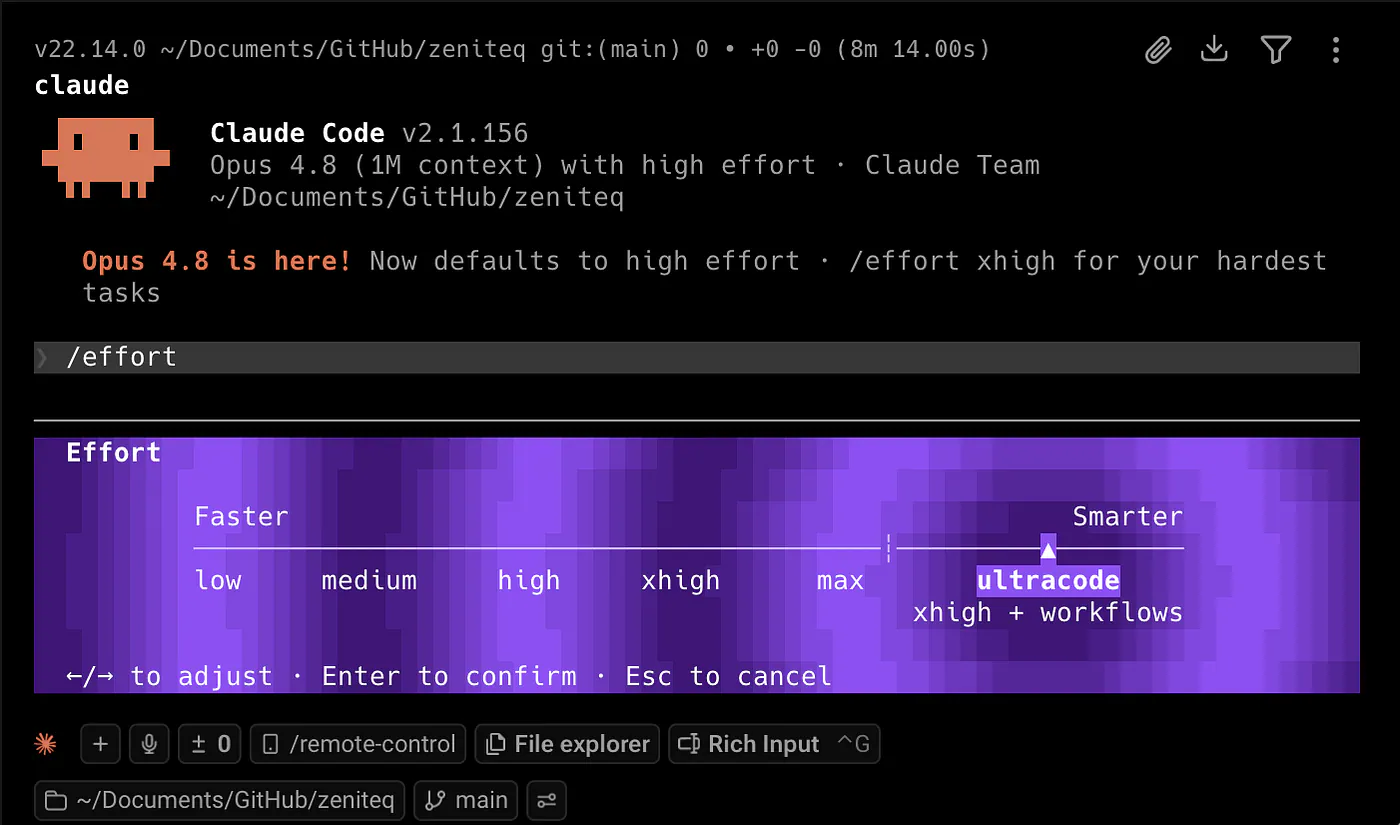
Anthropic just dropped Claude Opus 4.8 today, and along with it is a brand new orchestration feature called Dynamic Workflows that can spawn hundreds of subagents to take on massive tasks.
It lets Claude write a script that fires off subagents, runs them in parallel, and hands you back one checked result.
But how exactly does it work, and how does it differ from the other agentic development approaches using subagents and skills?
According to the internal team at Anthropic, they built this feature a couple of months ago, and it has slowly become their daily driver.
What is a Dynamic Workflow?
Dynamic Workflows lets Claude write a script that fires off subagents, runs them in parallel, and hands you back one checked result.
You can trigger it by typing “workflow” into your prompt. Claude then creates an orchestration plan and follows that plan during execution. That strict plan is the point. Every stage runs in the right order, even when the job is split across many agents.
One workflow can fan out wide, but not infinitely. Anthropic caps it at 16 agents running at the same time and 1,000 total agents per workflow. That is still a massive ceiling for most normal coding tasks.
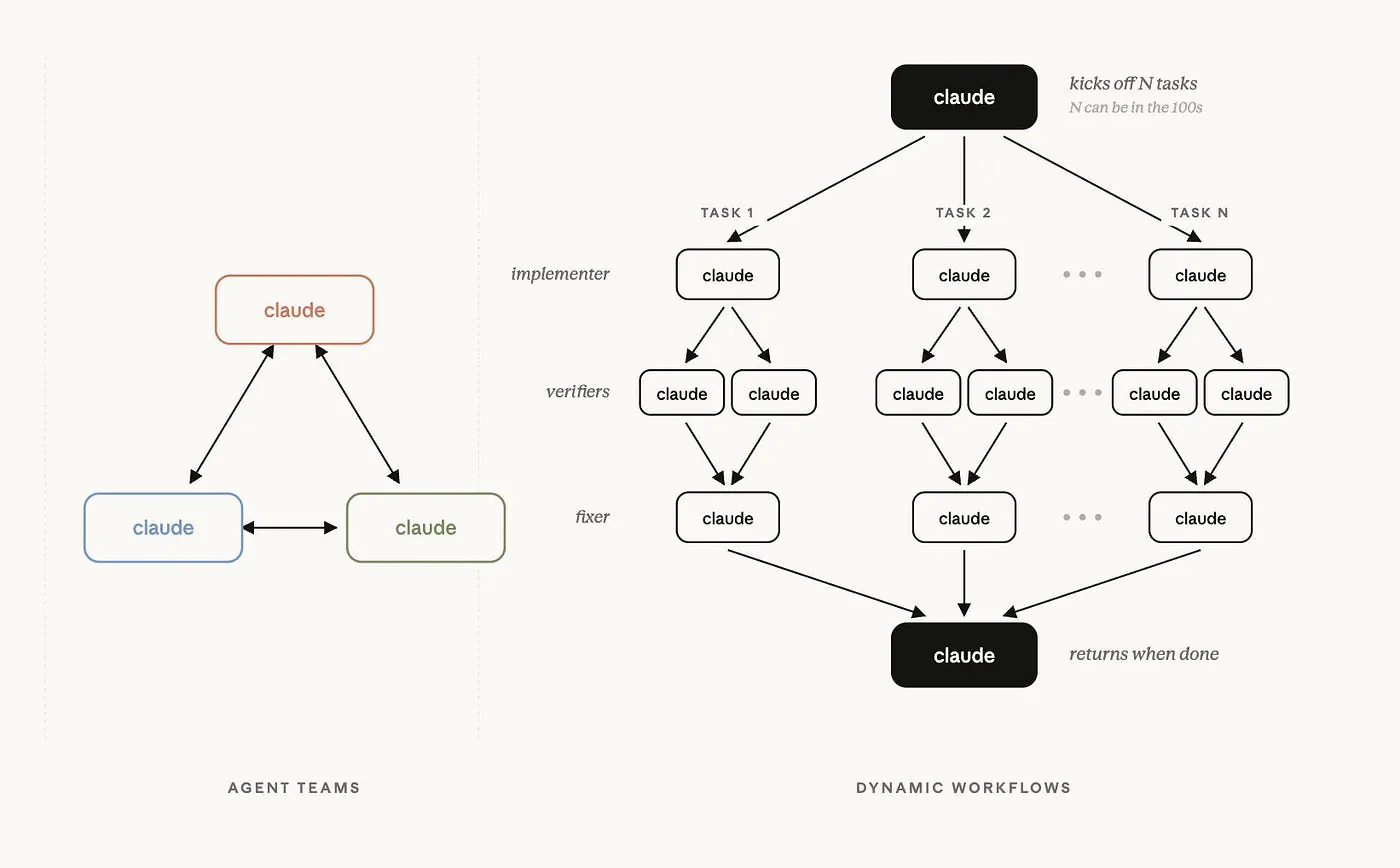
Normal agents vs dynamic workflow
Dynamic Workflows are currently in research preview. They run in the Claude Code CLI, Desktop, and the VS Code extension. They are also available through the Claude API, Amazon Bedrock, Google Cloud Vertex AI, and Microsoft Foundry.
They are on by default for Max, Team, and API users. For Enterprise users, an admin needs to enable them first.
You also need Claude Code v2.1.154 or later to use the feature.
Check out this documentation page to learn how to check your current version or download the latest installer of Claude Code.
Subagents vs Skill vs Dynamic Workflows
Subagents and skills both shipped in earlier Claude Code updates, so the obvious question is this:
What does Dynamic Workflows actually add?
It comes down to who holds the plan.
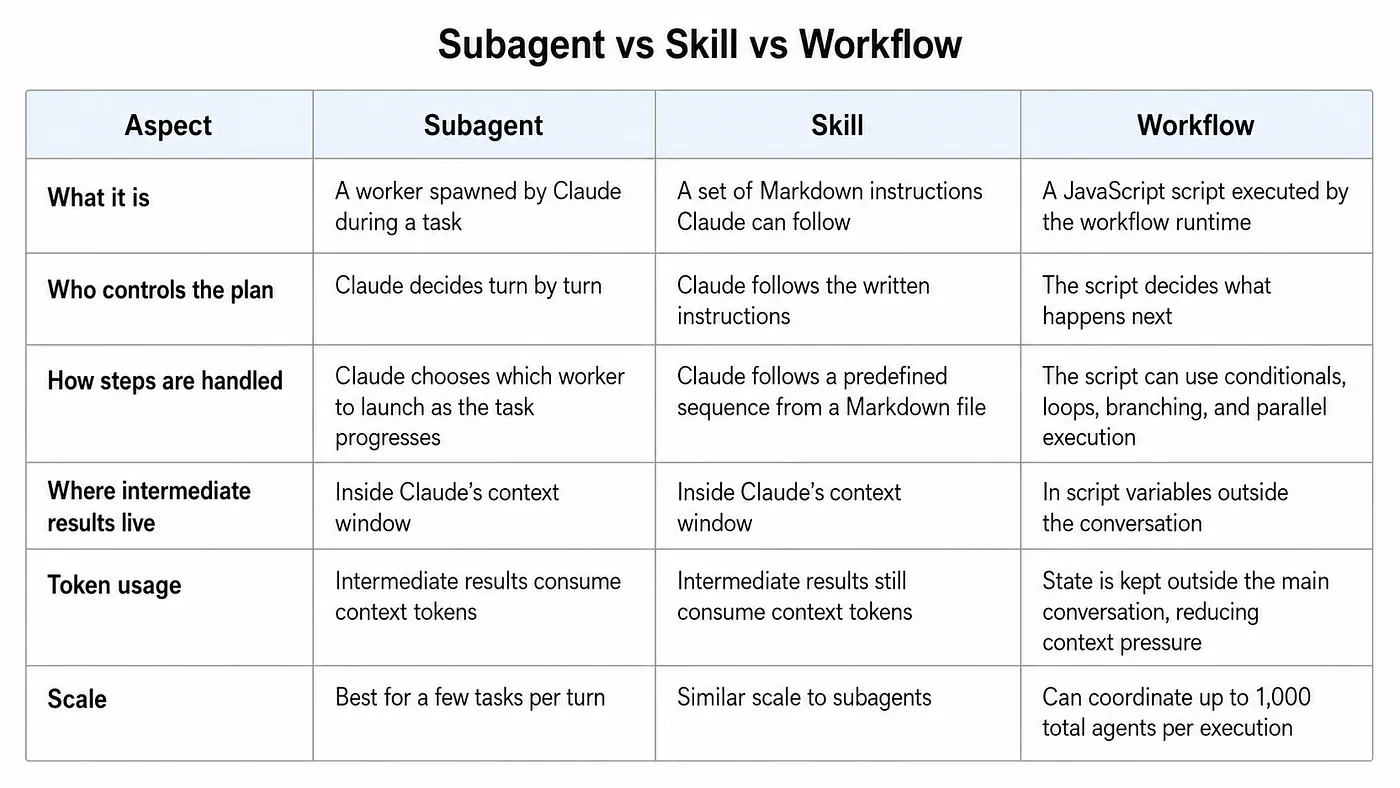
Subagents vs Skill vs Dynamic Workflow
A subagent leaves Claude in charge. Claude decides when to spawn a worker, what to ask it, and what to do with the result. This is useful when Claude needs extra hands for a specific task.
The problem is context.
Every result that comes back from a subagent lands inside Claude’s context window. That can be fine for small tasks, but it becomes expensive when you are dealing with many agents or a large codebase.
A skill is different. A skill gives Claude reusable instructions written in a Markdown file. It is useful when you want Claude to follow a known process. For example, you can have a skill for writing release notes, reviewing pull requests, generating diagrams, or following a certain project workflow.
But Claude is still the one running the process inside the conversation.
Dynamic Workflows move the plan into code.
A JavaScript script decides what to launch, in what order, and with what conditions or loops. It can keep intermediate states in variables instead of stuffing everything into the chat. That makes workflows better for repeatable and stateful tasks.
So the difference is not just about scale. It is also about control.
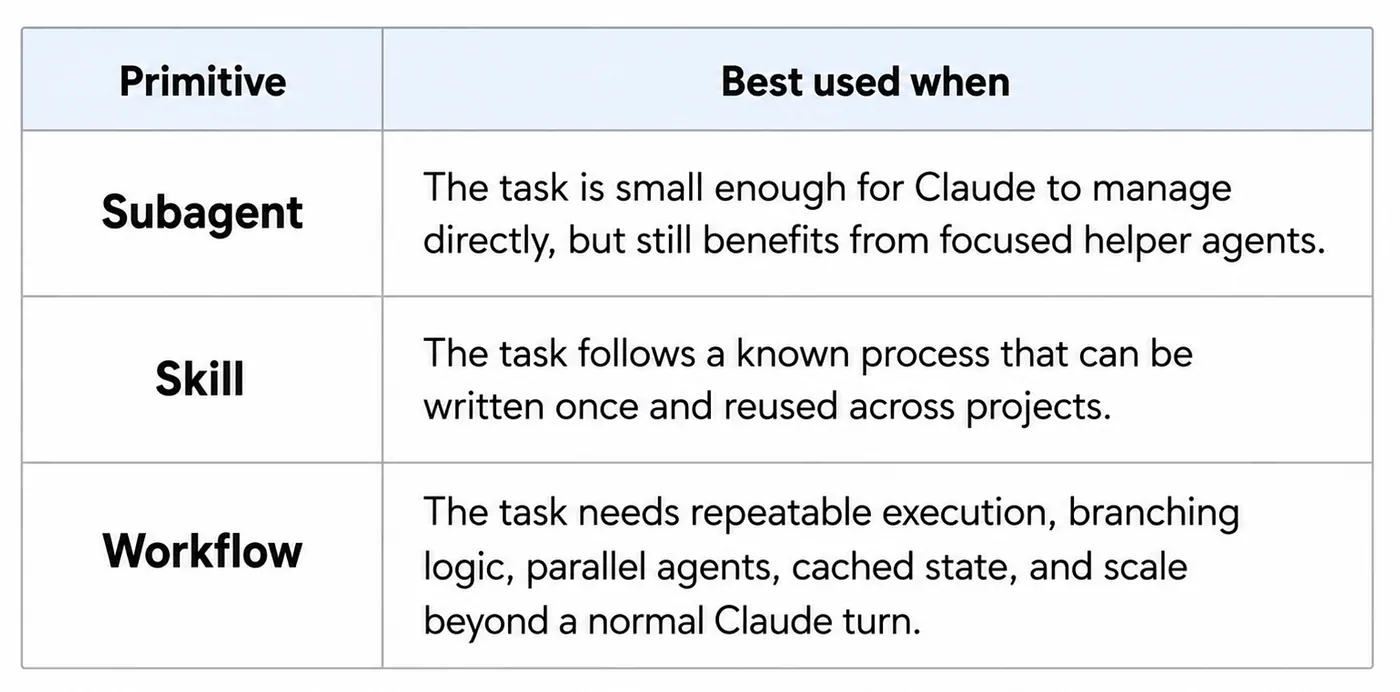
Subagents vs Skill vs Dynamic Workflow
Subagents are useful when Claude needs extra workers.
Skills are useful when Claude needs reusable instructions.
Workflows are useful when the plan itself should live in code.
Here is the simple rule I would use.
Use a subagent or a skill when the plan fits in a few steps Claude can hold in context. Use a workflow when the task is repeatable, stateful, and too large for a normal chat-based run.
How to Use Dynamic Workflows
Since Dynamic Workflows is the newest development approach among the three, let me show you how it works.
First, switch your model to Opus 4.8. You can do this by typing /model in Claude Code and selecting it from the list.
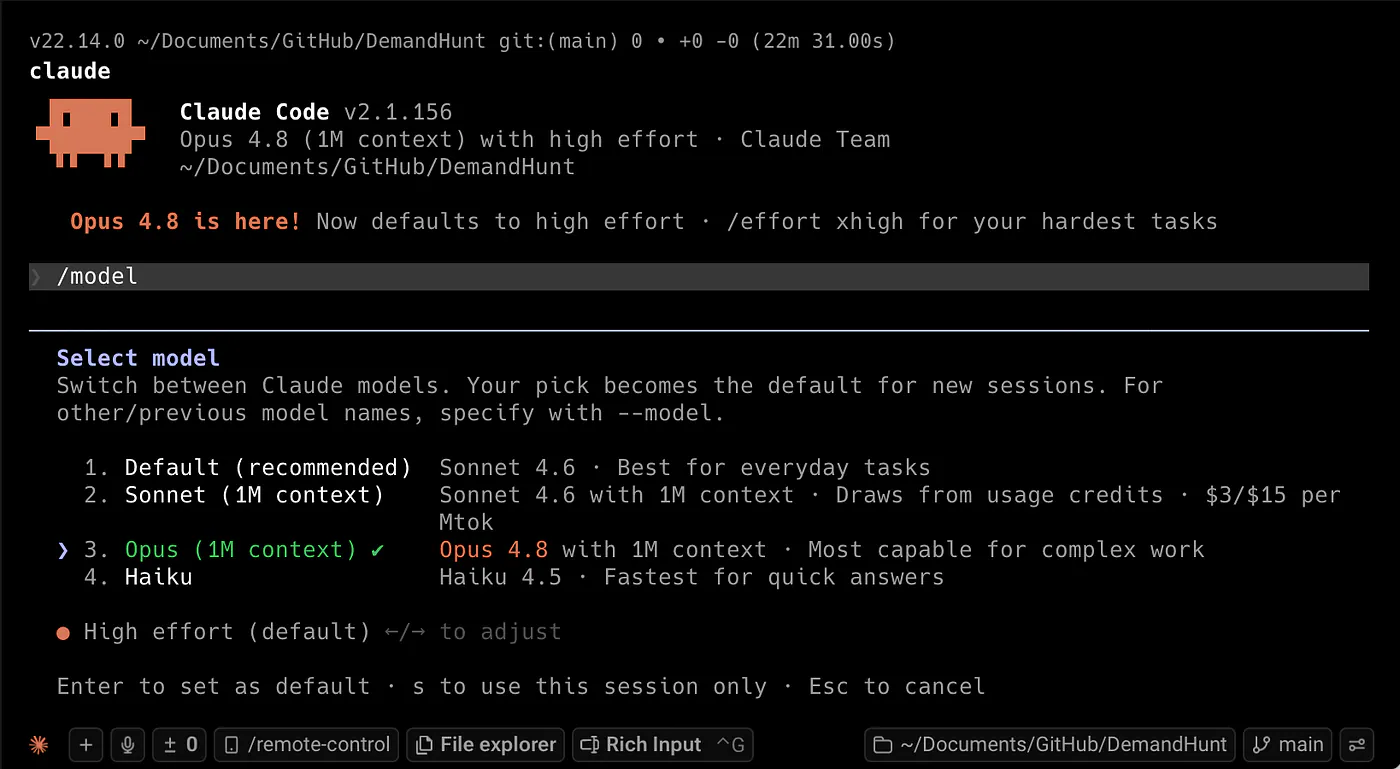
Setting the model to Claude Opus 4.8 in Claude Code
There are two ways to start a workflow.
The first way is explicit. You put the word “workflow” in your prompt, and Claude Code treats it as a signal to create a workflow instead of handling the task turn by turn.
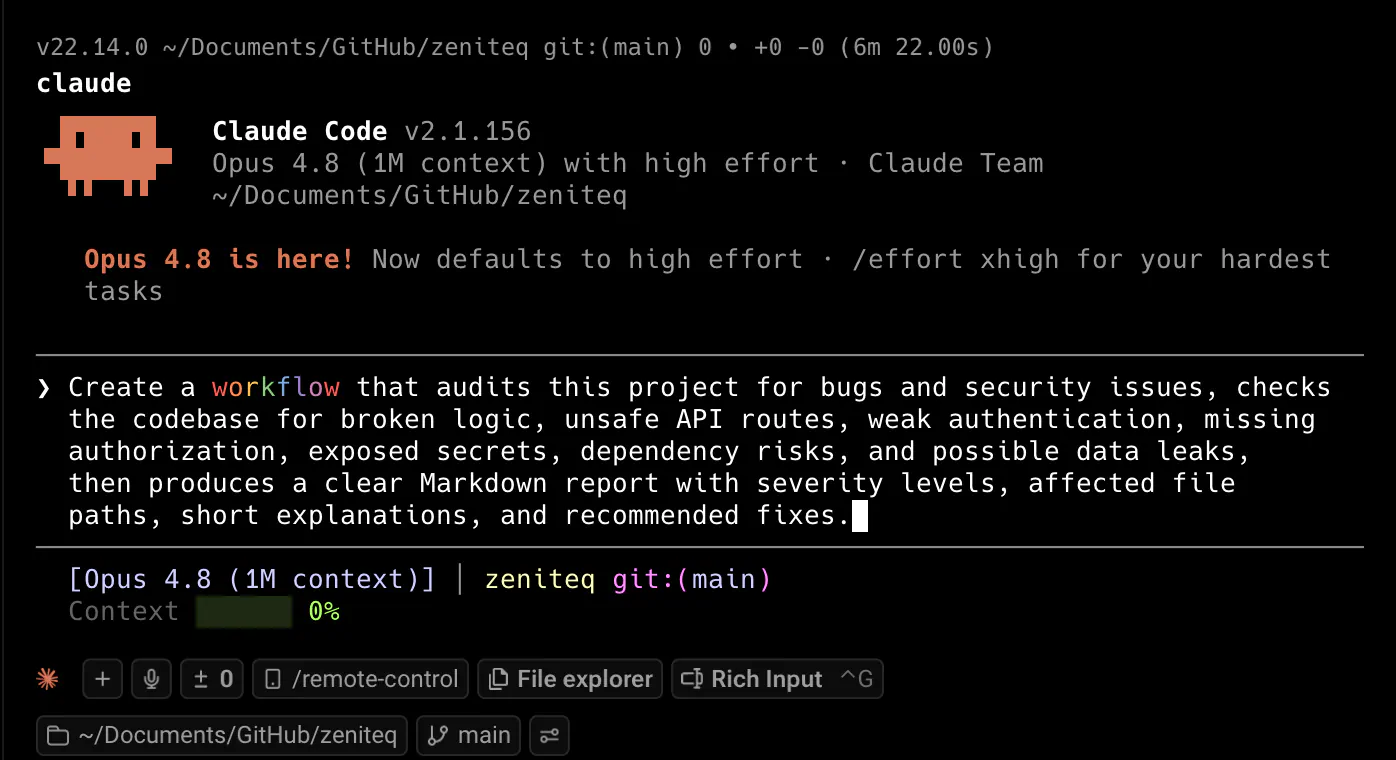
Starting a dynamic workflow in Claude Code
Prompt: Create a workflow that audits this project for bugs and security issues, checks the codebase for broken logic, unsafe API routes, weak authentication, missing authorization, exposed secrets, dependency risks, and possible data leaks, then produces a clear Markdown report with severity levels, affected file paths, short explanations, and recommended fixes.
Once Claude generates the workflow, it shows you the planned phases before it runs anything.
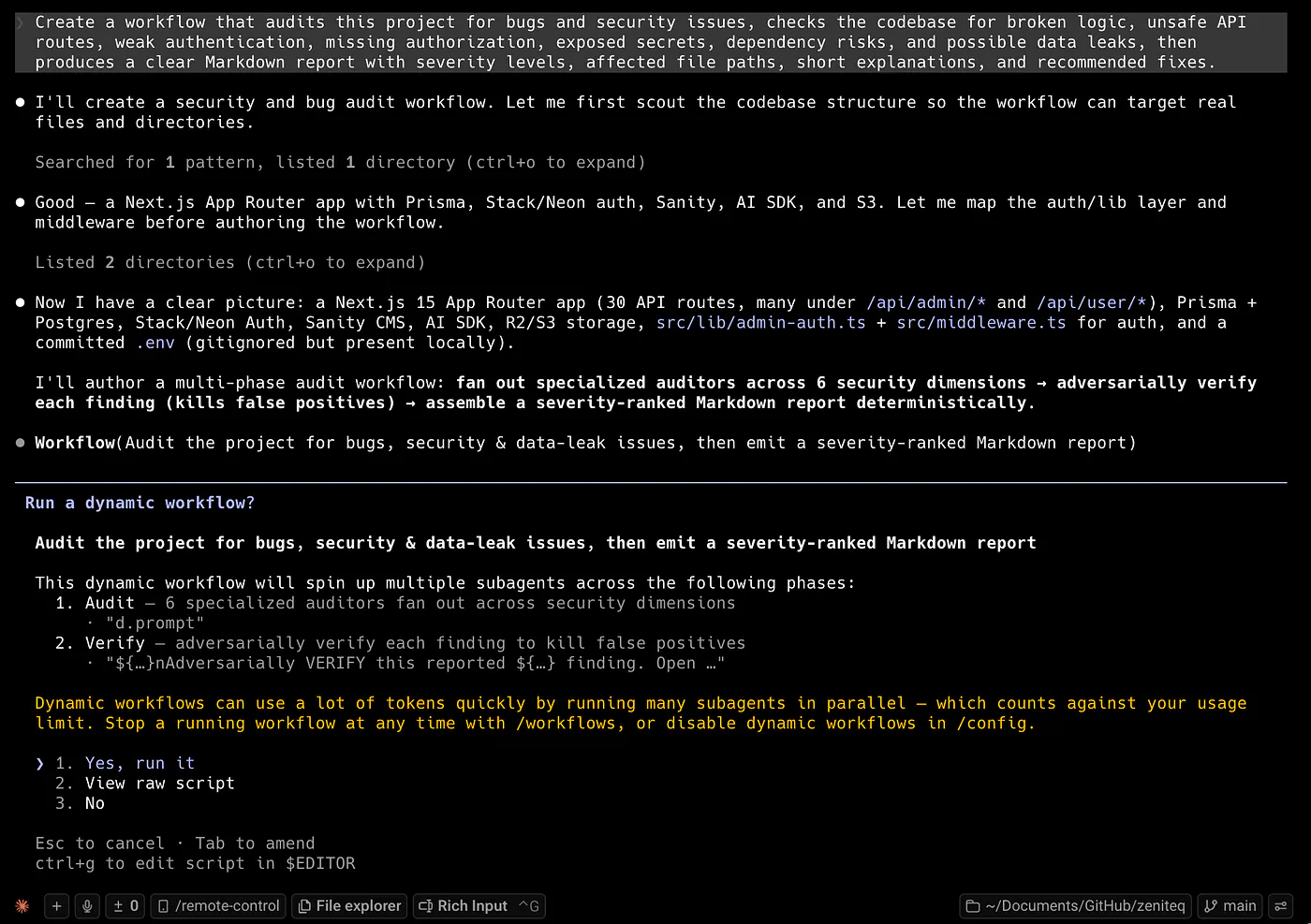
Starting a dynamic workflow in Claude Code
This part is helpful because you can see how Claude wants to divide the work. It is not just silently doing random things in the background. You get a clear look at the execution plan before the agents start running.
While the workflow is running, you can type /workflows to track the progress.
In my run, Claude audited the project in parallel. The view refreshed constantly, so I could see the status of every agent in real time.
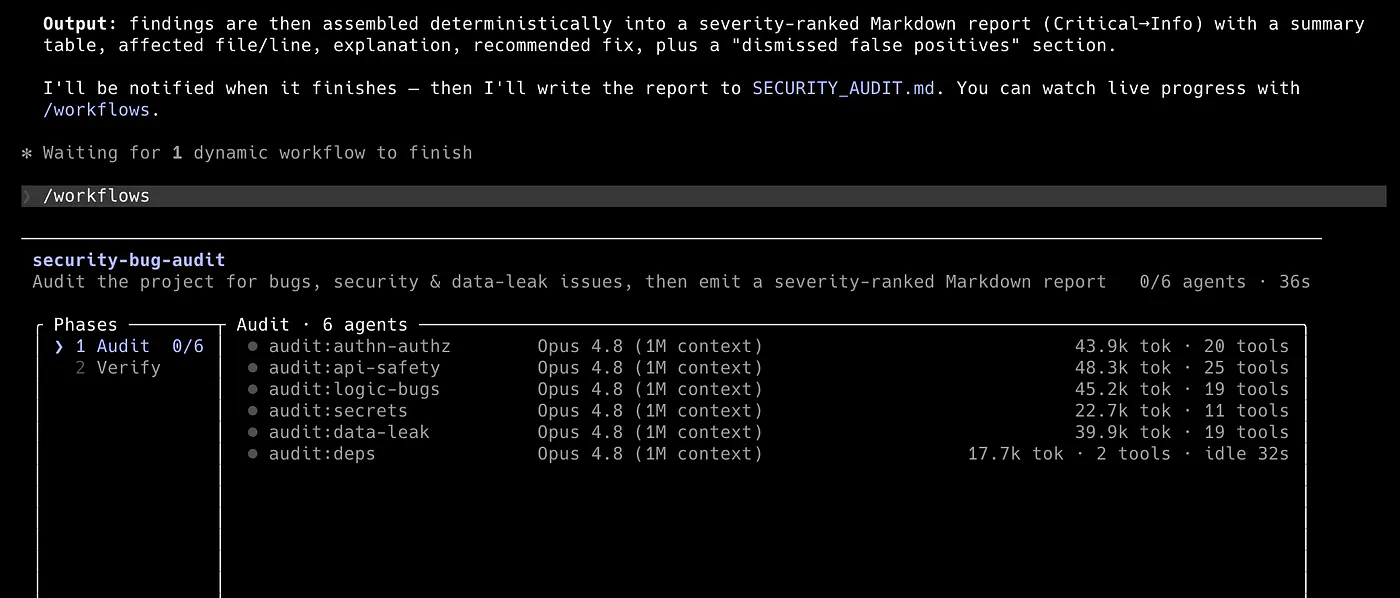
Sample preview of the ongoing workflows in Claude Code
When the run finished, every agent flipped to “completed,” with its prompt, activity, and outcome attached.
The whole project security audit took 4 minutes and 41 seconds.
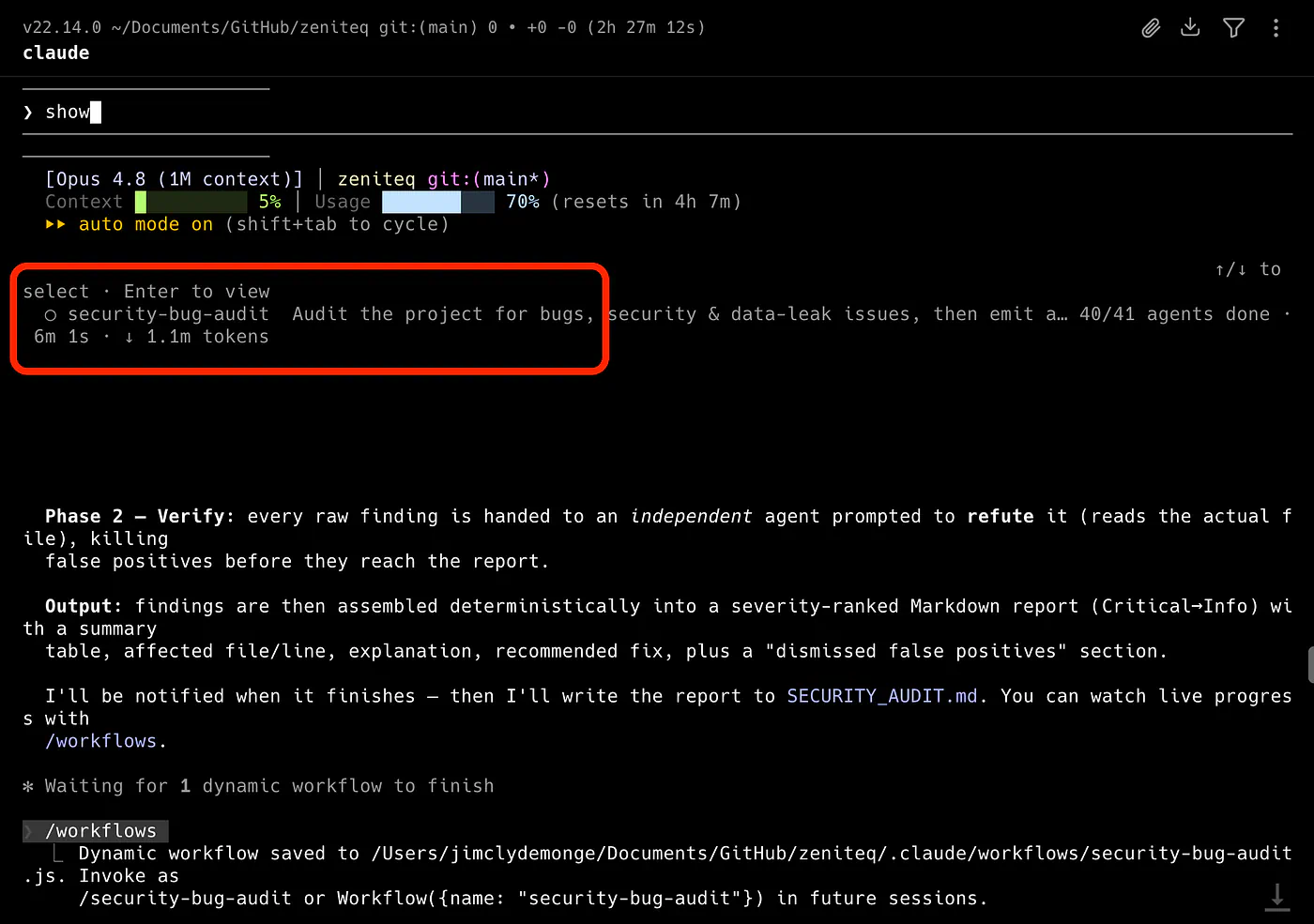
Finished dynamic workflow example in Claude Code. Total of 1.1 million tokens consumed
But do not be fooled by the speed. The orchestrator spawned 41 agents and consumed 1.1 million tokens. That is a lot of tokens in under five minutes!
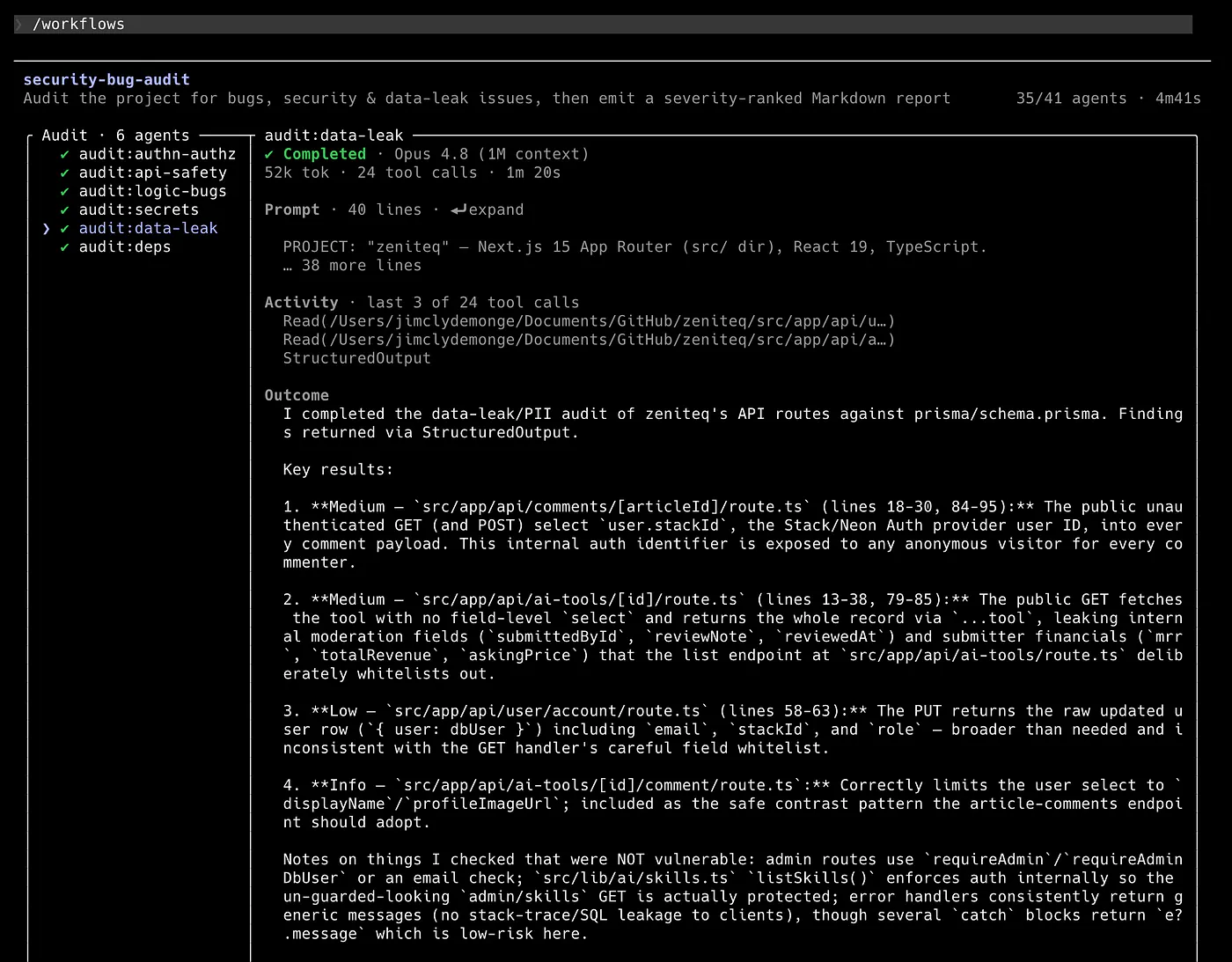
Sample audit using dynamic workflow in Claude Code.
A workflow can burn far more tokens than a normal Claude Code session because every agent carries its own context overhead. This makes sense when you think about how the system works. Each agent needs enough context to complete its assigned task, and when you multiply that across many agents, the token usage can climb very fast.
So this is my warning if you are planning to experiment with it.
Start small.
Do not immediately point it at your full repo with a broad prompt unless you have enough token allowance. If you are on a limited plan, you probably want to test it on a smaller folder, a specific feature, or a scoped audit first.
Also, be careful with high effort settings. A workflow already has the potential to use many agents, so increasing the effort level can make the token usage even heavier.
Once the workflow finishes, Claude gives you the option to press s to save the report or escape to discard it.
Here’s what mine produced:
Top priorities

  🟠 High (5)
  1. Stored XSS — repos/[slug]/page.tsx:116 renders external GitHub READMEs through rehype-raw with no rehype-sanitize, then injects
  via dangerouslySetInnerHTML. A malicious README runs JS on your origin. → add .use(rehypeSanitize).
  2. ⚠️  Live Neon DB password in plaintext — .claude/settings.local.json:14,23 has your full Postgres connection string (with password)
  baked into Bash allowlist entries. Gitignored, so not in git history, but you should rotate that password and replace the literal
  with a wildcard permission. This is the one I'd act on first.
  3. 80 npm vulnerabilities (1 critical, 28 high) — mostly transitive in the vercel CLI + sanity subtrees.
  4. next@15.3.8 hit by ~20 advisories (RSC DoS, middleware bypass, SSRF). → non-breaking bump to >=15.5.18.
  5. ReDoS / path-traversal cluster — verifier corrected the original claim: many come via sanity, not just vercel, so overrides
  pinning is needed, not just npm audit fix.

  🟡 Medium (8) — highlights: divergent hardcoded single-email admin allowlists in ai-tools/admin/* and upload/post (lock out your 2nd
  admin, drift risk); public comments endpoint leaks stackId auth IDs; AI-tool detail returns internal reviewNote/submittedById.

  🔵 Low (13) — CSRF gaps on cookie-auth mutations, SVG upload XSS risk, unbounded comment queries, stale like/visit counters,
  unsave→500 on missing record.

  ⚪ Info (7) — mostly confirmations of good patterns + minor hardening.

  Two notable saves on accuracy: the verifiers dismissed 2 false positives (a claim that where: { id, userId } is invalid Prisma —
  actually valid since Prisma 5's extended-where), and corrected several severity/attribution errors inline (see the "Verifier note"
  lines).