In the past year and a half of using Claude Code as my main agentic coding tool, I’ve learned that the biggest productivity gains do not come from one magic prompt. They come from the small upgrades you slowly add to your workflow.
Memory management is one of them. MCP integration is another. A properly structured CLAUDE.md file also makes a huge difference, especially when you work on the same project for weeks or months. Then there are skills, hooks, custom slash commands, subagents, and better orchestration techniques that can make Claude Code feel less like a coding chatbot and more like a real AI work system.
All of those are useful. The problem is learning them.
Most of what I know about agentic coding came from scattered sources. I’ve spent hundreds of hours watching tutorials, reading articles, following builders on socmed, and experimenting with my projects.
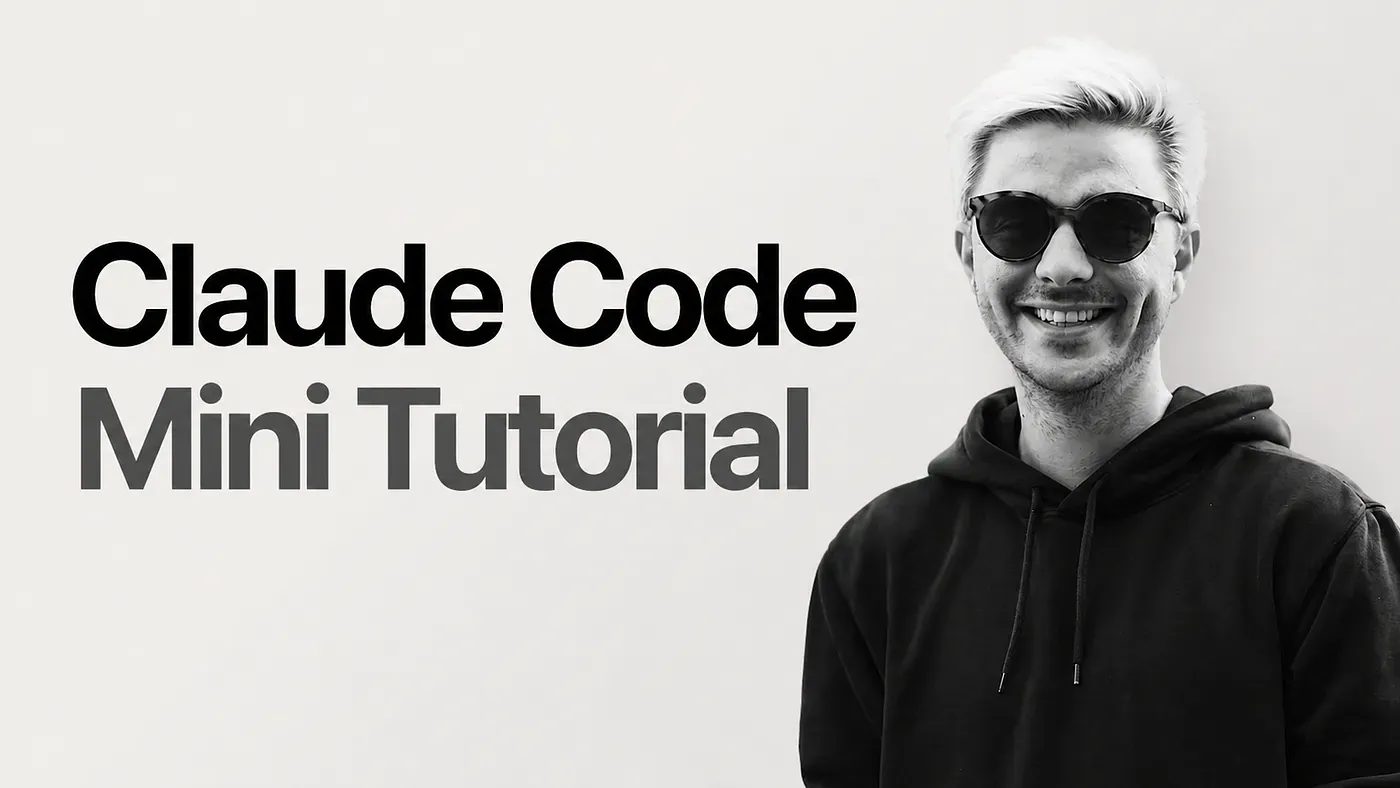
Luckily, I found one of the most complete free guides for learning Claude Code. It’s a mini tutorial by Iwo Szapar, and it is written as a practical guide for turning Claude Code into a personal AI work system.
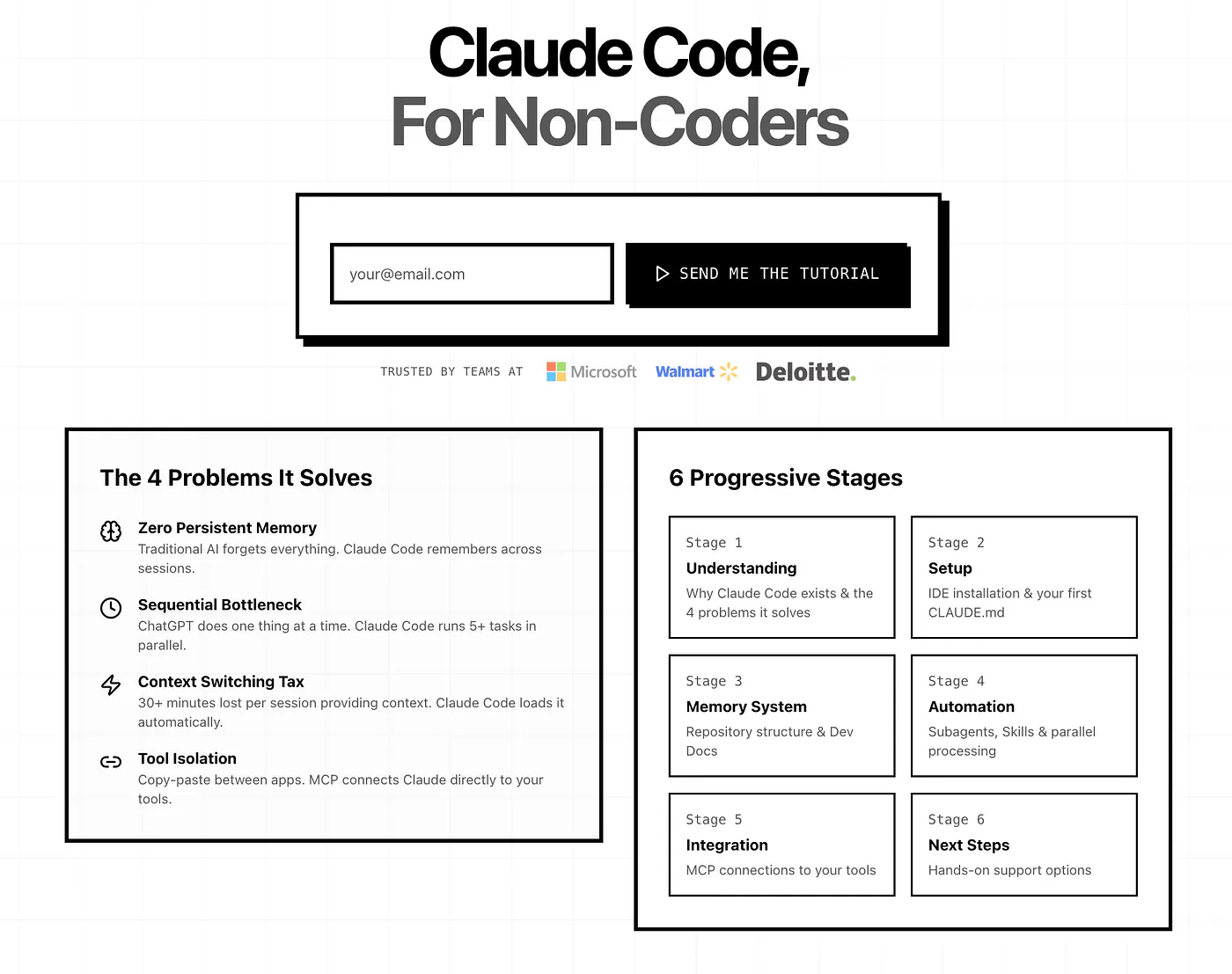
Free Claude Code Guide for Non-Coders
The course covers six major parts:
- Understanding Anthropic’s coding tool
- How to setup Claude Code
- Memory and Progressive Disclosure
- Agents and Sub-agents
- Skills and Hooks
- MCP Integration
In this post, I’ll walk you through why I think this is one of the best free Claude Code courses available right now. I’ll also share the parts that I think are most useful, what you can learn from it, and how I personally apply some of these ideas in my own development workflows.
Let’s get started.
How to Navigate The Guide
This guide is structured around six progressive stages.
- Stages 1–2 Foundations (15 min): Understand what Claude Code is and get it installed
- Stages 3–4: Core Power (30 min): Progressive disclosure, hooks, agents, skills, and compound learning
- Stage 5: Advanced (20 min): MCP integrations for connecting your business tools
- Stage 6: Implementation (10 min): Your path forward with pre-built templates
That means, it would take you around 45 minutes to read all the contents.
Each stage builds on the previous one, so it is best to follow them in order instead of jumping around.
The early stages focus on the basics. Notice that aside from the regular chat dashboard, there are also other ways to interact with Claude: Cowork and Code. You can find them on the left sidebar of the desktop app.
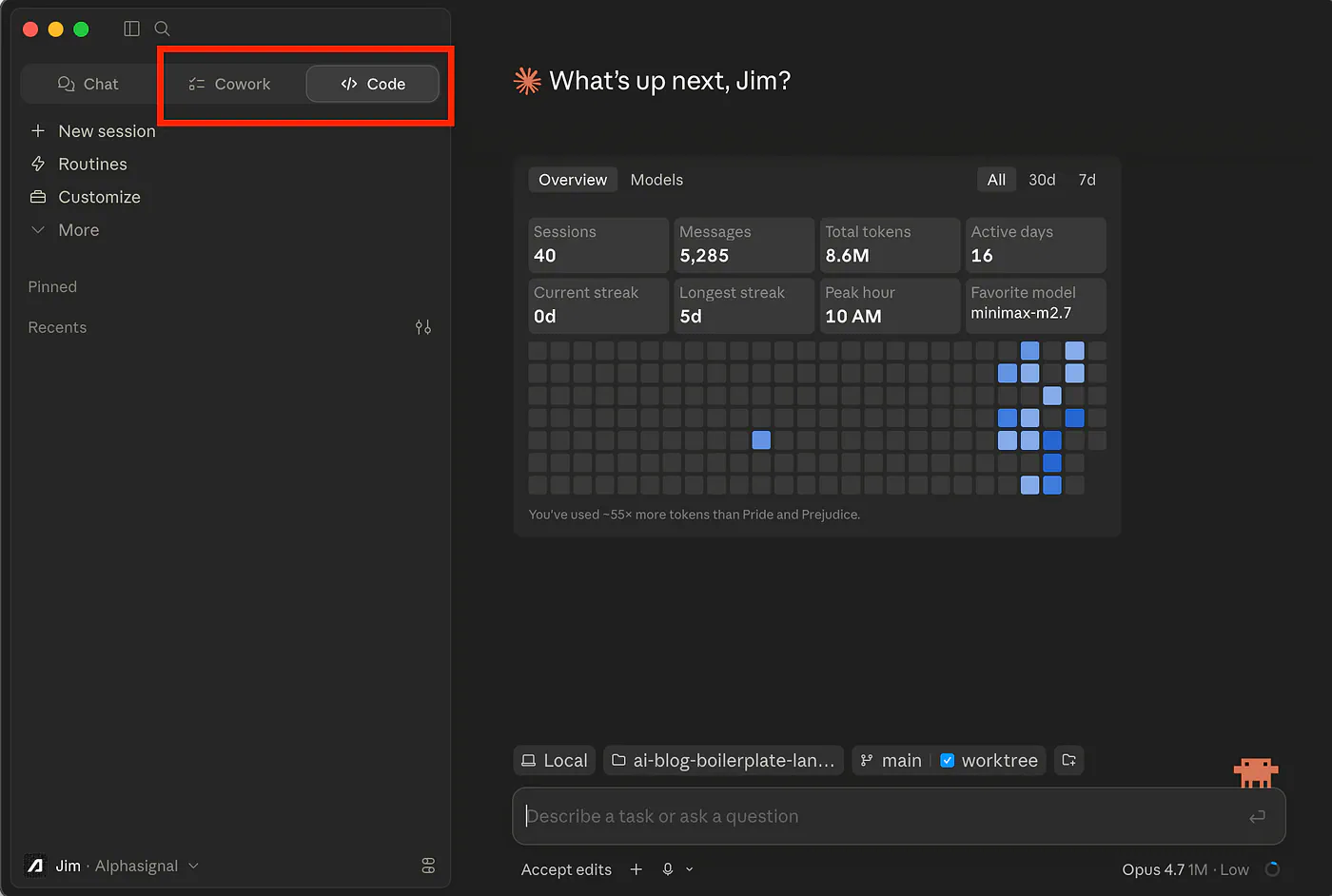
Claude Cowork and Claude Code. Image by Jim Clyde Monge
You will also start with how to set up Claude Code properly, how to structure your project context, and how to make the agent understand your codebase without repeating the same instructions again and again.
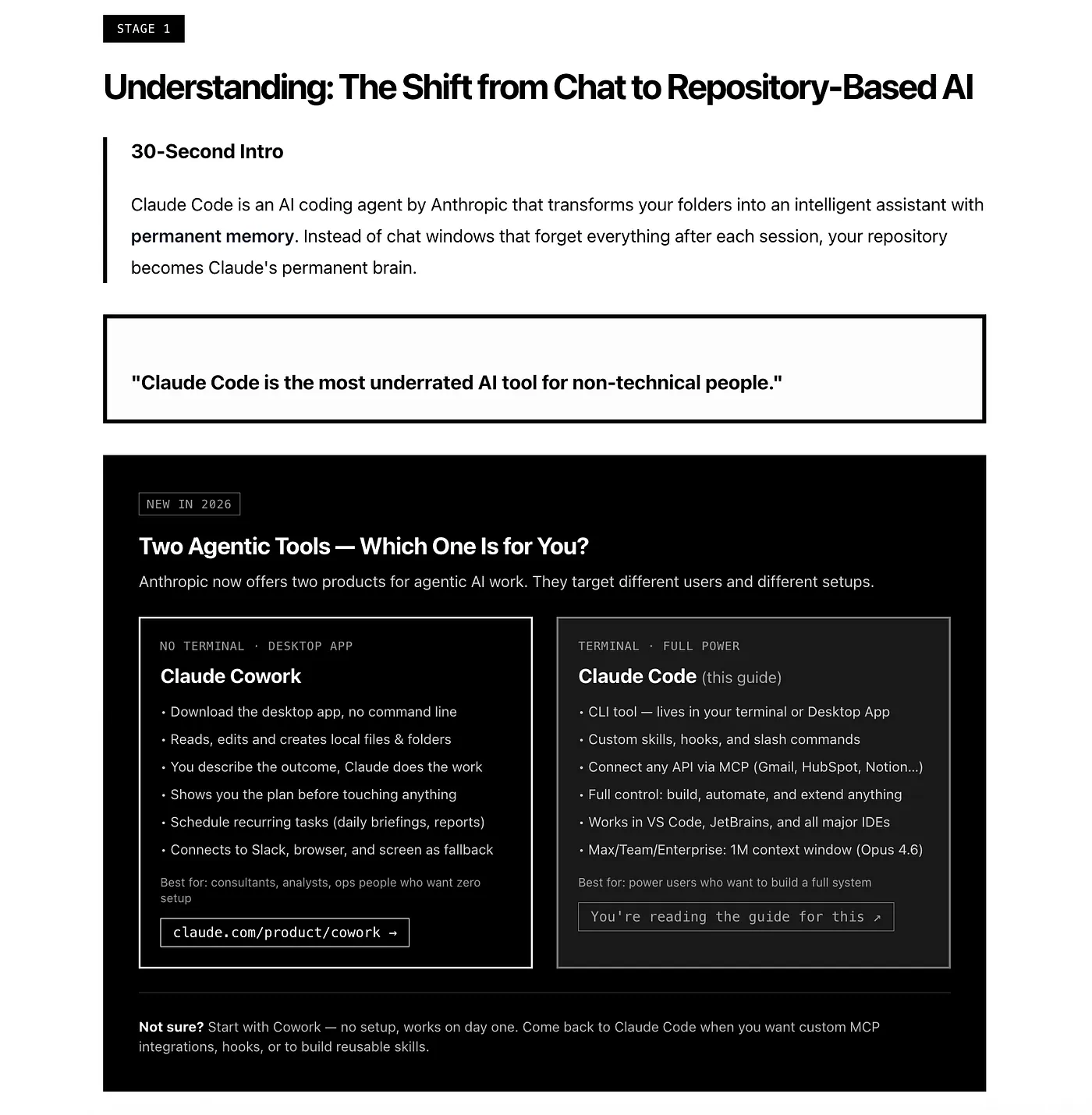
Free Claude Code Guide for Non-Coders
From there, the guide moves into workflow improvements. This includes memory management, better prompting patterns, custom commands, and ways to reduce unnecessary token usage while still giving Claude enough context to work well.
The middle stages focus on automation. You will learn how to use hooks, skills, and subagents to make Claude Code do more than basic code edits. This is where it starts to feel less like a chatbot and more like a real development system that can plan, execute, check, and improve its own work.
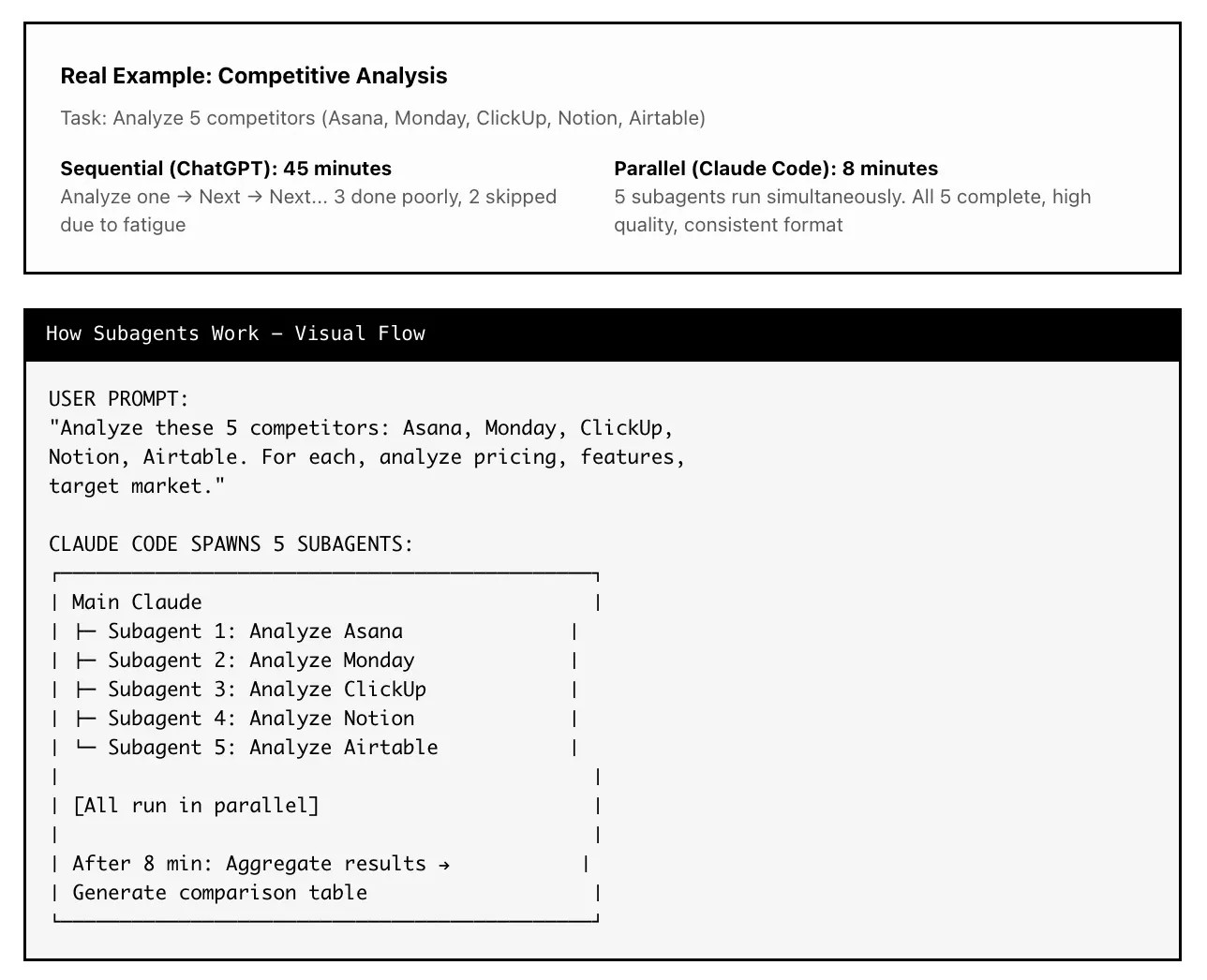
Free Claude Code Guide for Non-Coders
The later stages go deeper into orchestration. This includes MCP integration, external tools, browser workflows, structured feedback loops, and agent patterns that help Claude Code handle bigger tasks with less manual supervision.
By the end, you should have a cleaner and more reliable Claude Code setup. Not just a list of random tips, but a practical system where each part supports the next one. The goal is simple: help you move from basic Claude Code usage to a more complete agentic coding workflow.
Key sections worth noting
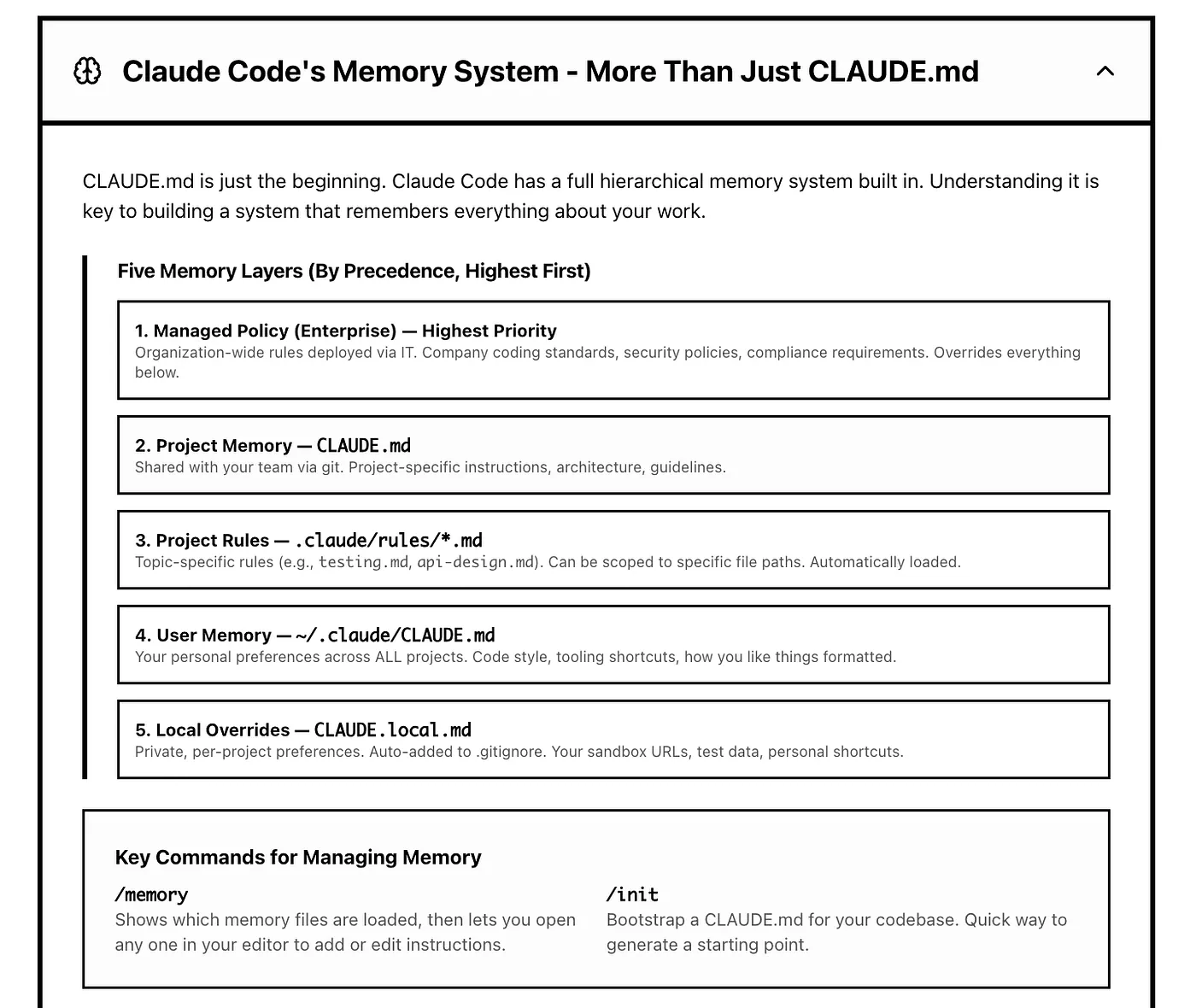
The first section I would highlight is the CLAUDE.md.
This is probably the file most new Claude Code users hear about first, but many people still use it poorly. They either leave it too empty or turn it into a massive instruction dump.
Free Claude Code Guide for Non-Coders
The guide gives a better way to think about it. CLAUDE.md should tell Claude what the project is, what rules matter, how the repo is organized, and where to find deeper instructions.
A simple version could look like this:
## Project Overview
This is a Next.js app for managing AI generated blog content.
## Tech Stack
- Next.js 15
- TypeScript
- Prisma
- Neon Postgres
- Sanity CMS
- Vercel AI SDK
## Important Docs
| Work Area | Read This First |
| --- | --- |
| Database work | .claude/docs/database.md |
| API routes | .claude/docs/api-guide.md |
| Content editor | .claude/docs/editor.md |
| Known issues | .claude/docs/gotchas.md |
## Rules
- Never delete files without asking first.
- Always check existing patterns before writing new code.
- Keep UI changes consistent with the existing component system.
The important part is the pointer table. It tells Claude where to look before working on a specific part of the project. This keeps the main file clean while still giving Claude access to deeper context.
The progressive disclosure section is also one of the strongest parts of the guide.
This is basically the idea of loading the right context at the right time. Your CLAUDE.md file should not carry every rule, doc, and preference. It should act more like a table of contents.
For example:
.claude/docs/api-guide.md
.claude/docs/database.md
.claude/docs/gotchas.md
.claude/docs/writing-style.md
This makes your setup easier to maintain. It also reduces noise inside Claude’s working context. For larger projects, that matters a lot.
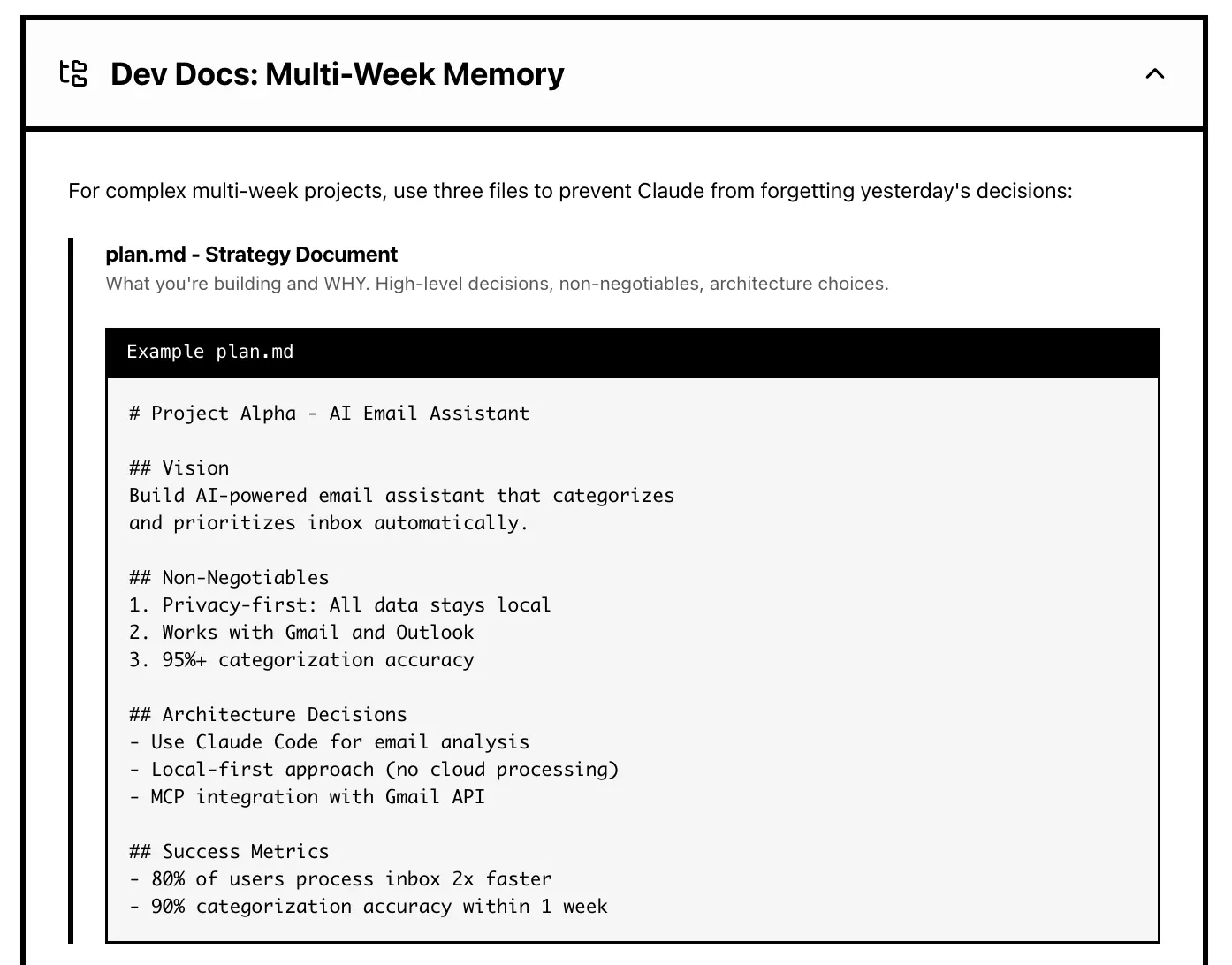
Another useful section is the part about dev docs for multi week work.
The guide recommends using three simple files:
dev-docs/comment-system/
├── plan.md
├── context.md
└── tasks.md
- plan.md stores the bigger goal and key decisions.
- context.md stores the current state of the work.
- tasks.md stores what is done, what is next, and what is blocked.
Free Claude Code Guide for Non-Coders
I like this pattern because it solves a real problem. When you work on a feature across multiple days, Claude needs a clean way to understand where things left off. You should not have to recap the whole project every time you open a new session.
The agents, skills, and hooks section is also worth reading closely.
Agents are useful when you need focused workers. For example, one agent can review the database schema, another can inspect UI consistency, and another can check the API implementation.
Skills are better for repeatable workflows. For example, you can create a skill for article reviews, weekly reports, landing page audits, PRDs, or release notes.
Hooks are for safety and automation. They can block edits on the main branch, log file changes, run checks after edits, or stop Claude from touching sensitive files.
For developers, hooks are probably one of the most underrated parts of Claude Code. A written rule can be missed. A hook can block the action before it happens.
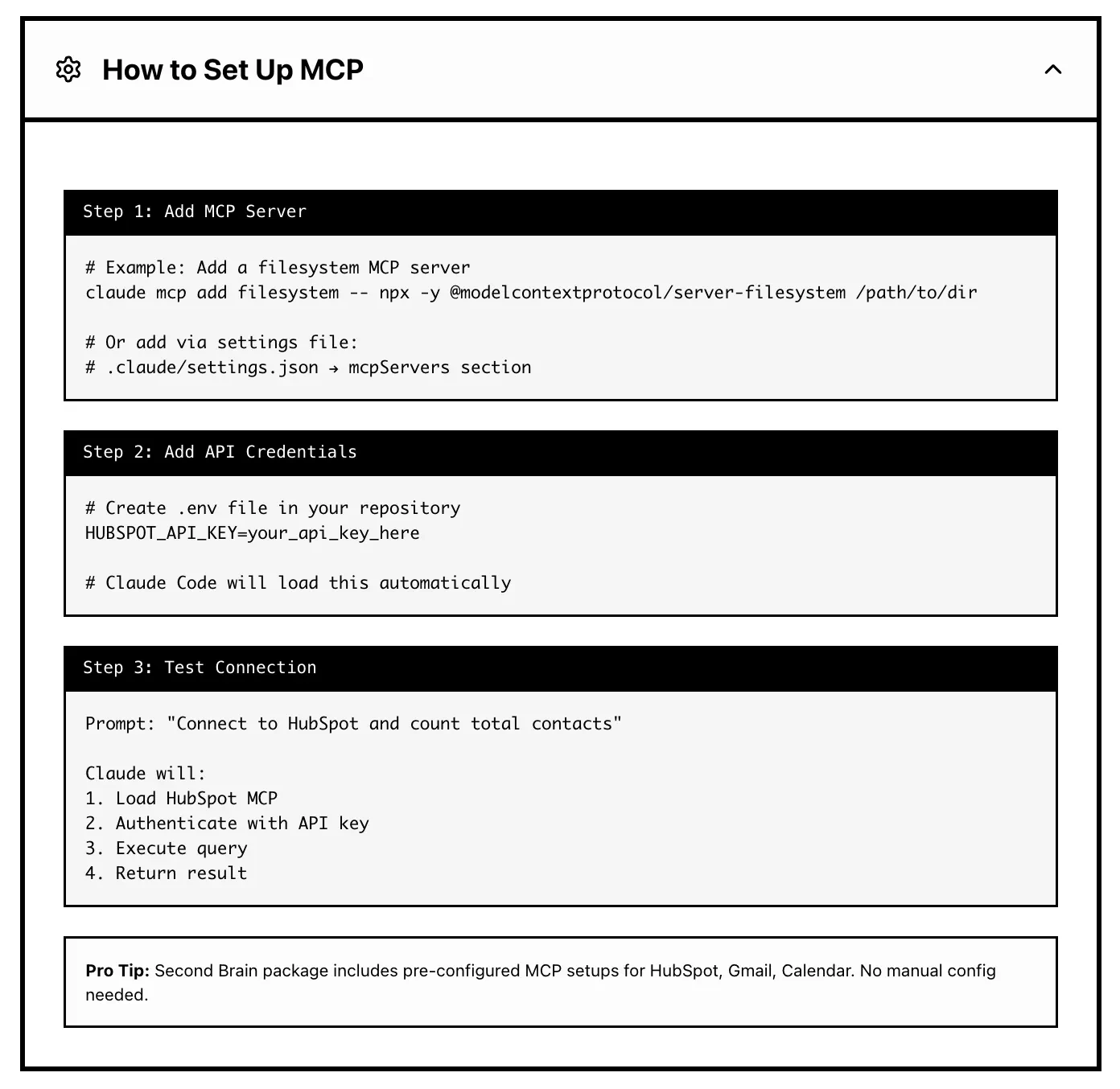
The MCP section is the final part I would highlight.
MCP turns Claude Code into something much bigger than a local coding assistant. It can connect to business tools, databases, calendars, inboxes, CRMs, and analytics platforms.
Free Claude Code Guide for Non-Coders
The guide also gives a good warning here: start with read only access, then expand permissions slowly.
That is the right way to approach it. Connecting Claude to your tools is powerful, but it should not be careless. Reading data is one thing. Sending emails, updating records, touching financial data, or running bulk actions should require approval.
What you’ll learn
The course teaches you how to move from basic prompting to structured Claude Code workflows.
- You’ll learn how to set up Claude Code and understand the different ways to use it. The guide covers the web version, desktop app, terminal CLI, and IDE integrations, so users can choose the setup that fits their comfort level.
- You’ll learn how
CLAUDE.mdworks and why it becomes the foundation of your project memory. This file helps Claude understand your project before it starts editing, researching, writing, or planning. - You’ll learn how to avoid the common mistake of creating a huge
CLAUDE.mdfile. The course shows a better approach with progressive disclosure, where the main file stays short and the deeper instructions live in separate docs. - You’ll learn how to structure a repository so Claude can navigate it more easily. This includes folders for docs, knowledge, agents, skills, commands, templates, and project memory.
- You’ll learn how to use subagents for parallel work. This is useful for competitor research, code reviews, audits, market analysis, and other tasks that can be split into independent parts.
- You’ll learn how to create skills for repeated workflows. This is useful when you keep asking Claude to do the same kind of work, such as reviewing articles, writing reports, generating PRDs, creating briefs, or summarizing data.
- You’ll learn how hooks can make Claude Code safer. Hooks can enforce rules instead of only suggesting them. This is useful for branch protection, logging, formatting, deployment checks, and blocking risky actions.
- You’ll also learn how MCP connects Claude Code to external tools. This part is useful for people who want Claude Code to work with real business data, not just local files.
The bigger lesson is that Claude Code becomes more useful when you give it structure. The course is not really about learning random tricks. It is about building a workflow that Claude can follow again and again.
How I apply the skills I learned
The first thing I would apply is a cleaner memory setup.
For my own projects, I do not want one giant CLAUDE.md file. I want a short main file that explains the project and points Claude to the right docs.
For example, a full stack project could use this structure:
.claude/
├── docs/
│   ├── database.md
│   ├── api-guide.md
│   ├── ui-patterns.md
│   ├── editor.md
│   └── gotchas.md
├── agents/
│   ├── researcher.md
│   ├── code-reviewer.md
│   └── content-writer.md
├── commands/
│   ├── begin.md
│   ├── review.md
│   └── ship.md
└── hooks/
    ├── require-branch.sh
    └── log-activity.sh