
It’s only been a few days since OpenAI released GPT-6 Astra, and the rollout wasn’t exactly smooth. Tibo, who leads Codex engineering, even promised paid ChatGPT subscribers a free usage reset for every day they were still waiting for access.
Now that more people have access to Astra, they’ve been sharing their projects on X and Reddit. Many are things we’ve seen before, but some really caught my attention. People are drawing portraits inside Microsoft Paint, creating motion graphics in After Effects, and turning paintings into worlds you can explore.
In this post, I’ll share eight of my favorite use cases and some ideas for what you could do with them. You can also try these yourself with Astra and the tools used in each example. Have fun!
1. Making Bouncy Jelly With Three.js
Scott asked Astra to make bouncy jelly using Three.js and WebGPU, and the result looks super cool.
I’ve seen plenty of 3D objects generated with GPT and Claude models. But seeing something like this that you can actually interact with made me think about how much easier it could become to experiment with games.
You could take the same idea and build a small game around it. Imagine controlling a jelly character that has to squeeze through obstacles, or dropping different objects onto a surface and seeing how they bounce.
I can see myself spending way too much time playing with something that simple.
Three.js is a JavaScript library for creating 3D scenes in the browser. The code controls the objects, materials, and animation, so you can keep changing how the result looks and behaves.
That gives you plenty to experiment with. Ask for a softer material, make the movement more exaggerated, or change the shape entirely. You could try several versions before deciding which one would make a fun game mechanic.
Getting the movement right takes some work, too. Jelly needs to deform and gradually settle. Just making an object bounce up and down wouldn’t give it the same feeling.
I like these small experiments because you don’t need a whole game planned out before starting. You can begin with one interaction, see whether it’s fun, and build something around it. A silly jelly demo could be enough to get you started.
2. Asking Astra to Draw You in Paint or Canva
You can ask Astra to open a drawing app and paint you. Alex shared an example using Microsoft Paint, while Zachi tried it in Canva.
This looks like a simple request, but I was surprised by how well the model could work through the drawing process.
Drawing a person requires some precision. The model has to understand the reference, choose the drawing tools, and place the strokes correctly. Small mistakes in the eyes or the shape of the face can make the portrait look like someone else.
And it’s doing this inside software that you can use yourself. Watching the portrait gradually appear makes it easier to appreciate how many individual actions are involved.
The process also looks faster and less awkward than the computer-use demos I remember from a few months ago. OpenAI reports improvements in Astra’s computer-use efficiency, although these social clips aren’t a controlled comparison.
I’d try a simple illustrated profile picture first. Maybe use a limited color palette and ask for a style that would still look good at a small size. Then I’d ask it to change the expression and see how much of the original drawing it preserves.
That last step would be useful for anyone making a set of avatars or character illustrations. Getting one drawing you like is great, but being able to revise it without starting over would make this something I’d use more often.
Also, I just find it funny that we’re giving a powerful AI model access to a computer and asking it to draw us in Paint.
3. Creating 3D Environments and Assets in Blender
Anshu shared a 3D game project made with Astra and explained that the setup involved connecting Codex to Blender through MCP.
MCP lets an agent access tools exposed by another application. Here, it gives Astra a way to work with Blender as part of the project.
I’ve seen several variations of this use case already. Some people are generating individual 3D assets, others are making characters, and some are building entire scenes. The quality of a few of these examples is honestly mind-blowing.
I keep thinking about how much time a 3D artist or animator could save, especially when a scene needs a lot of background objects. You could have the agent help create variations of props and arrange them, then spend more time on the details people will actually notice.
Blender has a Python API, so coding agents have a programmatic way to create and modify scene elements. The available operations depend on the integration, but there’s already a lot that can be controlled through code.
For my own experiments, I’d start with a small environment and try different lighting setups and camera angles. That would give me something useful for planning a video, even before adding characters or animation.
Characters need more inspection. A model can look great in a render and still need work before it moves properly, particularly around joints.
Still, being able to describe a scene and get an editable starting point would make me more willing to try 3D projects. I wouldn’t have to learn every part of Blender before finding out whether the idea looks good.
4. Creating Motion Graphics With After Effects and HyperFrames
I’m a big fan of After Effects, so Kris Kashtanova’s experiment with Astra immediately got my attention. She asked it to create special effects and motion graphics inside the application.
Miguel Ángel also shared a HyperFrames video made with Astra, which he says was based on a reference video.
I had pretty much the same reaction here as I did with Blender. I started imagining all the motion designs I could make for different brands and promo videos.
After Effects supports scripts that automate tasks inside a project. HyperFrames uses HTML, CSS, and JavaScript to compose videos, which gives a coding agent another way to build animations.
A branded promo would be a good first experiment. I’d provide the logo, fonts, and colors, along with a reference for the animation style. Then I’d ask Astra to put together a short sequence and work through the changes with it.
There are always little adjustments in motion design. A title needs more time on screen, a transition feels too abrupt, or the product enters before the viewer has finished reading. Being able to describe those changes and have the agent implement them would be helpful.
I’d also try adapting the same sequence for different screen sizes. A vertical video often needs a different arrangement, so I’d want Astra to do more than shrink the original composition.
This would be so cool to experiment with. I already have websites that could use better promotional videos, and a short animation would give me a manageable project to start with.
5. Creating Interactive 3D Websites
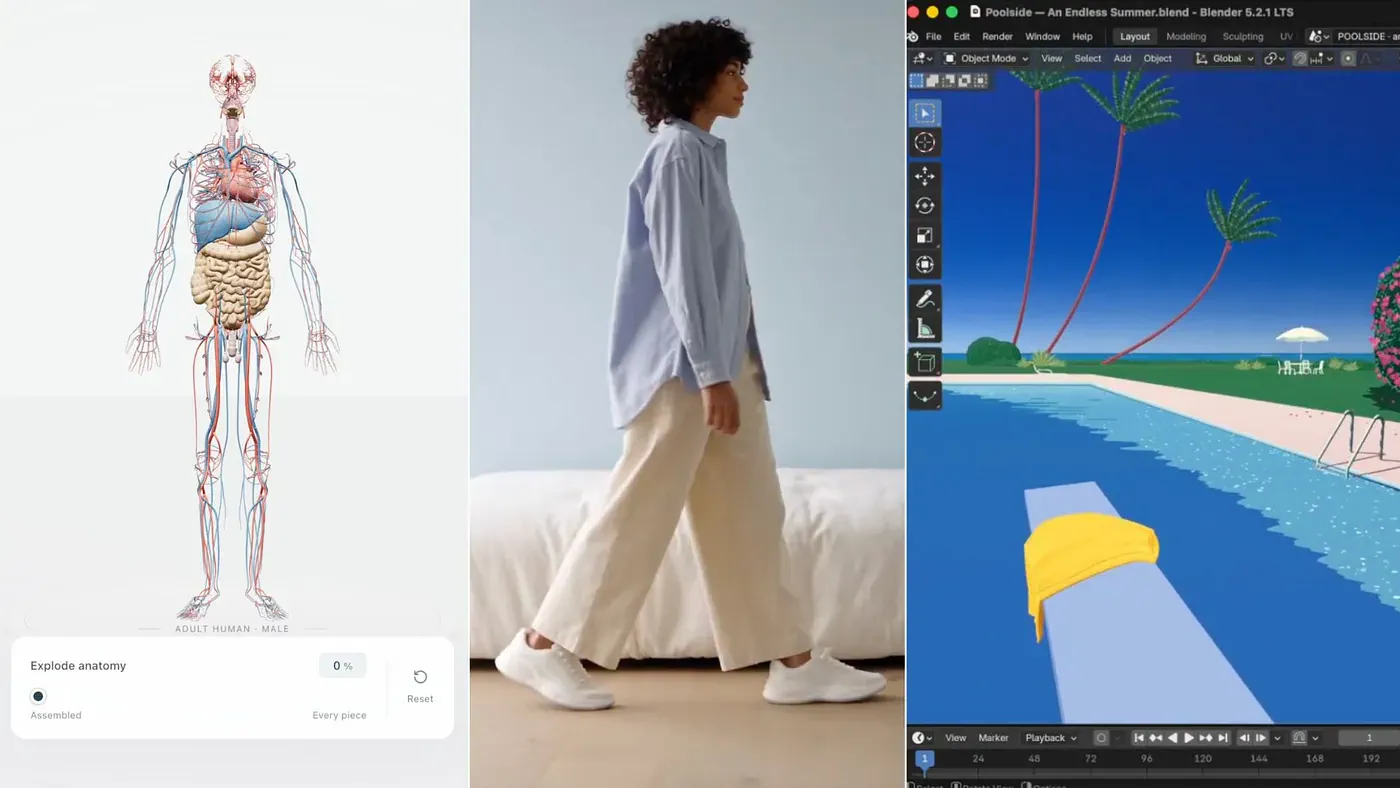
Ashe used Astra to create a 3D anatomy website where the model of the male body separates into individual components.
If you’re bored with generating ordinary landing pages, this is a pretty ambitious alternative.
I love extravagant designs and animated websites, so this is something I’d enjoy building. You can give visitors an object to explore and let them control how they inspect it.
The anatomy example also shows why a website might benefit from 3D. Separating the components helps explain how something is put together. You could use a similar approach for a product with internal parts that are difficult to show in a photograph.
Imagine a speaker page where you can look behind the grille, or a camera page where you pull the lens assembly apart. Each component could have a short explanation that appears when you select it.
A few years ago, I would’ve assumed a custom website like that needed a separate budget and a specialist developer. Now I’d try making a prototype myself first. The cost would depend on the tools and the amount of work involved, but the idea feels much more approachable.
I’d probably add some parallax effects and animated transitions too. That’s the kind of design I enjoy, although I’d have to stop myself from making every element move.
The page still needs to work on a phone, and visitors should be able to find the information without sitting through a long animation. I’d start with one interactive 3D section and build around it after checking how it performs.
6. Making UGC-Style Videos and Product Ads
Jerrod Lew shared a shoe advert created using Astra and other tools. He describes using GPT Images 2.0 to generate the initial shoe imagery before developing the advert.
I know this isn’t new. We’ve had AI-generated product videos and UGC-style ads for a while. But the example looks much more realistic than a lot of the older outputs I’ve seen.
At first glance, I don’t think I’d immediately recognize it as AI-generated while scrolling through a feed.
You can imagine a workflow where you establish the product’s appearance, develop a storyboard, and create the shots around it. Astra can help plan and coordinate that work, while the image and video tools handle their parts of the production.
UGC-style videos use the casual presentation associated with creator content. That gives you another direction to try alongside a more traditional product advert.
For the shoe example, I’d compare a close-up product video with something that shows the shoe as part of an everyday outfit. The same product could feel quite different depending on the setting and presentation.
For an actual brand, I’d begin with real product photos and check the details throughout the video. The sole, stitching, and logo should stay consistent. A realistic-looking clip would still be a problem if it showed a different shoe halfway through.
I like the idea of getting several concepts far enough along that you can compare them visually. It would be easier to decide which advert to develop when you have sample shots and a storyboard in front of you.
7. Turning a Painting Into a World You Can Explore
Pietro Schirano has been using Astra to turn Hiroshi Nagai paintings into explorable worlds.
This is one of the more unusual use cases I found, and probably the one I’d spend the most time playing with.
You can take a scene that only exists as a flat image and move around inside an interpretation of it. I immediately wanted to know what would happen when you walked beyond the part shown in the painting.
The model has to invent some of that space. A painting doesn’t show every side of a building or what happens at the end of a road, so there’s room for different interpretations.
I’d want the result to keep the mood of the original. The colors and proportions are part of what makes a painting appealing. Making everything more realistic could actually make it less interesting to explore.
This gave me an idea for an app where you upload a painting and let Astra generate an environment with Blender, then explore it in your browser. I’d start with my own image or a public-domain painting and keep the first scene small.
You wouldn’t need an enormous world to make it enjoyable. A few connected areas could already give you something fun to walk around. I’d also add a way to return to the original viewpoint so you could compare it with the painting.
For game designers, the same approach could help turn concept art into an early environment. You could move through it and decide what to change before spending more time building the scene.
I’d probably just keep trying different paintings to see what Astra does with them.
8. Explaining a Topic Through a Cinematic 3D Reconstruction
Haider asked Astra to explain the OpenAI–Hugging Face incident as a cinematic 3D reconstruction.
This is something I’d love to try for a technical article. Some topics are difficult to explain with screenshots, and a short animation could help readers follow what’s happening.
A 3D scene could show how components relate to each other or demonstrate the order of events. You could move the camera toward the relevant part while the narration explains it, then pause long enough for people to understand.
For a software incident, I’d start with a factual outline and use labeled objects to represent the systems involved. The animation could follow an action between them and show what happens next.
I’d make it clear that the scene is an illustration, especially when explaining a real event. The visuals should help people understand the facts without suggesting that they’re watching actual footage.
There are plenty of other topics I’d try. A mechanical assembly would work well because you could separate the parts, explain what they do, and put them back together. A building could also be easier to explain with a camera moving through its layout.
Of course, I’d want the video to look good. But I’d also want the camera to stop moving occasionally. Too much animation can make an explanation harder to follow.
For my articles, even a short companion clip could be useful. The text could cover the details, while the video shows the process that’s difficult to picture. I’d much rather experiment with that than spend time looking for a generic image that only vaguely relates to the topic.
Final Thoughts
I’ve been using Astra for the past 24 hours, and so far, it’s been great at code generation. Seeing what other people are doing with it has given me a few more projects I want to try.
I haven’t used it with Blender or After Effects yet, but I’m super excited to experiment with both. I’ll probably start with motion graphics because I already have places where I could use the results.
I’m also planning to improve the motion effects and UI of my existing websites, Zeniteq and Flux Labs. I want to try better transitions and more interactive components, possibly with a 3D element where it fits. Then I’ll see which changes actually make the websites more enjoyable to use.
Let me know what you think. I’d love to hear what you made and how much work it took to get the result you wanted.
Sources
- GPT-6 Astraopenai.com
- free usage resetx.com
- https://x.com/scottstts/status/2096008241104711698x.com
- Three.jsthreejs.org
- Alex shared an example using Microsoft Paintx.com
- Zachi tried it in Canvax.com
- improvements in Astra’s computer-use efficiencyopenai.com
- https://x.com/anshuc/status/2096008083826725132x.com


