The global adoption of agentic coding has been overwhelming over the past couple of years. In Stack Overflow’s 2025 survey of more than 49,000 developers, 84% said they use or plan to use AI tools in their development process, up from 76% the year before. Industry estimates now attribute roughly 41% of all code to AI, with analysts projecting that figure to reach 60% by the end of 2026.
That means anyone can now build almost any app they can imagine with simple instructions.
But coding agents aren’t perfect, and in fact, they’re prone to making mistakes. SonarSource found that 96% of developers don’t fully trust AI-generated code to be functionally correct, yet only 48% always check it before committing. Without proper testing and code quality evaluations, all that shipping speed comes at the cost of quality.
So how exactly do you test a vibe-coded app? In this guide, I’ll share the 13 best AI testing tools I’ve tried and evaluated over the past couple of years, with real pricing, user reviews, and my honest verdict on each. Let’s get started.
I spent the past few months running 13 AI testing tools against the same web app, from autonomous QA agents to managed services and DIY setups. Here’s how each one held up.
How I Researched & Tested These AI Testing Tools
I ran each tool against the same staging web app over several weeks, signing up for free plans and trials where available and digging through documentation, pricing pages, and verified user reviews for the rest. Here’s what I scored each tool on:
- Test creation: How fast you can go from zero to a working test, and whether you need to write code to get there.
- Maintenance: What happens when the UI changes? Self-healing that works is worth more than any other feature on this list.
- Coverage depth: Whether the tool handles end-to-end flows, edge cases, mobile, and API checks, or stops at happy paths.
- Pricing transparency: Whether you can predict your bill as you scale, and whether what you pay tracks the value you get back.
- Reporting: How clear the bug reports are, and whether a developer could fix the issue from the report alone.
This hands-on approach showed me which AI testing tools hold up in daily use rather than only in demo videos.
1. QA.tech: Best for Dynamic, Agentic End-to-End Testing
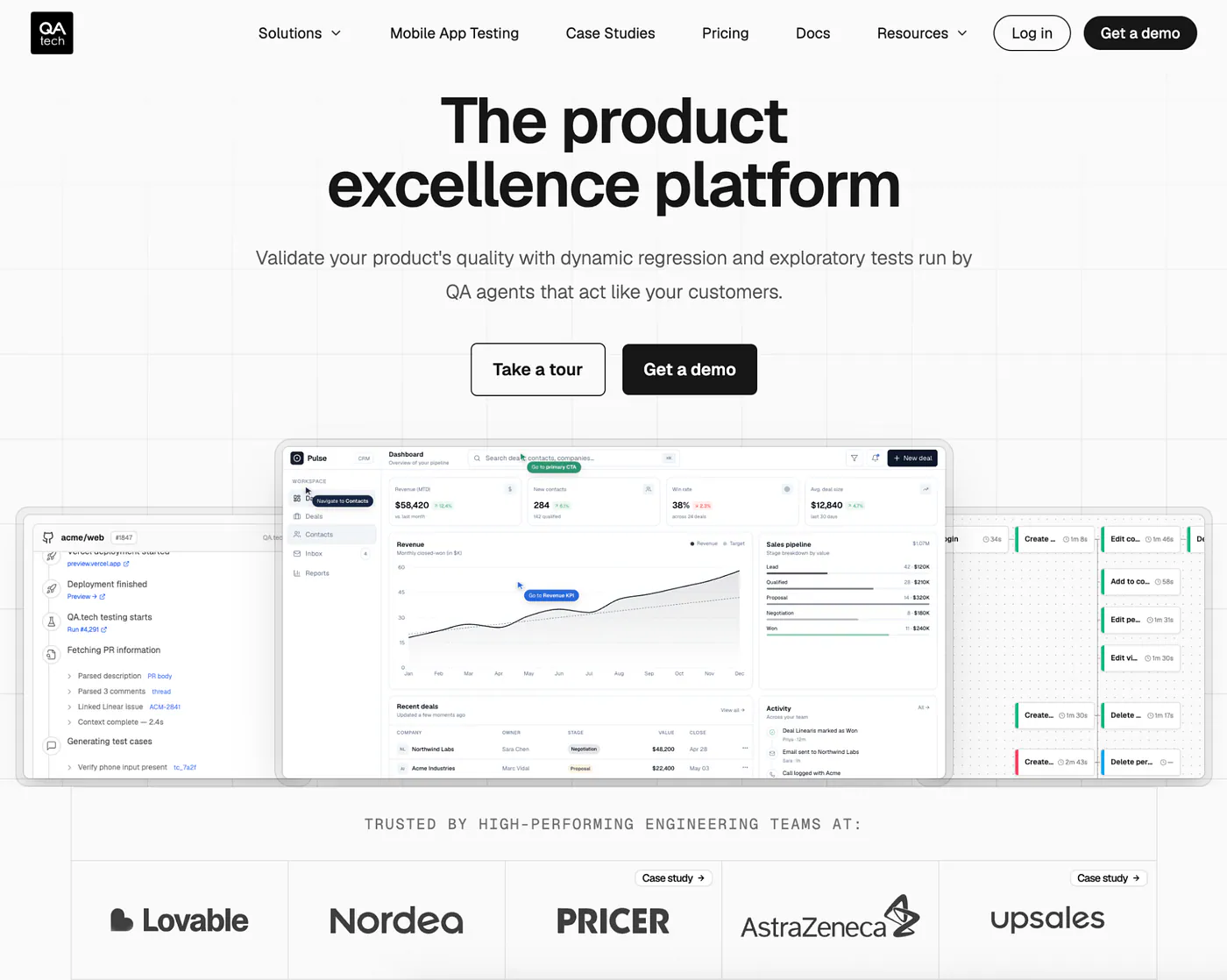
What it does: QA.tech is an AI testing platform built to provide continuous end-to-end (E2E) validation across the software development life cycle (SDLC). Its QA agents test product changes visually, run exploratory passes to surface uncovered areas and propose new test cases, and give you validation layers from pull request review through preview, staging, and production.
Best for: Product and engineering teams shipping fast that need end-to-end coverage and exploratory testing to keep up with their releases.
QA.tech was the first tool I tested, and it set a high bar. I pointed it at my staging URL, and within minutes, its agents had crawled the app, mapped the main user flows, and proposed a test suite. No script writing, no selector hunting. And notably, the agents inferred how my user flows actually work from context alone, never reading a line of my code, then tested the app from the outside the way a user would, which keeps the security review far lighter than the code-reading tools here require.
I also saw the upside on the maintenance side. When I reworked my entire onboarding flow, the agents adapted to the new steps instead of failing, the kind of change that would force a script-based suite into a near-total rewrite.
Key Features
- Autonomous QA agents: A fleet of AI agents plans, runs, and adapts tests as your product changes, so coverage keeps pace with your release schedule instead of falling behind it.
- Visual testing across the pipeline: Agents validate your product the way a user sees it, from pull request review through preview, staging, and production, rather than reading your code.
- Dynamic, adaptive tests: When your UI changes, tests adapt on their own. It’s the capability that other tools market as “self-healing,” which QA.tech’s docs describe as dynamic or adaptive testing.
- Exploratory testing and PR validation: Agents free-roam your app to surface uncovered areas and propose new test cases, and they validate pull requests visually before changes are merged.
- Natural-language AI chat assistant: A conversational interface lets you create configs, manage test plans, run tests, crawl pages, file issues in your tracker, and trigger release checks, all in plain English with no UI navigation to learn.
- Broad test surface: One test can follow a user across web, mobile, email, SMS, and API calls, and even span more than one app, so a multi-step journey is verified as a single path rather than stitched together from disconnected checks.
- Developer-friendly bug reports: Failures arrive with console logs, network requests, and replays, and route into Jira, Linear, GitLab, and Slack, plus a custom API and a new MCP integration.
Pros and Cons
Pros:
- ✅ Fastest setup of any agentic tool I tried: paste a URL, and the agents map your app and draft a test suite for you.
- ✅ Test maintenance largely disappears, since agents adapt to UI changes instead of breaking on them.
- ✅ Strong trust signals for an AI-native tool: SOC 2 across all plans, engineering customers like Lovable and Nordea, and a policy of never training on your data.
- ✅ Coverage and test execution performance reports give leads actual visibility, rather than a pile of pass/fail logs.
Cons:
- ❌ No public pricing. Every plan, including Starter, routes through a sales conversation.
- ❌ The review base is still small compared to decade-old platforms like BrowserStack or Katalon.
What Users Say
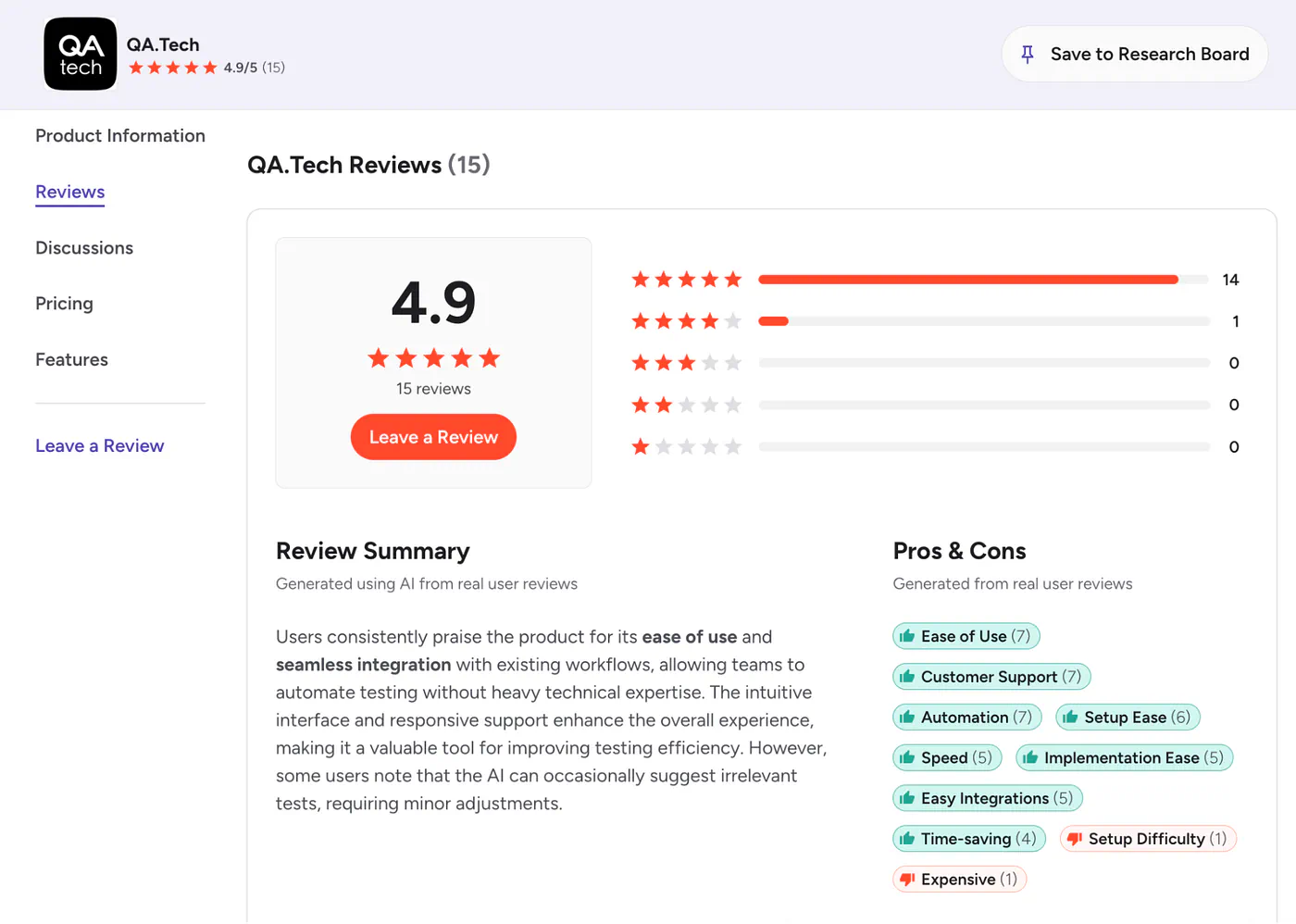
QA.tech holds a 4.9 out of 5 rating on G2, with 93% of reviewers giving it five stars. Reviewers consistently praise how quickly it maps app workflows, the usefulness of the generated test suites, and its ability to catch bugs that scripted tests miss.
On Product Hunt, users highlight the intuitive setup and faster regression cycles, while critical feedback has focused on occasional performance lag and early onboarding friction.
Pricing
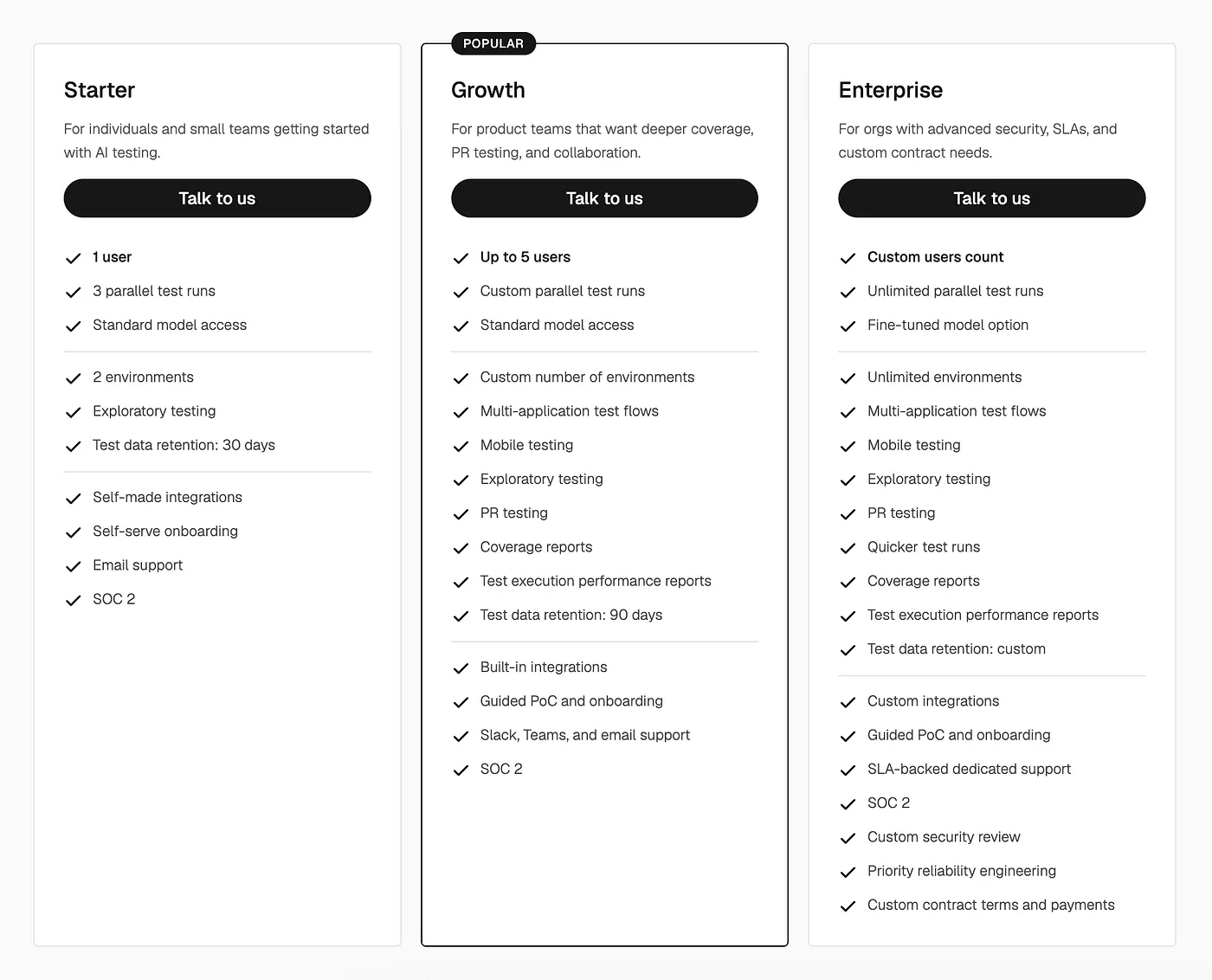
QA.tech offers three plans on its pricing page, all quote-based:
- Starter (one user, three parallel test runs, exploratory testing to find uncovered areas and propose new test cases, email support)
- Growth (up to five users, PR testing, mobile testing, coverage reports, built-in integrations, guided onboarding)
- Enterprise (unlimited parallel runs, fine-tuned model options, custom integrations, SLA-backed support). All plans include SOC 2 compliance, and a demo is the entry point.
Bottom Line
I’d recommend QA.tech to any team shipping web or mobile products daily or weekly that’s tired of maintaining brittle test scripts or paying for manual regression passes. If you need on-premise deployment or a public price list before talking to sales, look further down this list.
2. ACCELQ: Best for Agentic Test Automation Across Every Layer of Your Stack
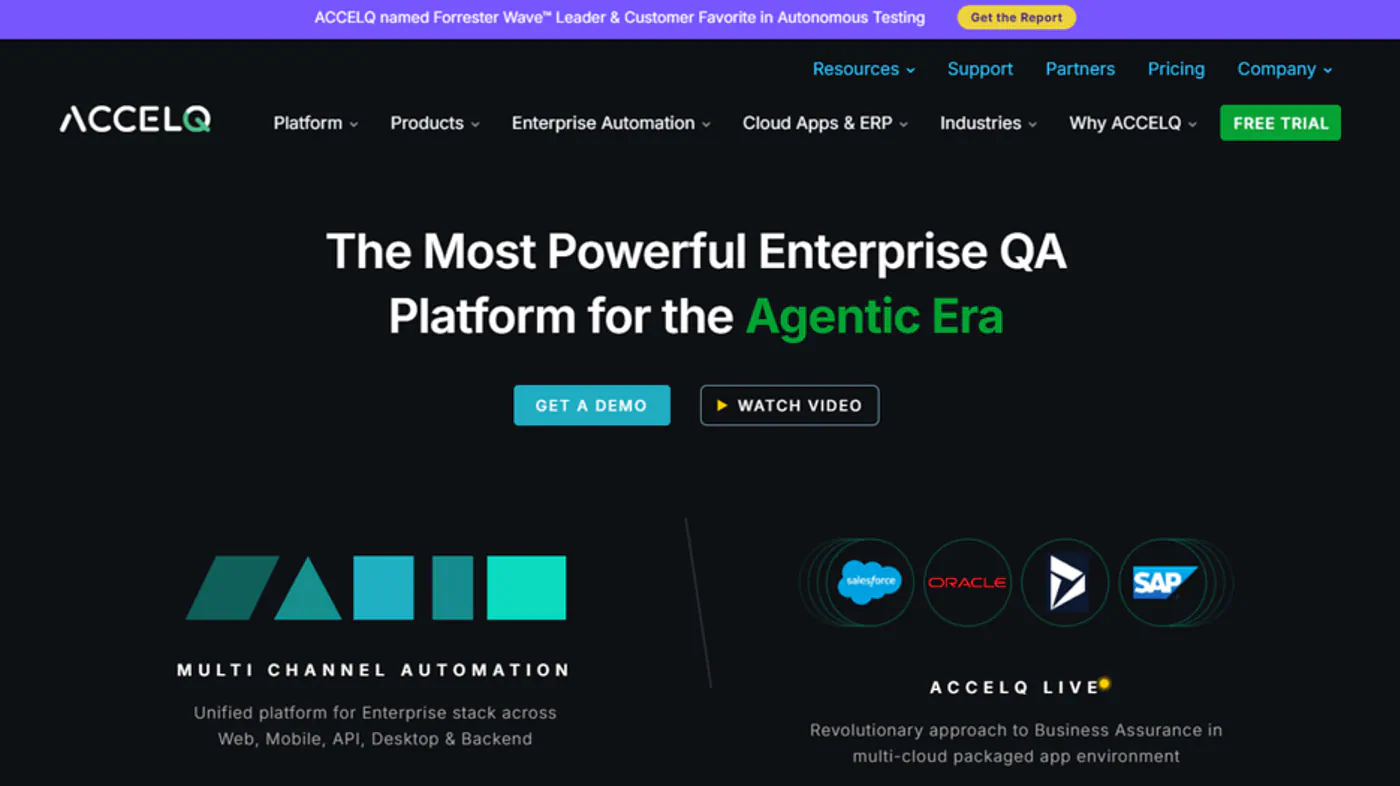
What it does: ACCELQ is an agentic test automation platform. Its AI agents discover, generate, run, and heal end-to-end tests across web, mobile, API, database, desktop, and mainframe, plus packaged apps like Salesforce, SAP, and Oracle. A single test can follow a business process through every system it touches.
Best for: Product, QA, and engineering teams whose user journeys cross custom apps, APIs, and packaged business applications, and who want one agentic platform to test all of it.
ACCELQ earned the second spot because it handled something most tools on this list never reach. My staging app has a web front end, but the flows behind it call an API layer and write to a CRM. Most AI testing tools I tried stopped at the browser. ACCELQ’s Autopilot agents followed the whole journey.
I described a checkout-to-invoice scenario in plain English. Autopilot’s Scenario Discovery broke it into test cases and generated data-driven variations I hadn’t planned to write. The QGPT Logic Builder turned my business rules into automation logic that checked the UI, the API response, and the database record in one connected test. Then I renamed and moved several checkout fields. Autonomous Healing re-identified the elements and logged each fix with before-and-after detail, so I could see exactly what the agents changed.
Key Features
- Autopilot agentic layer: Several AI agents share one application knowledge base, and each has a defined job: discovery, test generation, execution, failure analysis, or healing. That separation keeps every automated decision explainable.
- Scenario Discovery: Agents analyze your application and propose complete end-to-end test scenarios, so coverage starts from the app itself.
- Data-driven test generation: From one business scenario, Autopilot generates multiple test variations and data permutations tied to your business rules.
- QGPT Logic Builder: Converts business rules written in natural language into automation logic that spans front end, back end, and middleware.
- Autonomous Healing: Semantic and contextual element recognition keeps tests running through UI changes and records every repair for review.
- Full-stack coverage: Web, mobile, API, database, desktop, mainframe, and packaged apps such as Salesforce, SAP, and Oracle run in one test flow.
- Pipeline and tracker integrations: Connects to Jira, Jenkins, and popular CI/CD tools, so agentic test runs sit inside your existing release process.
Pros and Cons
Pros:
- ✅ Widest stack coverage on this list. One agentic platform tests custom apps, APIs, databases, and packaged apps like Salesforce, SAP, and Oracle.
- ✅ Codeless Agentic AI authoring lets manual testers, business analysts, and engineers all write tests in plain English.
- ✅ Strong G2 scores: 9.7 for ease of use, 9.5 for quality of support, and 10.0 for product direction.
- ✅ Healing logs give QA leads an audit trail for every automated fix.
Cons:
- ❌ No public price list for automation plans. Professional and Enterprise tiers are quoted through sales after a free trial.
- ❌ The platform’s breadth brings a learning curve. Some reviewers want deeper documentation for advanced features and a less crowded reporting dashboard for large suites.
What Users Say
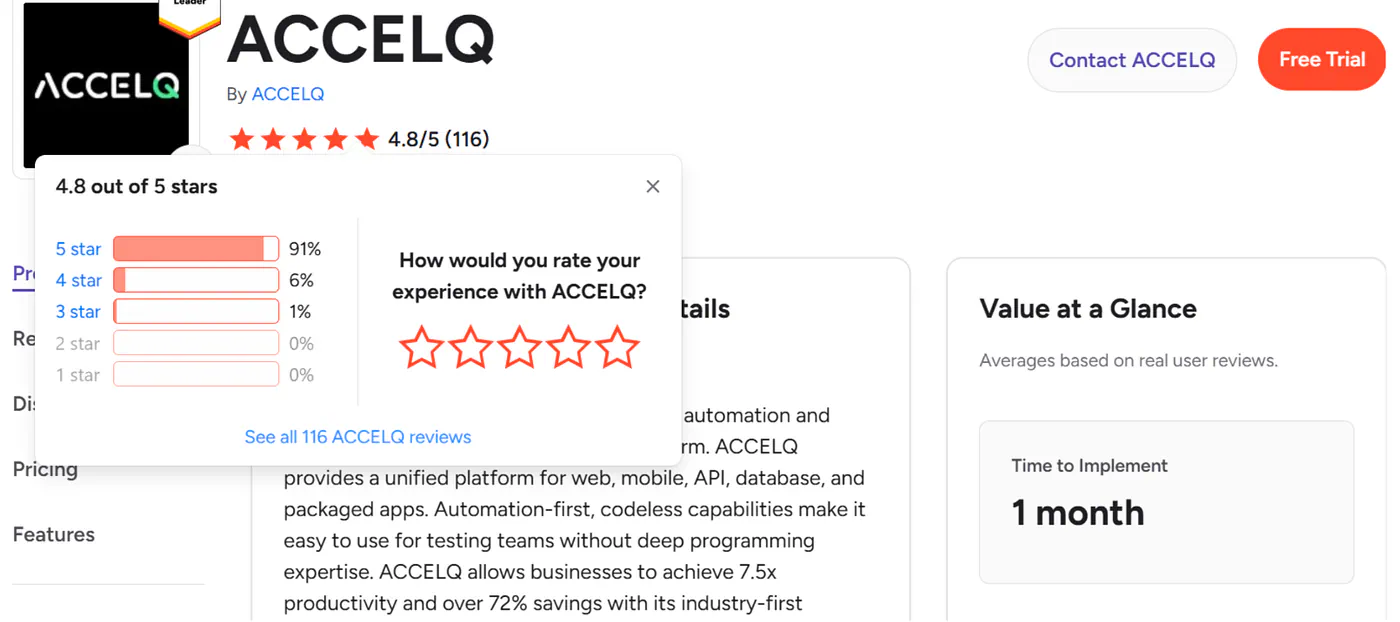
ACCELQ holds a 4.8 out of 5 rating on G2, with more than 90% of reviewers giving it five stars. Reviewers most often praise its ease of use, self-healing automation, and quick onboarding for testers without coding experience.
On Capterra, more than 140 reviewers credit responsive support and reliable handling of complex end-to-end workflows. It also holds a 4.6 on Gartner Peer Insights. The critical feedback centers on documentation depth and dashboard density at scale.
Pricing
ACCELQ offers three tiers:
- Automate Manual: Free for life for individual testers, covering manual test design and execution.
- Professional: Web, API, and mobile automation. Quote-based, with a free trial first.
- Enterprise: Adds SSO, unlimited execution agents, mainframe testing, and extended storage.
Parallel runs on your own infrastructure are licensed through Shared Local Agents, so ask for that line item when you request a quote.
Bottom Line
I’d recommend ACCELQ to any team whose releases touch more than one system, such as a web app backed by APIs, a database, and a packaged app like Salesforce, SAP, or Oracle. Its agents test the entire business flow in one pass and keep those tests healthy as each layer changes. If you ship a single web app and want a free automation tier, look further down this list.
3. Functionize: Best for AI-Powered Test Creation and Self-Healing Automation
What it does: Functionize is an AI-powered testing platform that lets teams create end-to-end tests in plain language, run them across browsers, and automatically adapt tests as applications change.
Best for: QA and engineering teams that want to reduce the scripting and maintenance work involved in large automated test suites.
Functionize takes a different approach from traditional script-heavy automation tools. Instead of relying primarily on brittle selectors and manually maintained test scripts, its Studio platform uses AI agents to turn plain-language instructions into executable end-to-end tests, run them across browsers, and keep them updated as the application evolves.
The biggest differentiator is maintenance. Scalable automated testing by Functionize combines machine learning, self-healing element identification, root-cause analysis, and visual diagnostics to reduce the amount of manual work required when interfaces change. Tests can re-identify moved or modified UI elements during execution rather than failing simply because a locator changed.
Key Features
- Plain-language test creation: Describe application behavior in natural language and Studio builds executable end-to-end tests from those instructions.
- Self-healing automation: Machine learning helps tests recognize UI elements even when their position, styling, or attributes change.
- Root-cause analysis: Functionize analyzes failures and helps distinguish actual regressions from test-maintenance issues.
- Cross-browser execution: Tests can run across browsers and environments in parallel without maintaining separate versions of the same workflow.
- Visual diagnostics: Screenshots and step-level analysis make it easier to understand what changed and why a test failed.
Pros and Cons
Pros:
- AI handles much of the repetitive work involved in test creation and maintenance.
- Self-healing is particularly useful for frequently changing web applications.
- Plain-language creation makes automation more accessible beyond developers and dedicated automation engineers.
- Built-in diagnostics help teams investigate failures without digging through scripts first.
Cons:
- Teams that want complete code-level control over every test may prefer a traditional open-source framework.
- Credit-based pricing means costs depend partly on testing volume and usage.
- Larger organizations may need an Enterprise plan for advanced multi-team management and customized limits.
Pricing
Functionize has a free plan with 200 credits per month. Paid individual plans currently start at $20 per month, while team plans start at $40 per user per month. Higher-volume and Enterprise plans increase available credits, parallel execution capacity, security features, and organizational controls.
Bottom Line
Functionize makes the most sense for teams whose automation bottleneck is no longer simply writing tests, but keeping hundreds or thousands of them working as the product changes. Its combination of natural-language creation, self-healing, parallel execution, and AI-assisted diagnostics makes it particularly strong for organizations trying to scale test coverage without scaling test-maintenance work at the same rate.
4. Early AI: Best for AI-Generated Unit Tests Inside Your IDE
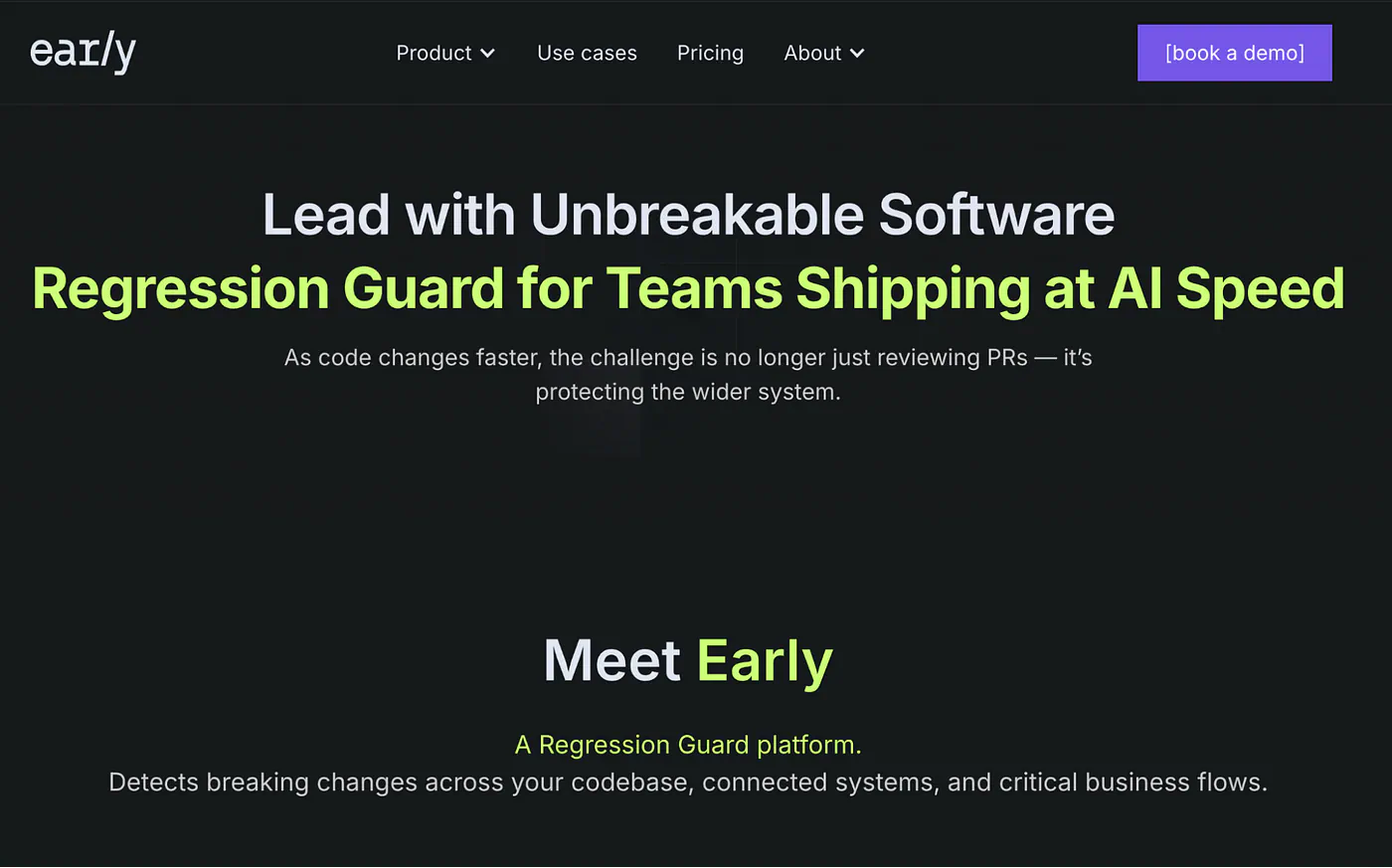
What it does: Early AI (EarlyAI) is a code-level AI agent that automatically generates, verifies, and validates working unit tests for your application code, directly inside your editor.
Best for: Development teams that want to raise code coverage and catch regressions at the code level, before anything reaches a browser.
Early AI is the odd one out on this list, and that’s why it earns a spot. Every other tool here tests your app from the outside. Early works from the inside, reading your functions and generating unit tests that cover happy paths and edge cases, complete with mocked dependencies. In one of the company’s own benchmarks, the ExpressoTS open-source project generated 206 unit tests, hit 89% code coverage, and saved roughly a month of work.
I installed the VS Code extension, clicked the code lens above a function, and had a structured test suite with mocks in under a minute. For codebases full of AI-generated code that nobody has tested, this is a fast way to build a safety net.
Key Features
- One-click unit test generation: Click on a method and Early generates a full test suite covering main flows and edge cases, with constructor and parameter mocks already wired up.
- Verified, working tests: The agent runs and validates the tests it writes rather than handing you code that may not even compile.
- Test-driven development support: Write a function signature with a comment, generate the tests first, then implement, which makes TDD practical for teams that never had time for it.
- Coverage insights and quality reports: Visualize which parts of the codebase are protected and track test history and trends over time.
- GitHub and PR workflow integration: Embed test generation into pull requests so new code arrives with regression protection built in.
Pros and Cons
Pros:
- ✅ The free tier is genuinely useful: up to 50 tested methods per month at no cost.
- ✅ Fills a gap most AI testing tools ignore, since unit tests catch logic bugs that end-to-end tests only reveal indirectly.
- ✅ Low-friction adoption. It lives in the IDE your developers already use, so there’s no new platform to learn.
Cons:
- ❌ Developer-only by design. There’s nothing here for manual testers, PMs, or anyone who doesn’t read code.
- ❌ It won’t tell you whether your checkout flow works in a browser. You still need an end-to-end tool alongside it.
What Users Say
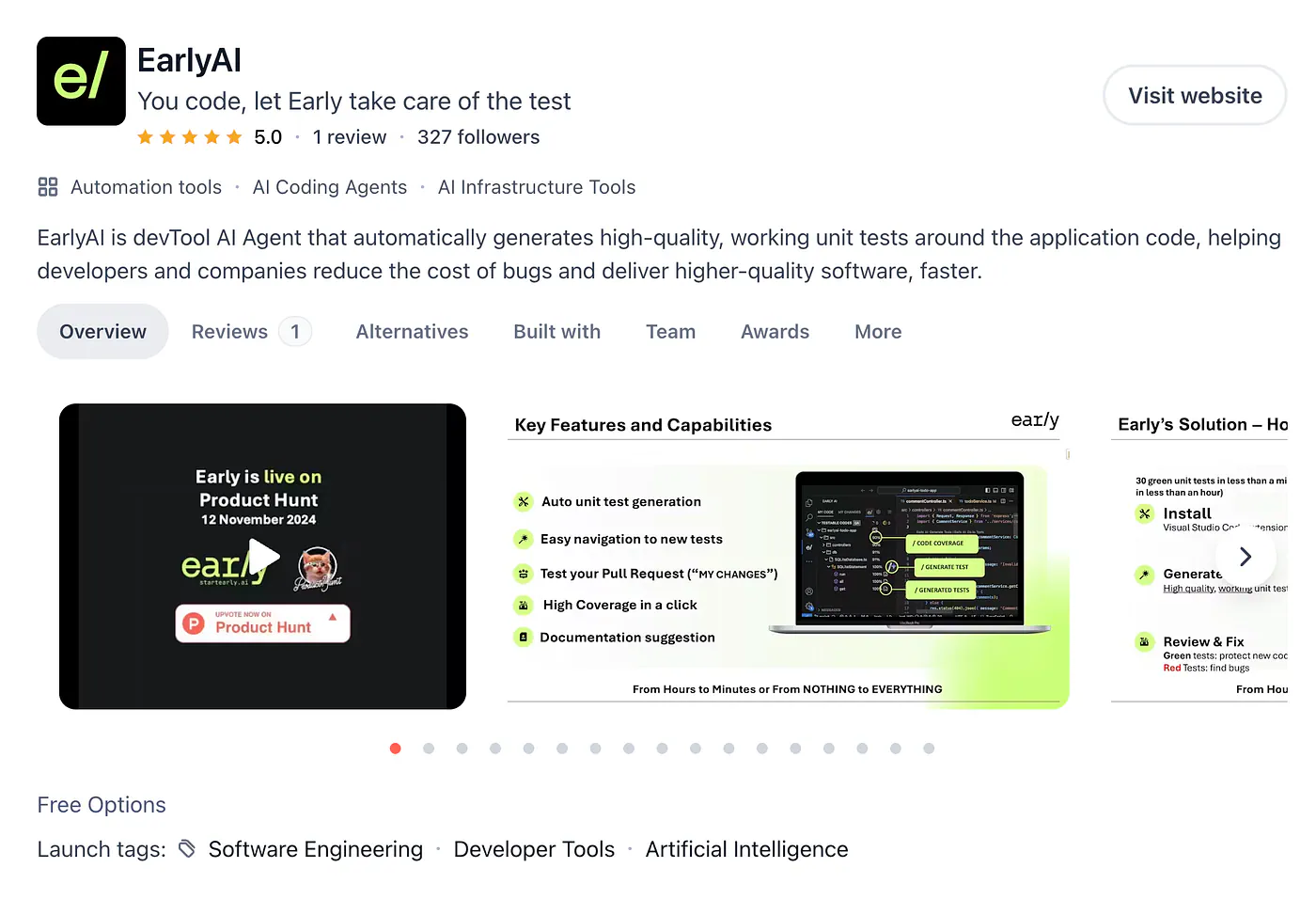
Early AI’s main public review presence is on Product Hunt, where developers describe it as a practical way to hand off the testing work they keep postponing. Users highlight the quality of the generated mocks and the time savings on legacy code, while the recurring caveat is that generated tests still deserve a human read-through before merging. There’s no meaningful G2 review base yet, which fits a tool this young.
Pricing
Early AI’s pricing page lists a Free Forever plan at $0 per month, which includes up to 50 tested methods monthly. Team and business options add flexible repository plans, credit plans, quality reports, test history, GitHub integration, centralized billing, and priority support, with pricing available through the sales team.
Bottom Line
I’d recommend Early AI to any developer-led team as a complement to one of the end-to-end tools on this list, especially if AI coding assistants are inflating your codebase faster than anyone can test it. If nobody on your team writes code, skip this one entirely.
5. TestMu AI: Best for Cross-Browser and Real-Device Coverage With AI Agents
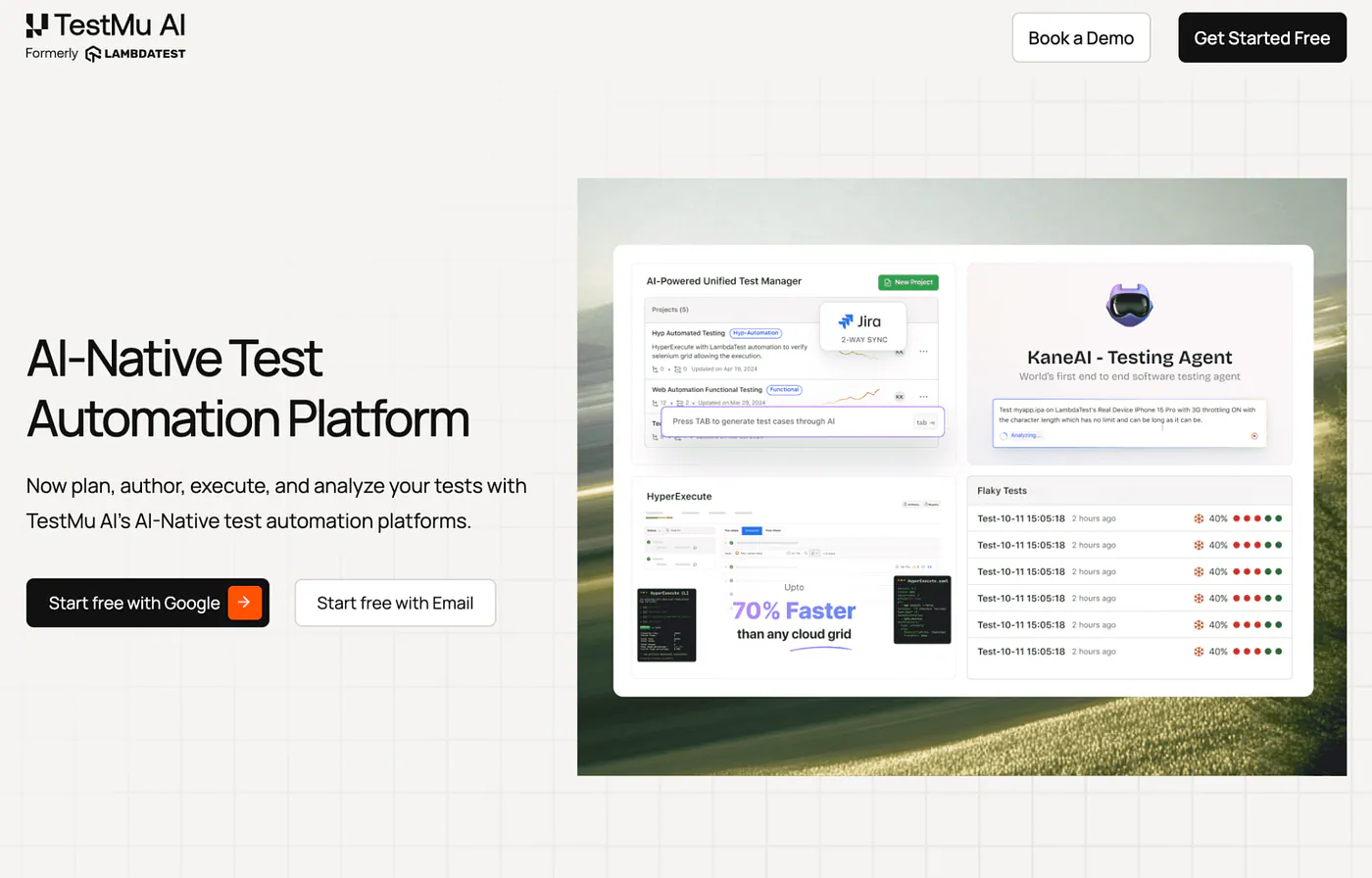
What it does: TestMu AI (formerly LambdaTest) is a full-stack quality engineering platform that combines 3,000+ browsers and 10,000+ real devices with AI agents (KaneAI) that plan, author, execute, and analyze tests.
Best for: Teams that need wide browser and device coverage plus AI-assisted test authoring in a single platform.
TestMu AI rebranded from LambdaTest in early 2026, and the new name reflects where the product has gone: from a cross-browser testing cloud to an agentic platform. KaneAI, its GenAI testing agent, let me author and debug end-to-end tests in natural language, while the underlying grid ran them across browser and OS combinations I’d never test manually.
The platform’s modular structure cuts both ways. You can start at $15 per month for live testing, but real devices, test orchestration, and the AI agents are all separate line items, so the bill grows as you adopt more of the stack.
Key Features
- KaneAI testing agent: Author, manage, and debug end-to-end tests in natural language, with the agent handling the underlying automation code.
- Massive coverage grid: 3,000+ browser and OS combinations and 10,000+ real devices, which is the kind of matrix no in-house device lab can match.
- Framework freedom: Supports Selenium, Appium, Playwright, and every major framework, so existing suites move over without a rewrite.
- HyperExecute orchestration: A faster test execution layer that cuts suite run times through smart distribution and parallelization.
- Unified quality stack: Test management, visual testing, accessibility checks, API testing, and analytics all live in one platform, reducing tool sprawl.
Pros and Cons
Pros:
- ✅ The free-forever plan (two sessions of limited live testing per month) makes evaluation risk-free.
- ✅ Entry pricing is among the lowest of any commercial tool on this list.
- ✅ One platform genuinely can replace several point tools, from device cloud to test management.
Cons:
- ❌ Modular pricing adds up fast. Infrastructure, real devices, orchestration, and the KaneAI agents are all separate line items, so a team using the full platform can watch the monthly bill climb well past what any single plan suggests.
- ❌ The platform’s breadth comes with a learning curve, and small teams may only ever use a fraction of it.
What Users Say
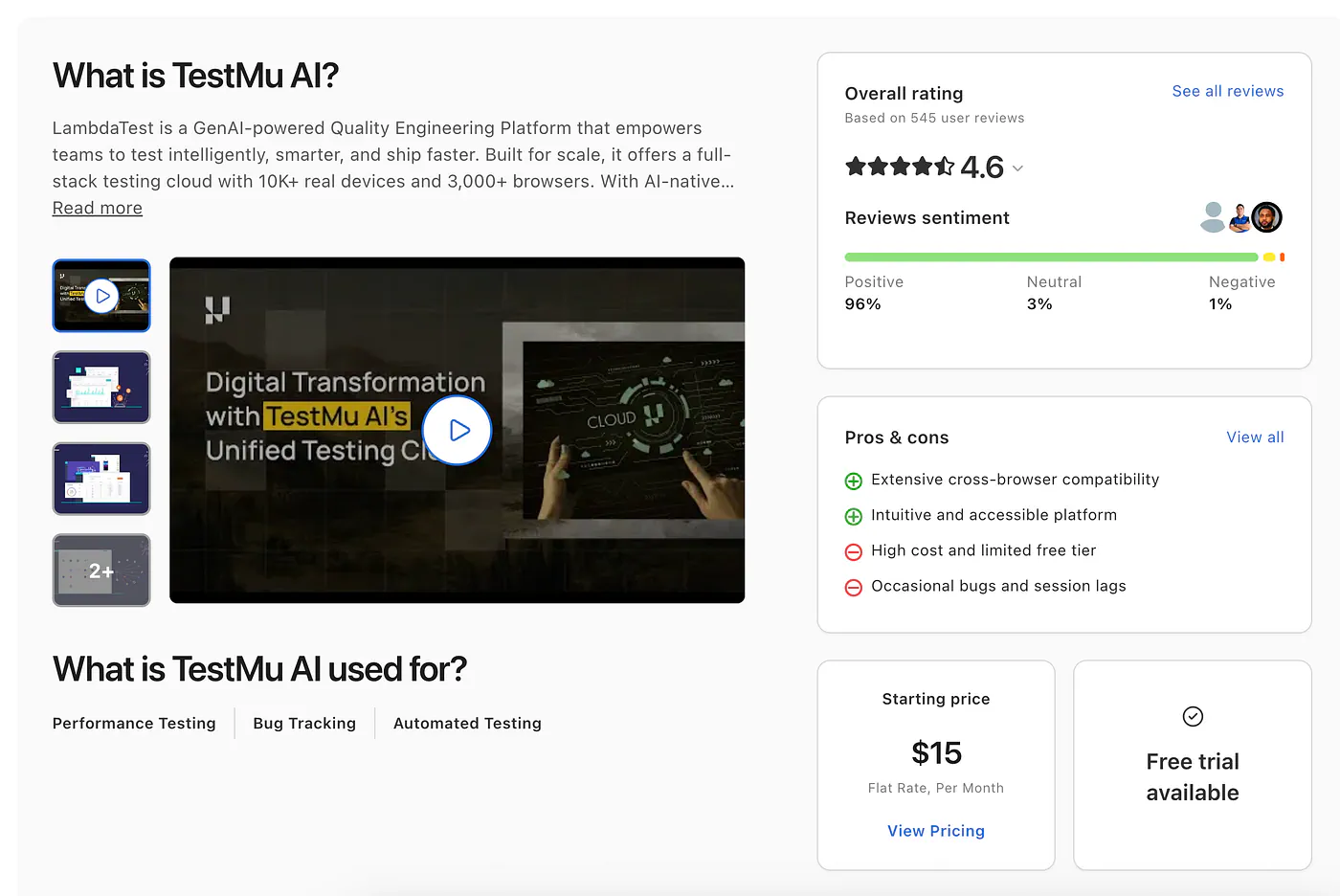
Reviewers on Capterra credit it with unifying fragmented QA workflows and catching compatibility and layout issues early, with small businesses making up roughly 72% of its reviewer base. Criticism centers on pricing that climbs as you add modules and occasional session lag when switching OS versions.
Pricing
TestMu AI’s pricing starts with a free plan (two limited live-testing sessions monthly), then Live testing from $15 per month billed annually, ChromeOS live testing at $29, and real-device testing at $39, each per parallel test. Automation, HyperExecute, KaneAI, and enterprise plans are priced separately, with enterprise contracts customized.
Bottom Line
I’d recommend TestMu AI to teams whose top risk is “works in Chrome, breaks everywhere else,” and to anyone consolidating several testing tools into one vendor. If you want one predictable monthly number, the modular pricing will frustrate you.
6. QA Wolf: Best for Fully Managed QA Coverage
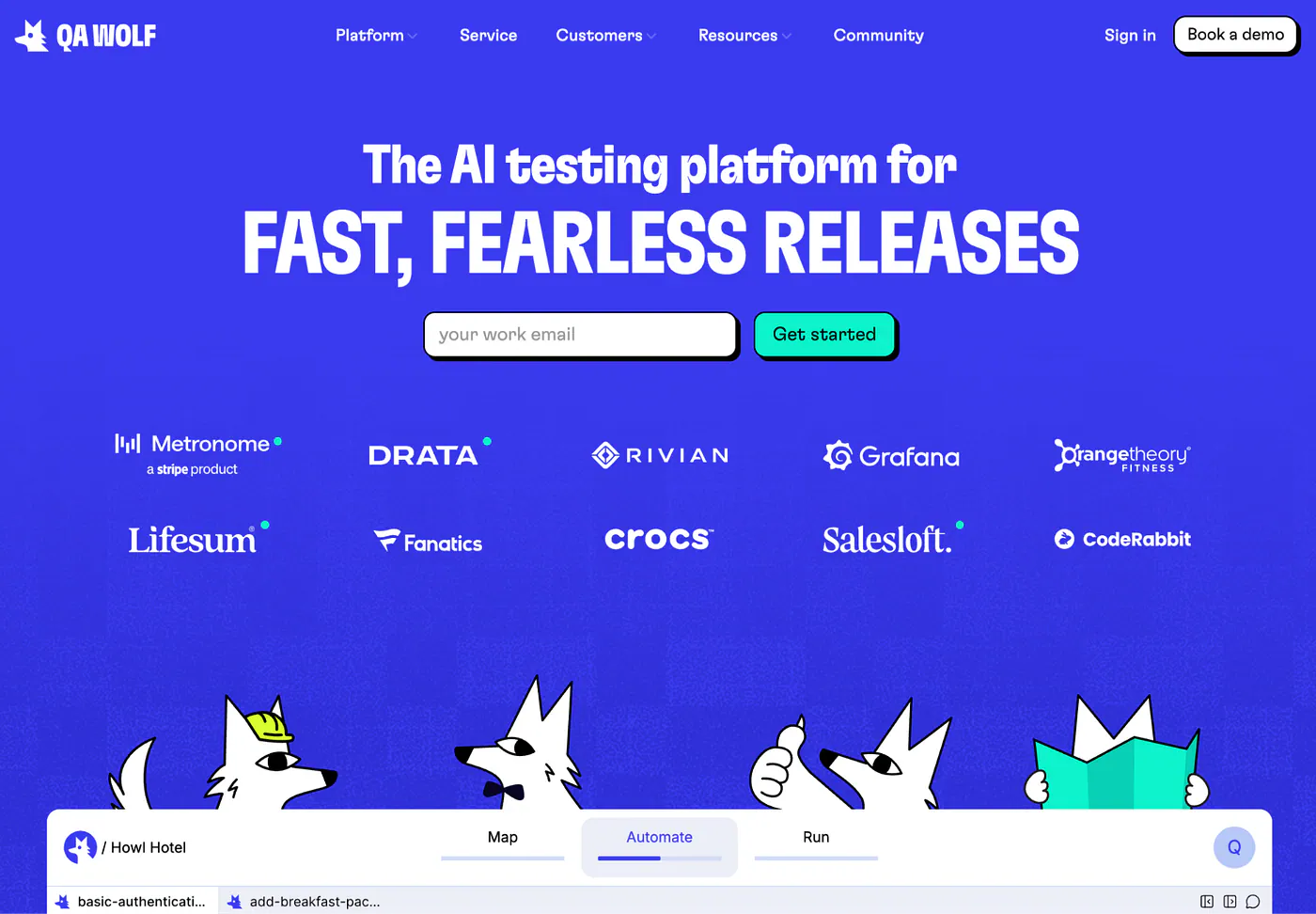
What it does: QA Wolf is a managed service where their team builds, runs, and maintains your entire Playwright-based end-to-end test suite for you, backed by a zero-flake guarantee.
Best for: Funded teams that want to outsource QA completely and get to 80% test coverage without hiring.
QA Wolf is less a tool than a department you rent. Their engineers write your tests in open-source Playwright (and Appium for mobile), run them in parallel on their infrastructure, verify every failure with a human before it reaches you, and fix broken tests as your app changes. I evaluated it through their process and public materials rather than a free trial, because there isn’t one.
The model works. The G2 numbers below are some of the best in the category, and the tests are plain Playwright you can take with you, which removes the lock-in worry that managed services usually carry.
Key Features
- Done-for-you test creation and maintenance: QA Wolf’s team builds your suite to roughly 80% coverage and keeps it green, so your engineers never touch test code.
- Human-verified failures: Every failed run is reviewed by a person before you’re notified, which kills the false-alarm fatigue that makes teams ignore their CI.
- Open-source output: Tests are standard Playwright and Appium, owned by you and runnable anywhere if you ever leave.
- Unlimited parallel runs: Full suites run in minutes on their infrastructure rather than queueing for hours.
- Slack-based collaboration: Their QA engineers work alongside your team in shared channels with response times reviewers consistently praise.
Pros and Cons
Pros:
- ✅ The highest support satisfaction I’ve seen in this category: 9.9 out of 10 for quality of support on G2.
- ✅ Zero internal effort. For teams with no QA hires and no bandwidth, this is the most hands-off option that exists.
- ✅ No vendor lock-in on the test code itself, since everything is standard Playwright.
Cons:
- ❌ Expensive. Publicly reported figures put it around $40 to $44 per test per month, with annual contracts that commonly land around $90,000 and run past $100,000 for larger suites.
- ❌ You give up day-to-day control. An outside team owns the testing workflow, which adds a layer between your engineers and your tests, so if shipping speed is the priority, you may not move as fast as a team running its own suite.
- ❌ Onboarding to full coverage takes months, not days, and several reviewers report the test count (and the bill) growing faster than they expected.
What Users Say
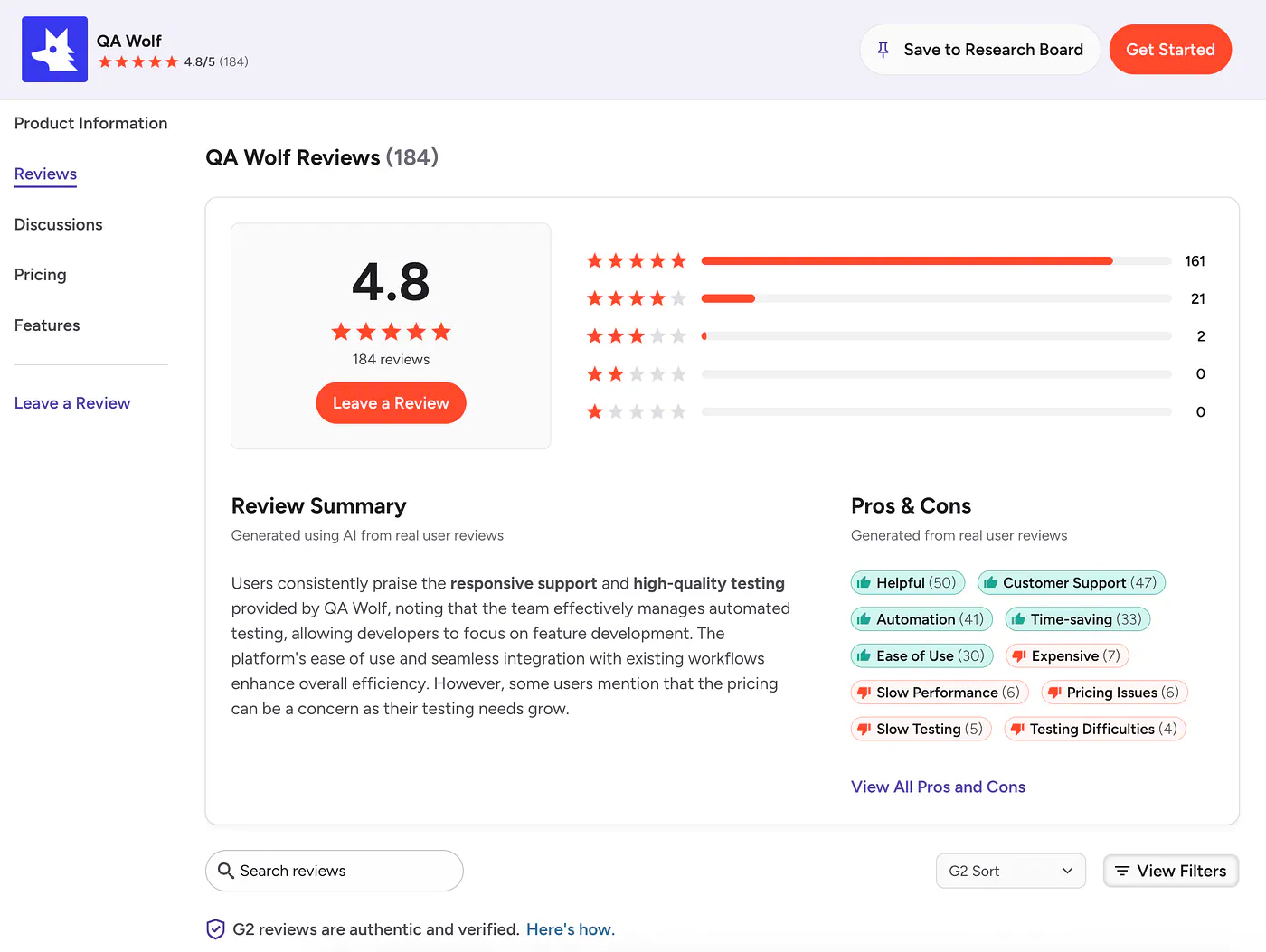
QA Wolf holds a 4.8 out of 5 on G2 across 180+ reviews, with reviewers describing the team as a true extension of their QA organization and praising the partnership mindset and fast Slack responses. The recurring critiques are about money: reviewers note pricing becomes challenging as test needs grow across environments, and one Capterra reviewer reported that flows pitched as three or four tests were delivered as ten billable ones.
Pricing
QA Wolf doesn’t publish pricing, and there’s no free tier or self-serve trial. Publicly reported data referenced on G2 and procurement platforms points to per-test pricing of roughly $40 to $44 per month, a median annual contract value around $90,000, and enterprise deals well beyond that. Contracts typically run 12 months.
Bottom Line
I’d recommend QA Wolf to funded teams that have decided QA isn’t their core competency and want the entire function handled by an outside team. If you’d rather keep testing in-house, an agentic platform like QA.tech gives larger teams the same hands-off coverage without surrendering control, and the DIY route below fits teams comfortable owning every test themselves.
7. Shiplight: Best for Agent-Native Verification Built Into Your Coding Workflow
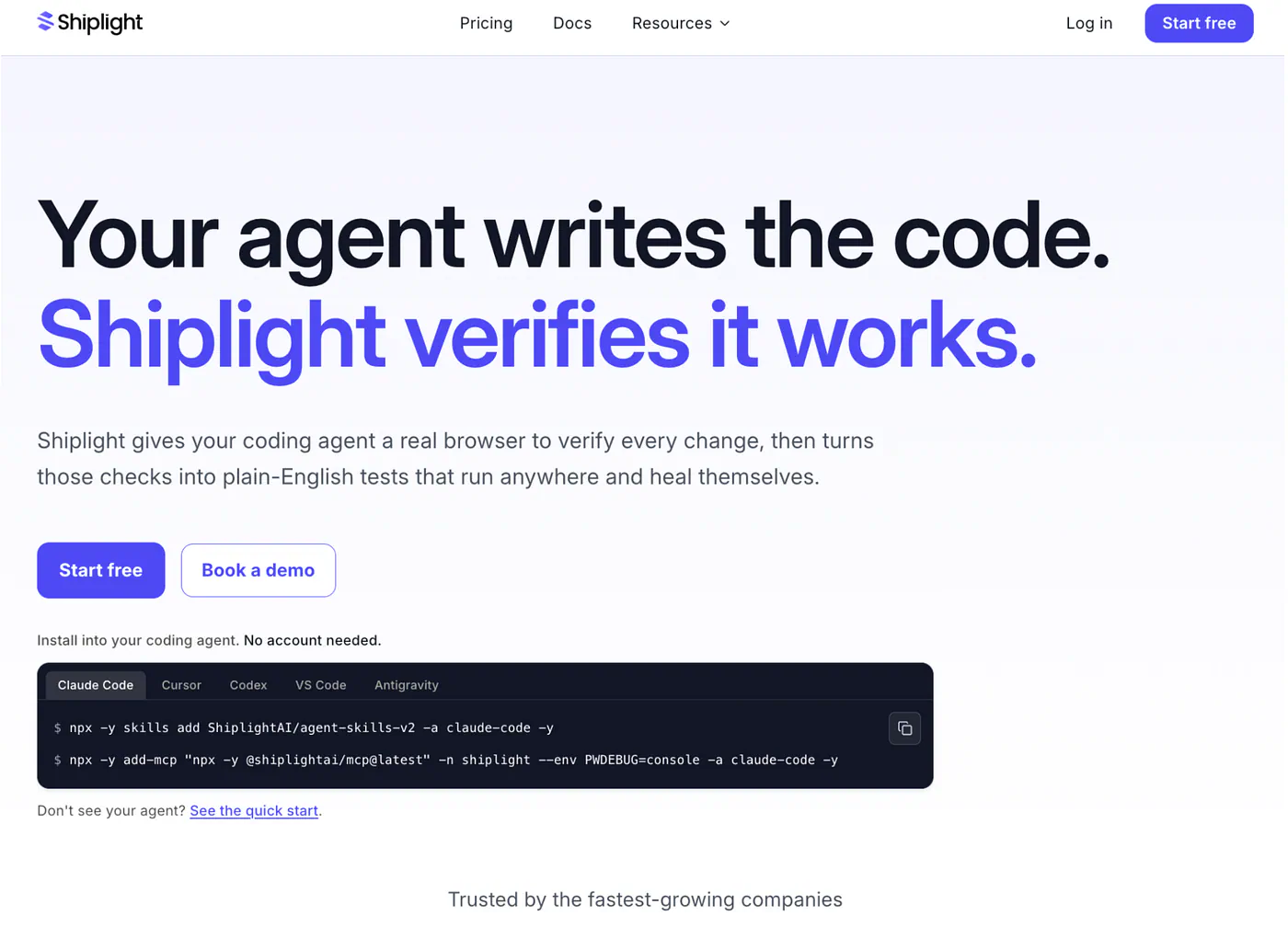
What it does: Shiplight installs directly into the coding agent you already use (Claude Code, Cursor, Codex, and more) as an MCP server, giving the agent a real browser to verify UI changes as it builds. From that same verification, the agent authors and maintains end-to-end regression tests in readable YAML, so coverage grows as a byproduct of shipping instead of a separate QA project.
Best for: Teams building with AI coding agents who want verification to happen inside the same workflow the agent already runs in, not a separate tool bolted on afterward.
Key Features
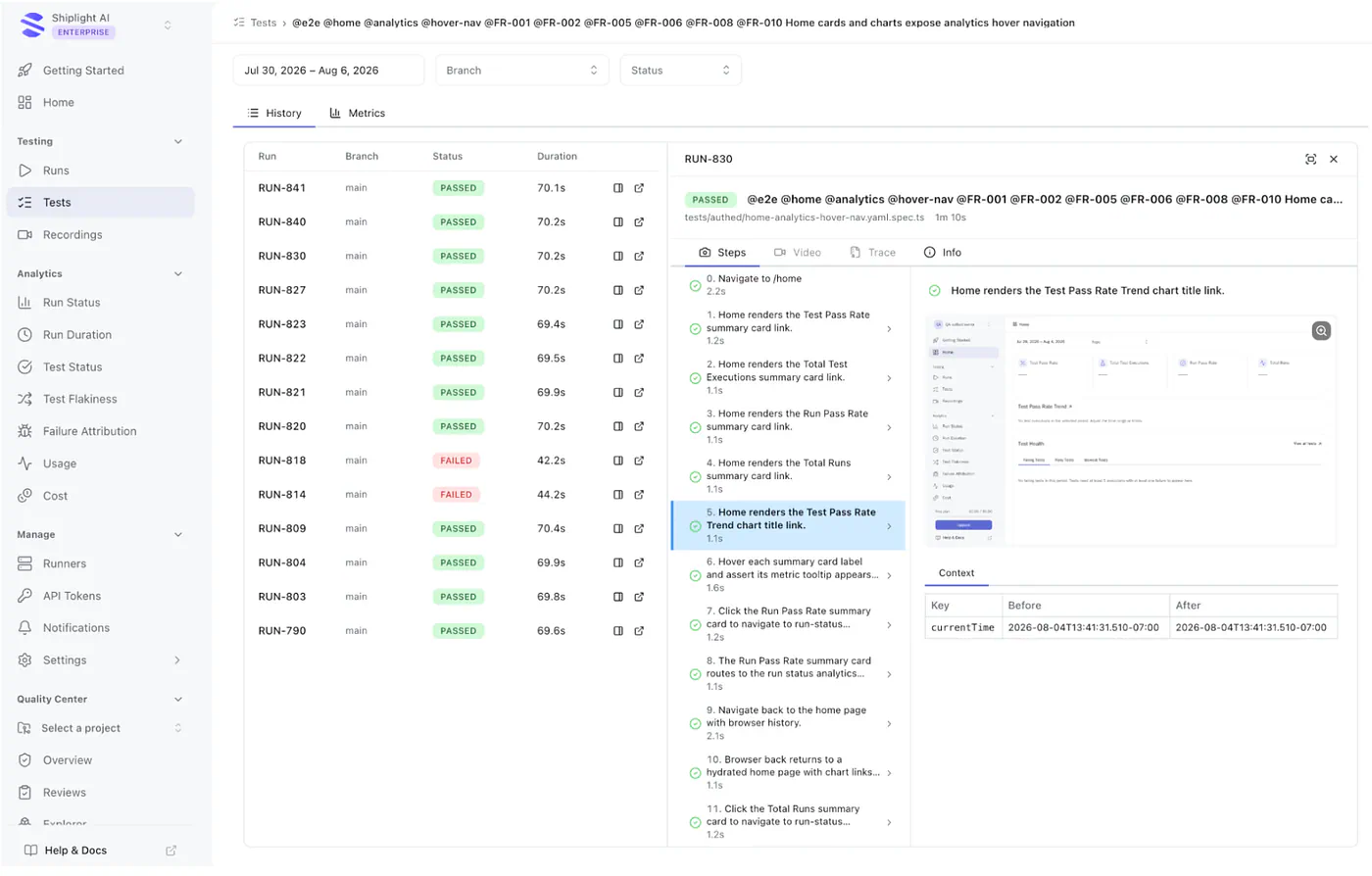
- MCP-based install: Claude Code, Cursor, Codex, VS Code, and more. One line to add, with no separate scripting language to learn.
- Real-browser verification during development: The agent checks UI changes as it makes them, not only at test time.
- Self-healing YAML tests: Tests are authored from intent, with a step-level locator cache that re-resolves automatically when the UI changes. The fix is ready for the next run, with nothing to commit.
- Works alongside an existing Playwright suite: Run both side by side and eject anytime, with no need to rip and replace.
- Bring your own LLM key: Available on any plan, including Free, and can run on your own infrastructure.
What Customers Say
- HeyGen’s Head of QA went from spending about 60% of their time authoring and maintaining Playwright tests to near zero within a month.
- Jobright’s co-founder and CTO automated more than 80% of core regression flows within the first few weeks.
- Warmly’s Head of Engineering reached reliable end-to-end coverage across critical flows within days.
Pricing
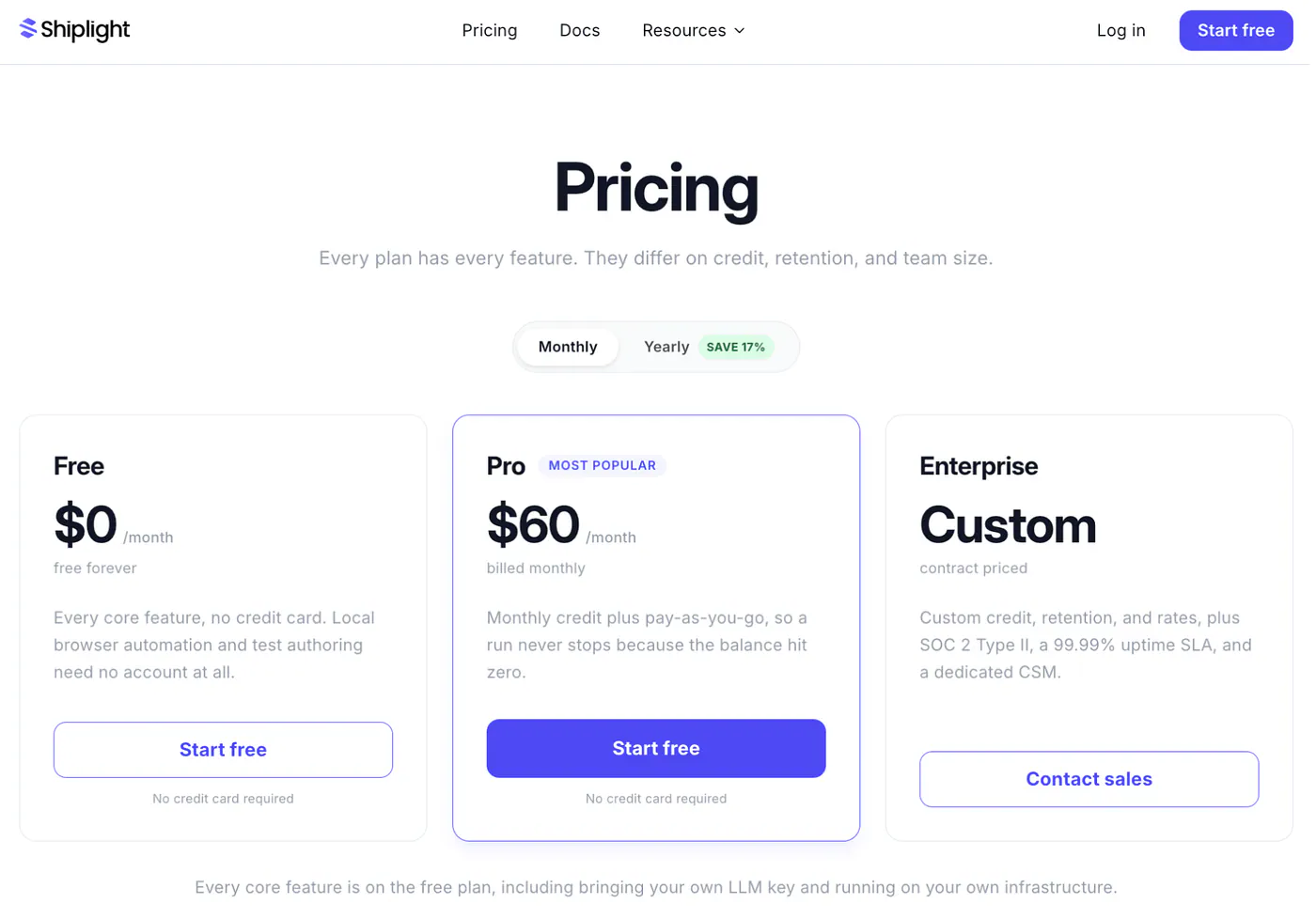
- Free: $0/month forever, with $10 in signup credit. Every core feature is included, including auto-heal, MCP access, and CI integration.
- Pro: $60/month, with more credit and longer artifact retention.
- Enterprise: Contract pricing, including SOC 2 Type II, a 99.99% uptime SLA, and a dedicated CSM.
Bottom Line
For teams building daily with AI coding agents, Shiplight’s edge is that verification runs inside the agent’s own workflow. Tests get authored and self-healed as a byproduct of normal development, not as a separate maintenance project. It’s worth a look for any AI-native team past the point where manual spot-checks hold up development.
8. Scout QA: Best for Quick Vibe Testing of AI-Built Apps
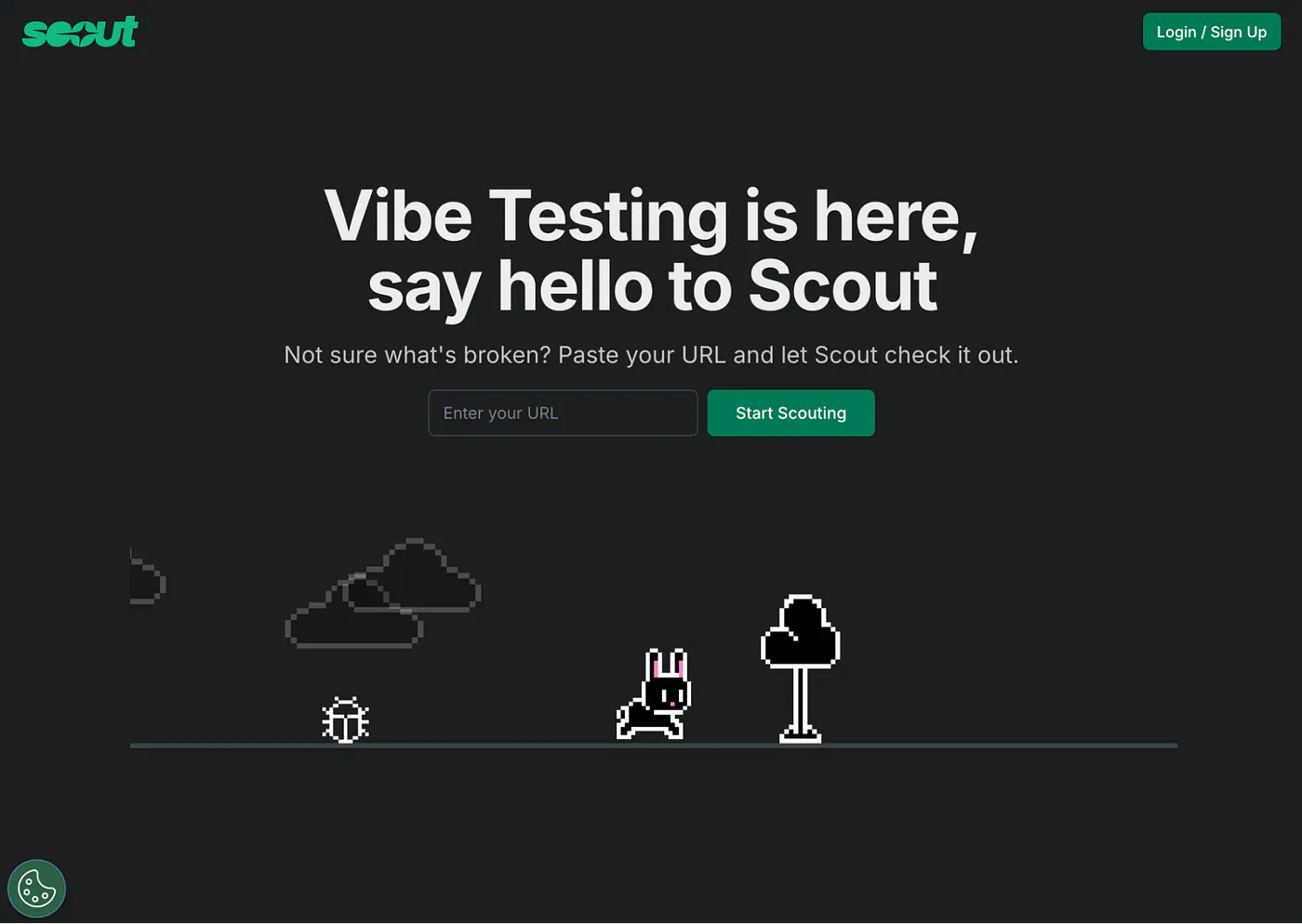
What it does: Scout QA is an AI quality companion for “vibe testing”: you describe what to test in natural language, and its agents explore your app and return a visual traffic-light report with fix suggestions.
Best for: Builders shipping apps from Lovable, Replit, Cursor, V0, or Base44 who need a fast quality check without any QA background.
Scout QA leans into the same culture that produced vibe coding. The premise is that if you didn’t write your code by hand, you shouldn’t have to write your tests by hand either. I gave it a URL and a one-line prompt (“explore the signup flow and check error handling”), and it came back with a pass/warn/fail report, screenshots, and AI-generated fix prompts I could paste straight back into my coding tool.
It’s built on AWS Bedrock with multi-agent orchestration under the hood, and there’s a CLI that drops the same testing into GitHub Actions, which surprised me for a tool this lightweight.
Key Features
- Traffic-light reports: Instant pass/warn/fail visual summaries that anyone can read, with the reasoning behind each check visible.
- AI fix prompts: Failed checks come with suggested prompts you can paste into Cursor, Lovable, or Replit to fix the issue, closing the loop for AI-native builders.
- Natural-language test prompts: “Test the login flow and check accessibility” is a complete, valid test definition here.
- CLI and CI support: The scoutqa CLI runs smoke, regression, and accessibility tests from the terminal or GitHub Actions.
- Magic-link onboarding: No setup or installation for the web version. You can be running your first test within a minute of landing on the site.
Pros and Cons
Pros:
- ✅ The lowest barrier to entry of anything I tested. Non-technical founders can use it on day one.
- ✅ Fix prompts that speak the language of AI coding tools are a genuinely clever touch.
- ✅ Accessibility checks come standard, which many bigger platforms treat as a paid add-on.
Cons:
- ❌ Exploratory by nature. You get a quality snapshot, not a versioned regression suite your team owns and grows.
- ❌ It’s young, with a thin public review base and a feature set that’s still moving quickly.
What Users Say
Scout QA has a presence on G2 but only a small number of reviews so far, which is normal for a 2025-era launch. Early community feedback from builders on Lovable, Cursor, and Replit praises the simplicity of the traffic-light format and the speed from URL to report, while the most common request is deeper integration with the platforms those builders use.
Pricing
Scout QA runs a freemium model: you can start testing free, with paid capacity available as you scale. Pricing details live behind signup at scoutqa.ai, so check the current plans there before committing.
Bottom Line
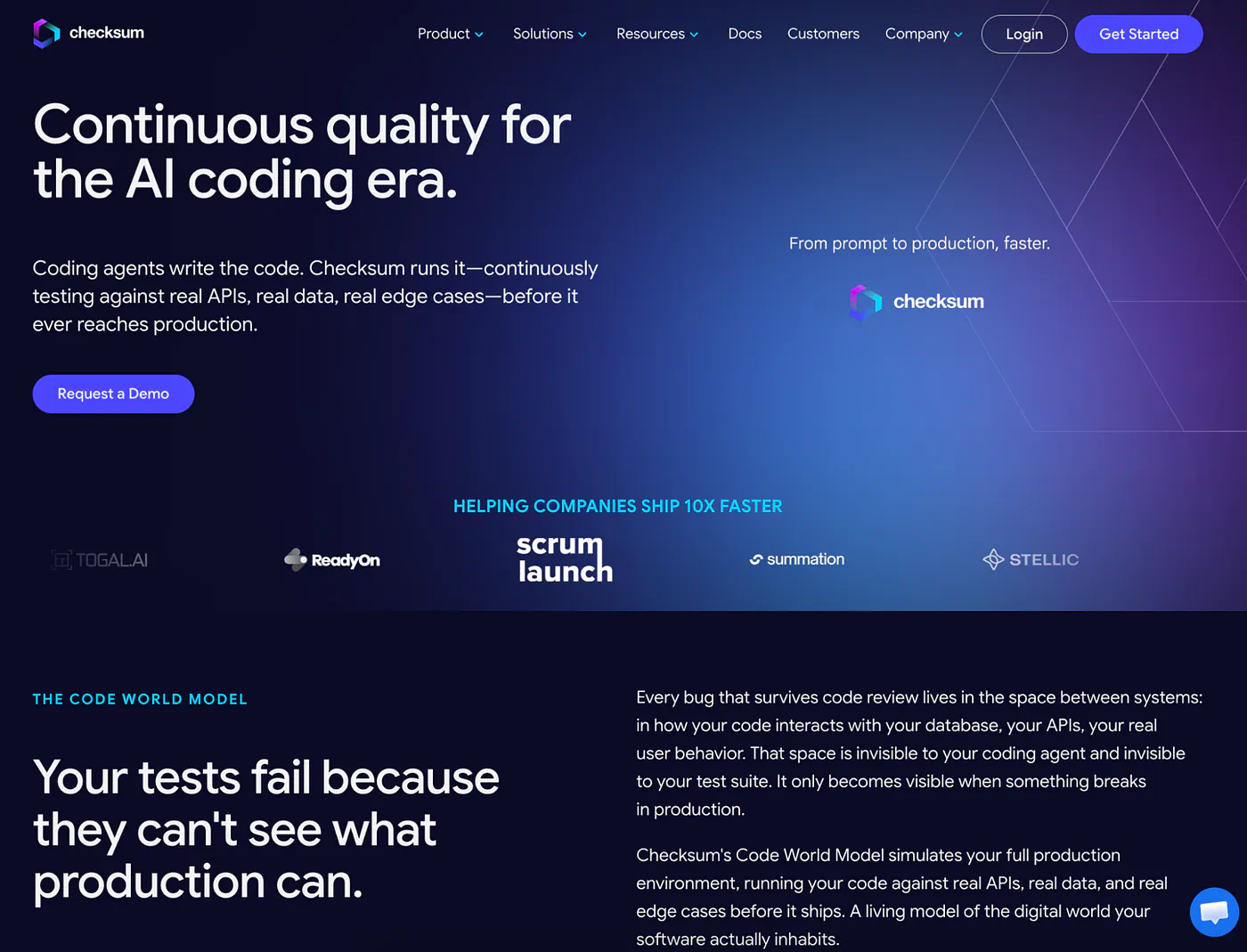
I’d recommend Scout QA to vibe coders and no-code builders who currently do zero testing, because some fast, honest signal beats none. Teams with an engineering org and CI discipline will outgrow it and should look at QA.tech, Momentic, or Checksum instead.
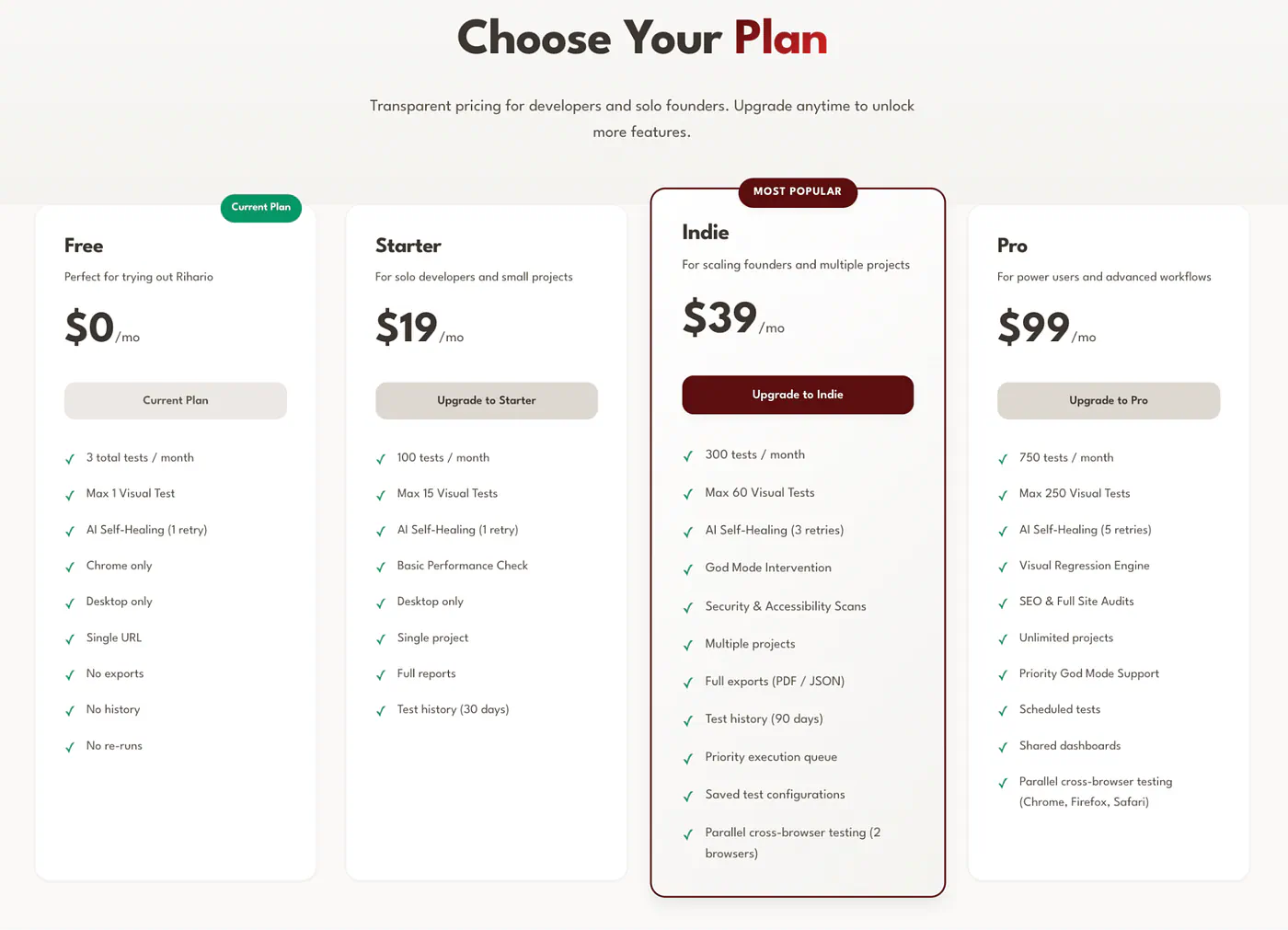
9. Rihario: Best for Indie Hackers and Solo Developers
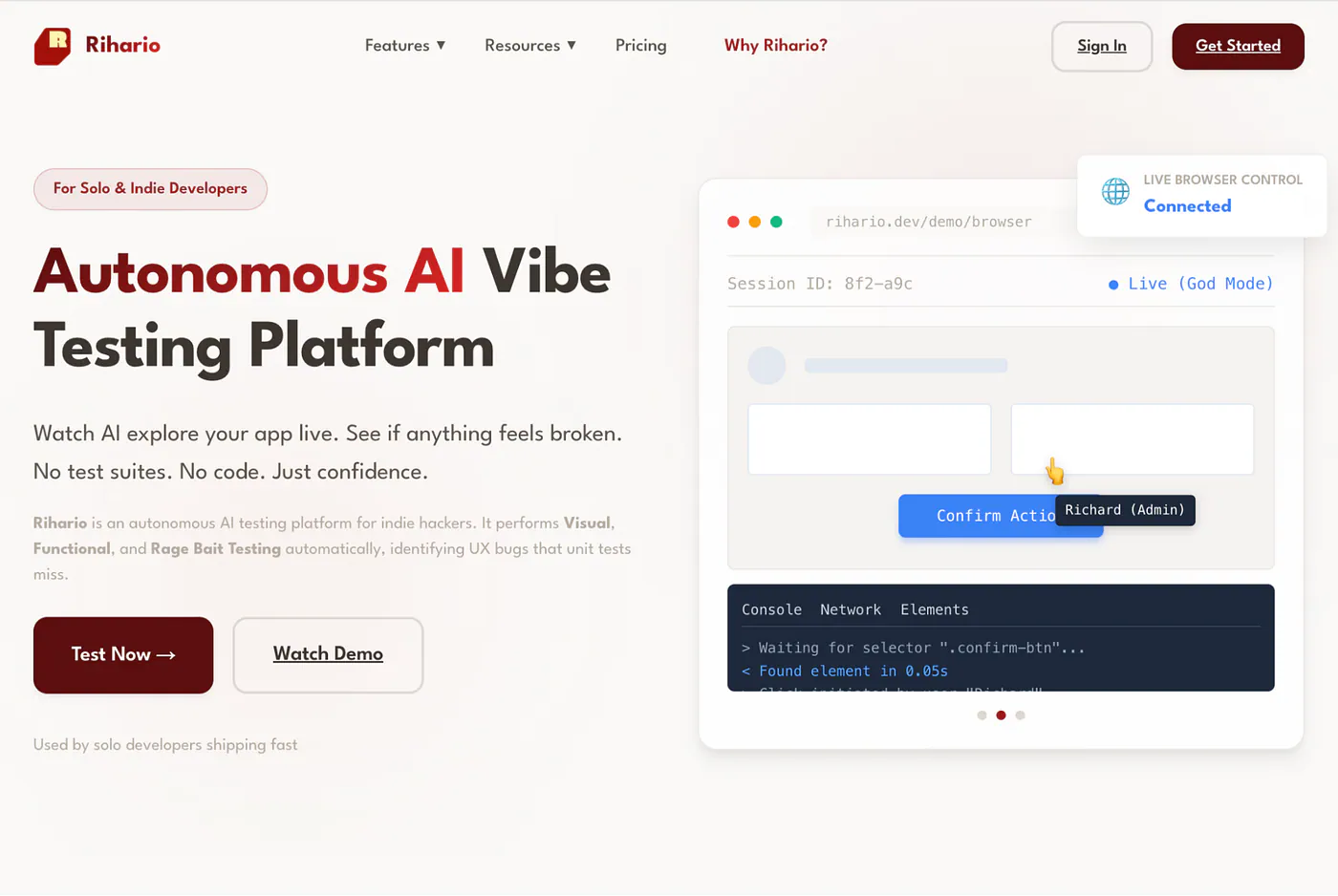
What it does: Rihario is an autonomous vibe-testing platform for indie developers: paste a URL and its AI agents run visual, functional, and “rage bait” testing, returning a report with video replays in about three minutes.
Best for: Solo founders and indie hackers who ship fast, have no QA process, and want confidence checks for the price of a lunch.
Rihario is unapologetically built for one person shipping alone. There’s no setup and no scripts. The agent explores your app live while you watch, flags broken layouts, console errors, and dead links, and produces a video replay of everything it did. Its self-healing engine re-targets elements semantically when IDs change, and a feature called God Mode lets you take over the browser mid-test when the AI gets stuck, teach it the right click, and resume.
The newest addition is a behavior analysis engine that red-teams AI chatbots and agents inside your product, stress-testing for hallucinations, persona drift, and compliance slips. For indie builders shipping AI features, that’s a check almost nothing else at this price offers.
Key Features
- URL-to-report in minutes: No installation or configuration. Paste a URL, and agents crawl your app, identify critical flows, and report with visual diffs and accessibility scores.
- Self-healing semantic selectors: When a button’s ID changes, the engine matches it by visible text and context rather than failing the test.
- God Mode human-in-the-loop: Take live control when the AI stalls, guide it, and let it learn, which Rihario credits for a 95% test success rate versus around 60% without it.
- Rage bait and UX testing: Beyond functional checks, agents hunt for the frustrating UX moments (dead clicks, broken mobile layouts) that quietly kill conversion.
- Automated adversarial testing of your in-product AI for safety, compliance, and persona consistency.