There’s a strange trend going on in social media at the moment. Have you noticed a growing number of AI-generated influencers with incredibly detailed and realistic videos?
Yes, it’s likely that you’ve come across them already and didn’t notice they weren’t real.
One particular example is Jean Phil.
He’s a French-looking guy with a blond bob, a curled mustache, and a brown suit, and all he does is shadowbox in cafés, parks, and streets without saying a single word.
Also known as “Jean Philanthrope,” the mysterious figure seemingly appeared out of nowhere in mid-September 2026 and quickly amassed millions of views across TikTok, Instagram, and X.
His first video went up on September 17.
Eight days later, Dexerto reported that a meme coin with his name on it was valued at about $8.8 million. The weird thing is, until now, nobody has confirmed who is behind the account.
Whenever I hear this kind of news, I always think about three things.
- How do these AI influencers get this big so quickly?
- Where does the money actually come from?
- And how hard is it to make a character like Jean Phil?
I’ll go through all three, including a hands-on example with Pollo AI, and then talk about what this means for anyone working in marketing and social media right now.
How Does an AI Influencer Become so Successful?
What I really like about Jean Phil is how easy it was for other people to get in on the joke.
Fans made green-screen edits that put him in new settings. You could watch one without ever having seen his account and still get why a man in a suit shadowboxing in the middle of an ordinary day was funny.
Archibald Brown went a step further. He made himself Jean’s English rival and kept asking for a fight. Jean carried on with his own videos, which made it funnier to me.
The coin gave people another reason to share the videos.
A holder could benefit if more people bought in, while a wallet collecting fees could earn from trades even as the price fell. An analysis by BuBBliK estimated that the wallet received about $235,000 in fees.
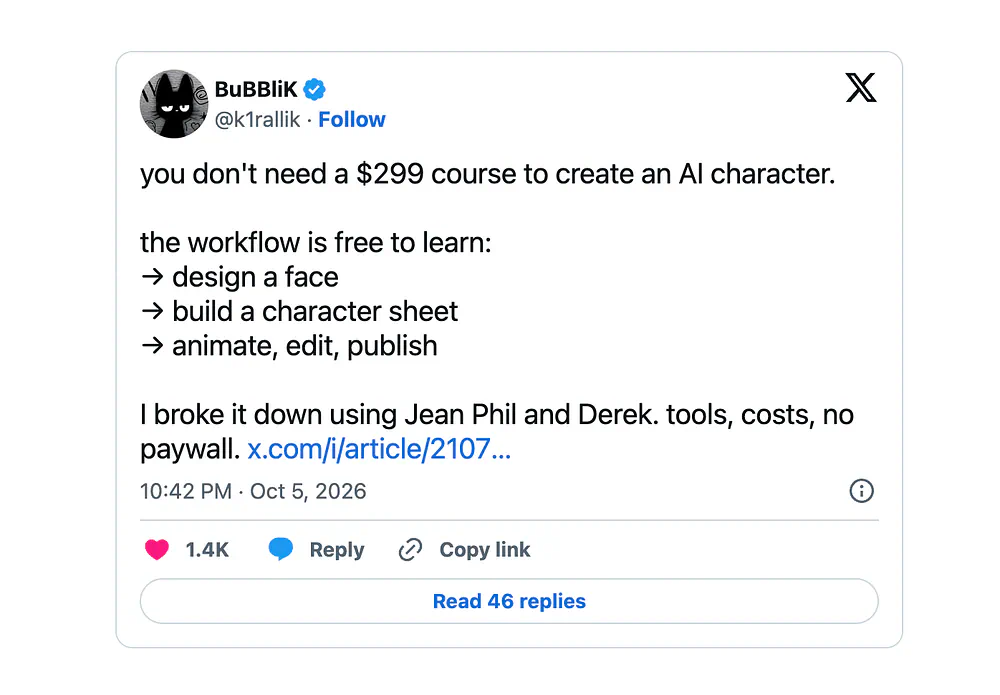
The same wallet could collect fees from several tokens, so it’s unclear how much came from JEANPHIL.

I can see why people got suspicious. You could go from laughing at the video to buying the coin in a few taps, with little idea who was behind the account.
How to create an AI influencer like Jean Phil
Okay, enough about coins. The part I find more interesting is how little it takes to make a character like this now.
For this example, I’m using Pollo AI Influencer to create my own AI characters for UGCs and demo videos. But whatever tool you’re comfortable with, feel free to keep using them.
Before opening any tool, look at what made Jean Phil work. He has one outfit you can spot from far away, and one silly habit he repeats in every video.
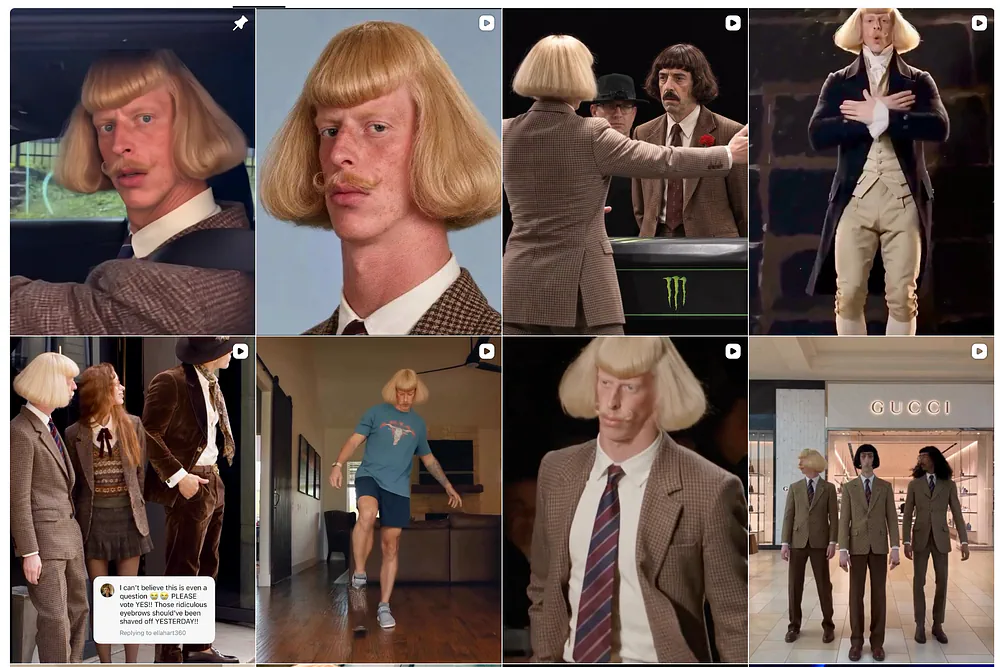
He doesn’t need dialogue or a backstory.
So I came up with my own character using the same two rules.
- Meet Walter, a 68-year-old butler who never takes off his tuxedo and white gloves
- He treats the cheapest things in life like a five-star service
Picture him pouring a can of soda into a wine glass at a convenience store, or serving instant noodles on a silver tray.
Step 1: Build the character
Open Pollo AI Influencer and start a new character.
The builder works through visual settings instead of one long prompt, so you pick the character type, age, appearance, body shape, hairstyle, clothing style, and accessories from menus.
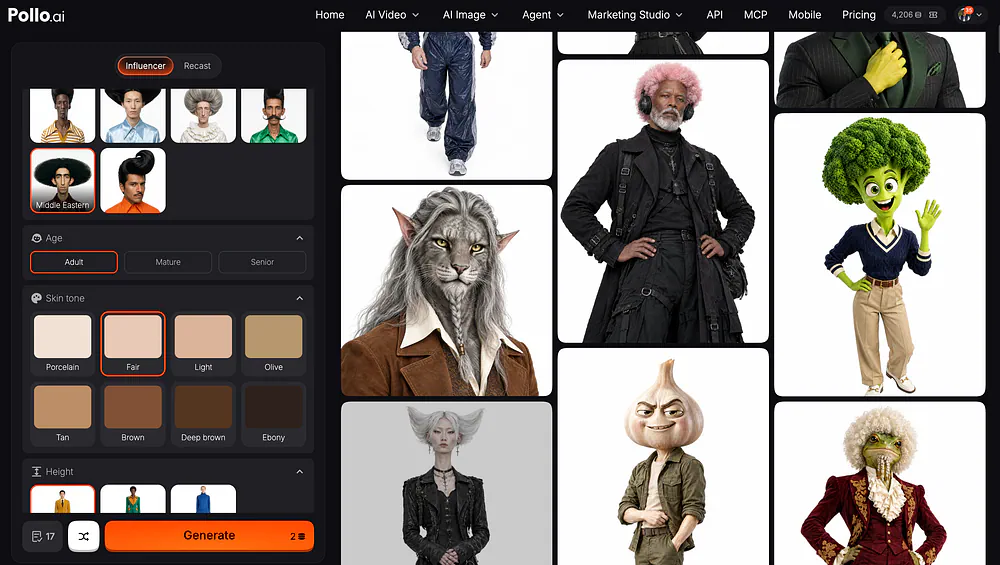
If you prefer to start from a text description, or you want a reference image first, here’s the one-paragraph prompt for Walter:
Prompt: A photorealistic 1970s-style character reference sheet for Walter, a fair-skinned Middle Eastern adult man with a square face, high cheekbones, downturned brown eyes, a thin black pencil mustache, and thick jet-black hair swept up and back. Give him oversized brown aviator glasses with a gold double bridge and a calm, slightly unimpressed expression. He has a slim build with an exaggeratedly narrow waist and long legs. Dress him in a fitted brown plaid blazer with sharp shoulders, an open cream shirt with a wide pointed collar, high-waisted dark brown flared trousers, a brown belt with a gold buckle, and brown leather loafers. Use a plain white studio background, soft even lighting, and natural skin texture.
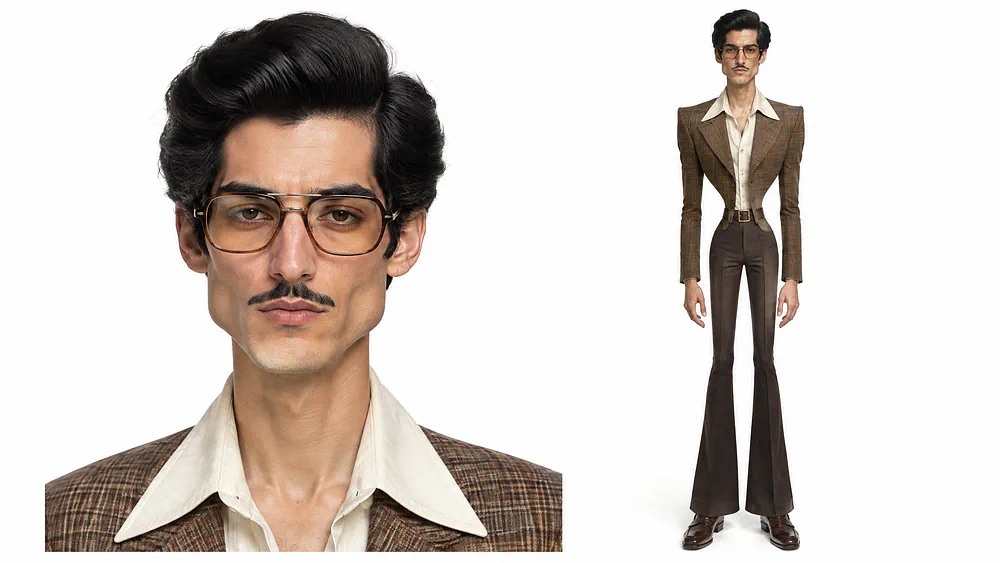
Generate a few versions and compare them. You’re checking that the face, the glasses, and the tuxedo stay the same from one image to the next, because that’s what people will recognize him by.
When you get one you like, save it as a Character. A saved character can be reused across new images and videos, so Walter looks like Walter every time instead of a slightly different old man in every clip.
You can still continue to tweak your character however you want until you get something that you think would click with an audience.
Step 2: Put him in a video
This is where the Jean Phil trick comes in. Pollo has a feature called Recast, where you select your saved character, upload a reference video, and describe the new outfit, product, or setting.
The character image decides who shows up in the video, and the reference clip supplies the movement and the camera work.
To show you an example, I will be using this viral video as a reference:

I opened it in Recast, uploaded the image of Walter, also added a new car to make it even more unique, and set the other parameters.
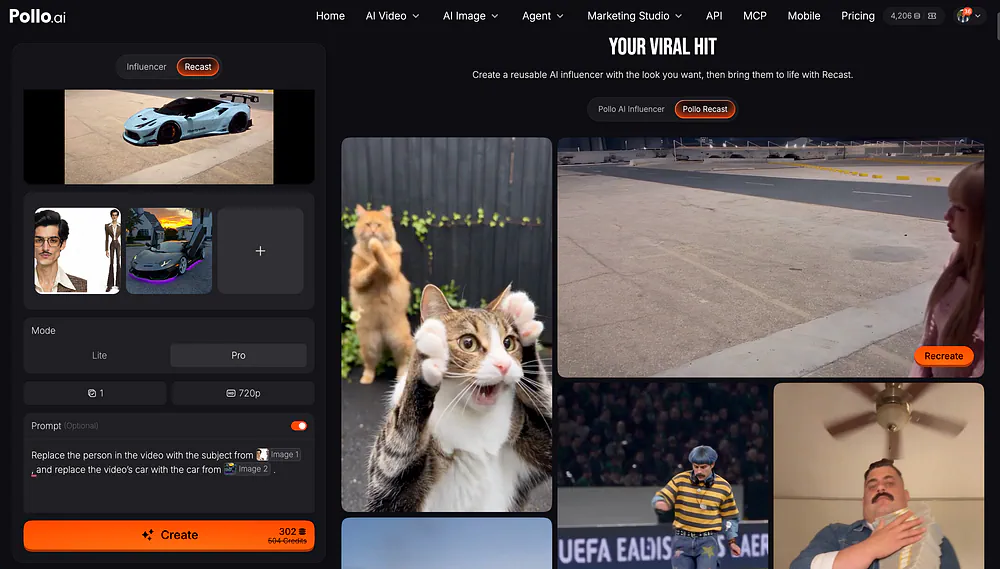
There’s also an optional prompt where you can make tiny tweaks needed for the video. Here’s the prompt I used in the example:
Prompt: Replace the person in the video with the subject from @Image1 , and replace the video’s car with the car from @Image2
Here’s what the final video looks like:
Loading this video connects to Vimeo, which receives device and connection data and may use cookies or similar storage.
It’s the same idea reported behind Jean’s shadowboxing. Real human movement goes underneath, and the generated character goes on top.
A short clip works best here. For an even more original clip, you can film yourself for ten seconds carefully pouring a drink with one hand behind your back, upload it, and Walter does it in his tuxedo instead of you.
One thing to watch for is the small details. Hands, accessories, and any small text can still change between generations, so check the gloves and the tray in every clip before you post.
Step 3: Make a dramatic scene in Pollo Cinema
Short recast clips are good for daily social media posts.
But the videos that get shared the most usually have one scene that looks like it came out of a movie, and that’s what Pollo Cinema is for.
Pollo Cinema gives you controls for camera movement, lens, lighting, and color grade, so you’re directing the shot instead of hoping the model guesses what you want. Upload Walter’s saved image as the reference, then describe the scene.
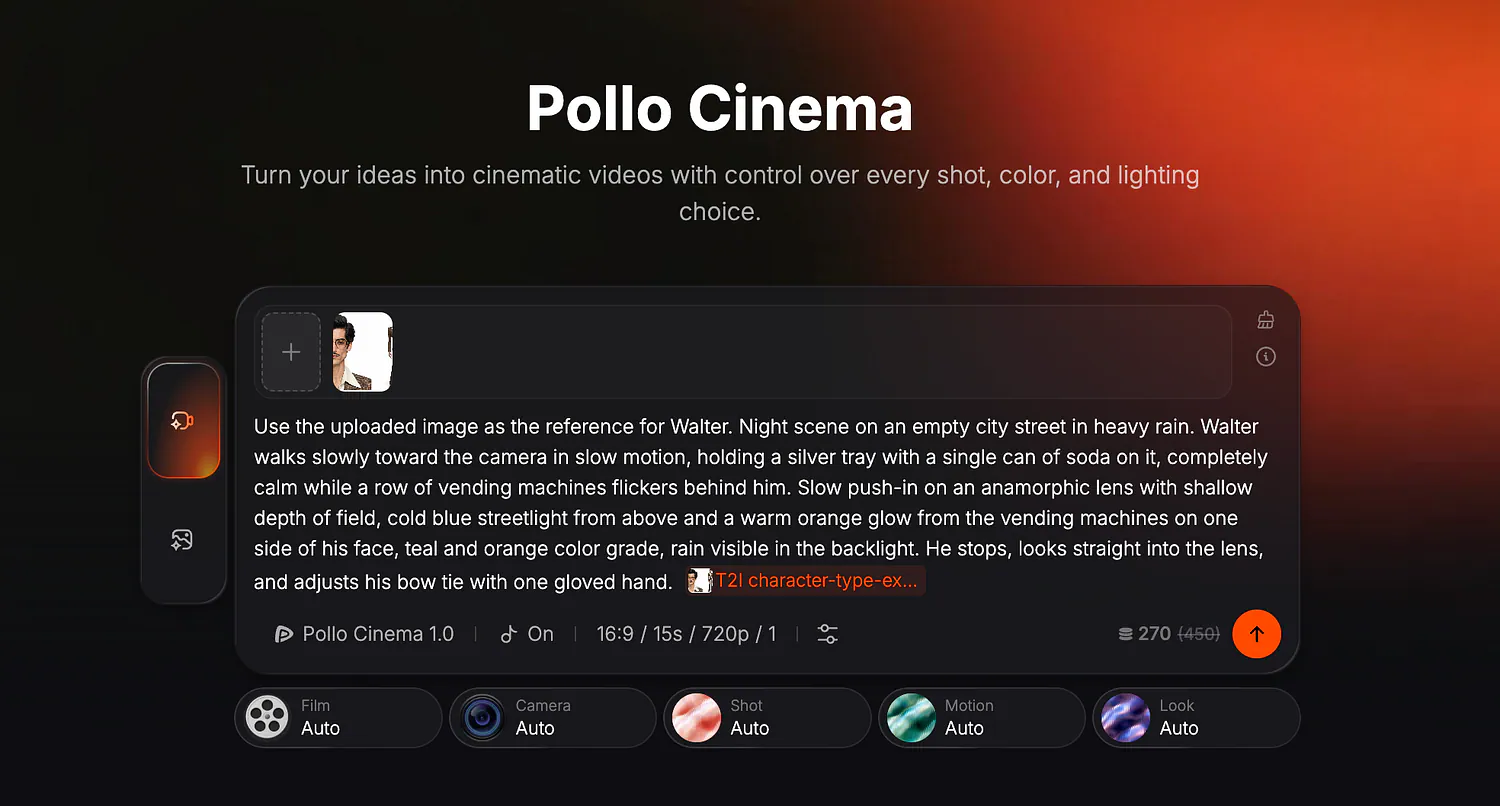
You can also set the resolution, video length, aspect ratio, and number of outputs. For a TikTok or Reel, it’s best to frame the scene vertically from the start so Walter and the tray both fit.
I would also begin with one short take at 480p to see if the timing works. Once I like the framing and movement, I can go up to 1080p or generate a few versions and pick the best one.
Pollo AI charges credits based in part on the resolution, duration, and number of outputs, so those choices make a difference when you’re testing an idea.
Here’s the prompt for a dramatic Walter moment:
Prompt: Use the uploaded image as the reference for Walter. Night scene on an empty city street in heavy rain. Walter walks toward the camera, holding a silver tray with a single can of soda and a wine glass on it, completely calm while a row of vending machines flickers behind him. He pours the soda into the glass. Push-in on an anamorphic lens with shallow depth of field, cold blue streetlight from above and a warm orange glow from the vending machines on one side of his face, teal and orange color grade, rain visible in the backlight. He stops, looks straight into the lens, and adjusts his bow tie with one gloved hand. Then he smiles.