
Postbox gives agent builders a mailbox they can deploy in their own Cloudflare account, with JSON-oriented commands for reading mail and preparing replies. Its central safeguard is a separation between drafting and sending: an agent can prepare a saved draft, while sending requires an explicit confirmation step.
The project’s README describes a web mailbox built on Cloudflare Workers, D1 and R2, protected by Cloudflare Access. It supports multiple domains and addresses, a shared browser-and-CLI draft workflow, and non-interactive commands suitable for automation.
That makes Postbox an interesting email primitive for AI workflows, especially when a person needs to review outbound messages. But the distinction matters: an explicit send confirmation is a useful checkpoint, not a guarantee of human approval. Non-interactive sending is available with --yes. A safe deployment therefore needs to control who, or what, can invoke that path.
A Mailbox Inside Your Cloudflare Account
Postbox’s deployment command creates a Worker, a D1 database, a private R2 bucket, queues and a Cloudflare Access application, then connects mail routing. The project says the mailbox, message storage and access policy remain in the operator’s Cloudflare account.
This is self-hosting through managed Cloudflare services. Operators control the installation and its resources, but still depend on Cloudflare’s infrastructure, account configuration and email-service eligibility.
The mailbox supports explicit aliases, per-address inboxes and a unified inbox. Replies use the address that received the original message. That last detail is useful when an agent handles several roles: a reply to a support message should come from the support address, without requiring the automation to reconstruct the correct sender identity.
Catch-all routing also has an application-level restriction. According to the README, Postbox accepts only addresses the operator has added, even when catch-all routing is configured. Catch-all therefore does not mean every possible address becomes an active mailbox.
Access Is Shared Across the Workspace
Postbox uses Cloudflare Access sign-in, an exact email allowlist and JWT verification inside the Worker. JWT verification checks the signed access token at the application layer. The README also says remote images are blocked and email HTML is sanitized and sandboxed.
Those controls address different problems:
- Access policy and the allowlist determine who can enter the workspace.
- Worker-side token verification checks authentication at the application boundary.
- HTML handling and remote-image blocking constrain how incoming messages are displayed.
They do not create private mailboxes for individual users. The README explicitly says all allowed users share the whole workspace, positioning it for an owner or trusted group. Separate security boundaries require separate installations. Multi-factor authentication is optional and off by default.
I’d make that shared-workspace decision before configuring addresses. Adding finance@ and support@ gives you separate views and identities, but it does not give finance and support staff separate access rights.
Setup Includes a Preview and a Deployment Plan
Postbox provides a local preview that requires Node.js 22.12 or newer and npm, without a Cloudflare account:
git clone https://github.com/NaxAlpha/postbox.git
cd postbox
npm ci
npm run postbox -- start
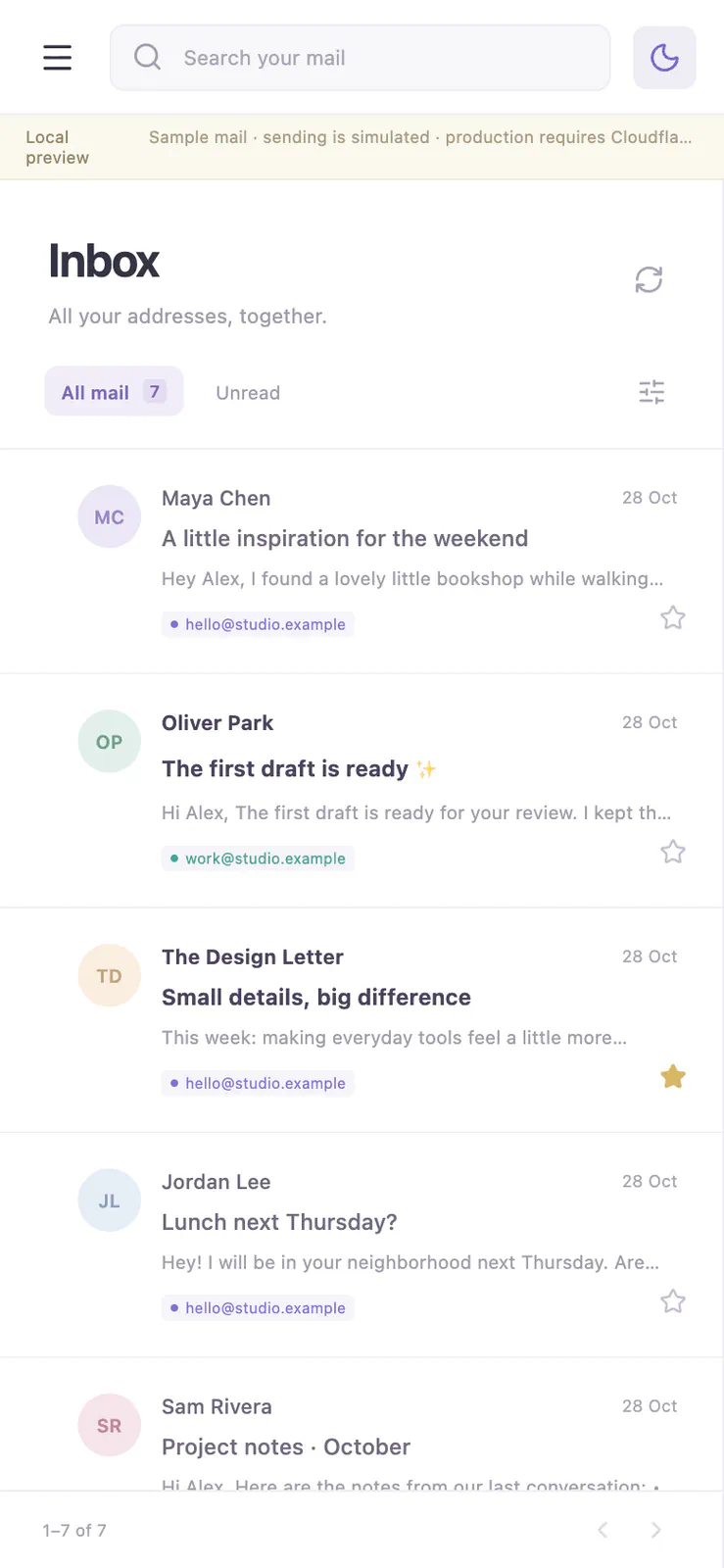
These documented commands clone the repository, install its dependencies and start the preview. The README directs users to http://127.0.0.1:5173. It includes sample mail and simulated sending, with local data stored under .postbox/local. The development server should remain on loopback, meaning it should be accessible only from the local machine.
The preview is a sensible place to inspect the interface and workflow. Because sending is simulated, it cannot validate real mail delivery, DNS configuration or production authentication.
A real installation requires a Cloudflare Workers Paid account, R2 enabled, domains using Cloudflare DNS, and access to both Email Routing and Email Sending. From the same checkout, the documented setup sequence can be inspected before deployment:
npm link
postbox login
postbox init
postbox deploy --dry-run
npm link makes the checkout’s CLI available as postbox. Account login and initialization prepare the installation; postbox deploy --dry-run shows the deployment plan. The actual provisioning command is postbox deploy, which also updates an existing installation.
The setup wizard collects domains, addresses, a mailbox hostname and the exact emails allowed to sign in. It previews DNS changes before applying them, and the project says its CLI refuses conflicting mail configuration.
Postbox also documents named and prefixed resources, ownership records, diagnostics, backups, restore and guarded cleanup. These are valuable operational details: an operator needs to distinguish mailbox resources from unrelated infrastructure before updating or removing anything. Naming and ownership records help make that footprint understandable; they are not evidence that every recovery path has been proven.
The README advises backing up both mailbox.config.json and .postbox/. Those files are gitignored, so keeping the source repository alone is insufficient to preserve the private configuration and ownership records.
The CLI Gives Agents a Structured Mail Interface
Postbox’s CLI supports interactive prompts and non-interactive use. Commands accept --silent or --json for structured output, allowing scripts and agents to consume mailbox data without parsing a human-oriented terminal display.
The documented workflow includes:
postbox auth
postbox list --silent
postbox draft
postbox view MESSAGE_UUID
postbox send MESSAGE_UUID
postbox help agents
These commands authenticate the CLI to the protected mailbox, list inbox summaries as JSON, prepare a draft, inspect a message or saved draft, and review a draft for sending. MESSAGE_UUID is a placeholder for the relevant message or draft identifier. The final command opens the project’s automation and safety guidance.
Mailbox authentication through postbox auth is separate from Cloudflare account login. That distinction separates using the deployed mailbox from authenticating the CLI for account-level setup.
The browser and CLI share the same saved drafts. This is the most useful integration detail for a human-reviewed agent workflow. An agent can prepare the draft through the terminal, and a person can inspect that saved object in the web mailbox before sending. There is no need to copy the proposed message out of an agent transcript into a separate composer.
Structured output also makes the integration easier to reason about. An automation can work with message identifiers and explicit command results instead of guessing where a subject or status appears in terminal text.
JSON formatting does not, however, make email content trustworthy. A malicious instruction inside a message remains untrusted content after serialization. The agent’s surrounding workflow still needs to distinguish incoming email from authorized instructions.
The Send Gate Is Useful, but It Is Not a Permission Boundary
The Postbox README states that “drafting never sends mail.” Interactive sending reviews a draft and asks for confirmation; sending without a terminal requires an explicit --yes.
This design separates two consequential actions:
- Preparing content: creating a saved proposal that a person can inspect.
- Releasing content: authorizing an outbound message.
That separation supports a practical operating model: let an agent read messages and create drafts, then let a person inspect recipients, sender identity, attachments and content before authorizing transmission.
The limitation is equally important. If the same agent can freely run postbox send with --yes, the confirmation flag is something the agent can supply. It records an explicit command choice, but cannot by itself prove a person approved the message.
My view is that the safest default is to keep sending outside the agent’s available tool permissions. Where the surrounding automation supports command restrictions or a separate approval runner, give the agent the reading and drafting path and reserve the send action for that controlled step. This is deployment guidance derived from the documented commands, not a claim that Postbox implements a separate draft-only credential.
The gate also has a narrower purpose than general email security:
- It can separate composing from transmitting.
- It creates an opportunity to check recipients and content.
- It does not establish whether a message is accurate, appropriate or free of confidential information.
- It does not prove that the recipient received it.
Postbox distinguishes submission from delivery. A send marked accepted is not proof of delivery, and optional delivery-event subscriptions require additional setup. An agent workflow should preserve that distinction in its own status reporting.
Frequently Asked Questions
3 questions
1Can Postbox Work With an IMAP Mail Client?
No. The README says Postbox has no IMAP or POP3 server and no mail-client SMTP access. Its documented interfaces are the web mailbox and CLI.