Before a coding agent changes files, Trama asks it to create or update a state-machine model of the behavior it intends to build. According to the project documentation, the agent presents those proposed changes visually and waits for approval before moving into implementation.
A code diff usually arrives after an agent has already made design decisions. Trama moves part of that review earlier: developers approve intended behavior without having to reconstruct it from generated code and a chat history.
GitHub lists Trama v0.0.1, released on October 11, as a pre-release. Developers can download its VSIX extension for VS Code or Cursor now. The model-first workflow is worth examining, though the available announcement material does not establish that its approval process or drift detection is a reliable production control system.
The Agent Proposes Behavior Before Implementation
Trama’s documented workflow begins with a feature request written in ordinary language. The agent reads the application’s existing behavioral map and asks about decisions it cannot resolve on its own.
Each question includes a suggested answer. Developers can accept the recommendation or skip the question, leaving the agent to record its recommendation as an assumption for review. Keeping that choice visible is useful: an unanswered requirement should not silently become application behavior.
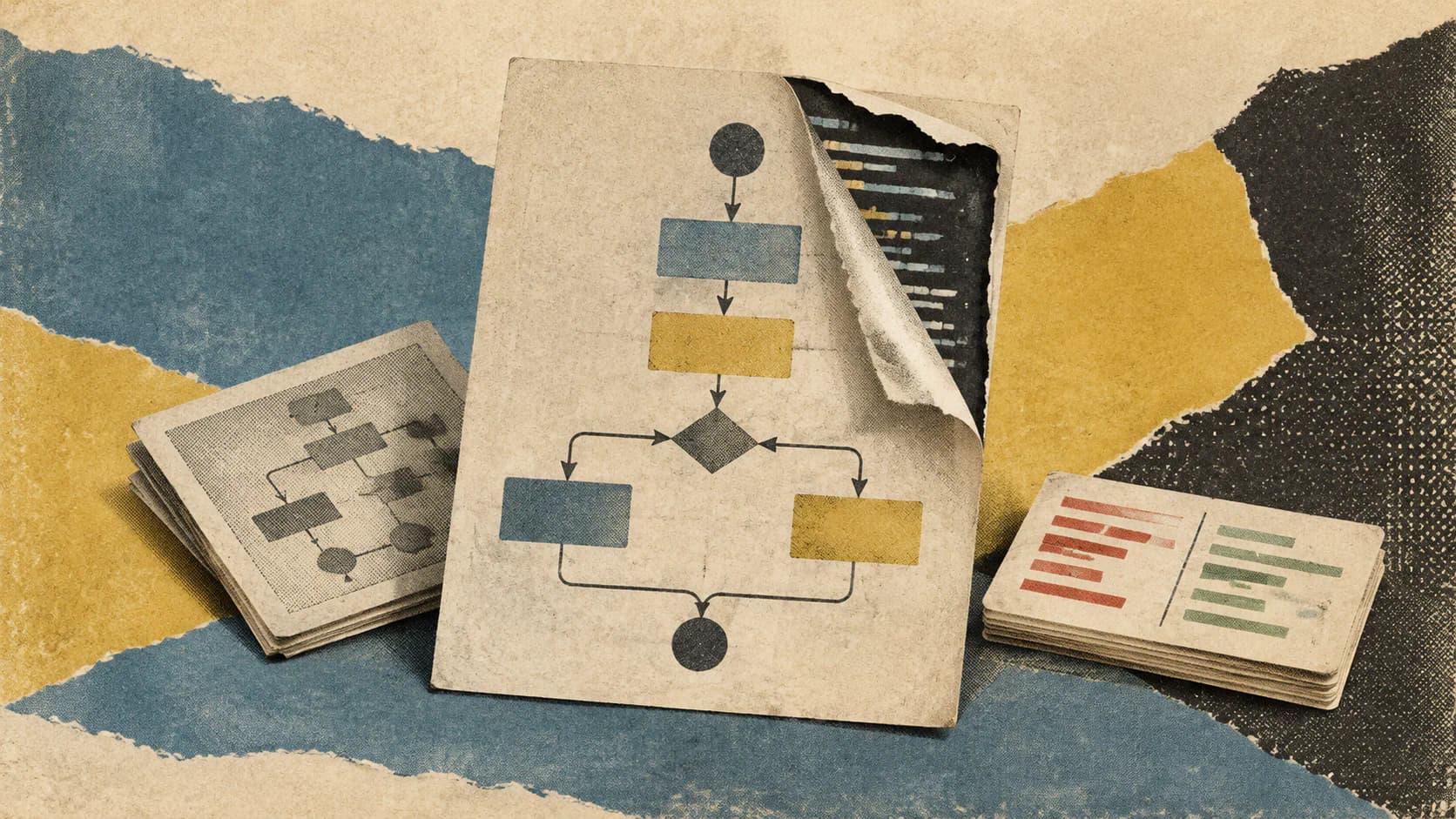
Next comes a Proposal. Additions appear in blue on the diagram and removals in red. A side panel collects decisions and assumptions, while the proposal on the board lists the files it touches. The developer can approve it or reject it with a note.
Approval does not immediately send the agent off to edit everything. The documented sequence includes a scan of the affected behavior against the code, followed by preparation of implementation tasks. The developer then selects Run this design to begin execution.
The proposal and the resulting code serve separate review purposes. One answers whether the design is acceptable; the other still needs review for implementation quality. Approving a state machine cannot tell a developer whether a database query is efficient, a dependency is appropriate, or a security check is correctly implemented.
The concrete benefit is a chance to challenge significant behavioral decisions before they become a large patch.
State Machines Expose Decisions That Chat Can Hide
A state machine describes the situations a system can occupy and the events that move it between them. For an order workflow, those might include delivery, a return request, and the expiration of a return window.
Trama represents intended behavior through Markdown-backed models, generating diagrams from the underlying text so developers do not have to maintain boxes and arrows manually. The model is meant to be a persistent specification that both the human reviewer and the coding agent can consult.
The repository’s shop example shows why that can help. Adding returns requires more than a “support refunds” instruction. The example addresses when the return window begins, when it closes, whether a return covers the whole order, and how much is refunded. Time itself becomes an actor that closes the return window.
These product decisions have implementation consequences. A diagram can make a missing transition or an unexpected deadline easier to inspect than a conversation spread across multiple prompts.
Still, the diagram is only as useful as the model behind it. Readability does not guarantee a complete specification. If the agent omits an important failure case, approving the visible transitions will not recover it. Reviewers need to check that the model includes the behavior that matters, including relevant exceptions and business rules.
For an initial evaluation, a feature with explicit transitions and deadlines would be a more revealing test than a cosmetic UI change.
A Drift Is a Disagreement, Not Automatically a Bug
Trama’s second major claim is that it can compare implementation with the behavioral model and identify what it calls a Drift.
The project explicitly distinguishes drift from a bug report. A disagreement can mean the code is wrong, the specification is outdated, or the application has reached a decision the model never addressed. Trama is intended to present the difference without automatically declaring either side correct.
Each reported drift describes what happens, what should happen according to the model, and possible resolutions. The developer can choose a code change or retain the implementation and update the model to match it.
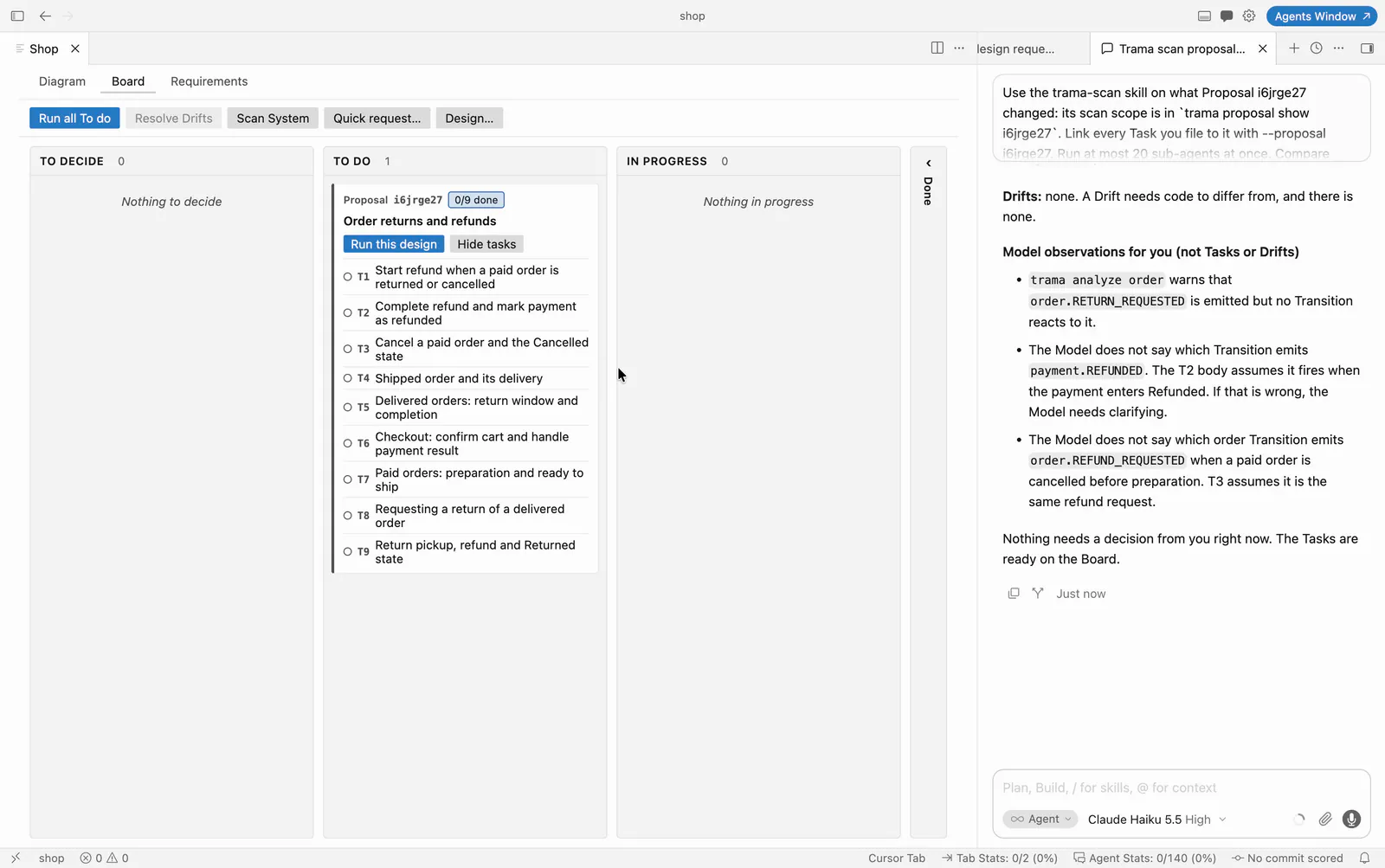
According to the documentation, the agent will not start tasks concerning the affected part of the application until the disagreement is resolved. That workflow claim does not demonstrate protection against every way an agent could modify a repository. The supplied material does not establish an unbypassable permission boundary around code changes.
Settings add another qualification. trama.driftAutoPilot is disabled by default, but the project documents options that let the agent resolve non-critical drifts automatically, or all drifts through a mode named yolo. Human involvement therefore depends partly on configuration.
The scans themselves are agent-driven. The documentation describes sub-agents comparing individual machines and exposes a model setting for scan work. Developers should treat the findings as evidence to investigate, not formal proof that the implementation matches every requirement. Before trusting the scans, a team would need to understand both what they detect and what they miss.
The Behavioral Specification Lives With the Project
Trama keeps the map and its rules in the repository, separating intended behavior from a particular conversation and making it available to subsequent sessions, agents, and teammates.
Requirements can cover areas such as the technology stack, design, data, and business rules. Rules can be associated with the part of the map they govern. In the shop example, the return deadline is tied to the relevant order behavior instead of being left as an isolated instruction in chat.
This persistence could be as useful as the visualization. A future reviewer needs to know what the application is supposed to do, not merely what an earlier agent said it would implement.
For existing applications, Trama documents an Import from Code workflow in which the agent builds the initial map from the implementation. That can create an inspectable baseline, but it reverses the direction of validation: a model derived from current code can describe existing mistakes as faithfully as intended behavior. Developers still need to check that baseline against requirements.
Repository-backed storage is no blanket privacy guarantee. The chosen coding agent and its own configuration remain relevant to how project information is processed.
Installing the VSIX and Connecting an Agent
The documented builds target Linux x64 and macOS on Apple silicon, running in VS Code or Cursor. These are the supported combinations described in the announcement material; broader platform compatibility should not be assumed.
To try the release:
- Download the appropriate
.vsixpackage from the GitHub release page. - Open the editor’s command palette and select Extensions: Install from VSIX….
- Configure the agent before initializing the project.
- Run Trama: Open, then choose Initialize Project or Import from Code.
- Select Design… and describe a feature.
The project says the Trama command-line component comes inside the extension, so it does not require a separate Trama installation.
The default trama.agent setting is chat, which uses Copilot Chat in VS Code or chat in Cursor. Claude Code and omp are the documented terminal alternatives; they must already be installed and available on the system’s PATH.
For Claude Code, the project instructs developers to set trama.agent to claude and trama.skillsDir to .claude/skills.
Separate model settings for analysis, scanning, and execution give developers distinct configuration points for reviewing behavior and implementing tasks. The available sources do not show whether a particular combination produces more reliable results.
These setup paths are documented, but compatibility has not been independently validated for every editor, agent, and model combination.
Treat v0.0.1 as a Reviewability Experiment
The clearest tradeoff is extra work before code appears. Trama’s own documentation acknowledges that developers must answer questions, inspect proposals, and approve designs instead of going directly from a prompt to implementation.
Whether that overhead pays off remains an empirical question. The release announcement supplies no independent measurements of defect reduction, review time, or drift-detection accuracy. The Hacker News submission had two points and no substantive discussion in the snapshot available for this report. It documents the announcement without providing meaningful evidence of user validation.
A useful trial would start with a small feature whose expected behavior is already clear. Inspect whether the proposal exposes its important decisions, then introduce a deliberate behavioral mismatch and check whether the scan identifies it. A harmless implementation-only change would also help test whether Trama distinguishes behavioral drift from irrelevant differences.
Keep ordinary tests and code review in place throughout. Agreement between a model and its implementation is valuable, but both can agree on the wrong behavior.
Trama’s strongest idea is the explicit pre-code checkpoint: an agent’s intentions become something a developer can inspect and approve. Version 0.0.1 offers an early way to test it. Its practical value will depend on whether the model stays accurate and readable as the application changes, and whether checking it costs less than untangling the code after an agent has guessed wrong.
Sources
- project documentationgithub.com
- Trama v0.0.1github.com
- Hacker News submissionnews.ycombinator.com