
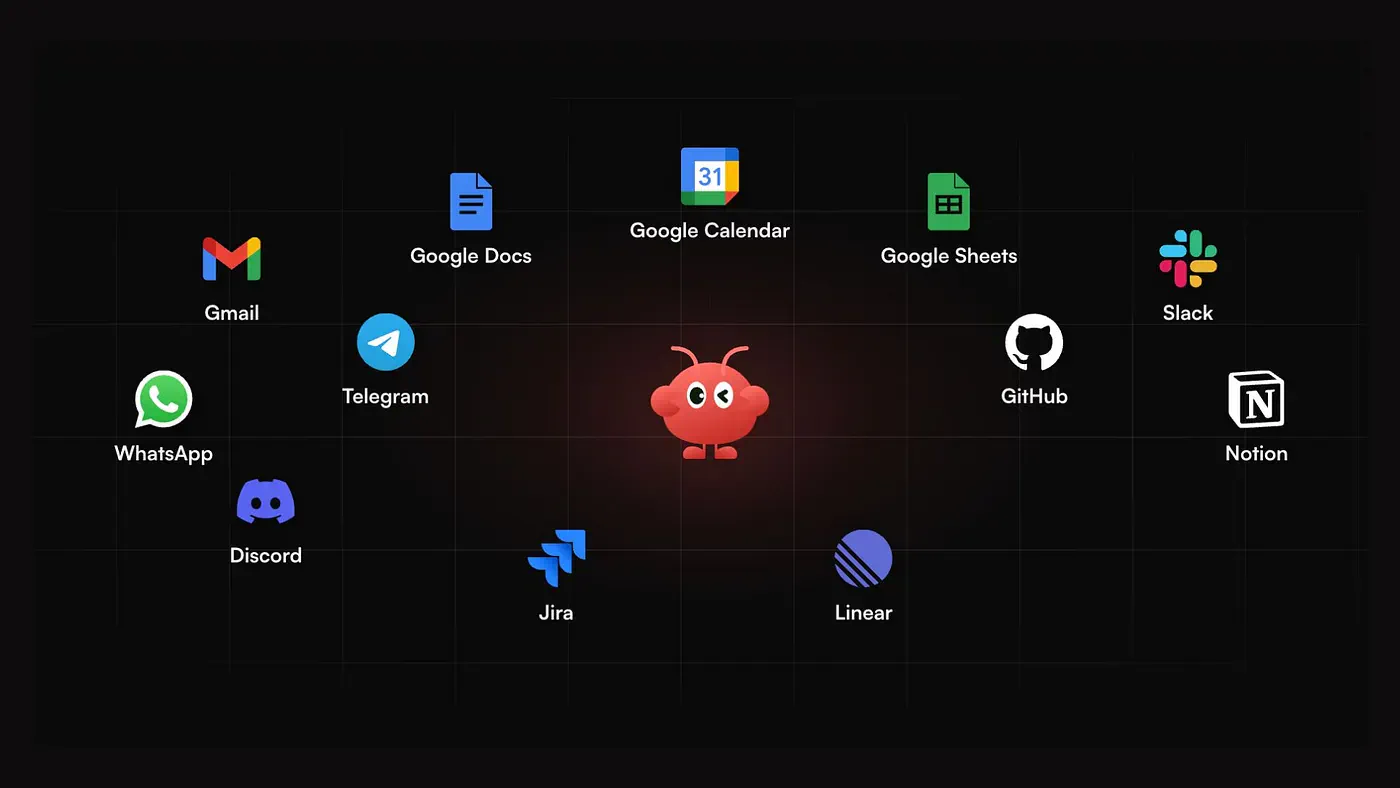
Three months ago, I stopped opening five browser tabs every morning. My calendar, my inbox, and the daily AI news digest. All of it now lands in a single WhatsApp message at 7 am, written and waiting for me to read before I make coffee.
The thing that’s writing all those messages and reports is OpenClaw, and if you have spent any time on X or GitHub this year, you're for sure already familiar with that name.
OpenClaw went from a weekend project to the most-starred software project on GitHub in a matter of months. It crossed 250,000 stars in about 60 days, passing React and Linux, and the repo now sits at more than 380,000 stars.
For an open-source project, that is a ridiculous amount of attention.
It’s a personal AI assistant you run on your own machine, and it does not wait for prompts. It can browse, write code, manage files, and run tasks on a schedule, then deliver the results to you on WhatsApp, Telegram, or Slack.
People wanted an assistant with real agency, and OpenClaw gave them one.
Then a second wave started: people wanting that same assistant tuned to them. Their inbox, their clients, their writing style, their recurring jobs. A generic agent is useful. A personal one that knows your week is a different experience entirely.
The problem is that getting OpenClaw running yourself is not a one-click solution. You install the runtime, keep it alive on a server, wire up models, API keys, and connectors, then build your first workflow from a blank page. Plenty of people who start the repo never get past that wall.
That is the problem solved by another tool called MyClaw.
What is MyClaw?
MyClaw is managed cloud hosting for OpenClaw.
You pick a plan, and it creates a dedicated OpenClaw instance for you. It is already configured and kept online, so you skip the DevOps entirely. The site says it is “ready in 30 seconds, no setup required,” and in my test, that was close to what happened.
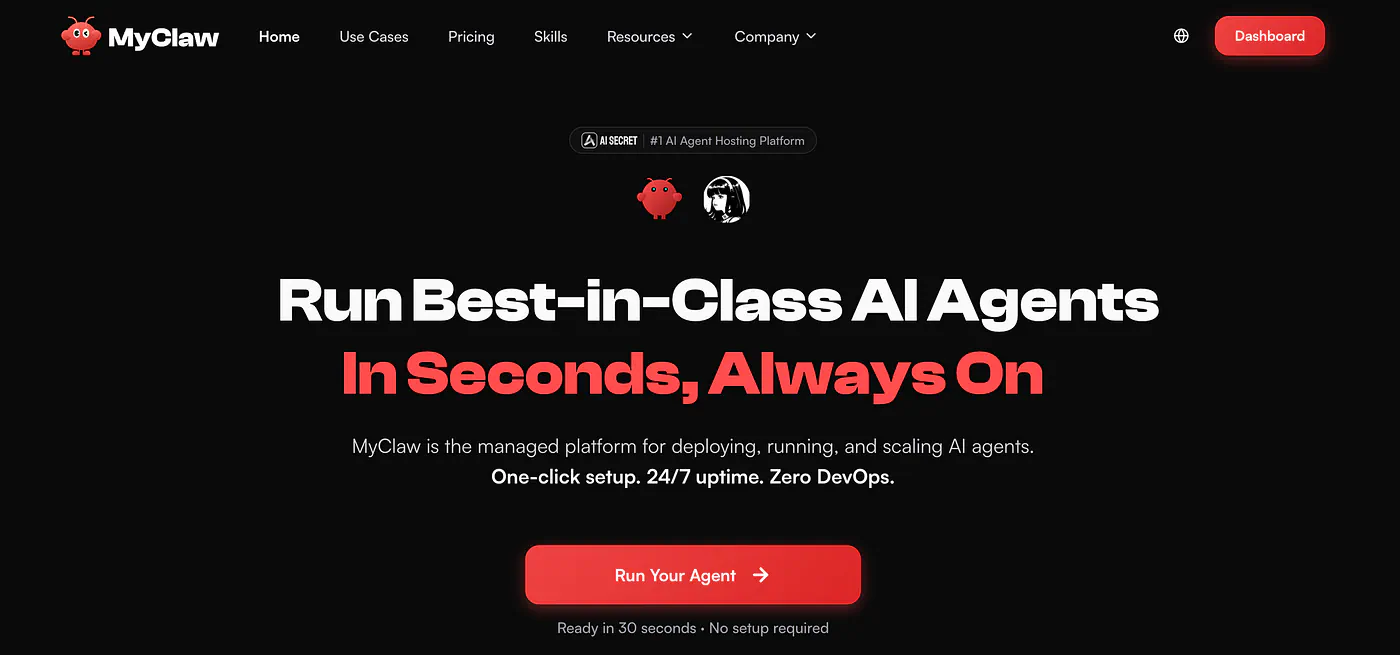
MyClaw landing page. Image by Jim Clyde Monge
One thing to be clear about: MyClaw is an independent service built around the open-source OpenClaw project. It is not an official OpenClaw product. OpenClaw itself is still free if you want to self-host it.
What you are paying MyClaw for is convenience. You do not have to run the server, secure it, update it, or babysit it when something breaks.
That is also the easiest way to decide if it is for you. If you like managing your own infrastructure, self-hosting OpenClaw is probably the better route. If you just want the assistant running without turning it into another technical project, MyClaw handles the boring part.
What makes MyClaw better than OpenClaw
As I said, it arrives pre-configured.
Instead of a blinking cursor and a wiki tab, you start with curated skills, templates, and connectors already in place, so your first useful workflow is minutes away rather than an afternoon of reading docs.
It runs on a schedule. You set a goal once, and the instance runs it every morning, every Monday, or whenever you decide, then pushes the finished result to your messaging app. This is the cron-style automation that makes MyClaw feel less like a chatbot and more like a coworker.
It builds context over time. The longer you use it, the more it holds onto your formats, your priorities, and your recurring instructions, which cuts down on repeating yourself for every task.
It lives where you already talk. You reach it through Telegram, WhatsApp, email, or a browser, and it connects to the tools your work already runs on, including Gmail, Google Drive, Notion, Slack, GitHub, and Jira. No new workspace to learn.
It is not locked to one model. MyClaw can call Claude, GPT, Gemini, Kimi, MiniMax, or DeepSeek, depending on the job, or your own key, so you can route heavy reasoning to a premium model and run routine jobs on a cheaper, faster one.
Alright, now let me show you how it works.
Daily AI News Summarizer
Head over to the MyClaw dashboard and choose a plan. Once you’re set up, start creating your first MyClaw. You need to name it with something descriptive, like a “News aggregator” in my case.
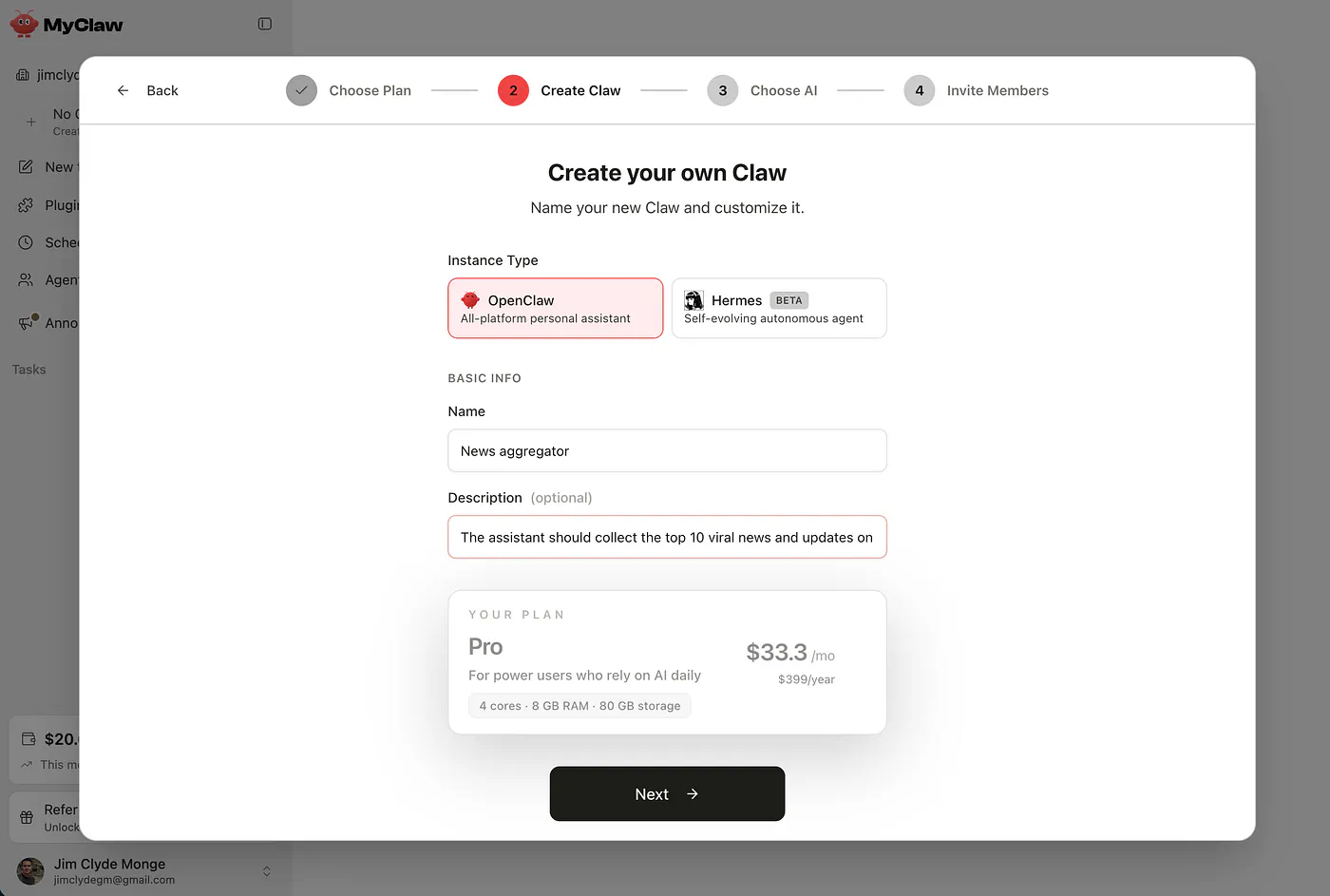
Creating your own MyClaw example. Image by Jim Clyde Monge
My goal for this assistant is to collect the top 10 viral news and updates on AI every morning and send them to me through a messaging app.
Next, set up the backend of your MyClaw. Choose the AI source, the model provider, and the specific LLM that powers it. In my case, I chose Anthropic’s Claude Sonnet 4.6 because it’s powerful enough for my needs and not as expensive as the latest Opus 4.8.
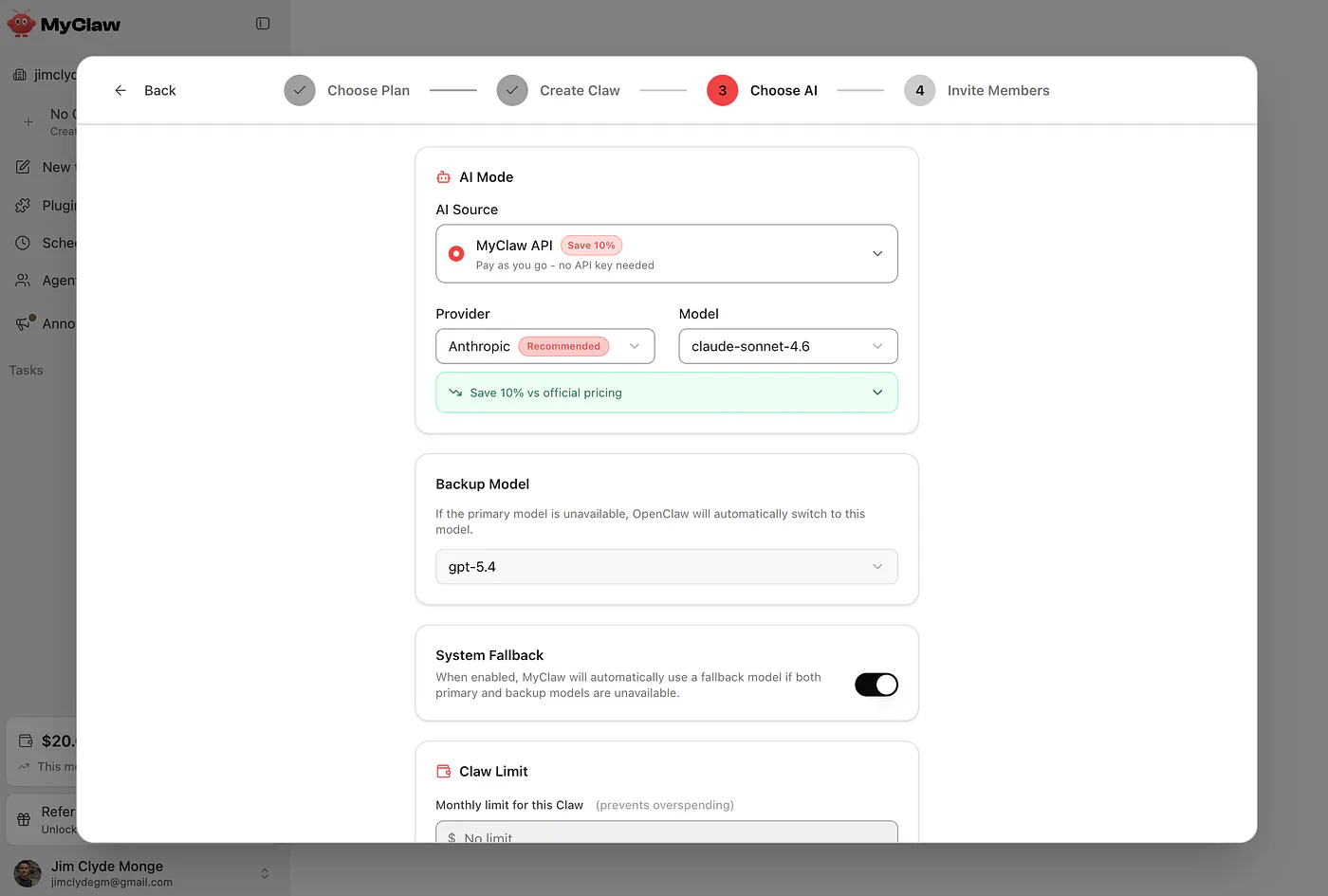
Creating your own MyClaw example. Image by Jim Clyde Monge
You can also set the spending limit and the fallback model of this MyClaw.
To confirm that the setup is complete, you should see the “running” status of your MyClaw on the left panel. From here, you can start assigning tasks or asking questions.
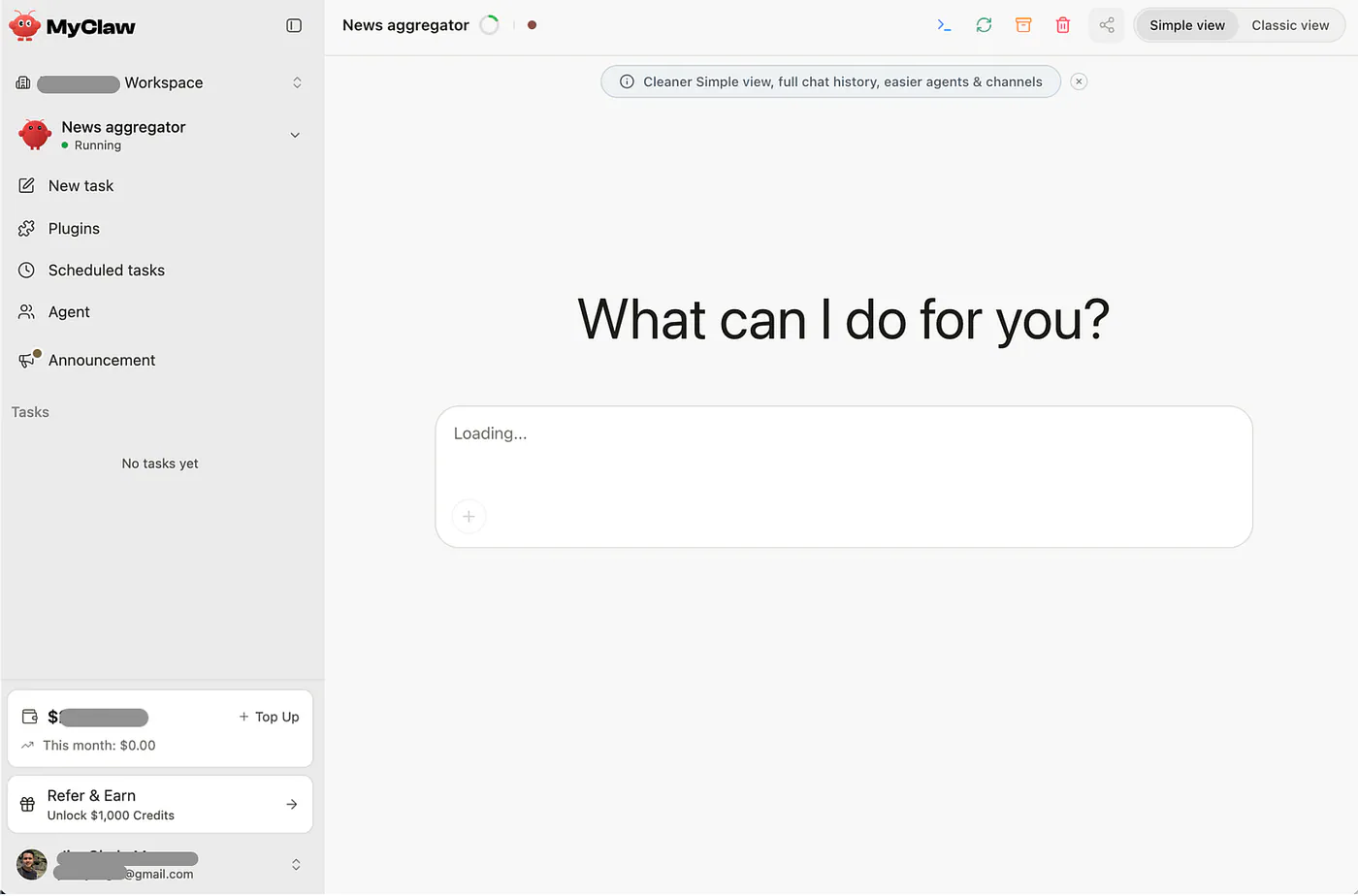
Chatting with your own MyClaw example. Image by Jim Clyde Monge
Before we get into the prompting, you need to make sure that at least one messaging app is connected to your MyClaw. The app is where the daily AI news summary will be sent. You can connect an app from the Plugins tab and under the Channels section.
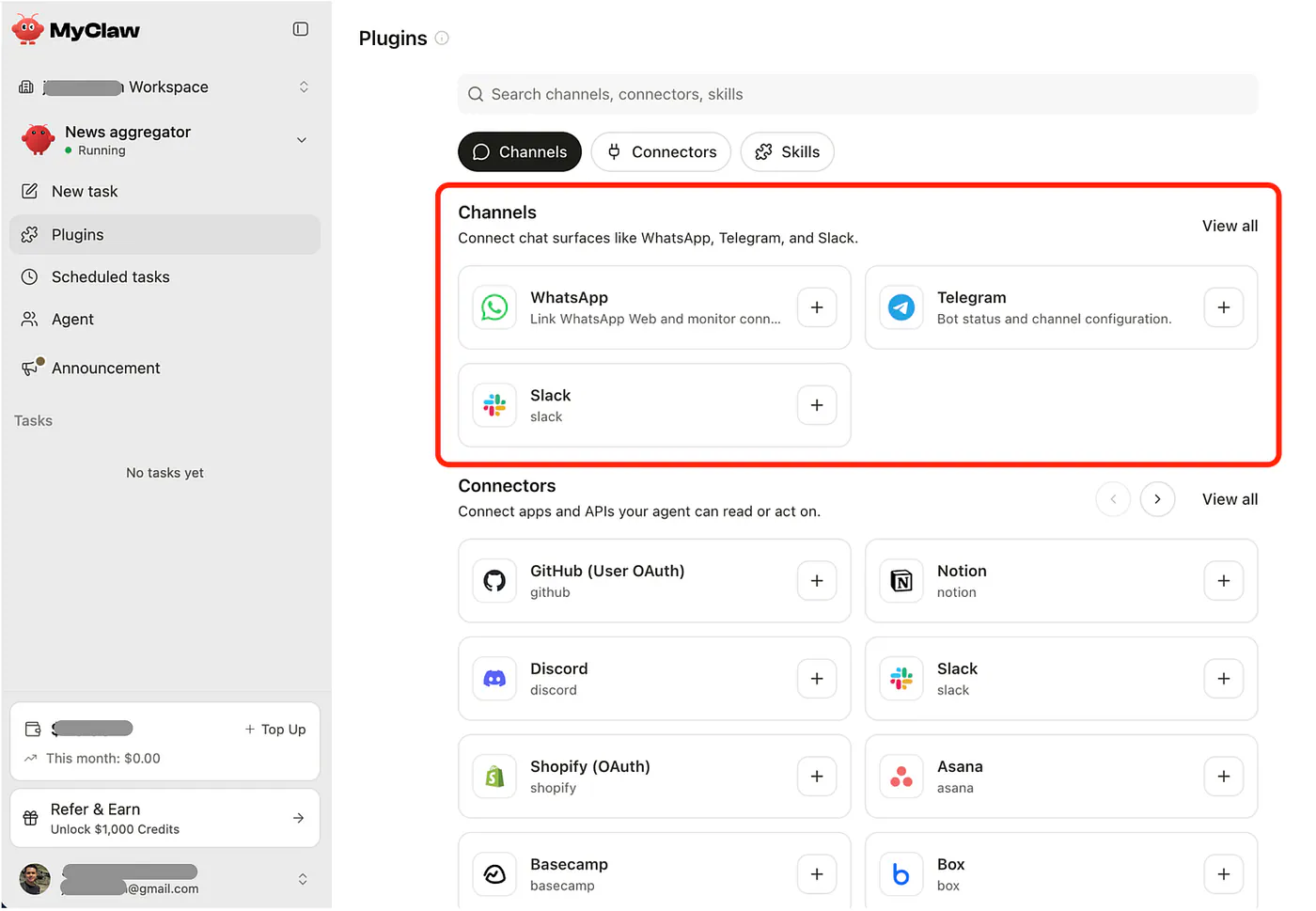
MyClaw lets you add channels, connectors, and skills from Plugins — connect only what you need; each app requires its own authorization. Image by Jim Clyde Monge
In my case, I am mostly active on WhatsApp, so I selected that. You should see a “connected” status in the dashboard to make sure you can receive the messages sent by the AI assistant.
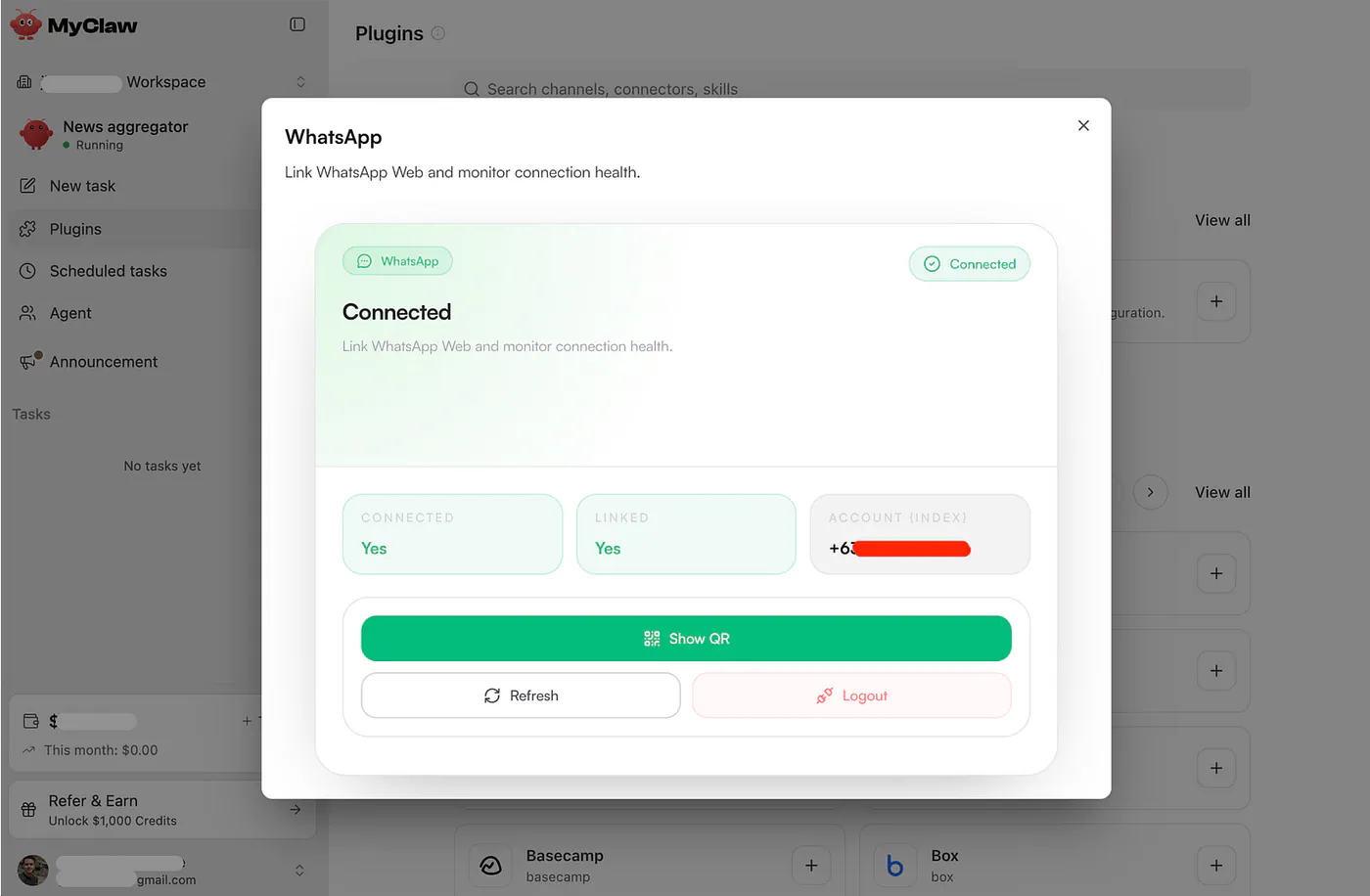
Adding plugins to your own MyClaw. Image by Jim Clyde Monge
Now we are ready to specify the instructions. Create a new task and use the instructions below:
Prompt: Research the top 10 most viral and interesting generative AI news stories every morning at 7 AM using X/Twitter, Reddit, and Hacker News, then send the summary to my WhatsApp. Prioritize concrete stories with strong engagement or discussion, such as new models, product launches, open-source releases, AI agents, research papers, coding tools, video/image generation, regulation, funding, or major company moves. For each story, include a short title, brief summary, why it matters, the virality signal, and at least one verified source link. Results depend on your connected skills, model choice, API/browser access, and credit usage. Not every run will find ten equally “viral” stories — treat the digest as a starting point, not a verified newswire.
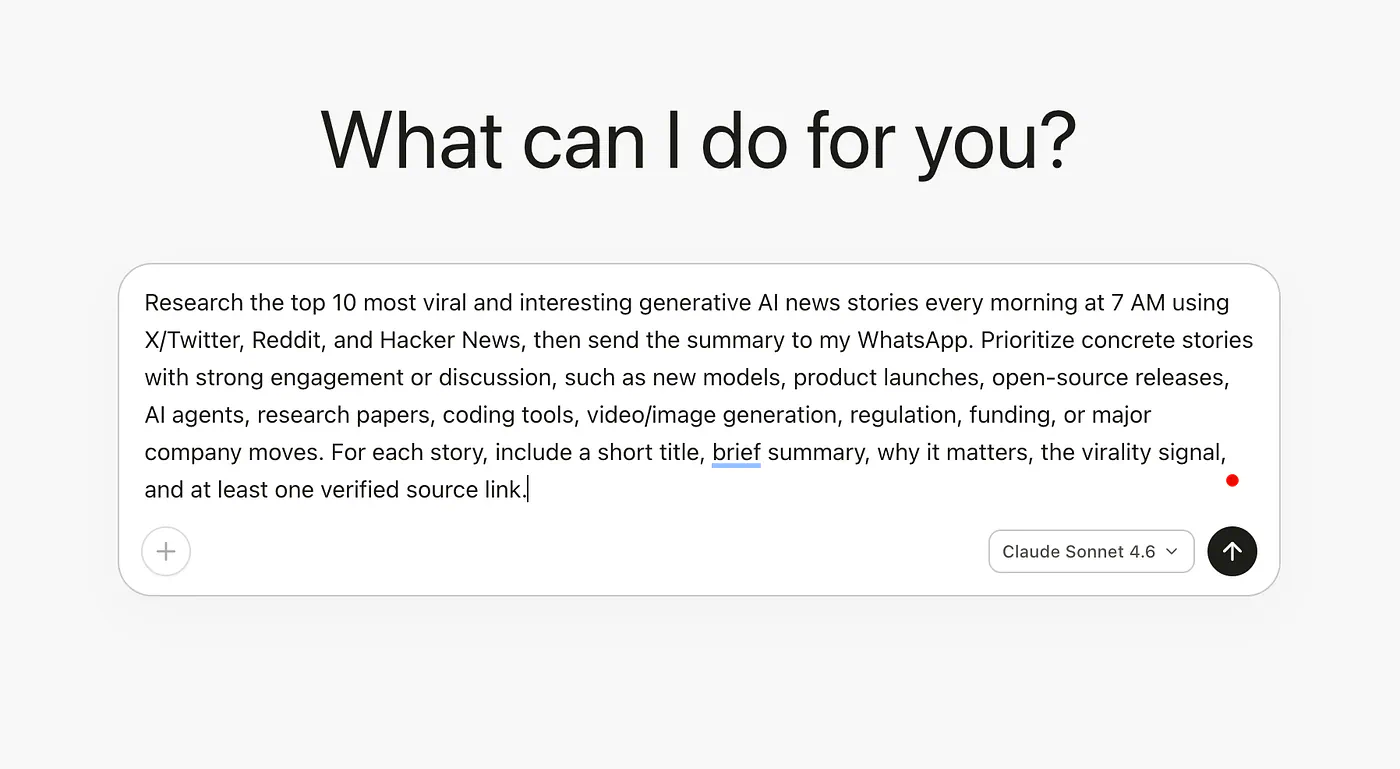
Sample daily AI summary task to a MyClaw. Image by Jim Clyde Monge
What this prompt does is turn MyClaw into a daily AI news research agent that runs a scheduled job each morning to gather stories from X, Reddit, and Hacker News, the sources named in the prompt. Results vary by model, skills, and API/browser access.
It asked me three clarifying questions:
- Is my WhatsApp account already connected
- What is my timezone
- What is my name
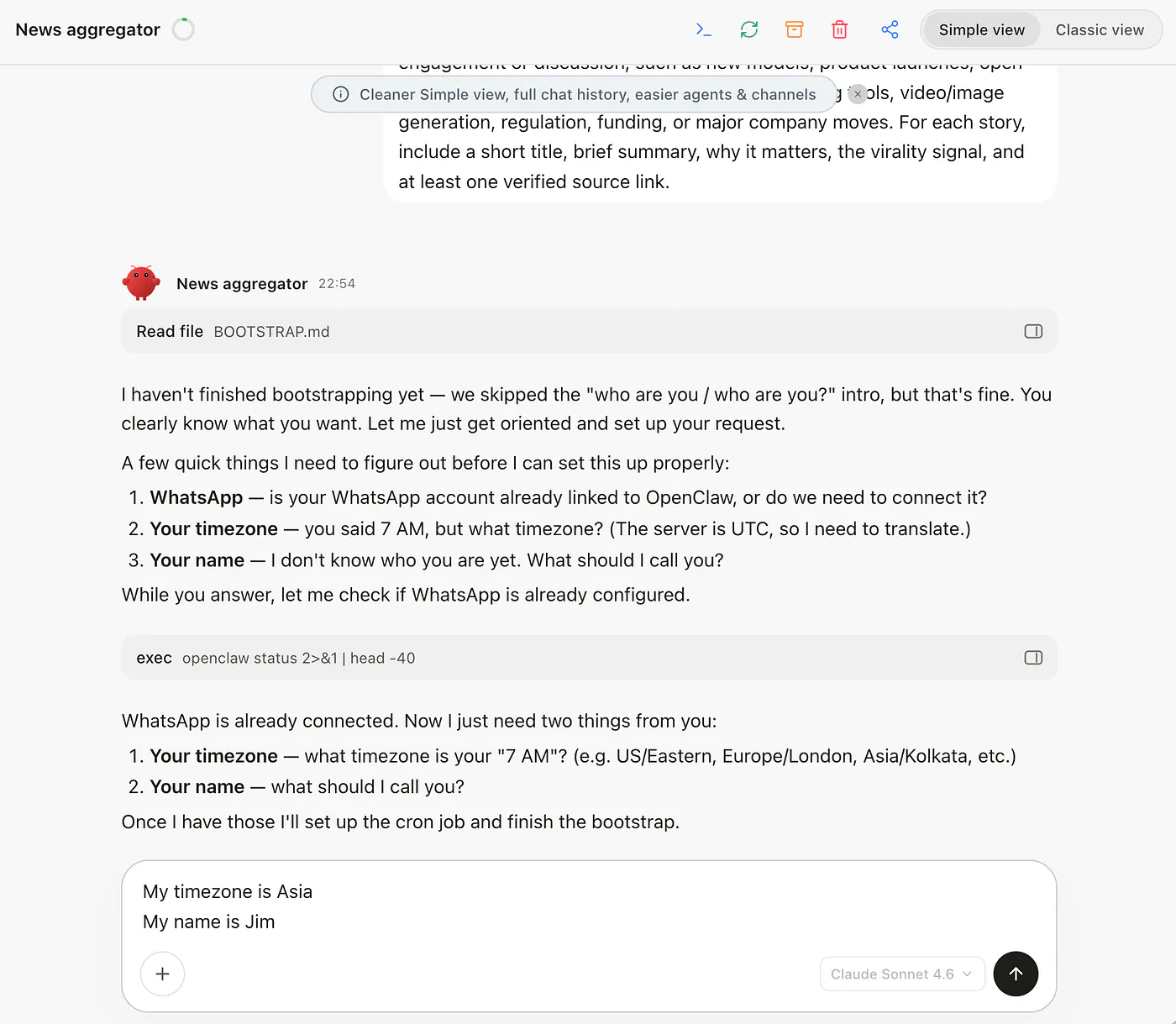
Sample daily AI summary task to a MyClaw. Image by Jim Clyde Monge
Wait for the agent to finish setting everything up for you. Once done, you should see a message that says something like “All done, Jim. Use a full IANA timezone (e.g., America/New_York, Europe/London, Asia/Singapore) so your 7 AM job runs at the right local time.
The next day, I woke up and found this digest in my WhatsApp chat.
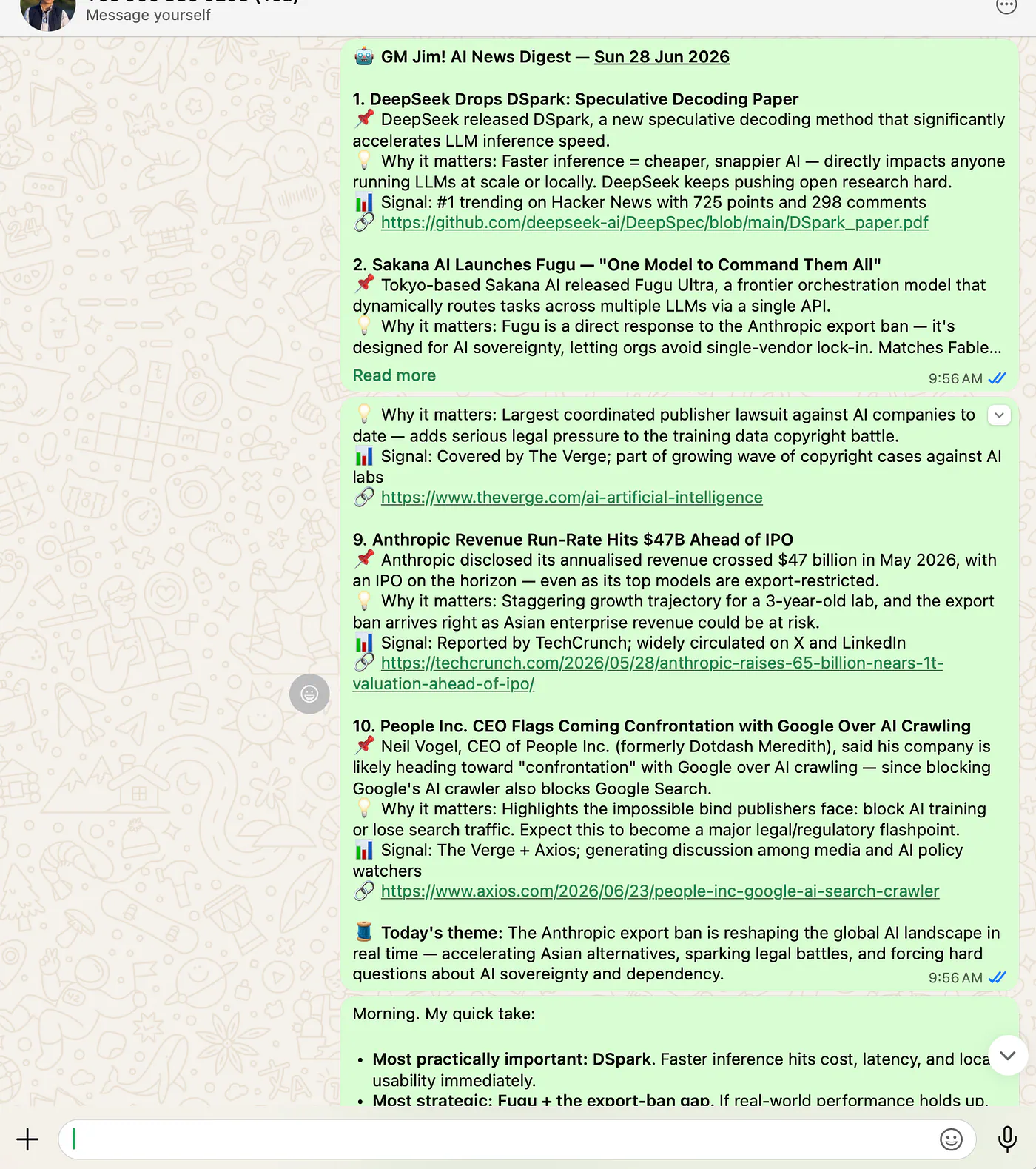
Sample agent output for illustration. Always verify stories and links before trusting or republishing. Image by Jim Clyde Monge
It even gave me his personal take on the news:
Morning. My quick take:
• Most practically important: DSpark. Faster inference hits cost, latency, and local usability immediately.
• Most strategic: Fugu + the export-ban gap. If real-world performance holds up, multi-model orchestration becomes a serious sovereignty play, not just a demo.
• Most dangerous: Tulongfeng. “AI vuln hunter” from a major security player is the one I’d watch most carefully.
• Most underrated: RFIC design. That’s the kind of niche technical breakthrough that quietly compounds into big hardware advantage.
• Most inevitable: ElevenLabs watermarking and the newspaper lawsuits. Provenance and copyright pressure are only getting heavier.
Pretty cool, right?
As a content creator in the generative AI niche, this is super useful. Instead of spending around an hour on social media looking for the right topic to write about, this daily roundup saves me time on discovery, but I still verify anything I might cite or write about. AI-generated digests can miss context or get details wrong.
This walkthrough focuses on one scheduled workflow, but other deliverables like weekly reports, inbox triage, and competitor monitoring work the same way: define the task, set the schedule, and pick where the results land.
Long Document Summarization
Another good sample use case for MyClaw is long document summarization. Just like you would with a regular chatbot, you can give it a research paper, whitepaper, report, or any other long-form document and ask it to break down the important parts.
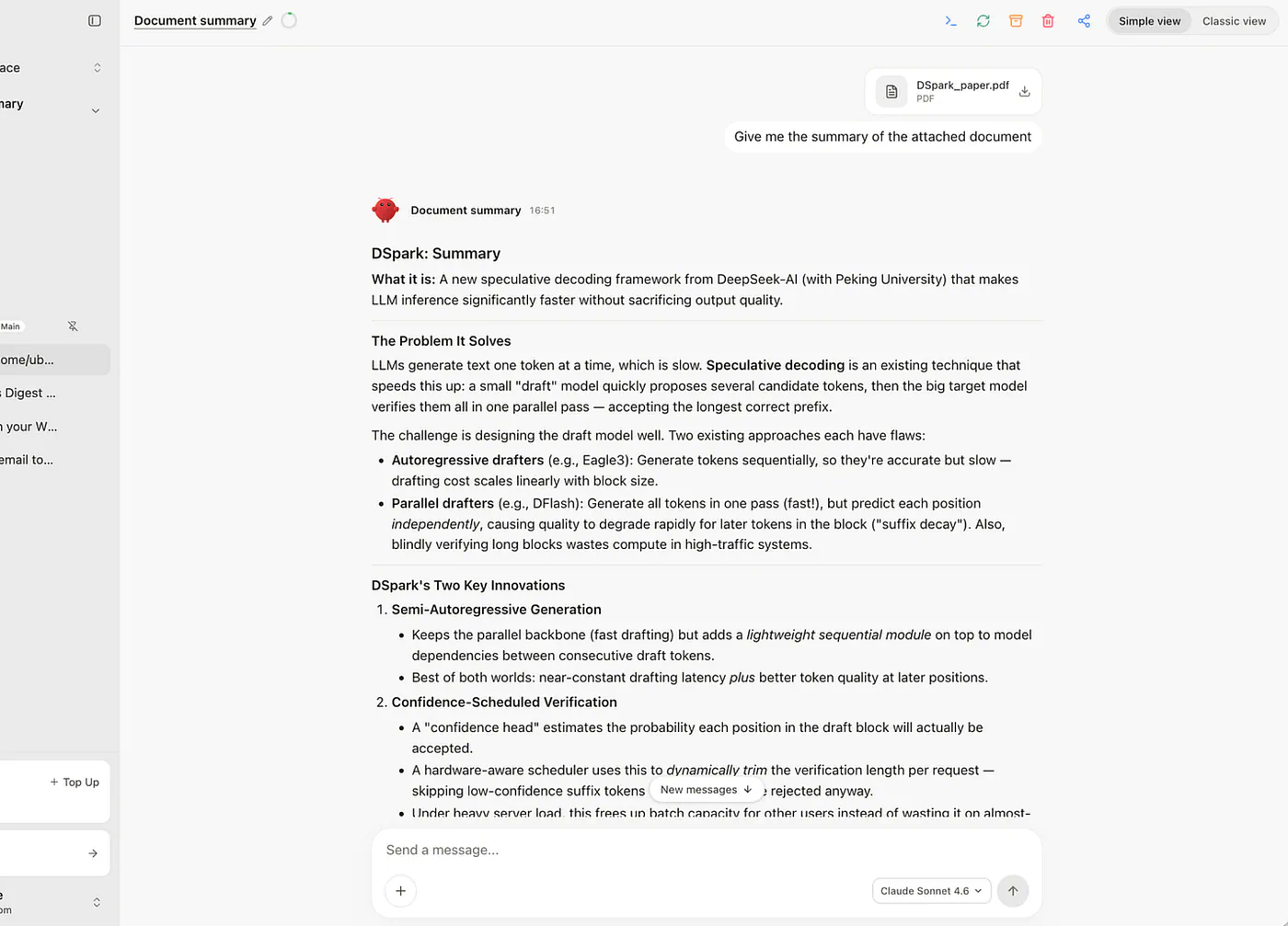
Sample document summarization task to a MyClaw. Image by Jim Clyde Monge
In my example, I used a research whitepaper. Instead of reading through the whole document line by line, I asked MyClaw to analyze it and return a structured summary.
The output pulled out the core idea, key arguments, technical details, and main takeaways from the paper. This is useful when you want to understand a document quickly before deciding whether it is worth reading in full.
What I like here is that MyClaw is not limited to personal admin tasks like inbox summaries or reminders. You can also use it for the same kind of document analysis you would normally do inside Claude, ChatGPT, or Gemini, but inside a more personal assistant-style workspace.
Why You Should Care, and Who This Is For
The reason I care about MyClaw is simple. It removes a few annoying steps from the start of my day.
Before this, I had a normal routine. I checked my inbox, scanned my calendar, opened social apps for AI news, looked through Hacker News or Reddit, then tried to decide what was actually worth reading. None of that was difficult, but it took time and attention before I had even started writing.
With MyClaw, that first pass now happens without me. I wake up to a daily AI news brief in WhatsApp, with the stories already pulled together, summarized, and ranked. It is not perfect, and I still check the important links myself, but it gives me a much better starting point than a blank browser tab.
That is probably the easiest way to explain who this is for. It is for people who already have repeatable work they keep doing by hand.
Writers can use it for research and topic discovery. Marketers can use it for trend monitoring and campaign research. Researchers can use it to summarize long papers or organize sources. Founders can use it for pipeline checks, competitor tracking, or daily reports.
The best use cases are the jobs that come back again and again. Open a few tabs, collect the useful bits, summarize what changed, send it somewhere, repeat tomorrow. MyClaw is useful when you can hand off that first pass instead of starting from zero every time.
Let’s Talk About Pricing
MyClaw uses flat subscription tiers, and every plan includes no local server setup, instant access, auto-updates, daily backups, and a fully private, encrypted instance. You still connect your channels, skills, and model provider or credits once, the same way I did in the walkthrough above. It also works with both OpenClaw and Hermes Agent.
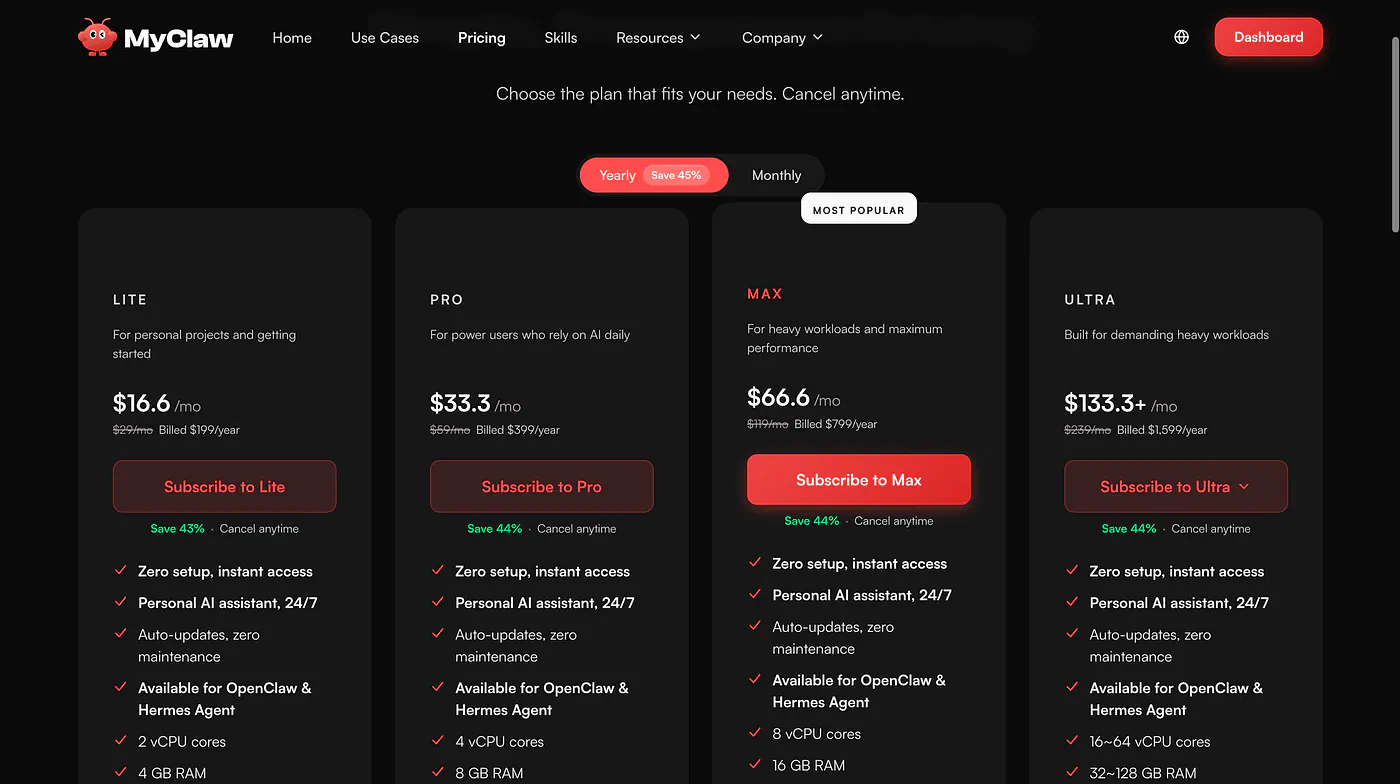
MyClaw pricing page. Image by Jim Clyde Monge
The monthly plans are:
- Lite ($19 per month): For personal projects and getting started. Includes 2 vCPU cores, 4 GB RAM, and 40 GB SSD storage.
- Pro ($39 per month): For power users who rely on AI daily. Includes 4 vCPU cores, 8 GB RAM, 80 GB SSD storage, and priority support.
- Max ($79 per month): The most popular plan, built for heavier workloads. Includes 8 vCPU cores, 16 GB RAM, 160 GB SSD storage, and priority support.
- Ultra (starts at $159+ per month): For demanding workloads. Includes 16–64 vCPU cores, 32–128 GB RAM, 320–1,280 GB SSD storage, priority support, and guaranteed high-performance resources.
The monthly prices currently show around 33% to 34% savings from the regular rates. Paying yearly saves 45%.
One thing to budget for separately is model usage. The subscription covers the hosted instance, but AI usage is still separate. You either bring your own API key or use credits.
Self-hosting OpenClaw is still free as software, but you need to pay for the server and handle setup, security, updates, and maintenance yourself. So the real question is not just free versus paid. It is whether you want to manage the infrastructure or pay MyClaw to handle it for you.
Final Thoughts
OpenClaw is one of the few personal AI projects that feels different from another chat window. MyClaw makes it easier to try because you do not have to rent a server, configure the environment, or keep the thing alive yourself.
That convenience is what you are paying for. The subscription covers the managed instance, not your model usage, so the cost can add up if you run it heavily. If you enjoy self-hosting and already know how to manage a server, OpenClaw is free to run on your own setup.
For me, the managed route made more sense because I wanted to use it, not maintain it.
After using it for a few weeks, the value became clearer in the boring parts of my day: the morning briefing was already done, messages were easier to sort, and small admin tasks no longer needed their own little ritual.
That is where MyClaw feels different from a normal chatbot. It is not just waiting for another prompt. You can give it work, leave it alone, and come back to something useful.
I have tried a handful of tools like this, and MyClaw has been the easiest one to actually keep using. If you have found a better way to run MyClaw or another personal AI setup that works better, let me know in the comments.
Sources
- crossed 250,000 stars in about 60 daysthenewstack.io
- more than 380,000 starsgithub.com
- MyClawmyclaw.ai
- Jim Clyde Mongemedium.com
- MyClaw dashboardmyclaw.ai
- flat subscription tiersmyclaw.ai


