I Tried HaloMate - A Private, Personalized, and Multi-Model Native AI ChatBot
Learn why HaloMate is better than disposable chatbots like ChatGPT, Claude, or Gemini.
Last updated on
AI Summary
HaloMate is a cloud-based AI workspace that combines multiple models, persistent project files, and specialized assistants with isolated memories for more private, personalized work.
Its Mates pair roles, instructions, models, and separate context, while the interface supports GPT, Claude, Gemini, DeepSeek, and Grok families, mid-conversation model switching, and side-by-side comparisons. HaloMate stores PDFs, spreadsheets, documents, images, code, chats, and generated outputs with version history and recovery. In testing, the Architecture Diagrams Mate turned “Explain to me in a diagram how LLM training works” into a downloadable visual, summarized an uploaded research paper, and used Halo Computer to create an editable 10-slide PowerPoint deck on knowledge distillation.
HaloMate says it does not sell private data or train models on private content without explicit authorization, and users can review or delete memories and content. Sensitive medical, financial, legal, or confidential files still require identifier removal, compliance checks, and expert verification.
AI chat apps have become part of everyday life for most of us. ChatGPT alone now reaches more than one billion active users, while Claude and Gemini are increasingly used for writing, research, coding, planning, and other daily tasks.
As these tools become more useful, our conversations with them are also becoming more personal.
People are no longer asking only simple questions. They are uploading work documents, sharing project details, discussing health concerns, and asking AI to analyze financial information.
Personalization adds another concern. We want an assistant that remembers our preferences and understands the projects we are working on. But that also means trusting it with more context about our work and personal lives.
Popular AI chat apps offer privacy controls, but those controls can depend on your account, settings, and the type of chat you use. The situation gets more serious when your research involves sensitive material such as medical reports, bank statements, contracts, or confidential company documents.
So, which AI chat app should you use?
Ideally, you want one that is as capable as the major AI chat apps but gives you more control over your files, memories, and choice of models.
I found one that takes this approach. It is called HaloMate.
HaloMate combines multiple AI models with persistent project files and specialized assistants called Mates. Each Mate can have its own instructions and isolated memory, which helps prevent unrelated context from leaking into the wrong project.
In this guide, I will explain what HaloMate is, how it works, and who it is for. I will also show you how I used it to generate an LLM architecture diagram, summarize a research paper, and create a presentation about knowledge distillation.
Let’s get started.
What is HaloMate?
HaloMate is a cloud-based AI workspace built around persistent assistants called Mates.
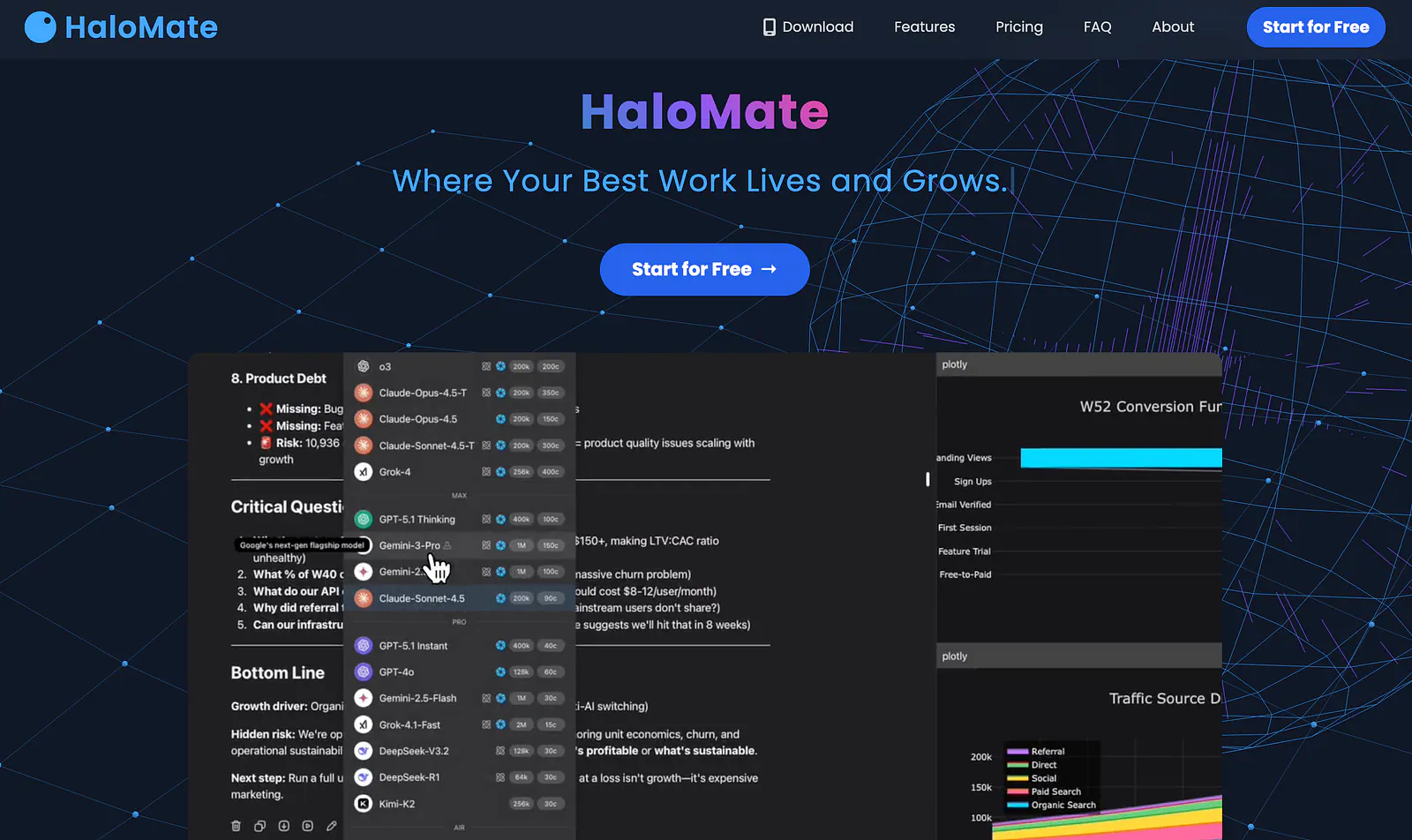
It brings model families such as GPT, Claude, Gemini, DeepSeek, and Grok into one interface, then adds separate memories, project files, research tools, and a working environment that can produce documents instead of stopping at a text response.
Here are some of its key features:
Multi-model chat: Switch models during a conversation or compare responses side by side without rebuilding the prompt in another app.
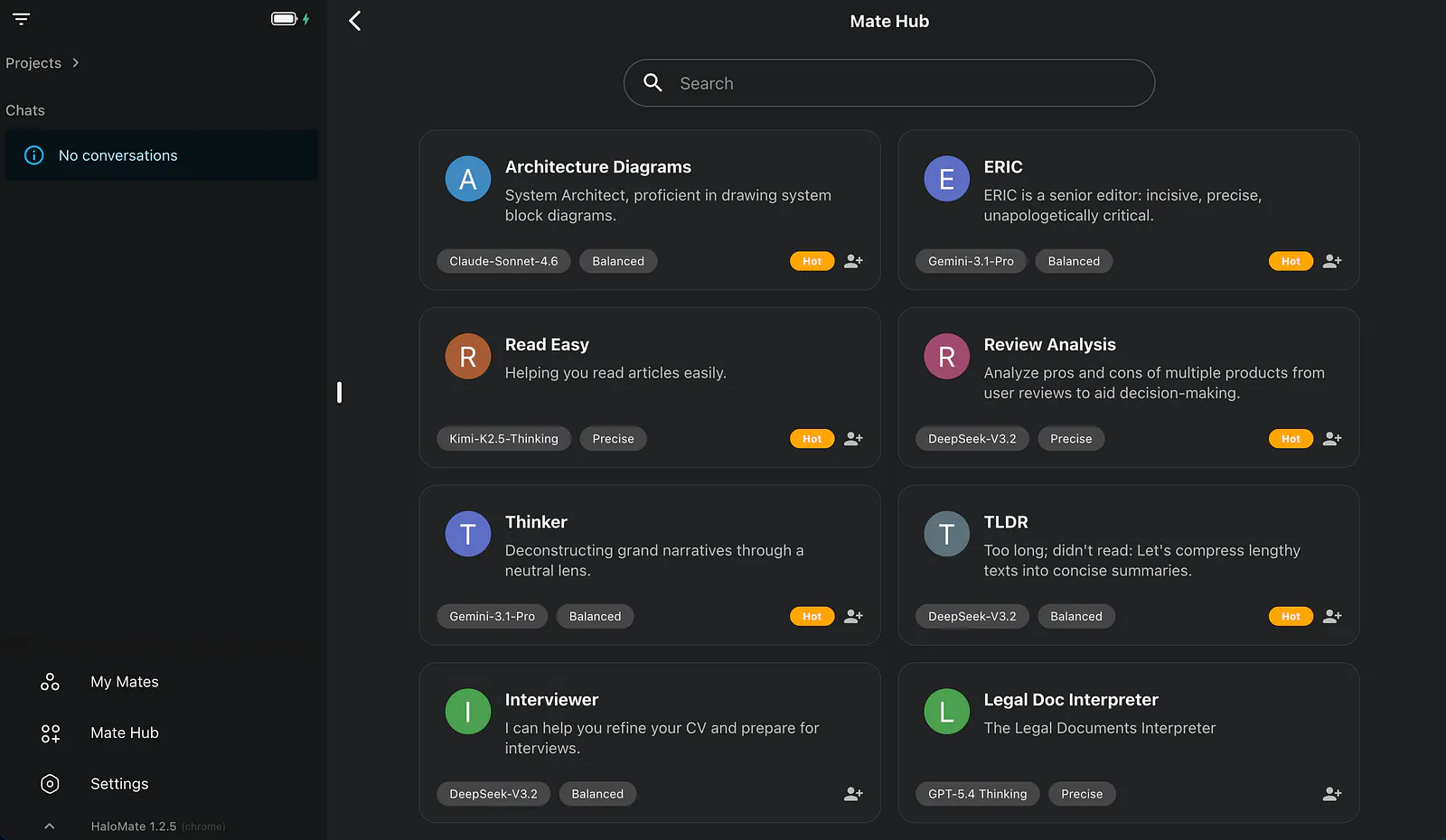
Personal AI Mates: Create specialized assistants with their own instructions, roles, and isolated memories, or start with a prebuilt Mate from the Mate Hub.
Persistent files and projects: Keep PDFs, documents, spreadsheets, images, code, conversations, and generated outputs together, with file version history and recovery.
Research and file creation: Search the web and academic sources, generate diagrams, analyze data, and create editable Word, Excel, PowerPoint, and PDF files within the chat workflow.
How HaloMate Works?
To get started, head over to HaloMate and sign in.
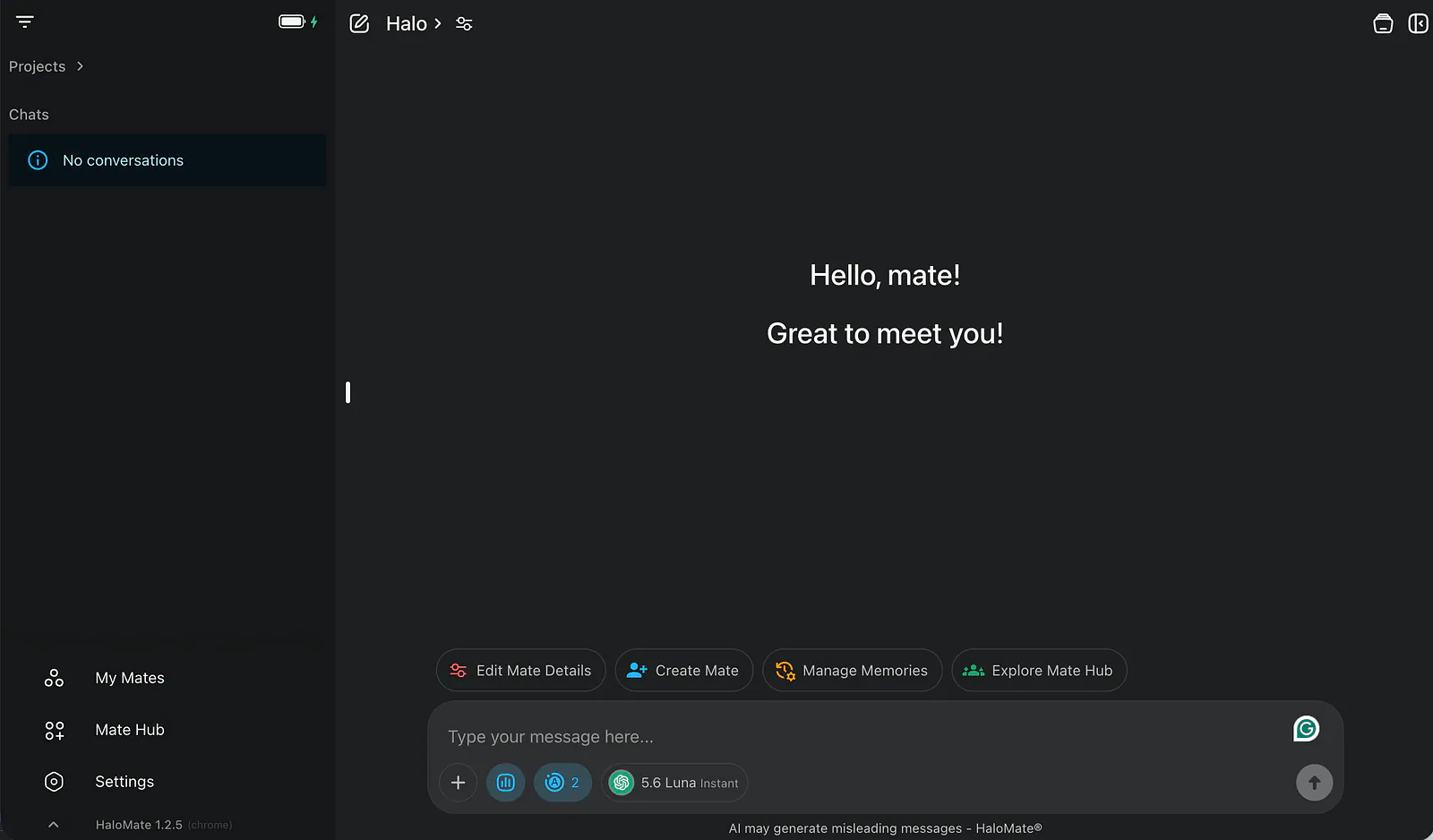
Once you are inside, the dashboard feels immediately familiar.
There is a message box, a conversation area, and the usual expectation that I can type a question and get an answer within seconds. That familiarity helps. I did not have to learn a strange canvas before I could do anything useful.
I started with a few ordinary questions, then moved into the kind of task I actually care about: building a presentation on large language models.
This is where HaloMate began to separate itself from a standard chatbot window.
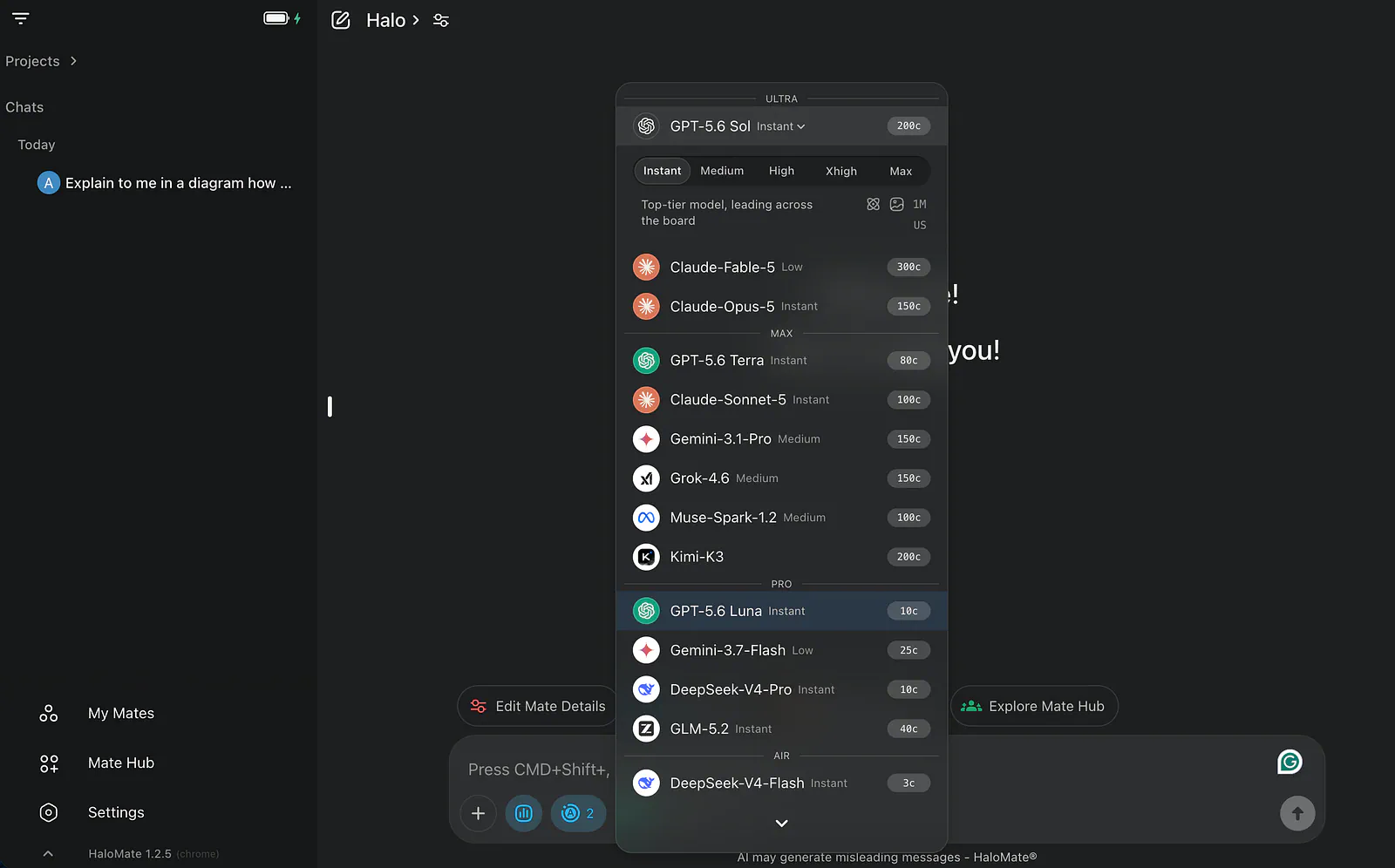
The model selector gives access to several major model families instead of locking the conversation to one provider. The exact lineup can change as providers release new versions, but the practical idea stays the same.
I can use a large reasoning model for a difficult explanation, move to a smaller and cheaper model for a quick rewrite, or ask another model to challenge the first answer. I can also adjust the reasoning effort when the task justifies the extra time and credit use.
The feature I kept returning to, though, was the collection of Mates.
A Mate is a reusable AI assistant configured for a particular job. HaloMate describes it as a prompt paired with a model and additional settings, but that definition only covers the setup.
In use, it feels closer to a dedicated workspace with a role, a set of skills, and its own memory.
I can create one Mate for technical writing, another for presentation design, and another for personal research. Each can remember the instructions and preferences relevant to its job without dragging unrelated context into the next assignment.
I do not have to keep telling a diagram assistant that I prefer readable labels. I also do not need to remind a writing assistant about the audience and tone every time I open a new chat.
To explore the prebuilt options, I opened the Mate Hub and looked for something that matched my project.
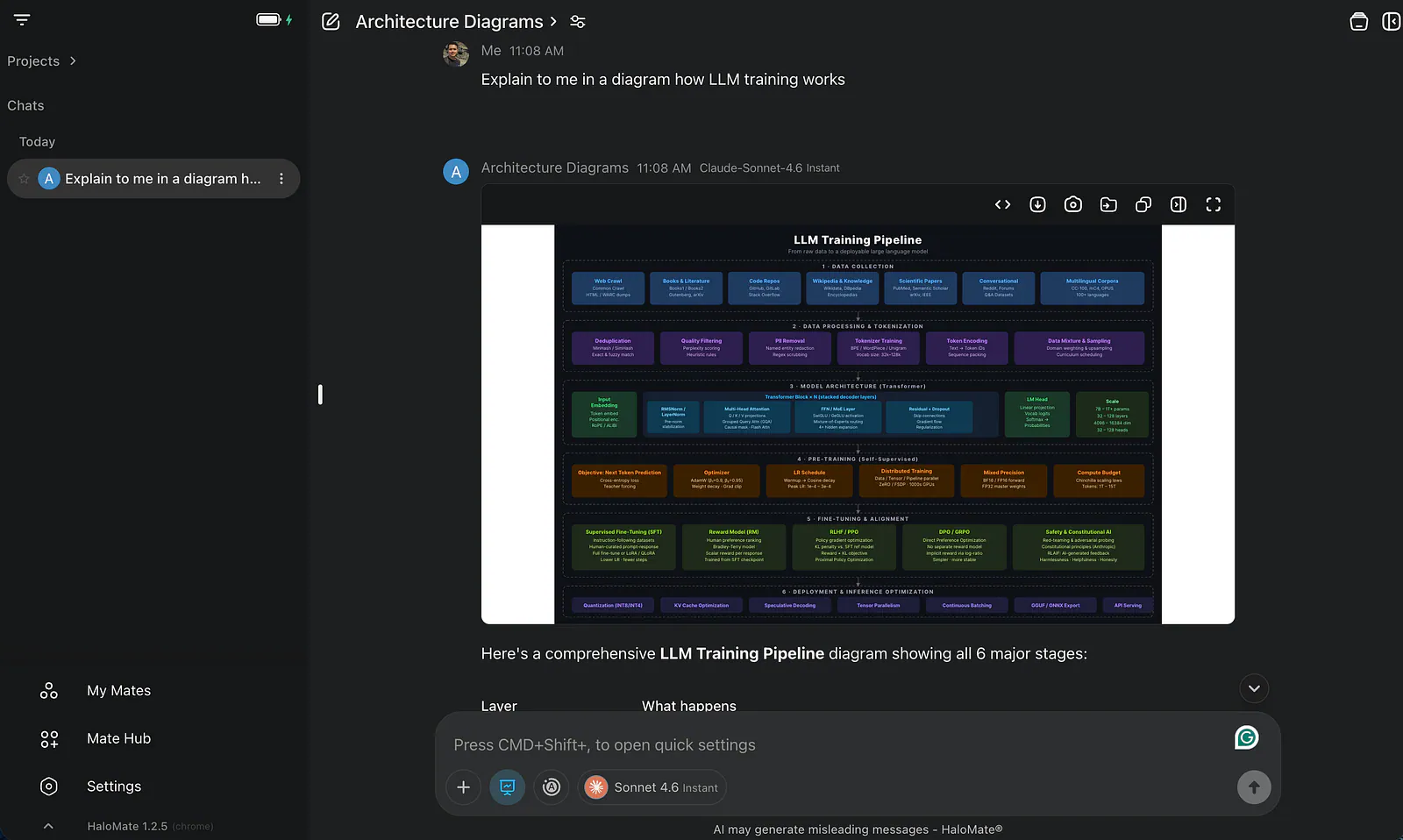
I was preparing a presentation about LLMs and needed a clear diagram showing how model training works. Instead of prompting a general assistant and hoping it chose the right visual format, I selected the Architecture Diagrams Mate.
Prompt: Explain to me in a diagram how LLM training works
HaloMate illustration creation example. Image by Jim Clyde Monge
A few seconds later, I had a well-illustrated overview that was much closer to presentation-ready than the usual wall of text.
The flow was easy to follow, the stages were labeled, and I could download the result in multiple formats. Pretty cool, right?
I still checked the wording and sequence because diagrams can make an error look more authoritative than it is. Even so, the first draft gave me something concrete to improve instead of a blank slide.
I could also create a custom Mate for this presentation and keep using it as the deck evolved. I would give it the audience, learning goals, preferred visual style, and required level of technical detail. The next diagram would begin with that context already in place.
This is personalization at the project level, which is more useful to me than a single global memory trying to infer what every future conversation needs.
Files follow the same persistent idea.
HaloMate accepts PDFs, spreadsheets, documents, images, and code, but it treats them as part of a file system rather than a temporary attachment tied to one answer.
A Mate can search across the files, use them as a knowledge base, create new versions, and keep generated outputs with the project. If an edit goes wrong, the version history provides a path back.
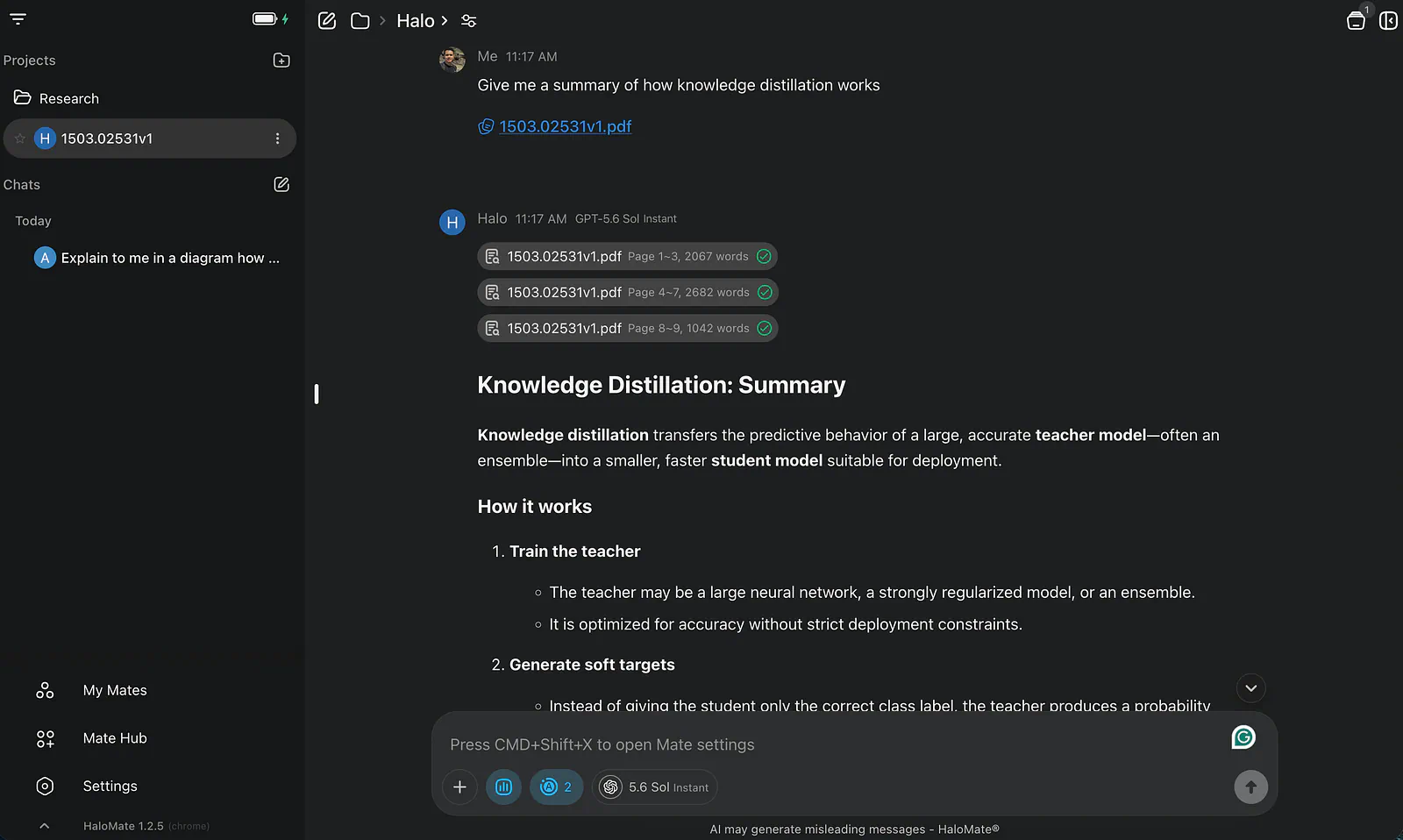
For another test, I uploaded a research paper and asked for a summary.
The experience was similar to other AI chat apps at first: attach a file, enter a request, and wait for the response.
The difference showed up after the answer. The paper, conversation, and output could remain part of an ongoing project instead of becoming one more chat I would struggle to find two weeks later.
This persistence is also where privacy needs to be discussed precisely.
Another thing to note is that HaloMate can switch between models mid conversation. Same chat, same Project files, same prompt. Regenerate or continue with another model. Side-by-side reasoning on a
decision, a thin draft, or a claim you do not fully trust.
This is incredibly useful when you care whether another brain would catch a hole, not when you only need a quick definition.
HaloMate says it does not sell private data or use private content to train AI models. It isolates memory by Mate and gives users controls to review, edit, and delete memories, roll files back, or remove content.
Those are useful product decisions because privacy is partly about preventing the wrong context from appearing in the wrong place, not only about what happens during model training.
No training on private content: HaloMate states that user content is not used for AI model training unless the user explicitly authorizes it.
Isolated memory: Each Mate maintains its own context, reducing unwanted crossover between personal, professional, and project-specific work.
User controls: Memories can be reviewed or deleted, files have recoverable versions, and account termination triggers the deletion timelines described in HaloMate’s terms.
If I were working with a medical record, financial statement, or client-confidential document, I would still remove identifiers where possible and check the relevant legal, contractual, and data-residency requirements.
I would also verify critical conclusions with a qualified professional. No privacy label turns an AI-generated medical, financial, or legal answer into professional advice.
The last part of my test brought the workflow together.
My LLM presentation included a section on knowledge distillation, and I needed more than a diagram. I wanted a short deck explaining how a larger teacher model transfers useful behavior to a smaller student model, why teams use the technique, and what can be lost during the process.
I uploaded my reference material and asked HaloMate to create the presentation.
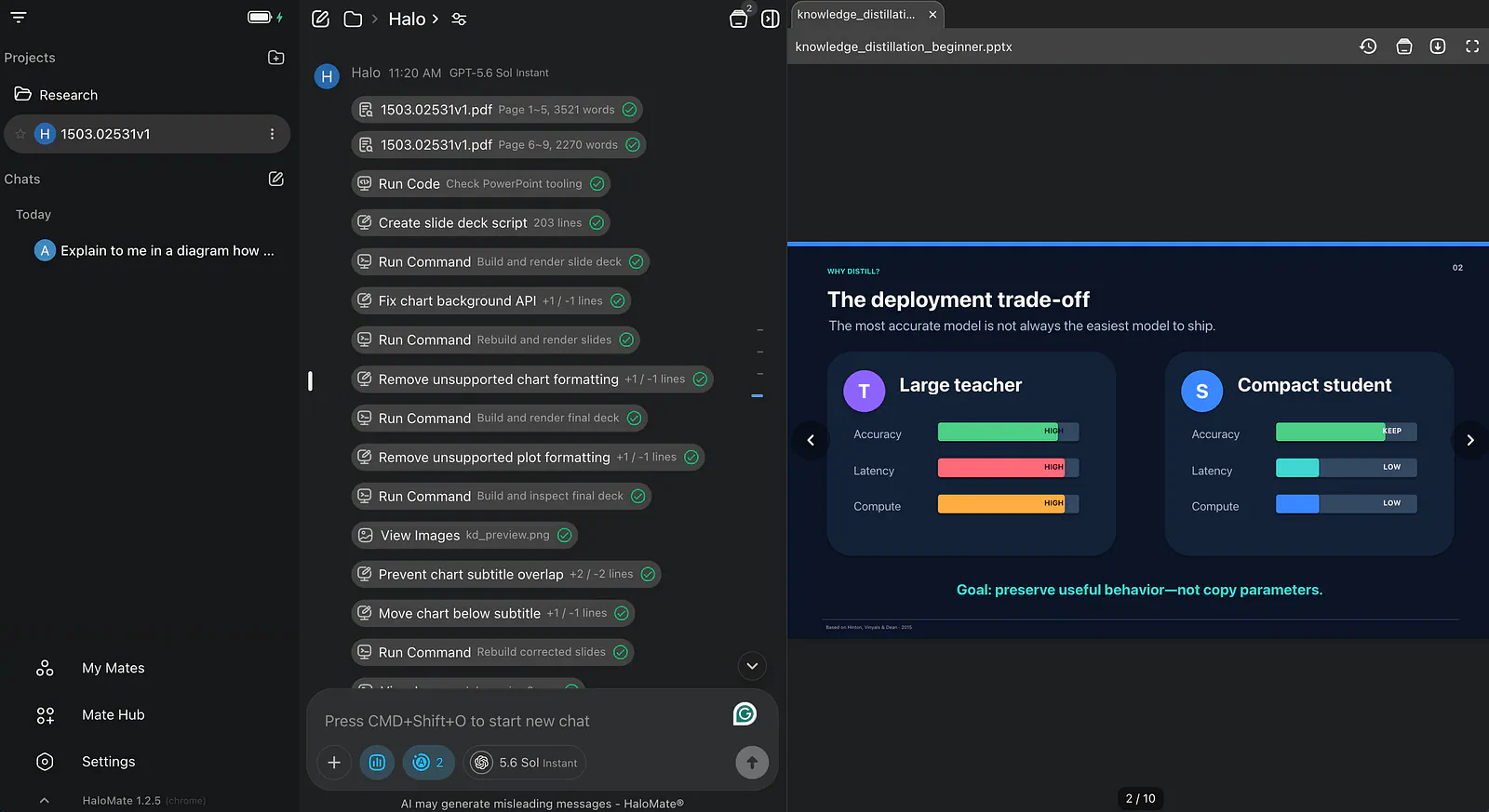
The app recognized the file-creation request and routed the task to the appropriate capability. Instead of returning an outline for me to paste into PowerPoint, it generated an actual presentation file.
Halo Computer is the execution layer inside the chat: run analysis,
structure data, generate charts, pull and tidy web info, and hand back real files (Word, Excel, PowerPoint, HTML, and similar) without you leaving the thread.
HaloMate presentation slides example. Image by Jim Clyde Monge
Within seconds, I had a 10-slide deck on knowledge distillation.
I would not present it without review. Slide generators can oversimplify technical details, repeat the same layout, or place too much confidence in a neat diagram.
I checked the claims, adjusted the density, and made sure the story matched the audience.
Even with that editing, the time savings were significant. The slowest part of presentation work is often getting from scattered notes to a coherent first version.
HaloMate handled that blank-slide stage, kept the sources close to the project, and gave me a file I could continue editing.
Who is it for?
HaloMate is a good fit for researchers, technical writers, students, consultants, and creators who use AI for projects that last longer than one conversation. Its persistent files and isolated Mate memories reduce the need to upload the same material or repeat the same instructions.
It also makes sense for people who regularly switch between ChatGPT, Claude, Gemini, and other models. HaloMate brings those models into one workspace, making it easier to compare answers and choose the right model for each task.
If you work with highly regulated medical, financial, or legal information, review HaloMate’s privacy policy and your organization’s requirements before uploading anything sensitive.
Why should you care?
No AI model is best at everything. Some are better at reasoning, while others perform better at writing, coding, or visual work. HaloMate lets you switch models without moving your project between several apps.
Its isolated Mate memories are also useful. Your presentation assistant does not need context from your personal research, and your writing assistant does not need every detail from an unrelated project.
HaloMate then keeps your conversations, source files, and generated documents together. Instead of losing useful work inside an old chat, you can return to the project and continue where you left off.
Final Thoughts
That’s about it. In this post, I used HaloMate to compare AI models, generate an LLM training diagram, summarize a paper, and create a presentation about knowledge distillation.
Its main advantage over single-provider chat apps is flexibility. You can choose from several model families while keeping your files, conversations, and specialized assistants in one place.
I also appreciate platforms like HaloMate for giving users another option. We should not have to rely entirely on ChatGPT, Claude, or Gemini when different projects require different models, privacy controls, and memory boundaries.
What do you think about HaloMate? Would you use a multi-model AI workspace, or do you prefer keeping each AI assistant separate? Share your thoughts in the comments.