You typed a quick request into ChatGPT, Claude, or Gemini, and the answer came back generic, too long, or slightly off. That's the most common reason people start looking into training AI models with prompts. The good news is that most fixes are small habits you can pick up in an afternoon.
One clarification first. A prompt doesn't change the model itself. It steers the model inside a single conversation, which is why the same model can give you a sloppy answer one minute and a sharp one the next. "Training" here means teaching the model what you want, request by request, through the instructions, context, and examples you give it.
We compared the official prompting guides from Anthropic, OpenAI, Google, and Microsoft as of November 2026, and kept only the practices that at least two of them recommend. Each section below explains what the practice is, where it pays off at work, and where it falls short.
This list is for people who use AI models at work: analysts, marketers, support leads, ops managers, and anyone who drafts with AI daily. The order follows how you'd build a prompt, so it isn't a ranking. By the end, you'll know which practice fixes which kind of bad answer.
1. Write clear, specific instructions
Best for: Anyone whose answers come back vague, generic, or shorter than they wanted.
Anthropic's guide puts it plainly: Claude responds well to clear, explicit instructions, and if you want more than the bare minimum, you have to ask for it. The guide suggests picturing the model as a brilliant but new employee who doesn't know your norms or workflows. The more precisely you explain the job, the better the result.
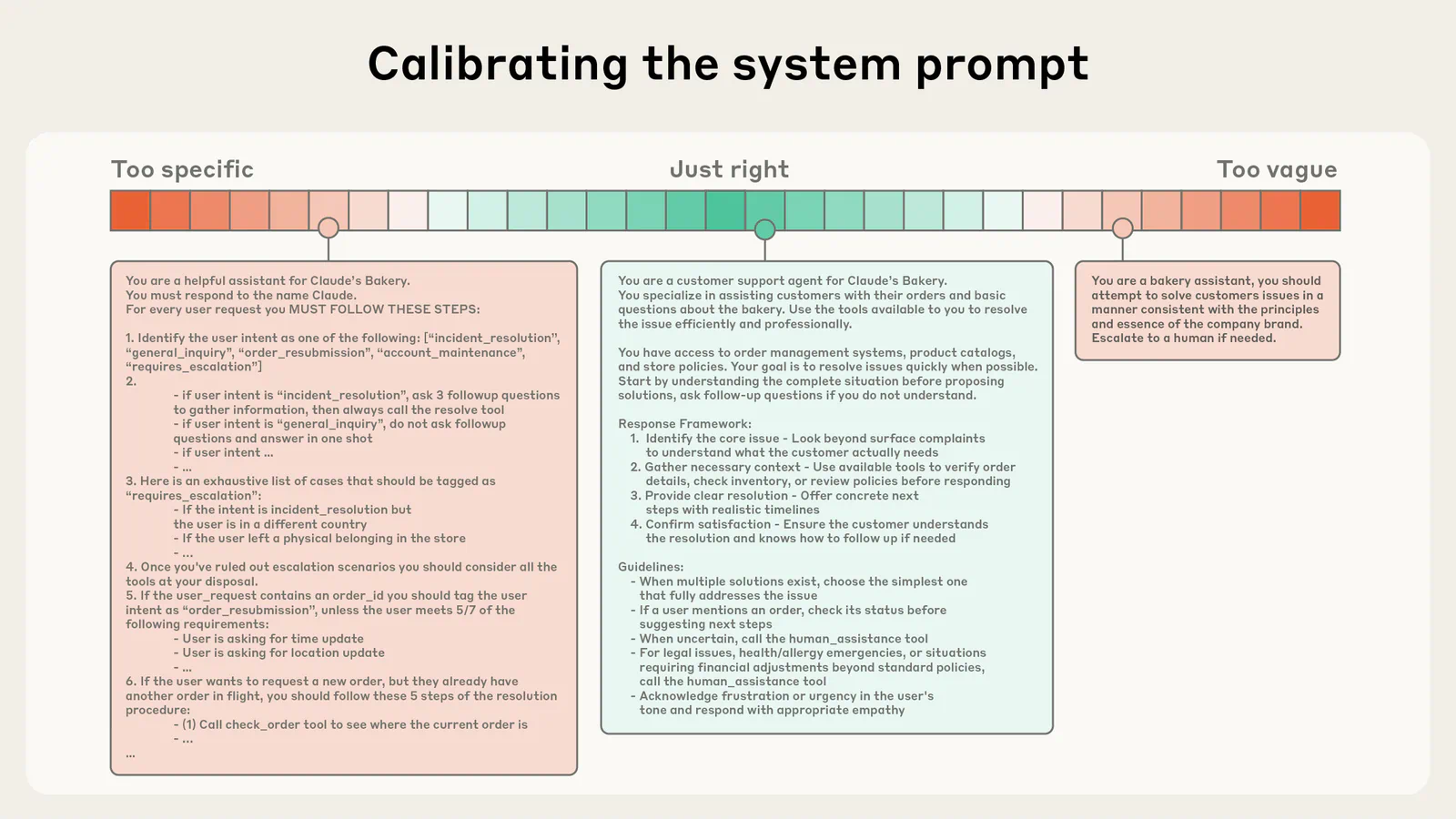
Specific means concrete. Anthropic's own meal-planning example turns "Create a meal plan for a Mediterranean diet" into a request for a pre-diabetic plan at 1,800 calories a day, with breakfast, lunch, dinner, and one snack, plus nutrition breakdowns. Same model, very different answer.
A specific prompt usually spells out:
- Constraints: Word count, format, deadline, or budget
- Audience and goal: Who will read it and what it's for
- Output shape: A table, a list, or paragraphs
- Must-haves: The rules the answer has to follow
There's a quick check worth stealing. Anthropic suggests showing your prompt to a colleague who knows little about the task. If they'd be confused, the model will be too (it's a pretty reliable gut check). The same guide recommends numbered steps when the order or completeness of the steps matters, such as a five-part report.
At work, this practice fixes the answer that is fine but useless. A support lead who just asks for a reply to a complaint gets a polite template. One who asks for a reply under 120 words that apologizes once, offers a refund or a replacement, and avoids legal promises gets something they can send.
The cost is length and effort. Clear prompts take longer to write, and Anthropic's own article warns against over-engineering: longer, more complex prompts aren't always better. If a two-line request already gets you what you need, leave it alone. Before you add detail, check which part of the answer was wrong, and write instructions for that gap only.
2. Explain the context and the reason behind the task
Best for: Work where the model keeps missing the point, the tone, or the audience.
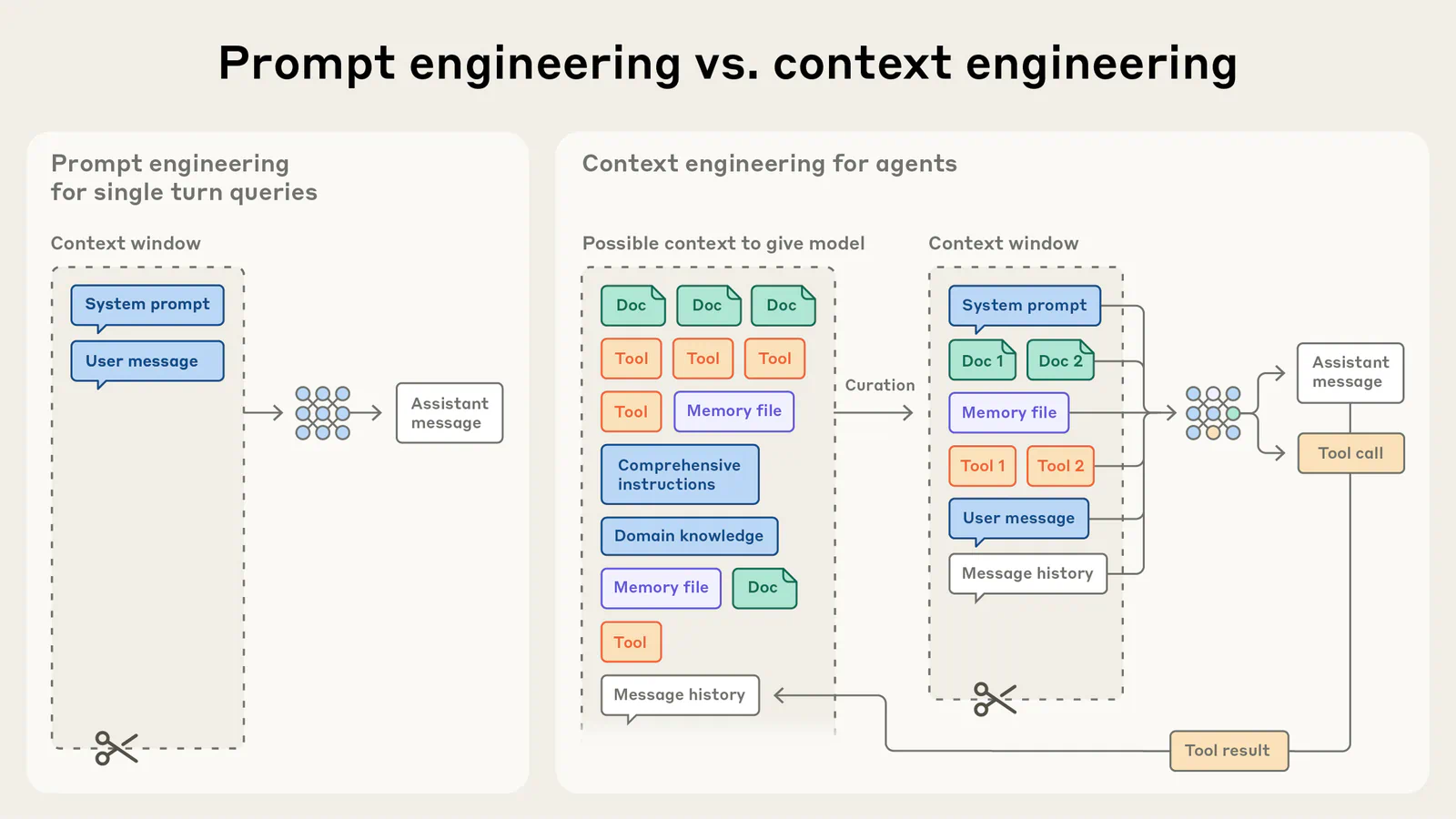
Telling the model why you want something helps it make better choices you didn't spell out. Anthropic's article recommends giving context and motivation: the purpose or audience for the output, why a constraint exists, how the output will be used, and what problem you're trying to solve.
Its example is a good one. "NEVER use bullet points" works less well than explaining that you find flowing prose easier to read and that bullets feel too formal for your style. Once the model knows the reason, it can apply it to related choices you never mentioned. Anthropic's docs make the same point with a text-to-speech case: explain that the reply will be read aloud, and the model avoids ellipses on its own.
Google's guide frames context as information the model can't know. It recommends including the details needed to solve the problem rather than assuming the model has them. In its router example, adding that the light is yellow and blinking slowly turns a vague troubleshooting answer into a specific one.
Useful context at work includes:
- The reader: Who it goes to, such as a CFO who reads on a phone
- The stakes: What goes wrong if it is off, such as a missed filing date
- The source material: The actual policy, brief, or data, pasted in
- The history: What you tried and why it didn't work
Context also covers roles. Anthropic's article says heavy-handed role prompting is often unnecessary with current models and warns against over-constraining the role. "Analyze this portfolio, focusing on risk tolerance and long-term growth" often beats "You are a world-renowned expert."
The catch is that context costs tokens and attention. Paste in a 40-page policy when the answer depends on one clause, and you've made the model's job harder. Give it what the task needs and trim the rest. Before you add background, ask whether a new hire would need it to do this job well.
3. Show the model examples of good output
Best for: Tasks with a fixed format, tone, or labeling scheme, such as tagging tickets or writing product blurbs.
Examples teach faster than descriptions. Google's guide calls prompts with examples few-shot prompts and recommends that you always include few-shot examples, adding that clear examples can even replace some of your instructions. The model picks up patterns from the examples and applies them to your new input.
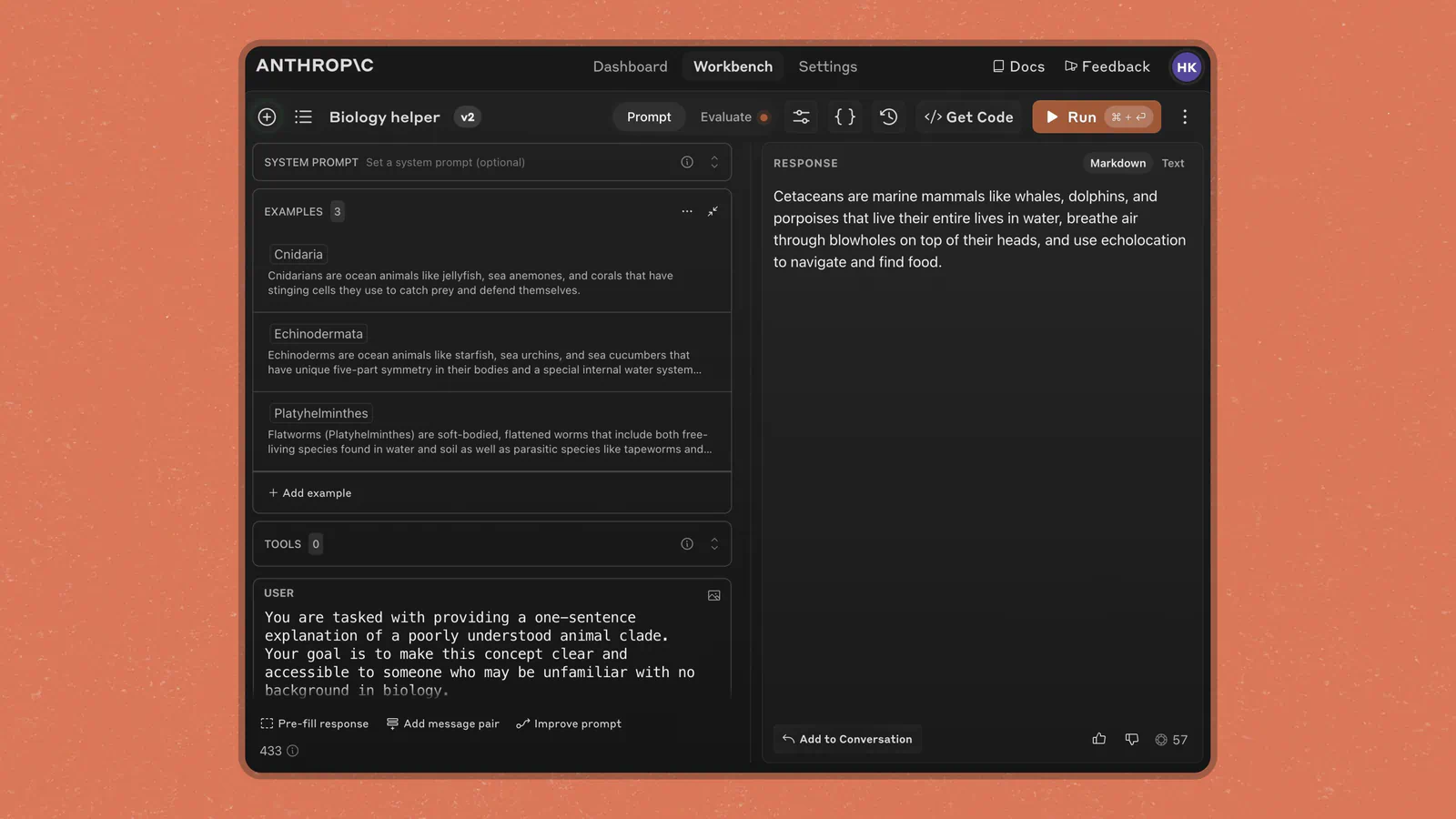
This is the closest thing to "training" in everyday prompting. OpenAI describes few-shot learning as steering a model toward a new task with a handful of input and output examples rather than fine-tuning the model. The model learns the pattern for that request and forgets it when the conversation ends.
How to pick good examples:
- Make them relevant: Mirror the real inputs you'll send
- Make them varied: Cover edge cases so the model doesn't copy one quirk
- Keep the format identical: Same layout, spacing, and labels in every example
- Label them: Wrap them so the model can tell examples from instructions
Anthropic suggests three to five examples for best results. In practice, a marketer who pastes three past product descriptions that hit the brand voice will get closer on the first try than one who writes "friendly but professional."
There are two real risks. Google warns that with too many examples, the model may overfit, copying the examples too closely. And Anthropic's article notes that current models pay close attention to small details, so a typo or an odd habit in your examples tends to show up in the output. Diversity matters as much as quality here.
Examples also add length to every request, which adds cost if you're running prompts at scale through an API. Before you save a few-shot prompt as a template, run it on an input that looks nothing like your examples and see whether the model still follows the rules.
4. Structure long prompts with tags or headings
Best for: Prompts that mix instructions, pasted documents, examples, and data.
Once a prompt has several parts, the model needs to see where each one starts and ends. OpenAI's guide recommends combining Markdown and XML tags: headings and lists to mark sections and show hierarchy, and tags to wrap a document or other content so its boundaries are clear.
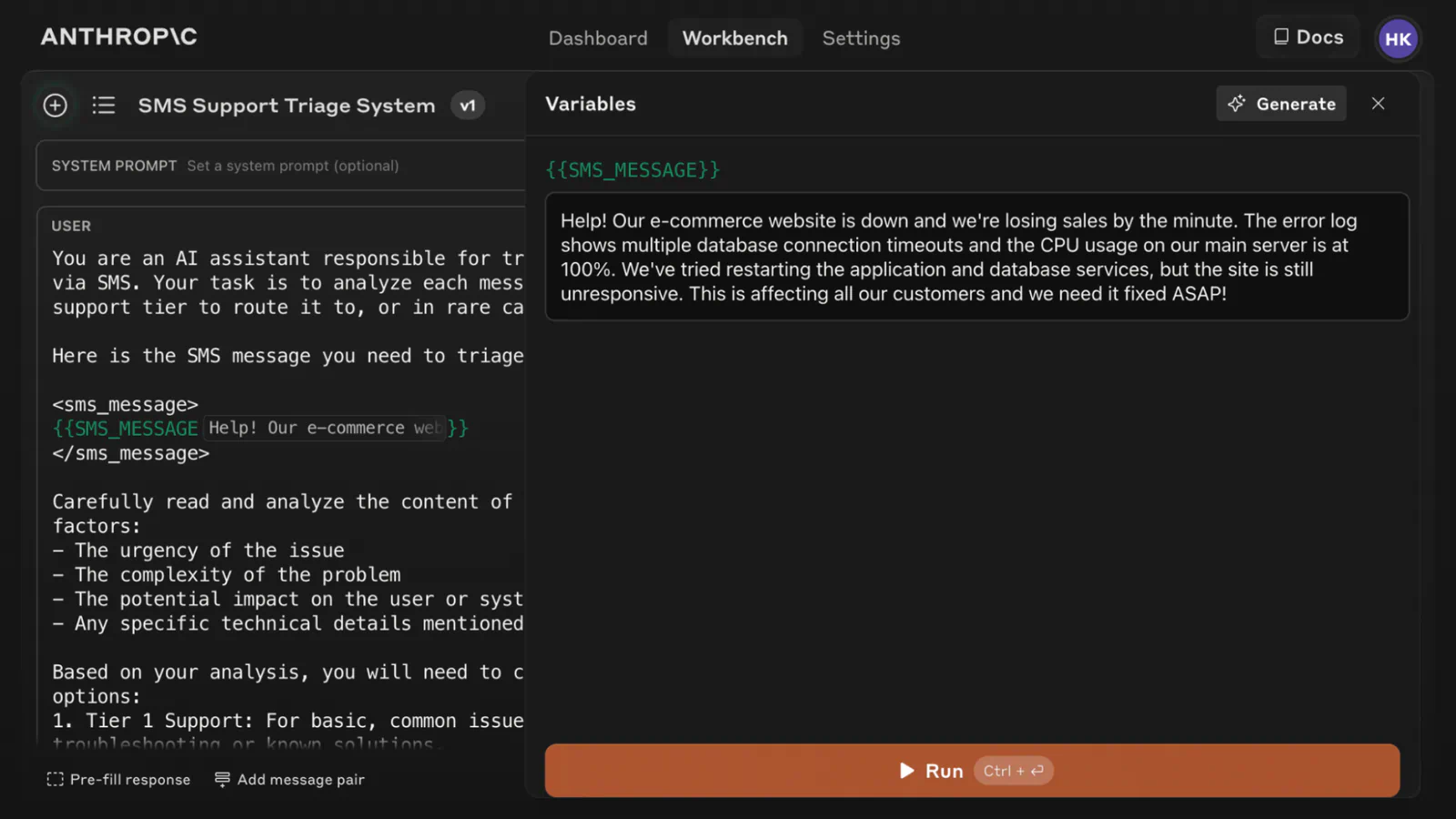
OpenAI also suggests a default order for instructions you reuse:
- Identity: The assistant's purpose, style, and goals
- Instructions: The rules and the do's and don'ts
- Examples: Sample inputs with the outputs you want
- Context: Extra data, usually near the end because it changes per request
Anthropic's docs give similar advice for Claude. Wrapping each kind of content in its own tag, such as <instructions>, <context>, and <input>, reduces misinterpretation, and the tag names should stay consistent across your prompts. For long inputs, the same guide recommends putting the documents at the top and your question at the end, noting that queries at the end can improve answers by up to 30% in its tests.
Google lands in the same place. Its Gemini 3 advice says to use XML-style tags or Markdown headings, pick one format, and use it consistently within a prompt. So the specific syntax matters less than being consistent.
Here's where it pays off. An analyst comparing three vendor contracts can wrap each in its own labeled tag, then ask which one has the shortest notice period. The model is far less likely to mix up which clause came from which contract.
There's a fair counterpoint. Anthropic's newer article lists XML tags under techniques that are less necessary with modern models, since they read structure well without them. For a two-line request, tags are overkill. Use them when the prompt runs long or mixes material, and check that every opening tag has a matching closing one before you hit send.
5. Ask for step-by-step reasoning on hard problems
Best for: Math, multi-step analysis, and decisions where you want to check the logic.
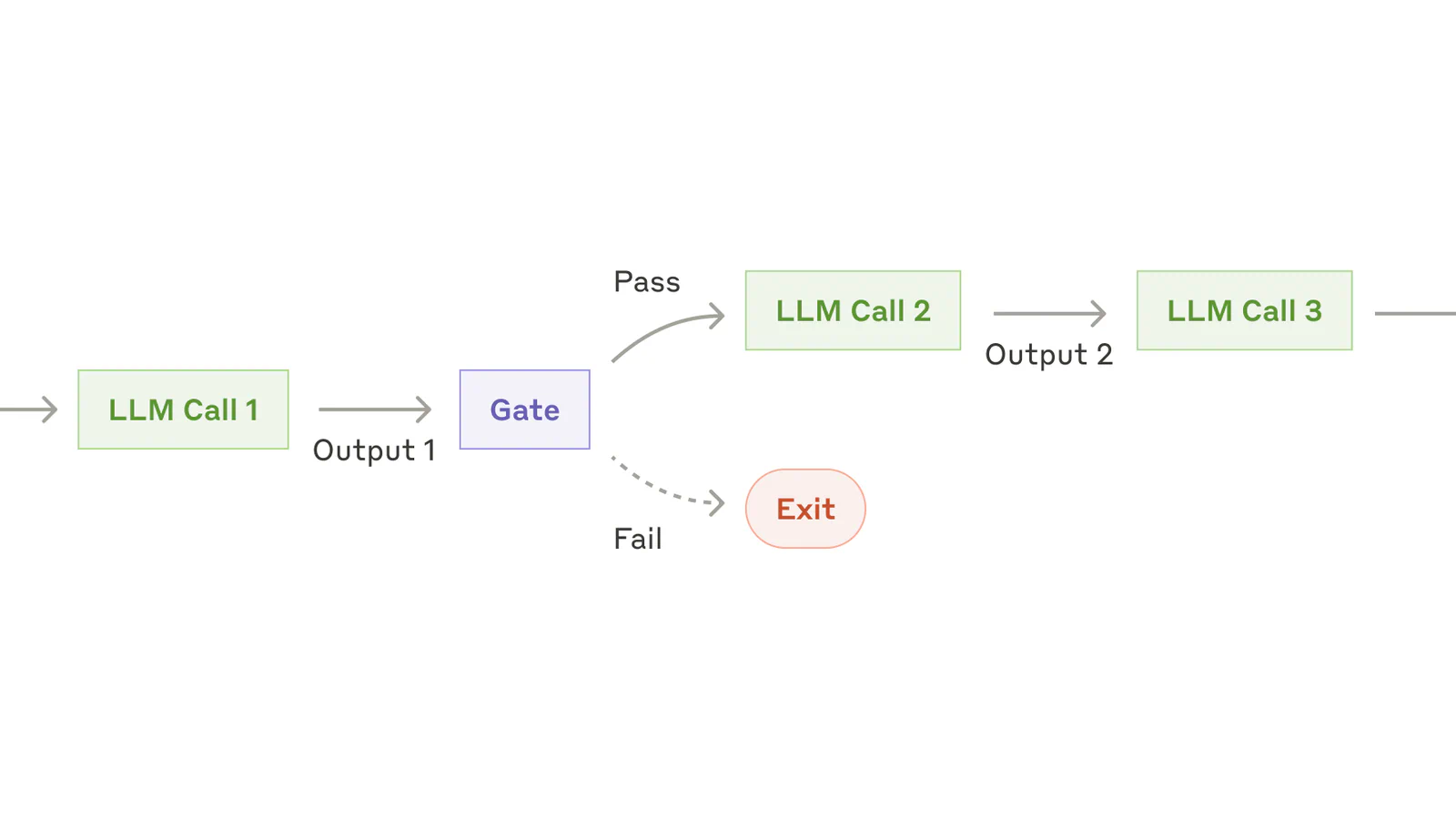
Chain-of-thought prompting means asking the model to reason through the steps before it answers. Microsoft's guide says asking the model to proceed step by step and show the steps reduces the chance of an inaccurate result and makes the answer easier to check. That second benefit is easy to overlook: when the steps are visible, you can see exactly where the logic went wrong.
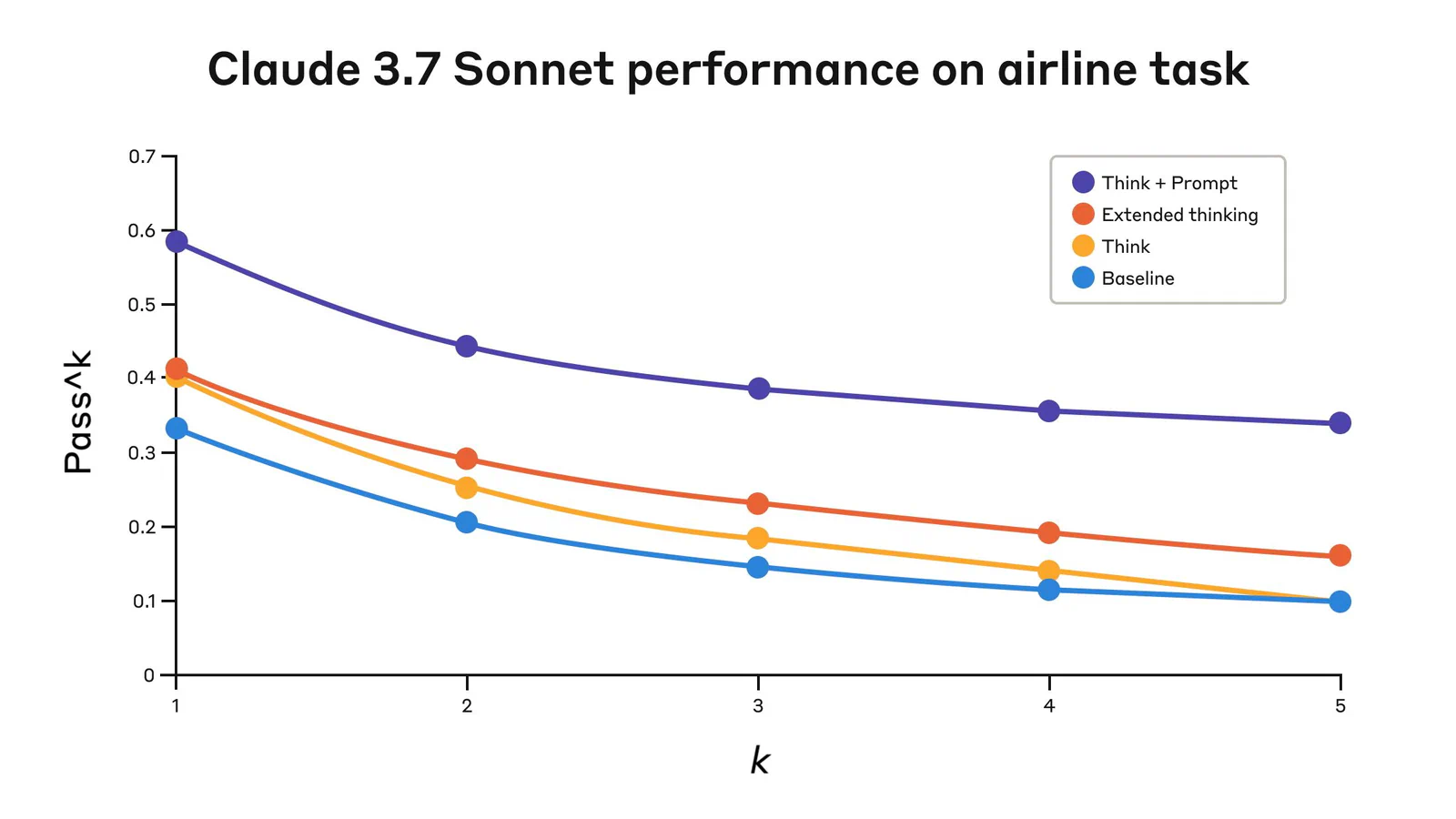
The simplest version is a single line. Anthropic's article says you can add "Think step-by-step" to your instructions, and it describes more guided versions where you list the factors to weigh or ask for the reasoning and the answer in separate sections.
When it's worth trying:
- Multi-step tasks: Budgets, forecasts, or comparisons with several factors
- Reviewable work: Cases where you need to show your reasoning to someone else
- Required factors: Analysis that must consider specific points
- Older or faster models: Setups without a built-in reasoning mode
The landscape has shifted, though. Many current models reason on their own. Anthropic's article says that when its extended thinking feature is available, it's generally preferable to manual chain of thought. Microsoft goes further for reasoning models: its guide says the technique applies only to non-reasoning models, and that trying to extract a reasoning model's thinking by other means isn't supported and may violate its usage policy.
Frequently Asked Questions
5 questions
1Does prompting actually train an AI model?
No, prompting doesn't change the model's underlying weights. It steers the model inside one conversation, which is why OpenAI describes few-shot examples as an alternative to fine-tuning. To change the model's behavior for good, you'd need fine-tuning or saved instructions your tool loads automatically.