
A ChatGPT plugin no longer has to appear only when a conversation calls for it. In its September 29 DevDay announcements, OpenAI said developers can give plugins a place in ChatGPT’s sidebar, add interactive panels and display files in viewers suited to their products. The plugin extensions announcement describes those interface features as available across ChatGPT plans.
OpenAI also says it is adding support for proposed MCP Events. That could let a connected app initiate an automation when something happens outside the chat. Support for a proposed specification does not mean every plugin can already receive events or that every connected service offers a working trigger.
The announcements give developers more ways to put their products in front of users without sending them to a separate app. Whether ChatGPT becomes a dependable place for those workflows depends on implementation, discovery and the permissions users grant.
Plugins Get a Place Outside the Conversation
The sidebar is the clearest change to the everyday plugin experience. A developer can give a plugin a persistent entry point instead of relying entirely on a user to find it through a prompt or recommendation. An interactive panel can put controls alongside the conversation, while a file viewer can display a product’s files inside ChatGPT.
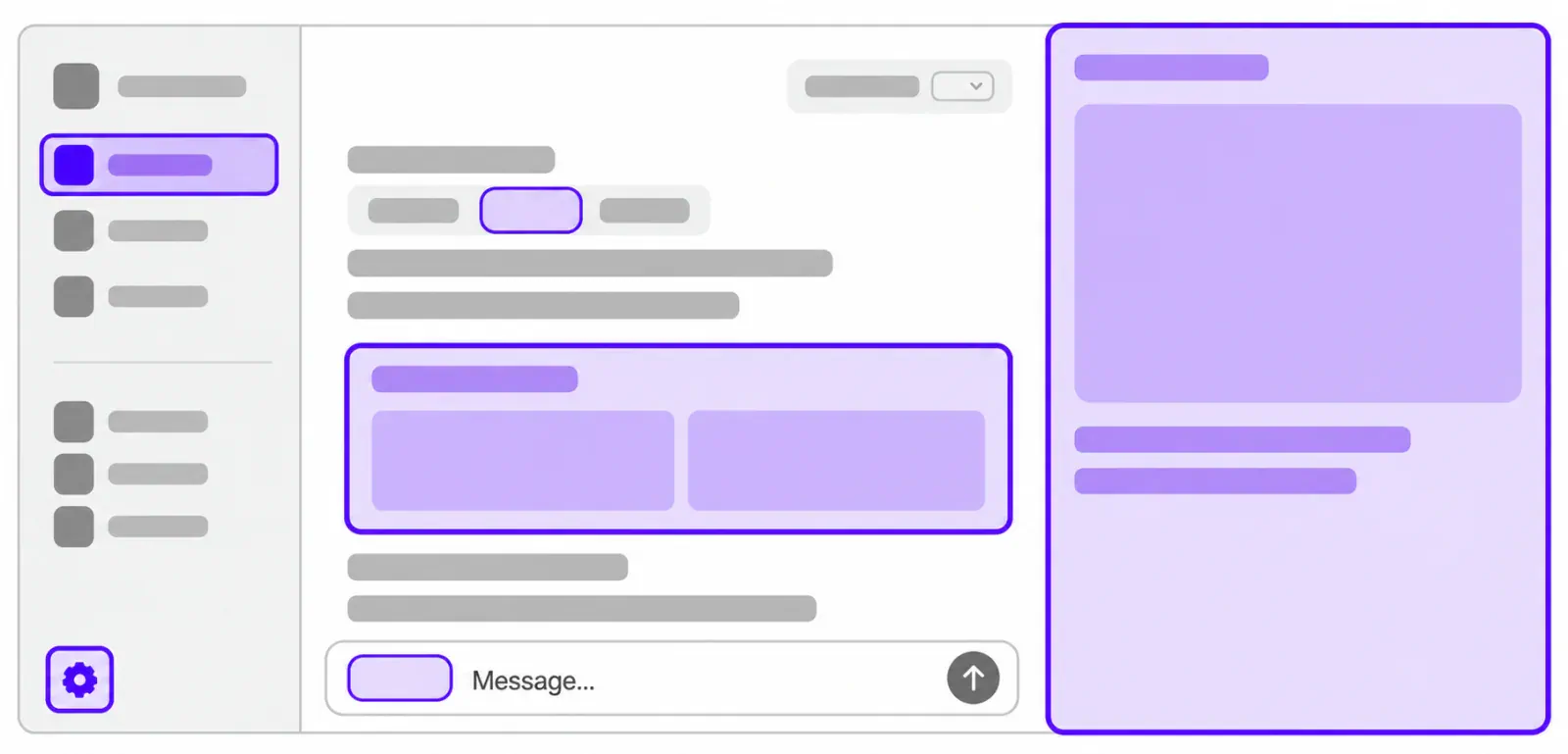
A chat response works well for asking a connected service a question. It is more cramped when someone needs to inspect a file or work through a task with multiple controls. Panels and viewers give developers room for parts of their product that do not translate neatly into prose.
OpenAI’s DevDay developer announcement says Figma and Adobe showed integrations. Those demonstrations show the kind of experience OpenAI wants developers to build, though they do not establish that every feature shown is available in every integration. Likewise, “available across plans” describes support for extensions, not a promise that each third-party plugin or connected service is free to use.
A plugin can now present more of a product inside ChatGPT, but that does not make it a replacement for a full native application. Developers still have to decide which tasks fit in a panel and which need the broader interface of their own product.
MCP Events Would Let Connected Apps Start the Workflow
People usually encounter a plugin after starting something in ChatGPT: asking a question, choosing a tool or opening a connected experience. The proposed event model would allow the first step to happen elsewhere. OpenAI says support for MCP Events would allow plugins to start automations in response to events in connected apps.
Consider a connected work app that records a change to a project. An event-based integration could, in principle, use that change to begin a ChatGPT automation without the user typing a new request. That is an illustration of the model, not a claim that a particular plugin supports that trigger today.
For such a workflow to function, the app has to expose a relevant event, a developer has to implement an integration, and the user has to connect the service with appropriate permissions. OpenAI describes MCP Events as a proposed specification and says it is adding support. Neither statement confirms a broad catalog of functioning event-triggered plugins.
What an automation can do after it starts is another question. Receiving notice of a change, reading connected data and taking an action are different capabilities. Developers and users will need to examine the permissions and controls of each integration rather than treating “automation” as a single level of access.
Building a Plugin Is Only Part of Reaching Users
OpenAI is also changing how developers create and distribute plugins. TechCrunch reports a new Plugin Creator, a redesigned directory submission process and changes to how plugins are ranked and recommended, including recommendations during conversations. OpenAI’s developer announcement says the submission process adds review tracking and clearer feedback, while updates to existing plugins become simpler.
A sidebar home helps after someone has adopted a plugin. Directory placement and conversational recommendations affect whether that person finds it. A clearer submission process may reduce uncertainty for developers, but it does not guarantee approval, a recommendation or use.
Someone already working in ChatGPT may encounter a relevant plugin just when they need a task done. That is a different route to a customer than asking them to search for an app, install it and learn a new interface. It also gives OpenAI considerable influence over which integrations users see, making recommendation behavior an important question for developers.
Access Is Granted by the Person Using the Plugin
The new interface space does not remove the need for user approval. TechCrunch reports that people can approve a plugin’s access needs individually when choosing to use it. OpenAI also says plugins can be used in ChatGPT Sites, with each person connecting their own data and permissions.
If one person makes a Site that uses a plugin, sharing the Site does not give everyone else that person’s connected account or access to its files. Each participant uses the plugin through their own connection and permissions.
The announcements do not establish that users approve every individual event, automation run or subsequent action. Those details depend on the plugin and connected app. Before granting access, users need to know what data the plugin can read, what it can change and how its connection can be managed.
An on-screen panel is visible while someone uses it. An automation initiated by an external event may run because something changed elsewhere. Clear scopes and controls will matter more as plugins move from responding in a chat to starting work on their own.
ChatGPT Becomes a More Serious Distribution Channel
A standalone app usually controls its own navigation, interface and return visits. Plugin extensions let a developer place some of those touchpoints inside ChatGPT. If users can find an integration during a conversation, revisit it from the sidebar, work in its panel and view its files without leaving, the plugin becomes more than a connection behind a chat command.
Proposed event support could carry that experience into ongoing workflows. A connected integration might eventually initiate the next step after a change, saving a user from opening a separate product to check for it and bringing the result into ChatGPT. That could be useful for developers whose products fit naturally into work users already do there.
There is a tradeoff. Distribution inside ChatGPT may make users easier to reach, but developers give up some control over discovery and presentation. OpenAI determines the available interface surfaces, runs the directory and shapes conversational recommendations. A plugin can become easier to encounter while remaining dependent on another company’s platform.
Standalone apps are not obsolete. Products may still need richer interfaces, independent customer relationships or workflows that do not belong in a chat product. For tasks that work well inside ChatGPT, though, developers have more reason to offer them there, and users have less reason to leave.
What the Announcements Do Not Establish
The shipped interface extensions and proposed event support are at different stages. OpenAI says sidebar entries, panels and file viewers are available across plans. Its description of MCP Events concerns support for a proposed specification whose usefulness depends on connected apps and implementations.
The announcements also leave open how individual event-based automations will be configured, approved or monitored. Developers can use ChatGPT’s new interface space now; the event-triggered opportunity remains more conditional. The details of any automation will need to be checked with the integration that offers it.
Final Thoughts
The sidebar may prove more consequential than the flashier idea of apps starting automations. It gives a plugin a recognizable place users can return to, something developers need if ChatGPT is to serve as more than a source of one-off referrals.
Event support could deepen that relationship. Its value will depend on reliable triggers, understandable permissions and whether users can see what a connected plugin is allowed to do before it starts working without a fresh prompt.
Frequently Asked Questions
4 questions
1What Can Developers Add to ChatGPT Plugins?
Developers can add sidebar entries, interactive panels and file viewers through OpenAI’s plugin extensions. These give a plugin a persistent entry point and more room for interaction than a chat response alone. OpenAI says the extensions are available across ChatGPT plans, though that does not mean every third-party plugin or service is available on every plan.
2Can ChatGPT Plugins Start Automations When an App Changes?
OpenAI says it is adding support for proposed MCP Events so plugins can start automations in response to events in connected apps. That does not confirm that every plugin has working event triggers today. A workflow depends on the connected app, the developer’s implementation and the permissions available to the user.
3Do Users Have to Approve a Plugin’s Access?
TechCrunch reports that users can approve a plugin’s access needs individually. OpenAI also says that when plugins are used in a shared ChatGPT Site, each person connects their own data and permissions. That does not establish approval for every separate automation run; the controls depend on the integration.
4Will ChatGPT Plugins Replace Standalone Apps?
No such replacement has been established. Sidebar access, panels, file viewers and improved discovery make ChatGPT a more useful place to offer parts of an app, especially tasks that fit alongside a conversation. Developers may still need their own products for richer interfaces and independent distribution, while event-triggered integrations depend on implementation.
Sources
- plugin extensions announcementopenai.com
- Plugin Extensions – Plugins | OpenAI Developersdevelopers.openai.com
- DevDay developer announcementcommunity.openai.com
- MCP Eventsdevelopers.openai.com
- TechCrunch reportstechcrunch.com