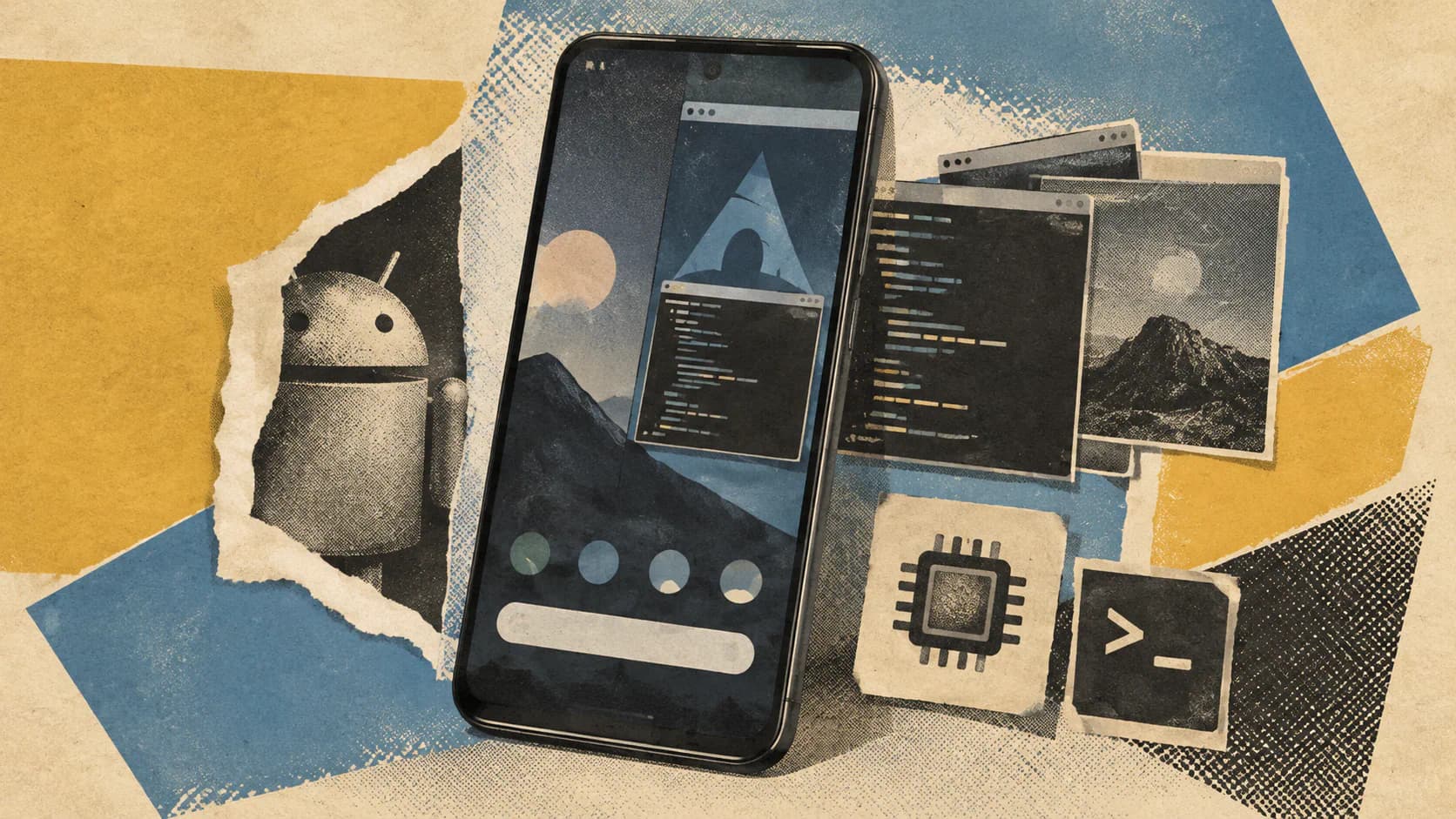
Omalauncher’s most unusual feature is how it presents Linux applications: each Linux window opens as its own Android task, with a separate card in Recents. The optional Arch Linux ARM environment runs without root, alongside ordinary Android apps, without replacing the phone’s operating system.
According to the Omalauncher repository, the launcher also puts application search and coding-agent prompts into a single input bar at the bottom of the home screen. That bar can open an app or send a request to an installed agent, including Anthropic’s Claude Code, Codex, Copilot, or opencode. Widgets written in a small, phone-editable language called OWL complete the setup.
This early independent project is not an official Android product from Anthropic or any other coding-agent vendor. Its appeal is a specific workflow experiment: bring Linux applications, terminal-based agents, and a customizable home screen together on one device. The documented requirements are an ARM64 phone running Android 10 or newer.
Linux Windows Get Their Own Android Tasks
Omalauncher runs its optional Arch Linux ARM environment under proot without requiring root access. The launcher itself acts as the Wayland compositor, the component responsible for presenting Linux application windows.
The integration extends beyond opening a terminal. The README says every Linux window becomes a separate Android task, allowing users to switch between those windows and Android applications through the phone’s existing Recents interface. These remain Linux applications running inside the optional environment, not native Android ports; the launcher makes them accessible through the same task switcher as Android software.
The documented Linux features include pacman and the AUR, Linux applications in their own windows, terminal widgets, and a file manager. For power users, that offers a more flexible starting point than a launcher with a fixed collection of built-in AI tools. It also introduces the work of managing a Linux environment.
Access to package tooling does not guarantee that every desktop application will work well on a phone. The project specifies ARM64 hardware, and the README’s feature list does not establish package-by-package compatibility or performance. GPU acceleration is opt-in and described specifically for Mali GPUs, so it provides no evidence of a general accelerated desktop experience across every compatible Android handset.
Users can also leave Linux disabled. In that configuration, the launcher retains themes, wallpapers, Android applications, and widgets that don’t run commands. Trying the home-screen interface does not require adopting the entire Linux-and-agent setup.
One Bar Handles Apps and Installed Coding Agents
The bottom bar connects the launcher to the coding tools. Focusing it opens a list of Android and Linux applications. Typing narrows the list, and pressing Enter either opens the highlighted application or sends the text to the selected agent. The documented behavior distinguishes short queries naming an app from sentences intended as prompts.
Starting a request from the home screen saves the user from first locating a terminal and opening an agent. The agent still opens in a terminal, with its own interface; Omalauncher supplies the entry point.
For readers following Claude and other AI products, this is a launcher integration, not a new mobile edition of Claude Code. Omalauncher does not become the coding agent, and an agent’s name appearing in its interface does not imply vendor endorsement.
Tapping the agent’s name lets the user choose another installed agent. The selection is saved in ~/.config/omalauncher/agent, allowing the launcher to retain that preference. The README lists Claude Code, Codex, Copilot, opencode, and other agents, but availability depends on what is installed in the Linux environment.
A prompt field on a phone also says nothing about whether the agent’s underlying AI model runs locally. The documented feature is launching and prompting installed tools. Authentication, service access, and resource use depend on the chosen agent and its configuration.
Optional voice input has two modes: holding the microphone button records speech and releasing it sends the request; tapping the button instead dictates into the field. Android performs speech recognition, and the README says only the resulting text reaches Linux.
On-device recognition is conditional on the phone supporting it. The voice workflow therefore cannot be described as universally offline, nor can all speech processing be treated as part of the Linux environment.
OWL Makes the Home Screen Editable on the Phone
Omalauncher’s customization goes beyond selecting an icon arrangement. Its widgets use OWL, which the project describes as a small declarative language that can be edited directly on the phone. A widget store is also included.
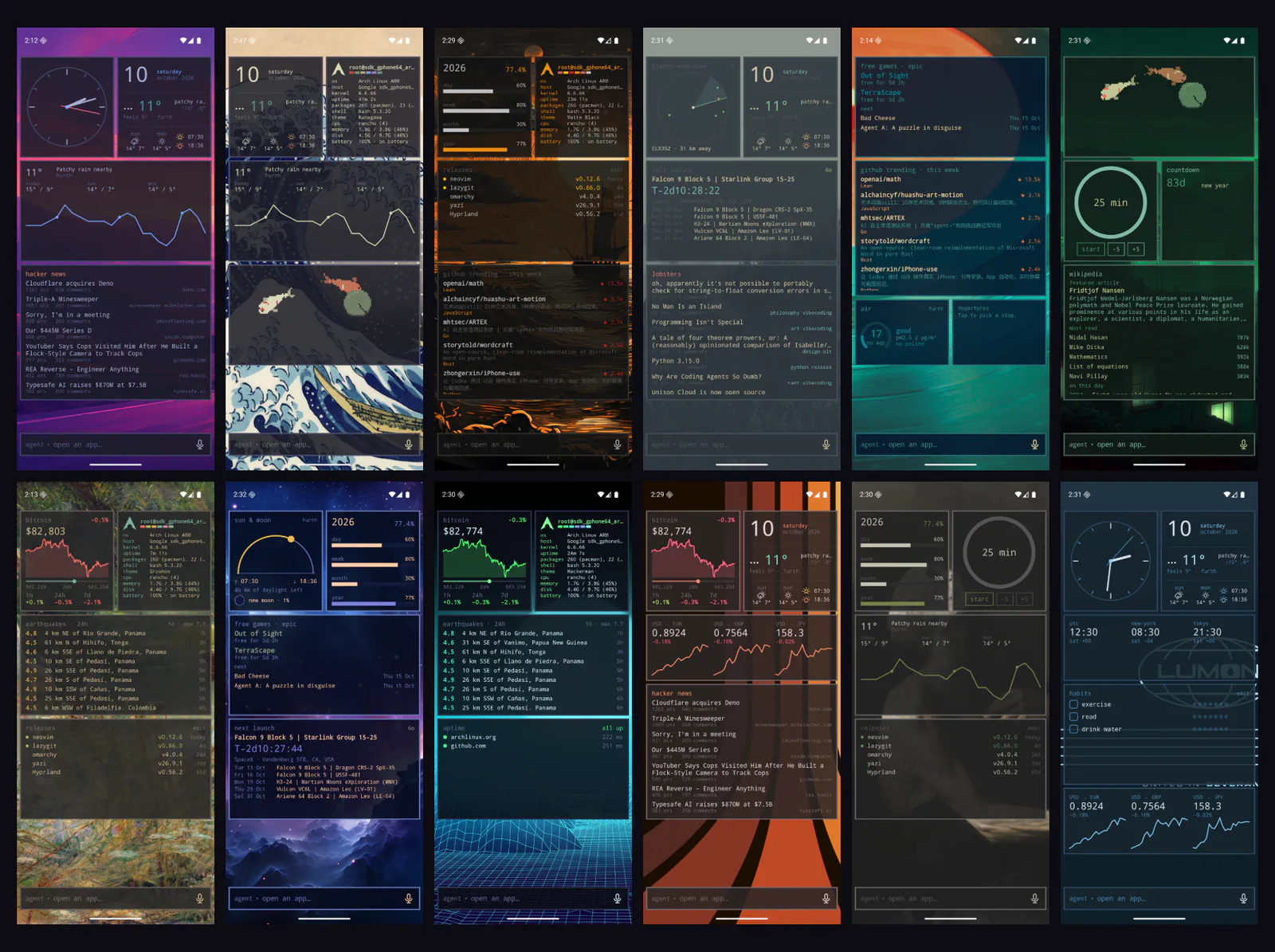
A declarative widget language lets users describe an interface without building a complete Android application. Here, the practical attraction is having the customization format accessible on the same device where the result appears.
For an agent-tool audience, that creates a plausible development loop: edit a widget, ask an installed coding agent for help with the text, and inspect the result on the home screen. This is a potential use of the documented components, not evidence that agents automatically create, validate, or publish working widgets.
Widget requirements vary. The README explicitly says widgets that do not run commands remain available without Linux. Users should not assume every widget has the same requirements just because it appears on the launcher.
The visual system draws on Omarchy. Omalauncher lists all 22 Omarchy themes, including their wallpapers, and says the themes apply to both the launcher and Linux applications. It also supports community themes and custom themes in ~/.config/omarchy/themes.
Matching those surfaces could make switching between Android and Linux feel less visually disjointed. Editable behavior is the stronger practical feature, however: the home screen can be adapted without treating each change as a separate Android app-development project.
Compatibility, Input, and Privacy Need Separate Checks
The minimum requirement is straightforward: ARM64 Android hardware with Android 10 or newer. This establishes eligibility, not a performance recommendation.
The README’s build instructions refer to an approximately 830 MB Arch Linux ARM archive download. Linux setup therefore involves a substantial download, though that figure is neither the total installed size nor a complete storage requirement. Installed packages and the user’s working files are separate considerations.
Touch interaction is documented explicitly. A tap becomes a left click, a long press becomes a right click, and dragging scrolls. Applications with touch support, including foot and GTK applications, receive actual touch input.
Hardware-keyboard shortcuts cover opening a terminal, focusing the bar, changing home pages, and closing Linux windows. Those controls make the project relevant to keyboard-equipped setups as well as touchscreen use. They do not establish how comfortable a particular desktop application will be on a small display.
The project README states “No account, no ads, no tracking.” That is Omalauncher’s claim about its own product, not a privacy assessment of every agent or application a user might install. An agent’s authentication and data-handling requirements still need separate evaluation.
Android speech recognition requires the same distinction: the project documents where transcription happens, but that does not make every device’s recognition service identical.
Omalauncher’s own code and artwork are MIT licensed. The README excludes agent logos, the symbol font, and Omarchy’s theme colors from that grant, and identifies separately licensed bundled components, including proot, talloc, and libandroid-shmem. For users inspecting the project and developers considering a fork, “MIT licensed” accurately describes the project’s own work, but not every asset and dependency in the distribution.
The Experiment Is the Integration
Omalauncher deserves attention for combining several interfaces that are usually separate: Android’s home screen, Linux application windows, terminal-based coding agents, and editable widgets. Its contribution is the path between them, particularly the ability to start an agent request without first navigating into a terminal.
The available evidence comes from the project’s documentation, not a hands-on assessment or an independent compatibility study. It establishes the intended behavior and requirements, while leaving sustained battery use, responsiveness under load, and reliability on a particular handset untested. Public usage evidence remains limited, so the project is best approached as an experiment.
The repository also explicitly disclaims affiliation with Omarchy, Arch Linux, and the makers of the coding agents it installs. Anthropic users should read this as an independent way to access an installed Claude Code workflow, not an Anthropic product update.
For Android power users willing to manage a Linux environment, the next useful test is concrete: whether a chosen application, agent, and widget work well together on their own phone. Omalauncher’s promise rests on making that combination practical, beyond getting each component to launch.
Sources
- Omalauncher repositorygithub.com