Meta is hosting a ten-day global AI hackathon with a $1 million prize pool, and I’m joining with an app called ReScene.
The Meta Global AI Developer Hackathon runs from October 26 to November 4, 2026. It’s virtual, with separate tracks for indie developers and startups. I’m participating in the Indie Developer track.
The event allows up to 20,000 accepted participants worldwide. Selected developers receive $150 in Meta Model API credits to build with during the event, which gave me room to experiment with the models before deciding how they should work together.
At first, Meta invited everyone to submit their ideas. Then reviewers selected a portion of all the submissions to move forward with the competition.
Here’s the app idea that I submitted:
Turn a photo into an editable, interactive 3D scene. Upload a photo of a product, room, or workspace. AI identifies individual objects, estimates their positions, and lets users move, remove, or replace them in a reconstructed scene.
The original idea was so basic, it didn’t really explained how it would be useful in the real-world. That is why I decided to apply such use case in an interactive shopping experience.
I joined because I wanted to build something people could actually use and try it with Meta’s models. Reading about image generation, segmentation, and 3D reconstruction is interesting. Getting them to cooperate inside a working app is a different challenge.
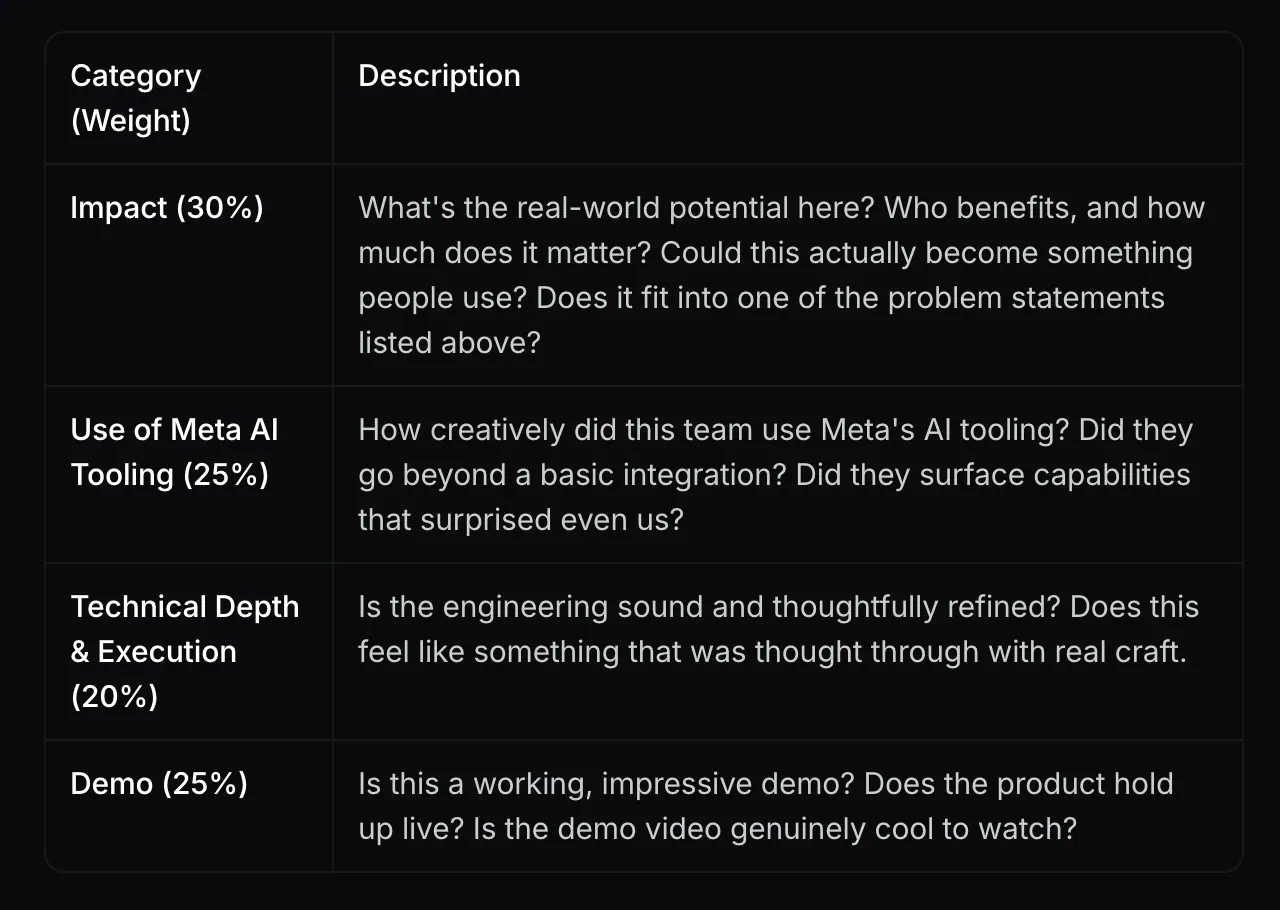
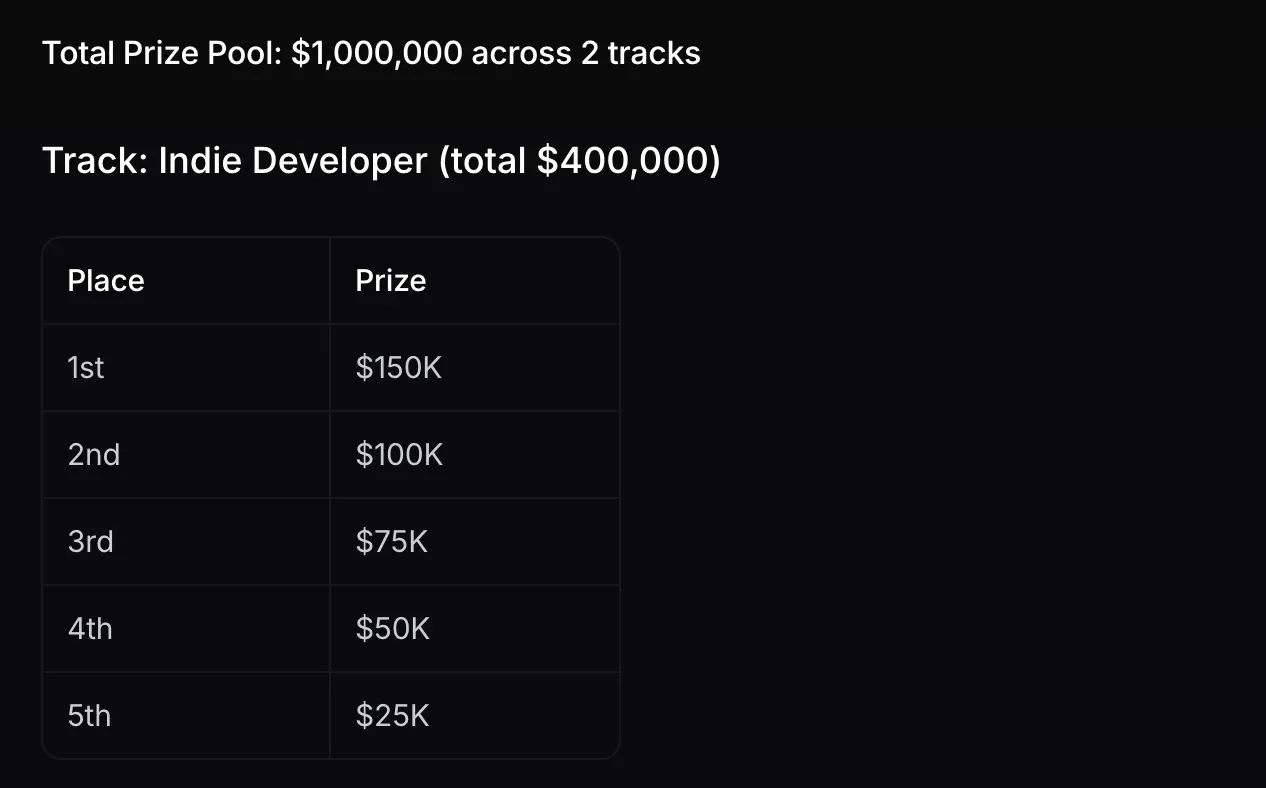
The prize money definitely caught my attention, too. I won’t pretend otherwise. The prize pool is $1M and the overall winner for the indie category gets $150K. The rest of the prize pool is divided by winners in the startup category.
But I also wanted a reason to commit to an idea, finish the difficult parts, and put it in front of people. A deadline helps with that. You eventually have to stop discussing what an app could do and make the buttons work.
ReScene started from scratch during this hackathon. The demo video is now finished, and I’m preparing the submission.
Here’s what I built, how it works, and why I’d love your support.
What is ReScene?
ReScene turns product photos into interactive 3D scenes that people can explore, edit, and shop.
Think about buying a chair online. You scroll through photos, check another angle, look for another color, and open a few more product pages. If you’re also buying a table and a lamp, you have to imagine how those choices would look together.
ReScene lets you see those products together in a 3D environment.
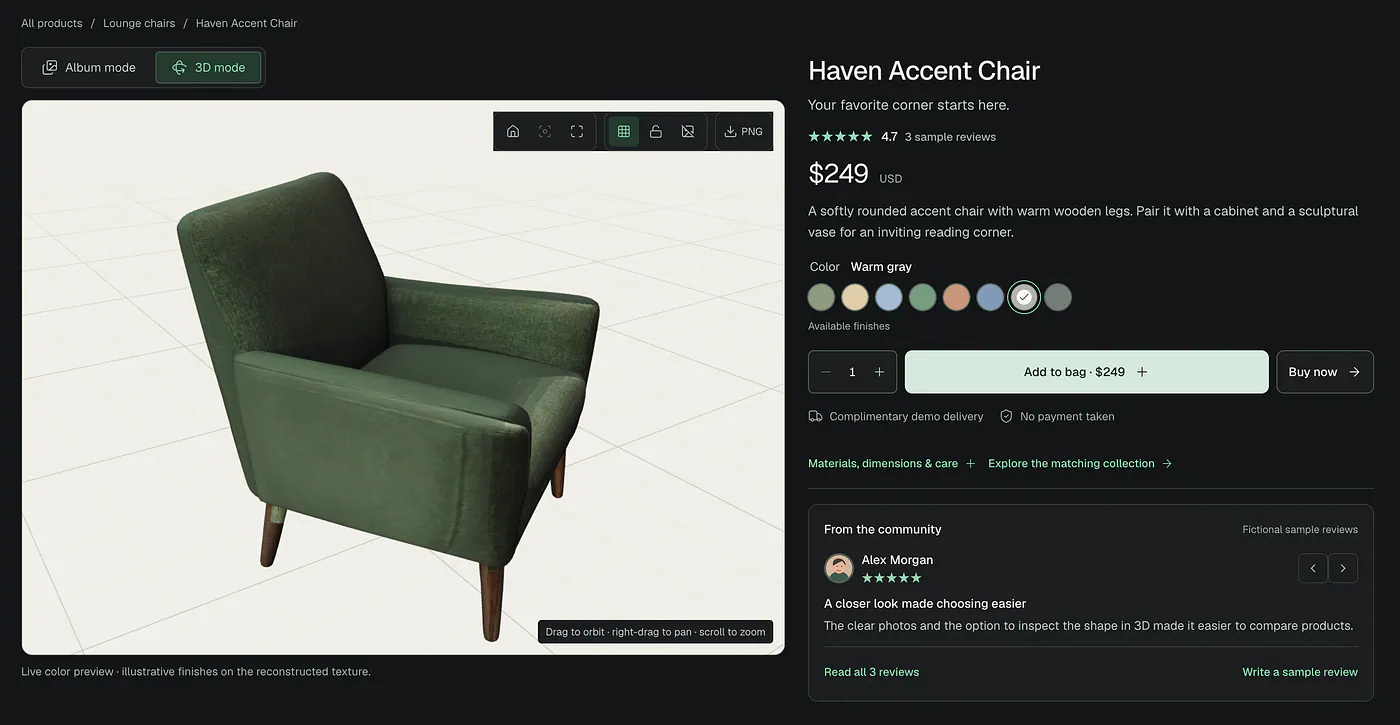
You can turn a product around, move it, preview colors, and change the lighting. You can also ask an AI stylist to suggest product combinations within your budget.
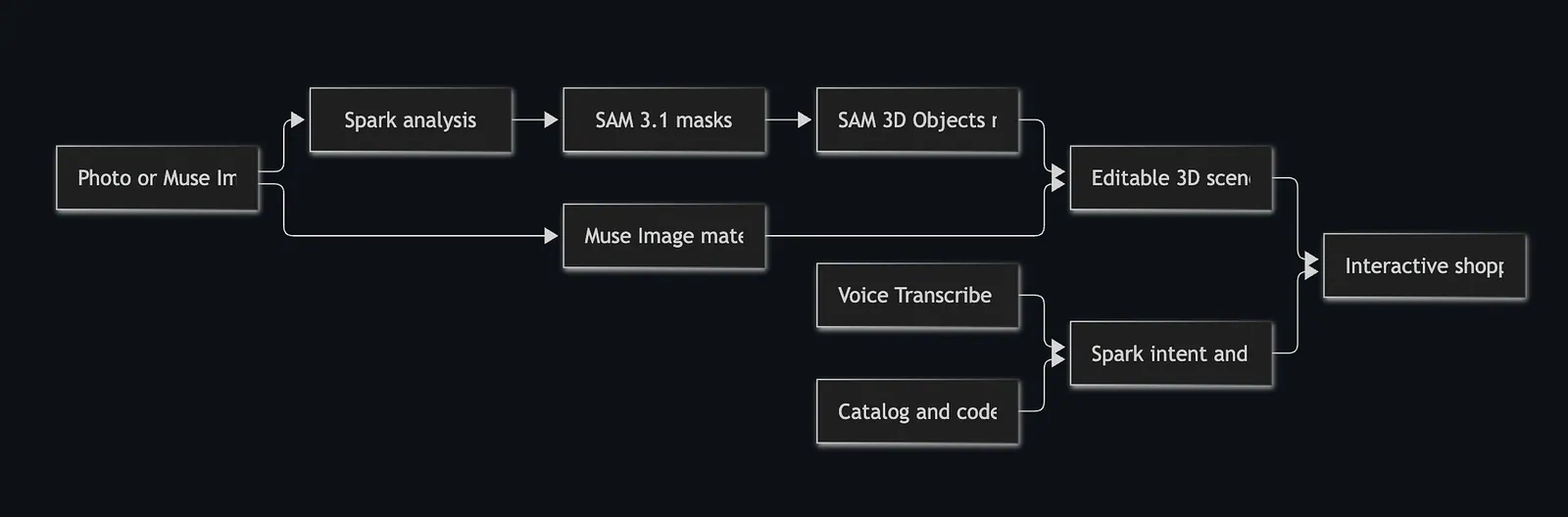
For businesses, the starting point can be an existing photograph. ReScene identifies its objects, separates them, reconstructs individual 3D models, and connects them to product details.
Furniture is an easy example to demonstrate, but the app also supports other product categories. I’ve prepared examples with shoes, bags, mugs, electronics, and everyday personal items.
Try it before reading further
The public shopping demos don’t require an account.
- Open the live demo
- Explore the GitHub project and setup instructions
Watch the official demo video here:
Loading this video connects to YouTube, which receives device and connection data and may use cookies or similar storage.
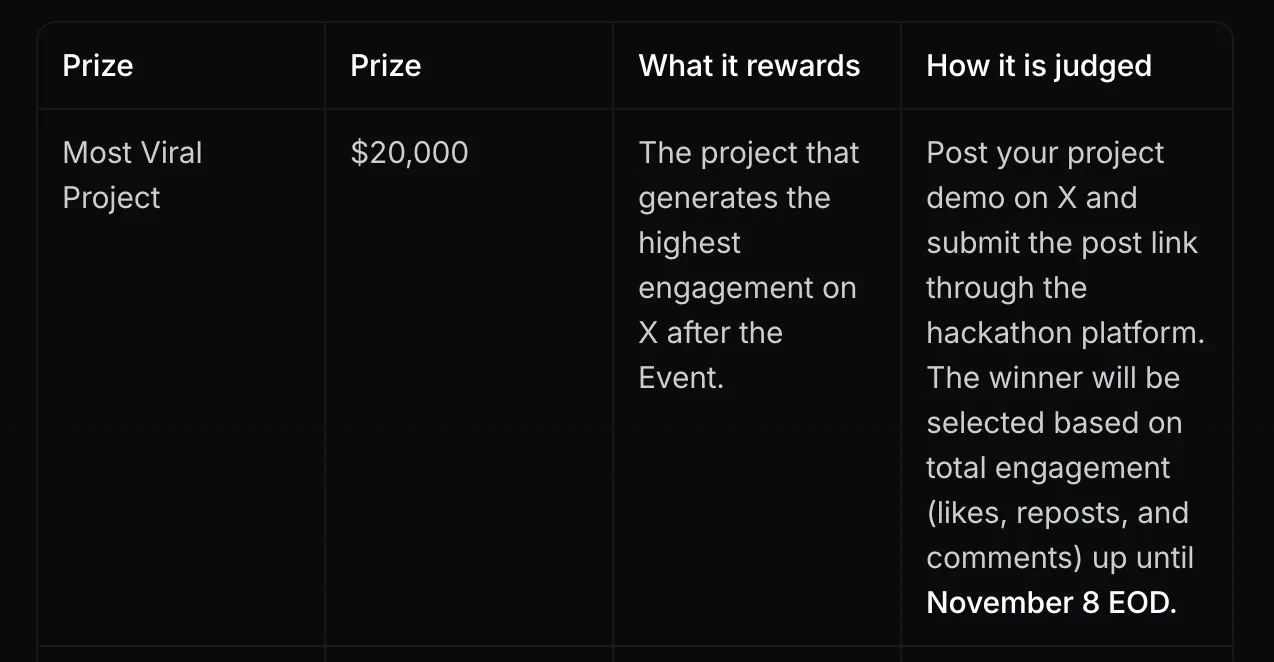
I also made an official post on X for the chance to win the most viral project with $20,000 prize.
2117824512226116012If you want to see the idea quickly, open a product and switch from its photo album to 3D.
Demo #1: Explore a Product
Explore a Product starts with a familiar shopping page.
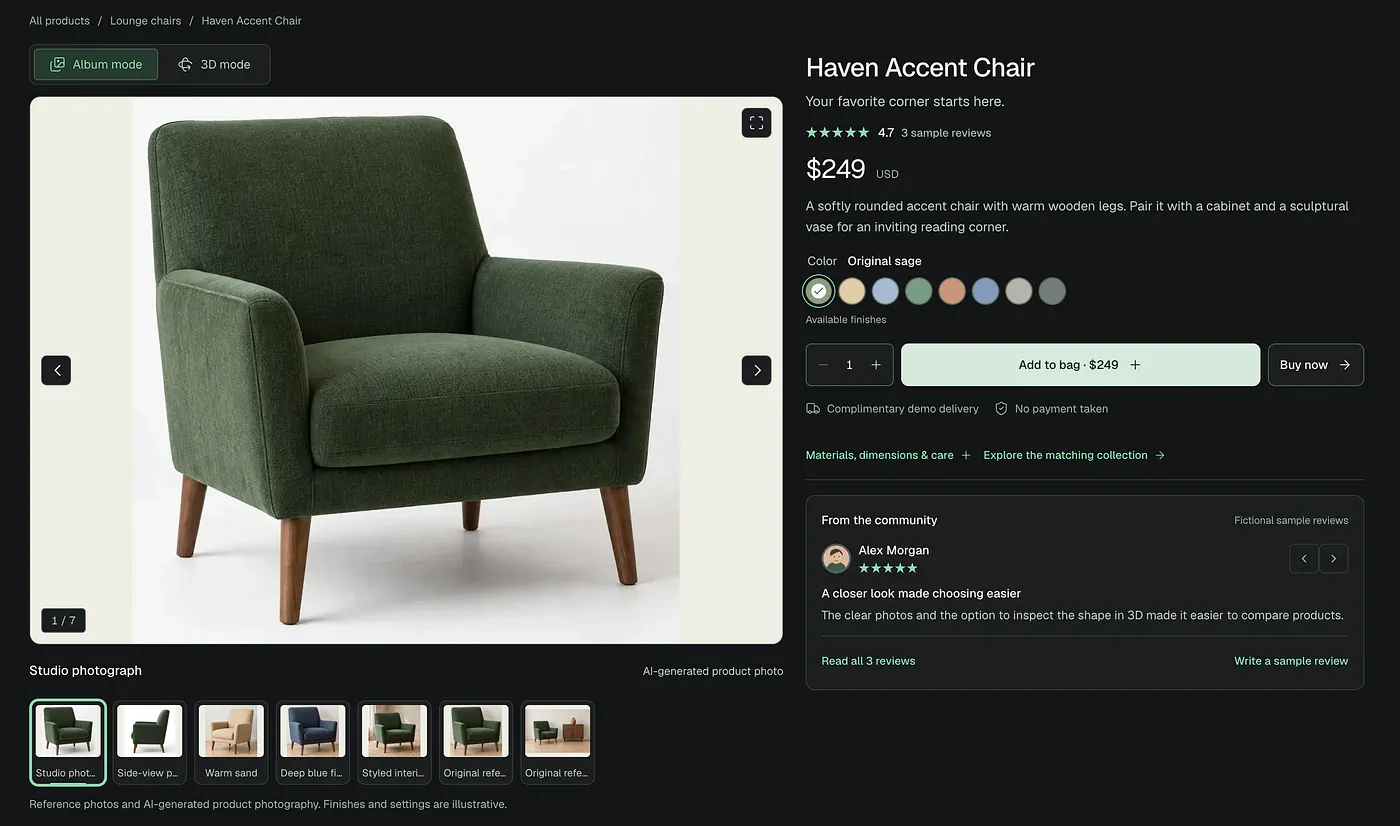
You see a product’s photos, name, price, description, reviews, and color options. The page opens in Album mode because sometimes a good photograph is all you need.
When you want a closer look, switch to 3D.
You can rotate the model, inspect another side, zoom in, and preview colors without searching through an album for the right image.
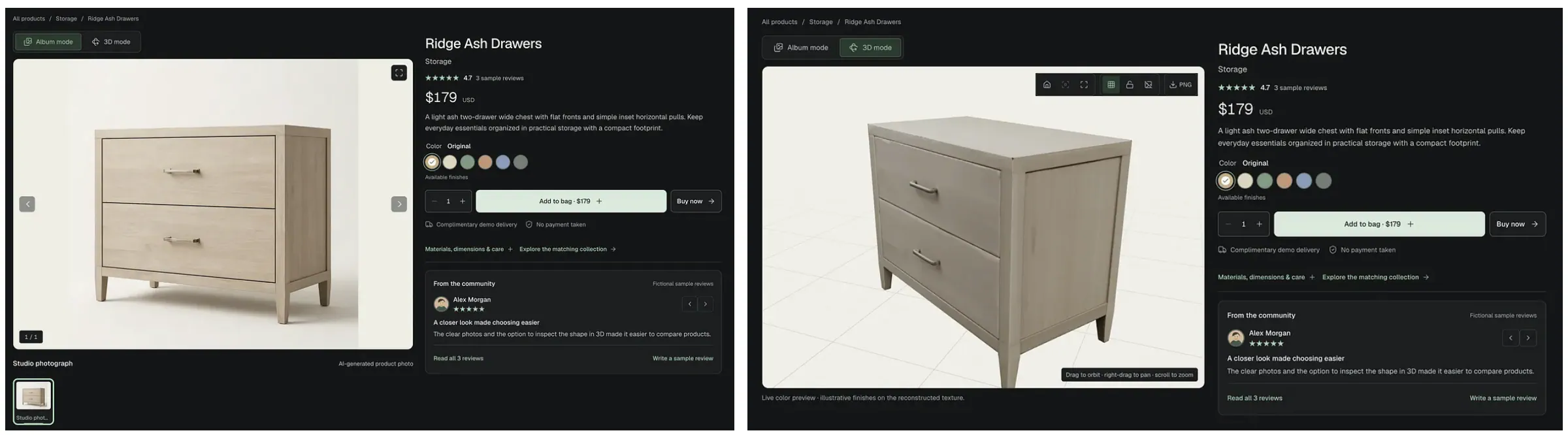
I also used Muse Image to create additional product photography showing products in different settings and angles. These are generated photographic interpretations, so they complement the reference image rather than establish exact unseen details.
You can try the Form Sage Chair example to see both approaches on one page.
I wanted the 3D viewer to feel like a useful part of an existing shopping experience. Customers shouldn’t have to learn an entirely different interface just to inspect a chair.
The reviews, prices, and checkout are demonstration content. You can explore the shopping flow, but the app doesn’t process payments.
Demo #2: Build Your Space
Build Your Space is for choosing products together.
Open a collection, select an item, and try another product from the catalog. Move the pieces around, preview different colors, change the background, or adjust the lighting.
The Everyday Collection is one example you can explore.
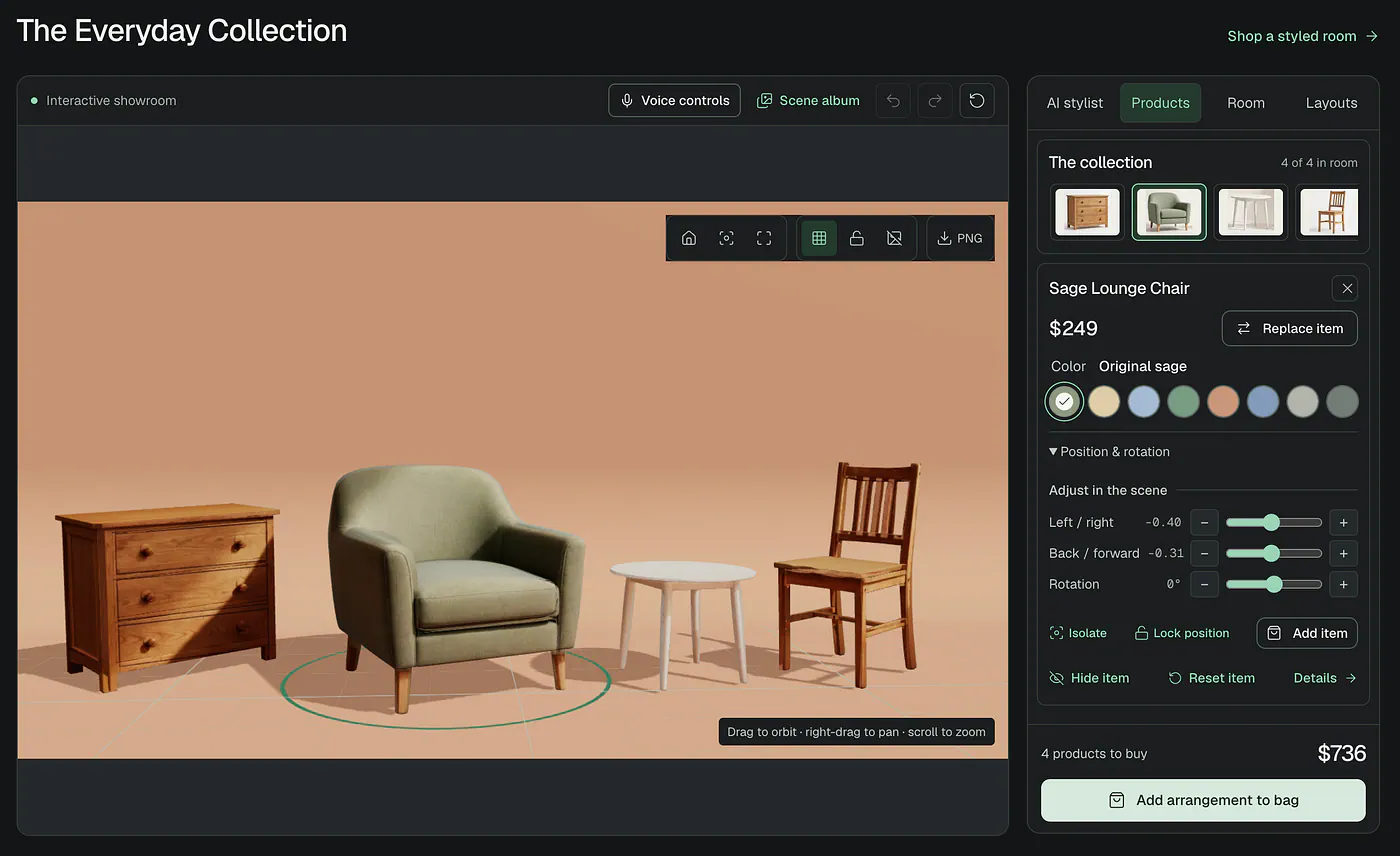
The AI stylist adds another way to make those choices.
You can type a request or say something like:
“Change the products so the total stays under five hundred dollars, and give the room warmer lighting.”
Muse Voice Transcribe turns the spoken request into text. Spark interprets the shopping goal and helps rank suitable combinations.
The application calculates prices and checks the budget, products the shopper wants to keep, and placement constraints. The stylist then presents two suggestions from the available catalog, with their totals and explanations.
You can apply a suggestion to the scene, continue adjusting it, and add your chosen products to the shopping bag.
Demo #3: Shop the Scene
Shop the Scene begins with a complete product setup.
Imagine a retailer showing a furnished living room. You like the overall arrangement, but you want to inspect the sofa, choose another table, or see how a different color would look.
You can select the objects directly in 3D and view their product information. You can also move items, change the lighting, replace pieces, or ask the stylist for another combination.
The living room example shows the furniture use case. The City Essentials example shows the same idea with personal products.
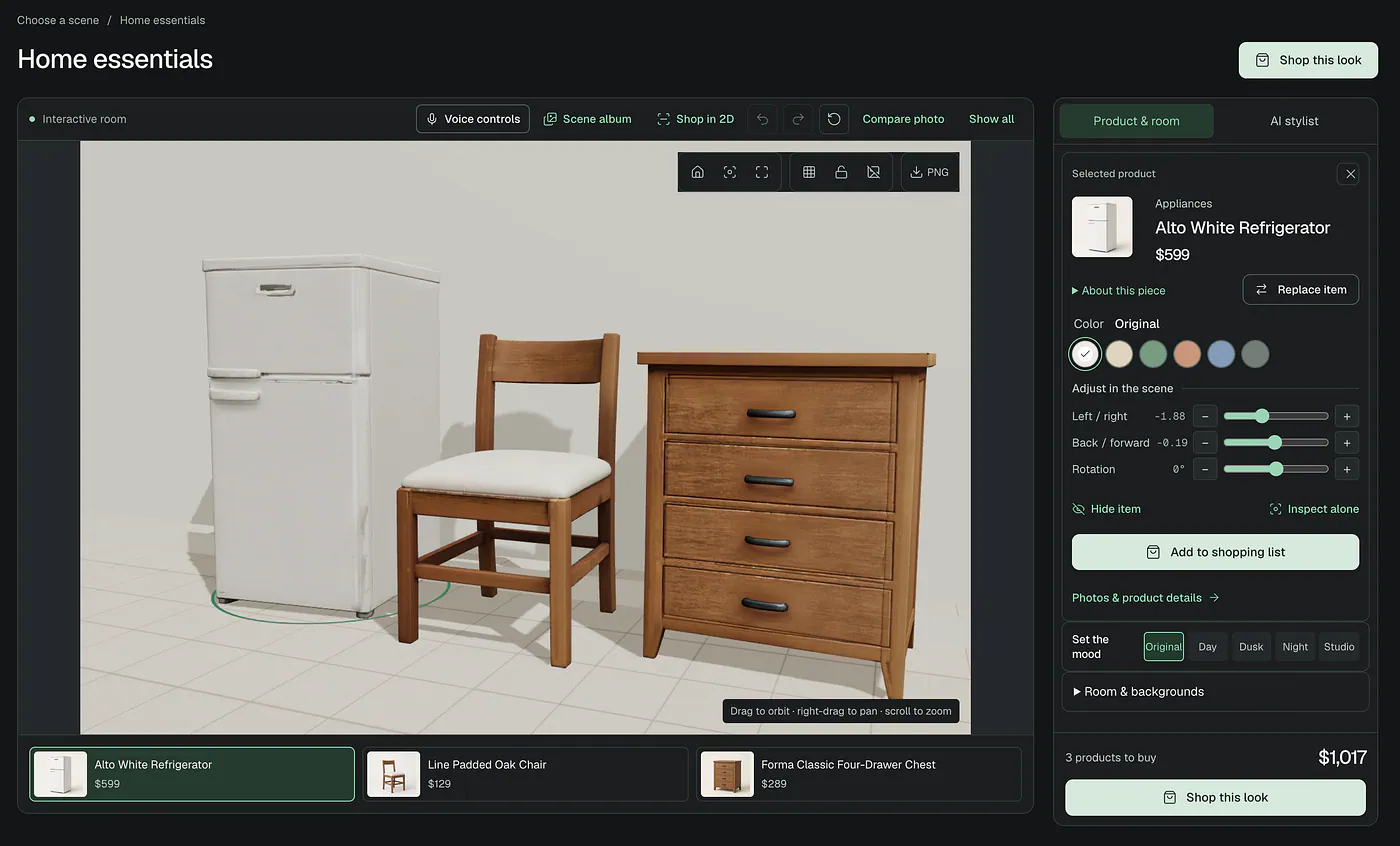
There’s also a button called Shop in 2D.
It opens the original photograph and makes its products selectable using saved SAM masks. Click an item to highlight it and see its price, details, and additional photos in the side panel. You can adjust the highlight’s opacity, too.
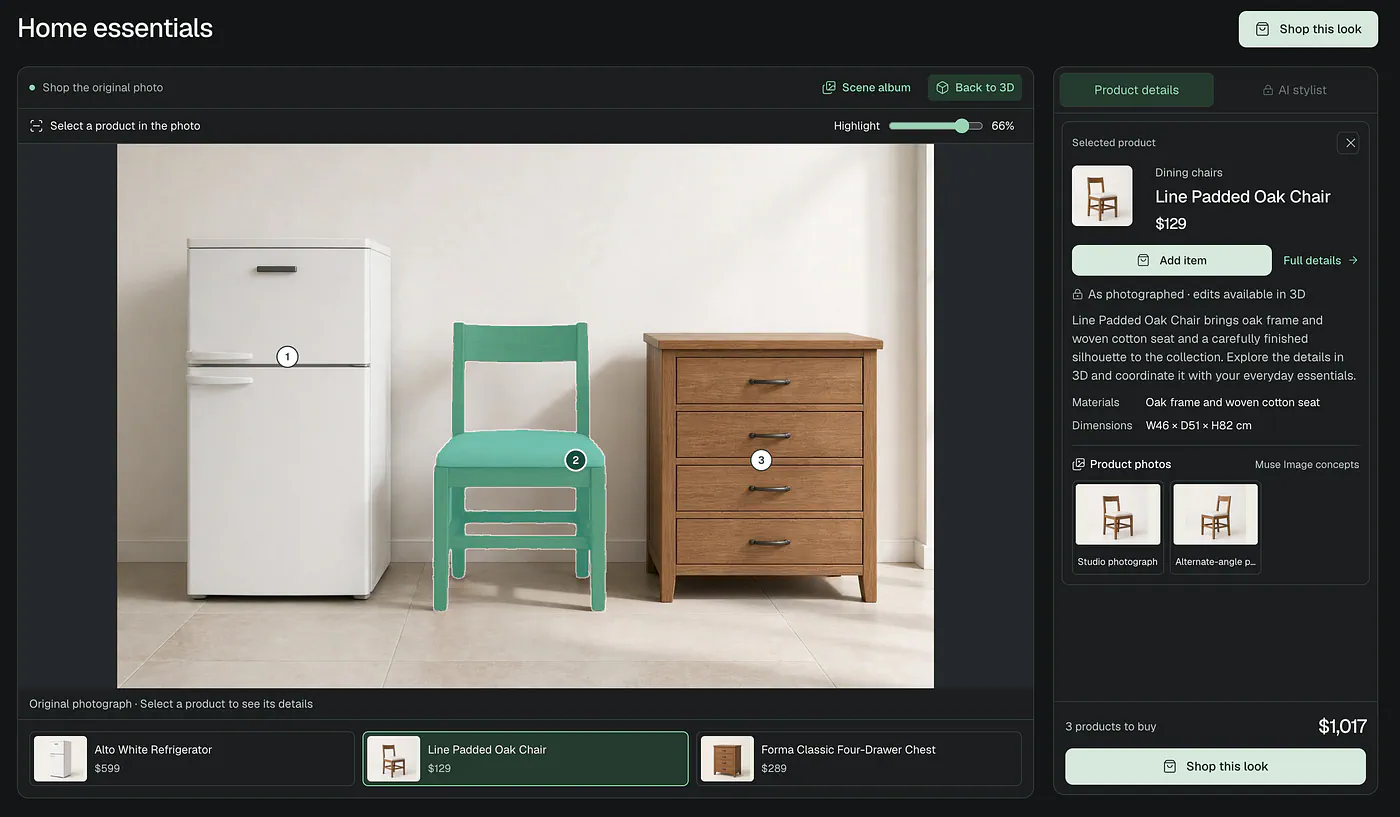
I added this because the original photograph remains valuable. A reconstruction can differ from the source, and sometimes shoppers simply prefer to browse the photo.
The app supports both experiences. Physical edits and the stylist belong to the 3D view; the 2D view keeps the photographed products as they are.
What I used to build it
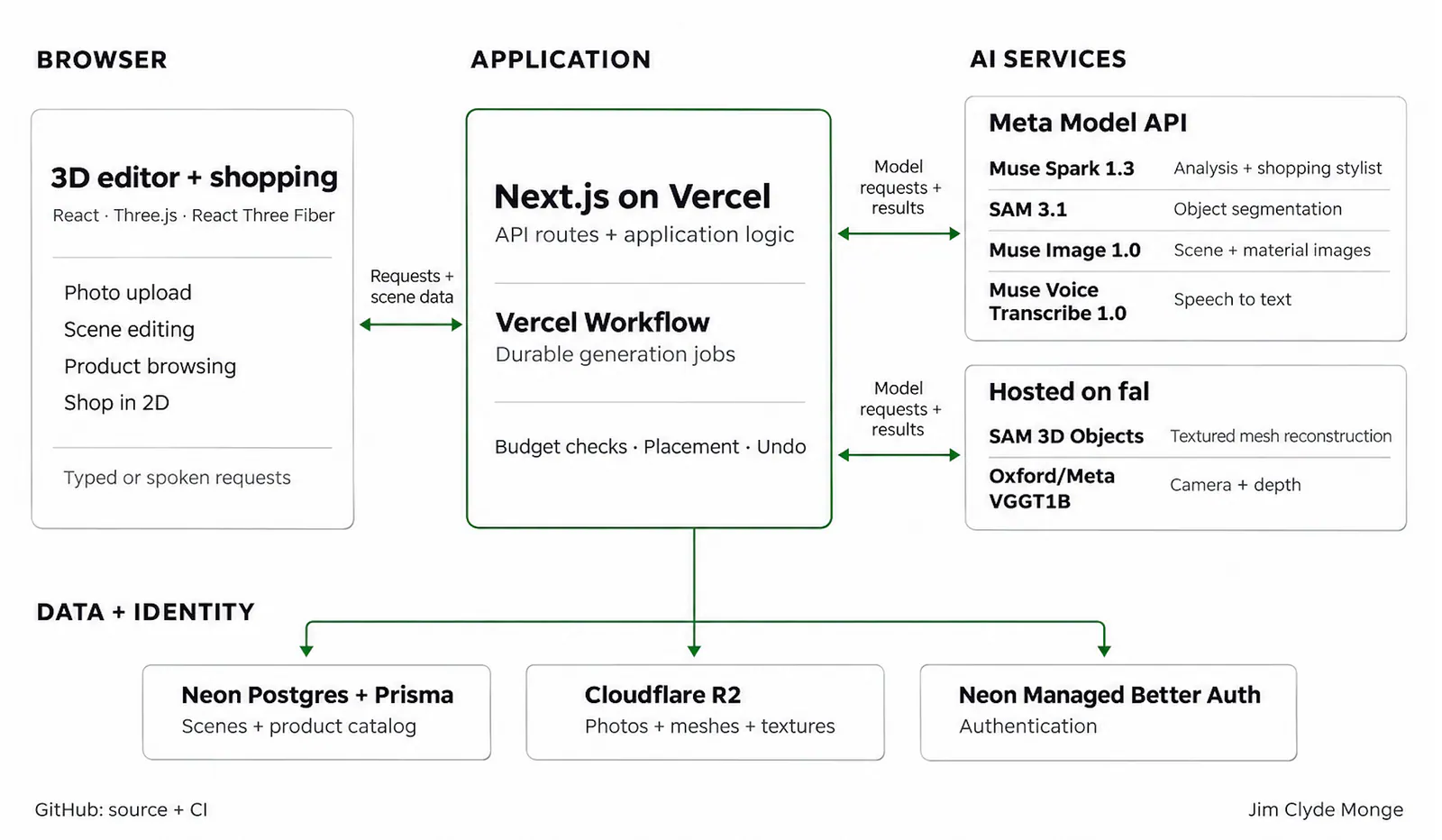
The main stack is Next.js, React, TypeScript, Three.js, and React Three Fiber.
Vercel hosts the app, with Vercel Workflow handling longer operations. Neon Postgres and Prisma store scenes and product data. Cloudflare R2 stores media, and Neon Managed Better Auth handles authentication.
Spark, SAM 3.1, Muse Image, and Muse Voice Transcribe use Meta Model API directly. I used fal to access SAM 3D Objects and VGGT without operating GPU infrastructure myself.
Here’s an overview of how the models work together: