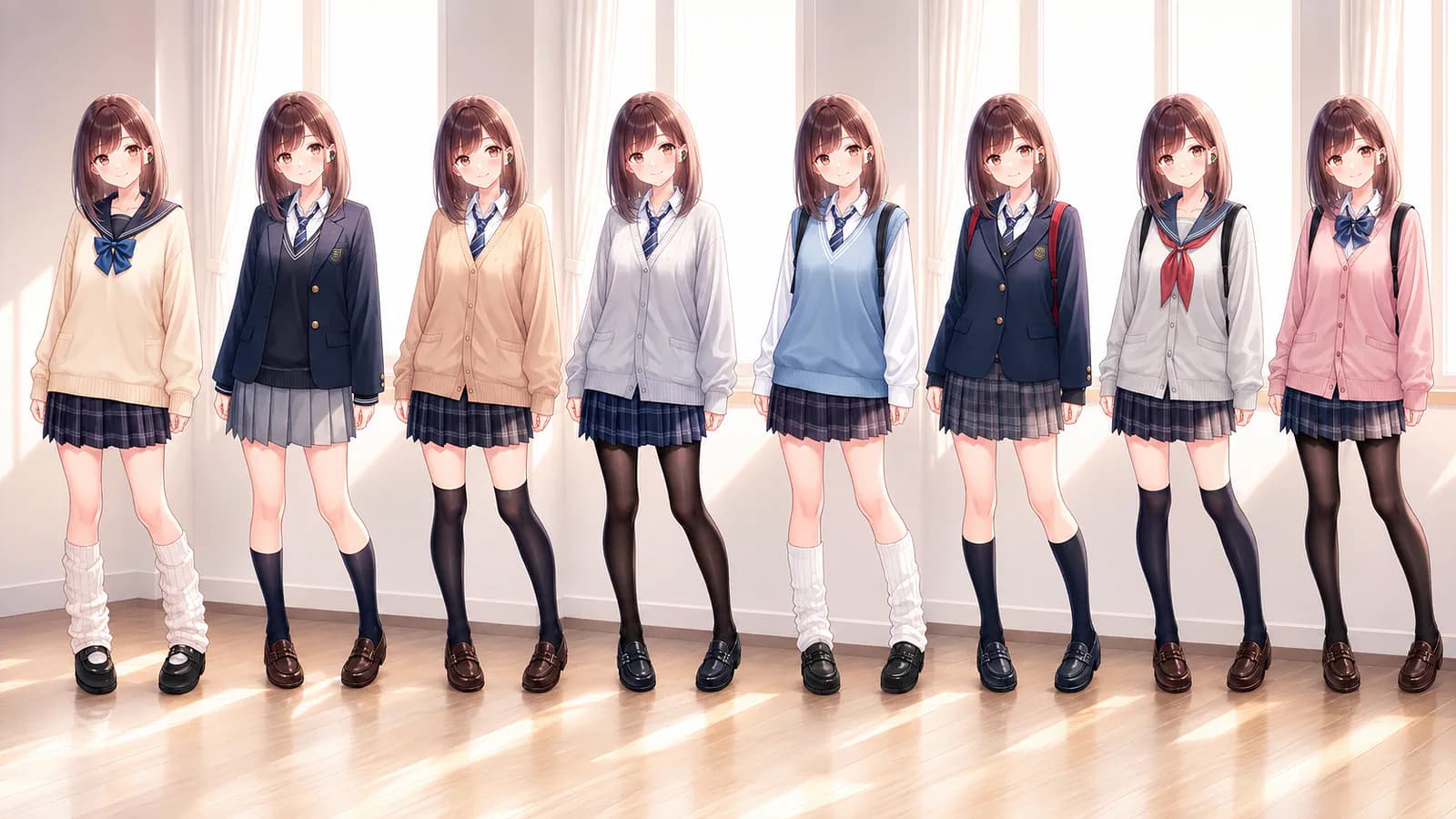
Generating an AI image is one thing. Editing it with precision while keeping the character, composition, and art style consistent is much harder.
I have tried several AI-powered image editors, and many of them struggle with what should be a small change. I ask to replace an outfit or adjust a character’s pose, and it’s not uncommon to get a different face, altered proportions, or a background that no longer resembles the original. The requested edit happens, but everything around it changes too.
One that I often recommend is Midjourney’s image editor. It provides manual selection tools for choosing the area I want to modify, including brushes, shapes, and a lasso. However, I am still limited to Midjourney’s proprietary models, which are not specifically designed around anime illustrations.
While looking for a more suitable AI anime image editor, I came across PixAI. The platform recently opened Creator Early Access for Tsubaki.3, the latest version of its anime-focused image model. It has better reference-image support, natural-language editing, more control over composition, and better preservation of character details.
In this guide, I will show how I used Tsubaki.3 to change poses, modify character details, add text, and color an unfinished sketch. I will also explain where the model did well and where I think it could still improve.
Let’s get started.
What’s New in Tsubaki 3?
Tsubaki.3 is the successor to Tsubaki.2, but PixAI is positioning it as more than another image-generation upgrade.
The model is designed to support more of the actual creative process, from early sketches and pose references to character sheets, manga panels, and finished illustrations.
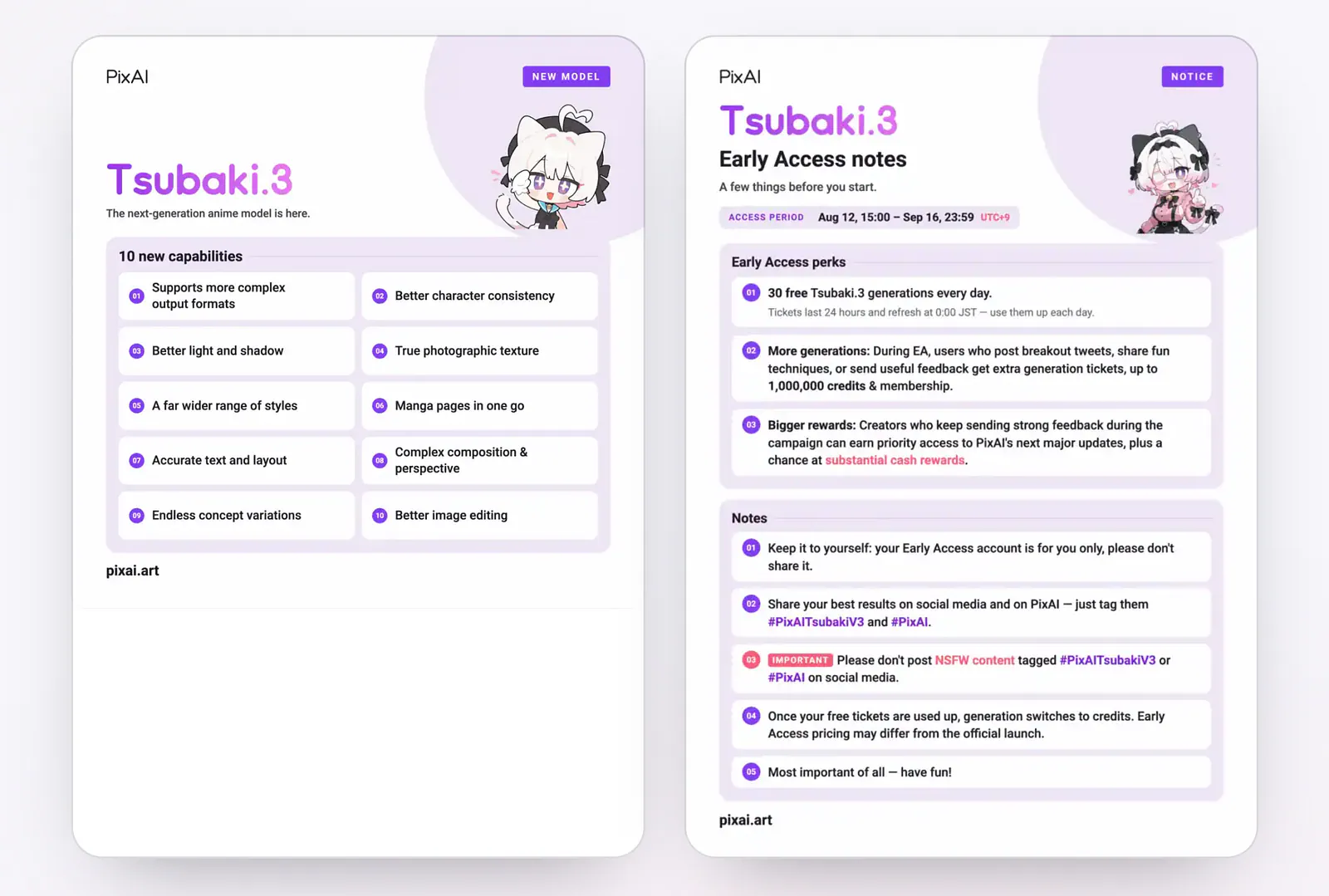
Tsubaki.3 image model. Image from PixAI
PixAI says a single reference image can be enough for Tsubaki.3 to identify a character’s important visual traits and place that character in a new scene. Those traits can include the face, hair, clothing, accessories, and broader art style. It can also use reference images for objects and environments, rather than treating every upload as a character reference.
Here are some of its key features:
- Pose and action editing: Use a sketch, mannequin, or existing image as a pose reference while carrying over the appearance of another character.
- Add, remove, and replace objects: Insert new elements, remove unwanted details, or change an existing object through a written instruction.
- Add, remove, and replace text: Rewrite signs, remove existing lettering, or add text such as titles and speech bubbles.
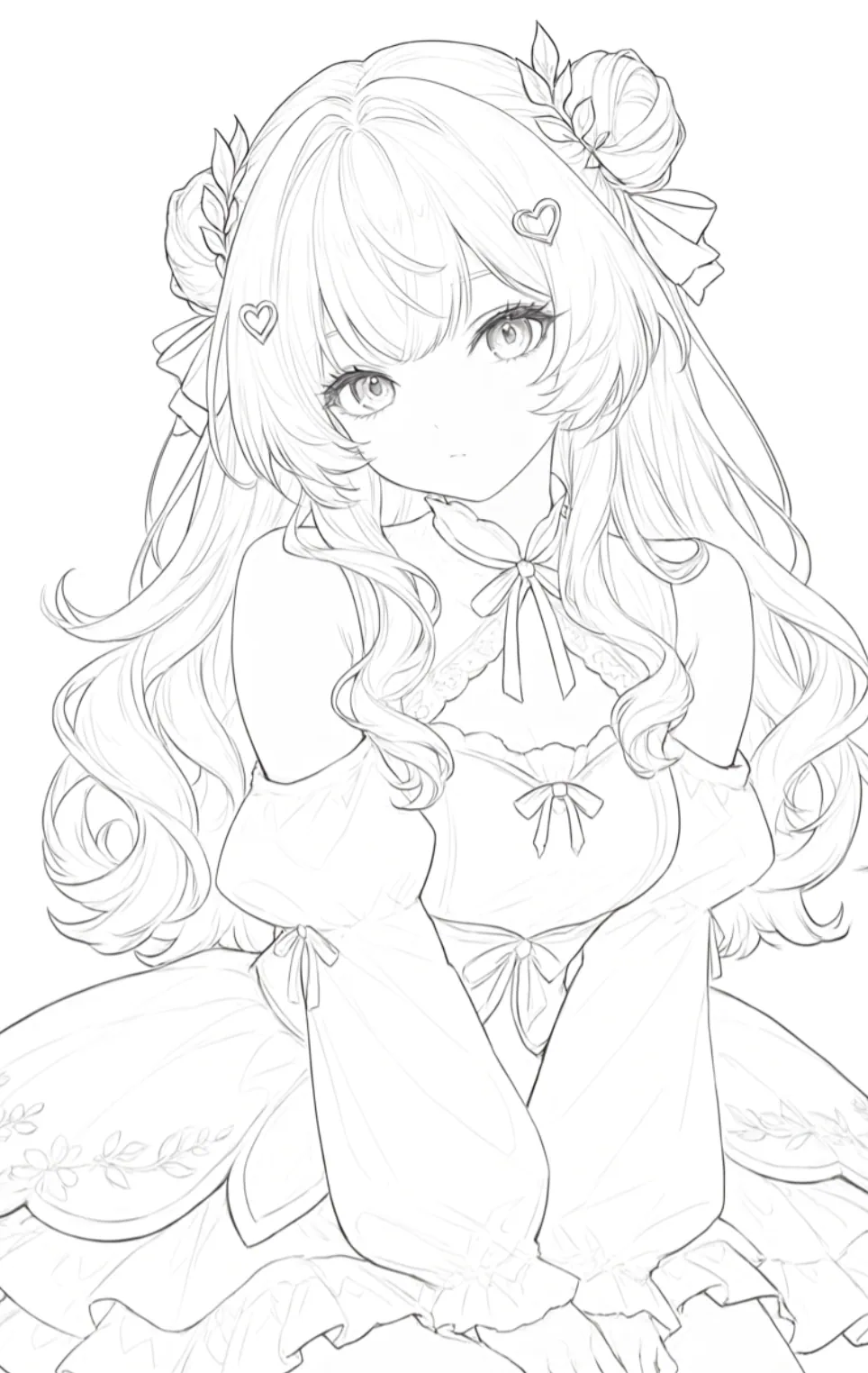
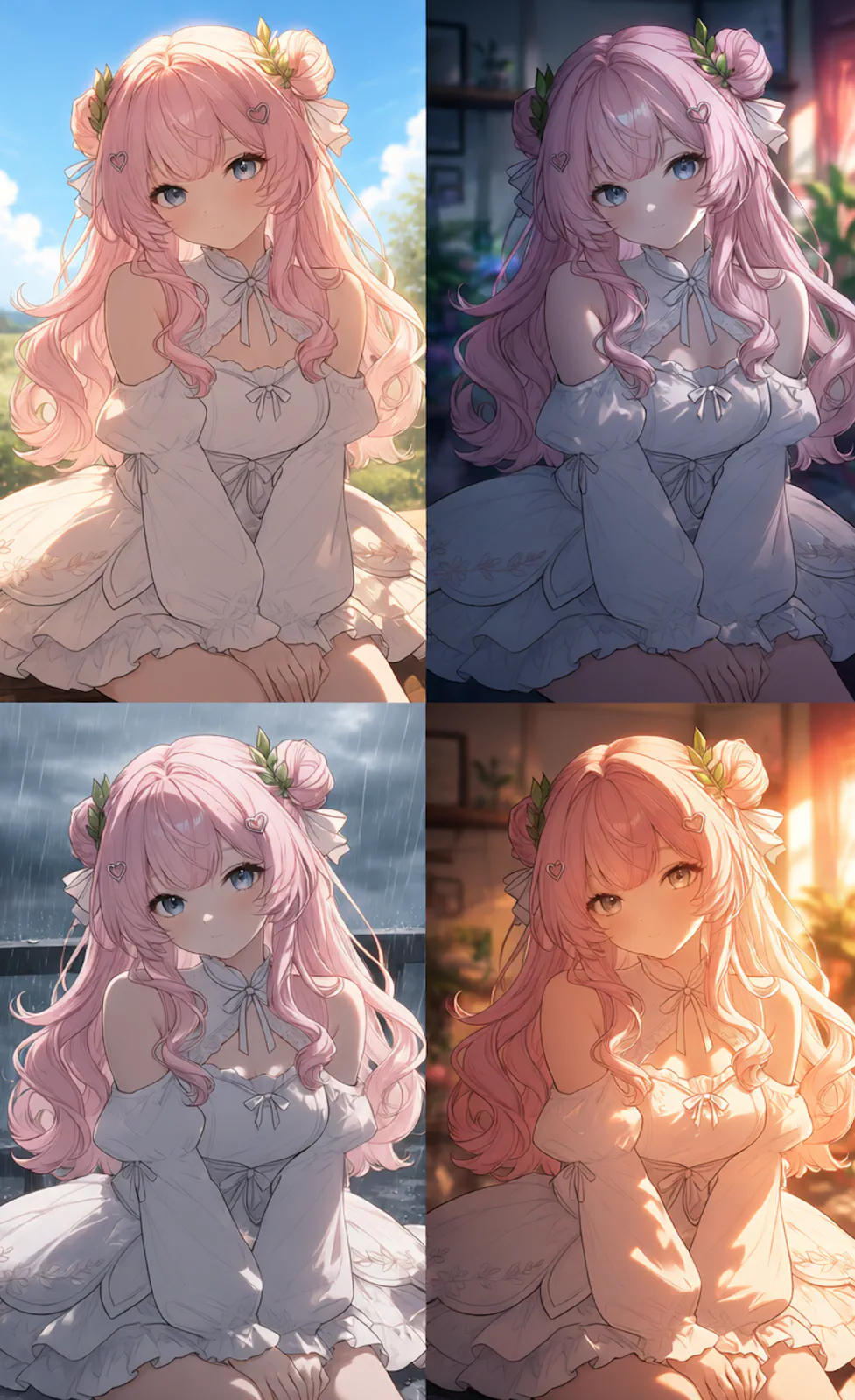
- Color and background modification: Color unfinished line art, change the palette, or move a character into a different environment.
- Composite editing: Combine a character, outfit, pose, or setting from multiple uploaded references.
- Inpainting: Regenerate a specific part of an image to repair anatomy, clothing, faces, props, and other local details.
Tsubaki.3 also introduces a more controlled Color Palette system. Creators can choose a preset, enter hex codes, change the proportion assigned to each color, or extract a palette from an uploaded image. The character, background, and overall scene can each receive separate color instructions.
Feature descriptions only tell part of the story, so I tested several of these workflows using actual reference images.
Pose and action editing
I started with pose editing because this is where many general-purpose image models lose character consistency. The AI might understand the new position, but it often redraws the face, changes the outfit, or drops smaller accessories.
For this test, I uploaded one image containing the character I wanted to preserve and another image showing the target pose and composition.
Here are the input images:
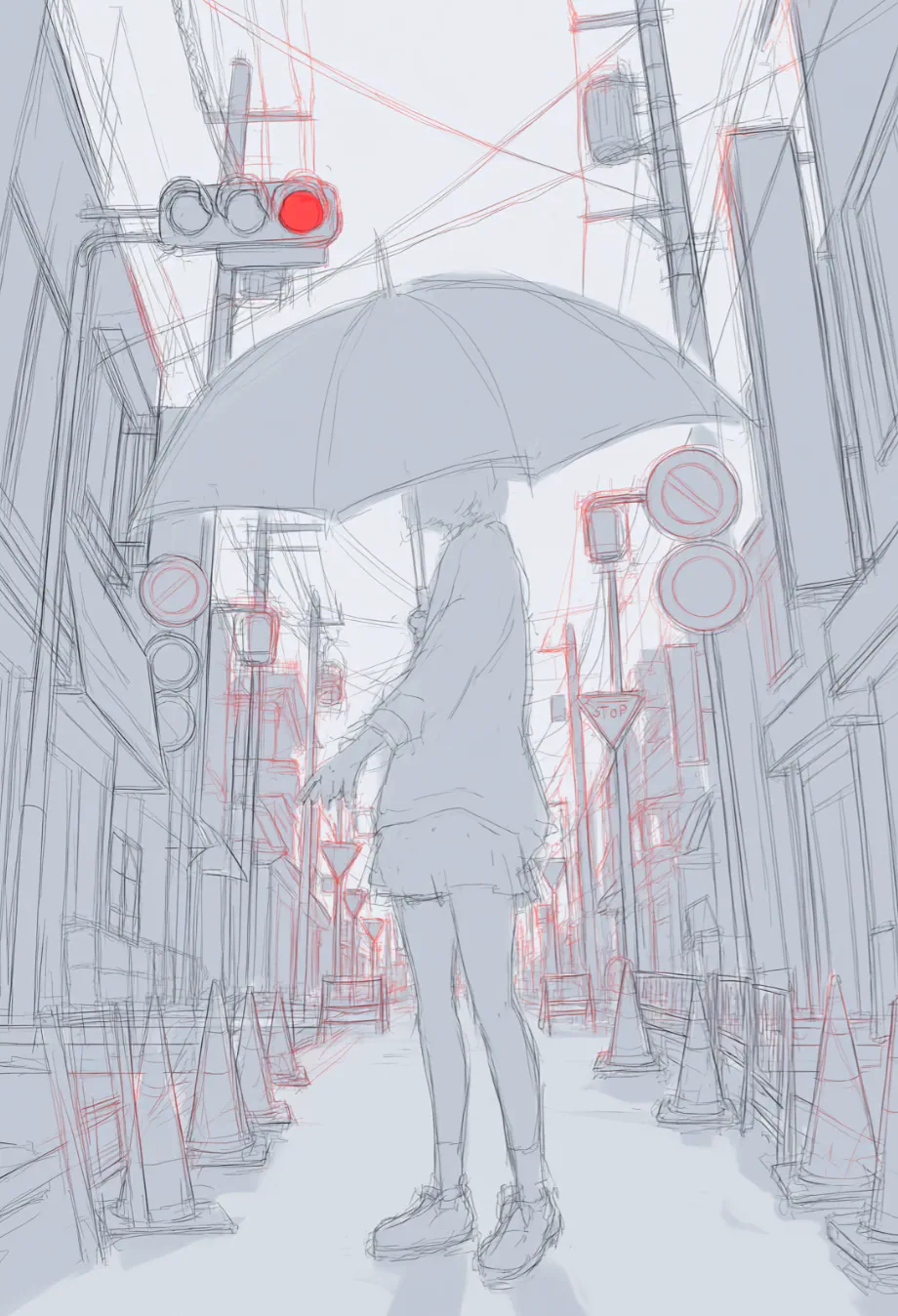
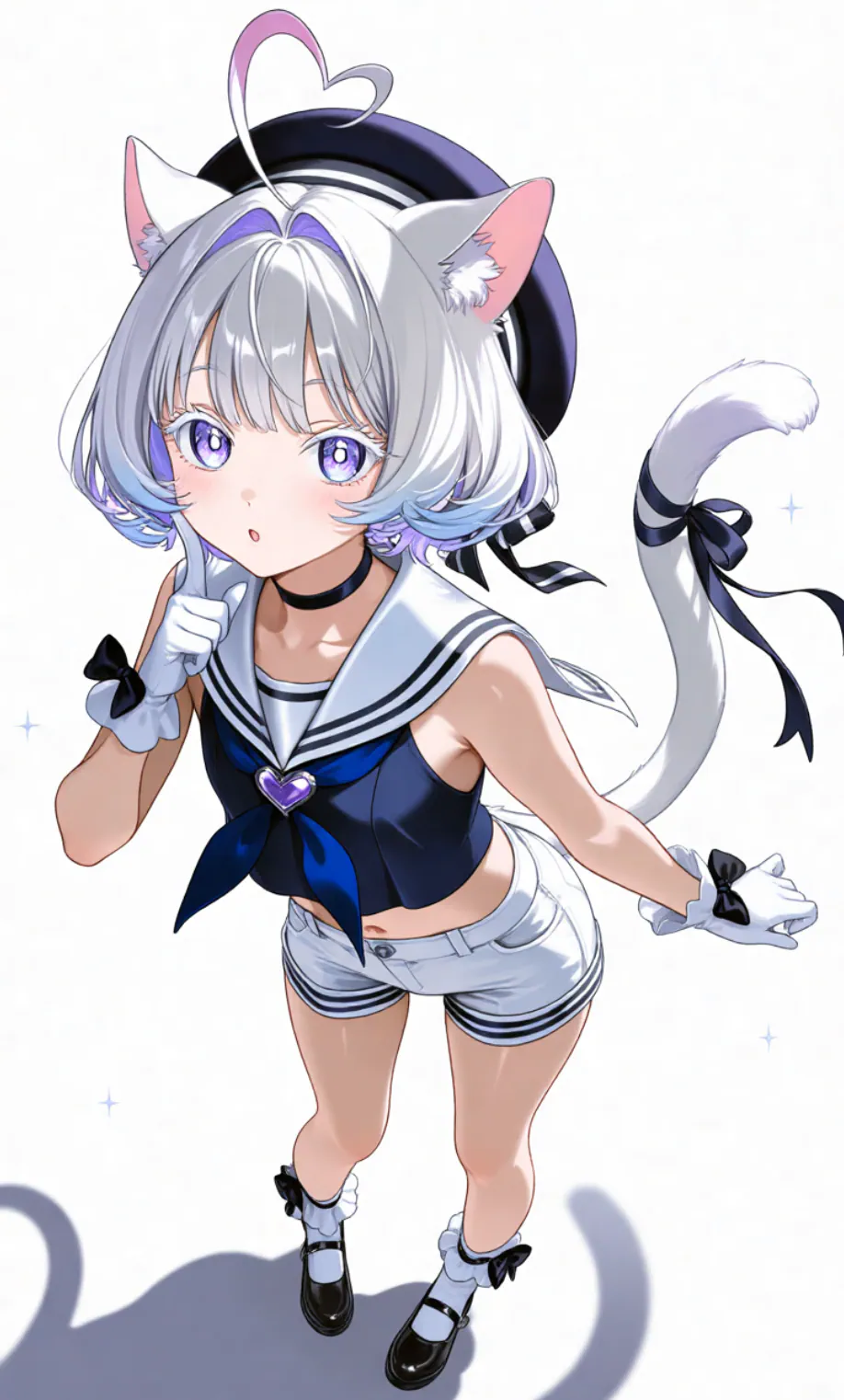
Pose and action editing example in PixAI. Image by Jim Clyde Monge
Upload the images into the prompt field, set the aspect ratio and number of output images, select Tsubaki.3 in the model list, and enter the sample prompt below.
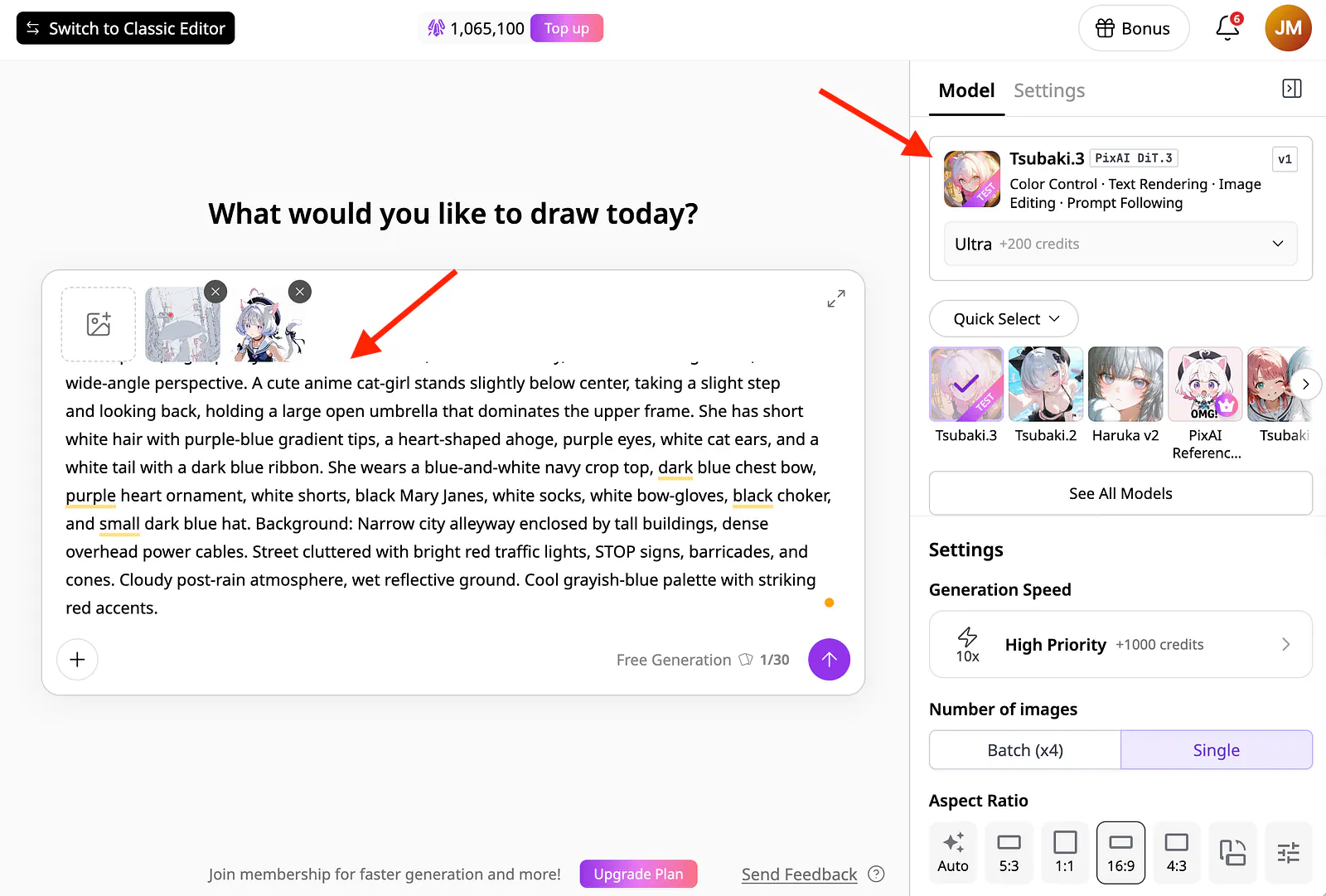
Pose and action editing example in PixAI. Image by Jim Clyde Monge
Prompt: Masterpiece, high-quality 2D anime illustration, vertical full-body, extreme low-angle shot, wide-angle perspective. A cute anime cat-girl stands slightly below center, taking a slight step and looking back, holding a large open umbrella that dominates the upper frame. She has short white hair with purple-blue gradient tips, heart-shaped ahoge, purple eyes, white cat ears, and a white tail with a dark blue ribbon. She wears a blue-and-white navy crop top, dark blue chest bow, purple heart ornament, white shorts, black Mary Janes, white socks, white bow-gloves, black choker, and small dark blue hat. Background: Narrow city alleyway enclosed by tall buildings, dense overhead power cables. Street cluttered with bright red traffic lights, STOP signs, barricades, and cones. Cloudy post-rain atmosphere, wet reflective ground. Cool grayish-blue palette with striking red accents.
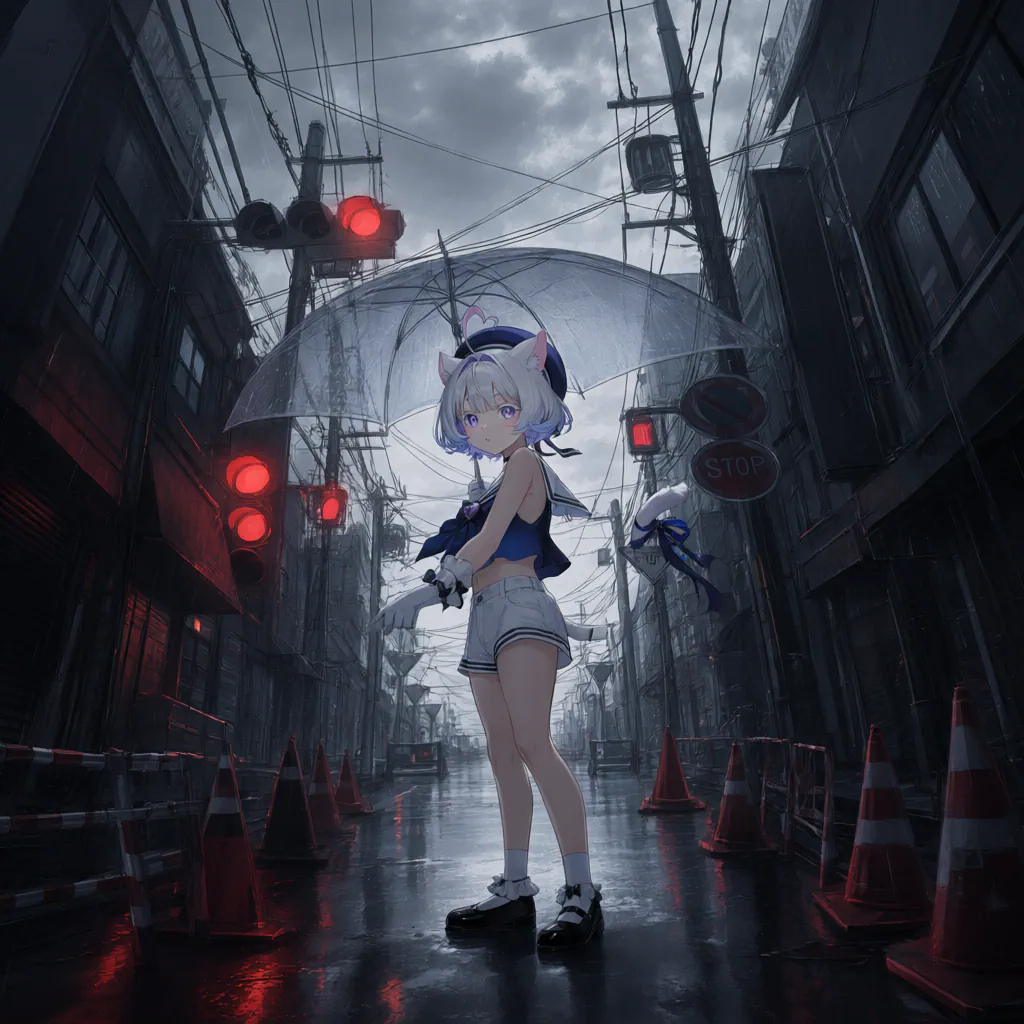
Pose and action editing example in PixAI. Image by Jim Clyde Monge
The output followed the low-angle perspective of the pose reference while keeping the cat-girl recognizable. Her white hair, purple accents, ears, tail, outfit, and umbrella all remained part of the design.
Tsubaki.3 also understood the wider composition, including the oversized umbrella and the character’s position near the lower part of the frame.
The prompt is detailed because I wanted control over the final environment, clothing, camera angle, and color palette. For simpler edits, the instruction can be much shorter. A useful approach is to name the visual traits that cannot change, then describe the new pose and scene.
This workflow is not limited to sketches. I can also upload a photo of a person, a 3D mannequin, or an existing illustration and use its body position as the pose reference. That makes it useful for artists who already have a specific composition in mind but do not want to draw the pose from scratch.
Add, remove, and replace objects
Tsubaki.3 can also make smaller edits without rebuilding the entire image. I can upload an illustration, select the model, and describe the exact detail I want to change.
Here’s how it works: You upload an image, set the model to Tsubaki.3, and describe what you want to do in the prompt field.
Prompt: Change the character’s hair color from white to pale blue.
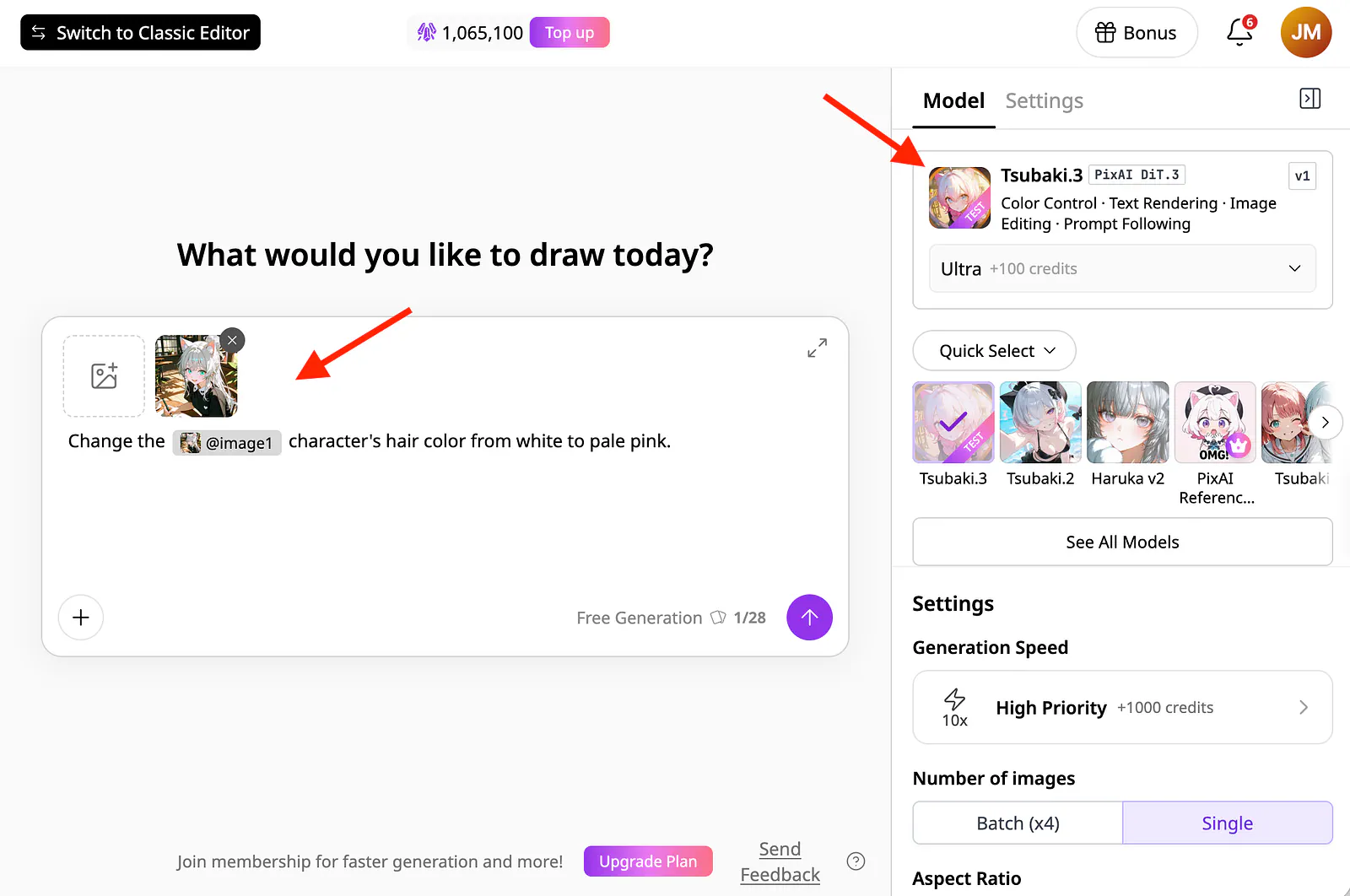
Using the new image generator tool in PixAI. Image by Jim Clyde Monge
Here is a side-by-side comparison of the original image and the edited result:
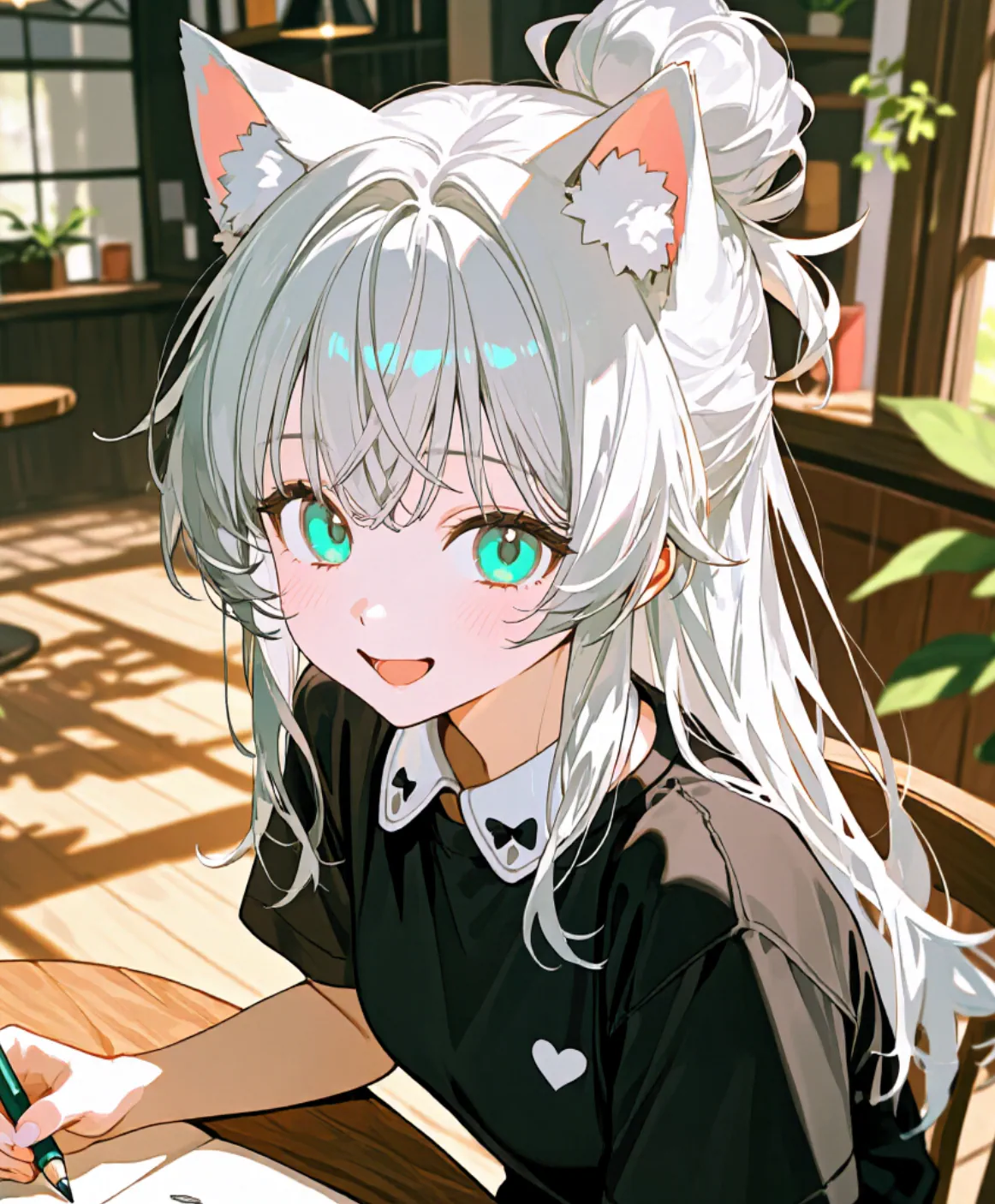
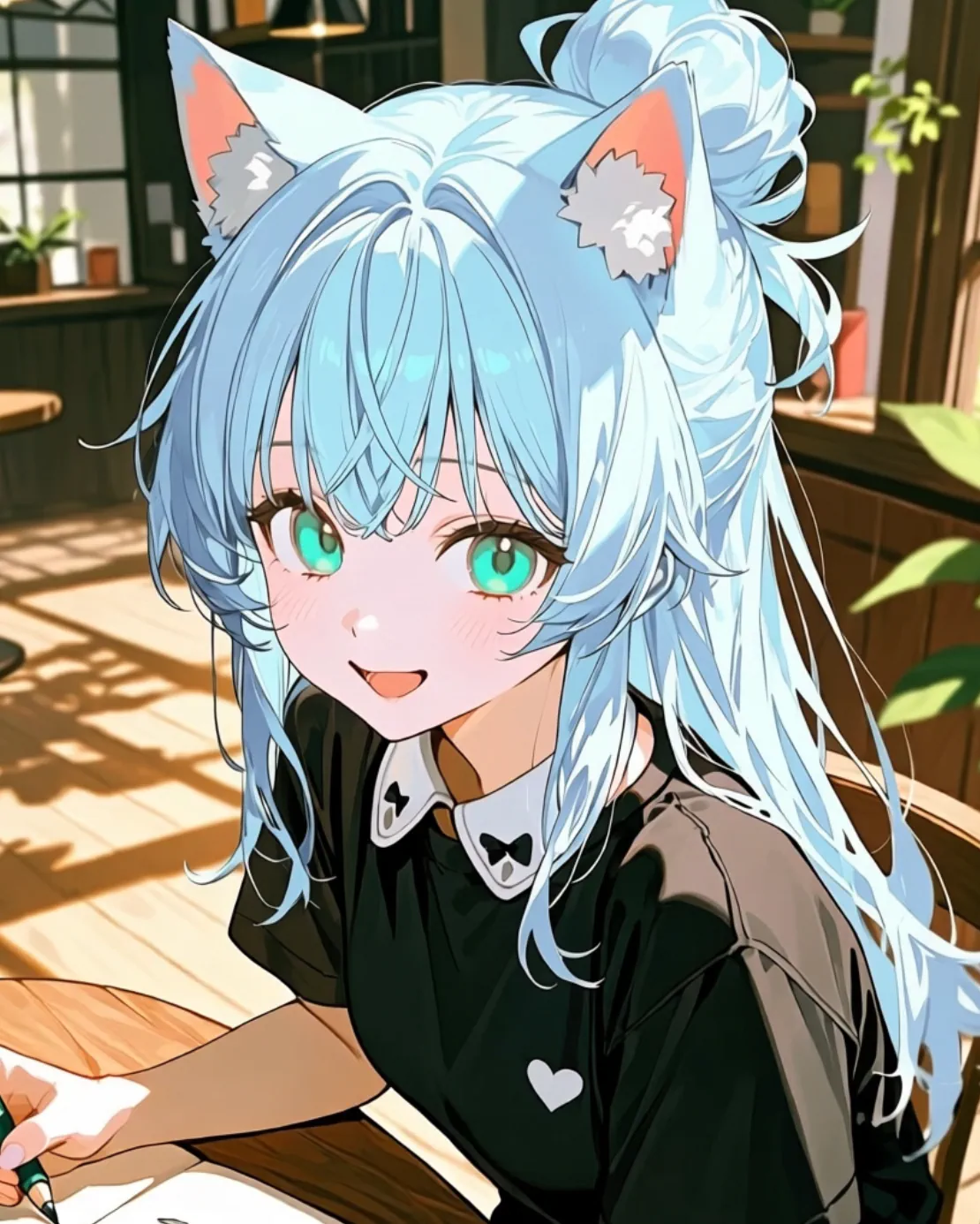
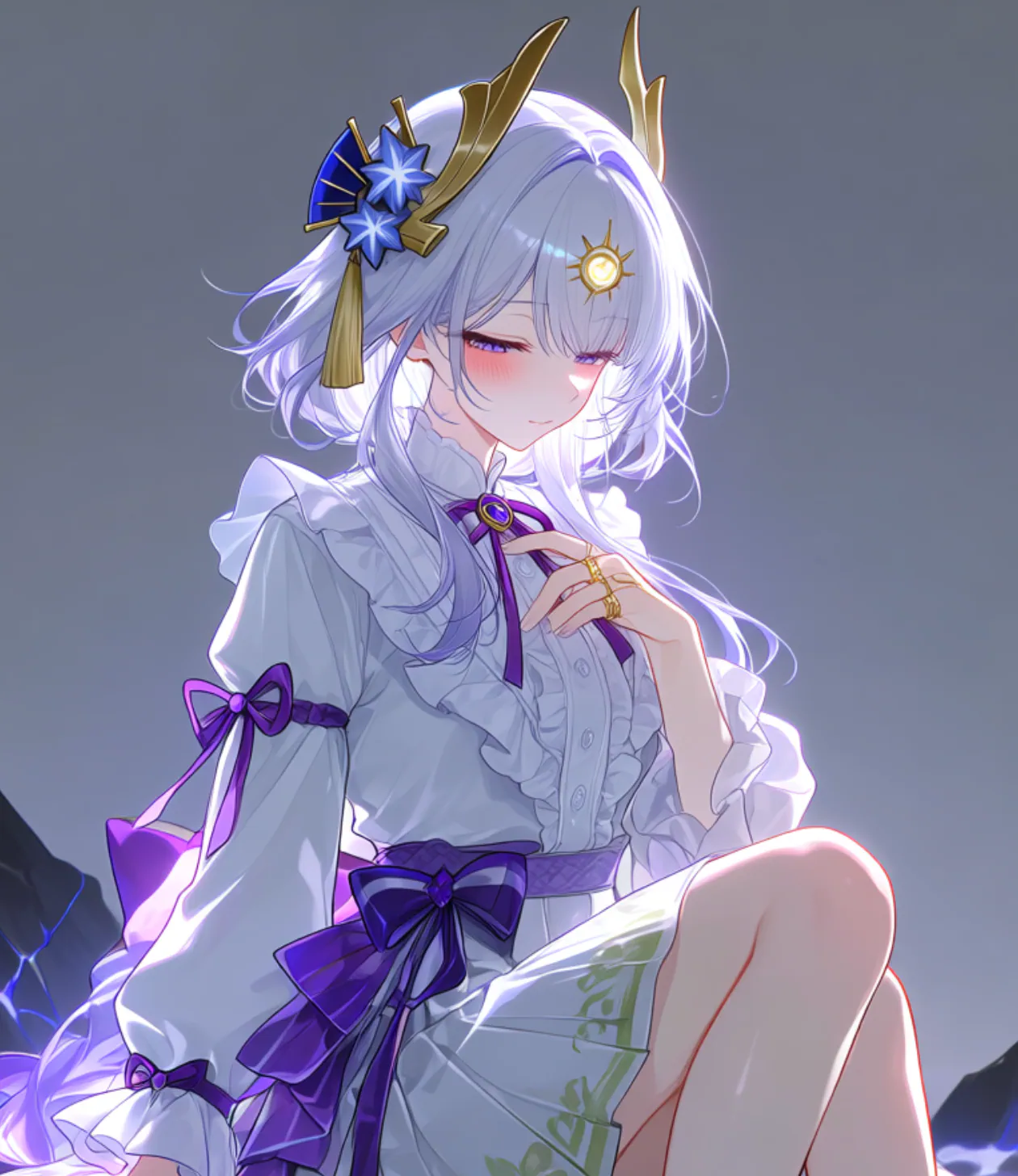
Character’s hair recolored with Tsunaki.3 image model
I like how restrained the edit is. The model changed the hair from white to pale blue while preserving the face, expression, pose, outfit, accessories, lighting, and background. Even the shading within the hair was carried over instead of being replaced with a flat block of color.
The result was close to what I had imagined, and I did not have to paint over the hair manually or draw a selection around it. All I needed was a direct text instruction.
The same method can be used to replace clothing, remove an unwanted prop, add an accessory, or swap one object for another. More complicated edits still benefit from a precise description. If a scene contains several similar objects, I would specify their location, color, and relationship to the character so the model knows which one to change.
Add, remove, and replace text
Text remains one of the more unreliable parts of AI image generation. Models may misspell words, duplicate letters, or create something that resembles writing without being readable. This becomes a problem when creating manga panels, posters, book covers, character cards, or promotional artwork.
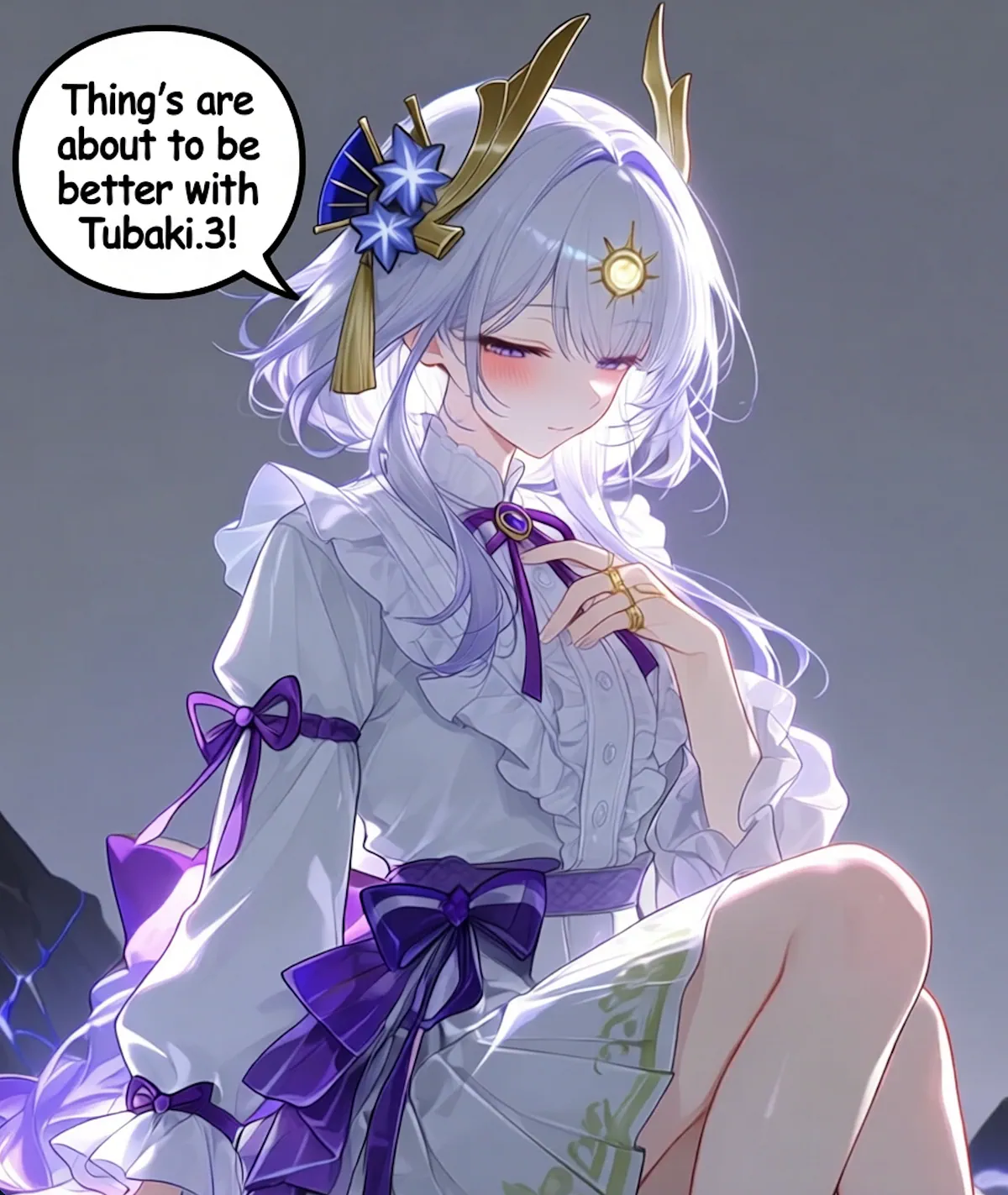
Tsubaki.3 can add new text as part of an edit, as well as remove or rewrite lettering that is already in an image. The workflow is the same as the previous examples. I uploaded the original illustration and described the text, placement, and surrounding elements.
Prompt: Add a speech bubble at the upper left of the character in this image, with the text “Thing’s are about to be better with Tsubaki.3!” inside it.