Google's desktop Gemini client was already behind the web version when it shipped. Based on what's leaking out of internal builds right now, that gap is about to close in a significant way. Ahead of Google I/O 2026, a wave of pre-release signals from inside the desktop Gemini build points to a sweeping upgrade, and the scope of what's coming is larger than a typical feature drop.
Just days before Google I/O kicks off, fresh signals from inside the desktop Gemini build point to a sweeping upgrade for the recently launched Mac client, which has lagged behind the web version. The initial release was deliberately pared back, but the next wave appears ready to close that distance. What the leaks describe isn't a chatbot with extra features. It's a local agent platform.
As someone who covers this space daily, I can say this one actually moves the needle. The combination of local file access, a context-aware cursor layer, and a persistent voice overlay puts Google in direct competition with tools that developers are actively using for coding and programming workflows right now.
What Is Gemini Spark on Desktop?
Gemini Spark appears to be Google's bid to move Gemini from a chatbot you consult to an agent that acts on your behalf around the clock. Leaked onboarding screens describe it as an "everyday AI agent, ready 24/7 to help with your inbox, online tasks, and more," with a dedicated Agent tab inside Gemini, separate from the existing Chat interface.
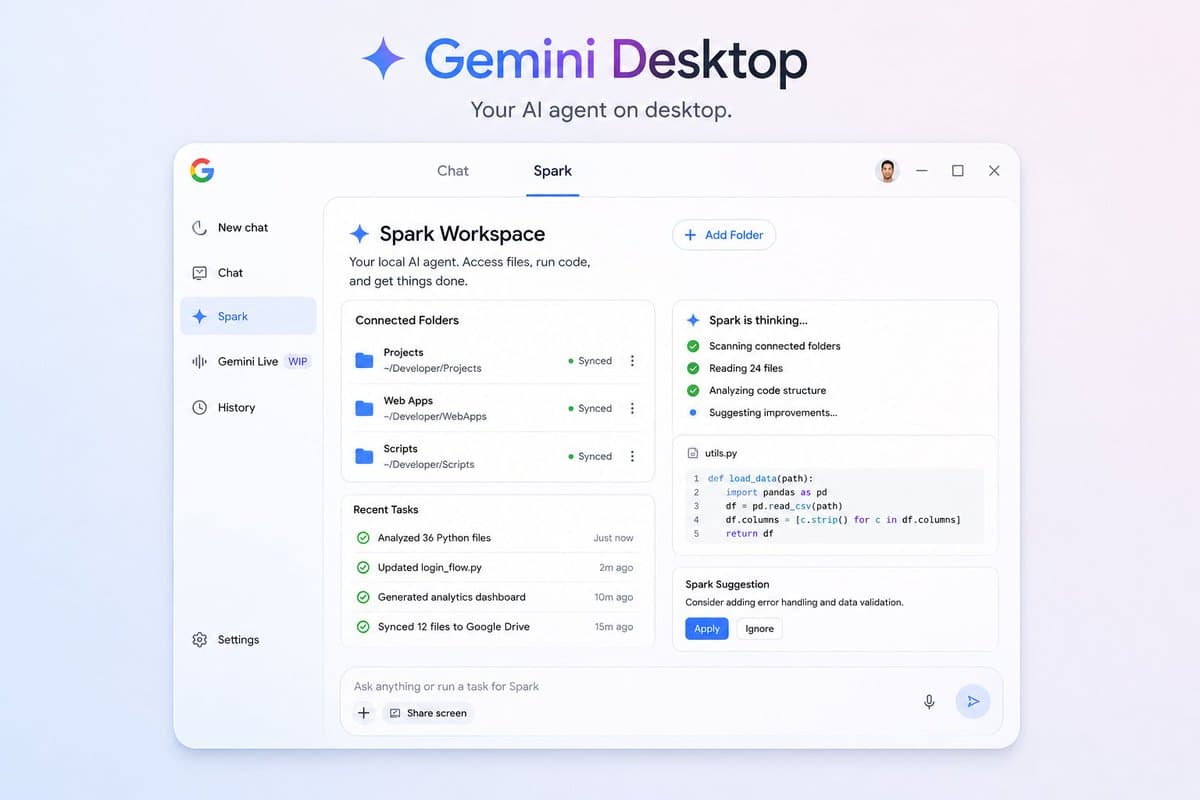
On the desktop side, Spark goes further than inbox management. The most consequential thread is Gemini Spark on desktop. Users would be able to point Spark at local folders and let the agent edit, analyze, move, and rename files within them, with support for skills and connector access to Google Drive and the broader Google services layer.
That would extend Spark from a proactive web assistant to a local file-system agent, the territory currently being pursued by OpenAI's Codex desktop work and Anthropic's Claude Code. For developers, this is the relevant comparison point. Spark on desktop isn't positioned as a productivity tool for email. It's positioned as a coding and file management agent that runs locally.
How the Two-Mode Interface Works
The desktop app is structured around two distinct workspaces:
- Chat mode — the standard conversational interface most users already know
- Spark mode — a dedicated agentic workspace for local task execution
This new feature allows users to have an "Agent" tab inside Gemini. Rather than acting like ordinary chatbots that only answer questions, Spark is able to do tasks such as cleaning up Gmail spam, compiling meeting summaries from various documents, and generating customised news summaries on its own.