Ollama 0.23 adds Claude Desktop to its ollama launch ecosystem. Claude Cowork and Claude Code are now both supported within the Claude Desktop app. That means the same open models you've been running through Ollama's cloud can now power your Claude Desktop sessions, without touching a config file or exporting environment variables.
ollama launch is a command that sets up and runs coding tools like Claude Code with local or cloud models. No environment variables or config files needed. The Claude Desktop integration follows that same pattern and extends it to the GUI app most people actually use day to day.
For developers who've been watching Anthropic's API costs pile up, this is a practical alternative worth knowing about.
What Changed in Ollama 0.23
The ollama launch command now lets you use Ollama's models with Claude Code, Codex, OpenCode, Droid, and Clawdbot without separate configuration. Version 0.23 extends that list to include Claude Desktop specifically, making it the first release where the graphical Claude app becomes a first-class target.
Ollama recently made it possible to run models not only locally, but also in the cloud. By default, all models tagged with cloud are run this way. Cloud models are automatically offloaded to Ollama's cloud service while offering the same capabilities as local models. This is most useful for larger models that wouldn't fit on a personal computer.
The net effect: your laptop becomes the control surface. The heavy inference work runs remotely through Ollama's infrastructure.
How to Get Started
Download Ollama 0.23, then run:
ollama launch claude-desktop
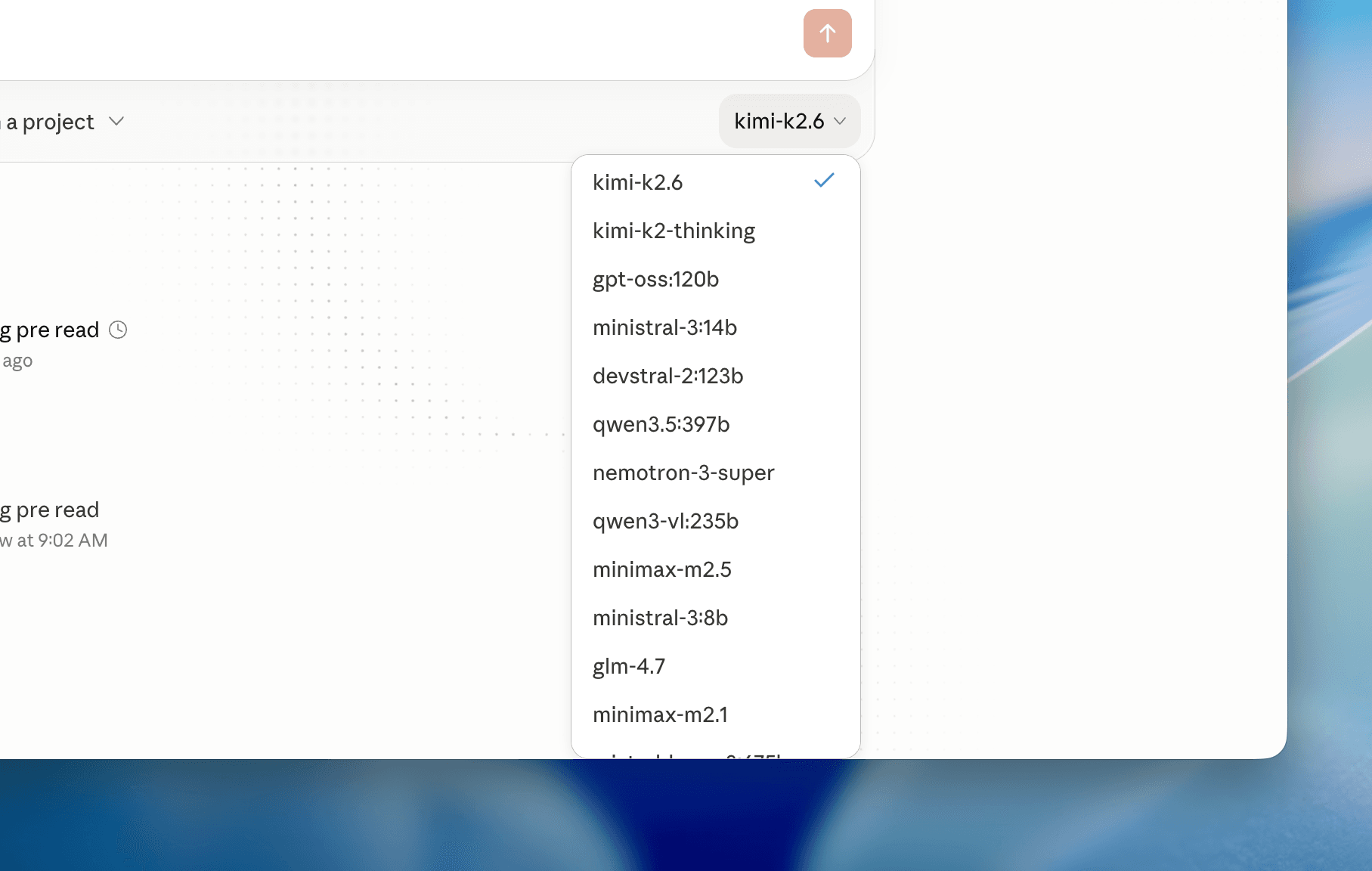
You'll be prompted to create an Ollama API key. Once that's done, Claude Desktop will automatically discover all available Ollama Cloud models. No manual environment variable wiring. No proxy layers.
To restore the default Claude profile and go back to Anthropic's models:
ollama launch claude-desktop --restore
You don't need to manually insert an Ollama API key into a wrapper to use cloud models from supported launched apps. Ollama authenticates cloud-backed requests through your local signed-in install.
Choosing the Right Model
Once set up, Ollama Cloud models appear automatically in Claude Desktop's model selector. The right choice depends on what you're doing.
For demanding coding and co-working tasks, the recommended models are: