
Anthropic is giving Claude a single memory that follows users between regular conversations and Claude Cowork. According to the company’s August 25, 2026 announcement, context learned in chat is now available when Cowork runs a task in the cloud, while information from Cowork can carry back into later chats.
The change reduces one of the persistent costs of working with AI: repeatedly explaining the same projects, people, terminology, and preferences. A Cowork task can begin with knowledge accumulated through months of conversations rather than relying entirely on one large opening prompt.
Anthropic is also making this memory inspectable. Users can open individual topic files, correct inaccurate details, delete entries, pause memory, or reset it completely. Sensitive subjects remain excluded by default and require a separate opt-in.
Claude and Cowork Now Share One Memory
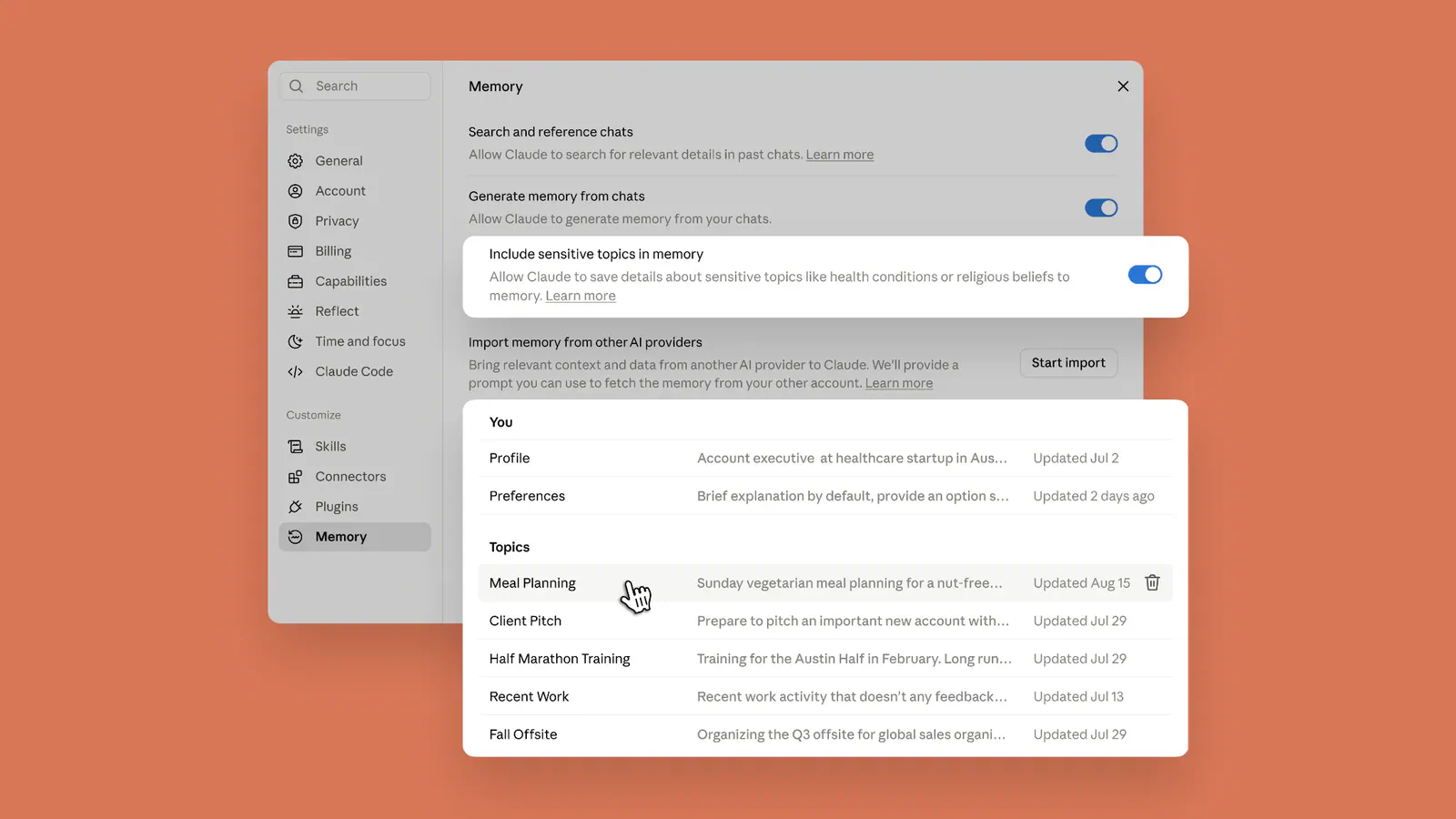
Image: Claude's memory works everywhere, and you decide what's in it | Claude by Anthropic.
Regular Claude conversations are often where users develop ideas, clarify requirements, and explain how they work. Claude Cowork is designed for the next step: handing Claude a goal and allowing it to work across selected files and tools before returning an output for review.
Shared memory connects those two modes. If a user previously explained a manager’s preferred reporting format, a client’s terminology, or a project’s current priorities in chat, Cowork can use that information when preparing a document. Context produced during the Cowork task can then inform a later conversation.
The important limitation is where Cowork runs. Anthropic’s memory documentation says the shared memory works with cloud Cowork sessions. Local Cowork sessions running on a user’s computer do not use the account-level memory.
Claude Updates Memory While You Chat
Claude now creates and updates memory topics as a conversation unfolds rather than waiting until the chat ends and generating a broad summary. If a deadline changes, for example, Claude can save the revised date for the next conversation without requiring a carefully worded “remember this” command. Users can still explicitly ask Claude to store something.
Memory is not the same as searching old conversations. Memory contains compact, reusable information about subjects such as work preferences, active projects, people, tools, and communication styles. Chat search retrieves relevant material from previous conversations when asked and can link back to the original chats.
Projects also retain separate memory spaces and summaries. A project’s context therefore remains scoped to that workspace rather than being indiscriminately mixed with every non-project conversation or Cowork task.
Memory Becomes Visible and Editable
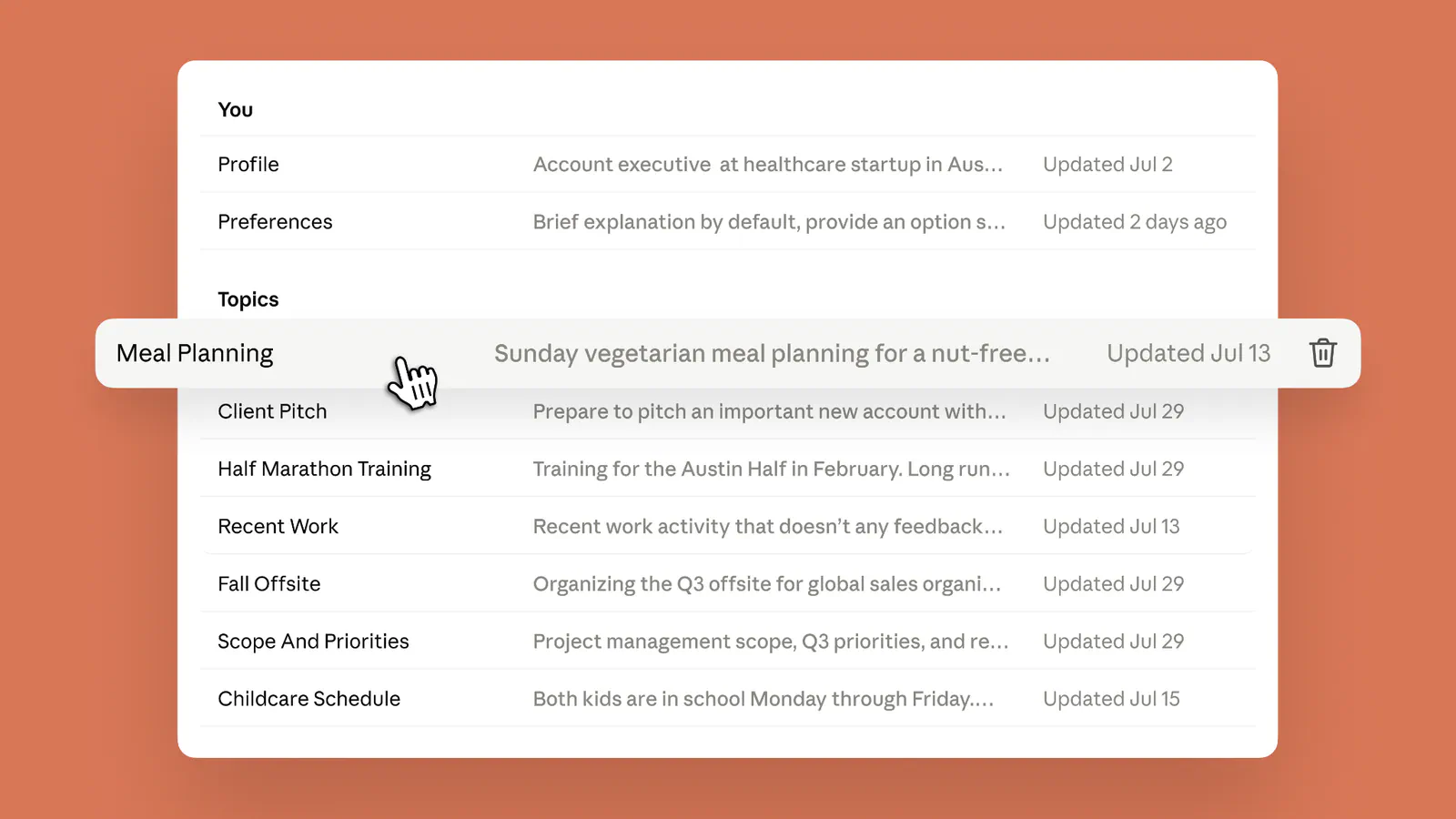
Image: Claude's memory works everywhere, and you decide what's in it | Claude by Anthropic.
Everything Claude remembers appears under Topics in Memory settings. Each topic is stored as a short file that users can open, edit, or delete. Correcting an outdated company name or project status in one place changes the context Claude receives in future chats and compatible Cowork tasks.
Users can also manage memory through conversation by asking Claude to remember, change, or forget specific information. For broader control, pausing memory preserves existing entries but stops Claude from using them or creating new ones. Resetting memory permanently deletes stored memories, including project memories.
One privacy detail deserves attention: deleting a conversation does not automatically remove memory derived from it. Anthropic says users must separately delete the relevant memory entry. Incognito chats avoid that issue because they do not contribute to memory or appear in normal chat history.
Claude also supports memory import and export, although Anthropic describes importing as experimental. That provides a route for backups or moving context between AI services.
Sensitive Topics Stay Opt-In
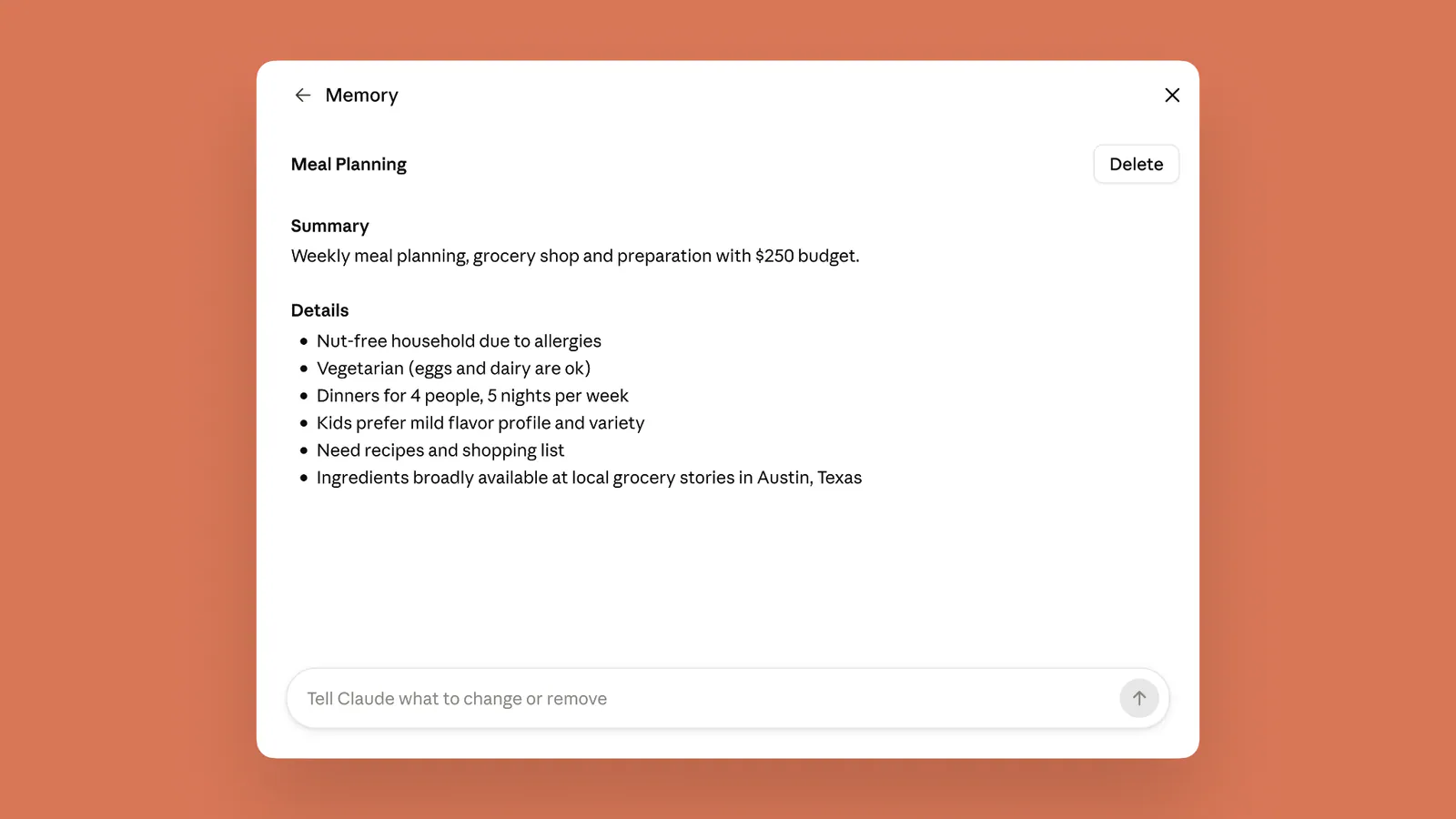
Image: Claude's memory works everywhere, and you decide what's in it | Claude by Anthropic.
By default, Claude does not save personal or sensitive subjects such as health, race, ethnicity, religious beliefs, political views, or gender identity. A user can discuss those topics without automatically turning them into persistent memory.
Anthropic recognizes that some sensitive details can also be practically useful. Someone with a food allergy may want Claude to remember it when preparing meal plans, while another user may want health-related context carried between research conversations. The “Include sensitive topics in memory” setting permits this, but it applies only to information encountered after the user opts in.
Claude displays a notice whenever it stores a sensitive topic. Turning the setting off later removes saved sensitive entries, according to Anthropic’s help documentation. Some categories are never stored, including government identification numbers, financial account numbers, criminal history, and immigration status.
This separation is a better model than treating all remembered information alike. It introduces deliberate friction before highly personal context becomes persistent, while still allowing users to decide when continuity is worth the added privacy exposure.
Availability Depends on the Claude Plan and Cowork Mode
Memory is enabled by default for Free, Pro, and Max users across Claude’s web, desktop, and mobile apps. Mobile users need the latest application version. Free users can benefit from memory in chat, but Cowork itself requires a paid Claude plan.
Team and Enterprise deployments work differently. Organization owners must first make memory available, after which individual users manage their own settings. Memory and sensitive-topic storage are separate administrative controls, and enabling general memory does not automatically permit sensitive memories.
Anthropic says organization owners cannot view or edit an individual user’s memory entries. However, memory remains subject to the organization’s retention and export policies. Businesses should therefore review Claude’s administrative documentation before treating personal memory settings as a substitute for company-wide data governance.
Shared Memory Makes AI Agents More Consequential
Persistent context becomes more valuable when AI moves from answering questions to performing tasks. A remembered preference in chat may affect only the wording of a response. The same preference in Cowork could shape a report, spreadsheet, presentation, or recurring workflow.
That also increases the cost of bad memory. An outdated deadline or incorrect client preference can influence work across several surfaces until someone corrects it. Making memory visible by topic is therefore not a minor settings improvement. It is a necessary control for an AI system that acts on accumulated context.
Users should periodically review saved topics, keep unrelated work inside separate projects, and use incognito conversations when information should remain temporary. The goal should be accurate, useful context rather than the largest possible collection of remembered details.
Final Thoughts
The meaningful part of this release is not that Claude can remember more. It is that memory now survives the transition from discussing work to doing it.
Anthropic has paired that continuity with unusually direct controls: readable topic files, individual edits, deletion, pause and reset options, and a separate gate for sensitive subjects. Cloud-only Cowork support remains an important limitation, and persistent mistakes will require active maintenance. Even so, one editable memory gives Claude a more coherent role across planning and execution without making that context entirely opaque to the user.
Frequently Asked Questions
4 questions
1Does Claude memory work in Claude Cowork?
Claude memory works in Cowork sessions that run in Anthropic’s cloud. Information remembered from regular chats can inform a Cowork task, and relevant context from Cowork can carry into later conversations. Local Cowork sessions running directly on a user’s computer do not currently use this shared account-level memory.