
o11’s October 29, 2026 launch introduces a wallet for AI agents that need to discover, invoke, and pay for external tools. The company lists 8,416 tools from 549 providers, covering models, search, data, media, communications, and other services.
The control mechanism is an agent card. Users choose its services, set an allowance, and give the agent an access key. o11 says it records which tools the agent used, what each call cost, and how it finished.
The useful distinction is between access and authority: an agent can have a large catalog available without permission to spend across all of it. Whether that boundary is sufficient depends on details users should check, including how allowances are enforced, how connected provider accounts are billed, and what happens when a purchase fails halfway through.
What the 8,416-Tool Catalog Includes
o11’s product page describes two ways to access services: use wallet-funded tools where available, or connect an existing provider account. Its listed providers include OpenAI, Anthropic, Exa, Firecrawl, ElevenLabs, Replicate, Perplexity, and Resend.
That distinction matters more than the headline tool count. A catalog listing is not a promise that every tool can be purchased from the wallet balance. Some work may require an account with the underlying provider.
The figures also describe different things: 8,416 tools across 549 providers means multiple operations can come from the same provider. It should not be read as 8,416 separate services or vendors.
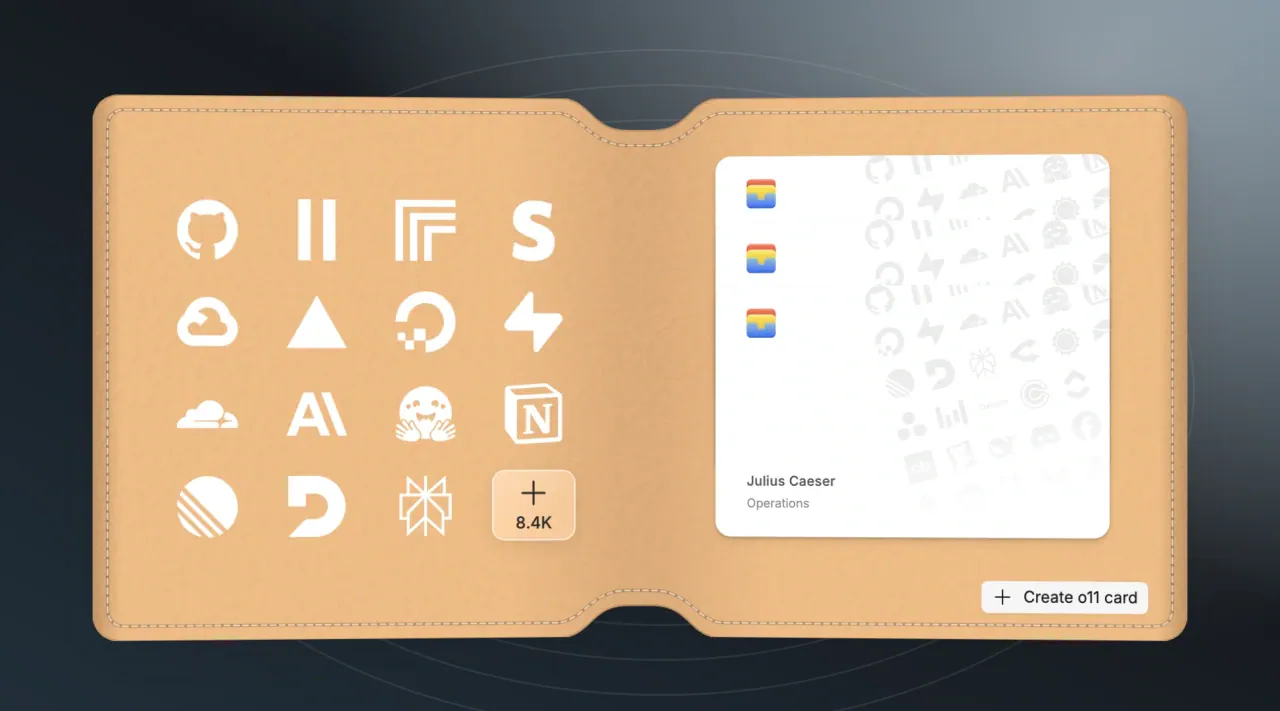
My view is that the catalog’s practical value depends on whether a particular workflow’s tools are available under workable account and billing conditions. A research agent that needs search and crawling has a narrower requirement than the full catalog suggests.
Cards Define Services and Monthly Allowances
The card-creation interface shows a card name, a monthly allowance in US dollars, selected services, and purchase controls. Its example research card has a $5 monthly allowance and access to Exa and Firecrawl.
The intended setup is straightforward:
- Name the card for an agent or a particular job.
- Select its services to define where it can work.
- Set the allowance to bound its permitted spending.
- Issue an access key for the agent’s connection.
- Adjust the card as the assignment changes.
The interface also displays “Read only · No recurring purchases” under purchase controls. Those labels indicate additional restrictions, but the supplied page does not explain their full semantics. Users should verify what each control permits for the services they intend to enable.
A monthly allowance and a service restriction address different risks. An allowance limits spending, while an approved-service list limits where the agent can act. Neither, by itself, tells an agent whether a particular action is appropriate.
I’d start with a task-specific card and a small allowance. That follows directly from the design: a research task needing two services has little reason to inherit access intended for communications or other workflows. Separate cards can also make the activity record easier to interpret.
CLI, MCP, API, and SDK Connections Share Card Limits
The quickstart documentation describes four connection paths, including a CLI that is less prominent in the product-page summary.
| Connection | Documented use |
|---|---|
| CLI | Default option for assistants and terminal work |
| MCP | An alternative when the CLI cannot run or MCP is preferred |
| JavaScript/TypeScript SDK | Applications built in those languages |
| HTTP API | Direct integration, including other languages |
According to the quickstart, all four obey the selected card’s limits. The transport changes how the agent connects, not the permissions it receives.
For CLI setup, the documentation recommends reusing the agent’s saved profile and running o11-wallet setup to check access without spending. New accounts receive a wallet and Universal Card automatically; the guide explicitly tells users to check the actual balance before starting a paid task.
For direct SDK or HTTP access, users copy a key from a card’s Access keys tab or create one under Connect → Connections. The documentation also advises listing cards first and supplying cardId in operations when several cards are available.
Discovery Comes Before a Paid Invocation
The HTTP workflow separates finding a tool from buying a call. Set O11_TOOLS_URL to the wallet’s HTTPS origin and O11_API_KEY to the card key in the environment. The quickstart’s discovery request takes this form:
curl --fail-with-body "$O11_TOOLS_URL/v1/discover" \
  -H "Authorization: Bearer $O11_API_KEY" \
  -H 'Content-Type: application/json' \
  -d '{"query":"search"}'
This requests matching tools. It does not purchase a tool call. The next step is to send a returned tool ID to /v1/inspect and examine its inputs, price, and account requirements.
That separation creates a useful checkpoint for autonomous workflows. An agent can discover options and inspect their requirements before proceeding to a paid invocation. The documentation advises obtaining a quote for variable or large requests first.
Provider Credentials Stay Separate From Agent Access
o11 says users can connect provider accounts without exposing those provider credentials directly to the agent. The agent instead receives an o11 access key associated with a card.
This changes what the agent needs to hold: a card-scoped credential can mediate access to several services without handing the agent every underlying provider secret.
Credential separation is still distinct from safe authorization. A card key can authorize consequential actions even if the agent never sees a provider’s API key. Restricting the card therefore remains important.
The available material does not document the complete credential-storage architecture, isolation model, or independent security assessment. The non-exposure claim should be treated as a vendor assertion, not a verified security result.
Receipts and Retry Rules Matter When Calls Fail
The quickstart says a paid invocation includes the inspected inputs, account choice, spending maximum, and a new idempotencyKey. Users are told to save the request before submitting it, read the returned receipt, and retrieve the result using its invocation ID.
If submission is interrupted, the documented recovery instruction is to retry with the same key and identical inputs.
That detail matters because a broken connection leaves an awkward possibility: the service may have accepted the request even though the client did not receive its response. Repeating the operation as a new request risks treating recovery as another purchase.
Frequently Asked Questions
3 questions
1Can Every Listed Tool Be Paid for From the Wallet?
Not necessarily. o11 says wallet-funded tools are available where supported, while other tools may require a connected provider account.