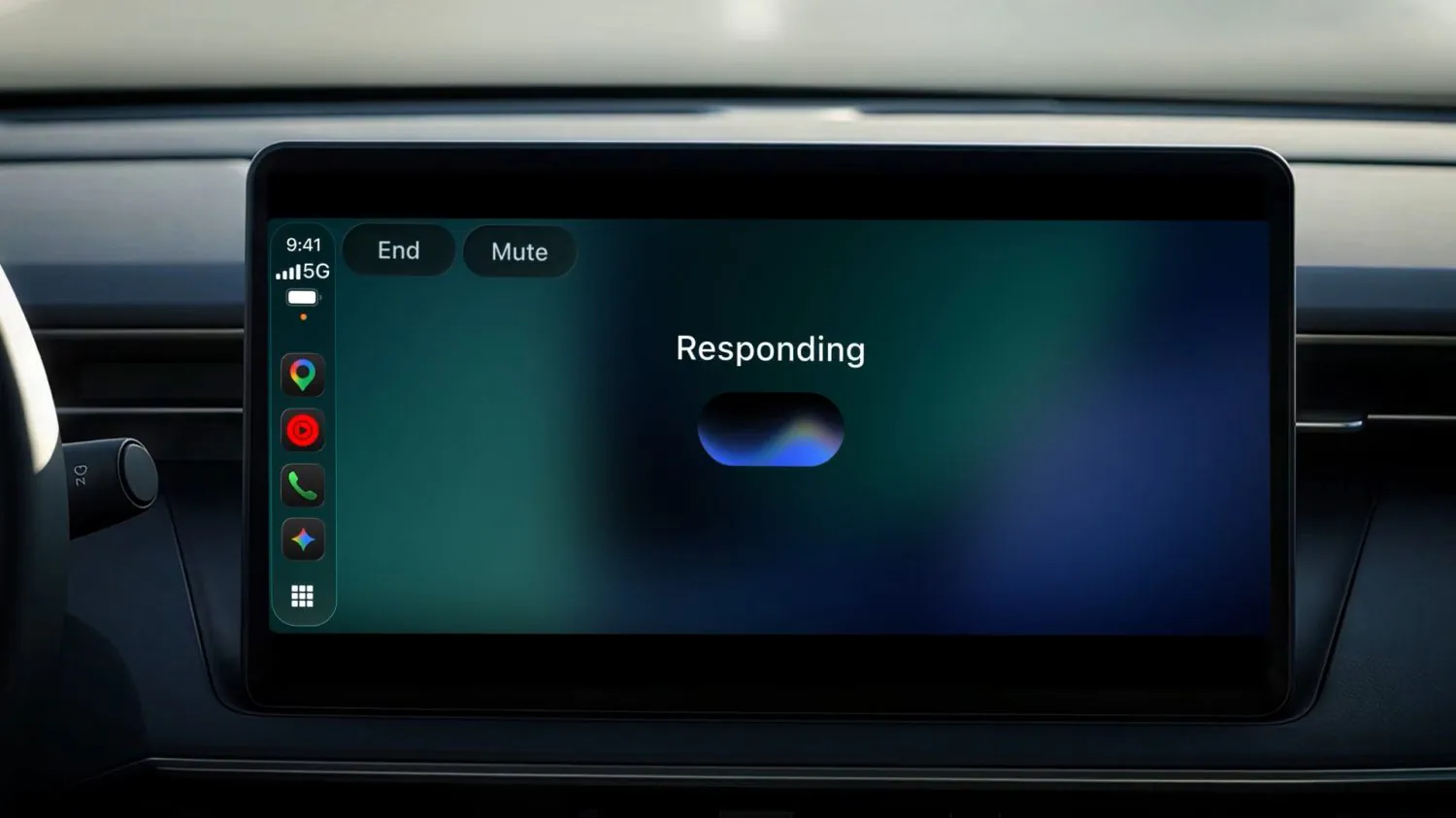
Google started rolling out Gemini Live on Apple CarPlay on November 11, 2026, giving iPhone users access to ongoing voice conversations from their car’s display. The integration supports starting a new conversation, resuming a recent chat, and using supported Gmail and Google Calendar context to catch up or prepare for the day.
The rollout covers all Gemini users on iOS across every supported Gemini Live language, according to Google. That broad availability comes with an important distinction: Daily Brief must be enabled separately and is unavailable to users under 18 or in the European Economic Area and Nigeria. Those restrictions concern Daily Brief, not the entire CarPlay announcement. (Google announcement)
The launch is best understood as two layers. CarPlay provides access to Gemini Live, while personalized features bring their own requirements. Getting the Gemini icon on the dashboard does not make every advertised capability available to every account.
What Gemini Live Adds to CarPlay
Gemini’s CarPlay app brings the back-and-forth conversation experience already available on the phone into the vehicle interface. Users can interrupt an answer to add information, change the subject, or pause the conversation. Launching the app offers a choice between continuing a recent chat and starting fresh.
According to 9to5Google’s launch coverage, the interface uses a waveform to indicate when Gemini is listening, thinking, or responding. It also includes End and Mute controls. Those are useful distinctions: stopping microphone input and ending a session serve different purposes.
Google’s examples span several kinds of interaction:
- Checking the day’s appointments and preparing for a meeting.
- Catching up on unread email or summarizing a long thread.
- Asking about nearby places or local landmarks.
- Rehearsing a presentation or discussing an unfamiliar subject.
These are Google’s proposed uses, not independently measured results. The announcement describes a conversational app within CarPlay; it does not promise that Gemini can control every vehicle function or replace every existing in-car assistant capability. (Google)
How to Set Up Gemini on Apple CarPlay
Google lists a prerequisite that is easy to miss: you must use Gemini Live on your iPhone at least once before using it through CarPlay. Installing or updating the app alone does not complete the published setup process.
Follow Google’s steps while parked:
- Update the Gemini app on your iPhone. Google specifies the latest version, without naming a minimum version number in the announcement.
- Enable microphone permission for Gemini. The voice conversation needs access to the phone’s microphone.
- Open Gemini Live on the iPhone and use it at least once. Complete this phone-side step before expecting the CarPlay experience to work.
- Connect the iPhone to your CarPlay-equipped vehicle.
- Tap the Gemini icon on the CarPlay display or side rail. Start a new conversation or resume a recent one.
These requirements come directly from Google’s setup guidance.
The phone-first requirement has a practical consequence for new users. Someone who downloads Gemini specifically for CarPlay cannot treat it as a dashboard-only setup. They need to open and use Live on the phone first. Google does not explain the technical reason for that requirement, so it should not be interpreted as evidence of a particular activation or authentication mechanism.
Availability may also lag the announcement. 9to5Mac reported that the app update did not appear to be live when its launch story was published. Google gives a rollout start date but no completion date. If the icon is missing after the listed steps, that alone is insufficient to conclude that the phone or vehicle is unsupported.
I’d complete the phone-side setup before the next journey. It removes one known prerequisite without turning the beginning of a drive into an app-permissions exercise.
Gemini Live and Daily Brief Have Different Rules
Google places email catch-ups, calendar questions, and Daily Brief alongside one another in its announcement. They are related productivity features, but their eligibility should not be treated as interchangeable.
| Feature | What Google describes | Requirements or limits |
|---|---|---|
| Gemini Live conversations | Ongoing voice discussion, with interruptions, pauses, and topic changes | CarPlay rollout for Gemini users on iOS across supported Live languages; phone-side setup required |
| Gmail and Calendar context | Questions about appointments, unread messages, and email threads | Depends on the relevant connected Google apps and available account context |
| Daily Brief | A personalized briefing that users can request by voice | Must be enabled; unavailable to under-18s and in the EEA and Nigeria |
| Conversation history | CarPlay chats sync back to the Gemini iPhone app | Lets users revisit the conversation after leaving the vehicle |
The key distinction is between access to the conversation interface and eligibility for a specific personalized feature. A user in an excluded Daily Brief region should not read the global rollout announcement as a promise that the briefing feature will become available there. Equally, the briefing restriction should not be read as a blanket exclusion from Gemini Live on CarPlay. (Google)
The same care applies to personal information. A microphone permission enables voice input; access to relevant Gmail or Calendar information is a separate dependency. General brainstorming and questions about a user’s inbox draw on different kinds of context.
Google’s wording also sets a boundary around pricing claims. The announcement says the rollout is for all Gemini users on iOS and names no paid-plan requirement for CarPlay. It does not provide a new pricing schedule or a complete account-by-account feature matrix.
Conversation Sync May Be the Most Practical Addition
Google says CarPlay conversations automatically sync with the Gemini app on the iPhone. Summaries, notes, and brainstorming can therefore be revisited in chat history after parking. (Google)
Frequently Asked Questions
3 questions
1Do I Need a Paid Gemini Plan for CarPlay?
Google announces the rollout for all Gemini users on iOS and lists no paid-plan requirement for CarPlay. Individual personalized features still have their own conditions.