Claude can now dynamically write orchestration scripts that run tens to hundreds of parallel subagents in a single session, checking its work before anything reaches you. Some problems are simply too big for one pass by a single agent, especially in complex, legacy codebases: a bug hunt across an entire service, a migration that touches hundreds of files, a plan you want stress-tested from every angle. Dynamic workflows can handle all of these end-to-end.
Dynamic workflows are available in research preview starting May 28, 2026, on every paid Claude Code plan. The feature ships alongside Claude Opus 4.8, and it represents a meaningful architectural shift in how Claude handles large-scale engineering tasks.
As someone who covers agentic AI on a daily basis, this one stands out. Not because of the headline number of subagents, but because of what the architecture actually changes about how you interact with Claude as a coding tool.
What Dynamic Workflows Actually Are
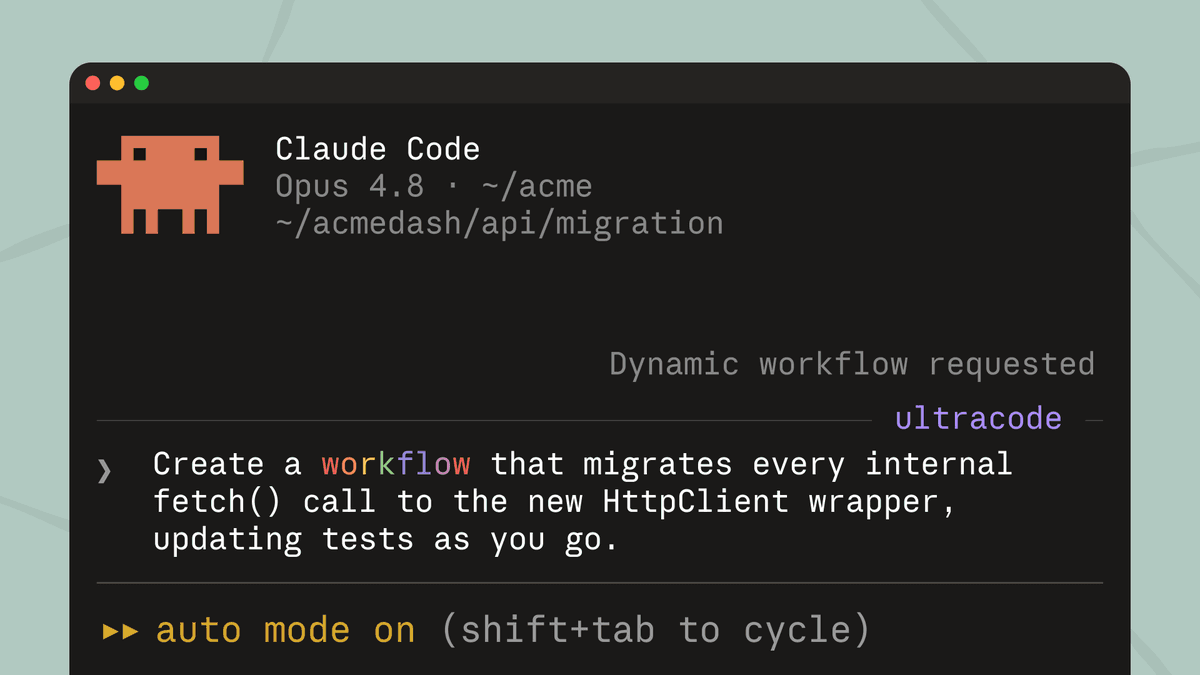
A dynamic workflow is a JavaScript script that orchestrates subagents at scale. Claude writes the script for the task you describe, and a runtime executes it in the background while your session stays responsive.
The key distinction from prior Claude Code features is architectural. With a traditional subagent, Claude itself decides turn by turn which worker to spawn, and every intermediate result ends up in its context window, eating useful tokens. With a skill, Claude follows a sequence written in a Markdown file, but it still acts as the orchestrator of the flow. In dynamic workflows, the plan moves to code: the JavaScript script decides what to launch, in what order, with what conditional or loop logic, and keeps intermediate state in variables that live outside the conversation.
A workflow script holds the loop, the branching, and the intermediate results itself, so Claude's context holds only the final answer. Moving the plan into code also lets a workflow apply a repeatable quality pattern: it can have independent agents adversarially review each other's findings before they're reported, or draft a plan from several angles and weigh them against each other, so you get a more trustworthy result than a single pass.
How the Runtime Works
When a workflow kicks off, Claude plans dynamically based on your prompt, breaks it into subtasks, and fans the work out across subagents running in parallel. Results are checked before they're folded in, and you come back to a single, coordinated answer. Agents address the problem from independent angles, other agents try to refute what they found, and the run keeps iterating until the answers converge.
The runtime applies hard limits: it allows up to 16 concurrent agents and caps each run at 1,000 agents total. The workflow script itself cannot touch the filesystem or shell. Only the agents read, write, and run commands.
Progress is saved as the run goes, so a job that's interrupted picks up where it left off instead of starting over. That resumability matters for long-running jobs like full-repo migrations that can extend across hours or even days.
Key technical highlights:
- Requires Claude Code v2.1.154 or later; runs in the CLI, Desktop, and VS Code extension
- All major cloud providers are covered: the direct Anthropic API, Amazon Bedrock, Google Cloud Vertex AI, and Microsoft Foundry
- Two ways to start: ask Claude to "create a dynamic workflow" directly, or switch on the new
ultracodesetting, which sets effort level toxhighand lets Claude decide automatically when to use a workflow - On by default on Max and Team plans; on Enterprise, administrators must enable it; on Pro, activate manually from the Dynamic workflows section in
/config
The Bun Rewrite: A Real-World Benchmark
The most concrete demonstration of what dynamic workflows can do comes from Jarred Sumner and the Bun JavaScript runtime. Jarred Sumner used dynamic workflows to port Bun from Zig to Rust with 99.8% of the existing test suite passing, roughly 750,000 lines of Rust, and eleven days from first commit to merge. One workflow mapped the right Rust lifetime for every struct field in the Zig codebase. The next wrote every .rs file as a behavior-identical port of its .zig counterpart, hundreds of agents working in parallel with two reviewers on each file. A fix loop then drove the build and test suite until both ran clean.
After the port landed, an overnight workflow addressed unnecessary data copies and opened a PR for each for final review. While not yet in production, all of this was handled by dynamic workflows.
That's 750,000 lines of code in eleven days. With two reviewers per file. The scale is hard to reason about without context, but it's the kind of work that would typically require a team of engineers and a multi-quarter roadmap.
Enterprise Use Cases and Early Feedback
Alessio Vallero, Senior Engineering Manager at Klarna, has been using workflows for extensive security audits on production code: missing authentication patterns, fragile input validations, insecure patterns copy-pasted across microservices. Ken Takao, Lead Systems Engineer at CyberAgent, has applied them to hardening passes on production services, with adversarial agents that verify each other before delivering the final result.
"Dynamic workflows fill the gap between firing off a single subagent and building out a full agent team. Plan to implementation just flows, so we can trust longer runs without losing visibility." — Ken Takao, Lead Systems Engineer, CyberAgent
Early internal users noted: "Dynamic workflows have been especially valuable for discovery and review tasks across large codebases. We've seen strong results using it to identify dead code and surface cleanup opportunities that traditional static analysis missed."
Availability, Pricing, and Token Costs
Pricing for Claude Opus 4.8 is unchanged at $5 per million input tokens and $25 per million output tokens. Dynamic workflows themselves don't carry a separate price tag, but the token math changes significantly at scale.
A workflow can consume substantially more tokens than a standard Claude Code session, because every agent pays its own context overhead. Anthropic recommends starting with a well-scoped task to calibrate consumption before launching repository-wide audits or migrations across thousands of files.
Each agent uses the model of the current session unless the script routes a phase to a different one. It's worth checking with /model before launching a large run: switching to Opus 4.8 for a 500-agent audit can change the bill by an order of magnitude.
Claude Code with Opus 4.8 can now carry out codebase-scale migrations across hundreds of thousands of lines of code from kickoff to merge, with the existing test suite as its bar. That's the capability ceiling being advertised, and the token cost is the tradeoff you're accepting.
What This Means for Agentic Engineering
The deeper change dynamic workflows represents is that the orchestration step is now a model decision, not a developer decision. Previously, you wrote the orchestration logic in slash commands, prompt templates, or sub-agent files. Now you write the request, and Claude writes the orchestration.
The release reflects a broader trend toward asynchronous AI coding agents that operate continuously in cloud environments instead of interactive local sessions. Dynamic workflows sit at the center of that shift, giving Claude Code the ability to plan and execute work that spans hours without constant developer input.
Dynamic workflows are built for parallel and long-running work that can extend into hours and days, doing the most complex engineering work that previously would have taken weeks.
Final Thoughts
The architectural move here is the part worth watching closely. Offloading orchestration state to a JavaScript script that runs outside Claude's context window isn't just a performance trick. It's a structural change in how long Claude can stay useful on a single task without degrading. Prior subagent approaches hit a wall when intermediate results filled the context. Workflows sidestep that wall entirely by keeping only the final answer in the conversation.
The 1,000-agent cap and 16-concurrent-agent limit are reasonable guardrails for a research preview. What I'd watch in the coming weeks is how the token cost scales in practice for teams running security audits or large migrations. Anthropic's advice to start scoped is correct, and I'd add: verify with /model before every large run, especially if your team defaults to Opus 4.8 across all phases.
The "research preview" label means token usage, behavior, and the activation interface may evolve. This isn't the final form of the feature. But as a first version of AI-written orchestration at this scale, it's a credible starting point. What do you think? Have you tried dynamic workflows yet? Drop your thoughts in the comments.
Frequently Asked Questions
5 questions
1What are dynamic workflows in Claude Code?
Dynamic workflows orchestrate many subagents from a script Claude writes and you can rerun. Use them for codebase audits, large migrations, and cross-checked research.