Copilot Studio builders can now attach a workflow that checks, changes, or blocks an agent’s tool call before it executes. Microsoft’s new hooks capability moves those checks outside the model’s discretion. It remains in preview and requires an agent powered by the GitHub Copilot harness.
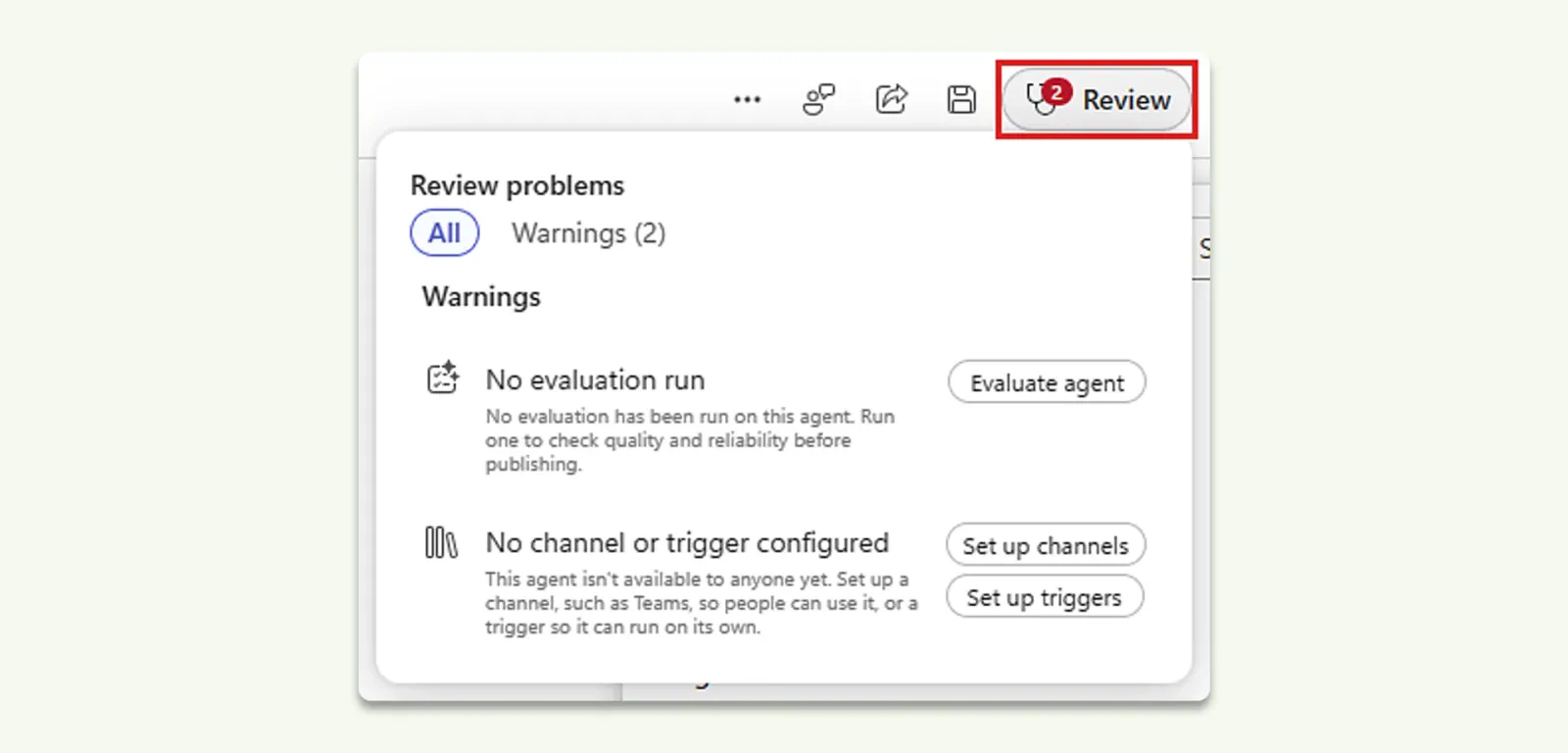
Microsoft’s September update roundup, published October 7, 2026, spans several release stages. App creation and Copilot Managed Runtime are in public preview. Foundry IQ integration and the pre-publication Review panel are generally available. Expanded evaluations add more ways to test agents, although the announcement does not give every evaluation addition a release-status label.
For enterprise teams building AI products, these capabilities address different sources of unpredictability: interfaces for structured work, event-driven controls for agent actions, shared retrieval infrastructure, and better evidence before publication.
The Availability Map Has Important Boundaries
Released capabilities, public previews, and evaluation additions with less explicit availability language should not enter a production plan under one common label.
| Capability | Status stated by Microsoft | Practical boundary |
|---|---|---|
| App creation | Public preview | Copilot Studio’s Preview experience must be enabled |
| Copilot Managed Runtime | Public preview | Hosting and governance infrastructure remains prerelease |
| Hooks | Preview | Documented for agents using the GitHub Copilot harness |
| Foundry IQ integration | Generally available | The documented connection requires the GitHub Copilot harness and knowledge-base access |
| Expanded evaluations | Additions announced; no blanket status specified | Check availability for each required evaluation control |
| Review panel | Generally available | Readiness checks complement, rather than replace, performance testing |
Preview access differs by entry point. Microsoft’s runtime documentation tells Copilot Studio makers to turn on the Preview experience and select Apps. App building through Copilot Cowork separately requires Frontier enrollment. Those are not interchangeable requirements.
The supplied hooks documentation does not describe a universal enrollment process. Its explicit compatibility requirement is the GitHub Copilot harness, so teams should verify their agent’s harness before planning hook-based controls.
Apps Add a Structured Interface Alongside Agents
App creation starts with a natural-language description of the business outcome, intended users, data, and actions. Microsoft says Copilot Studio generates a draft that makers can preview and refine conversationally, while retaining access to the underlying code for deeper customization.
An onboarding application, for example, could collect required information through a structured interface. A workflow could execute repeatable steps, while an agent answers questions or handles exceptions. That is Microsoft’s example, not evidence from a deployed customer implementation.
The benefit is choosing the right interaction for each part of a process. A form makes required inputs explicit; an agent handles questions that don’t fit the form. Combining them avoids forcing every interaction through conversational reasoning.
Copilot Managed Runtime supplies the execution environment. Microsoft describes Microsoft-operated hosting, identity, governed data access, lifecycle management, Git-backed versioning, and centralized visibility. Its documentation says apps use Microsoft Entra authentication, follow tenant governance policies, and appear in the Microsoft 365 admin center.
Both app creation and the runtime are public previews, even with Microsoft-hosted infrastructure. A sensible pilot should test publishing, sharing, permitted connectors, and administrator visibility together. Checking whether the generated interface looks correct is only part of that work.
Hooks Enforce When Logic Runs, Not Just What It Says
A tool and a hook can run the same workflow, but they start differently. The agent chooses a tool when it considers that tool relevant. A configured lifecycle event invokes a hook whenever that event occurs.
Hooks are useful for requirements that shouldn’t depend on model judgment: checking an action against policy, recording tool activity, or supplying required context at session start.
A hook currently consists of an event and a workflow action. Copilot Studio passes event details into the workflow and uses its response to influence what happens next. Documented events include session start, user-prompt submission, pre-tool execution, and errors.
For a pre-tool hook, the workflow receives the tool name and proposed parameters. It can return replacement parameters or set permissionDecision to deny, blocking the call. Tool-related hooks can apply to selected tools; leaving the tool selection empty applies the hook to all tools.
Several implementation details need attention:
- An empty decision permits the call. The documented pre-tool behavior allows execution when
permissionDecisionis left empty. - Identity fields can be empty. Workflows must check metadata before relying on it, particularly when a user is not signed in.
- Draft configuration is not deployment. Makers must save the agent, then publish changes before hooks run for users.
- Event schemas must remain compatible. Renaming or removing expected workflow inputs and outputs can prevent the workflow from appearing as an eligible hook action.
Deterministic invocation does not guarantee that the workflow’s own checks are correct. Teams still need to test rejected actions, missing identity, and unexpected parameters. Hooks provide a place to enforce policy consistently; they do not supply the policy automatically.
A pilot should also track costs. Microsoft’s documentation warns that building, testing, evaluating, and using GitHub Copilot harness agents can consume Copilot Credits.
Foundry IQ Reuses Retrieval Setup Across Agents
Foundry IQ integration is generally available, according to Microsoft. It connects agents to a reusable knowledge base that combines enterprise sources with retrieval and relevance settings.
The Foundry IQ connection documentation makes the ownership model explicit: a team can build and tune a knowledge base in Azure AI Foundry, then let Copilot Studio agents use that setup without recreating it. Microsoft says a single knowledge base can serve multiple agents, with each configured for appropriate sources and retrieval scope.
The documented integration requires an agent using the GitHub Copilot harness and access to a Foundry IQ knowledge base. Each agent can have only one Foundry IQ connection, although a knowledge base can contain multiple enterprise sources.
Because Foundry IQ is added as a tool, its name and description matter for orchestration. Microsoft recommends a detailed description and tells makers to inspect the activity trace during testing to confirm that retrieval actually occurred. When results are poor, the documentation directs teams to tune sources, retrieval instructions, or ranking in Azure AI Foundry, working with the knowledge-base owner.
Microsoft also says the integration supports grounded responses with citations and private networking. Neither establishes answer accuracy by itself. Builders should inspect retrieved material and verify that it supports the final answer.
Evaluations Now Examine Actions, Safety, and Speed
Microsoft’s expanded evaluations cover both individual AI nodes and broader automations, extending testing beyond agent conversations.
The announced measures target different failure modes:
- Task Completion checks whether the intended user outcome was accomplished.
- Tool Accuracy checks expected tool selection and inputs.
- Safety measures responses against configurable content-safety thresholds.
- Latency adds response-time results alongside quality results.
Sources
- hooks capabilitylearn.microsoft.com
- September update roundupmicrosoft.com
- Copilot Managed Runtimelearn.microsoft.com
- Foundry IQ connection documentationlearn.microsoft.com