
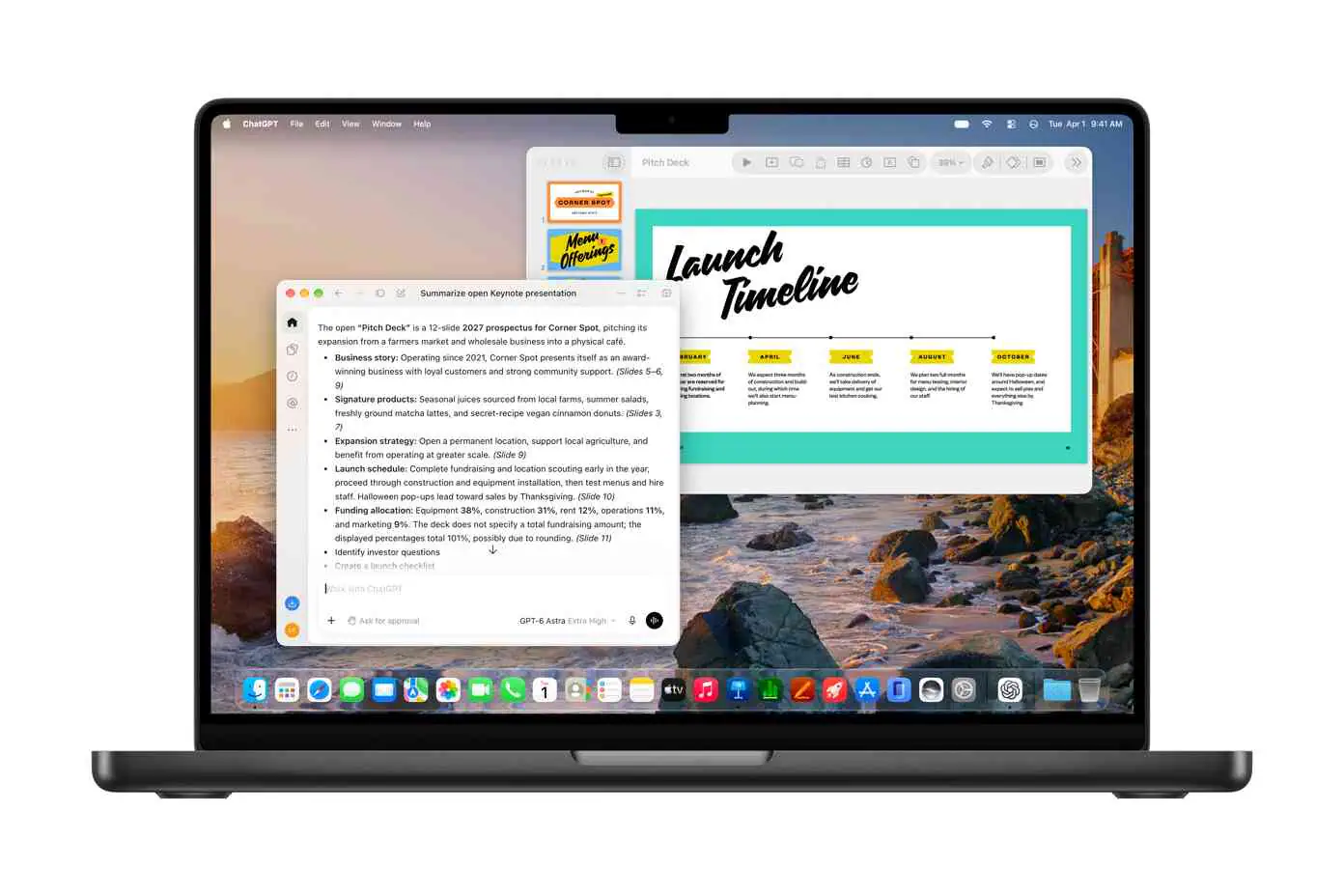
Apple is adding a context-aware AI assistant to Pages, Keynote, and Numbers, alongside Model Context Protocol (MCP) support that lets external AI agents work inside the three apps on Macs running macOS 27 or later.
The changes appear in Apple’s October 27, 2026, Creator Studio announcement, which schedules the broader updates for November as a free update for existing subscribers. The assistant uses models from Apple and OpenAI to help with writing, presentations, and spreadsheets.
The two features serve different purposes. The built-in assistant provides help within the document you are using. MCP gives an outside agent a way to access content and perform supported operations inside the apps. For users, that creates two routes to automation, with different requirements and different questions about control.
What the Assistant Can Do Inside Each App
Apple describes an assistant that understands document context. That should reduce the need to copy material into a separate chatbot and then move the result back into a document.
The announced capabilities follow the work each app handles:
| App | Announced assistant capabilities | Practical use |
|---|---|---|
| Pages | Draft, restructure, and refine written content | Develop a first draft or reorganize existing writing |
| Keynote | Design, animate, and refine slides | Build out a presentation or revise its slides |
| Numbers | Calculate, visualize, and organize data | Work through calculations and turn data into tables or charts |
The Verge’s coverage adds that the Numbers assistant can suggest chart types and build custom tables. These are reported product capabilities, not independently measured results.
The useful detail is the connection between the request and the document. A writing assistant that can restructure the text already in Pages has a different role from a chatbot that produces a passage for you to paste elsewhere. Likewise, recommending a chart inside Numbers can connect analysis with the spreadsheet where the underlying data lives.
My view is that this document integration is the strongest part of the announcement. Generating text is already widely available. Reducing the steps between a request and an editable result could make the feature more useful in everyday work.
That still leaves users responsible for the result. In a spreadsheet, for example, a formula can produce a plausible number while referring to the wrong cells. Checking the referenced range and calculation logic matters more than whether the assistant’s explanation sounds confident. That is a practical review habit, not a finding about the accuracy of Apple’s implementation.
MCP Gives Outside Agents a Separate Route Into Documents
MCP is the second, more technical part of the update. It provides an interface through which an external AI agent can connect to tools and content. In Apple’s implementation, the company says agents will be able to read content, edit it, and execute actions in Pages, Keynote, and Numbers on macOS 27 or later.
Those capabilities cover three different levels of interaction:
- Reading gives an agent document content to work with.
- Editing lets it change that content.
- Executing actions extends the integration to supported app operations.
Apple presents this as workflow automation. The Verge describes the integration as allowing third-party agents to connect to the apps.
The practical change is where a workflow can begin. With the native assistant, the user works through Apple’s in-app interface. With MCP, a request could originate in a separate agent that uses the connection to work on a document. Apple’s announcement does not provide enough detail to describe a specific third-party client setup or a complete cross-app workflow.
This distinction is worth preserving when evaluating the product update. Support for MCP describes a connection mechanism; it is not a guarantee that every AI app can immediately control every feature in the suite. The available operations, compatible clients, and access controls will determine what users can actually automate.
I would evaluate the MCP integration first as a document-editing permission, then as a convenience feature. Reading a draft and changing a draft carry different consequences. An agent with write access needs closer scrutiny than one that only returns suggestions.
Requirements, Subscription Access, and Release Timing
The assistant and MCP have separate compatibility requirements. The assistant requires an Apple Intelligence-capable device running the relevant version 27 operating system. MCP is announced for the Mac.
| Requirement | Built-in assistant | External-agent MCP support |
|---|---|---|
| Platform | Compatible iPhone, iPad, or Mac | Mac |
| Operating system | iOS 27, iPadOS 27, or macOS 27 or later | macOS 27 or later |
| Hardware condition | Apple Intelligence-capable device | No separate Apple Intelligence requirement stated in the cited reporting |
| Launch status | Beta | Announced as part of the update |
| Language | U.S. English initially | Language availability not specified |
| Access | Reported as a Creator Studio subscriber feature | Availability without a subscription remains unclear |
Heise’s reporting distinguishes the assistant’s Apple Intelligence requirement from MCP’s macOS requirement. It also notes that Apple has not clarified whether MCP will be available without a subscription.
That separation matters when checking compatibility. Having a Mac that can run the required operating system and having a device eligible for the native assistant are separate checks. The assistant’s U.S. English restriction also should not automatically be applied to MCP, whose language availability has not been specified.
Frequently Asked Questions
3 questions
1Do the AI Assistants Work on iPhone and iPad?
Yes, according to the announcement coverage, on Apple Intelligence-compatible devices running iOS 27 or iPadOS 27 or later. The assistants also support compatible Macs running macOS 27 or later.