
World Labs opened Atlas to public use on November 12, 2026, with tools for turning images into explorable 3D scenes and bringing the results into creative and developer workflows. The company’s release listing points users toward a product lineup covering reconstruction, scene shaping, splat-to-mesh conversion, relighting and APIs.
Atlas itself is older than this release. World Labs introduced the model on September 1, 2026, describing a system that works across text, images, video and 3D. November’s news is the product access around that model: named tools, direct starting points and integrations, including Blender.
The distinction matters for anyone evaluating this AI product update. A model demonstration shows possible outputs. A usable workflow also needs ways to supply inputs, control the scene and move results into other software. The new Atlas product page addresses those steps, although it leaves important implementation details unspecified.
What Changed Between September and November
World Labs’ September announcement described Atlas as a multimodal autoregressive diffusion transformer. In the company’s explanation, inputs share a spatial context, with images grounded at positions in 3D space. Atlas then generates outputs conditioned on that context.
That announcement already covered camera-controlled generation, spatial reconstruction, space-time simulation and image generation. It also claimed videos of up to one minute at 1440p and reconstruction from sparse image inputs. Those are September capability claims, not newly demonstrated November improvements. (World Labs’ original announcement)
The November page organizes Atlas around tasks: reconstruct a scene in Viewfinder, guide its structure with Chisel, convert splats into meshes, change lighting and connect through an API. The clearest documented change is therefore the delivery path. The reviewed release material supplies no like-for-like September-versus-November benchmark showing a measured quality increase.
What the Atlas Tools Do
World Labs lists four named tools alongside its developer API and integrations. Their descriptions suggest different roles in a workflow, but the page does not document every connection between them. (Atlas product page)
Viewfinder: Reconstruct Scenes and Plan Camera Moves
Viewfinder accepts photos or generated images, reconstructs a scene and lets users explore new viewpoints. World Labs also lists camera-path creation and video rendering as supported tasks.
That combines two jobs: building an explorable representation and choosing how a camera travels through it. A creator could use the first to inspect a space and the second to produce a planned shot.
The input choice has a practical consequence. Photos provide evidence about an existing location; generated images provide references for an imagined one. Both can start a creative workflow, but only the photographed material records something that existed in front of a camera.
I’d start with Viewfinder when evaluating Atlas because the workflow makes the central tradeoff visible: how convincingly can the system extend a scene beyond the supplied views, and where does that extension stop matching the intended space?
Chisel: Guide Structure With a Graybox
Chisel is World Labs’ tool for controllable scene building and grayboxing. Grayboxing means blocking out a scene with simple shapes before committing to detailed assets. It establishes layout, scale relationships and the placement of major objects.
World Labs says users can block out a scene, move things around and see camera views update. That gives creators a structural input in addition to reference imagery.
For architecture concepts or shot planning, this could be more useful than repeatedly adjusting a text prompt. A rough spatial layout makes intended relationships explicit. The product page does not specify how precisely the final output follows that layout, so dimensional accuracy remains something to evaluate.
Splats to Mesh: Move From Appearance to Surfaces
Splats to Mesh converts splat-based scenes into meshes, which World Labs positions for games, simulations and interactive environments.
The distinction is consequential. Splat representations support rendering a scene’s appearance, while meshes describe explicit surfaces that conventional 3D workflows can manipulate. A scene that looks convincing from a camera is not automatically a clean geometric asset.
Mesh conversion is therefore a particularly important part of this release for downstream work. It offers a route into geometry-based tools. The release page does not specify topology quality, material handling or collision readiness, so “mesh” should be treated as an output category, not a guarantee that the asset needs no cleanup.
Relight: Change How Splats Are Lit
Relight is described as a way to explore lighting and manipulate splats. That could help creators adapt a reconstructed environment to a different visual treatment.
World Labs provides less detail here than it does for Viewfinder. The page does not explain the lighting controls, material model or treatment of shadows and reflections. The supported claim is that Relight offers lighting manipulation, without enough documentation to judge its physical accuracy or compatibility with a particular renderer.
The API and Blender Integration Path
The Atlas page gives visitors two prominent starting points: try Viewfinder or build with the API. It also names Blender among the existing tools that can be connected to Atlas workflows.
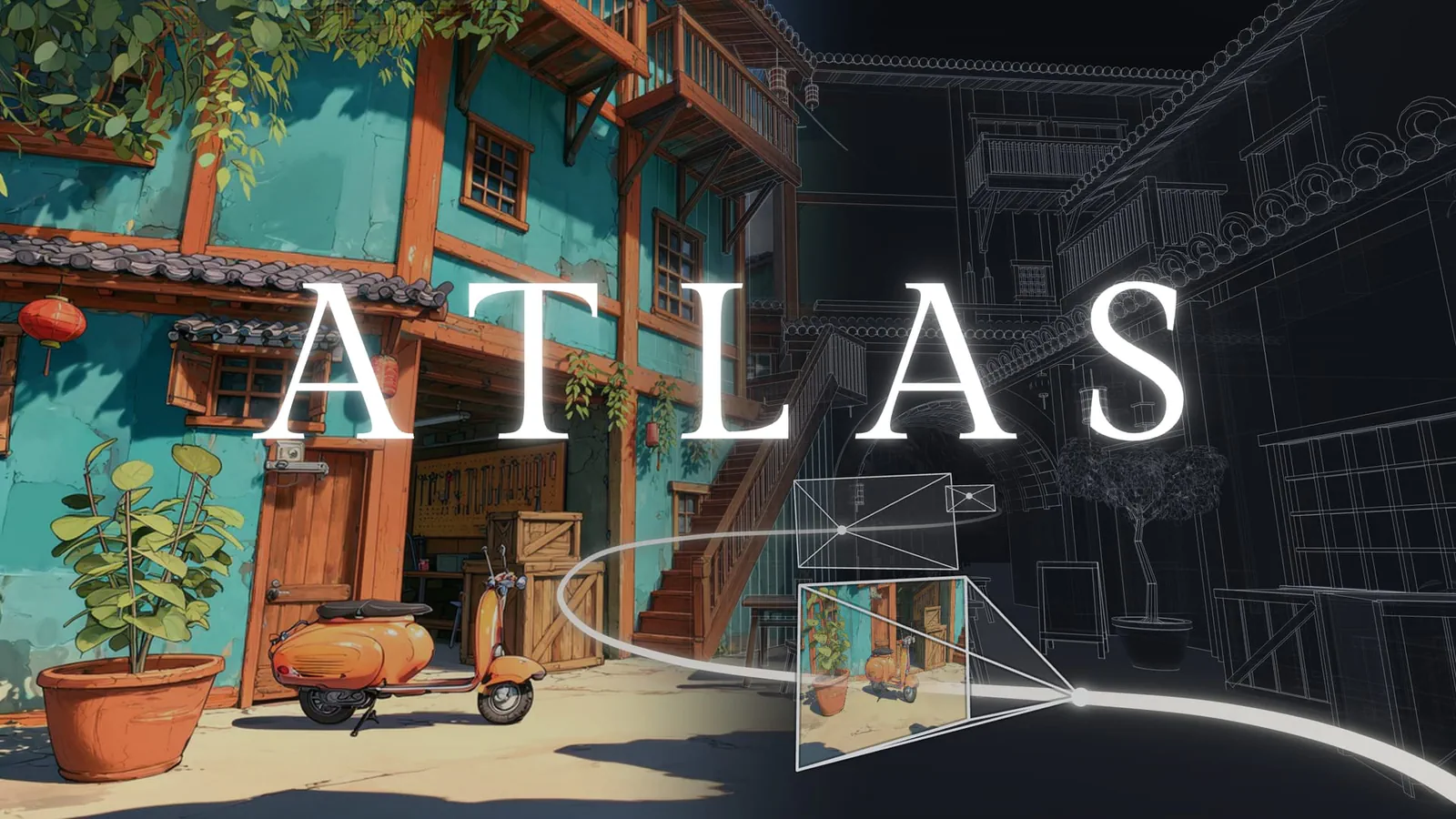
For creators, Viewfinder is the direct route to uploading photos or generating images, reconstructing a scene and creating camera paths. For developers, the API is presented as the route to bringing Atlas capabilities into their own applications.
The reviewed product page does not expose endpoint schemas, authentication instructions, pricing, quotas, export formats or supported Blender versions. It also does not establish that every named tool has an equivalent API operation.
Those details determine integration effort. Before designing an automated pipeline, I’d check which operations are callable, what each returns and whether those outputs fit the next application. A Blender integration is useful, but it leaves open whether the connection transfers geometry, rendered output, scene controls or some combination.
Reconstruction Includes Inference About Missing Views
World Labs’ September explanation contains the most important caveat for interpreting Atlas outputs: when input images leave areas unseen, Atlas can invent plausible content.
The company illustrates this with a single ground-level photograph. Its account says the visible garden is reconstructed while the surrounding scene is imagined. Adding another real-world image supplies more evidence. World Labs summarizes the relationship as “the more it sees, the less it imagines.” ()
Frequently Asked Questions
3 questions
1Is Atlas a New Model Announced in November?
No. World Labs introduced Atlas on September 1, 2026. The November 12 release focuses on public tools, developer access and integrations.


