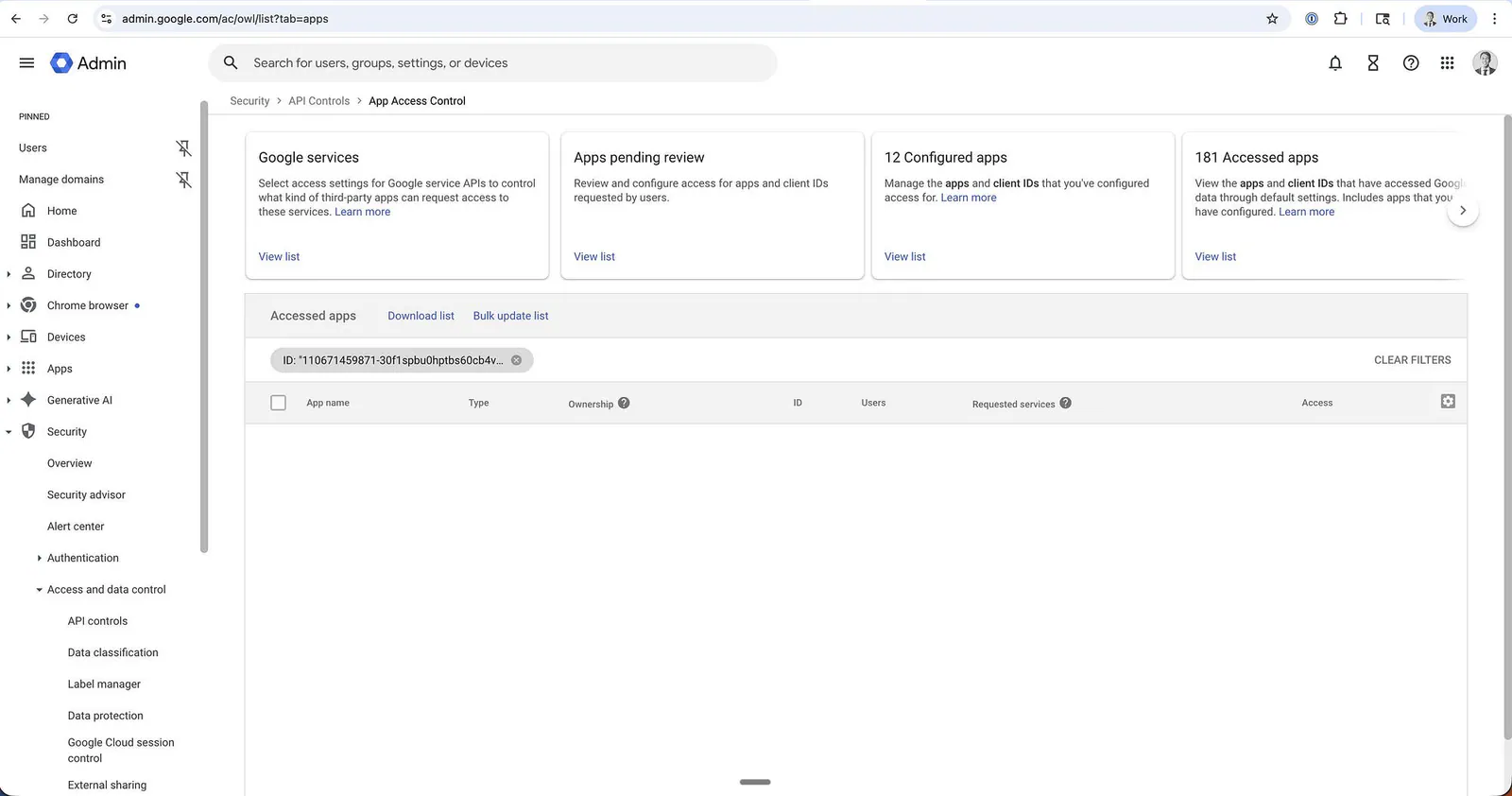
ercel just announced that there was unauthorized access to certain internal Vercel systems. They said that only a limited subset of customers were affected, but did not specify who or how to check if you are a victim.
As a long-time user of the platform, this is not good news to wake up to.
The majority of the web apps I’ve released in the past three years or so are deployed on Vercel. I find them the easiest to use and integrate with the tools I work with every day, like GitHub or Neon.
Vercel is also the company behind Next.js, which means the blast radius of any incident involving their infrastructure reaches far beyond their own customer list.
Anyway, let’s get into the details of what happened, how serious the attack was, and how to check and recover if you are one of the victims.
What happened?
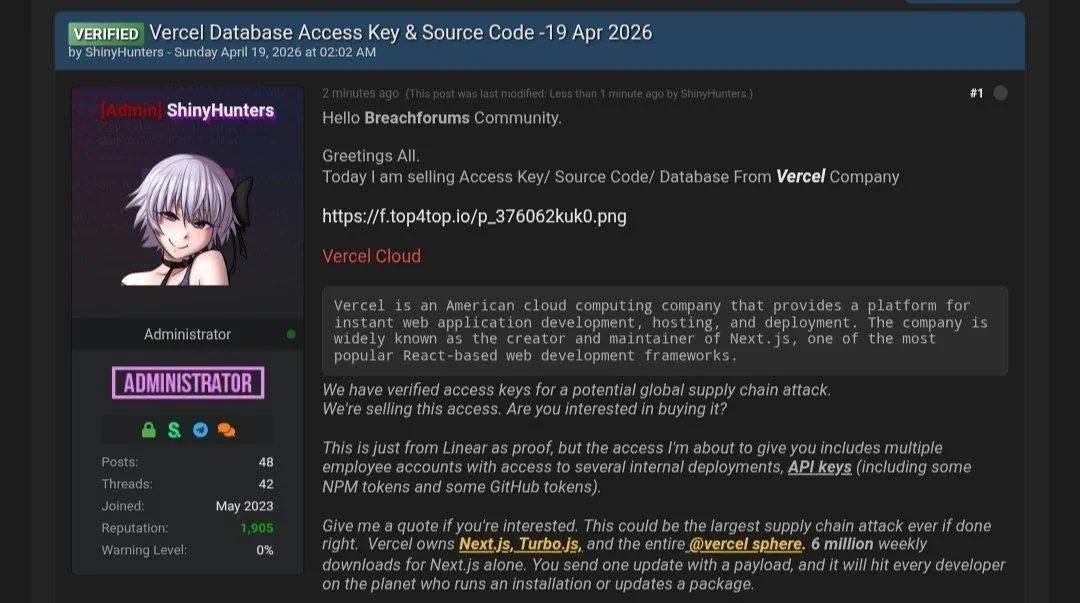
The issue broke out when a user named ShinyHunters, the group behind the Ticketmaster, Rockstar, and European Commission breaches, listed Vercel’s internal DB, employee accounts, GitHub, and NPM tokens for sale at $2 million on BreachForums.
Press enter or click to view image in full size
Vercel hacked and codes are sold online
Here’s the full context of the post:
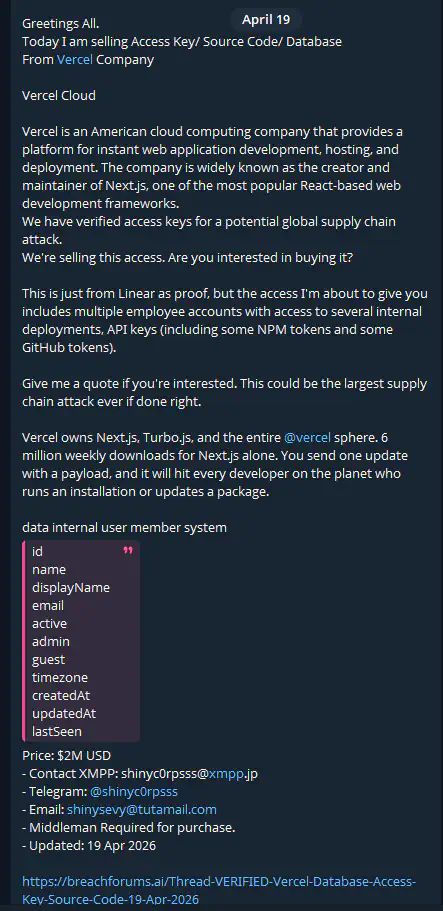
Vercel hacked and codes are sold online
Greetings All.
Today I am selling Access Key/ Source Code/ Database From Vercel Company
Vercel Cloud
Vercel is an American cloud computing company that provides a platform for instant web application development, hosting, and deployment. The company is widely known as the creator and maintainer of Next.js, one of the most popular React-based web development frameworks. We have verified access keys for a potential global supply chain attack. We’re selling this access. Are you interested in buying it?
This is just from Linear as proof, but the access I’m about to give you includes multiple employee accounts with access to several internal deployments, API keys (including some NPM tokens and some GitHub tokens).
Give me a quote if you’re interested. This could be the largest supply chain attack ever if done right.
Vercel owns Next.js, Turbo.js, and the entire @vercel sphere. 6 million weekly downloads for Next.js alone. You send one update with a payload, and it will hit every developer on the planet who runs an installation or updates a package.
data internal user member system id name displayName email active admin guest timezone createdAt updatedAt lastSeen
Price: $2M USD
Contact XMPP: shinyc0rpsss@xmpp.jp
Telegram: @shinyc0rpsss
Email: shinysevy@tutamail.com
Middleman Required for purchase.
Updated: 19 Apr 2026
The dump attached to the listing reportedly includes 580 Vercel employee records covering names, email addresses, account status, and last-seen timestamps, according to Prism News.
Here’s why we all should care:
- The hackers have NPM tokens and GitHub tokens
- Vercel owns NextJS with 6 million weekly downloads
- One malicious push = global supply chain attack
- Vercel confirmed the breach today, April 19
- They literally DMed the hackers on Telegram, asking them to stop
The timing lands right as Vercel, last valued at $9.3 billion after a $300 million Series F in September 2025, is preparing for a public offering, according to Startup Fortune.
How the hacking was done
Vercel CEO, Guillermo Rauch, quickly posted on X about what happened and how the company plans to respond to the situation.
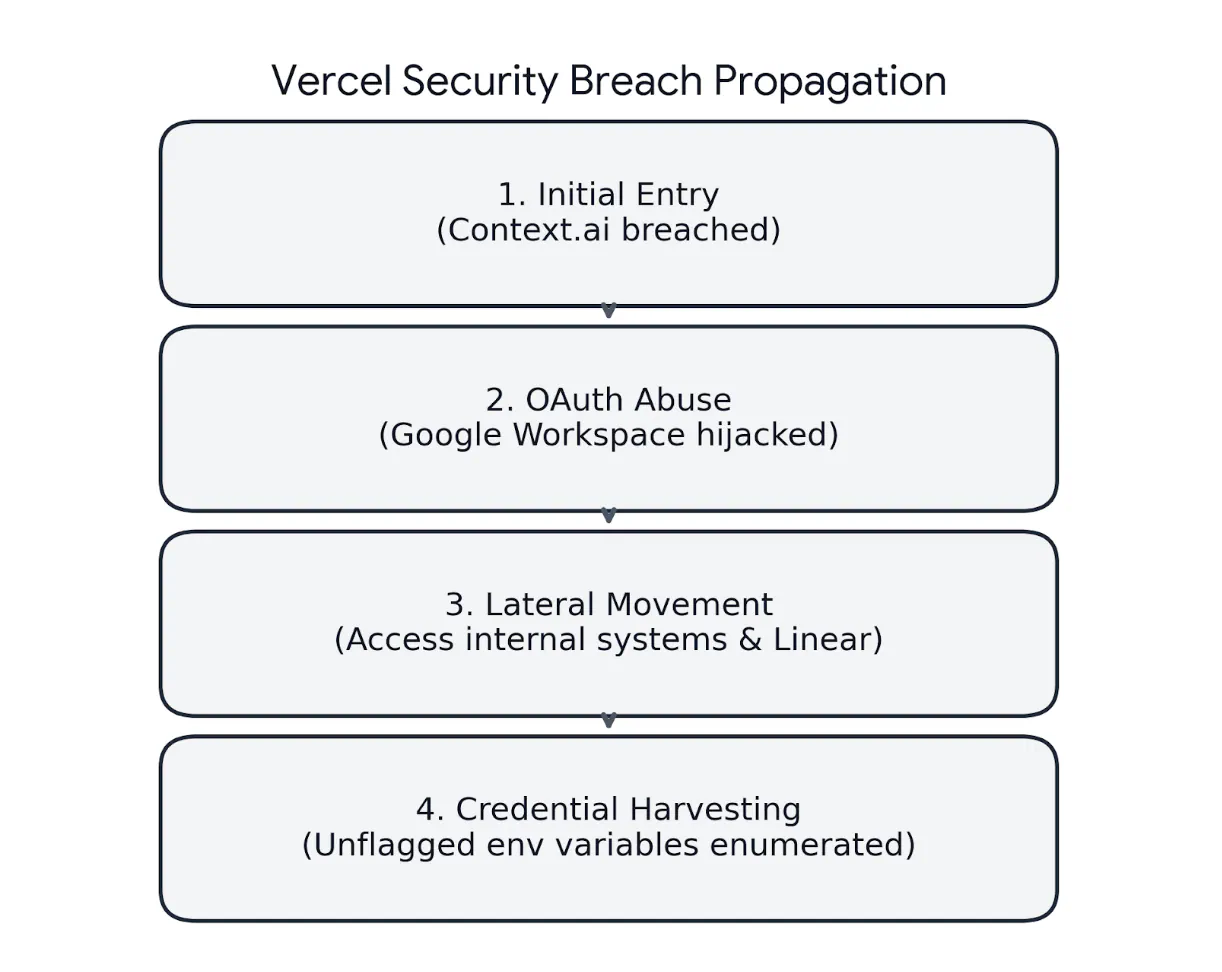
Here’s what actually happened with the breach propagation.
Press enter or click to view image in full size
Vercel security breach propagation
It originated from a compromised third-party AI tool called Context.ai. An employee’s Google Workspace account was hijacked through a malicious OAuth app, allowing attackers to pivot into Vercel’s internal systems.
- Initial Entry: Attackers breached Context.ai, a third-party AI platform used by a Vercel employee.
- OAuth Abuse: They leveraged an OAuth token from the Context.ai app to take over the employee’s Google Workspace account.
- Lateral Movement: From Workspace, the hackers gained access to internal Vercel environments and tools like Linear (project management).
- Credential Harvesting: Attackers enumerated customer environment variables that were not flagged as “sensitive.”
The interesting part is what preceded all of this. According to a report from Hudson Rock, a Context.ai employee was infected with Lumma Stealer back in February 2026, a full month before the breach.
The employee’s browser history showed searches for Roblox auto-farm scripts and game exploit executors, which are some of the most common delivery vectors for Lumma malware.
That single infection dumped Google Workspace credentials, plus keys and logins for Supabase, Datadog, and Authkit. The support@context.ai account was also in the dump, which gave the attacker an easy path to escalate privileges.
Guillermo believes that the attackers had in depth understanding of their platform.
“We believe the attacking group to be highly sophisticated and, I strongly suspect, significantly accelerated by AI. They moved with surprising velocity and in-depth understanding of Vercel.”
This is the real risk of centralized infrastructure. One breach upstream and thousands of startups inherit it overnight.
Hours later, Context.ai released a statement confirming the security incident. The compromised OAuth tokens from their consumer platform were a result of an AWS environment breach, which enabled unauthorized access to a Vercel employee’s account.
Press enter or click to view image in full size
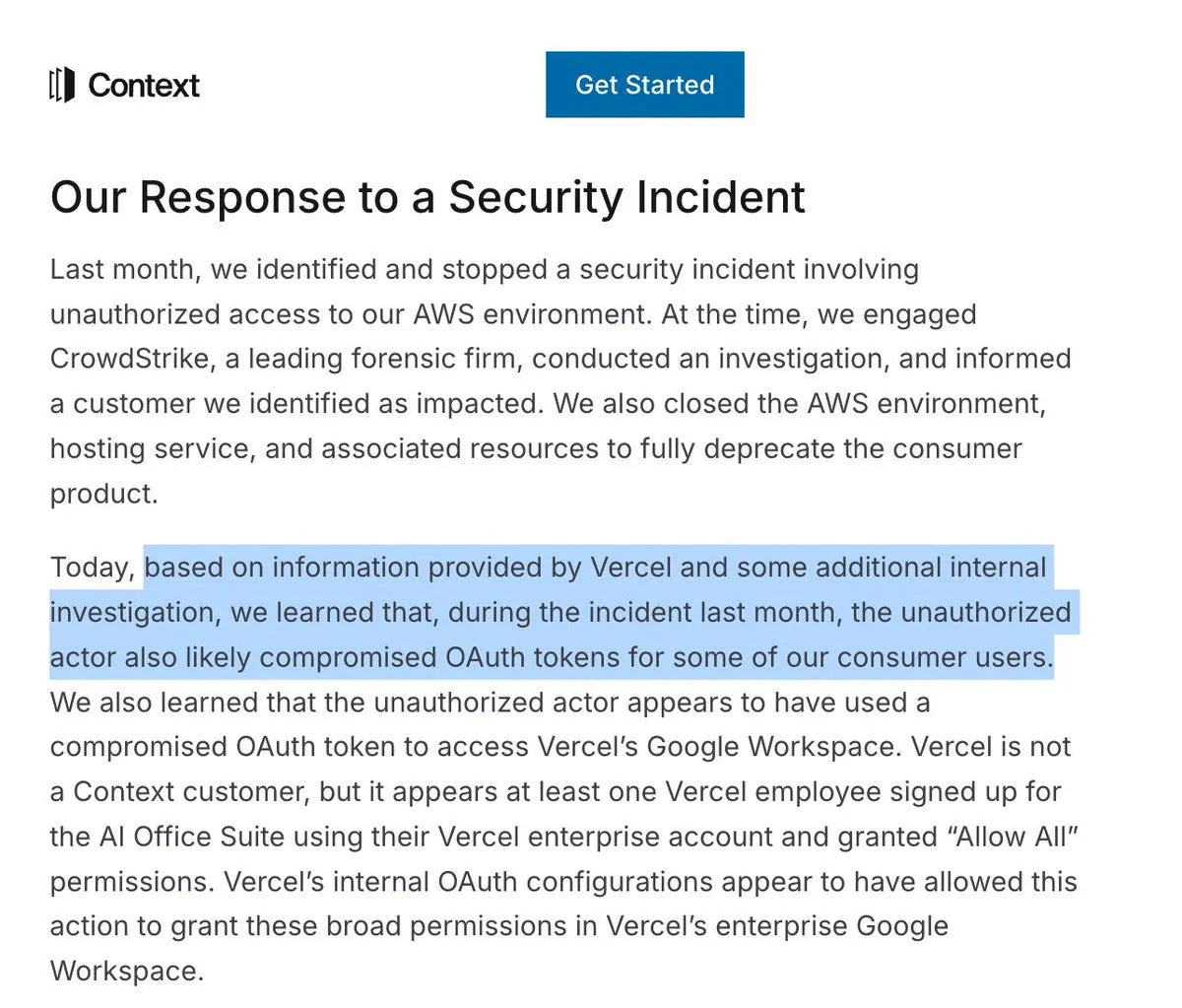
Context AI official statement on Vercel security breach
According to The Hacker News, the Vercel employee had signed up for Context.ai’s AI Office Suite using their enterprise Vercel account and granted “Allow All” permissions, which meant the OAuth token carried sweeping access across Vercel’s Google Workspace tenant.
Consequently, Context.ai has shut down its consumer product and is advising users to revoke the malicious OAuth app access.
I am not sure what to feel about this statement. This could well be a business-ending event, as it shows the startup cannot be trusted with the scopes customers handed to them.
The environment variable problem
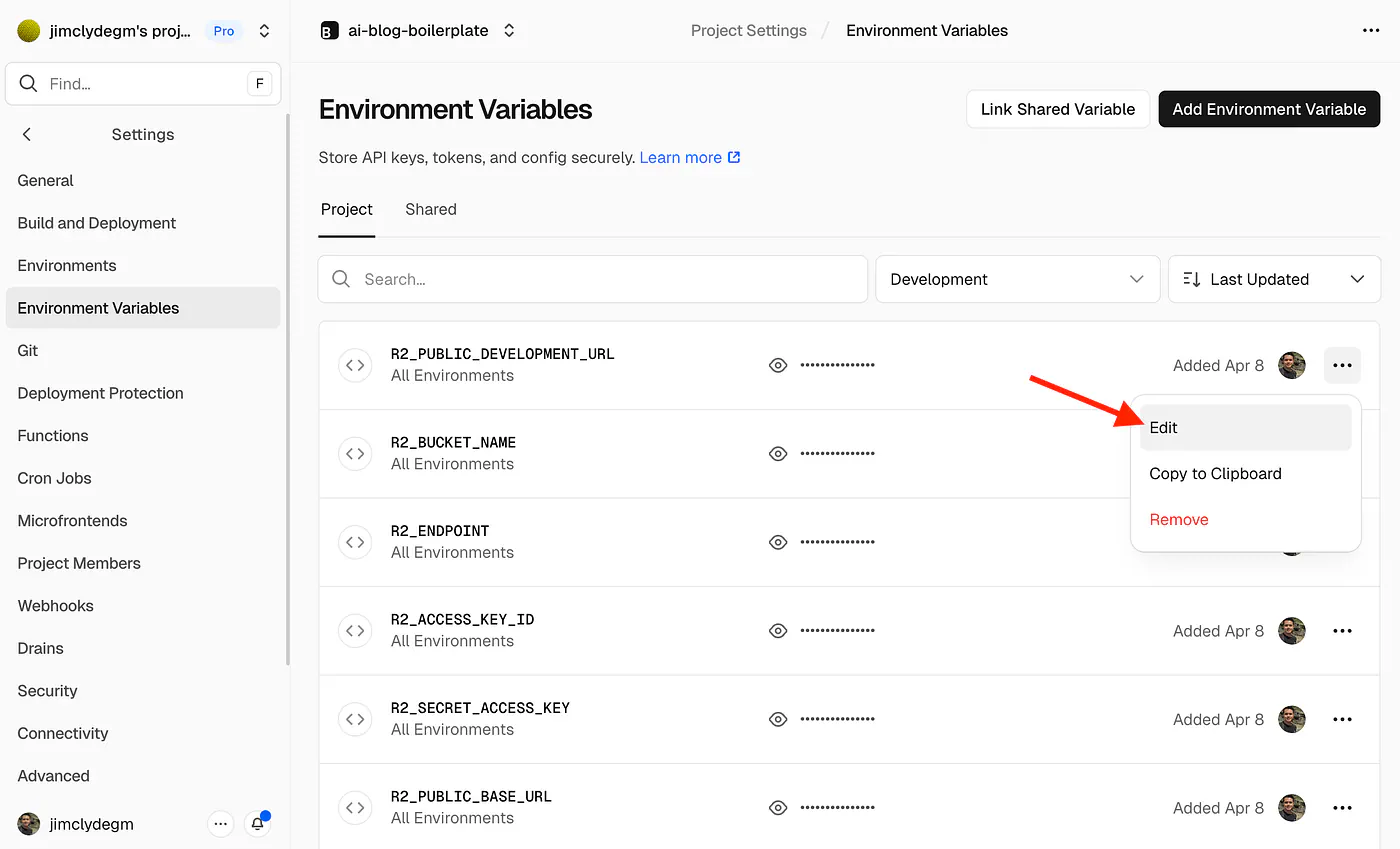
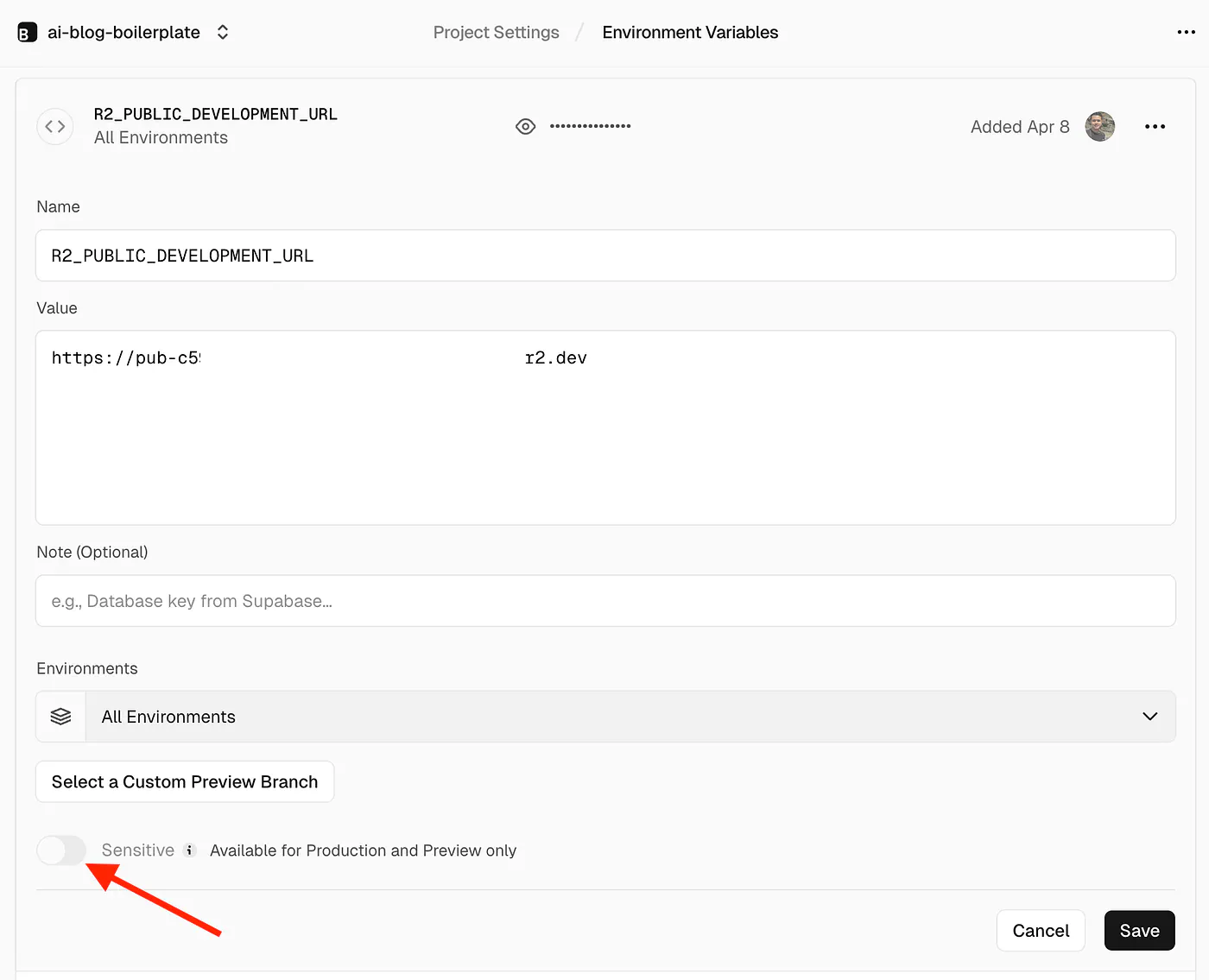
One detail in Vercel’s security bulletin deserves extra attention. The attackers specifically went after environment variables that were not marked as sensitive.
Vercel’s sensitive variable feature keeps those values encrypted at rest in a way that makes them unreadable after creation. Regular environment variables, on the other hand, can be retrieved in plaintext through the dashboard or API.
Press enter or click to view image in full size
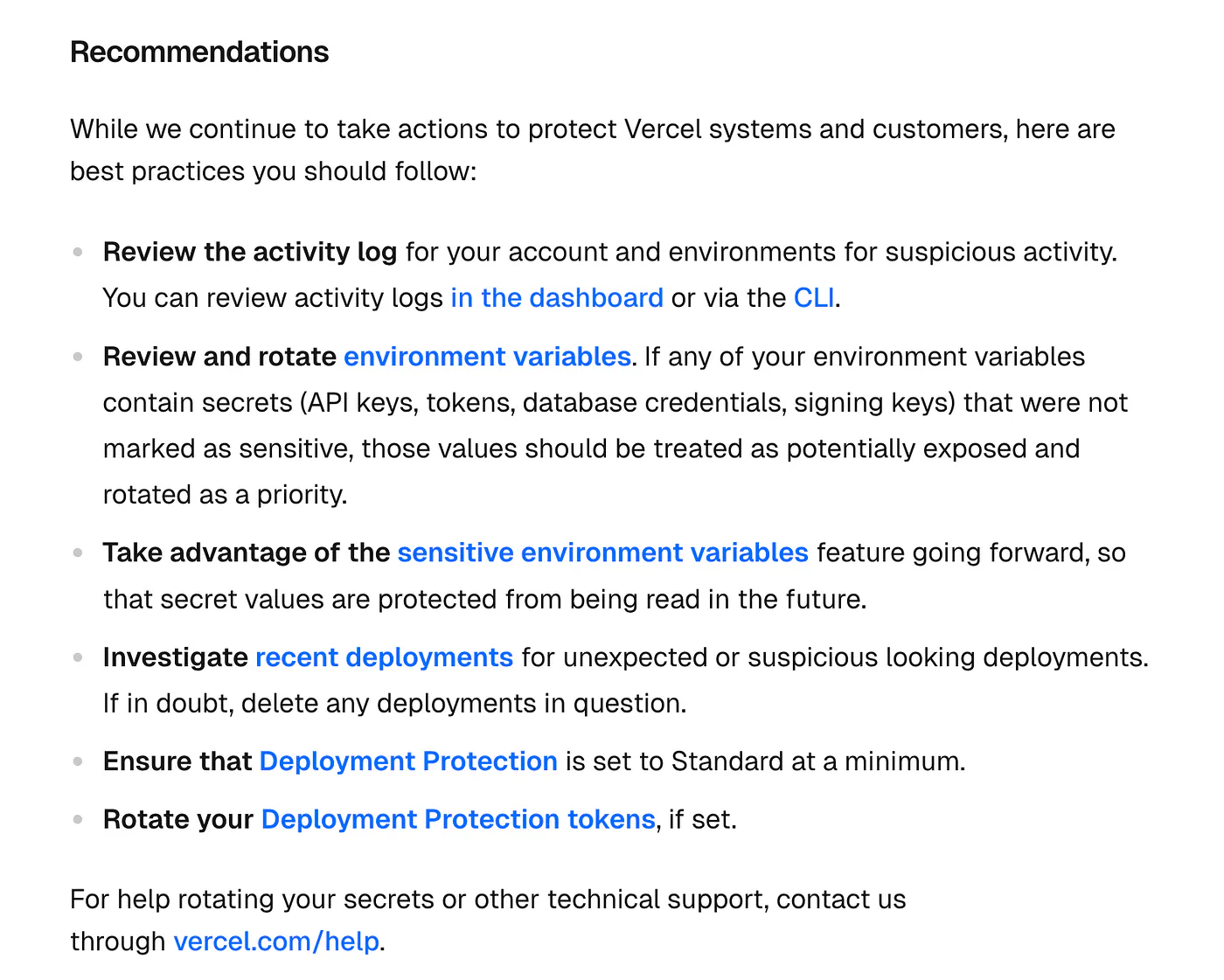
Vercel April 2026 security incident
Most developers, myself included, have not been disciplined about toggling the sensitive flag on every secret. API keys for third-party services, database URLs, analytics tokens, OpenAI keys, and Stripe test keys. Many of these end up as regular environment variables because the feature takes an extra click. That is exactly the bucket the attackers drained.
GitGuardian published a write-up urging teams to pull and scan every non-sensitive variable from their Vercel projects, treating anything that passed through that dashboard as potentially leaked.
Sources
- announcedx.com
- web appsblogg.fast
- BreachForumshaveibeenpwned.com
- Prism Newsprismnews.com
- Startup Fortunestartupfortune.com
- Guillermo Rauchx.com
- postedx.com
- Context.aicontext.ai