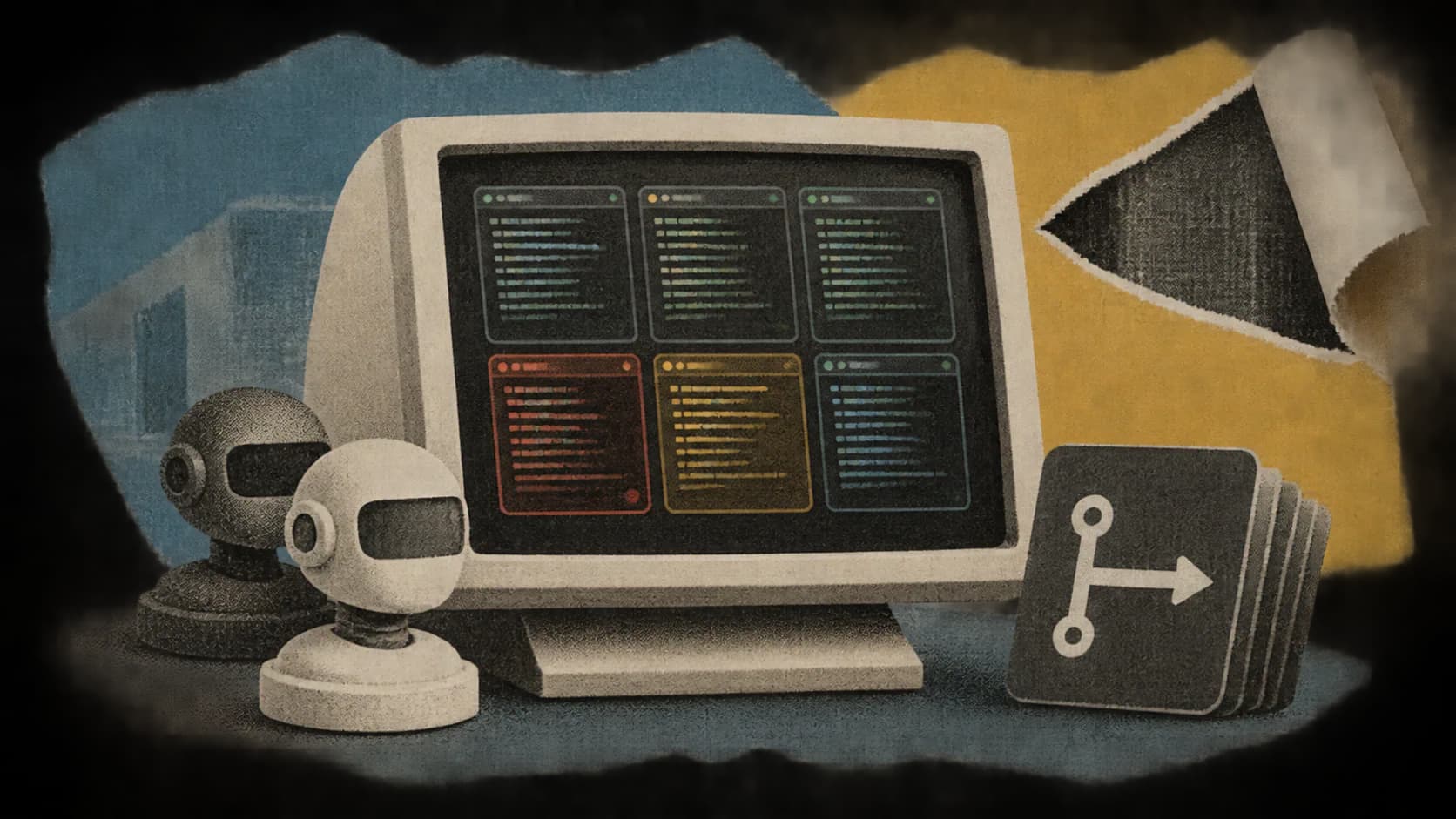
Shufler gives developers running multiple Claude Code and OpenAI Codex CLI sessions a shared 3D control room. Terminal sessions become rows, pull requests move through work stages, and items needing human input light up red. Developers can jump to a terminal tab, answer an agent, dispatch a prompt, rerun CI or merge work from the interface, according to the project’s README.
The open-source, MIT-licensed project is a macOS beta at version 0.3.0. Its PyPI release record lists that version as uploaded on October 28, 2026. A browser demo uses sample data, while Homebrew, pipx and uv provide documented installation routes.
The useful distinction is that Shufler sits alongside existing agent sessions. Developers keep using their terminals and coding tools; Shufler adds a view across them. That makes it immediately understandable as a navigation aid, but its ability to read transcripts and trigger GitHub actions also makes it more consequential than a decorative dashboard.
I’d begin with the sample-data demo, then evaluate the installed beta in an environment containing only non-sensitive work. The reasons come from its documented data inputs and controls, not from evidence of a specific security incident.
What Shufler Reads
Shufler names three inputs: terminal sessions, agent transcripts and GitHub pull requests. Together, they connect where an agent is running, what it is doing and where its work sits in a repository workflow. The README describes the resulting scene as a live companion to the terminal.
| Input | Documented role | Practical consideration |
|---|---|---|
| Terminal sessions | Represent sessions as rows and connect the scene to terminal navigation | Check which sessions are discovered and whether each row targets the expected tab or pane |
| Claude Code and Codex CLI transcripts | Help show agent activity and requests for human input | Transcripts can contain prompts, code excerpts and other repository context |
| GitHub pull requests | Place repository work into the visual pipeline and support actions such as rerunning CI or merging | Confirm the repository and available actions before using write controls |
The distinction between terminal discovery and transcript reading matters. A list of open tabs tells a tool where work lives. An agent transcript can reveal the content of that work, including instructions and material supplied to the model. The project descriptions do not justify assuming that Shufler reads every byte of terminal output, but they explicitly identify transcripts as an input.
GitHub configuration is a separate concern. The quickstart tells users to set repo = "owner/name" under [scm] to see a repository’s pull requests. That is a documented GitHub selection step. It should not be treated as proof that all terminal and transcript discovery is restricted to that same repository.
That produces an important practical implication: choosing a harmless GitHub repository does not, by itself, establish a harmless local data environment. Anyone experimenting on a machine already used for confidential agent sessions should inspect how discovery works before starting the beta against that account.
How Rows Connect Terminals to GitHub Work
Shufler’s basic unit is a terminal session. The README describes each terminal workspace as a row, arranged in the same order as the terminal’s sidebar. Clicking a row switches the real terminal to that session’s tab or pane, where the terminal integration supports it.
Work then moves horizontally through seven stages:
- Brainstorm
- Plan
- Build
- QA
- Review
- Merge
- Deploy
Each stage has a landmark and a live count. Row headers show a domain colour, an item count and a red count for work needing attention. A session without a live agent appears dark. These are documented interface behaviours, not results from an independent test.
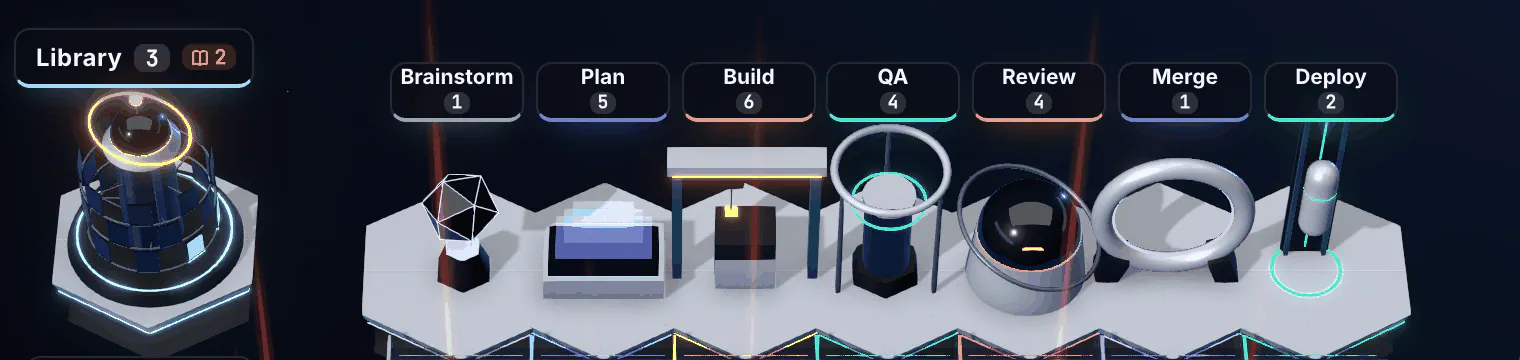
The row-and-stage combination addresses two different navigation problems. Rows answer where the agent is running. Columns show the work’s reported phase. Red indicators point toward the sessions asking for intervention.
For a developer juggling several agents, that separation could be more useful than a single list of “busy” and “idle” processes. An agent waiting for a decision and a pull request waiting for review may both be stalled, but they need different next actions. Shufler aims to place those actions beside the relevant work.
The interface also works in both directions, according to the README: an agent opening a pull request or asking a question changes the scene, while an answer entered through the scene reaches the agent. Developers can continue typing directly into their terminals.
I’d judge the 3D presentation by how reliably it preserves those connections. A clear scene is valuable if the red item opens the right session and the answer reaches the intended agent. Visual movement alone says little about whether a patch is correct, a review is complete or a deployment is healthy. Those judgments still require the underlying code, checks and release evidence.
Terminal Support Has Different Levels
The quickstart describes support for any terminal on macOS, with cmux, iTerm2 and tmux getting the fullest integration. The PyPI description makes the boundary clearer: other terminals can operate in a watch-only mode.
That qualification matters when evaluating the advertised controls. Seeing session activity and switching directly to a specific pane are different capabilities. A developer using another terminal should establish which interactions are available before expecting the full click-to-focus workflow.
Shufler also wraps existing tools instead of supplying a replacement agent environment. The documented prerequisites include the GitHub CLI and either Claude Code or the Codex CLI. Installing Shufler therefore adds a coordination layer to an existing setup; it does not remove the need to configure those tools.
The likely fit is someone with enough concurrent sessions that finding the right one has become a recurring task. For a developer working in one or two tabs, I’d first ask whether another interface reduces work or simply duplicates information already visible in the terminal.
Installing the Local Beta
The README’s quickstart offers three installation routes. Choose one:
brew install jgrichardson/shufler/shufler

# Alternative:
# pipx install shufler

# Alternative:
# uv tool install shufler
The Python package requires Python 3.11 or later, according to PyPI. It includes the local daemon, the shufler command and the built web application, so the documented package installation does not require a separate frontend build.
Next, run the setup command:
shufler setup
The project says this selects a terminal and writes configuration to ~/.config/shufler/config.toml. Open that file in an editor and set the GitHub repository under its existing [scm] section:
[scm]
repo = "owner/name"
Replace owner/name with the repository to evaluate. This is a configuration example, not a command to overwrite the rest of the file.
Start the service with:
shufler start
The documented browser address is .
Frequently Asked Questions
3 questions
1Does Shufler replace Claude Code or Codex?
No. It runs alongside Claude Code and the OpenAI Codex CLI, reading their activity and providing a shared interface. Developers can continue working in their existing terminals.