
Anthropic began rolling out Claude Meetings in beta on November 12, 2026, bringing Claude into Google Meet calls as a visible participant. Team and Enterprise customers can ask it to take notes, answer questions and build shared documents or whiteboards while a conversation is happening, according to Anthropic’s announcement.
Access is not universal. The rollout is gradual, Enterprise administrators must enable it, and some organizations with stricter data configurations are excluded. Google Meet is the only supported conferencing platform for now. Anthropic promises additional platforms later but gives no schedule.
Meetings appeared in TechCrunch’s November 10 coverage of Anthropic’s workplace products. The November 12 Claude release notes explicitly record the beta rollout in Claude and Claude Desktop. That is the practical change for eligible customers: a previously introduced feature is now starting to reach their accounts.
What Claude can do during a meeting
Claude appears in the participant list and posts a notice in the meeting chat when it joins. Attendees can address it aloud or type requests in chat. It answers in writing by default, so joining a call does not mean Claude will automatically speak over the discussion.
Anthropic describes four main jobs for the assistant:
- Capture the discussion: Produce notes, a transcript and action items.
- Answer questions: Respond to requests made aloud or in chat.
- Retrieve information: Use a participant’s connected tools with that person’s permission.
- Build shared work: Create documents, whiteboards and other artifacts that teammates on the invite can refine during the call.
The release notes also list slides among the artifacts Claude can build. These are documented product capabilities, not independently verified performance results.
Anthropic illustrates the workflow with a customer-event planning meeting. Someone asks Claude to start a document, and it drafts a plan from the discussion so far. When the conversation turns to budget, a participant asks about last year’s costs. Claude requests approval to retrieve that information, posts the result in chat and compares it with the current plan. The team can then ask for a whiteboard timeline and a recap before the call ends.
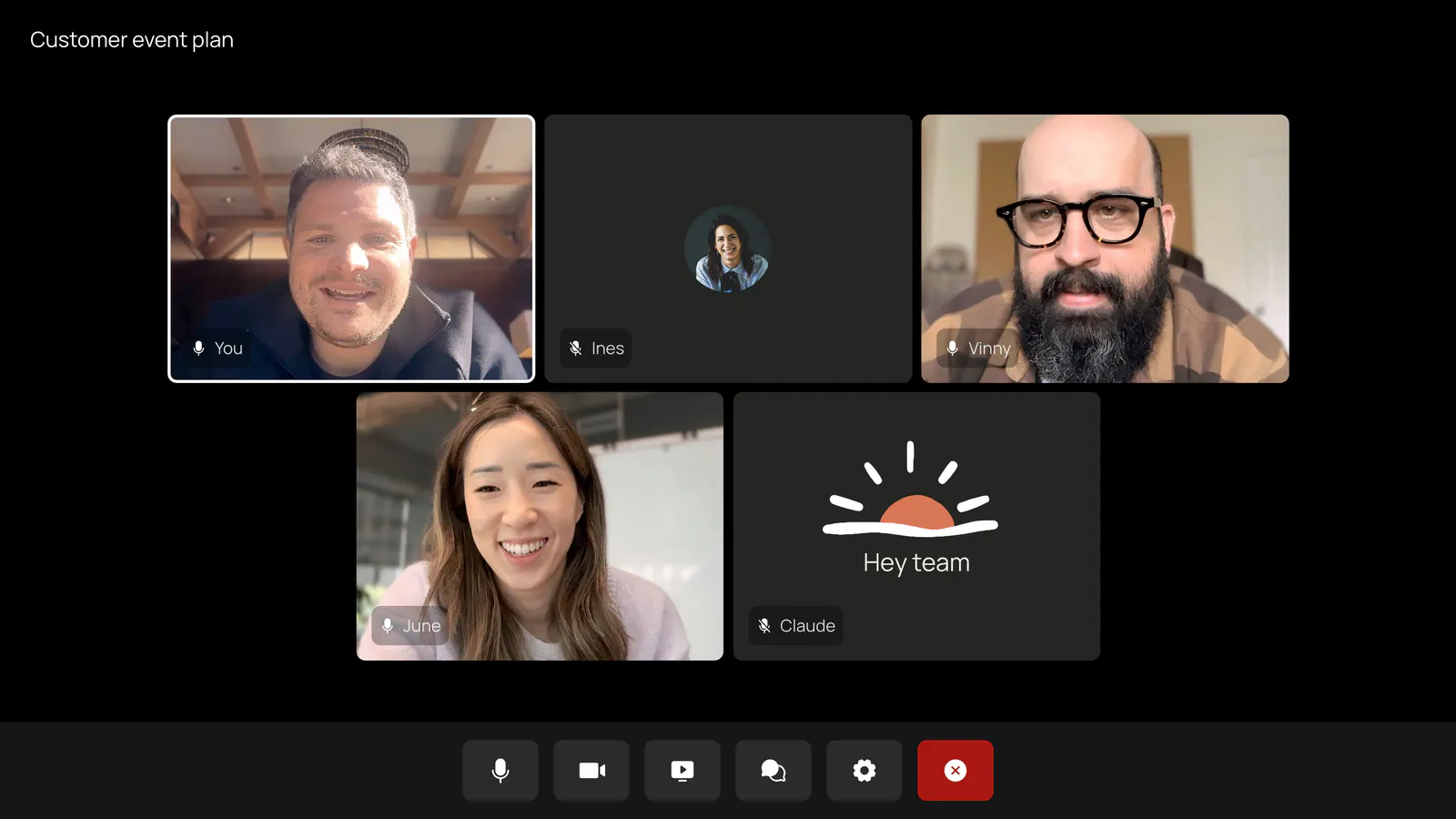
The useful distinction is that the output can become a shared working document before everyone leaves. My view is that this matters more than another automated summary: participants have an opportunity to correct a date, clarify an assignment or edit a plan while the relevant people are still present. It still requires people to inspect what Claude produces; generating an artifact is not evidence that its contents are correct.
Connected-tool permission carries forward
Claude’s access to connected tools is tied to the person using them. Anthropic describes the permission rule this way:
“It asks the first time, and a yes applies going forward.”
That detail in the launch announcement is consequential. Approval is not described as a fresh, one-use prompt for every lookup. Once a person agrees, the permission applies going forward.
Spoken requests have an additional check. During the beta, Claude asks each time to confirm who is speaking when someone makes a request aloud. That identity confirmation is separate from the continuing permission to use that person’s connected tools.
There is also an audience issue: an answer posted in the meeting chat is visible to everyone on the call. A person may have legitimate access to a connected system while other attendees should not see every detail it contains.
For that reason, I would treat tool authorization and meeting disclosure as two separate decisions. Before asking Claude to retrieve a budget, customer record or internal document, check both whose connection it will use and who will receive the answer. This is a practical implication of the documented workflow, not evidence that Claude has exposed anyone’s information.
A useful pilot would use non-sensitive material and confirm how permission prompts, speaker checks and written responses behave before the organization brings the feature into confidential discussions.
Which plans and organizations get the beta?
The November 12 release notes place Claude Meetings in Claude and Claude Desktop, with Google Meet as the conferencing service. The primary announcement gives different administrative defaults for Team and Enterprise.
| Availability detail | Team | Enterprise |
|---|---|---|
| Included in the rollout | Yes, in beta | Yes, in beta |
| Admin default | Inviting Claude is available by default; an admin can disable it | An admin must enable it |
| Organization scope | Subject to the organization’s settings and beta eligibility | Admins can enable it for all or part of the organization |
| Supported conferencing platform | Google Meet | Google Meet |
Anthropic says the beta is unavailable to some organizations, including those using:
- Zero data retention (ZDR)
- HIPAA-ready configuration
- Customer-managed encryption keys (CMEK)
An Enterprise subscription therefore does not, by itself, guarantee access. Administrators need to check the organization’s configuration as well as whether the rollout has reached it.
Users can add Claude to a meeting or enable auto-join. Before enabling automatic joining, it is worth reviewing the invitation rules and transcription expectations, since auto-join changes the setup from a deliberate action on each call to an ongoing behavior.
Anthropic has not named the next supported conferencing platforms or provided delivery dates. Teams using Zoom, Microsoft Teams or another service should not read “coming soon” as current compatibility.
What Claude saves and who can see it
Each meeting gets a separate page in claude.ai containing the notes, transcript and work Claude created. People from the organization who were on the invite can access that page and edit its artifacts. The page can also be shared with other people inside the organization.
Users can return to meetings they participated in and ask Claude follow-up questions about them. Anthropic also says it is working with partners including Gong, Attention, Granola, Fireflies.ai, Otter and Plaud so teams can send transcripts to those tools. That transfer capability is described as forthcoming.
Frequently Asked Questions
3 questions
1Who can use Claude Meetings now?
The beta is rolling out to eligible Team and Enterprise organizations. Google Meet is currently the only supported conferencing platform, and Enterprise admins must enable the feature.


