
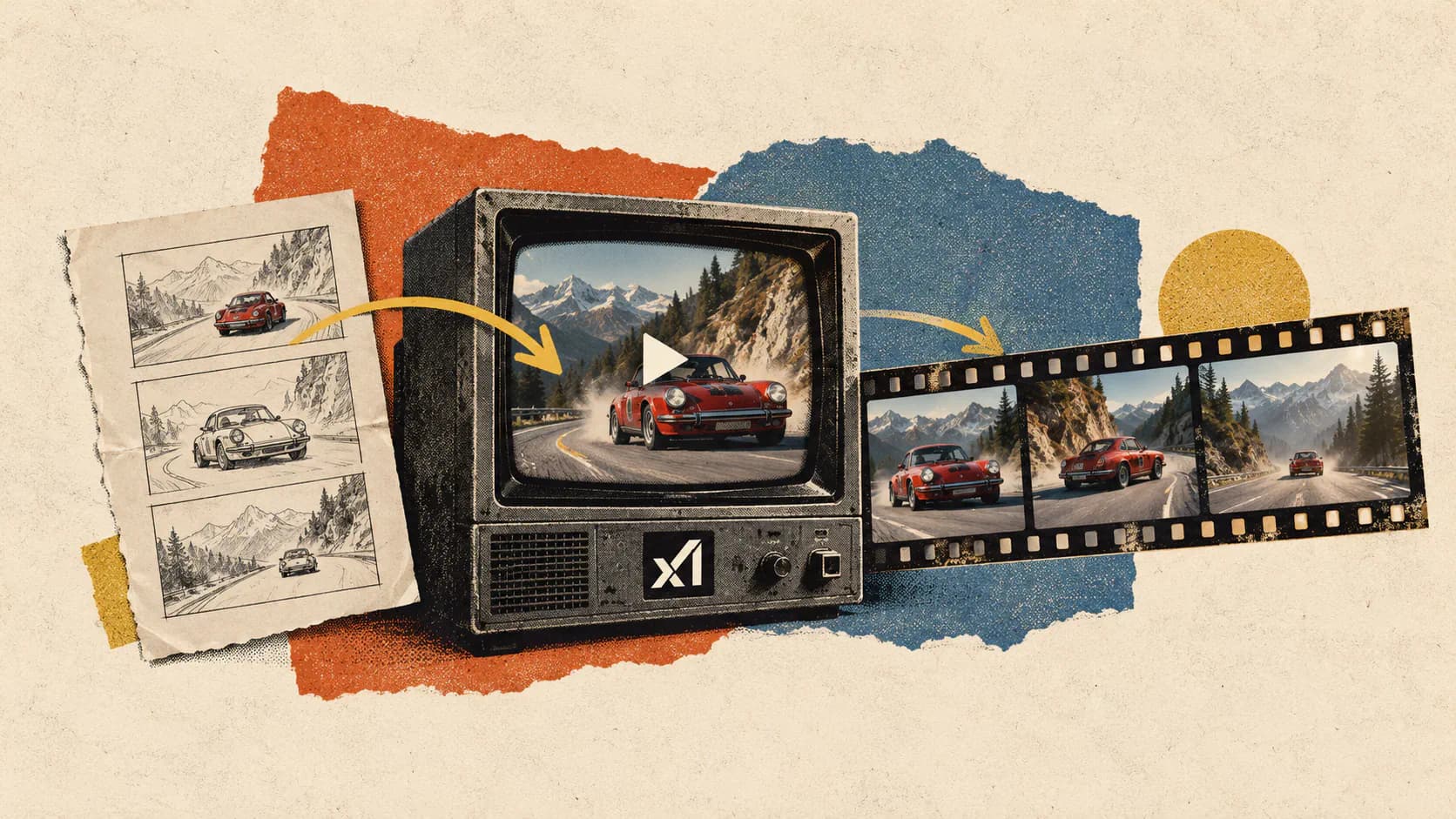
Grok has released an upgraded Imagine Video 1.5 agent focused on a problem that remains stubbornly difficult for generative video: turning separate shots into a coherent sequence. Announced on September 5, 2026, the agent is powered by xAI’s Image 2.0 model and is intended to produce higher-quality visuals, stronger storytelling, and better continuity between shots.
The distinction between an agent and a video model matters here. Grok isn’t announcing Video 1.6 or replacing the underlying Video 1.5 model. It is adding a smarter orchestration layer that can plan and connect multiple generations, with Image 2.0 providing a more consistent visual foundation.
That could be more important than another incremental increase in image quality. A convincing five-second AI clip is now relatively common. Maintaining the same character, clothing, props, location, lighting, and narrative action after a camera cut is a much harder test.
Grok Imagine Video 1.5 Upgrades the Agent Layer
Grok’s announcement describes the release as a new Video 1.5 agent, rather than a new generation of the core video model. The company says the agent delivers better storytelling and “excels at connecting multiple shots together with greater continuity,” although it has not published a technical explanation of how the agent plans scenes or preserves state between them.
The release follows several rapid updates to the Imagine product:
- On June 16, xAI launched the original Grok Imagine Video 1.5, initially emphasizing six-second 720p clips, synchronized audio, improved motion, and a Fast mode that could generate a clip in roughly 25 seconds.
- On July 31, Video 1.5 with References added text, image, character, scene, and voice references, alongside clips up to 15 seconds and higher-resolution output on supported generation modes.
- On August 7, Imagine Image 2.0 became Grok’s Quality Mode for image generation, bringing stronger instruction following, editing, typography, and visual consistency across related images.
- The September 5 agent release combines those pieces into a workflow aimed at producing connected scenes rather than isolated clips.
In product terms, an agent typically sits above one or more generative models. It can interpret a broad request, divide it into shots, formulate prompts, generate intermediate assets, evaluate results, and pass useful context from one step to the next. That is a reasonable interpretation of Grok’s announcement, but xAI has not confirmed the exact architecture or disclosed whether the agent performs automatic result selection and regeneration.
Image 2.0 Gives Grok a More Stable Visual Foundation
Image 2.0 was built around instruction following and asset consistency, two capabilities directly relevant to multi-shot AI video. xAI says the model can preserve user-provided elements across generations and edits, create separately generated characters, locations, and props in the same visual style, and use up to five reference images through its API.
Those features give the video agent a potential source of stable reference material. Instead of asking the video model to reinvent a character for every shot, the agent can work from images that establish the character’s face, clothing, environment, props, and overall art direction.
This also fits the process described in xAI’s video generation documentation. Its text-to-video endpoint is implemented as a higher-level workflow that first creates an image using a text-to-image model and then sends that image to the image-to-video system. Image 2.0 can therefore affect video quality before the animation stage begins.
It is not clear whether the consumer-facing agent follows exactly the same pipeline. Still, the relationship between the two models is technically plausible: Image 2.0 establishes the visual state, Video 1.5 animates it, and the agent manages the sequence.
Multi-Shot Continuity Is the Real Upgrade
Continuity between shots is different from temporal consistency within one shot. A single clip needs to keep objects stable from frame to frame. A sequence must preserve information even after the camera angle, framing, location, action, or passage of time changes.
A useful multi-shot system needs to track several kinds of continuity:
- Character identity: facial structure, hair, body shape, age, and other recognizable features.
- Wardrobe and props: clothing details, accessories, vehicles, tools, and objects carried between scenes.
- Location and lighting: architecture, spatial layout, time of day, color temperature, and environmental conditions.
- Action continuity: the ending of one shot should logically connect to the beginning of the next.
- Visual language: lens choice, camera movement, contrast, color treatment, and animation or photographic style.
Models often handle some of these requirements while losing others. A character’s face might remain recognizable while their clothing changes. A room can retain its furniture but reverse its layout. A walking sequence may cut to the same person moving in the opposite direction.
The agent framing suggests Grok is trying to solve continuity as a planning and state-management problem, not solely by increasing the video model’s raw generation quality. That is the right technical direction. Some inconsistencies are easier to prevent by reusing references and carrying structured scene information forward than by asking a model to infer everything again from a loosely related prompt.
Grok’s launch example is still a company-selected demonstration, however. The announcement provides no continuity benchmark, side-by-side comparison with the previous agent, or data showing how performance changes as the number of shots increases. The strongest claim, better connected sequences, therefore remains a vendor claim rather than an independently measured result.
References and 1080p Expand the Existing Video Stack
The agent arrives on top of a broader Video 1.5 feature set than the model had at its initial launch. Grok Imagine now supports text-to-video, image-to-video, and reference-to-video workflows, allowing users to begin with a written prompt, animate an existing image, or guide the result with multiple visual assets.
The References update introduced support for characters, locations, props, clothing, and other subjects. It also added preset voice references for dialogue, helping creators carry a recognizable voice into a generated performance without describing it abstractly in every prompt.
Resolution depends on the workflow. xAI says text-to-video and image-to-video can produce clips up to 1080p in Grok Imagine, while reference-to-video outputs up to 720p. The supported maximum duration is 15 seconds, with audio generated alongside the visuals.
Those limits make the agent better suited to assembling short sequences than generating complete long-form scenes in one pass. That is not necessarily a weakness. Shorter shots give the system more opportunities to adjust composition, change camera position, regenerate a weak segment, and control pacing.
The practical benefit depends on editing control. A strong agent should let users revise one shot without destabilizing the entire sequence, lock important reference details, and specify where cuts occur. Grok has not yet documented how much of that control the new interface provides.
The App and API Do Not Yet Offer the Same Workflow
The announcement says the agent is available now, but it does not include a platform-by-platform rollout table, usage limits, or a separate price for agent-generated sequences. Image 2.0 is available through Grok Imagine on the web and mobile apps, making those interfaces the most likely destination for the integrated experience.
Developers can access the underlying video model through xAI’s API. The current Grok Imagine Video model page lists asynchronous text-to-video, image-to-video, and video-editing endpoints, with durations from one to 15 seconds and a price of $0.05 per generated second. The API documentation currently lists 480p and 720p output, rather than the 1080p option advertised in the consumer Imagine product.
That difference is important. A feature available inside Grok Imagine is not automatically available through the public API. The documentation does not currently identify the smarter multi-shot agent as a separate endpoint, so developers should not assume they can send one story prompt and receive the same connected sequence shown in the launch demonstration.
It is possible to construct a similar pipeline manually by generating consistent assets with Image 2.0, sending those images into Video 1.5, and managing scene state in application code. xAI’s image API supports batches of up to 10 generated images, as well as multi-reference generation with up to five input images, which could help developers build storyboards and reusable character sheets.
The Next Tests Should Go Beyond a Curated Demo
The release will be easier to assess once users test it against continuity failures that commonly appear outside polished launch examples. A useful evaluation would repeat the same character across several locations, move a distinctive object between shots, reverse camera angles, and require one action to continue through a cut.
Longer sequences will be especially revealing. Maintaining identity across two connected shots is useful, but a narrative tool needs to hold its state through several scenes and targeted revisions. Regenerating the third shot should not silently change the protagonist’s appearance or rewrite the established location.
xAI also has not disclosed how many shots the agent can plan at once, whether users can inspect or edit the storyboard, how references are prioritized when they conflict, or whether the system automatically rejects generations that break continuity. These details will determine whether the agent is useful for controlled production or primarily a faster way to create AI video montages.
Final Thoughts
Grok Imagine Video 1.5’s agent update targets the right bottleneck. The next stage of AI video is not simply sharper frames or more dramatic camera movement. It is control over what persists between shots and what intentionally changes.
Image 2.0 gives Grok a credible foundation for that work because it was explicitly designed to preserve subjects, styles, and user-provided details across related assets. Video 1.5 already supplies references, audio, speech, and multiple generation modes. The new agent’s job is to make those components behave like one creative system.
For now, the evidence consists mainly of xAI’s description and a curated demonstration. The release becomes much more consequential if Grok can preserve characters, props, scene geometry, and action across longer sequences while still allowing individual shots to be revised. That would move Grok Imagine closer to a practical story-production environment rather than another generator of impressive but disconnected clips.
Frequently Asked Questions
What Is the Grok Imagine Video 1.5 Agent?
The Grok Imagine Video 1.5 agent is a new orchestration layer for creating connected AI video shots. Grok says it improves visual quality, storytelling, and continuity between scenes. It uses the existing Video 1.5 system together with Image 2.0, rather than introducing a separately named Video 1.6 model.


